Playwright Release Notes: QA Checklist for 2026
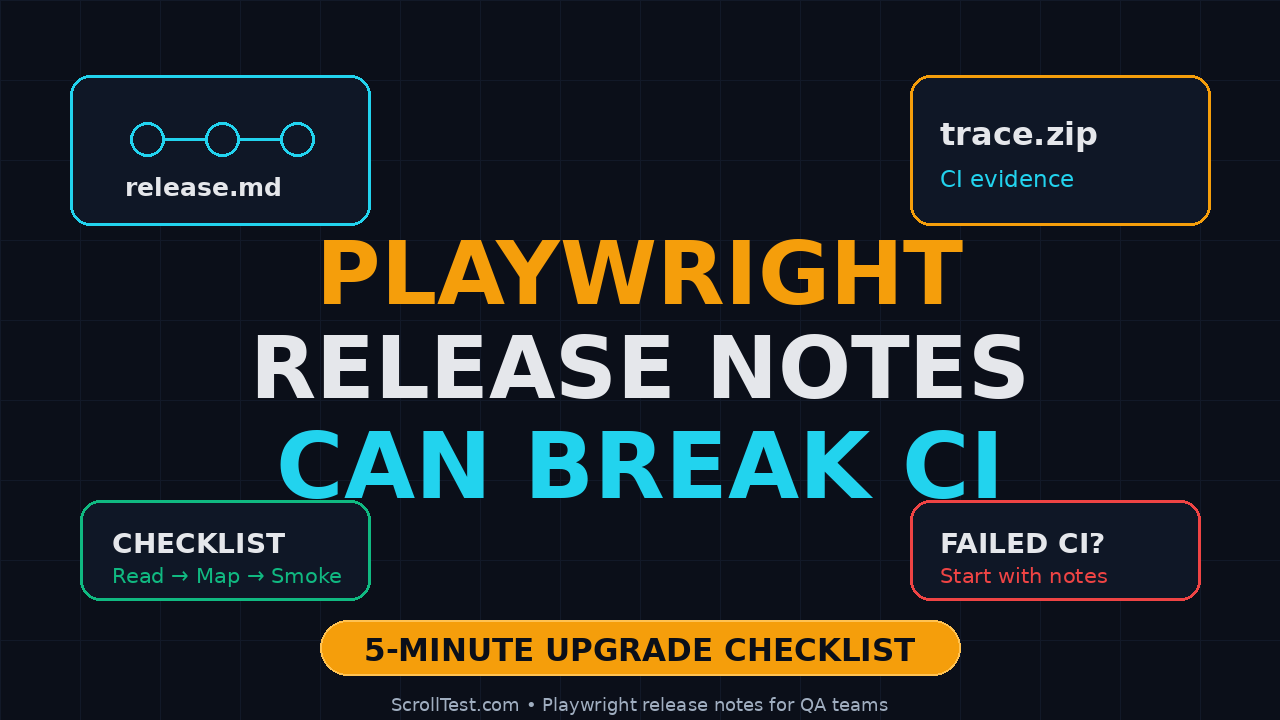
Playwright release notes look harmless until one line turns into a broken CI run. I see teams upgrade Playwright, skip the release-note review, and then spend the next standup explaining why screenshots, traces, UI mode, or browser installs suddenly behave differently.
🎭 Want to master this with real projects? Join the Playwright Automation Mastery course at The Testing Academy.
This guide gives you a practical release-note review checklist for QA teams. It is built around Playwright’s recent releases, real commands, and the exact questions I want an SDET to answer before the upgrade reaches the main branch.
Table of Contents
- Why Playwright Release Notes Break Test Suites
- The 5-Minute Release-Note Triage
- Check API and Behavior Changes First
- Check Browser and Runtime Risk
- Build a Playwright Upgrade Safety Net
- Turn One Release Note Into a Test Plan
- India Team Context: Who Owns the Upgrade?
- Tools, Commands, and Template
- Conclusion: Treat Release Notes Like Test Data
- FAQ
Contents
Why Playwright Release Notes Break Test Suites
The focus keyword here is simple: Playwright release notes. If your team uses Playwright, those notes are not marketing copy. They are risk signals.
Playwright moves fast. The official Playwright GitHub releases page shows recent versions such as v1.61.1 on 23 June 2026, v1.61.0 on 15 June 2026, v1.60.0 on 11 May 2026, and v1.59.0 on 1 April 2026. That is enough movement to make a casual upgrade risky in a serious regression suite.
It is also not a small tool anymore. The GitHub repository API reported about 91,700 stars when I checked it during this article, and the npm downloads endpoint reported 168,373,938 downloads for @playwright/test in the last-month window ending 24 June 2026. A tool with that level of adoption affects hiring, CI design, course content, and team standards.
Release notes are executable risk
A release note becomes real when it touches one of these areas:
- Test runner behavior such as fixtures, retries, sharding, or reporters.
- Browser behavior such as Chromium, Firefox, WebKit, permissions, or storage.
- Debugging behavior such as trace viewer, UI mode, screenshots, and video.
- Node.js runtime behavior such as ESM loaders and TypeScript resolution.
- New APIs that invite teams to rewrite existing helpers too early.
The danger is not only a breaking change. Many painful upgrades are caused by bug fixes. A fix can expose an assumption in your framework that has been wrong for six months.
Patch releases deserve respect
Teams often treat patch versions as safe. That is a good default for application dependencies, but test frameworks are different. A patch can still touch the runner, trace viewer, loader, browser process spawning, or assertion behavior.
For example, the Playwright v1.61.1 release notes list fixes related to expect matcher overrides, UI mode API request reporting, trace viewer websocket message timing, and a Node 22.15 loader regression. Those are not cosmetic topics. They sit directly in the test feedback loop.
Minor releases create adoption pressure
Minor releases are where the shiny features arrive. Playwright v1.61.0 introduced a Credentials virtual authenticator for WebAuthn passkey testing. Playwright v1.60.0 added HAR recording on tracing through tracing.startHar() and tracing.stopHar(). Playwright v1.59.0 introduced page.screencast.
Each feature is useful. Each feature also creates a decision: should we adopt it now, wrap it in our framework, or wait for one more patch?
The 5-Minute Playwright Release Notes Triage
This is the checklist I want every SDET to run before opening a dependency upgrade PR. It takes five minutes when you know what to scan.
Step 1: Identify the upgrade type
Start with the version jump. Do not read the release note like a blog post. Classify it first.
- Patch: v1.61.0 to v1.61.1. Expect fixes, but inspect runner and runtime areas.
- Minor: v1.60.x to v1.61.x. Expect new APIs, browser updates, and behavior additions.
- Multi-minor: v1.57.x to v1.61.x. Treat it as a migration project, not a package bump.
- Runtime-linked: Any upgrade near a Node.js, Docker image, or browser base image upgrade.
If the PR changes both Playwright and Node.js, I do not approve it as a normal dependency update. Split it or add a stronger evidence pack.
Step 2: Search for five risky words
Open the release notes and search for these terms:
regressionloadertracefixturebrowser
These words catch a large share of upgrade surprises because they map to how test suites actually fail. A selector failure is easy to debug. A loader failure at 7:30 AM inside a CI container wastes the whole morning.
Step 3: Map notes to your suite features
Do not ask, “Is this release good?” Ask, “Which parts of our framework does this release touch?”
Use this quick mapping:
- Trace, screenshot, video, HAR: run smoke tests with artifacts enabled.
- APIRequestContext: run API setup and teardown tests.
- Expect matchers: run custom assertion utilities.
- WebAuthn, permissions, storage: run auth tests and account bootstrap flows.
- Loader, ESM, TypeScript: run the framework import test before UI tests.
Check API and Behavior Changes First
Playwright release notes often announce APIs that look isolated. In real test frameworks, APIs become wrappers, fixtures, and shared utilities. That is where breakage hides.
Example: WebAuthn passkeys in v1.61.0
The v1.61.0 release added a Credentials virtual authenticator through browserContext.credentials. The official note says tests can register passkeys and answer navigator.credentials.create() and navigator.credentials.get() ceremonies without a real hardware key.
That sounds like an auth-team feature. I see a wider test-design question: should your login helper now support passkey setup, or should passkey tests live in a separate spec file with explicit fixtures?
A safe first test looks like this:
import { test, expect } from '@playwright/test';

test('passkey login smoke stays isolated from password login', async ({ browser }) => {
  const context = await browser.newContext();
  const page = await context.newPage();

  await page.goto('/login');
  await expect(page.getByRole('heading', { name: /sign in/i })).toBeVisible();

  // Keep new WebAuthn coverage in a dedicated fixture first.
  // Do not rewrite the main login helper on day one.
});
The important part is the boundary. New API does not automatically mean new shared abstraction.
Example: HAR recording on tracing in v1.60.0
The v1.60.0 release introduced tracing.startHar() and tracing.stopHar(). The Playwright tracing API documentation describes HAR recording with options such as content, mode, and URL filtering.
This is useful for network debugging. It is also a storage and privacy decision. If your tests hit staging APIs with tokens, HAR files can capture sensitive headers unless you filter and scrub properly.
import { test } from '@playwright/test';

test('checkout captures a filtered HAR only for API calls', async ({ context, page }) => {
  await context.tracing.start({ screenshots: true, snapshots: true });

  // Use URL filters when your app calls third-party services.
  // Review artifacts before enabling this across the suite.
  await page.goto('/checkout');
  await page.getByRole('button', { name: 'Place order' }).click();

  await context.tracing.stop({ path: 'artifacts/checkout-trace.zip' });
});
My rule: any release note that changes artifacts must trigger an artifact review. Do not wait for a security reviewer to find test secrets in a zip file.
Example: custom expect matchers
The v1.61.1 notes mention an expect matcher override bug. If your team extends expect, this release note matters more than a new browser feature.
import { expect } from '@playwright/test';

expect.extend({
  async toHaveOrderId(locator) {
    const text = await locator.textContent();
    const pass = /^ORD-[0-9]{6}$/.test(text ?? '');
    return {
      pass,
      message: () => `expected ${text} to match ORD-123456 format`,
    };
  },
});
After any matcher-related note, run a small assertion suite before the full regression pack. It gives faster feedback and a cleaner failure signal.
Check Browser and Runtime Risk
Browser automation is not only browser automation. It is Playwright plus browsers plus Node.js plus your CI image plus your test runner configuration. One release note can sit at any of those layers.
Node.js and loader risk
The v1.61.1 notes mention a Node 22.15 loader regression around context.conditions?.includes and another sync ESM loader resolution issue. If your framework uses TypeScript, ESM, path aliases, or custom loaders, this is the kind of line that deserves a dedicated check.
Run this before the browser tests:
node --version
npx playwright --version
npx tsc --noEmit
node -e "import('./playwright.config.ts').catch(e => { console.error(e); process.exit(1) })"
If the config cannot load cleanly, a thousand browser tests are noise.
Browser install and Docker risk
Many India-based SDET teams run Playwright in Jenkins, GitHub Actions, Azure DevOps, or GitLab with Docker images. The common failure is not a test bug. It is a missing browser dependency, a cached image, or a mismatch between @playwright/test and installed browsers.
Use this guardrail:
npm ci
npx playwright install --with-deps
npx playwright test tests/smoke --project=chromium --reporter=line
If your company cannot run --with-deps because the CI image is locked down, document the image owner. Otherwise the SDET gets blamed for an infrastructure problem.
Trace viewer and UI mode risk
Release notes that mention trace viewer or UI mode are not secondary. Debuggability is part of test reliability.
If trace viewer websocket timing or UI mode API request reporting changes, run one intentionally failing test and inspect the artifact. The question is not “Does the test pass?” The question is “Can a tired engineer understand the failure at 11 PM?”
For a deeper artifact mindset, I recommend pairing this checklist with ScrollTest’s AI Testing Evidence Pack: Trace, Screenshot, Logs. The principle is the same: if there is no evidence, there is no trustworthy automation.
Build a Playwright Upgrade Safety Net
A release-note review is weak without automation. I want a small upgrade safety net that runs in every Playwright bump PR.
The minimum CI matrix
Do not run the full overnight suite first. Run the smallest matrix that catches framework breakage.
- One config-load check.
- One smoke spec for each browser project you officially support.
- One API setup or teardown spec if you use
request. - One trace-enabled failing spec.
- One custom assertion or fixture spec.
This is usually under 10 minutes. If it is not, your smoke suite is too large.
A practical GitHub Actions workflow
name: playwright-upgrade-check
on:
  pull_request:
    paths:
      - 'package.json'
      - 'package-lock.json'
      - 'playwright.config.ts'
      - 'tests/**'

jobs:
  upgrade-smoke:
    runs-on: ubuntu-latest
    timeout-minutes: 15
    steps:
      - uses: actions/checkout@v4
      - uses: actions/setup-node@v4
        with:
          node-version: 22
          cache: npm
      - run: npm ci
      - run: npx playwright install --with-deps
      - run: npx tsc --noEmit
      - run: npx playwright test tests/smoke tests/framework --reporter=line
      - uses: actions/upload-artifact@v4
        if: always()
        with:
          name: playwright-upgrade-artifacts
          path: |
            test-results/**
            playwright-report/**
This workflow does not prove the whole product is safe. It proves the framework can start, the browsers can launch, and the failure artifacts are available.
Evidence required in the upgrade PR
I ask for a short evidence block in the PR description:
- Old version and new version.
- Release notes reviewed, with links.
- Risk areas found.
- Smoke command run locally.
- CI link with trace artifacts.
- Decision: merge, hold, or split into smaller upgrades.
This is not bureaucracy. It saves the team from Slack archaeology two weeks later.
🚀 Level Up Your Playwright
From locators to CI pipelines — build a production-grade Playwright + TypeScript framework step by step.
Turn One Release Note Into a Test Plan
The topic that triggered this article was a short-form idea: “One release note can break your test suite.” For SEO, the useful version is the process behind it.
Use this release-note-to-test-plan template
Copy this into your PR template or QA checklist:
## Playwright Upgrade Review

Old version:
New version:
Release notes:

### Risk classification
- Runner:
- Browser:
- Artifacts:
- Runtime / Node:
- New APIs:

### Required checks
- [ ] npm ci
- [ ] npx playwright install --with-deps
- [ ] npx tsc --noEmit
- [ ] smoke suite in Chromium
- [ ] one trace-enabled failing test
- [ ] one API setup/teardown test
- [ ] one custom fixture/assertion test

### Evidence
CI run:
Trace artifact:
Decision:
Owner:
Example mapping from recent Playwright notes
Here is how I would map recent notes to test work:
- v1.61.1, loader regression: Run TypeScript config import and ESM path tests.
- v1.61.1, trace viewer timing: Run a websocket or streaming test and inspect trace timestamps.
- v1.61.0, WebAuthn Credentials: Add one isolated passkey smoke test before changing shared auth fixtures.
- v1.60.0, HAR on tracing: Add artifact review and secret-scrubbing rules.
- v1.59.0, screencast: Test artifact size and retention policy before enabling broadly.
If you want a stronger CI base, also read ScrollTest’s Playwright CI Sharding with TypeScript. Sharding and upgrade checks work well together because the same disciplined suite boundaries help both.
Do not convert every new feature into framework code
This is where senior SDETs earn trust. A new Playwright feature should pass through three stages:
- Spike: One isolated spec proves the feature works in your app.
- Pattern: Two or three teams use it with the same shape.
- Framework: Only then wrap it in shared utilities.
Skipping the first two stages creates framework debt. The release note did not break your suite. Your abstraction did.
India Team Context: Who Owns the Upgrade?
In many Indian QA teams, Playwright upgrades fall between roles. The junior SDET updates package-lock.json. The senior SDET reviews only test failures. The DevOps engineer owns the Docker image. The manager sees only the red pipeline.
That split creates slow recovery.
For service companies
In TCS, Infosys, Wipro, Cognizant-style delivery setups, teams often support multiple client repos with different Node versions. The safest rule is simple: one Playwright upgrade checklist per client repo. Do not copy the green result from one repo into another.
Client A may use Chromium only. Client B may run WebKit for Safari risk. Client C may have a locked Jenkins image. The same release note creates different risk.
For product companies
Product companies usually care more about release speed and ownership. Here I want an SDET or QA lead to own the upgrade lane as a recurring task, not a random Dependabot merge.
If a company pays ₹25-40 LPA for strong SDETs, the expectation is not only writing locators. The expectation is judgment: reading release notes, designing a minimal safety net, and explaining risk in one paragraph.
For manual testers moving to SDET
This is a strong portfolio exercise. Pick one Playwright release note, write the risk mapping, add a smoke test, and publish the PR. It shows better thinking than another login-page automation demo.
If you are on that transition path, ScrollTest’s Manual Tester to SDET in 30 Days blueprint gives a structured path. Add release-note analysis to your weekly practice.
Tools, Commands, and Template
Here are the commands I use when I review a Playwright upgrade. They are simple on purpose.
Check current versions
node --version
npm view @playwright/test version
npm ls @playwright/test
npx playwright --version
npx playwright install --dry-run
The npm package page for @playwright/test is useful for checking the published package, but I prefer the registry or CLI command inside CI because it removes browser cache confusion.
Fetch release notes without leaving the terminal
curl -s https://api.github.com/repos/microsoft/playwright/releases/latest \
  | jq -r '.tag_name, .published_at, .html_url, .body' \
  | sed -n '1,120p'
Do not paste the entire release note into an issue. Paste the three lines that matter to your suite.
Run an upgrade smoke locally
npm ci
npx playwright install --with-deps
npx tsc --noEmit
npx playwright test tests/smoke --project=chromium --trace=on-first-retry
npx playwright show-report
For teams already testing AI browser flows, pair this with a trace review habit. ScrollTest’s Trace Review Template for AI Browser Runs is a useful reference because the same trace discipline applies to standard Playwright suites.
Tag risky tests
If your suite is large, tag framework-sensitive specs.
import { test, expect } from '@playwright/test';

test.describe('@upgrade framework smoke', () => {
  test('trace, request, and fixture layers still work', async ({ page, request }) => {
    const health = await request.get('/api/health');
    expect(health.ok()).toBeTruthy();

    await page.goto('/');
    await expect(page.getByRole('banner')).toBeVisible();
  });
});
Then your CI command becomes:
npx playwright test --grep @upgrade --reporter=lineConclusion: Treat Playwright Release Notes Like Test Data
Playwright release notes are not optional reading for a team that depends on browser automation. One line about a loader, trace viewer, matcher, or browser process can explain the next CI failure before it happens.
My practical rule is simple: every Playwright upgrade PR needs release-note evidence, a small smoke matrix, and one person accountable for the decision.
Key takeaways:
- Patch releases can still affect runner, loader, trace, and UI mode behavior.
- Minor releases should start as isolated spikes before becoming framework utilities.
- Run config-load, TypeScript, smoke, artifact, API, and custom assertion checks before merge.
- Use release notes to create a test plan, not a Slack debate after CI fails.
- For SDETs in India, release-note judgment is a visible senior-level skill.
FAQ
How often should a QA team upgrade Playwright?
I prefer small, regular upgrades instead of one painful jump every six months. A monthly cadence works for many teams, provided each upgrade has a release-note review and smoke evidence.
Are Playwright patch releases always safe?
No. Patch releases are usually lower risk than minor releases, but they can still touch test runner behavior, Node.js loaders, trace viewer behavior, or browser process handling. Read the notes before merging.
Should I upgrade Playwright and Node.js in the same PR?
Only if you have a strong reason. I prefer separate PRs because it keeps failure analysis clean. If both change together, add TypeScript config-load checks and Docker image checks.
What is the fastest release-note check for a busy SDET?
Search the notes for regression, loader, trace, fixture, browser, APIRequestContext, and expect. Then map each hit to one test command. That is the 5-minute version.
Can AI summarize Playwright release notes for me?
Yes, but do not stop at a summary. Ask the AI to map each note to your framework features, then verify against the official Playwright release page and run the smoke suite.
🎓 Master Playwright End to End
Join hundreds of SDETs building real automation frameworks. Lifetime access, hands-on projects, and a job-ready portfolio.