
Playwright CI GitHub Actions: Day 12 Tutorial
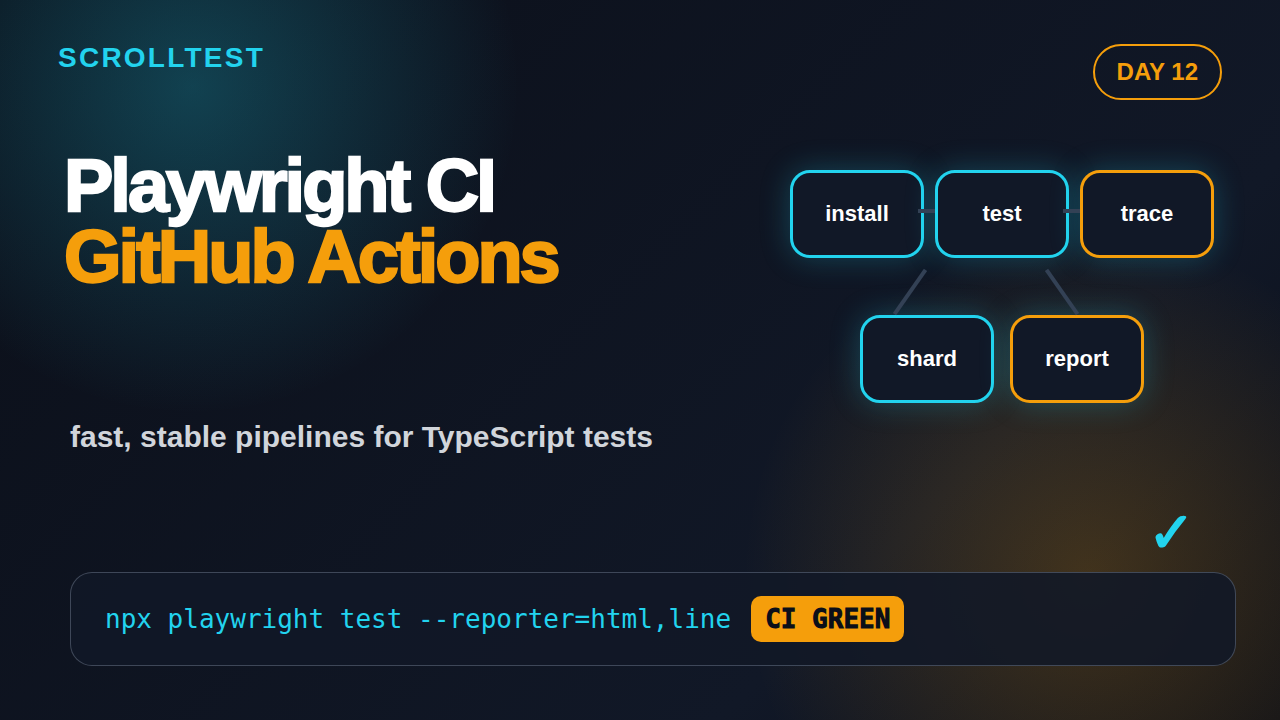
Most Playwright suites do not fail because the framework is weak. They fail because the CI pipeline is treated like an afterthought. In Day 12, I set up Playwright CI GitHub Actions the way I expect a serious TypeScript test suite to run in a real team: repeatable install, browser caching, traces on failure, HTML reports, shards, and clear rules for retries.
🎭 Want to master this with real projects? Join the Playwright Automation Mastery course at The Testing Academy.
Table of Contents
- Why Playwright CI GitHub Actions Matters
- Repository Baseline Before CI
- Create the First GitHub Actions Workflow
- Tune Playwright Config for CI
- Reports, Traces, Videos, and Artifacts
- Sharding and Parallelism Without Chaos
- Environment Variables, Secrets, and Test Data
- Common Playwright CI GitHub Actions Pitfalls
- India SDET Interview Context
- Key Takeaways and Homework
- FAQ
Contents
Why Playwright CI GitHub Actions Matters
Local Playwright tests are useful, but they are not the final truth. The final truth is the same command running on a clean machine, with no hidden browser profile, no local cookies, no manually started backend, and no friendly developer watching the screen.
That is why Playwright CI GitHub Actions belongs early in this 21-day series. If you wait until the suite has 300 tests, you will move slow. Every small mistake in setup, data, retries, and artifacts becomes harder to fix after the team depends on the suite.
Playwright is designed for CI. The official Playwright CI guidance covers browser installation, Linux dependencies, and common providers. The npm package for @playwright/test had 163,679,640 downloads from 2026-05-20 to 2026-06-18, and the microsoft/playwright GitHub repository showed 91,272 stars during this run. That scale does not make your pipeline good by default, but it means the basic CI path is mature and well documented.
What changes when tests run in CI?
CI changes the rules in five ways:
- The machine is clean on every run.
- Network and CPU are less predictable than your laptop.
- Secrets must come from the platform, not from
.envcommitted to Git. - Debugging must happen through traces, videos, screenshots, and logs.
- Failures block pull requests, so flakiness becomes a team tax.
If you completed the earlier lessons, connect this one with Day 7 on Trace Viewer, Day 10 on authentication, and Day 11 on network mocking. CI exposes whether those topics are actually implemented cleanly.
The target pipeline
For a practical TypeScript project, I want this baseline:
- Run on every pull request and push to main.
- Use a fixed Node version.
- Install dependencies with
npm ci, notnpm install. - Install Playwright browsers with system dependencies.
- Run tests in headless mode.
- Upload HTML report, traces, screenshots, and videos when something fails.
- Use retries only in CI, not locally.
- Scale with shards once the suite becomes slow.
Repository Baseline Before CI
Before touching GitHub Actions, make the local project boring. CI punishes clever manual steps. If your README says “run this command first in another terminal” and the command is not captured in config, your pipeline will break when nobody is watching.
Expected folder structure
Use a structure that a new SDET can understand in 30 seconds:
playwright-demo/
  .github/
    workflows/
      playwright.yml
  tests/
    smoke/
      login.spec.ts
    regression/
      checkout.spec.ts
  tests/fixtures/
    auth.fixture.ts
  playwright.config.ts
  package.json
  package-lock.json
  tsconfig.json
The exact names can change, but the rule stays the same: tests, fixtures, config, and workflow files should not be scattered randomly.
Package scripts
I like explicit scripts in package.json. They make local and CI commands easier to read.
{
  "scripts": {
    "test:e2e": "playwright test",
    "test:e2e:smoke": "playwright test tests/smoke",
    "test:e2e:headed": "playwright test --headed",
    "test:e2e:debug": "playwright test --debug",
    "report:e2e": "playwright show-report"
  },
  "devDependencies": {
    "@playwright/test": "latest",
    "typescript": "latest"
  }
}
In a production repo, pin versions instead of keeping everything on latest. A tutorial can be flexible. A release branch should be boring and predictable.
Local command before pushing
Run this once before creating the workflow:
npm ci
npx playwright install --with-deps
npx playwright test --reporter=line
If the suite fails here, do not expect GitHub Actions to fix it. CI is not a magic cleaner. It only makes the failure more visible.
Create the First GitHub Actions Workflow
GitHub Actions uses YAML files under .github/workflows. For Day 12, create .github/workflows/playwright.yml. Start with one job, one OS, and one browser project. Add complexity only after the baseline is green.
Minimal production-friendly workflow
name: Playwright Tests

on:
  push:
    branches: [main]
  pull_request:
    branches: [main]

jobs:
  test:
    timeout-minutes: 30
    runs-on: ubuntu-latest

    steps:
      - name: Checkout repository
        uses: actions/checkout@v4

      - name: Setup Node.js
        uses: actions/setup-node@v4
        with:
          node-version: 20
          cache: npm

      - name: Install dependencies
        run: npm ci

      - name: Install Playwright browsers
        run: npx playwright install --with-deps

      - name: Run Playwright tests
        run: npx playwright test

      - name: Upload Playwright report
        if: always()
        uses: actions/upload-artifact@v4
        with:
          name: playwright-report
          path: playwright-report/
          retention-days: 7
This workflow is enough to catch real pull request issues. It checks out code, installs Node, restores npm cache, installs dependencies, installs browsers, runs tests, and uploads the report even if tests fail.
Why npm ci matters
npm ci installs exactly what is in package-lock.json. That is what you want in CI. If your local machine silently updates a transitive dependency, CI should not copy that surprise unless the lock file changes.
This is one of those small details interviewers notice. A candidate who says “use npm ci in pipeline” usually has real project exposure. A candidate who says “just run npm install” may still be thinking from a laptop-only workflow.
When to trigger the workflow
For most teams, run smoke tests on pull requests and the full suite on main or nightly. You can split it like this later:
- Pull request: smoke suite, changed-area tests, API contract checks.
- Main branch: full browser matrix.
- Nightly: slow regression, visual tests, cross-browser runs, data-heavy flows.
Do not run a 90-minute full suite on every tiny documentation pull request. CI should protect the team, not punish them.
Tune Playwright Config for CI
The workflow runs the command. The Playwright config controls behavior. This is where many teams create flakiness by using the same settings for laptop debugging and CI execution.
Use process.env.CI
Playwright examples often use process.env.CI because CI needs different defaults. Here is a clean starting point:
import { defineConfig, devices } from '@playwright/test';

export default defineConfig({
  testDir: './tests',
  timeout: 30_000,
  expect: {
    timeout: 5_000,
  },
  fullyParallel: true,
  forbidOnly: !!process.env.CI,
  retries: process.env.CI ? 2 : 0,
  workers: process.env.CI ? 2 : undefined,
  reporter: process.env.CI
    ? [['html'], ['github'], ['line']]
    : [['html'], ['list']],
  use: {
    baseURL: process.env.BASE_URL || 'http://localhost:3000',
    trace: 'on-first-retry',
    screenshot: 'only-on-failure',
    video: 'retain-on-failure',
    actionTimeout: 10_000,
    navigationTimeout: 15_000,
  },
  projects: [
    {
      name: 'chromium',
      use: { ...devices['Desktop Chrome'] },
    },
  ],
});
The important line is not one single property. The important idea is that CI gets stricter and more observable. forbidOnly stops accidental test.only. Retries happen in CI, but not locally. Trace, screenshot, and video settings keep failures debuggable.
Do not hide flakiness with retries
Retries are a seat belt, not a repair plan. I use two retries in CI because cloud machines and staging environments can have temporary issues. But if the same test passes only on retry every day, treat it as a bug in test design, data setup, or product stability.
A useful rule: if a test needed retry twice in the last week, create a task. Flakiness ignored for one sprint becomes a normal tax by the next sprint.
Keep browser projects realistic
Do not start with Chromium, Firefox, WebKit, mobile Safari, tablet, and branded Chrome on every pull request. Start with Chromium for PRs. Add a nightly matrix for other browsers if the product risk justifies it.
projects: [
  { name: 'chromium', use: { ...devices['Desktop Chrome'] } },
  { name: 'firefox-nightly', use: { ...devices['Desktop Firefox'] } },
  { name: 'webkit-nightly', use: { ...devices['Desktop Safari'] } },
]
Then use separate workflow triggers or grep tags so every PR is not slowed by every browser.
Reports, Traces, Videos, and Artifacts
CI debugging is artifact debugging. If a test fails in GitHub Actions and the only output is “Timeout 30000ms exceeded,” the pipeline is underbuilt. A good setup gives the reviewer enough evidence to decide whether the issue is test code, app code, data, or environment.
HTML report
The HTML report is the first thing I upload. It gives failed tests, steps, attachments, screenshots, and trace links in one place.
- name: Upload Playwright HTML report
  if: always()
  uses: actions/upload-artifact@v4
  with:
    name: playwright-report-${{ github.run_number }}
    path: playwright-report/
    retention-days: 14
Use a run number in the artifact name when you need clarity across repeated runs. Keep retention reasonable. Seven to fourteen days is enough for most pull request debugging.
Trace Viewer from CI
Trace Viewer is the best debugging tool Playwright gives you. In the ScrollTest Trace Viewer guide, I explain why traces are better than staring at logs. In CI, set trace: 'on-first-retry' or trace: 'retain-on-failure' depending on storage limits.
npx playwright show-trace test-results/path-to-trace.zip
When a junior tester says “it failed in CI,” ask for the trace. If there is no trace, fix the pipeline before debating the failure.
Screenshots and videos
Screenshots are cheap. Videos are more expensive but useful for tricky flows. I keep this setup:
use: {
  screenshot: 'only-on-failure',
  video: 'retain-on-failure',
  trace: 'on-first-retry',
}
This avoids storing huge video files for every passing test, but keeps enough evidence for failed flows.
🚀 Level Up Your Playwright
From locators to CI pipelines — build a production-grade Playwright + TypeScript framework step by step.
Sharding and Parallelism Without Chaos
Once the suite crosses 10 to 15 minutes, teams start asking about speed. The first answer is not always “add more machines.” First remove bad waits, broad tests, unnecessary cross-browser runs, and repeated login setup. After that, sharding helps.
Simple shard matrix
Playwright supports sharding through the command line. GitHub Actions supports matrix jobs. Combine them like this:
jobs:
  test:
    runs-on: ubuntu-latest
    strategy:
      fail-fast: false
      matrix:
        shard: [1, 2, 3, 4]

    steps:
      - uses: actions/checkout@v4
      - uses: actions/setup-node@v4
        with:
          node-version: 20
          cache: npm
      - run: npm ci
      - run: npx playwright install --with-deps
      - name: Run shard ${{ matrix.shard }}
        run: npx playwright test --shard=${{ matrix.shard }}/4
      - name: Upload report
        if: always()
        uses: actions/upload-artifact@v4
        with:
          name: playwright-report-shard-${{ matrix.shard }}
          path: playwright-report/
fail-fast: false matters. If shard 1 fails quickly, I still want shards 2, 3, and 4 to finish so I can see the complete failure picture. The Playwright sharding documentation is the primary reference when you adapt this pattern for another CI provider.
Do not overshard a tiny suite
Four shards for 20 tests can be slower because setup overhead dominates execution time. Shard when total runtime justifies it. A good starting rule is:
- Under 5 minutes: do not shard.
- 5 to 15 minutes: optimize tests first.
- 15 to 30 minutes: consider 2 to 4 shards.
- Over 30 minutes: split by risk, browser, and workflow trigger.
These are not universal numbers. They are practical defaults for product teams that need fast feedback.
Parallelism inside Playwright
workers controls how many tests run in parallel inside one job. A GitHub-hosted runner has limited CPU. Setting workers to 12 does not make a 2-core runner magically faster. It often creates timeouts and false failures.
workers: process.env.CI ? 2 : undefined,
fullyParallel: true,
Use measured changes. Run once with 2 workers, once with 4, compare timing and flake rate, then decide.
Environment Variables, Secrets, and Test Data
Real test suites need URLs, credentials, feature flags, and test data. Do not hard-code them in specs. Do not commit staging passwords. Do not send secrets into screenshots or traces.
GitHub Actions secrets
Add secrets in GitHub under repository settings, then read them in the workflow:
- name: Run Playwright tests against staging
  env:
    BASE_URL: ${{ secrets.STAGING_BASE_URL }}
    E2E_USER_EMAIL: ${{ secrets.E2E_USER_EMAIL }}
    E2E_USER_PASSWORD: ${{ secrets.E2E_USER_PASSWORD }}
  run: npx playwright test
Then read them in TypeScript:
const email = process.env.E2E_USER_EMAIL;
const password = process.env.E2E_USER_PASSWORD;

if (!email || !password) {
  throw new Error('Missing E2E credentials');
}
Fail fast when required variables are missing. A clear error at startup is better than 40 login tests failing with vague selector timeouts.
Storage state in CI
If you use authenticated state from Day 10, generate it inside CI or store it as a secure artifact only when your security policy allows it. My default is to run an auth setup project that logs in and creates storage state during the workflow.
projects: [
  { name: 'setup', testMatch: /.*\.setup\.ts/ },
  {
    name: 'chromium',
    use: { ...devices['Desktop Chrome'], storageState: 'playwright/.auth/user.json' },
    dependencies: ['setup'],
  },
]
Do not commit playwright/.auth/user.json. Add it to .gitignore.
Test data rules
CI should not depend on one shared customer, one shared cart, or one shared order that every tester edits. Use predictable test data builders, API setup, or isolated accounts. If two parallel tests mutate the same record, your sharded suite will become flaky.
This is where Day 8 API testing and Day 11 network mocking connect nicely. Use API calls for setup when you need real backend state. Use mocks when the UI behavior is the point and backend state is noise.
Common Playwright CI GitHub Actions Pitfalls
I see the same CI mistakes in beginner and mid-level teams. Most are easy to avoid once you know the pattern.
Pitfall 1: Installing browsers without dependencies
On Linux CI, use:
npx playwright install --with-deps
Installing browser binaries without required OS dependencies can create confusing launch failures. The official docs call out CI setup because browsers need more than npm packages.
Pitfall 2: Keeping test.only in committed code
Use forbidOnly: !!process.env.CI. This turns a careless commit into a fast pipeline failure instead of silently running one test and pretending the suite passed.
Pitfall 3: Depending on headed mode
CI should run headless by default. Headed mode is useful for debugging locally. If your test only passes when watched, you probably have a timing issue, bad assertion, or hidden dependency on viewport or focus.
Pitfall 4: Uploading no artifacts on failure
Use if: always() for report upload. If you upload reports only on success, you have built the least useful report system possible.
Pitfall 5: Running too much on every PR
A slow pipeline gets ignored. Developers start merging around it, rerunning blindly, or marking tests as flaky. Keep PR feedback focused. Move expensive browser matrices and visual regression to nightly unless the risk demands PR-level checks.
India SDET Interview Context
For SDETs in India, CI knowledge separates “I can write Playwright tests” from “I can own automation for a team.” That difference matters in interviews for product companies and high-paying service teams.
In ₹25 to ₹40 LPA interviews, expect questions like:
- How do you run Playwright tests in GitHub Actions?
- How do you collect traces from failed CI runs?
- How do you handle secrets and staging credentials?
- How do you reduce pipeline time from 40 minutes to 10 minutes?
- How do you decide between retries, waits, sharding, and fixing test design?
A TCS or Infosys project may still have a Jenkins-heavy setup. A product company may use GitHub Actions, GitLab CI, Buildkite, CircleCI, or Azure Pipelines. The tool changes. The thinking stays the same: clean install, deterministic data, browser dependencies, artifacts, and fast feedback.
Interview answer template
Use this structure when answering a CI question:
- Start with trigger strategy: PR smoke, main regression, nightly full run.
- Explain environment setup: Node version, npm ci, browser install with dependencies.
- Explain Playwright config: retries in CI, forbidOnly, traces, screenshots, videos.
- Explain artifacts: HTML report, trace zip, retention days.
- Explain scaling: workers first, then shards, then suite split by risk.
This is stronger than saying “I added a YAML file.” Hiring managers want ownership, not syntax memory.
Key Takeaways and Homework
Playwright CI GitHub Actions is not just a deployment checkbox. It is where your TypeScript test suite proves it can run without local shortcuts. A green CI run gives the team confidence. A flaky CI run burns trust faster than no automation.
- Use
npm ciand a fixed Node version for repeatable installs. - Install Playwright browsers with
--with-depson Linux CI. - Keep retries, traces, screenshots, and videos tuned for CI.
- Upload reports with
if: always(), especially when tests fail. - Shard only when runtime justifies the extra jobs.
- Store secrets in GitHub Actions secrets, not in code.
- Measure pipeline speed before changing workers or shards.
Your homework for Day 12:
- Create
.github/workflows/playwright.yml. - Run your smoke tests on pull requests.
- Upload the HTML report as an artifact.
- Force one test to fail and confirm you can open the trace.
- Write down the current CI runtime. Improve only after you measure.
Tomorrow we will move from pipeline setup into stronger test suite organization, where tags, grep, smoke packs, and regression grouping decide how useful your Playwright project feels at scale.
FAQ
Should I run Playwright tests on every pull request?
Yes, but start with a focused smoke suite. Run the full suite on main or nightly unless your full run is already fast enough for pull request feedback.
How many retries should I use in CI?
Start with two retries in CI and zero locally. Track retry usage. If the same test often passes only after retry, fix the root cause.
Should I use GitHub Actions cache for Playwright browsers?
Cache npm dependencies first through actions/setup-node. Browser caching can help in large setups, but keep the first version simple. Browser install time is usually acceptable for early projects.
What is the best reporter for GitHub Actions?
Use github, line, and html together in CI. The GitHub reporter improves annotations, line gives readable logs, and HTML gives full debugging context.
Can I use the same setup in Jenkins?
Yes. The YAML changes, but the commands stay similar: install Node, run npm ci, install browsers with dependencies, run npx playwright test, and archive the report folder.
🎓 Master Playwright End to End
Join hundreds of SDETs building real automation frameworks. Lifetime access, hands-on projects, and a job-ready portfolio.
