
Playwright Network Mocking: Day 11 Tutorial
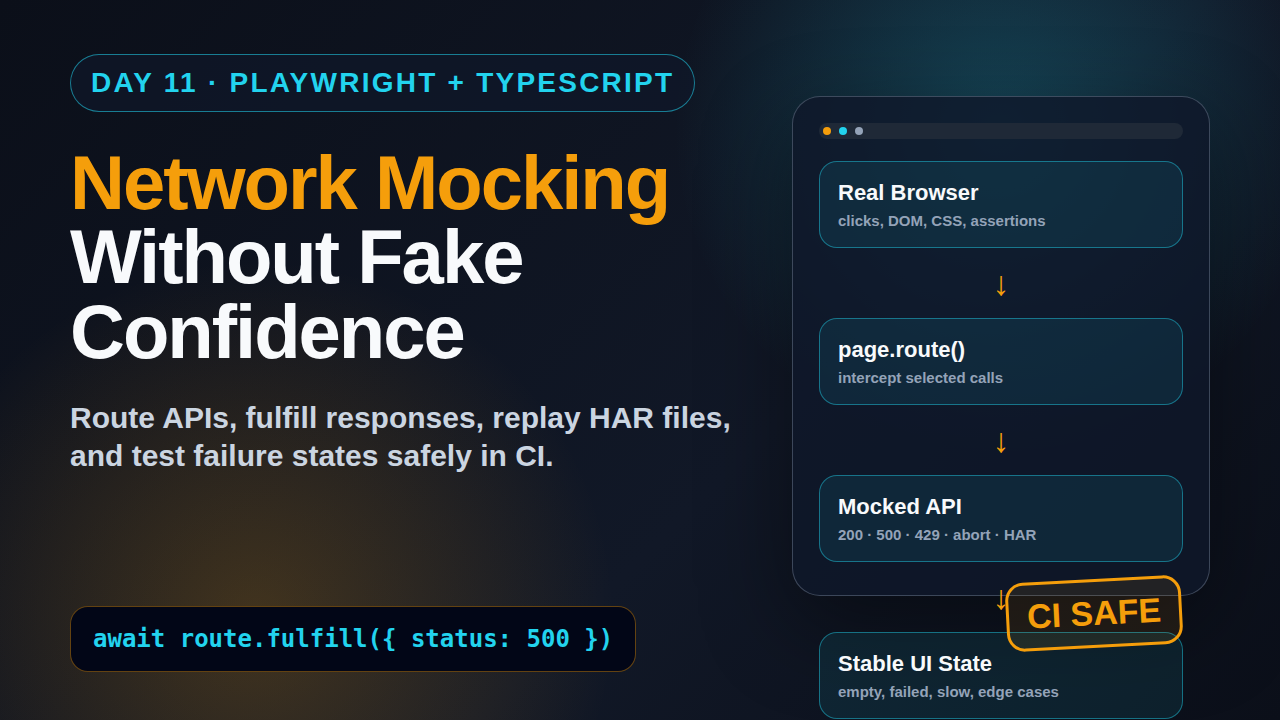
Day 11 of the 21-Day Playwright + TypeScript Tutorial Series. Playwright network mocking is where your tests stop depending on unstable backends for every scenario. I use it when I want the browser to stay real, but the API layer to become predictable, fast, and easy to push into edge cases.
🎭 Want to master this with real projects? Join the Playwright Automation Mastery course at The Testing Academy.
By this point in the series, you already know setup, locators, actions, Page Object Model, fixtures, tracing, API testing, visual testing, and authentication. Today we connect those pieces and build a clean pattern for mocking network traffic without turning your UI tests into fake tests.
Table of Contents
- Why Playwright Network Mocking Matters
- The Mental Model: Browser Real, Backend Controlled
- Your First Route Mock in TypeScript
- Building Realistic Mock Data
- Testing Failure States Without Breaking Environments
- HAR-Based Network Mocking
- A Fixture Pattern for Reusable Mocks
- Debugging Network Mocks
- Common Pitfalls I See in Teams
- Key Takeaways
- FAQ
Contents
Why Playwright Network Mocking Matters
Playwright network mocking solves a practical testing problem: the UI is ready, but the backend is slow, flaky, expensive, incomplete, or hard to force into the exact state you need. Playwright’s official network guide says it can monitor and modify browser network traffic, including HTTP and HTTPS requests made by the page through XHR and fetch. That single capability changes how you design end-to-end coverage.
The mistake is using mocks for everything. If every UI test mocks every API, you no longer test integration. You test a frontend fantasy. I prefer a split: keep a smaller set of full end-to-end tests against real services, then use mocked network responses for focused UI states, rare edge cases, negative paths, and fast component-like browser checks.
That split becomes important as suites grow. During this run, the npm downloads API reported 163,043,149 downloads for @playwright/test in the last month, and GitHub reported 91,225 stars for microsoft/playwright. The tool is mainstream now. The teams that get value from it are not the teams writing the most tests. They are the teams controlling test data, failures, and diagnostics with discipline.
When I reach for network mocks
I use Playwright network mocking for these cases:
- Empty states such as zero orders, zero notifications, or zero search results.
- Permission states such as read-only users or expired subscriptions.
- Backend failures like 500, 429, timeout-like delays, and malformed responses.
- Slow API behavior where the UI must show loading, skeleton, or retry states.
- Third-party dependencies such as payment, analytics, map, and email providers.
- Data-heavy screens where creating real data costs too much time.
What not to mock
Do not mock a flow whose main risk is the contract between frontend and backend. Login, checkout, critical writes, payment confirmation, and permission enforcement deserve at least a few real integration checks. Mocking is a scalpel, not a broom.
If you missed the previous articles, read Day 8 on Playwright API testing and Day 10 on Playwright authentication. Those two posts give you the base for combining API setup with UI checks.
The Mental Model: Browser Real, Backend Controlled
The simplest mental model is this: the browser still opens your real application, runs your real JavaScript, clicks real buttons, renders real CSS, and performs real accessibility tree updates. Only selected network calls get intercepted. Everything else can continue normally.
Playwright exposes this through page.route() and browserContext.route(). A page route applies to one page. A context route applies to all pages inside that context. For most test files, I start with page.route(). For authenticated flows with popups, tabs, or shared setup, I use context.route().
The three route decisions
Inside a route handler, you usually make one of three decisions:
- Fulfill the request with a mocked response.
- Continue the request to the real backend.
- Abort the request to simulate a network failure.
This is enough for most scenarios. You can also fetch the original response, modify a few fields, then fulfill with the changed body. That pattern is useful when the production response is huge and you only want to force one field, such as plan: 'expired'.
Register the route before the app triggers the request. In most tests, that means before page.goto(). If you add the route after the page loads, the request may already be gone. This is the number one reason beginners say, “Playwright mocking is not working.”
import { test, expect } from '@playwright/test';

test('dashboard shows empty orders state', async ({ page }) => {
  await page.route('**/api/orders', async route => {
    await route.fulfill({
      status: 200,
      contentType: 'application/json',
      body: JSON.stringify({ data: [], total: 0 })
    });
  });

  await page.goto('/dashboard');

  await expect(page.getByRole('heading', { name: 'No orders yet' })).toBeVisible();
  await expect(page.getByText('Create your first order')).toBeVisible();
});
Notice the URL pattern: **/api/orders. The double star makes the route match across domains and paths. In real projects I prefer more specific patterns because broad patterns can catch requests you did not intend to mock.
Your First Route Mock in TypeScript
Let us build a realistic e-commerce dashboard example. The page calls GET /api/orders and renders a table. We want to check the paid order state without depending on seed data in the test environment.
Mock a normal success response
import { test, expect } from '@playwright/test';

const paidOrders = {
  data: [
    {
      id: 'ORD-1001',
      customerName: 'Asha Mehta',
      amount: 2499,
      currency: 'INR',
      status: 'PAID',
      createdAt: '2026-06-19T09:30:00.000Z'
    },
    {
      id: 'ORD-1002',
      customerName: 'Rahul Nair',
      amount: 1499,
      currency: 'INR',
      status: 'PAID',
      createdAt: '2026-06-19T10:15:00.000Z'
    }
  ],
  total: 2
};

test('dashboard renders paid orders from mocked API', async ({ page }) => {
  await page.route('**/api/orders?status=paid', async route => {
    await route.fulfill({
      status: 200,
      contentType: 'application/json',
      body: JSON.stringify(paidOrders)
    });
  });

  await page.goto('/dashboard?status=paid');

  await expect(page.getByRole('cell', { name: 'ORD-1001' })).toBeVisible();
  await expect(page.getByRole('cell', { name: 'Asha Mehta' })).toBeVisible();
  await expect(page.getByText('₹2,499')).toBeVisible();
});
This test still exercises routing, rendering, formatting, table layout, locators, and assertions. The only controlled part is the API response.
Mock only one endpoint
Keep the rest of the app real. If the dashboard also calls /api/profile, /api/feature-flags, and /api/notifications, do not mock those unless the test needs it. Every mocked endpoint adds maintenance cost.
await page.route('**/api/orders?status=paid', route =>
  route.fulfill({
    status: 200,
    contentType: 'application/json',
    body: JSON.stringify(paidOrders)
  })
);
Small mocks are readable. Giant mocks become a second backend written inside your tests.
Building Realistic Mock Data
Bad mock data creates bad confidence. I see teams use foo, bar, and impossible dates. The UI passes, then production breaks on currency formatting, long names, null fields, or pagination. Mock data should be small, but it must be believable.
Create typed builders
Use TypeScript types and builders. This gives you safe defaults and lets each test override only the field that matters.
type OrderStatus = 'PAID' | 'PENDING' | 'FAILED' | 'REFUNDED';

type Order = {
  id: string;
  customerName: string;
  amount: number;
  currency: 'INR' | 'USD';
  status: OrderStatus;
  createdAt: string;
};

function buildOrder(overrides: Partial<Order> = {}): Order {
  return {
    id: 'ORD-1001',
    customerName: 'Asha Mehta',
    amount: 2499,
    currency: 'INR',
    status: 'PAID',
    createdAt: '2026-06-19T09:30:00.000Z',
    ...overrides
  };
}

function ordersResponse(orders: Order[]) {
  return { data: orders, total: orders.length };
}
Use the builder in tests
test('shows failed payment badge', async ({ page }) => {
  await page.route('**/api/orders', route =>
    route.fulfill({
      status: 200,
      contentType: 'application/json',
      body: JSON.stringify(
        ordersResponse([
          buildOrder({ id: 'ORD-FAILED-1', status: 'FAILED', amount: 999 })
        ])
      )
    })
  );

  await page.goto('/dashboard');

  await expect(page.getByText('Payment failed')).toBeVisible();
  await expect(page.getByRole('button', { name: 'Retry payment' })).toBeVisible();
});
This pattern scales better than copying JSON across 30 test files. If the API contract changes, you update the type and builder once.
Add contract awareness
Mocking does not replace API contract testing. The safer pattern is:
- Use API tests to verify real backend contracts.
- Use UI network mocks to force hard-to-create UI states.
- Share TypeScript types between mocks and API response expectations when possible.
- Review mock builders when backend schemas change.
This is exactly where Day 8 matters. UI mocks give speed. API tests protect the contract.
Testing Failure States Without Breaking Environments
Most teams do not test failure states because they cannot safely make the real backend fail. Playwright network mocking removes that excuse. You can force a 500, 401, 429, invalid JSON, or network abort inside one test.
Mock a 500 response
test('shows retry panel when orders API returns 500', async ({ page }) => {
  await page.route('**/api/orders', route =>
    route.fulfill({
      status: 500,
      contentType: 'application/json',
      body: JSON.stringify({ message: 'Internal server error' })
    })
  );

  await page.goto('/dashboard');

  await expect(page.getByRole('heading', { name: 'Orders failed to load' })).toBeVisible();
  await expect(page.getByRole('button', { name: 'Try again' })).toBeVisible();
});
Mock rate limiting
A 429 state is common in SaaS tools, payment systems, and public APIs. It is also hard to reproduce safely in shared QA environments.
test('shows friendly message for rate limit', async ({ page }) => {
  await page.route('**/api/reports', route =>
    route.fulfill({
      status: 429,
      headers: { 'retry-after': '60' },
      contentType: 'application/json',
      body: JSON.stringify({ message: 'Too many requests' })
    })
  );

  await page.goto('/reports');

  await expect(page.getByText('Please wait 60 seconds')).toBeVisible();
});
Abort a request
Use route.abort() when you want the browser to behave as if the network failed. This is different from a server returning a valid HTTP error response.
test('shows offline state when network request fails', async ({ page }) => {
  await page.route('**/api/orders', route => route.abort('failed'));

  await page.goto('/dashboard');

  await expect(page.getByText('Check your connection')).toBeVisible();
});
This is a good interview example for SDETs in India aiming for strong product companies. Many candidates can automate a happy path. Fewer can explain the difference between backend failure, rate limit, and browser-level network failure. That difference matters in ₹25-40 LPA SDET interviews.
🚀 Level Up Your Playwright
From locators to CI pipelines — build a production-grade Playwright + TypeScript framework step by step.
HAR-Based Network Mocking
Playwright also supports mocking from HAR files. A HAR file records network requests and responses. This is useful when a page needs several API calls and writing every route by hand becomes noisy.
The official Playwright Mock APIs guide documents page.routeFromHAR(). I use this pattern carefully. HAR files are powerful, but they can become stale snapshots of yesterday’s backend.
Record a HAR file
You can record HAR from Playwright config or from a script. A simple script looks like this:
import { chromium } from '@playwright/test';

async function recordDashboardHar() {
  const browser = await chromium.launch();
  const context = await browser.newContext({
    recordHar: {
      path: 'tests/fixtures/hars/dashboard.har',
      urlFilter: '**/api/**'
    }
  });

  const page = await context.newPage();
  await page.goto('https://your-app.example.com/dashboard');
  await page.getByRole('heading', { name: 'Orders' }).waitFor();

  await context.close();
  await browser.close();
}

recordDashboardHar();
Replay the HAR in a test
test('dashboard loads from recorded HAR', async ({ page }) => {
  await page.routeFromHAR('tests/fixtures/hars/dashboard.har', {
    url: '**/api/**',
    update: false
  });

  await page.goto('/dashboard');

  await expect(page.getByRole('heading', { name: 'Orders' })).toBeVisible();
});
When HAR makes sense
Use HAR when the goal is a stable replay of a known page state. Avoid it when you need many small variations. For variations, typed builders are easier to read and review in pull requests.
- Good HAR use: demo environments, third-party APIs, complex read-only dashboards.
- Weak HAR use: business logic variations, permission matrix, form validation, active development endpoints.
- Maintenance rule: refresh HAR files intentionally and review the diff.
A Fixture Pattern for Reusable Mocks
Once your suite grows, repeated page.route() calls clutter test files. I prefer a small mock helper layer. Do not build a massive framework. Build functions that express the business state.
Create domain-level mock helpers
import type { Page } from '@playwright/test';
import { buildOrder, ordersResponse } from './order-builders';

export async function mockOrdersAsEmpty(page: Page) {
  await page.route('**/api/orders', route =>
    route.fulfill({
      status: 200,
      contentType: 'application/json',
      body: JSON.stringify(ordersResponse([]))
    })
  );
}

export async function mockOrdersWithFailedPayment(page: Page) {
  await page.route('**/api/orders', route =>
    route.fulfill({
      status: 200,
      contentType: 'application/json',
      body: JSON.stringify(
        ordersResponse([
          buildOrder({ id: 'ORD-9001', status: 'FAILED', amount: 4999 })
        ])
      )
    })
  );
}
Use helpers in specs
import { test, expect } from '@playwright/test';
import { mockOrdersAsEmpty, mockOrdersWithFailedPayment } from '../mocks/orders.mock';

test('empty orders state', async ({ page }) => {
  await mockOrdersAsEmpty(page);
  await page.goto('/dashboard');
  await expect(page.getByText('No orders yet')).toBeVisible();
});

test('failed payment state', async ({ page }) => {
  await mockOrdersWithFailedPayment(page);
  await page.goto('/dashboard');
  await expect(page.getByRole('button', { name: 'Retry payment' })).toBeVisible();
});
This reads like a test plan, not a low-level network script. That is the goal.
Combine with authenticated storage state
From Day 10, we saved authenticated state. You can use that same state and mock only the data endpoint:
test.use({ storageState: 'playwright/.auth/admin.json' });

test('admin sees pending approvals from mocked response', async ({ page }) => {
  await page.route('**/api/approvals', route =>
    route.fulfill({
      status: 200,
      contentType: 'application/json',
      body: JSON.stringify({ pending: 3, items: ['KYC', 'Refund', 'Invoice'] })
    })
  );

  await page.goto('/admin/approvals');

  await expect(page.getByText('3 pending approvals')).toBeVisible();
});
The login stays realistic. The approval data becomes controlled. That is a strong balance.
Debugging Network Mocks
Network mocking bugs are usually visibility problems. You think a route matched, but it did not. You think the app called one URL, but it called another. You think the response shape is correct, but the UI expects a nested field.
Log requests during development
page.on('request', request => {
  if (request.url().includes('/api/')) {
    console.log('API request:', request.method(), request.url());
  }
});

page.on('response', response => {
  if (response.url().includes('/api/')) {
    console.log('API response:', response.status(), response.url());
  }
});
Do not keep noisy logs forever. Use them while building or debugging, then remove or hide behind an environment flag.
Use Trace Viewer
Trace Viewer is excellent for network debugging. It shows actions, DOM snapshots, console logs, and network activity together. If a mocked response does not render, open the trace and inspect the network tab. I covered this workflow in Day 7 on Playwright Trace Viewer.
npx playwright test tests/orders.spec.ts --trace on
npx playwright show-trace test-results/orders-empty-state/trace.zip
Screenshot descriptions to capture
For this tutorial series, I recommend capturing these screenshots in your own project:
- Trace Viewer network panel showing a fulfilled
/api/ordersmock. - Dashboard empty state rendered from a mocked
{ data: [], total: 0 }response. - Failed payment UI showing retry button from a mocked
FAILEDorder. - Console output listing API request URLs while debugging route patterns.
Common Pitfalls I See in Teams
Playwright network mocking is simple at the API level. The hard part is discipline. Here are the mistakes I see most often when teams move from basic automation to serious SDET work.
1. Registering mocks too late
If the app fires the request during page load, register the route before page.goto(). If a button click triggers the request, register before the click.
2. Matching URLs too broadly
**/api/** is convenient, but dangerous. It may intercept unrelated calls and hide real failures. Prefer endpoint-specific patterns for normal tests.
3. Mocking the contract you should be testing
If the bug risk is API contract mismatch, do not hide the backend behind mocks. Add API tests or contract checks. Use network mocks for UI state control, not for avoiding integration forever.
4. Using impossible data
Real UIs break on realistic details: long customer names, null optional fields, Indian currency formatting, time zones, and pagination. Add those details to builders.
5. Forgetting cleanup
Routes are scoped to the page or context, so Playwright isolation helps. Still, avoid shared global mock state. Do not let one test mutate a builder or response object used by another test.
6. Overusing HAR
HAR is good for replay. It is not a replacement for readable test data. If a test reviewer cannot understand the scenario without opening a giant HAR file, use a builder instead.
7. Ignoring service workers
Service workers can interfere with network behavior. If your mocks do not work in a PWA-style app, check whether a service worker is serving cached responses. Playwright has documentation for service workers, and many teams disable service workers in test contexts unless they are the thing being tested.
Key Takeaways
Playwright network mocking gives you controlled browser tests without needing every backend state to exist in a shared environment. Used well, it makes your suite faster, clearer, and better at checking UI states that real systems rarely produce on demand.
- Use Playwright network mocking for UI states, edge cases, third-party calls, and failure scenarios.
- Register routes before the request happens, usually before
page.goto(). - Keep mocks small and endpoint-specific instead of mocking the whole app.
- Use typed builders for realistic, maintainable response data.
- Keep real API and integration tests for the contracts that matter.
- Use Trace Viewer when a mock does not behave as expected.
FAQ
Is Playwright network mocking the same as API testing?
No. API testing checks the backend directly. Network mocking controls what the browser receives during a UI test. Use both. API tests protect contracts. Network mocks force UI states.
Should I mock every backend call in Playwright?
No. Mock only the calls needed for the scenario. Keep critical flows covered by real integration tests, especially login, checkout, permissions, and write operations.
What is better: route mocks or HAR mocks?
Route mocks are better for small, readable scenario variations. HAR mocks are useful for replaying a larger known network state. I use route mocks more often in day-to-day test development.
Can I use Playwright network mocking in CI?
Yes. It is CI-friendly because it reduces dependence on unstable data and third-party systems. Keep mock data in version control and avoid secrets in HAR files.
Does network mocking make tests less valuable?
It can, if you mock everything and stop testing integration. It makes tests more valuable when you use it to cover UI states that are hard, slow, or unsafe to create in real environments.
Sources: Playwright official Network guide, Playwright official Mock APIs guide, Playwright API testing documentation, GitHub API for microsoft/playwright repository data, and npm downloads API for @playwright/test.
🎓 Master Playwright End to End
Join hundreds of SDETs building real automation frameworks. Lifetime access, hands-on projects, and a job-ready portfolio.
