AI Test Coverage: Stop Trusting Generated Test Cases
AI test coverage is the metric QA teams should ask for before they accept any AI-generated test case. I see too many teams prompt an LLM with “write test cases for login” and treat the output as useful because it looks complete. The better move is simple: force the model to prove what it covered, what it skipped, and what risk still needs a human decision.
🤖 Learning AI-powered testing? Go hands-on with LLM, RAG, and AI-agent testing in the AI-Powered Testing Mastery course at The Testing Academy.
Table of Contents
- What AI Test Coverage Really Means
- The Bad Prompt Problem
- The Coverage-First AI Testing Workflow
- A Practical AI Test Coverage Matrix Template
- Using PromptFoo-Style Evaluations for AI Test Coverage
- Playwright Example: Turning Coverage Into Checks
- India Career Context for QA Engineers
- Common Mistakes When Measuring AI Test Coverage
- Key Takeaways
- FAQ
Contents
What AI Test Coverage Really Means
AI test coverage is not the number of test cases an LLM generates. It is the visible link between product risk, requirements, user paths, data states, assertions, and automation checks. If that link is missing, you do not have coverage. You have a document that feels reassuring.
The idea is not new. Martin Fowler’s practical test pyramid explains that healthy automation needs the right mix of tests, not just more tests. That lesson matters even more when AI enters the workflow. A model can produce 80 test cases in seconds, but it can also miss the one payment failure, permission boundary, or recovery path that will hurt real users.
Coverage is evidence, not volume
I define AI test coverage with five questions:
- Which requirement, user story, or business rule is covered?
- Which risk does the test reduce?
- Which data condition does it exercise?
- Which assertion proves the behavior?
- Which gap remains after the AI suggestion?
That last question is the one most teams skip. They ask the model to be creative, but they do not ask it to be accountable. A coverage-first prompt changes that. The model must show its reasoning in a structured table before anyone writes automation code.
Why this matters for AI testing in 2026
PromptFoo describes itself on GitHub as a tool for testing prompts, agents, RAG systems, and AI safety workflows with declarative configs and CI/CD integration. Its repository has more than 22,000 GitHub stars at the time I checked it for this article, which tells me prompt and agent evaluation has moved from “interesting experiment” to daily engineering work. PromptFoo’s 0.121.15 release in June 2026 also added multimodal output grading, which is another signal: teams are not just generating AI output anymore; they are evaluating it.
ISTQB’s Certified Tester AI Testing page also reflects the same shift. AI testing is becoming a formal testing discipline, not a hackathon skill. The practical question for QA teams is no longer “Can AI write test cases?” The better question is “Can AI prove coverage in a way a tester can review, challenge, and automate?”
The Bad Prompt Problem
Here is the prompt I still see in real teams:
Write test cases for the login page.This prompt is fast, but it is weak. It gives the model no product context, no risk priority, no acceptance criteria, no supported browsers, no accessibility expectation, no data policy, and no definition of “done.” The output may look professional. It may include positive and negative cases. It may even mention boundary values. But it cannot prove AI test coverage because it was never asked to map coverage.
What the bad prompt usually misses
A login feature sounds basic until production exposes the gaps. A coverage review normally finds missing cases like these:
- Locked account after repeated failed attempts
- Existing session behavior when a user opens a second tab
- Password reset link expiry and reuse
- Rate limiting and bot protection
- Remember-me behavior on shared devices
- Accessible error messages for screen readers
- Different handling for unverified, disabled, and deleted users
- Audit trail entries for failed and successful login attempts
An LLM may include some of these if you are lucky. I do not want luck in a test strategy. I want a repeatable prompt and a reviewable output.
The better prompt
Use this instead:
You are a senior QA engineer reviewing test coverage, not just writing test cases.
Feature: Login with email, password, remember-me, account lockout, and password reset.
Acceptance criteria:
1. Valid users can sign in with verified email and correct password.
2. Unverified, disabled, and locked users cannot sign in.
3. Five failed attempts lock the account for 15 minutes.
4. Password reset links expire after 30 minutes and cannot be reused.
5. Errors must not reveal whether the email exists.
6. The page must support keyboard navigation and readable error messages.

Return a coverage matrix with these columns:
Requirement, Risk, Scenario, Test Data, Assertion, Priority, Automation Layer, Gap/Question.
Do not write test cases until the matrix is complete.
Mark any assumption clearly.
The instruction “do not write test cases until the matrix is complete” is important. It forces the model to behave like a QA reviewer before it behaves like a content generator. That is the mindset shift.
The Coverage-First AI Testing Workflow
A coverage-first workflow is easy to explain and hard to fake. The AI output must pass through a structure before it becomes code. I use a 6-step flow when I coach teams on this.
1. Start with the risk list
Before asking for tests, ask for risks. For a checkout flow, risk includes duplicate payments, wrong tax, failed inventory reservation, incorrect coupon handling, and broken refund states. For an AI agent, risk includes hallucinated action, unsafe tool call, missing confirmation, and poor recovery after a failed API call.
When the model starts with risk, the coverage map becomes stronger. A test case without a risk is usually low-value noise.
2. Map requirements to scenarios
Every requirement should produce at least one scenario. Some requirements produce many. The point is not one-to-one mapping. The point is traceability. If a product manager asks why a scenario exists, the answer should be visible in the matrix.
3. Add data states
AI-generated tests often stay generic because the prompt stays generic. Add concrete data states:
- New user
- Verified user
- Unverified user
- Locked user
- Disabled user
- User with expired reset token
- User with reused reset token
Data states expose gaps quickly. If the matrix has no row for disabled users, the gap is visible before code is written.
4. Define the assertion before the script
The assertion is the contract. “Login should work” is not an assertion. “User lands on /dashboard and a session cookie with Secure and HttpOnly flags is set” is closer to a real assertion. “Error copy says ‘Invalid credentials’ for both unknown email and wrong password” is another.
If the AI cannot express the assertion, it should not generate the test yet.
5. Pick the automation layer
Not every coverage item belongs in an end-to-end test. Fowler’s test pyramid is still useful here. Put business rule checks near unit or API level where possible. Use Playwright end-to-end tests for browser-critical flows, cross-page behavior, visual states, and user journeys. Use exploratory testing for areas where human judgement beats a brittle script.
6. Review gaps like a senior tester
The best matrix has a gap column. I want the model to say “need product decision,” “requires security review,” or “not automatable with current environment.” That is useful. Pretending every row is automatable is not useful.
A Practical AI Test Coverage Matrix Template
Here is a compact matrix you can copy into your next AI testing review. It is intentionally simple. If a matrix needs 19 columns, nobody updates it after sprint two.
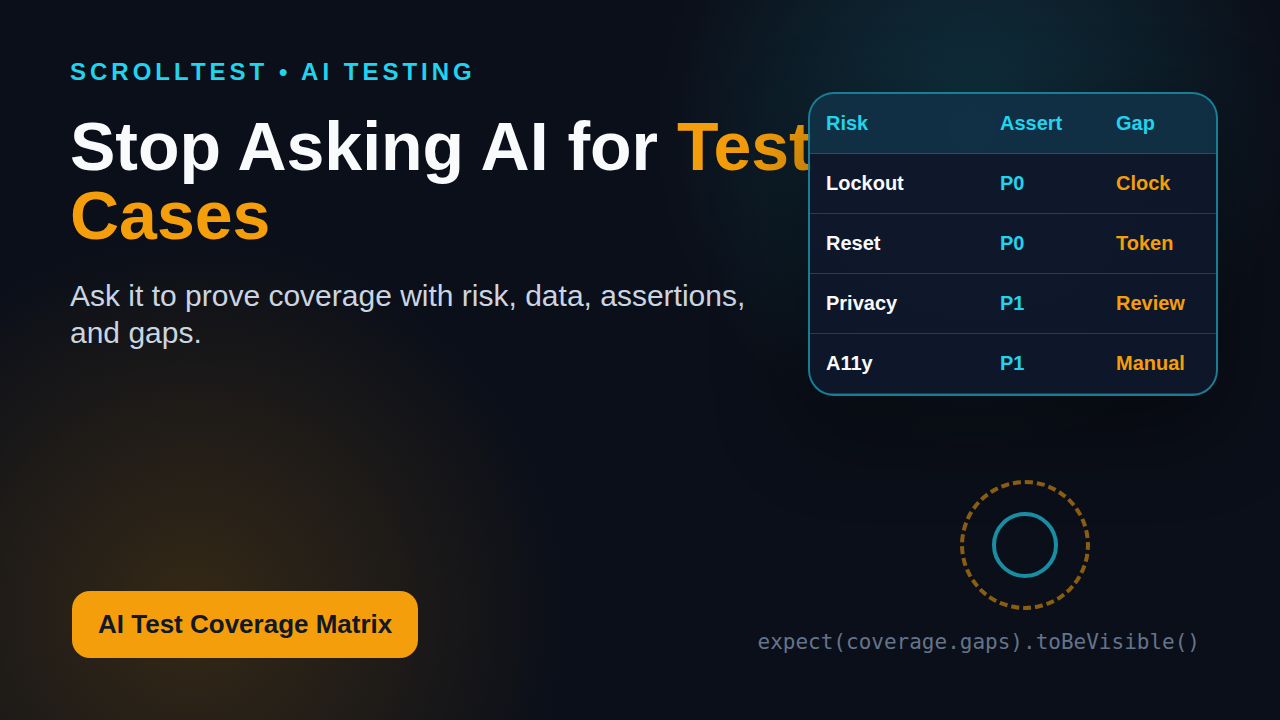
| Requirement | Risk | Scenario | Test Data | Assertion | Priority | Layer | Gap/Question |
|---|---|---|---|---|---|---|---|
| Valid user login | Revenue flow blocked | Verified user signs in | verified_user | Dashboard opens and secure session exists | P0 | E2E + API | Confirm session cookie policy |
| Account lockout | Brute force attack | Five wrong passwords lock account | active_user | Sixth attempt blocked for 15 minutes | P0 | API | Need time-travel helper |
| Password reset | Account takeover | Expired token used | expired_token | Reset rejected with safe message | P0 | API + E2E | Token fixture needed |
| Error privacy | User enumeration | Unknown email and wrong password | unknown_email | Same error copy for both cases | P1 | E2E | Security sign-off |
| Accessibility | Blocked keyboard users | Tab through form and submit errors | keyboard_only | Focus order and alert role work | P1 | E2E + manual | Screen reader check |
How to score the matrix
I use a simple coverage score during review:
- Count P0 requirements.
- Count P0 requirements with at least one mapped scenario.
- Count P0 scenarios with a concrete assertion.
- Count P0 scenarios assigned to a realistic automation layer.
- Flag every P0 row with an unresolved gap.
This gives the team a useful number without pretending the number is perfect. For example, if 10 P0 requirements exist and 8 have scenarios, the first coverage signal is 80%. If only 5 have concrete assertions, the real confidence is closer to 50%. That discussion is more valuable than celebrating 45 AI-generated test cases.
For related reading, I like connecting this matrix to LLM output evaluation for QA engineers and AI QA agents that produce runnable checks. Both ideas become stronger when coverage is explicit.
Using PromptFoo-Style Evaluations for AI Test Coverage
PromptFoo is useful because it treats AI behavior as something to test, compare, and regress. The same principle applies to AI test coverage. If a prompt generates a coverage matrix today, I want to know whether tomorrow’s prompt, model, or system instruction still covers the same critical risks.
What to evaluate
You do not need a complex eval suite on day one. Start with checks that catch obvious failures:
- The output must include all required matrix columns.
- The output must include at least one scenario for each P0 requirement.
- Every P0 row must include a concrete assertion.
- The model must mark assumptions instead of hiding them.
- The model must not invent requirements that were not supplied.
That last point is important. LLMs often “help” by adding features that sound plausible. In a regulated or enterprise workflow, that can create fake coverage. The eval should reward accurate traceability, not creative expansion.
Example PromptFoo-style config
This is a simplified example. Adapt it to your actual prompt and provider.
description: ai-test-coverage-matrix-login
prompts:
  - file://prompts/coverage-matrix.md
providers:
  - openai:gpt-4.1-mini
  - anthropic:claude-3-5-sonnet-latest

tests:
  - vars:
      feature: Login with lockout and password reset
      requirements: |
        Valid users can sign in.
        Unverified users cannot sign in.
        Five failed attempts lock the account for 15 minutes.
        Password reset links expire after 30 minutes.
    assert:
      - type: contains
        value: Requirement
      - type: contains
        value: Risk
      - type: contains
        value: Assertion
      - type: contains
        value: locked
      - type: contains
        value: expired
      - type: not-contains
        value: biometric login
The goal is not to make PromptFoo replace a tester. The goal is to prevent silent regression in your prompts. If your coverage prompt stops mentioning account lockout after a model upgrade, I want CI to complain before the team trusts the new output.
Why multimodal grading matters
PromptFoo’s 0.121.15 release notes mention multimodal output grading. That matters for QA because modern testing is no longer only text. Teams ask AI to inspect screenshots, compare visual differences, explain trace artifacts, and summarize console logs. If you use AI to review a Playwright trace or visual diff, coverage evaluation should include screenshot-based assertions too.
This connects directly with Playwright visual testing. A visual check without a mapped risk can become screenshot noise. A visual check tied to a critical layout risk becomes a useful quality gate.
🚀 Build Real AI Testing Skills
Stop testing AI by guesswork. Learn DeepEval, RAG evaluation, and agent testing with guided projects.
Playwright Example: Turning Coverage Into Checks
A coverage matrix becomes valuable when it changes the automation plan. Here is a small Playwright example for the error privacy row. The requirement is simple: unknown email and wrong password should show the same safe error message, so attackers cannot enumerate users.
import { test, expect } from '@playwright/test';

test.describe('login error privacy', () => {
  test('unknown email and wrong password show the same safe error', async ({ page }) => {
    await page.goto('/login');

    await page.getByLabel('Email').fill('missing-user@example.com');
    await page.getByLabel('Password').fill('WrongPass123!');
    await page.getByRole('button', { name: 'Sign in' }).click();
    const unknownEmailError = await page.getByRole('alert').innerText();

    await page.goto('/login');
    await page.getByLabel('Email').fill('verified.user@example.com');
    await page.getByLabel('Password').fill('WrongPass123!');
    await page.getByRole('button', { name: 'Sign in' }).click();
    const wrongPasswordError = await page.getByRole('alert').innerText();

    expect(unknownEmailError).toBe('Invalid email or password');
    expect(wrongPasswordError).toBe('Invalid email or password');
  });
});
Notice what this test does not do. It does not test every login rule in the UI. Account lockout can often be tested faster and more reliably at API level. Token expiry may need a fixture or test-only clock helper. Accessibility needs a mix of automation and manual review. The matrix helps us put each check in the right place.
A test plan generated after the matrix
Once the matrix is reviewed, ask AI for implementation in this order:
- Generate API-level checks for lockout and token expiry.
- Generate Playwright checks for browser-visible flows.
- Generate accessibility smoke checks for keyboard and alerts.
- Generate test data setup helpers.
- Generate a gap report for rows that still need human review.
This order prevents the model from dumping everything into Playwright. Your CI stays faster, your failures become clearer, and your test suite reflects risk instead of prompt enthusiasm.
Use traces as coverage evidence
Microsoft’s Playwright project describes the framework as web testing and automation across Chromium, Firefox, and WebKit with one API. That cross-browser angle is useful, but traces are where QA teams often get the biggest debugging win. When a test maps back to a matrix row, the trace becomes evidence for a specific risk. It is not just a failed script. It is a failed control for a known product risk.
If your team is already using Playwright traces, connect this article with the ScrollTest guide on Playwright Trace Viewer. Coverage plus trace evidence makes bug reports harder to dismiss.
India Career Context for QA Engineers
For QA engineers in India, this skill matters because the market is moving beyond “Can you automate Selenium scripts?” Product companies and well-funded startups increasingly want testers who can reason about AI-assisted workflows, CI quality gates, and risk-based coverage. Service companies still hire for classic automation, but the stronger career jump often comes when you can explain quality in engineering language.
What hiring managers notice
In interviews, a coverage matrix gives you better stories than a generic “I used ChatGPT for test cases” answer. You can say:
- “I used AI to generate a risk matrix, then reviewed gaps manually.”
- “I mapped P0 flows to API, UI, and exploratory layers.”
- “I added eval checks so prompt changes did not silently reduce coverage.”
- “I used Playwright traces as evidence for failed risk controls.”
That sounds like an SDET thinking about systems, not a tester copying AI output. For ₹25-40 LPA roles, this difference matters. Senior QA work is less about writing more scripts and more about protecting the right user outcomes with the right checks.
A 7-day practice plan
If you want to build this skill quickly, use this plan:
- Day 1: Pick one feature you know well and write acceptance criteria.
- Day 2: Ask AI for a risk list, not test cases.
- Day 3: Convert the risk list into a coverage matrix.
- Day 4: Review the matrix and mark assumptions.
- Day 5: Convert three P0 rows into API tests.
- Day 6: Convert two UI rows into Playwright tests.
- Day 7: Write eval checks that fail when P0 coverage disappears.
By the end, you have a portfolio artifact: prompt, matrix, tests, and eval config. That is far stronger than a screenshot of 100 AI-generated test cases.
Common Mistakes When Measuring AI Test Coverage
The coverage-first approach is practical, but teams still make predictable mistakes. I want you to avoid these because they create false confidence.
Mistake 1: Treating the matrix as final truth
The matrix is a review artifact, not an oracle. AI can miss domain rules. It can misunderstand product language. It can over-prioritize common web patterns and under-prioritize your business-specific risk. A senior tester still owns the review.
Mistake 2: Measuring only happy-path coverage
Happy paths are easy for AI. Real coverage lives in failure paths, permissions, recovery states, data boundaries, and integrations. If your matrix has 12 happy-path rows and 1 failure row, it is weak.
Mistake 3: No source of truth
If the prompt has no acceptance criteria, API contract, design link, or production incident history, the model will improvise. Give it the source material. Then ask it to label assumptions. This one habit reduces fake certainty.
Mistake 4: Automating every row at UI level
UI tests are valuable, but they are expensive. Use the matrix to split checks across API, component, contract, visual, accessibility, and exploratory layers. A balanced suite usually beats a giant browser suite.
Mistake 5: No regression check for the prompt
If the prompt itself is part of your QA workflow, test the prompt. Use an eval suite. Track whether required risks still appear. Treat prompt changes like code changes. PromptFoo and similar tools exist because teams need this discipline.
Key Takeaways
AI test coverage should become a normal part of QA work. Do not ask AI only to write test cases. Ask it to prove coverage first.
- AI test coverage means traceability from requirement to risk, scenario, data, assertion, and automation layer.
- A bad prompt creates polished noise. A coverage-first prompt creates reviewable evidence.
- The gap column is not optional. It is where senior testing judgement shows up.
- PromptFoo-style evaluations help you catch prompt regression before CI trusts weak AI output.
- Playwright checks are stronger when each test maps back to a risk row in the matrix.
My practical rule is simple: if the AI cannot show a coverage matrix, I do not let it generate the final tests. Speed is useful only when it moves the team toward better evidence.
FAQ
What is AI test coverage?
AI test coverage is the visible mapping between requirements, risks, scenarios, data states, assertions, automation layers, and remaining gaps when AI helps with testing. It is not the raw number of test cases generated by a model.
Can AI fully replace test case design?
No. AI can accelerate drafting, matrix generation, and gap discovery. A tester still needs to validate domain rules, business priority, compliance risk, and whether a scenario is worth automating.
Should every matrix row become a Playwright test?
No. Some rows belong at API level, some at unit or contract level, some in visual checks, and some in exploratory testing. The matrix helps you choose the cheapest reliable layer.
How do I know if my AI-generated tests are good?
Check whether each test maps to a requirement, risk, data state, and concrete assertion. Then run prompt evaluations so critical coverage does not disappear when the prompt or model changes.
What is the best first step for a QA team?
Take one high-risk feature, ask AI for a coverage matrix, review the gaps with the team, and automate only the P0 rows first. That small habit gives better results than asking for 100 generic test cases.
🎓 Become an AI-Powered QA Engineer
Join hundreds of SDETs mastering LLM, RAG, and agent testing. Lifetime access, hands-on labs, and a job-ready portfolio.