Playwright Tags and Annotations in TypeScript
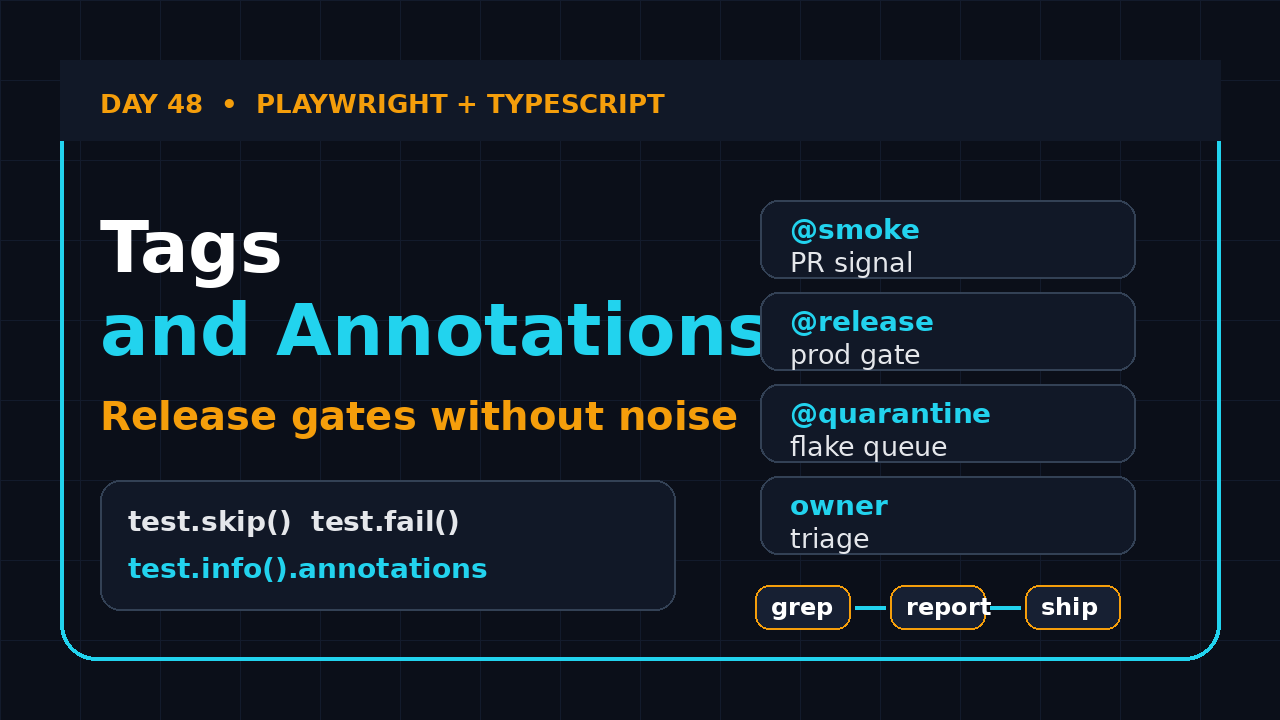
Playwright tags and annotations look small until your suite crosses 200 tests. Then tags decide which checks run on every pull request, which tests block a release, which known bugs stay visible, and which flaky tests need owner action instead of silent retries.
This Day 48 tutorial shows how I structure Playwright tags, built-in annotations, custom annotations, grep filters, and CI commands in a TypeScript framework. We will keep the taxonomy boring on purpose because boring labels are easier to trust at 2 AM when a release is waiting.
Table of Contents
- Why Playwright Tags and Annotations Matter
- Built-in Annotations You Should Use Carefully
- A Practical Tag Taxonomy for TypeScript Teams
- Running Tagged Suites with Grep and CI
- Custom Annotations for Ownership and Risk
- Reporting, Screenshots, and Debugging Evidence
- Common Pitfalls I See in Real Teams
- Key Takeaways
- FAQ
Contents
Why Playwright Tags and Annotations Matter
Playwright gives you fast browser automation, but speed alone does not make a test suite useful. A useful suite answers a release question: what should run now, why did it run, who owns the failure, and should the pipeline stop?
The official Playwright annotations documentation says Playwright supports tags and annotations that appear in test reports. That sentence is easy to skim past. In practice, it is a design hook for the whole automation operating model.
Here is the problem I see with many QA teams. They start with a few happy-path specs. Then they add regression, browser coverage, payment checks, mobile viewport checks, accessibility checks, visual checks, and known-bug checks. Six months later, everyone runs the same command because nobody trusts the labels.
Tags are selection, annotations are explanation
I separate the two ideas like this:
- Tags decide which tests are selected or excluded.
- Built-in annotations control test behavior such as skip, fail, slow, and fixme.
- Custom annotations add context for humans and reports.
- Projects decide browser, device, environment, and dependency shape.
If you mix these ideas, your framework becomes hard to reason about. For example, @smoke is a selection label. test.skip() is a behavior decision. owner: checkout-team is reporting context. They should not compete with each other.
The source-backed baseline
As of the latest GitHub API check for microsoft/playwright, the Playwright repository shows 94,316 stars and 154 open issues. The latest release endpoint reports v1.62.1 published on 2026-07-30. The npm downloads API reports 204,135,164 downloads for @playwright/test in the last month.
Those numbers matter because Playwright is no longer a small side tool in many engineering teams. When a tool becomes a default choice, the framework decisions around it become more important than the first test you write.
The release question
Good tags make three questions cheap:
- What is the smallest set that protects this pull request? Usually
@smokeand a few feature tags. - What blocks production? Usually
@release,@critical, and selected API checks. - What needs analysis but should not block yet? Usually
@quarantine, known defects, and unstable experiments.
In India product teams, this becomes a strong SDET signal. Service-company automation often stops at writing scripts. Product-company automation expects you to design a release signal. That difference shows up in interviews and in ₹25-40 LPA SDET roles.
Built-in Annotations You Should Use Carefully
Playwright tags and annotations work best when you understand Playwright’s built-in annotations first. These annotations are not decoration. They change the way Playwright treats the test.
Playwright documents built-in annotations such as test.skip(), test.fail(), test.fixme(), and test.slow(). I like them because they keep intent close to the test instead of hiding policy in a spreadsheet.
Use skip for impossible execution, not for uncomfortable failures
test.skip() is right when a test cannot run in a specific condition. A feature may not exist in Firefox yet. A payment sandbox may not support a region. A mobile-only test may not make sense on desktop.
import { test, expect } from '@playwright/test';

test('UPI payment banner appears on mobile checkout', async ({ page, isMobile }) => {
  test.skip(!isMobile, 'UPI banner is only designed for mobile viewport');
  await page.goto('/checkout');
  await expect(page.getByText('Pay with UPI')).toBeVisible();
});
The bad version is skipping a test because it fails randomly. That is not a skip. That is a flake investigation. Put it behind a quarantine policy, create an issue, and keep it visible in the report.
Use fail for known product bugs with a ticket
test.fail() tells Playwright that a test is expected to fail. I use it only when there is a real defect ticket and a planned cleanup date. Without that discipline, expected failures become a cemetery.
import { test, expect } from '@playwright/test';

test('coupon discount is recalculated after quantity change', async ({ page }) => {
  test.fail(process.env.BUG_1842_OPEN === 'true', 'BUG-1842: discount recalculation is wrong');
  await page.goto('/cart');
  await page.getByLabel('Coupon').fill('QA10');
  await page.getByRole('button', { name: 'Apply coupon' }).click();
  await page.getByLabel('Quantity').fill('2');
  await expect(page.getByTestId('discount-total')).toHaveText('₹200');
});
Notice the environment flag. It stops a known failure from becoming permanent. When the bug closes, CI can run the test as a normal blocker again.
Use slow when the journey is naturally longer
test.slow() increases the timeout for a test. It is useful for flows like file processing, report export, or third-party callback simulation. It is not a fix for poor selectors.
test('monthly GST invoice export completes', async ({ page }) => {
  test.slow();
  await page.goto('/billing/invoices');
  await page.getByRole('button', { name: 'Export monthly invoice' }).click();
  await expect(page.getByText('Export ready')).toBeVisible();
});
Before I mark a test slow, I ask one question: is the product flow slow, or is my automation waiting badly? If the locator is weak or the assertion is vague, I fix the test first.
A Practical Tag Taxonomy for TypeScript Teams
A tag taxonomy should be small enough that every engineer remembers it. If you need a Confluence page to decode 50 tags, the taxonomy has already failed.
I use four buckets in most Playwright TypeScript frameworks:
- Execution scope:
@smoke,@regression,@release - Risk:
@critical,@payment,@security - Feature area:
@login,@checkout,@billing - State:
@quarantine,@known-bug,@investigate
The Playwright docs show that tags can be placed in the test title or in test details. I prefer the details object for new code because it keeps the title readable and makes the metadata explicit.
import { test, expect } from '@playwright/test';

test('checkout accepts saved card', {
  tag: ['@smoke', '@checkout', '@critical'],
  annotation: {
    type: 'owner',
    description: 'payments-squad'
  }
}, async ({ page }) => {
  await page.goto('/checkout');
  await page.getByLabel('Saved card ending 4242').check();
  await page.getByRole('button', { name: 'Place order' }).click();
  await expect(page.getByText('Order confirmed')).toBeVisible();
});
Keep tag names boring
Do not create tags like @super-important, @run-daily-maybe, or @dev-only. Tags should be nouns that survive team changes. The person who writes the test may leave. The tag must still make sense.
My naming rules are simple:
- Use lowercase kebab case.
- Prefix every tag with
@. - Use one risk tag at most per test.
- Use one or two feature tags per test.
- Never use a person’s name as a tag.
Make smoke painfully strict
@smoke should be tiny. It should answer whether the main product is alive. If the smoke suite takes 40 minutes, it is not smoke. It is regression with a better name.
For a SaaS product, I usually keep smoke to 8-20 tests:
- Login works for a standard user.
- The dashboard loads key data.
- One create journey works.
- One edit journey works.
- One delete or archive journey works.
- One payment or subscription journey works if money is central.
- One critical API health check passes.
You can connect this with earlier ScrollTest tutorials like Day 1 installation and first test and Day 2 locator strategies. Tags help only when the underlying tests are already readable.
Running Tagged Suites with Grep and CI
Playwright tags and annotations become valuable when CI can select the right subset without editing code. Playwright supports --grep and --grep-invert from the command line, which makes tags practical for pull requests and nightly jobs.
Local commands I expect every SDET to know
Start with local commands before you write CI YAML. If the command is confusing on your laptop, it will be worse in a pipeline.
# Run only smoke tests
npx playwright test --grep @smoke

# Run checkout regression tests
npx playwright test --grep "@checkout|@payment"

# Run all tests except quarantined tests
npx playwright test --grep-invert @quarantine

# Run critical tests and keep the report open
npx playwright test --grep @critical --reporter=html
npx playwright show-report
I like --grep-invert @quarantine for release gates. It lets the full suite keep growing while known unstable checks remain visible in a separate job.
Package scripts for repeatable commands
Put the main commands in package.json. New joiners should not need to memorize grep syntax on day one.
{
  "scripts": {
    "test:e2e": "playwright test",
    "test:smoke": "playwright test --grep @smoke",
    "test:release": "playwright test --grep @release --grep-invert @quarantine",
    "test:quarantine": "playwright test --grep @quarantine",
    "report": "playwright show-report"
  }
}
This also helps non-QA engineers. A frontend developer can run npm run test:smoke before raising a pull request. That is much better than asking them to understand your entire automation strategy.
GitHub Actions release gate
Here is a minimal CI job that runs smoke tests for pull requests and release tests on the main branch. It uploads the Playwright report even when tests fail.
name: Playwright tagged suites

on:
  pull_request:
  push:
    branches: [main]

jobs:
  tagged-playwright:
    runs-on: ubuntu-latest
    timeout-minutes: 30
    steps:
      - uses: actions/checkout@v4
      - uses: actions/setup-node@v4
        with:
          node-version: 22
      - run: npm ci
      - run: npx playwright install --with-deps
      - name: Pull request smoke suite
        if: github.event_name == 'pull_request'
        run: npm run test:smoke
      - name: Main branch release suite
        if: github.ref == 'refs/heads/main'
        run: npm run test:release
      - uses: actions/upload-artifact@v4
        if: always()
        with:
          name: playwright-report
          path: playwright-report/
          retention-days: 7
If your team uses GitLab, the idea is the same. You can pair this with ScrollTest’s GitLab CI for Playwright guide and keep the test selection logic in npm scripts.
Custom Annotations for Ownership and Risk
Tags select tests. Custom annotations explain tests. This is where I add ownership, risk notes, Jira links, and audit context.
Playwright lets you add annotations through the test details object or push annotations at runtime through test.info(). I prefer static annotations for stable metadata and runtime annotations for evidence discovered during the test.
Static ownership annotation
test('admin can approve refund request', {
  tag: ['@release', '@billing', '@critical'],
  annotation: [
    { type: 'owner', description: 'billing-squad' },
    { type: 'risk', description: 'refund money movement' },
    { type: 'jira', description: 'BILL-912' }
  ]
}, async ({ page }) => {
  await page.goto('/admin/refunds');
  await page.getByRole('row', { name: /pending/i }).first().click();
  await page.getByRole('button', { name: 'Approve refund' }).click();
  await expect(page.getByText('Refund approved')).toBeVisible();
});
This information helps in the HTML report. When a release test fails, the team sees ownership and risk without opening five tabs.
Runtime annotation with test.info()
Runtime annotations are useful when the test learns something during execution. For example, you might capture the test account, API seed ID, or experiment flag.
test('enterprise user can create a workspace', async ({ page }, testInfo) => {
  const workspaceName = `qa-${Date.now()}`;
  testInfo.annotations.push({
    type: 'test-data',
    description: `workspace=${workspaceName}`
  });
  await page.goto('/workspaces/new');
  await page.getByLabel('Workspace name').fill(workspaceName);
  await page.getByRole('button', { name: 'Create workspace' }).click();
  await expect(page.getByRole('heading', { name: workspaceName })).toBeVisible();
});
This is not a substitute for logs. It is a breadcrumb. When the failure reaches a report, the first debugging clue is already attached.
A typed helper to standardize metadata
Once the suite grows, create a tiny helper. It prevents five teams from writing five versions of ownership metadata.
import { test as base } from '@playwright/test';

type QaMeta = {
  tags: string[];
  owner: string;
  risk?: 'low' | 'medium' | 'high';
  ticket?: string;
};

export function qaTest(title: string, meta: QaMeta, body: Parameters<typeof base>[2]) {
  return base(title, {
    tag: meta.tags,
    annotation: [
      { type: 'owner', description: meta.owner },
      ...(meta.risk ? [{ type: 'risk', description: meta.risk }] : []),
      ...(meta.ticket ? [{ type: 'ticket', description: meta.ticket }] : [])
    ]
  }, body);
}
I do not over-engineer this helper. The goal is consistency, not a private testing language that nobody else understands.
Reporting, Screenshots, and Debugging Evidence
Tags and annotations pay off when the failure report tells a clean story. A failed @critical test with no screenshot, no trace, no owner, and no data note still wastes time.
Configure trace and screenshots for tagged jobs
I use a balanced Playwright config for CI. It captures screenshots on failure and trace on retry. That keeps evidence useful without making every run too heavy.
import { defineConfig, devices } from '@playwright/test';

export default defineConfig({
  testDir: './tests',
  retries: process.env.CI ? 1 : 0,
  reporter: [['html'], ['list']],
  use: {
    baseURL: process.env.BASE_URL ?? 'http://localhost:3000',
    screenshot: 'only-on-failure',
    video: 'retain-on-failure',
    trace: 'on-first-retry'
  },
  projects: [
    { name: 'chromium', use: { ...devices['Desktop Chrome'] } },
    { name: 'mobile-chrome', use: { ...devices['Pixel 7'] } }
  ]
});
The official Trace Viewer guide is worth bookmarking because trace files show actions, DOM snapshots, console logs, network calls, and source context. For a release-blocking failure, that is the fastest route from red pipeline to root cause.
Screenshot descriptions to add to your tutorial notes
When I train teams, I ask them to capture these screenshots for every tagged-suite rollout:
- Screenshot 1: HTML report filtered to a failed
@criticaltest, with owner annotation visible. - Screenshot 2: CI job showing
npm run test:releaseand uploaded Playwright report artifact. - Screenshot 3: Trace Viewer timeline for a failed checkout assertion.
- Screenshot 4: Pull request comment linking the smoke report for developer review.
Do not hide flaky tests by deleting them from the suite. Use a visible process:
- Add
@quarantineonly after a failure pattern is confirmed. - Create a defect or tech-debt ticket.
- Run quarantined tests in a separate scheduled job.
- Review quarantine count every week.
- Remove the tag when the root cause is fixed.
This connects well with ScrollTest’s Playwright retries and flaky tests tutorial. Retries are a tool. Quarantine is a workflow. They should not replace root-cause analysis.
Common Pitfalls I See in Real Teams
Most tag systems fail because they are too clever. The syntax is easy. The governance is the hard part.
Pitfall 1: Tagging everything as smoke
When every test is smoke, no test is smoke. Keep smoke small, fast, and ruthless. If a test does not prove the product can survive a basic release, it belongs somewhere else.
Do not create @chrome, @firefox, and @mobile tags if Playwright projects already model that dimension better. Tags select intent. Projects model runtime shape.
Pitfall 3: Permanent quarantine
A quarantined test without an owner is abandoned code. Add a ticket, owner, and weekly review. If the product no longer needs the behavior, delete the test with a clear commit message.
Pitfall 4: Tags that mirror folder names
If every test in tests/checkout gets @checkout, ask whether you need the tag. Sometimes folder structure is enough. Use tags when selection crosses folder boundaries.
Pitfall 5: No agreement with developers
If only QA understands the taxonomy, the pipeline becomes a QA-owned black box. Document the commands in the repository README. Add one example pull request comment. Let developers run the same scripts locally.
Key Takeaways
Playwright tags and annotations are not a cosmetic feature. They are how a Playwright TypeScript suite becomes a release system instead of a pile of browser scripts.
- Use tags for selection and annotations for explanation.
- Keep smoke small enough to run on every pull request.
- Use
--grepand--grep-invertthrough npm scripts. - Add owner, risk, and ticket annotations for release-critical tests.
- Run quarantined tests separately instead of pretending they do not exist.
My recommendation is simple: start with five tags this week: @smoke, @regression, @release, @critical, and @quarantine. Add feature tags only when the team has a real selection need.
FAQ
For new TypeScript code, I prefer the details object because it keeps metadata explicit. Title-based tags are still common and easy to grep, but long titles become noisy in reports.
Most tests need two or three tags: one scope tag and one feature or risk tag. If a test has seven tags, the taxonomy is probably doing too much.
Should flaky tests fail the release pipeline?
Critical flaky tests should trigger investigation quickly. If a test is quarantined, run it in a separate job, keep the failure visible, and assign an owner. Do not let quarantine become a trash bin.
No. Use projects for browser, device, locale, and environment combinations. Use tags for business intent and suite selection.
What should Day 49 build on top of this?
The next natural step is quality gates: combine tags, retries, trace artifacts, and report parsing so CI can produce a clear release decision instead of a vague red or green build.