Selenium Grid Health Checks for Enterprise QA
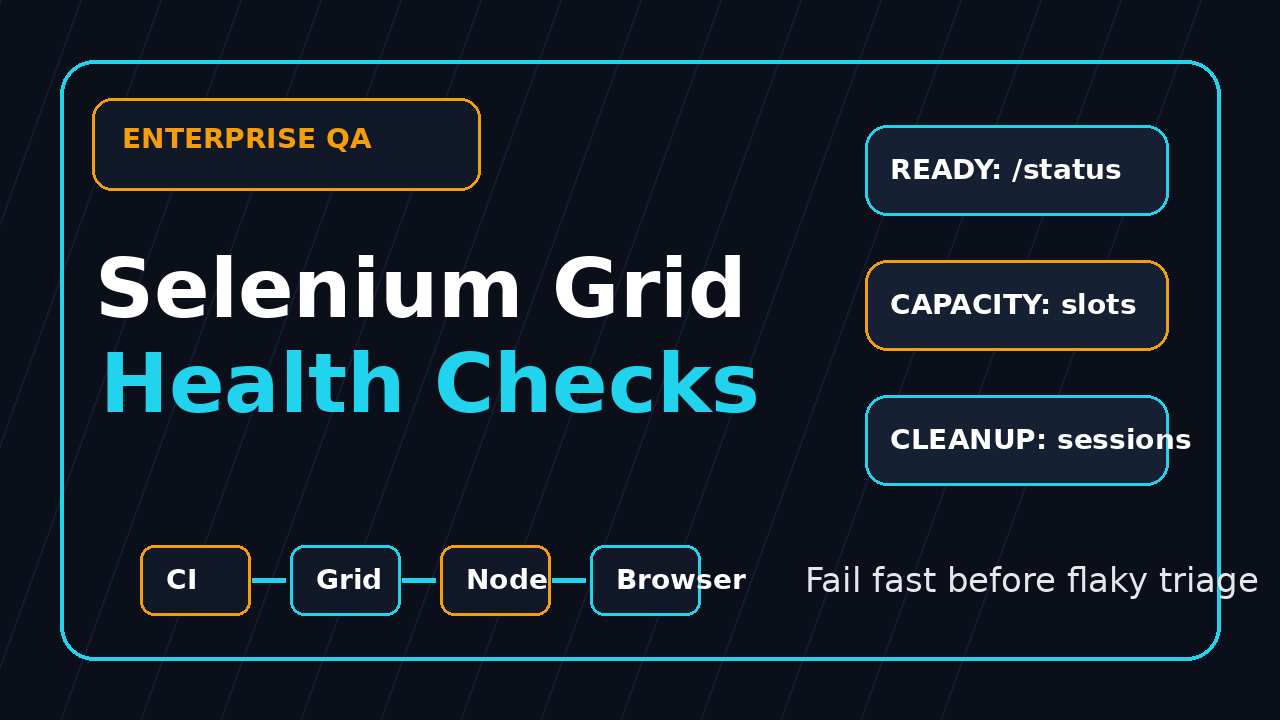
Selenium Grid health checks are not a nice dashboard item for enterprise QA teams. They are the difference between a real product bug and a wasted morning where 40 jobs fail because one Chrome node silently stopped accepting sessions.
I still see teams treat Grid as a black box: start containers, point tests at port 4444, then blame Selenium when the pipeline turns red. This guide shows the checks I use before, during, and after a Grid run so CI failures are easier to trust.
Table of Contents
- Why Selenium Grid health checks matter
- The 9 signals I monitor before CI starts
- Use the Grid status endpoint correctly
- Use GraphQL for capacity and session truth
- Node readiness and browser capability checks
- Session cleanup and stuck run triage
- Turn health checks into a CI release gate
- Enterprise playbook for managers and SDETs
- India context: what strong teams do differently
- FAQ
Contents
Why Selenium Grid health checks matter
Selenium Grid exists to route WebDriver commands from test clients to remote browser instances. The official Selenium Grid documentation describes the core reason clearly: run tests in parallel across multiple machines and route commands to browser nodes. That routing layer is powerful, but it also creates a new failure surface.
A local WebDriver failure usually has three suspects: the test, the browser, or the application. A Grid failure adds more suspects: Router, Distributor, Session Queue, Event Bus, Node registration, Docker resource pressure, DNS, network policies, browser image drift, and stale sessions. If you do not check those pieces explicitly, every red build becomes an argument.
The real cost is not one failed test. It is 8 engineers opening the same report, re-running the same failed suite, and adding random sleeps because the failure looked like timing. In a 500-test browser suite, even a 5% infrastructure failure rate can bury useful signals under noise.
For enterprise QA teams, I want Grid health to be a release gate, not a dashboard someone checks after the damage is done. If the Grid cannot create sessions, has zero matching Chrome slots, or has a session queue already backed up, the suite should stop early with a clear infrastructure failure.
Treat Grid like a production system
A shared Selenium Grid is production infrastructure for test automation. It has capacity, dependencies, versions, credentials, logs, and blast radius. That means the minimum operating model should include readiness checks, capacity checks, version checks, cleanup checks, and ownership.
- Check Grid status before creating the first session.
- Check required browser capabilities before the suite starts.
- Fail fast when the New Session Queue is already overloaded.
- Clean up leaked sessions after cancelled or timed-out jobs.
- Attach Grid health evidence to the CI run so triage starts with facts.
If your team is also comparing browser automation stacks, read the ScrollTest guide on Playwright vs Selenium vs Cypress in 2026. Selenium still earns its place in large cross-browser estates, but the operational discipline has to match the scale.
The 9 signals I monitor before CI starts
Selenium Grid health checks need to answer one simple question: should this pipeline spend the next 45 minutes running tests, or should it stop now because the infrastructure is already unhealthy? I start with nine signals because they cover capacity, correctness, and cleanup.
The minimum signal list
- Grid status endpoint returns HTTP 200 and says the Grid is ready.
- At least one Node is UP for each required browser family.
- Available slots are greater than the planned parallel worker count.
- Browser versions match the test matrix, or the difference is documented.
- New Session Queue size is below the team threshold.
- Active sessions belong to live CI jobs, not abandoned runs.
- Average session creation time stays under the agreed budget.
- Docker or VM resources have enough CPU and memory headroom.
- Grid, browser image, and client binding versions are recorded in the run artifact.
Notice what is not on the list: “rerun and see.” Rerun is not a diagnosis. Rerun is a last resort after you know the Grid was healthy enough to trust the first failure.
Version data belongs in the report
Selenium moves fast. The PyPI page for selenium 4.46.0 shows the Python bindings released on 2026-07-11 and requiring Python 3.10 or newer. The GitHub API reported 34,359 stars for SeleniumHQ/selenium during my research, and the latest Selenium release page showed 4.47.0 published on 2026-08-10. Those numbers are not trivia. They tell you exactly what version family your Grid and bindings came from when a failure happened.
I do not recommend pinning every stack forever. I recommend recording what was used. When a team upgrades Docker images on Friday and 130 tests start failing on Monday, version evidence shortens the debate.
Use the Grid status endpoint correctly
The official Selenium Grid endpoints documentation says Grid status includes details about every registered Node, including Node availability, sessions, and slots. That makes /status the first endpoint I call from CI.
Start with a simple curl check
GRID_URL="${SELENIUM_GRID_URL:-http://localhost:4444}"

curl --fail --silent --show-error "$GRID_URL/status"   | python3 -m json.tool
This check is intentionally boring. It verifies network reachability, HTTP behavior, and JSON parsing. If this fails, your Playwright, Selenium, Cypress, or framework debate does not matter. The Grid is not reachable from the runner.
Turn it into a readiness script
import os
import sys
import time
import requests

GRID_URL = os.getenv("SELENIUM_GRID_URL", "http://localhost:4444").rstrip("/")
TIMEOUT_SECONDS = int(os.getenv("GRID_WAIT_SECONDS", "60"))

end = time.time() + TIMEOUT_SECONDS
last_error = None

while time.time() < end:
    try:
        response = requests.get(f"{GRID_URL}/status", timeout=5)
        response.raise_for_status()
        payload = response.json()
        value = payload.get("value", {})
        if value.get("ready") is True:
            print("Grid is ready")
            sys.exit(0)
        last_error = value.get("message", "Grid not ready")
    except Exception as exc:
        last_error = str(exc)
    time.sleep(3)

print(f"Grid readiness failed: {last_error}", file=sys.stderr)
sys.exit(2)
Do not hide this behind a generic “environment failed” message. Print the last status message. If your Grid is warming up after a node restart, the message helps the engineer decide whether to retry later or call the platform owner.
Avoid a false green
A ready Grid is not always a suitable Grid. A Grid may be technically ready but still have zero Chrome slots, the wrong browser version, or a saturated queue. That is why /status is the first check, not the only check.
Use GraphQL for capacity and session truth
The Selenium docs also expose GraphQL query support. The useful part for QA teams is not the GraphQL buzzword. It is the ability to ask direct questions: how many sessions are running, what is the max capacity, which nodes are up, what slots exist, and what requests are waiting.
Query capacity before running tests
query GridCapacity {
  grid {
    sessionCount
    maxSession
    nodeCount
  }
}
Your CI script can compare maxSession - sessionCount against the planned parallelism. If the suite needs 20 workers and the Grid has 4 free slots, the honest result is not “tests are flaky.” The honest result is “capacity gate failed.”
A small Python gate
import os
import sys
import requests

GRID_URL = os.getenv("SELENIUM_GRID_URL", "http://localhost:4444").rstrip("/")
REQUIRED_FREE_SLOTS = int(os.getenv("REQUIRED_FREE_SLOTS", "10"))

query = """
query GridCapacity {
  grid { sessionCount maxSession nodeCount }
}
"""

response = requests.post(f"{GRID_URL}/graphql", json={"query": query}, timeout=10)
response.raise_for_status()

grid = response.json()["data"]["grid"]
free_slots = grid["maxSession"] - grid["sessionCount"]

print({"grid": grid, "free_slots": free_slots})

if free_slots < REQUIRED_FREE_SLOTS:
    print(
        f"Capacity gate failed: need {REQUIRED_FREE_SLOTS}, have {free_slots}",
        file=sys.stderr,
    )
    sys.exit(3)
I like this gate because it changes the conversation. Instead of “Selenium failed again,” the CI log says the Grid had 6 free slots and the job asked for 16 workers. That is a planning error, not a test error.
Watch queue pressure
Queue pressure is the early warning signal many teams miss. If the New Session Queue is already full before your suite starts, new sessions will look slow, tests may hit setup timeouts, and test owners will add sleeps in the wrong layer. Track queue size, record it in the run, and fail fast when it crosses a threshold.
Node readiness and browser capability checks
Selenium Grid health checks must prove the browser you need is actually available. “Grid ready” does not mean “Chrome 127 on Linux with video enabled is ready.” Enterprise suites usually have a matrix: Chrome stable, Edge stable, Firefox ESR, locale-specific runs, mobile emulation, maybe custom Docker images.
Create a capability contract
Write your expected capabilities as a contract. Keep it near the test framework, not hidden in a wiki. The contract should define browser name, version policy, platform, container image tag, and special features such as VNC, video, downloads, or network access.
required_browsers:
  - name: chrome
    min_slots: 12
    version_policy: stable
  - name: firefox
    min_slots: 4
    version_policy: esr-or-stable
  - name: MicrosoftEdge
    min_slots: 4
    version_policy: stable

grid:
  max_queue_size: 10
  max_session_creation_seconds: 20
  require_video: false
This small file saves real time. When a platform team removes Firefox nodes to save CPU, the next pipeline fails with a clear contract failure instead of 200 browser setup errors.
Check browser slots by name
Teams often check only total slots. Total slots can lie. A Grid with 30 Chrome slots and 0 Firefox slots is not healthy for a cross-browser release gate. Your script should count slots by browser family and compare those counts against the test plan.
If you use Docker Selenium images, pin and record the image tag. The docker-selenium 4.46.0-20260707 release is an example of why tags matter: Grid behavior, browser versions, and container defaults can change together.
Run one startup smoke test
Before the full regression suite, run one tiny browser smoke that opens a static page, reads the title, and quits. This proves the session lifecycle works end to end: client binding, Grid routing, Node slot, browser launch, WebDriver command, and cleanup.
from selenium import webdriver
from selenium.webdriver.common.by import By

options = webdriver.ChromeOptions()
options.set_capability("browserName", "chrome")

driver = webdriver.Remote(
    command_executor="http://localhost:4444/wd/hub",
    options=options,
)
try:
    driver.get("https://www.selenium.dev/selenium/web/web-form.html")
    assert "Web form" in driver.title
finally:
    driver.quit()
One passing startup smoke does not prove the application is healthy. It proves the automation road is open before you send traffic onto it.
Session cleanup and stuck run triage
The most painful Selenium Grid failures I see in large teams come from leaked sessions. A CI job is cancelled, a runner dies, or a test framework exits before driver.quit(). The Grid still thinks a session is active, a slot stays occupied, and the next team inherits the mess.
Tag sessions with ownership
Make ownership visible in capabilities. Add build id, team name, suite name, branch, and commit SHA where your Grid and tooling support it. Even when those keys are vendor-specific, the habit matters. A session without ownership is a cleanup problem waiting to happen.
options.set_capability("se:name", "checkout-regression")
options.set_capability("se:build", os.getenv("BUILD_TAG", "local"))
options.set_capability("team", "payments-qa")
options.set_capability("commit", os.getenv("GIT_COMMIT", "unknown"))
Define a cleanup policy
Your cleanup policy should be boring and explicit. Stale session detection should run on a schedule. It should identify sessions older than the maximum expected test duration, map them to CI jobs, and only then terminate. Blindly deleting sessions during active runs creates a different class of flaky failures.
- Mark sessions with a CI build id.
- Set a maximum allowed session age per suite type.
- Check whether the owning CI job is still running.
- Kill only orphaned sessions, not slow but valid tests.
- Write every cleanup action to a log channel.
Use failure buckets
When a run fails, classify it before assigning it. I use four buckets: Grid unreachable, capacity exhausted, browser startup failed, and test assertion failed. Only the last bucket belongs to the feature team by default. The other three should go to the automation platform owner or the team that owns the shared Grid.
This is the same thinking I recommend for modern Playwright governance. If you manage mixed automation stacks, the ScrollTest article on a Playwright upgrade checklist with trace, diff, and rollback shows a similar release-gate mindset.
Turn Selenium Grid health checks into a CI release gate
A health check that lives in a wiki will be ignored. A health check that runs before every browser job changes behavior. Put it directly in CI and make the failure message so specific that the next action is obvious.
A practical pipeline shape
- Install the test dependencies and Selenium client bindings.
- Call the Grid readiness endpoint.
- Call GraphQL capacity and queue checks.
- Validate required browser slots against the capability contract.
- Run a one-test browser startup smoke.
- Run the regression suite only if all gates pass.
- Upload Grid health JSON with the test report.
stages:
  - grid-health
  - browser-smoke
  - regression

selenium-grid-health:
  stage: grid-health
  script:
    - python tools/grid_ready.py
    - python tools/grid_capacity_gate.py
    - python tools/grid_capability_contract.py
  artifacts:
    when: always
    paths:
      - reports/grid-health.json

browser-smoke:
  stage: browser-smoke
  needs: [selenium-grid-health]
  script:
    - pytest tests/smoke/test_remote_browser.py

regression:
  stage: regression
  needs: [browser-smoke]
  script:
    - pytest tests/regression --dist loadscope
Write failure messages for humans
Bad message: “Grid failed.” Good message: “Capacity gate failed: required 16 free Chrome slots, found 5. Current sessions: 27/32. Queue size: 14. Reduce parallelism or wait for existing jobs to finish.” That message prevents three Slack threads.
Keep the dashboard, but do not depend on it
Dashboards are useful for trends: queue pressure by hour, average startup time, stale session count, and node churn. But dashboards should support the CI gate, not replace it. The release decision happens in the pipeline.
Enterprise playbook for managers and SDETs
Selenium Grid health checks become reliable only when ownership is clear. Enterprise QA teams need a playbook that separates test design from infrastructure operations. Without that separation, every failure is political.
Assign ownership
- SDET team owns the capability contract and startup smoke tests.
- Platform or DevOps team owns Grid uptime, node scaling, and container images.
- Feature teams own product assertions and data setup.
- QA manager owns the failure taxonomy and escalation rules.
- Release manager owns the final decision when infrastructure is degraded.
Set a practical SLO
You do not need a fancy SLO on day one. Start with three numbers: Grid readiness success rate, median session creation time, and stale sessions per day. If those numbers are not visible, you cannot improve them.
For example, a mature team might target 99% successful readiness checks during working hours, median session creation under 10 seconds, and zero stale sessions older than 2 hours. Your numbers may differ, but the act of measuring changes behavior.
Upgrade with a rollback path
Selenium 4 releases, Docker image updates, browser updates, and CI runner changes should not land blindly. Upgrade a canary Grid first. Run the health gate, a startup smoke, and 20 representative tests. Keep the old image tag available for rollback. This sounds slow until you compare it with a broken enterprise regression day.
India context: what strong teams do differently
In India, many QA teams run a split model: service-company style delivery pressure on one side and product-company quality expectations on the other. I see testers from TCS, Infosys, Wipro, and similar environments move into product companies where CI ownership is expected, not optional. Selenium Grid health checks are a practical way to show that maturity.
This is a career signal
A manual tester who can write test cases is useful. An automation engineer who can stabilize a Grid, reduce false failures, and explain capacity to DevOps is harder to replace. For SDET roles in the ₹25-40 LPA band, I expect candidates to understand not only selectors and waits, but also CI, Docker, logs, and infrastructure failure modes.
Interview answer that stands out
If an interviewer asks, “How do you reduce Selenium flakiness?” do not answer only with explicit waits. Say this: I separate application flakiness from Grid flakiness. Before the suite runs, I validate Grid readiness, capacity, browser slots, queue size, and a startup smoke. During triage, I bucket failures into infrastructure, browser startup, data, and assertion failures.
That answer sounds like ownership. It also proves you have seen real CI systems, not only tutorial projects.
The small-team version
Even a five-person startup team can use this playbook. You do not need Kubernetes on day one. Start with /status, one browser startup smoke, version logging, and a hard rule that a failed Grid health gate blocks the suite. Add GraphQL capacity checks when parallelism grows.
Conclusion: Selenium Grid health checks make failures trustworthy
Selenium Grid health checks make enterprise QA less noisy. They do not remove every flaky test, but they stop infrastructure problems from pretending to be product problems. That one shift saves hours of triage every week.
- Use
/statusas the first readiness gate, not the final proof. - Use GraphQL to check capacity, sessions, nodes, and queue pressure.
- Validate browser capability contracts before the suite starts.
- Clean up stale sessions with ownership data, not blind deletes.
- Make the CI pipeline fail fast with a clear infrastructure message.
My recommendation is simple: add one Selenium Grid health check this week. Start with readiness and a startup smoke. Then add capacity, queue, and cleanup gates as your suite grows.
FAQ
What is the most important Selenium Grid health check?
The first check is the Grid status endpoint. It confirms the Grid is reachable and ready. For enterprise pipelines, pair it with a browser slot check because a ready Grid can still lack the browser capacity your suite needs.
Should I fail the pipeline when Grid capacity is low?
Yes, if the suite requires a fixed level of parallelism. A clear capacity failure is better than 100 setup timeouts. You can also reduce worker count automatically, but make that choice explicit and visible in the report.
Are Selenium Grid health checks useful if I use cloud providers?
Yes. The exact endpoints may differ, but the same questions apply: can I create sessions, do I have the required browser capabilities, is the queue healthy, and can I separate provider issues from product bugs?
How often should I run cleanup for stale sessions?
Run detection often, but delete carefully. For shared enterprise Grids, check every 15-30 minutes, verify the owning CI job is dead, and log every deletion. The goal is safe cleanup, not random disruption.