
Playwright Component Testing with TypeScript
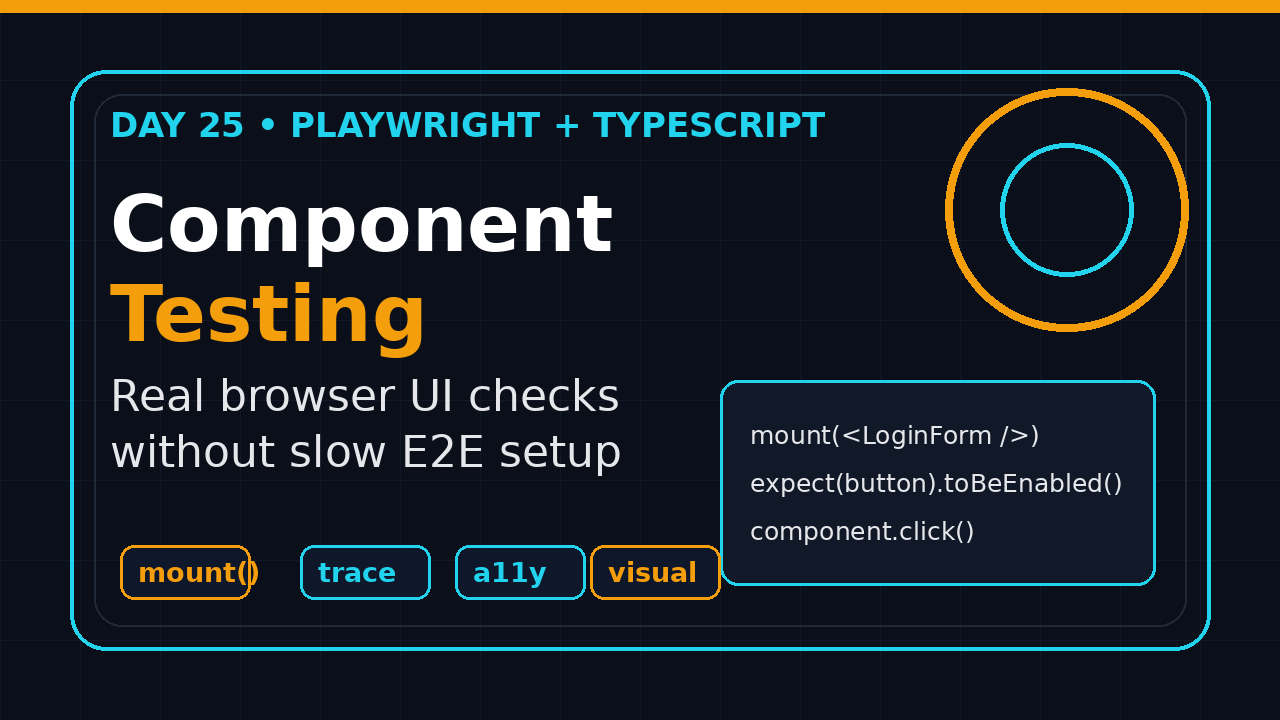
Playwright Component Testing with TypeScript is the missing middle layer between isolated unit tests and full end-to-end flows. On Day 25 of this Playwright + TypeScript series, I use it to test React and Vue components in a real browser while keeping the feedback loop small enough for daily development.
Table of Contents
- Why Playwright Component Testing with TypeScript matters
- The mental model: component test, not mini E2E
- Set up Playwright Component Testing with TypeScript
- Write the first component test
- Test data, events, and network boundaries
- Add visual and accessibility checks
- CI strategy for component tests
- Common pitfalls I see in teams
- Key takeaways
- FAQ
Contents
Why Playwright Component Testing with TypeScript matters
Most QA teams test UI at two extremes. They either write very fast unit tests that mock the browser away, or they write full E2E tests that open the app, log in, navigate through three pages, and finally click the component they actually care about.
That leaves a gap. A date picker, pricing card, payment method selector, file uploader, or table filter can be too visual for a unit test and too small for a full journey test. Playwright Component Testing fills that gap by mounting the component directly in a browser and still giving you Playwright locators, assertions, tracing, screenshots, retries, and parallel execution.
The official Playwright docs describe component testing as experimental, so I treat it as a tactical tool, not a replacement for the complete framework. It is excellent for design-system components, reusable widgets, and expensive UI states that are painful to reach through the full application. It is not where I put every business journey.
The adoption signal is strong enough to take seriously. The Microsoft Playwright GitHub repository showed 92,922 stars when I checked during this cron run, and the npm downloads API for @playwright/test reported 183,491,759 downloads for the last measured month. Those numbers do not prove component testing is mature, but they do prove the Playwright ecosystem is not a side project.
If you have followed this series from the Playwright learning roadmap, through Page Object Model design, and accessibility testing with Playwright, this day adds another testing layer to your toolkit.
I also like component tests because they create better conversations with frontend developers. Instead of saying “the E2E suite failed somewhere after login,” you can say “the AccountMenu component no longer exposes a keyboard-accessible sign out action.” That is specific. It is easier to reproduce. It also reduces the old QA versus dev argument because the failing artifact lives close to the component code.
Where component tests fit
- Unit tests: pure functions, reducers, validators, formatting, and small logic branches.
- Component tests: browser-rendered UI behavior with real clicks, keyboard input, CSS, layout, and props.
- E2E tests: business-critical flows across pages, services, auth, data, and integrations.
I want my test pyramid to be boring. Unit tests cover logic. Component tests catch UI behavior early. E2E tests prove the user journey. When one layer tries to do everything, the framework becomes slow and noisy.
The mental model: component test, not mini E2E
The biggest mistake is treating a component test as a tiny E2E test. A component test should start with one component and one behavior. It should not boot the full application, call the real backend, load feature flags from production, and wait for a dashboard to settle.
Playwright’s component testing documentation shows the core idea: import the component test package, mount a component, interact with the returned locator, and assert the result. The component runs in a real browser. The test code runs in Node.js. That split is powerful, but it also creates boundaries you must respect.
Good component-test candidates
- A button that emits an event when clicked.
- A form field that validates email, phone, or PAN format.
- A dropdown that supports keyboard navigation.
- A pricing card that changes CTA text by plan.
- A data table that filters, sorts, and shows empty states.
- A modal that traps focus and closes on Escape.
Bad component-test candidates
- Checkout from login to payment confirmation.
- Cross-service flows that need seeded database records.
- Cases where browser state, API contracts, and routing are the real risk.
- Anything that already has a stable unit test and no browser-specific behavior.
In product companies, I see teams in Bengaluru and Pune split this badly. One SDET adds 180 E2E tests because the team wants confidence. The suite then takes 45 minutes, flakes twice a week, and everyone loses trust. Component tests are one way to move the smaller UI checks out of that slow lane.
Set up Playwright Component Testing with TypeScript
For React and Vue projects, Playwright provides component testing packages under experimental names. That label matters. Use it deliberately, pin versions, and avoid mixing too many experiments in the same pipeline.
Start inside an existing frontend project. I usually create a small branch first because the initializer adds config files and a component-test workspace.
npm init playwright@latest -- --ct
# or
pnpm create playwright --ct
# or
yarn create playwright --ct
The initializer creates files for the component test runner. The Playwright docs mention a component HTML file with a root element where components are mounted. In practical terms, this is where you load global CSS, themes, fonts, test-only providers, and any runtime setup the component needs.
Recommended folder layout
src/
  components/
    LoginForm.tsx
    PricingCard.tsx
  test-utils/
    providers.tsx
playwright/
  index.html
  index.tsx
tests-ct/
  login-form.spec.tsx
  pricing-card.spec.tsx
playwright-ct.config.ts
tsconfig.json
tsconfig.test.json
I keep component tests in tests-ct instead of mixing them with E2E tests. The test intent is different, the config is different, and the CI job is different. Future maintainers should know what layer they are touching by looking at the path.
Use a test-specific tsconfig
Playwright supports TypeScript out of the box, but the Playwright TypeScript docs are clear about one important point: Playwright runs TypeScript tests but does not perform full type checking for you. Run tsc --noEmit separately.
{
  "extends": "./tsconfig.json",
  "compilerOptions": {
    "types": ["node", "@playwright/test"],
    "baseUrl": ".",
    "paths": {
      "@components/*": ["src/components/*"],
      "@test-utils/*": ["src/test-utils/*"]
    }
  },
  "include": ["src", "tests-ct", "playwright"]
}
Then wire the config explicitly:
import { defineConfig, devices } from '@playwright/experimental-ct-react';

export default defineConfig({
  testDir: './tests-ct',
  tsconfig: './tsconfig.test.json',
  timeout: 20_000,
  expect: {
    timeout: 5_000,
    toHaveScreenshot: { maxDiffPixelRatio: 0.02 }
  },
  use: {
    trace: 'retain-on-failure',
    screenshot: 'only-on-failure'
  },
  projects: [
    { name: 'chromium', use: { ...devices['Desktop Chrome'] } }
  ]
});
Write the first component test
Let us test a login form. Not the whole login journey. Just the component behavior: disabled submit state, validation message, and submit callback.
// src/components/LoginForm.tsx
type LoginFormProps = {
  onSubmit: (payload: { email: string; password: string }) => void;
};

export function LoginForm({ onSubmit }: LoginFormProps) {
  const [email, setEmail] = useState('');
  const [password, setPassword] = useState('');
  const isValid = email.includes('@') && password.length >= 8;

  return (
    <form
      aria-label="Login form"
      onSubmit={(event) => {
        event.preventDefault();
        if (isValid) onSubmit({ email, password });
      }}
    >
      <label>
        Email
        <input value={email} onChange={(e) => setEmail(e.target.value)} />
      </label>
      <label>
        Password
        <input
          type="password"
          value={password}
          onChange={(e) => setPassword(e.target.value)}
        />
      </label>
      {!isValid && <p role="alert">Enter a valid email and 8 character password.</p>}
      <button type="submit" disabled={!isValid}>Sign in</button>
    </form>
  );
}
The component test stays small:
// tests-ct/login-form.spec.tsx
import { test, expect } from '@playwright/experimental-ct-react';
import { LoginForm } from '@components/LoginForm';

test('enables submit after valid email and password', async ({ mount }) => {
  const submissions: Array<{ email: string; password: string }> = [];

  const component = await mount(
    <LoginForm onSubmit={(payload) => submissions.push(payload)} />
  );

  await expect(component.getByRole('button', { name: 'Sign in' })).toBeDisabled();
  await expect(component.getByRole('alert')).toContainText('valid email');

  await component.getByLabel('Email').fill('dev@scrolltest.com');
  await component.getByLabel('Password').fill('StrongPass123');

  await expect(component.getByRole('button', { name: 'Sign in' })).toBeEnabled();
  await component.getByRole('button', { name: 'Sign in' }).click();

  expect(submissions).toEqual([
    { email: 'dev@scrolltest.com', password: 'StrongPass123' }
  ]);
});
Notice the style. I still use role-based locators. I still assert what the user sees. I do not reach into React internals. That keeps the test valuable even if the component implementation changes.
Screenshot description
If I were adding a screenshot to the repository README, I would capture the Playwright UI Mode view with the login form mounted on the left, the locator step list on the right, and the disabled Sign in button highlighted. That image explains the test faster than a paragraph.
Test data, events, and network boundaries
Component testing gets messy when teams ignore boundaries. The component runs in the browser. Your test runs in Node. Do not assume a mock created in Node automatically exists inside the browser runtime.
Use callbacks for component contracts
For component contracts, callbacks are clean. The test passes a function, interacts with the UI, then asserts the callback payload. This catches real user behavior without pretending to be an API test.
test('selects a pricing plan', async ({ mount }) => {
  const selected: string[] = [];

  const component = await mount(
    <PricingCard
      plan="Pro"
      price="₹2,999"
      onChoose={(plan) => selected.push(plan)}
    />
  );

  await expect(component.getByText('₹2,999')).toBeVisible();
  await component.getByRole('button', { name: 'Choose Pro' }).click();

  expect(selected).toEqual(['Pro']);
});
Mock browser APIs close to the browser
If a component reads localStorage, matchMedia, navigator.clipboard, or feature flags from window, mock it in the page context or in the component test setup. Keep the mock near the runtime that uses it.
test.beforeEach(async ({ page }) => {
  await page.addInitScript(() => {
    window.localStorage.setItem('theme', 'dark');
    Object.defineProperty(window.navigator, 'clipboard', {
      value: { writeText: async () => undefined },
      configurable: true
    });
  });
});
Do not hide API risk inside component tests
If the component fetches data directly, I prefer one of two designs. Either inject data as props and test states at the component level, or move API behavior into an E2E/API test. For network mocking patterns, reuse the route interception pattern from modifying API responses with route.fulfill.
Component tests should verify the loading, success, empty, and error states. They should not become a fake backend suite.
Add visual and accessibility checks
Component tests are a great place for visual checks because the surface area is small. A whole dashboard screenshot can fail because of a timestamp, chart animation, or marketing banner. A component screenshot is easier to stabilize.
test('pricing card visual state is stable', async ({ mount }) => {
  const component = await mount(
    <PricingCard plan="Pro" price="₹2,999" isRecommended />
  );

  await expect(component).toHaveScreenshot('pricing-card-pro.png');
});
Use screenshots for components with real visual risk: badges, charts, responsive cards, modals, and multi-column layouts. Do not screenshot every button. That creates noisy approvals and burns review time.
Add accessibility smoke checks
You can combine Playwright with axe for targeted component accessibility checks. This does not replace manual accessibility review, but it catches missing labels, low-level ARIA mistakes, and obvious violations early.
import AxeBuilder from '@axe-core/playwright';
import { test, expect } from '@playwright/experimental-ct-react';

test('login form has no obvious accessibility violations', async ({ mount, page }) => {
  await mount(<LoginForm onSubmit={() => undefined} />);

  const results = await new AxeBuilder({ page }).analyze();
  expect(results.violations).toEqual([]);
});
Keep the check scoped. If the component needs a provider, theme, or layout wrapper, add it. If the test starts scanning unrelated shell markup, you have lost the advantage of component isolation.
CI strategy for component tests
I do not run component tests in the same job as full E2E tests. I want separate failure signals. If a component test fails, the frontend team can fix it quickly. If an E2E test fails, the investigation may involve auth, backend data, queues, or deployment state.
GitHub Actions example
name: component-tests

on:
  pull_request:
    paths:
      - 'src/**'
      - 'tests-ct/**'
      - 'playwright/**'
      - 'playwright-ct.config.ts'

jobs:
  ct:
    runs-on: ubuntu-latest
    steps:
      - uses: actions/checkout@v4
      - uses: actions/setup-node@v4
        with:
          node-version: 22
          cache: npm
      - run: npm ci
      - name: Type check
        run: npx tsc -p tsconfig.test.json --noEmit
      - name: Install browser
        run: npx playwright install chromium --with-deps
      - name: Run component tests
        run: npx playwright test -c playwright-ct.config.ts
      - uses: actions/upload-artifact@v4
        if: failure()
        with:
          name: component-test-report
          path: playwright-report/
What I gate on
- Every pull request touching shared components runs component tests.
- Visual snapshots require review before updating baselines.
- Traces and HTML reports are uploaded only on failure to save storage.
- Full E2E tests still run for critical user flows before merge or deploy.
For Indian service teams working with US product clients, this split is practical. You can show faster feedback in PRs without promising that component tests replace acceptance testing. That is a more mature SDET conversation.
I normally keep the component-test job under 5 minutes. If it grows beyond that, I check three things: too many browsers, too many visual assertions, or too much shared setup. The goal is not to build another slow suite. The goal is to catch component regressions while the pull request is still fresh in the developer’s head.
Common pitfalls I see in teams
Pitfall 1: testing implementation details
If your test checks React state, private class names, or internal component variables, it will break during harmless refactors. Test accessible behavior: labels, roles, visible text, keyboard flow, and event contracts.
Pitfall 2: mounting without real providers
Many production components need a router, theme, i18n object, query client, or feature flag provider. Create a test wrapper once and reuse it.
// src/test-utils/providers.tsx
export function AppTestProviders({ children }: { children: React.ReactNode }) {
  return (
    <ThemeProvider theme={testTheme}>
      <MemoryRouter>{children}</MemoryRouter>
    </ThemeProvider>
  );
}

// in the spec
const component = await mount(
  <AppTestProviders>
    <AccountMenu userName="Dev" />
  </AppTestProviders>
);
Pitfall 3: snapshots for unstable UI
Animations, random IDs, current dates, dynamic ads, and remote avatars make visual baselines noisy. Freeze dates, disable animation, and use deterministic data before adding screenshot assertions.
Pitfall 4: skipping type checks
Playwright can run TypeScript without catching every type issue. Put npx tsc -p tsconfig.test.json --noEmit in CI. It is a cheap safety net.
Pitfall 5: making component tests too broad
If your component spec needs login, seed scripts, real API tokens, and a 12-step setup, it is not a component test anymore. Move that risk to the right layer.
Key takeaways
Playwright Component Testing with TypeScript is not mandatory for every team, but it is very useful when your UI has reusable components and expensive E2E setup.
- Use component tests for browser-rendered UI behavior, not full business journeys.
- Keep E2E tests for cross-page, cross-service risk.
- Run TypeScript checks separately with
tsc --noEmit. - Use role-based locators in component tests just like E2E tests.
- Add visual and accessibility checks only where they catch real risk.
- Separate component-test CI from full E2E CI so failures are easier to route.
My rule is simple: if a UI bug can be found by mounting one component with three props, I do not spend a full browser journey on it. That keeps the Playwright suite smaller, faster, and easier to trust.
FAQ
Is Playwright Component Testing production ready?
The official docs still label Playwright component testing as experimental. I use it for targeted coverage in real projects, but I pin versions and avoid betting the whole test strategy on it.
Should I replace React Testing Library with Playwright Component Testing?
No. React Testing Library is still strong for many component behaviors. Playwright component tests make sense when you need real browser rendering, screenshots, layout behavior, keyboard interaction, or Playwright tracing.
Can I use this with Vue?
Yes. Playwright provides component testing support for Vue as well. The import package and syntax differ, but the same testing principles apply: mount, interact, assert visible behavior.
How many component tests should a project have?
Start with 5 to 10 high-risk shared components. If those tests catch useful bugs without slowing the team, expand coverage. Do not create a quota just to make a dashboard look green.
What should I learn next?
Next, connect component testing with design-system governance. Add a small checklist: accessible names, keyboard path, responsive screenshot, and one event contract per reusable component. That is the difference between random automation and a maintainable frontend quality system.

