Playwright Network Mocking TypeScript: Day 34 Guide
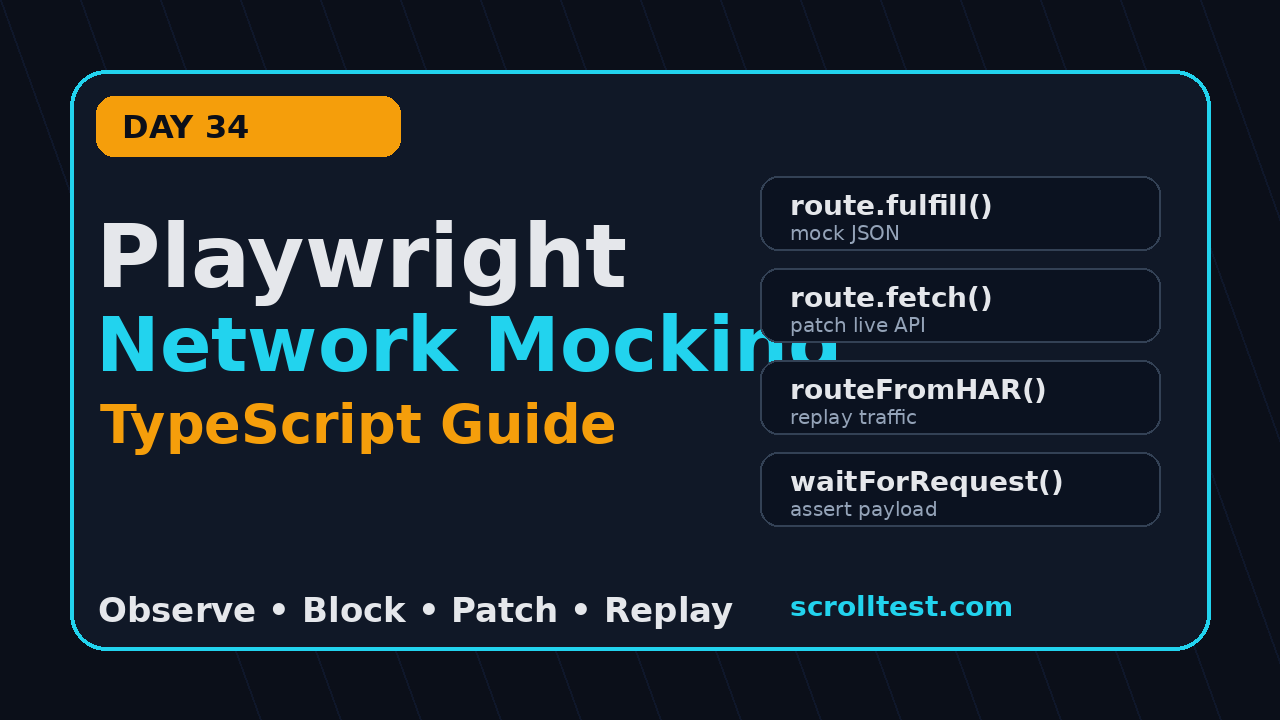
Playwright network mocking TypeScript is where UI automation starts behaving like a controlled lab instead of a lottery ticket. On Day 34, I use Playwright routes to freeze unreliable APIs, patch live responses, prove request payloads, and keep TypeScript tests stable even when the backend is noisy.
This lesson continues from Day 33 on Playwright API mocking with TypeScript. Day 33 focused on replacing API responses. Day 34 goes one layer wider: we will monitor requests, modify requests, fulfill responses, abort third-party calls, replay HAR files, and build helper functions your team can use across a real regression suite.
Table of Contents
- Why Playwright network mocking TypeScript matters
- The mental model: observe, block, patch, replay
- Project setup for network mocking
- Mock a JSON response with page.route
- Patch a live response without hiding the backend
- Assert request payloads and headers
- Use HAR replay for stable demo data
- Common pitfalls I see in QA teams
- CI checklist for network mocks
- FAQ
Contents
Why Playwright network mocking TypeScript matters
Most flaky UI tests are not flaky because the button forgot how to click. They fail because the test depends on a slow API, a changing dataset, a third-party script, or a test account that has been modified by another parallel run. Playwright gives us a direct API to monitor and modify browser network traffic, including XHR and fetch requests, as documented in the official Playwright network guide.
I like this feature because it moves the test from hope to contract. If the UI needs a user with one active subscription, the test can provide exactly that response. If the UI must send a POST body with a coupon code, the test can capture the request and assert the payload. If a tracking pixel slows the page in CI, the test can abort it instead of waiting for a service that has nothing to do with checkout quality.
What changes for an SDET
When you learn Playwright network mocking TypeScript, you stop treating the browser as a black box. You can split failures into three buckets:
- UI failure: the page received correct data but rendered it incorrectly.
- Contract failure: the page sent the wrong request or parsed the wrong response shape.
- Environment failure: the backend, seed data, or third-party dependency was not ready.
That split is career gold. A manual tester can say, “the page failed.” A strong SDET can say, “the frontend sent quantity: 0 to /cart/items after the increment click, so this is a UI state bug, not an API outage.” Product companies pay more for that level of debugging. In India, this is the difference between basic automation work and ₹25-40 LPA SDET ownership in teams that run CI at scale.
Why this is not only for mock-heavy teams
Network mocking is useful even if your company prefers end-to-end tests against real services. I still use it for negative states, empty states, rare errors, slow responses, and third-party noise. You do not need to mock every endpoint. You need to control the two or three endpoints that make a test unreliable.
The adoption signal is also strong. The microsoft/playwright GitHub repository showed more than 93,000 stars during this research run, and the npm registry reported more than 191 million last-month downloads for @playwright/test. Those numbers do not prove your framework is good, but they do prove the ecosystem is large enough that SDETs should learn the network layer properly.
The mental model: observe, block, patch, replay
Playwright network control becomes simple when you use four verbs: observe, block, patch, replay. I teach this model because beginners often copy one route example and then try to force every scenario into the same pattern.
- Observe with request and response events when you only need evidence.
- Block assets, ads, analytics, or broken third-party calls that are irrelevant to the assertion.
- Patch a real response when you want backend realism with deterministic UI data.
- Replay from a HAR file when the scenario needs a full captured conversation.
Observe before you mock
Before writing a route handler, inspect the real traffic. This avoids the classic mistake: mocking the wrong URL pattern and then wondering why the test still hits staging. Playwright supports network events on the page, so you can print or collect requests during a debug run.
import { test, expect } from '@playwright/test';

test('observe product traffic before mocking', async ({ page }) => {
  const seen: string[] = [];

  page.on('request', request => {
    if (request.url().includes('/api/')) {
      seen.push(`${request.method()} ${request.url()}`);
    }
  });

  await page.goto('/products');
  await expect(page.getByRole('heading', { name: /products/i })).toBeVisible();

  console.log(seen.join('
'));
});
In screenshots, I expect to see the trace viewer showing a clean sequence: document load, static assets, then API calls such as GET /api/products. Screenshot description: open Playwright Trace Viewer, select the Network tab, and highlight the product API row with status code, response body, and timing visible.
Block with a reason
Blocking should be boring and documented. If you abort every image and analytics request without thinking, you may hide real performance or rendering bugs. If you block one ad script that fails in CI and has no impact on checkout, that is a good trade.
test.beforeEach(async ({ page }) => {
  await page.route('**/*', async route => {
    const url = route.request().url();
    if (url.includes('analytics.example.com') || url.includes('ads.example.com')) {
      await route.abort();
      return;
    }
    await route.continue();
  });
});
Keep a comment near this helper explaining why the URL is blocked. Six months later, someone will ask whether the block is still needed. Good framework code answers that question without a meeting.
Project setup for network mocking
Use a normal Playwright TypeScript project. If you followed earlier days in this series, your base is already ready. If not, start with the official package and keep TypeScript strict. Playwright is written in TypeScript, and the types help you catch weak route handlers early.
npm init playwright@latest
npm install -D @playwright/test typescript
npx playwright test --ui
For a production framework, I keep network helpers in a separate folder instead of burying everything inside spec files. This keeps the tests readable and makes mocks reusable.
// suggested folder structure
// tests/
//   checkout.spec.ts
//   products.spec.ts
// support/
//   network/
//     products.mock.ts
//     checkout.mock.ts
//     network-assertions.ts
// playwright.config.ts
Use baseURL and small URL patterns
A weak glob can match too much. A pattern like **/api/** is fine for logging, but risky for fulfillment. For mock responses, match one endpoint and one behavior. The official Route API is powerful, but power cuts both ways.
// playwright.config.ts
import { defineConfig } from '@playwright/test';

export default defineConfig({
  testDir: './tests',
  use: {
    baseURL: process.env.BASE_URL ?? 'https://demo.playwright.dev',
    trace: 'on-first-retry',
    screenshot: 'only-on-failure',
    video: 'retain-on-failure',
  },
});
If you are still cleaning your framework structure, read the ScrollTest guide on writing clean, maintainable automation scripts. Network mocks become painful when the framework has no naming rules, no helper layer, and no owner for test data.
Mock a JSON response with page.route
The simplest useful mock is a JSON response. The important part is timing: register the route before navigation or before the action that triggers the request. If the request has already happened, your handler is too late.
import { test, expect } from '@playwright/test';

test('shows out-of-stock label from mocked product response', async ({ page }) => {
  await page.route('**/api/products/sku-1001', async route => {
    await route.fulfill({
      status: 200,
      contentType: 'application/json',
      json: {
        id: 'sku-1001',
        name: 'USB-C Test Cable',
        price: 799,
        currency: 'INR',
        inStock: false,
      },
    });
  });

  await page.goto('/products/sku-1001');

  await expect(page.getByRole('heading', { name: 'USB-C Test Cable' })).toBeVisible();
  await expect(page.getByText('Out of stock')).toBeVisible();
});
This is the pattern I use for empty states, role-specific UI, feature flags, product availability, and rare business rules. The backend may not have a clean way to create the exact state on demand. The UI test still needs to cover it.
Keep mock data close to the contract
Do not invent random response shapes. Copy the real response once, remove fields not needed for the test, and keep the important field names exact. If the frontend expects inStock, do not mock isAvailable. That creates a fake test that only proves your fake data is fake.
type ProductResponse = {
  id: string;
  name: string;
  price: number;
  currency: 'INR' | 'USD';
  inStock: boolean;
};

const outOfStockProduct: ProductResponse = {
  id: 'sku-1001',
  name: 'USB-C Test Cable',
  price: 799,
  currency: 'INR',
  inStock: false,
};
TypeScript makes this maintainable. If the contract changes, the mock object fails compilation instead of silently producing a test that no longer represents production.
Patch a live response without hiding the backend
Full mocks are clean, but sometimes I want the real backend response plus one deterministic change. Playwright supports fetching the original response from inside the route and then fulfilling with a patched body. The official Mock APIs guide shows this pattern with route.fetch() and route.fulfill().
test('adds one controlled product to the real list', async ({ page }) => {
  await page.route('**/api/products', async route => {
    const response = await route.fetch();
    const products = await response.json();

    products.unshift({
      id: 'qa-special-001',
      name: 'QA Special Product',
      price: 1,
      currency: 'INR',
      inStock: true,
    });

    await route.fulfill({ response, json: products });
  });

  await page.goto('/products');
  await expect(page.getByText('QA Special Product')).toBeVisible();
});
This is a strong compromise for teams that do not want mock-only UI tests. The API still gets called. Headers, auth, latency, and most of the response stay real. The test controls only the data needed for the assertion.
When I patch instead of full mock
- The endpoint has a large response and I only need one extra item.
- The test must keep real auth, cookies, and server behavior.
- The backend is stable but the dataset is not stable.
- The test checks a UI state that is hard to seed through public APIs.
For pagination cases, connect this with the earlier ScrollTest article on testing pagination in Playwright. Pagination tests fail often because the dataset changes. Patching a known first item or next-page token can make the assertion specific without pretending the whole backend does not exist.
Assert request payloads and headers
Network mocking is not only about responses. Many bugs live in outbound requests. The UI may display the right values but send the wrong payload. A checkout form may show ₹799 but submit ₹0. A filter UI may display “Active users” but send status=all.
Use page.waitForRequest() when the test action should produce one important request. Keep the predicate narrow. Then assert method, URL, headers, and body.
test('sends correct coupon payload during checkout', async ({ page }) => {
  await page.goto('/checkout');

  const couponRequestPromise = page.waitForRequest(request =>
    request.url().includes('/api/coupons/apply') && request.method() === 'POST'
  );

  await page.getByLabel('Coupon code').fill('QA10');
  await page.getByRole('button', { name: 'Apply coupon' }).click();

  const request = await couponRequestPromise;
  const body = request.postDataJSON() as { code: string; cartId: string };

  expect(body.code).toBe('QA10');
  expect(body.cartId).toMatch(/^cart_/);
  expect(request.headers()['content-type']).toContain('application/json');
});
Wait for the correct response too
Sometimes the request is correct but the UI reacts before the response is complete. Pair the request assertion with a response wait when the next screen depends on server confirmation.
const applyCouponResponse = page.waitForResponse(response =>
  response.url().includes('/api/coupons/apply') && response.status() === 200
);

await page.getByRole('button', { name: 'Apply coupon' }).click();
await applyCouponResponse;

await expect(page.getByText('Coupon applied')).toBeVisible();
Screenshot description: capture the Playwright trace after this test and show the Network panel filtered by /api/coupons/apply. The screenshot should show one POST request, status 200, request payload with QA10, and the DOM snapshot with “Coupon applied.”
Use HAR replay for stable demo data
HAR replay is useful when a page makes several requests and you want to freeze the full network conversation. The Playwright docs describe HAR files as HTTP archives that include request and response details, and Playwright can serve matching responses from a HAR file. This is better than writing ten route handlers by hand for a dashboard page.
// Record a focused HAR manually during setup
// npx playwright open --save-har=./hars/dashboard.har --save-har-glob="**/api/**" https://your-app.example/dashboard

import { test, expect } from '@playwright/test';

test('renders dashboard from a recorded HAR', async ({ page }) => {
  await page.routeFromHAR('./hars/dashboard.har', {
    url: '**/api/**',
    update: false,
  });

  await page.goto('/dashboard');
  await expect(page.getByRole('heading', { name: 'Dashboard' })).toBeVisible();
  await expect(page.getByText('Revenue this month')).toBeVisible();
});
HAR files need ownership
Do not let HAR files become mystery blobs in your repository. Add a README near the HAR folder with three lines: what flow it represents, when it was recorded, and who owns updates. If the backend contract changes, update the HAR in a planned PR, not during a random flaky-test firefight.
// hars/README.md
// dashboard.har
// Flow: authenticated dashboard with one active organization and seeded billing data.
// Refresh rule: update after dashboard API contract changes, not for cosmetic UI changes.
// Owner: QA platform team.
For CI, keep HAR scope narrow. Use --save-har-glob="**/api/**" instead of recording every image, font, and static file. Smaller HAR files are easier to review and less likely to hide unrelated frontend changes.
Common pitfalls I see in QA teams
Here are the mistakes I see repeatedly when teams start using Playwright network mocking TypeScript. None of these are complex, but each one can make a test suite look unreliable.
Registering the route too late
The route must exist before the request fires. If the request happens during page load, call page.route() before page.goto(). If the request happens after a click, register the route before the click.
Using a broad route pattern
**/api/** can accidentally fulfill login, cart, profile, and feature flag calls with the same response. That is a false pass waiting to happen. Prefer endpoint-specific patterns and add assertions inside the route when the method matters.
await page.route('**/api/cart/items', async route => {
  expect(route.request().method()).toBe('POST');
  await route.continue();
});
Mocking away the bug
If a test always mocks the backend, it may miss integration failures. Keep a small number of contract or API tests that hit real services. Use network mocks for UI states and deterministic coverage, not as a blanket replacement for integration testing.
Forgetting service workers
Service workers can intercept requests before Playwright sees them. The Playwright network documentation calls out missing network events with service workers. If your app uses a service worker and a route does not fire, test with service workers blocked in context options or create a clean context for the scenario.
// playwright.config.ts
export default defineConfig({
  use: {
    serviceWorkers: 'block',
  },
});
CI checklist for network mocks
Good network mocks should make CI more boring. If they make CI more confusing, the framework needs cleanup. I use this checklist before merging a network-heavy test.
- The mocked endpoint is named in the test title or helper name.
- The route is registered before the request can fire.
- The URL pattern is specific enough to avoid accidental matches.
- The mock response matches the real contract shape.
- The test still proves one visible user outcome.
- Trace is enabled on retry so the network panel is available during failure triage.
- HAR files have a refresh rule and are not huge binary surprises.
- Third-party aborts are documented with a reason.
A reusable helper pattern
Once a mock appears in two tests, move it to a helper. Keep the helper small and named by business state, not by implementation detail.
// support/network/products.mock.ts
import type { Page } from '@playwright/test';

export async function mockOutOfStockProduct(page: Page, sku = 'sku-1001') {
  await page.route(`**/api/products/${sku}`, async route => {
    await route.fulfill({
      status: 200,
      contentType: 'application/json',
      json: {
        id: sku,
        name: 'USB-C Test Cable',
        price: 799,
        currency: 'INR',
        inStock: false,
      },
    });
  });
}

// tests/products.spec.ts
test('shows out-of-stock state for a seeded product', async ({ page }) => {
  await mockOutOfStockProduct(page);
  await page.goto('/products/sku-1001');
  await expect(page.getByText('Out of stock')).toBeVisible();
});
FAQ
Should I mock APIs in every Playwright test?
No. Mock where the test needs deterministic UI state or where a dependency is irrelevant to the assertion. Keep a separate layer of API and contract tests for real backend coverage.
Is HAR replay better than page.route?
HAR replay is better for multi-request flows. page.route() is better for one endpoint, one state, or one assertion. If a test needs ten route handlers to open one dashboard, use HAR. If a test needs one product to be out of stock, use a route.
Can network mocks hide production bugs?
Yes, if you use them without a test strategy. That is why I keep mock-heavy UI tests, real API tests, and a few end-to-end smoke tests. Each layer has a job.
What should I learn next after Playwright network mocking TypeScript?
Next, learn request contract checks, trace-based debugging, and CI retry analysis. Together, these skills let you explain failures quickly instead of rerunning tests until they pass.
Key takeaways
Playwright network mocking TypeScript is not a shortcut for lazy testing. It is a control system for unreliable UI flows. Use it to create stable states, capture evidence, and reduce CI noise without hiding real product risk.
- Observe traffic first, then decide whether to mock, patch, block, or replay.
- Register routes before navigation or before the action that triggers the request.
- Use TypeScript types so mock data stays close to the real contract.
- Patch live responses when you want realism plus deterministic data.
- Use HAR replay for multi-request pages, but give every HAR file an owner.
If you are following the full Playwright + TypeScript series, pair this lesson with Day 33 and then practice one real flow from your current project: one full mock, one patched response, and one request payload assertion. That small exercise will teach more than reading five more examples.