
DeepEval Regression Evidence for LLM QA
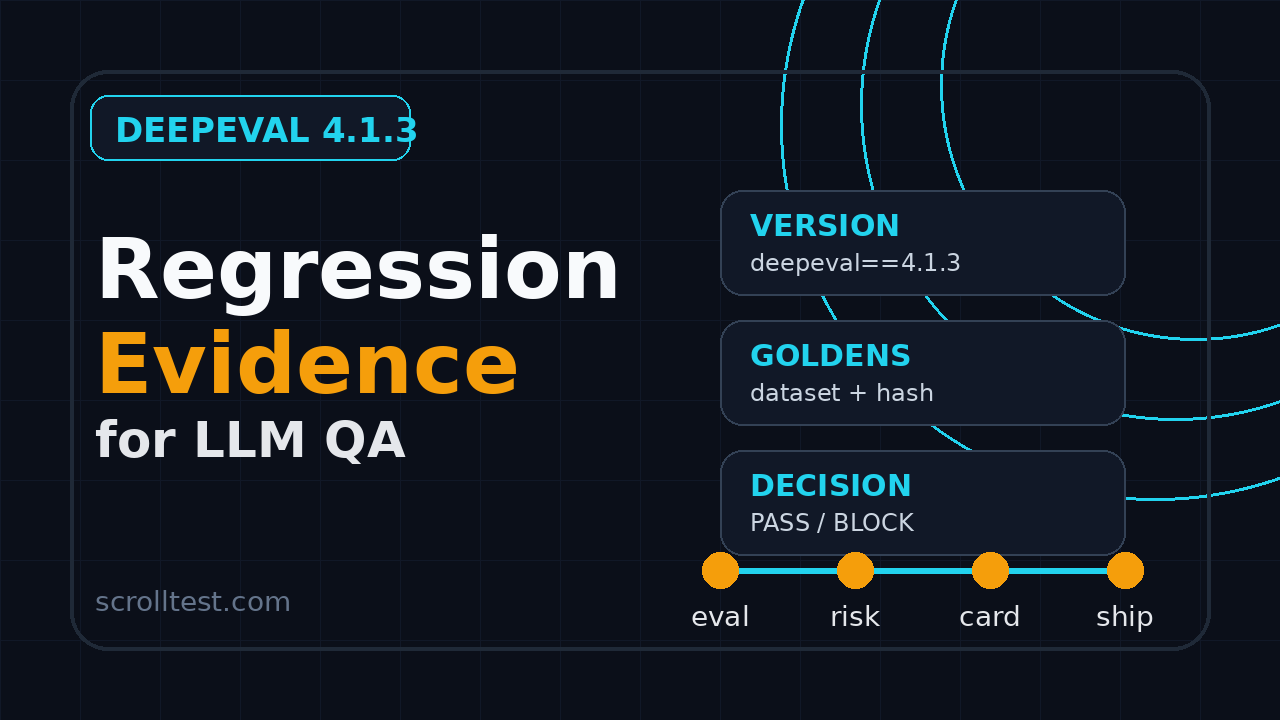
DeepEval regression evidence is the missing layer between a pretty LLM eval score and a release decision your QA lead can defend. DeepEval 4.1.3 is not just another package bump for AI testing teams. It is a good trigger to standardize what evidence you capture whenever an evaluator, dataset, prompt, model, or threshold changes.
I see teams add LLM evals to CI and then still argue in Slack about whether a failure is real. The problem is rarely the tool. The problem is that the evidence is scattered across terminal logs, screenshots, notebooks, and one developer’s memory.
Table of Contents
- Why DeepEval regression evidence matters now
- What DeepEval 4.1.3 tells QA teams to track
- The DeepEval regression evidence card
- Metrics and thresholds that belong in the card
- How to wire the evidence card into CI
- How to review failures without wasting a day
- India career context for AI QA engineers
- Copy-paste template and code
- Key takeaways
Contents
Why DeepEval regression evidence matters now
LLM testing has moved from demo scripts to release gates. That sounds mature, but most teams are still missing a simple artifact: a repeatable evidence card that explains what changed, what failed, why it matters, and who accepted the risk.
The current DeepEval package page on PyPI lists DeepEval 4.1.3 as the latest version and describes it as “The LLM Evaluation Framework.” The same PyPI metadata points to the official documentation and the confident-ai/deepeval GitHub repository. At the time I checked it for this article, the repository showed more than 17,000 stars. That level of adoption means QA teams cannot treat LLM eval tooling as an experimental side script anymore.
But adoption creates a new problem. When a popular eval framework changes, your old score may not mean the same thing. A metric implementation can change. A default model can change. A judge prompt can change. A dataset can be cleaned. A new retry setting can hide a flaky response. A threshold can be adjusted to make the pipeline green.
Scores are not evidence
A score says, “this run passed 87 percent of checks.” Evidence says, “these 11 cases failed, 7 are true regressions, 2 are dataset gaps, 1 is a flaky provider response, and 1 is accepted because the product owner changed the expected behavior.”
This pairing matters in release meetings.
LLM regression is different from UI regression
In Selenium or Playwright, a failed assertion usually points to a visible state change. The button is missing. The API returned 500. The selector broke. LLM quality failures are softer, but they are still test failures when the product promise is specific.
For example, a support assistant may still answer politely while silently dropping a refund deadline. A RAG assistant may cite a source but use the wrong policy version. A test generation agent may produce runnable code with a weak assertion. These are not cosmetic issues. They are behavior regressions.
That is why I like treating LLM eval scores as a checklist, not as a magic number. The score starts the conversation. The evidence card finishes it.
What DeepEval 4.1.3 tells QA teams to track
DeepEval 4.1.3 is useful as a forcing function. The GitHub release for v4.1.3 is titled “New Community Metrics!” and was published in July 2026. The exact feature details are less important than the pattern: eval frameworks are adding metrics, improving internals, and moving fast.
When the evaluator changes, your QA evidence must record that change. Otherwise, you cannot separate a product regression from an evaluator regression.
Track the evaluator version
The first field in the card should be boring: package name and version. If yesterday’s run used DeepEval 4.0.5 and today’s run uses DeepEval 4.1.3, record it. If you pin dependencies in production but float them in CI, record that too.
I prefer this minimum version block:
- Evaluator: deepeval
- Evaluator version: 4.1.3
- Metric names: Answer Relevancy, Faithfulness, Contextual Precision, custom safety metric
- Judge model: exact provider and model name
- Application model: exact provider and model name
- Dataset version: commit hash, file hash, or dataset tag
Notice that I include both the judge model and the application model. Many teams only log the app model. That is not enough. If your judge model changes, your score can change even when the product output is identical.
Track the dataset shape
The official DeepEval documentation includes pages for evaluation concepts and metrics. The practical QA takeaway is simple: a metric only means something when paired with the right test cases.
Your evidence card should record dataset shape, not only dataset name. For a RAG assistant, I want to see how many cases are:
- Happy-path retrieval cases where the answer is present in one source.
- Multi-hop cases where the answer needs two or more sources.
- Negative cases where the bot must say it does not know.
- Safety cases where the bot must refuse or redirect.
- Boundary cases such as outdated policy, ambiguous phrasing, or partial context.
This breakdown prevents a fake green build. A suite can pass 95 percent while all negative cases fail if the dataset is biased toward easy questions.
Track the release decision
The most important field is not technical. It is the decision field.
- Decision: pass, block, warn, accept risk, rerun, or fix dataset
- Owner: QA owner, engineering owner, or product owner
- Reason: one sentence, no essay
- Follow-up ticket: link to Jira, Linear, GitHub issue, or ScrollTest card
This is how an eval becomes release evidence. Without a decision, you only have an experiment log.
The DeepEval regression evidence card
A DeepEval regression evidence card is a compact record of one eval run and the release decision attached to it. It should fit on a single page. If it becomes a 14-page report, nobody will read it during a release call.
I use this structure because it mirrors how QA engineers already think about risk:
- What changed?
- What did we test?
- What failed?
- How severe is it?
- What decision did we make?
- What proof can someone inspect later?
Card header
The header should identify the run without opening CI logs:
- Feature: Refund policy assistant
- Release: web-2026.07.26
- Commit: short SHA
- Evaluator: deepeval 4.1.3
- Dataset: refund_policy_eval_v12
- Run URL: CI job or DeepEval report link
- Decision: block, warn, pass, or accept risk
Put the decision in the header because managers will look there first. If they need detail, they can scroll down.
Change summary
The change summary explains why this eval run exists. It should not say “nightly run” unless that is the whole story. A good summary is specific:
Changed retrieval chunk size from 600 to 900 tokens and upgraded deepeval from 4.0.5 to 4.1.3. Re-ran refund-policy regression suite with 120 golden cases.
That sentence gives context. A reviewer can now ask the right question: did the chunk-size change hurt answer grounding, or did the evaluator upgrade change scoring?
Failure table
The failure table is the core artifact. I keep it tight:
| Case ID | Metric | Expected | Actual risk | Decision |
|---|---|---|---|---|
| refund-017 | Faithfulness | Use 30-day return policy | Answered with old 15-day policy | Block |
| refund-044 | Answer relevancy | Ask for order ID | Gave generic support text | Fix prompt |
| refund-081 | Context precision | Use policy source only | Cited unrelated FAQ | Investigate retrieval |
Do not paste 80 full conversations into the card. Add the top 5 to 10 representative failures and link the full artifact. The card should guide triage, not replace the raw report.
Evidence attachments
The attachments section should point to artifacts that survive after the pipeline log expires:
- JSON result file
- CSV failure summary
- Dataset commit or object-store URL
- Prompt template version
- Model configuration file
- CI run URL
- Ticket or release note URL
If your organization already uses ScrollTest cards for automation evidence, connect the eval card with your existing release notes. This pairs nicely with the workflow in Release Notes to Test Plan: QA Workflow That Works.
Metrics and thresholds that belong in the card
DeepEval supports a broad eval style: answer quality, faithfulness, contextual metrics, custom metrics, and more. The mistake I see is using too many metrics and then treating them all as equal.
Use fewer metrics, then explain why each metric protects a user promise.
Map every metric to a product risk
A metric should not exist because it sounds smart. It should exist because it catches a risk the business cares about.
| Product risk | Useful metric type | Release question |
|---|---|---|
| Answer is off-topic | Answer relevancy | Did the assistant answer the user’s actual question? |
| Answer invents facts | Faithfulness | Is the answer grounded in supplied context? |
| RAG picked poor context | Contextual precision or recall | Did retrieval bring the right evidence? |
| Unsafe advice | Custom safety metric | Did the answer cross a policy boundary? |
| Weak test generation | Custom assertion metric | Did generated code prove user value? |
This mapping helps when someone asks why the build is blocked. You can answer with product risk, not metric jargon.
Use thresholds with history
A threshold without history is a guess. Start with an initial threshold, but mark it as provisional until you see real failures.
I like a three-level scheme:
- Blocker threshold: release cannot go out unless waived by owner.
- Warning threshold: release can go out, but the team must review examples.
- Trend threshold: no block today, but the score moved enough to inspect drift.
For example, you may block when faithfulness drops below 0.85 on policy questions, warn when it lands between 0.85 and 0.90, and track trends above 0.90. I am not saying those numbers are universal. I am saying the card must document the numbers and why they exist.
Separate evaluator failure from product failure
LLM-as-judge systems can be wrong. A judge can over-penalize concise answers. It can miss a subtle policy violation. It can react differently after a model provider update.
That does not make evals useless. It means QA needs a review loop.
- If the product answer is wrong, log a product bug.
- If the expected answer is outdated, fix the dataset.
- If the metric is noisy, tune or replace the metric.
- If the judge model changed, compare a small baseline before trusting the trend.
- If the prompt changed, run a targeted regression pack.
This is where PromptFoo vs DeepEval: QA Guide for LLM Evals becomes useful. PromptFoo and DeepEval can both be valuable, but your evidence discipline must be the same: version, dataset, examples, decision.
How to wire the evidence card into CI
The best evidence card is generated automatically. Manual cards become stale. CI-generated cards become a habit.
Here is the flow I recommend for a QA team that already uses GitHub Actions, GitLab CI, Jenkins, or Azure DevOps:
- Pin the eval dependency version.
- Run a small smoke eval on every pull request.
- Run the full eval pack on nightly builds and release branches.
- Export raw JSON results.
- Generate a Markdown or HTML evidence card.
- Upload the card as a build artifact.
- Post a short summary to the pull request or release ticket.
Minimal Python structure
The exact DeepEval APIs depend on your metric choices, but the wrapper structure should stay stable. The wrapper owns metadata, result normalization, and card generation.
# eval_runner.py
from dataclasses import dataclass, asdict
from datetime import datetime, timezone
import json
import subprocess
from pathlib import Path

@dataclass
class EvalRunMeta:
    feature: str
    release: str
    commit: str
    evaluator: str
    evaluator_version: str
    dataset: str
    judge_model: str
    app_model: str
    started_at: str


def package_version(package: str) -> str:
    result = subprocess.run(
        ["python", "-m", "pip", "show", package],
        text=True,
        capture_output=True,
        check=True,
    )
    for line in result.stdout.splitlines():
        if line.startswith("Version:"):
            return line.split(":", 1)[1].strip()
    return "unknown"


def write_run_meta(path: str) -> EvalRunMeta:
    meta = EvalRunMeta(
        feature="refund_policy_assistant",
        release="web-2026.07.26",
        commit=subprocess.check_output(["git", "rev-parse", "--short", "HEAD"], text=True).strip(),
        evaluator="deepeval",
        evaluator_version=package_version("deepeval"),
        dataset="refund_policy_eval_v12",
        judge_model="gpt-4.1-mini",
        app_model="production-assistant-v3",
        started_at=datetime.now(timezone.utc).isoformat(),
    )
    Path(path).write_text(json.dumps(asdict(meta), indent=2), encoding="utf-8")
    return meta
This code does one important thing: it refuses to let the eval run become anonymous. Even before you call a single metric, the artifact knows which version and dataset it belongs to.
CI implementation note
In GitHub Actions, GitLab CI, Jenkins, or Azure DevOps, keep the job boring: install a pinned DeepEval version, run the eval suite, export raw JSON, generate the evidence card, and upload all artifacts. If you already built an eval gate, compare this with AI QA Portfolio Project: Build an Eval CI Gate. The gate decides pass or fail. The card explains the decision.
How to review failures without wasting a day
LLM eval failure review can become a rabbit hole. One engineer argues about the prompt. Another argues about the expected answer. Someone reruns the suite five times and picks the best result. That is not QA. That is gambling with logs.
Use a fixed review protocol.
The 15-minute triage rule
For a release branch, review representative failures for 15 minutes before changing anything. Do not tune thresholds during the first pass. Do not rewrite goldens during the first pass. Classify the failures first.
I use five buckets:
- Product bug: the AI feature gave a bad answer.
- Prompt issue: instruction wording caused the behavior.
- Retrieval issue: the system retrieved weak or wrong context.
- Dataset issue: expected answer or source data is wrong.
- Evaluator issue: the judge or metric is noisy for this case.
This keeps the discussion honest. If 8 out of 10 failures are product bugs, block the release. If 8 are dataset issues after a policy rewrite, fix the dataset and rerun. If the evaluator is noisy, mark the metric as warning-only until you repair it.
Do not hide flaky evals with retries
Retries are useful for transient provider errors, but they are dangerous when they hide unstable product behavior. Record retry count, provider errors, failure before retry, failure after retry, and whether retry changed the release decision. A test that passes on the third attempt may still be risky if a customer would see the first bad answer.
Review examples, not only charts
Charts are useful for trends. Examples are useful for decisions. Every release card should include a few full failure examples with the user input, retrieved context summary, expected behavior, actual answer, and metric reason.
Here is the minimum format:
{
  "case_id": "refund-017",
  "user_input": "Can I return a used keyboard after 22 days?",
  "expected_behavior": "Explain that used accessories are returnable only within 15 days unless defective.",
  "actual_answer": "You can return most items within 30 days.",
  "metric": "faithfulness",
  "score": 0.62,
  "threshold": 0.85,
  "risk": "old policy surfaced in answer",
  "decision": "block"
}
This is readable. A product owner can understand it. A developer can debug it. A QA engineer can defend it.
India career context for AI QA engineers
For QA engineers in India, LLM eval evidence is a career signal. Many teams now have enough Playwright, Selenium, and API automation coverage. The gap is AI quality ownership. Product companies want people who can turn fuzzy AI behavior into release rules.
I do not recommend branding yourself as “AI tester” because you used one chatbot. I recommend building artifacts that show judgment:
- A DeepEval regression pack with pinned versions
- A PromptFoo comparison for prompt variants
- A RAG failure taxonomy
- A CI evidence card with release decisions
- A dashboard that tracks score movement across model and prompt changes
That portfolio stands out in interviews because it shows product thinking. In service companies, you may first use it to improve an internal accelerator or a client demo. In product companies, you can connect it directly to release risk.
What hiring managers will ask
Expect questions like these:
- How do you know an LLM answer is correct?
- How do you prevent eval datasets from becoming stale?
- When would you block a release based on an eval score?
- How do you debug a drop in faithfulness?
- How do you compare DeepEval, PromptFoo, and custom scripts?
If you can answer with a real evidence card, you are ahead of candidates who only list tool names. This is the kind of work that can move an SDET from script execution to quality engineering ownership.
Use one portfolio project
Do not build five half-finished demos. Build one project around a support bot, policy bot, test-case generator, or code-review assistant. Add 50 to 100 golden cases. Create a few realistic failure categories. Wire it into CI. Publish a sanitized evidence card.
That is enough to explain your thinking in a 30-minute interview. It also gives you a strong follow-up after the call: “Here is the eval evidence card I mentioned.”
Copy-paste template and code
Keep the template short enough that people actually use it. Include header metadata, score summary, representative failures, the release decision, and artifact links.
# LLM Eval Regression Evidence Card

- Feature:
- Release:
- Commit:
- Evaluator and version:
- Dataset version:
- Judge model:
- Application model:
- Decision: PASS / WARN / BLOCK / ACCEPT RISK

| Metric | Score | Threshold | Previous | Decision |
|---|---:|---:|---:|---|
| Faithfulness | | | | |
| Answer relevancy | | | | |
| Context precision | | | | |

| Case ID | Risk bucket | Expected | Actual | Decision |
|---|---|---|---|---|

- Owner:
- Reason:
- Ticket:
- Raw results:
You can generate the card from JSON without a heavy reporting stack. Read the metadata, list the top failures, and write a Markdown artifact that CI uploads with the raw results.
# build_evidence_card.py
import json
from pathlib import Path

meta = json.loads(Path("artifacts/run-meta.json").read_text())
failures = json.loads(Path("artifacts/failures.json").read_text())

decision = "PASS" if not failures else "NEEDS REVIEW"
lines = [
    "# LLM Eval Regression Evidence Card",
    f"- Feature: {meta['feature']}",
    f"- Evaluator: {meta['evaluator']} {meta['evaluator_version']}",
    f"- Dataset: {meta['dataset']}",
    f"- Decision: {decision}",
    "",
    "| Case | Metric | Risk | Decision |",
    "|---|---|---|---|",
]
for item in failures[:10]:
    lines.append(f"| {item['case_id']} | {item['metric']} | {item['risk']} | needs-review |")

Path("artifacts/evidence-card.md").write_text("\n".join(lines))
Definition of done
Before you call this done, check the evidence card against this list:
- The DeepEval version is visible.
- The dataset version is visible.
- The judge model and app model are visible.
- Thresholds are visible and tied to risk.
- Top failures include expected and actual behavior.
- Every failure has a review bucket.
- The release decision is explicit.
- Raw artifacts are linked.
If one of those items is missing, your CI gate may still pass, but your release evidence is weak.
Key takeaways for DeepEval regression evidence
DeepEval regression evidence gives QA teams a practical way to turn LLM eval runs into release decisions. The point is not to worship a score. The point is to build a record that a QA lead, developer, product owner, or auditor can inspect later.
- Pin and record the DeepEval version, especially when moving to releases such as 4.1.3.
- Record dataset version, judge model, app model, metrics, thresholds, and retry settings.
- Map every metric to a product risk, not to a vanity chart.
- Classify failures before tuning prompts, datasets, or thresholds.
- Generate the evidence card from CI so it becomes part of the release habit.
If your team already has UI and API automation, this is the next quality layer. AI features need test evidence that explains behavior, not only execution.


