Playwright MCP with TypeScript: Day 23 Guide
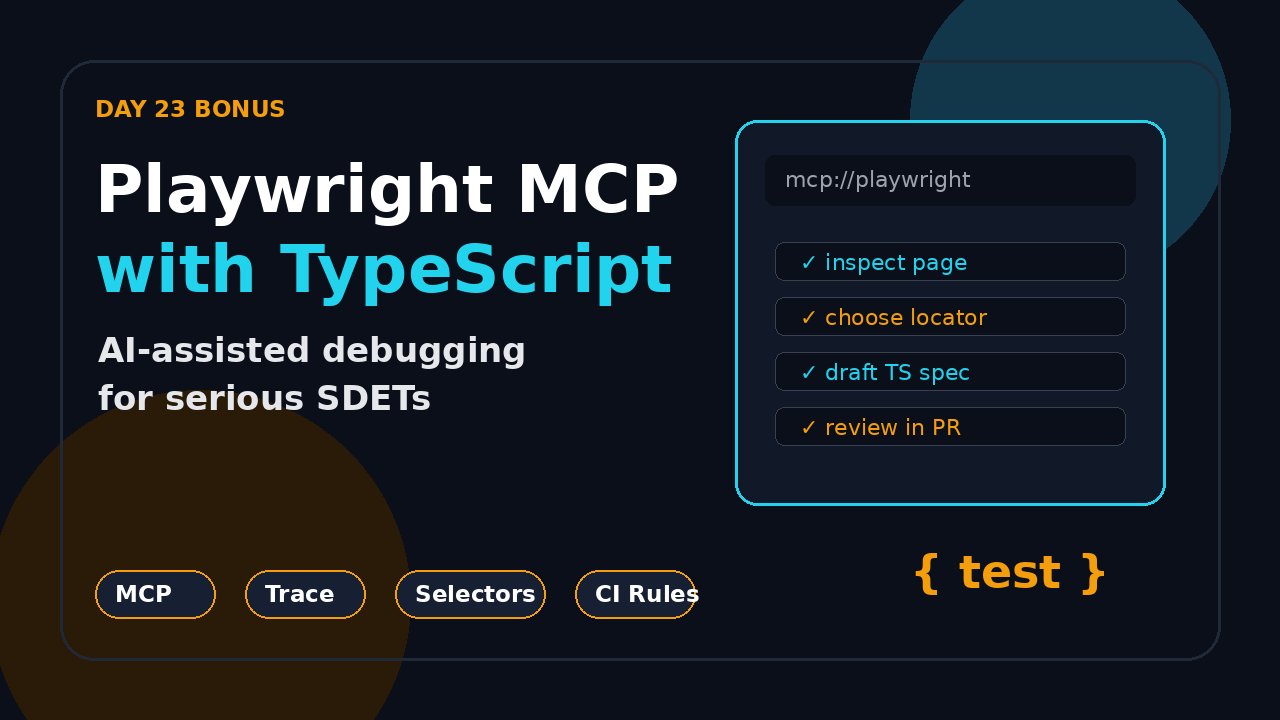
Day 23 bonus: Playwright MCP with TypeScript is where browser automation starts to feel less like “write every step by hand” and more like “inspect, reason, then generate the right test.” In this tutorial I show how I connect Playwright MCP to a TypeScript test project, how I use it for debugging and test generation, and where I still keep strict human review before any AI-written spec reaches CI.
Playwright is already a strong test runner. The MCP layer adds a controlled bridge between an AI coding assistant and a real browser session. That is useful for SDETs because the assistant can inspect pages through Playwright instead of guessing selectors from static HTML.
Table of Contents
- What Is Playwright MCP?
- Why TypeScript Teams Should Care
- Set Up Playwright MCP with TypeScript
- First AI-Assisted Debug Flow
- Generate Tests with Guardrails
- CI and Security Rules
- Common Pitfalls I See
- Key Takeaways
- FAQ
Contents
What Is Playwright MCP?
Playwright MCP is a Model Context Protocol server for Playwright. In plain English: it lets an AI client talk to a browser through Playwright actions and observations. The assistant can open a page, inspect accessibility information, click elements, type into fields, and reason about the state it sees.
Microsoft’s playwright-mcp GitHub repository describes it as a Playwright MCP server. As of this run, the repository shows 35,039 GitHub stars, while the main microsoft/playwright repository shows 92,776 stars. The npm API also reports 24,126,253 last-month downloads for @playwright/mcp and 181,112,639 last-month downloads for @playwright/test. These numbers tell me the MCP workflow is no longer a side experiment. QA teams are testing it seriously.
What MCP changes
Traditional AI test generation often fails because the model cannot see the live application. It invents selectors, assumes button labels, and writes happy-path scripts that break on the first modal. Playwright MCP changes the input quality. The assistant can inspect what the browser exposes, then suggest code based on observed page state.
That does not mean the AI becomes your test architect. It means the assistant gets better raw context. You still decide the test scope, assertion value, data strategy, and CI rules.
Where it fits in the series
If you followed the previous parts of this Playwright + TypeScript series, this article sits after the production checklist. Before adding AI assistance, your base framework should already have strict locators, typed fixtures, trace viewer evidence, and CI artifacts. If that foundation is missing, read the Playwright TypeScript checklist first.
I use Playwright MCP as an accelerator on top of a disciplined framework, not as a replacement for one.
Why TypeScript Teams Should Care About Playwright MCP with TypeScript
Playwright MCP with TypeScript matters because TypeScript gives the AI-generated output a stricter landing zone. The assistant may suggest a selector or flow, but the compiler, fixtures, custom types, and test runner configuration catch many mistakes before a reviewer sees the code.
The practical SDET value
I see three strong use cases for QA engineers:
- Faster page discovery: Ask the assistant to inspect a page and identify stable user-facing locators.
- Debugging support: Let it reproduce a failed flow while you keep the trace and console logs open.
- Draft generation: Generate a first spec, then rewrite assertions and test data like a real engineer.
This is especially useful for manual testers moving into automation. They can describe the flow in business language, watch the browser interaction, and then learn the TypeScript test that represents that flow.
India hiring context
For SDETs in India, this skill has career value. Service-company projects often still reward script count, but product companies increasingly ask for framework ownership, CI thinking, debugging ability, and AI-assisted productivity. A tester who can say “I use Playwright MCP to explore flows, but I enforce typed fixtures and reviewable assertions before CI” sounds more senior than someone who only says “I generated tests with AI.”
For learners targeting ₹25-40 LPA SDET roles, the differentiation is not “I know one tool.” The differentiation is judgment. Playwright MCP gives speed. TypeScript and engineering discipline give trust.
Set Up Playwright MCP with TypeScript
Start with a normal Playwright TypeScript project. Do not create a special AI-only framework. Your MCP setup should point at the same app, config, and test conventions that your team uses every day.
Step 1: Create or verify your Playwright project
npm init playwright@latest playwright-mcp-demo
cd playwright-mcp-demo
npm install
npx playwright test
The official Playwright getting started docs cover the base installation. Keep your project boring at this stage. Boring setup is easier to debug when you add an AI layer.
Step 2: Add a strict config
Here is a practical starter config for this workflow:
// playwright.config.ts
import { defineConfig, devices } from '@playwright/test';

export default defineConfig({
  testDir: './tests',
  timeout: 30_000,
  expect: { timeout: 5_000 },
  fullyParallel: true,
  retries: process.env.CI ? 1 : 0,
  reporter: [
    ['html'],
    ['list']
  ],
  use: {
    baseURL: process.env.BASE_URL ?? 'https://example.com',
    trace: 'retain-on-failure',
    screenshot: 'only-on-failure',
    video: 'retain-on-failure'
  },
  projects: [
    { name: 'chromium', use: { ...devices['Desktop Chrome'] } }
  ]
});
The Playwright configuration docs explain the available options. For AI-assisted work, I care most about trace, screenshot, and video because they create review evidence when a generated test fails.
Step 3: Configure your AI client to use Playwright MCP
Exact configuration depends on the MCP client you use. The core idea is the same: define a server command that runs the Playwright MCP package.
{
  "mcpServers": {
    "playwright": {
      "command": "npx",
      "args": ["@playwright/mcp@latest"]
    }
  }
}
Keep this configuration local at first. Do not give the MCP server access to production credentials, admin dashboards, or customer data. Use a staging app, seeded test users, and throwaway data.
Screenshot description
Your first screenshot should show the AI client connected to a Playwright MCP server, the browser opened on the target app, and the terminal ready with npx playwright test. This is a useful training image for junior testers because it shows the three moving parts: assistant, browser, and test runner.
First AI-Assisted Debug Flow
The safest first use case is debugging, not generation. When a test fails, you already have expected behavior, test code, and a specific error. That gives the AI a narrow job.
A failing test example
// tests/login.spec.ts
import { test, expect } from '@playwright/test';

test('user can log in from the home page', async ({ page }) => {
  await page.goto('/');
  await page.getByRole('link', { name: 'Login' }).click();
  await page.getByLabel('Email').fill('qa.user@example.com');
  await page.getByLabel('Password').fill('Password123!');
  await page.getByRole('button', { name: 'Sign in' }).click();

  await expect(page.getByRole('heading', { name: 'Dashboard' })).toBeVisible();
});
Suppose this fails because the product changed “Login” to “Sign in.” A weak AI assistant may rewrite the whole test. A useful MCP-assisted assistant should inspect the page and suggest the smallest change.
The prompt I use
Open the app with Playwright MCP and inspect the home page.
The test fails on the Login link.
Find the accessible link or button that starts authentication.
Suggest the smallest TypeScript change.
Do not rewrite the full test unless needed.
This prompt matters. I am not asking for magic. I am asking for one observed fact and one minimal patch.
The review checklist
Before I accept the suggestion, I check:
- Did the assistant inspect the live page rather than guess?
- Did it preserve user-facing locators such as role, label, and accessible name?
- Did it avoid adding hard waits?
- Did it keep assertions meaningful?
- Can I reproduce the fix with
npx playwright test?
The trace viewer is still the source of truth. The Playwright trace viewer docs show how to inspect actions, snapshots, console logs, and network activity. MCP helps with exploration, but trace evidence helps with review.
Generate Tests with Guardrails
Now move to generation. The goal is not to generate 50 tests. The goal is to generate one useful draft that follows your framework rules.
Use a contract prompt
Use Playwright MCP to explore the checkout flow on the staging app.
Create one Playwright TypeScript test for a guest checkout happy path.
Rules:
- Use getByRole, getByLabel, or getByTestId only.
- No XPath.
- No waitForTimeout.
- Use test.step for major business actions.
- Put test data in a typed object.
- Add assertions after cart, address, payment, and confirmation.
- Return only the spec file code.
This prompt tells the assistant how the team writes tests. Without these rules, the output often contains brittle selectors, sleeps, and missing assertions.
A better generated spec shape
// tests/checkout.spec.ts
import { test, expect } from '@playwright/test';

type GuestCheckoutData = {
  email: string;
  firstName: string;
  lastName: string;
  addressLine1: string;
  city: string;
  postalCode: string;
};

const guest: GuestCheckoutData = {
  email: `qa+${Date.now()}@example.com`,
  firstName: 'QA',
  lastName: 'Tester',
  addressLine1: '221B Test Street',
  city: 'Bengaluru',
  postalCode: '560001'
};

test('guest can complete checkout', async ({ page }) => {
  await test.step('open product and add it to cart', async () => {
    await page.goto('/products/basic-plan');
    await page.getByRole('button', { name: 'Add to cart' }).click();
    await expect(page.getByRole('link', { name: /cart/i })).toBeVisible();
  });

  await test.step('enter guest contact details', async () => {
    await page.getByRole('link', { name: /cart/i }).click();
    await page.getByRole('button', { name: /checkout/i }).click();
    await page.getByLabel('Email').fill(guest.email);
    await page.getByLabel('First name').fill(guest.firstName);
    await page.getByLabel('Last name').fill(guest.lastName);
  });

  await test.step('enter shipping address', async () => {
    await page.getByLabel('Address').fill(guest.addressLine1);
    await page.getByLabel('City').fill(guest.city);
    await page.getByLabel('Postal code').fill(guest.postalCode);
    await page.getByRole('button', { name: /continue/i }).click();
    await expect(page.getByRole('heading', { name: /payment/i })).toBeVisible();
  });

  await test.step('confirm order using test payment', async () => {
    await page.getByTestId('payment-method-test-card').click();
    await page.getByRole('button', { name: /place order/i }).click();
    await expect(page.getByRole('heading', { name: /thank you/i })).toBeVisible();
  });
});
This is still a draft. I would review labels against the real app, move repeated flows into fixtures only after the second or third test, and replace any fake payment detail with the team’s approved sandbox helper.
Connect it to earlier framework lessons
If your generated spec grows too large, move repeated page behavior into a Page Object only when it earns its place. I covered that balance in the Playwright Page Object Model guide. If the test needs API setup, combine it with the pattern from Playwright API testing instead of clicking through ten setup screens.
CI and Security Rules for Playwright MCP with TypeScript
Playwright MCP with TypeScript should improve local development speed. It should not quietly change your CI trust model.
Rule 1: Generated code must enter through pull requests
No AI-generated spec should be pushed directly to main. Treat it like code from a junior engineer: useful, but reviewable. Require a PR, a trace for at least one local run, and a CI result before merge.
Rule 2: Never expose real customer data
The MCP server can inspect browser state. That means you should use staging environments, synthetic accounts, masked data, and temporary tokens. Do not connect it to production admin panels. Do not let prompts include secrets. Do not paste customer screenshots into a hosted AI client unless your company policy allows it.
Rule 3: Keep test data deterministic
Generated tests often create random data without cleanup. That looks fine for one run and becomes painful after 200 CI runs. Use typed factories, seeded test data, and cleanup APIs.
// tests/support/users.ts
export type TestUser = {
  email: string;
  password: string;
  role: 'buyer' | 'admin';
};

export function createBuyerUser(seed: string): TestUser {
  return {
    email: `buyer-${seed}@example.test`,
    password: 'Password123!',
    role: 'buyer'
  };
}
Rule 4: Make CI reject lazy output
Add review rules that block common AI shortcuts:
- No
waitForTimeoutin committed tests. - No raw XPath unless the team approves an exception.
- No assertions that only check URL changes when a visible business result exists.
- No generated helper files without tests.
- No skipped tests merged into main.
A simple lint script can catch the worst cases:
if grep -R "waitForTimeout" tests; then
  echo "Do not commit hard waits. Use web-first assertions."
  exit 1
fi

if grep -R "xpath=" tests; then
  echo "XPath found. Prefer role, label, text, or test id locators."
  exit 1
fi
Common Pitfalls I See
The tool is useful, but the failure modes are predictable. Most teams do not fail because MCP is bad. They fail because they treat AI output as done.
Pitfall 1: Asking for too much at once
“Generate my full regression suite” is a bad request. Ask for one flow, one page, or one failing test. The narrower the prompt, the easier the review.
Pitfall 2: Accepting selectors without checking accessibility
If MCP suggests a selector that only works because of CSS structure, push back. Ask it to inspect roles and labels. Good Playwright tests read like user behavior, not DOM archaeology.
Pitfall 3: Ignoring negative paths
AI assistants love happy paths. Real QA work includes invalid login, expired sessions, failed payments, duplicate records, and permission boundaries. After generating a happy path, ask for two negative cases and review them harder.
Pitfall 4: Mixing exploration with framework design
Use MCP to explore. Use your brain to design the framework. Fixtures, test data ownership, retries, sharding, and reporting are architecture decisions. I do not outsource those decisions to a browser assistant.
Pitfall 5: Forgetting screenshots for training
For internal training, capture these screenshots:
- The MCP browser session inspecting a target page.
- The generated TypeScript spec before review.
- The trace viewer after a failed generated test.
- The final PR diff after human cleanup.
Those screenshots teach better than a one-hour lecture because learners see the difference between raw AI output and production-ready automation.
Key Takeaways
Playwright MCP with TypeScript is a strong bonus skill for SDETs, but I would not build my testing strategy around AI generation alone.
- Use MCP to give the assistant live browser context instead of asking it to guess.
- Start with debugging because the scope is narrow and the expected behavior is known.
- Use TypeScript rules, typed test data, and Playwright config to keep generated code honest.
- Require PR review, traces, and CI results before generated tests reach main.
- For career growth, sell the judgment: faster exploration plus disciplined engineering.
If you are continuing this series, treat Day 23 as the AI-assisted layer on top of the core 21-day framework. The base still matters: locators, assertions, fixtures, authentication, API setup, reports, sharding, CI, and failure triage. MCP simply helps you move faster through the messy browser discovery work.
FAQ
Is Playwright MCP required to learn Playwright TypeScript?
No. Learn Playwright Test, locators, assertions, fixtures, and CI first. MCP becomes useful after you understand what a good test looks like.
Can Playwright MCP replace manual testers?
No. It can automate parts of exploration and draft code, but it does not decide risk, business priority, or release confidence. Manual testing skill becomes more valuable when paired with automation judgment.
Should I run Playwright MCP against production?
I would avoid it unless your company explicitly approves the setup. Use staging, seeded test accounts, and synthetic data. Keep secrets out of prompts and browser sessions.
What is the best first project for learners?
Pick one login or checkout flow on a demo app. Use MCP to inspect the page, generate a draft test, then manually improve selectors, assertions, and test data. That teaches both AI-assisted workflow and real Playwright discipline.
How do I mention this in interviews?
Say this: “I use Playwright MCP for live page inspection and draft generation, but I enforce TypeScript fixtures, web-first assertions, trace evidence, and PR review before code reaches CI.” That answer shows speed and maturity.