AI Browser Run Evidence: Trust Agent Results
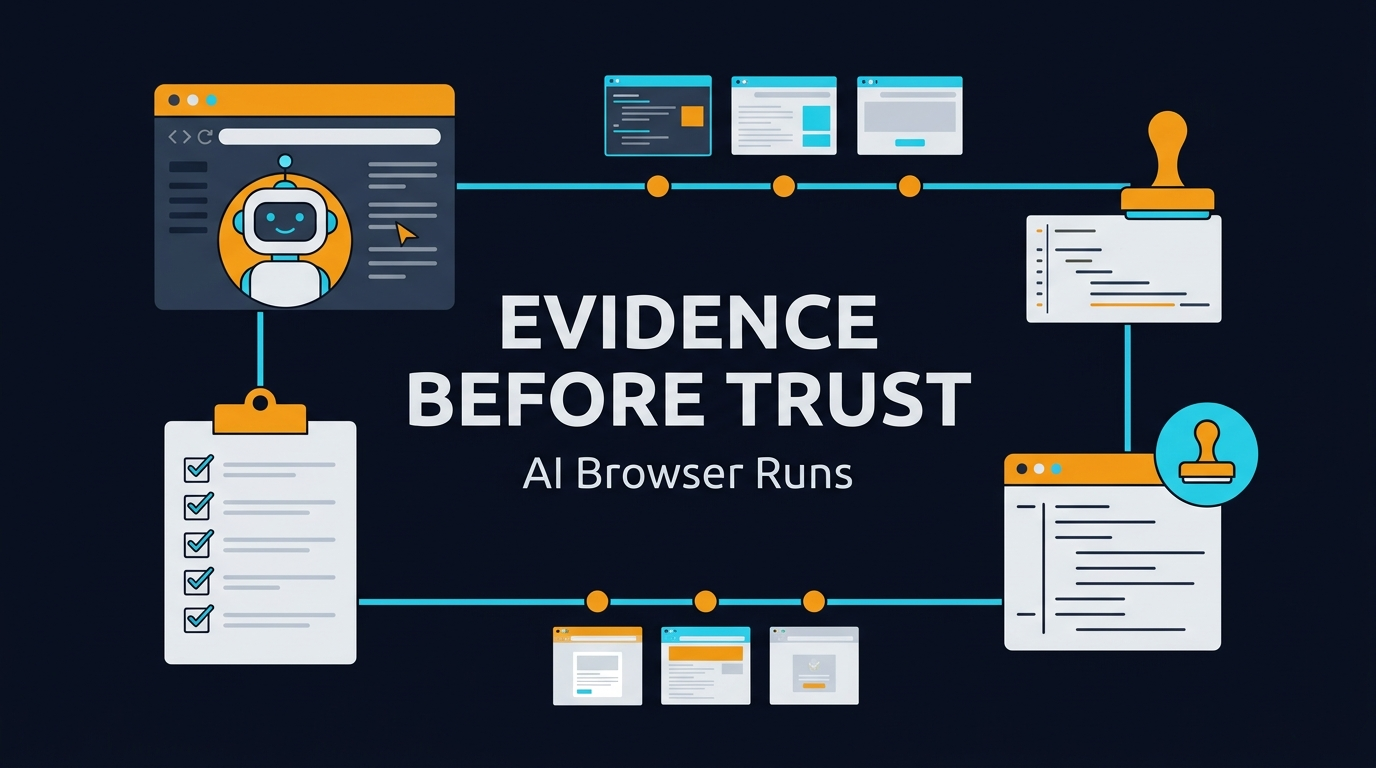
AI browser run evidence is the missing layer between an agent saying “done” and a QA lead accepting the result. BrowsingBee’s Agent Run Evidence Page gives teams a place to capture what the browser agent actually did: steps, outputs, screenshots, logs, and the final result that a human can review before the run becomes trusted automation.
I see this problem every week now. Teams are adding AI agents to QA workflows faster than they are adding review systems. The agent can click, type, extract, and summarize, but the team still needs proof. Without proof, the run is just a confident message in a chat window.
Table of Contents
- What Is AI Browser Run Evidence?
- Why Agent Evidence Matters Before Human Approval
- What BrowsingBee Adds With an Agent Run Evidence Page
- The Evidence Model I Want Every QA Team to Use
- Playwright, Browser Agents, and Proof of Work
- Implementation Example: Capture Evidence in TypeScript
- India QA Context: Why This Matters for SDETs
- A Practical Rollout Plan for Teams
- Key Takeaways
- FAQ
Contents
What Is AI Browser Run Evidence?
AI browser run evidence is the record of what an AI browser agent did during a workflow. It is not only the final answer. It includes the route the agent took, the pages it opened, the fields it touched, the assertions it made, and the artifacts that prove the result.
Evidence is different from a success message
A success message is cheap. An agent can say “login completed” even when the session landed on an MFA screen, a cookie banner blocked the next action, or the extracted value came from a stale page. Evidence forces the system to show the work.
BrowsingBee positions itself around a simple idea: define a workflow once, then let AI agents run it with a command. The public BrowsingBee page shows the pattern clearly: a saved sign-in skill navigates to a login page, fills email and password, clicks the button, and extracts dashboard text through a CLI-style run output from BrowsingBee. That is exactly where evidence becomes important. If a run touches production-like data or feeds a downstream agent, a human reviewer needs the browser story, not only the final JSON.
The evidence page is the handoff
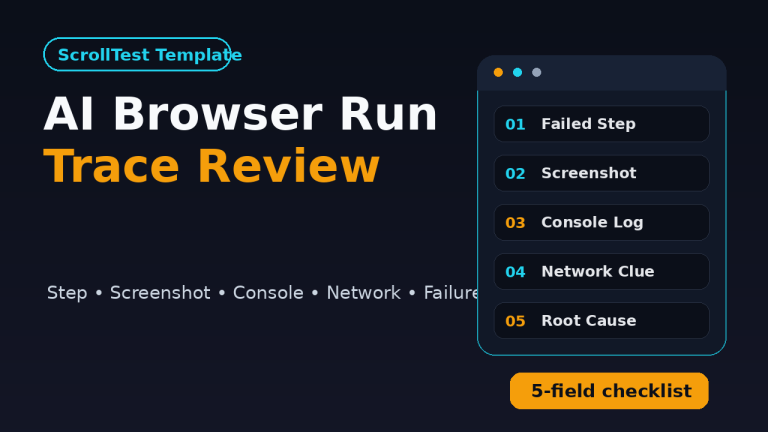
The Agent Run Evidence Page should be treated as the handoff between machine execution and human judgment. It answers 5 questions:
- What workflow did the agent run?
- Which page states did it see?
- Which actions did it take?
- What artifacts prove the outcome?
- What should a human accept, reject, or rerun?
This is not only a product feature. It is a QA operating model. Once agents start doing real browser work, teams need a consistent review surface.
Why Agent Evidence Matters Before Human Approval
Agent output feels productive because it compresses a long browser session into one answer. That compression is useful, but it also hides risk. QA is not paid to believe clean summaries. QA is paid to find the missing detail before customers find it.
Browser agents can be correct for the wrong reason
A browser agent can pass a task while still taking the wrong route. It may click a fallback link, accept a default state, skip a hidden error, or read text from a cached panel. The final output may look good, but the path may be unacceptable for a regulated workflow, a payment flow, or an enterprise onboarding flow.
This is why I like the phrase “evidence before acceptance.” The human does not need to watch every second live. The human needs the right artifact set after the run. That is the difference between manual babysitting and scalable review.
AI increases the need for audit trails
Traditional automation already has this need. Playwright’s official Trace Viewer documentation explains trace inspection with actions, snapshots, network activity, source, console, and attachments. Playwright’s reporters documentation also shows why teams produce structured output from test runs instead of relying only on terminal text.
AI browser agents make this need stronger. A deterministic test follows a script. An agent can adapt. Adaptation is powerful, but it must leave a trail. If the agent chooses a selector, changes a route, retries an action, or extracts a value, the evidence page should show enough context for a reviewer to decide whether the adaptation is valid.
The market signal is clear
Browser agents are no longer a small side topic. The open-source browser-use project on GitHub describes its goal as making websites accessible for AI agents. A GitHub API check during this run showed browser-use above 100,000 stars, Microsoft Playwright above 92,000 stars, and Selenium above 34,000 stars. Those numbers move, so I treat them as directional, but the signal is obvious: teams want agents and browsers to work together.
The npm download API tells the same story for browser automation. A last-month check showed @playwright/test above 172 million monthly downloads and selenium-webdriver above 8 million monthly downloads. That does not mean every download is a QA team, but it proves the browser automation layer is massive. Adding AI on top of that layer without evidence is a bad trade.
What BrowsingBee Adds With an Agent Run Evidence Page
The useful part of BrowsingBee is not only that an agent can run a browser workflow. Many tools can make a browser do something. The useful part is turning a web workflow into a reusable skill that an AI system can call again and again.
From workflow to reusable browser skill
The BrowsingBee home page describes the core flow: define a workflow once, then run it on demand with a command. The example shown publicly is a sign-in skill with 5 steps: navigate, fill email, fill password, click sign in, and extract welcome text. That example is simple, but the pattern is important for QA teams.
QA workflows often repeat the same browser setup:
- Create a test user.
- Log into a tenant.
- Open a dashboard.
- Apply 3 filters.
- Extract a row count or status.
- Verify the UI matches an expected business state.
If that sequence becomes a BrowsingBee skill, an AI agent can call it as part of a larger investigation. The Agent Run Evidence Page then becomes the review record for that skill run.
The page should separate claim from proof
For a QA lead, the page should not bury evidence under a pretty summary. I want the layout to separate the final claim from proof. For example:
- Run summary: skill name, environment, started time, finished time, status.
- Agent claim: the extracted or generated result.
- Step timeline: every major browser action with status.
- Artifacts: screenshots, console logs, trace links, extracted JSON, network failures.
- Human decision: accept, reject, rerun, or open bug.
This structure makes the page usable in daily QA work. A reviewer can scan the result in 30 seconds, inspect artifacts in 3 minutes, and decide what happens next.
Why this is better than chat history
Chat history is not an audit artifact. It is noisy, hard to search, and often mixes prompts, tool calls, partial results, and human comments. A dedicated evidence page is cleaner. It gives every run a URL, an owner, a status, and a fixed artifact set.
This matters when a QA manager asks, “Why did we trust this agent result?” The answer should not be “it looked fine in the chat.” The answer should be a link to a run evidence page that shows the workflow, browser states, and review decision.
The Evidence Model I Want Every QA Team to Use
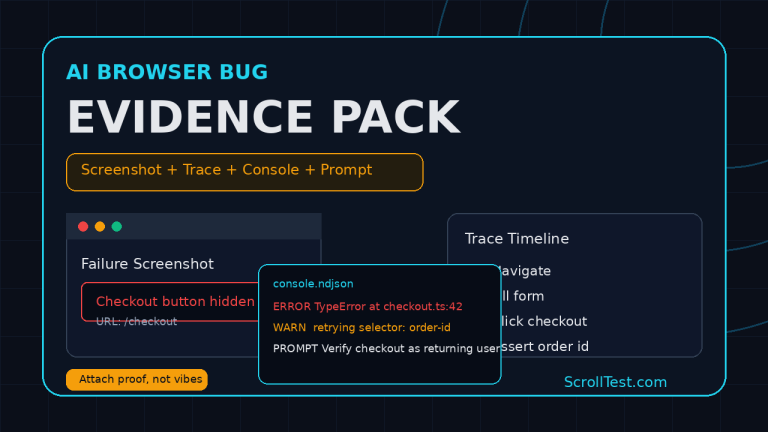
Most teams start with screenshots because screenshots are easy to understand. Screenshots are useful, but they are not enough. A good AI browser run evidence model combines visual, technical, and decision evidence.
1. Visual evidence
Visual evidence proves what the browser showed. It should include the first meaningful page, important intermediate states, the final page, and any error or modal the agent handled. For UI-heavy workflows, this is the fastest review path.
Visual evidence should include:
- Final screenshot at minimum.
- Before and after screenshots for state-changing actions.
- Viewport size and browser name.
- Image alt text or labels when accessibility matters.
- Any visual diff when comparing expected and actual states.
2. Technical evidence
Technical evidence helps when the screenshot is ambiguous. The page looked fine, but was the API call successful? Did the console throw a silent error? Did a retry hide a backend failure? This is where logs and traces matter.
Playwright is already strong here. The Trace Viewer can record action details, DOM snapshots, console logs, and network data. A BrowsingBee run evidence page does not need to replace Playwright trace. It can link to it, summarize it, and add the agent-specific layer above it.
3. Extraction evidence
When an agent extracts data, the evidence page should show the raw extracted value, the selector or locator context where possible, and the final normalized value. This prevents a common failure: the agent reads the right-looking text from the wrong region of the page.
For example, if the skill extracts “Hello, Jane” from a dashboard, show the exact source panel, timestamp, and raw JSON. If the skill extracts an invoice status, show whether the status came from the latest row, a filtered table, or a stale cache.
4. Human decision evidence
The human decision is also evidence. The page should record who approved the run, what they approved, and what happened next. This creates a feedback loop for agent quality. If reviewers reject 8 out of 20 runs for the same reason, that is not a human review problem. That is an agent design problem.
Playwright, Browser Agents, and Proof of Work
AI browser run evidence works best when it borrows proven ideas from Playwright and test automation instead of inventing a new QA language. The goal is not to make agent workflows mystical. The goal is to make them reviewable.
Playwright already trained teams to inspect traces
Many teams now use Playwright traces to debug failures. On ScrollTest, I already wrote about practical Playwright habits like the Playwright Upgrade Checklist for QA Teams and handling cookie banners with Playwright addLocatorHandler. Those topics look different, but the mindset is the same: browser automation must produce inspection-friendly artifacts.
Agent evidence should continue that habit. If a run fails, I want to know the exact click, route, selector, and page state. If it passes, I still want enough proof to trust it.
Agents need a different confidence model
A normal Playwright test has a clear expected result. An agent workflow may have a goal, not a fixed script. That means confidence must come from multiple signals:
- Did the agent complete the declared workflow?
- Did it avoid blocked states such as CAPTCHA, MFA, and permission errors?
- Did it extract from the correct page region?
- Did it produce a trace or screenshot that matches the claim?
- Did a human reviewer accept the run?
This is also where ScrollTest’s AI Browser Agent Testing on Real Pages topic connects. Real pages are messy. Cookie banners, loading states, auth expiry, and network delays are normal. Evidence turns those messy states into reviewable data.
Evidence beats blind retries
Blind retries hide flaky behavior. Evidence explains it. If an agent retries 3 times because the button was disabled for 2 seconds, that is acceptable in many flows. If it retries 3 times because it clicked the wrong button, that is not acceptable. The evidence page should make that distinction visible.
Implementation Example: Capture Evidence in TypeScript
Here is a small TypeScript example that shows the mindset. This is not a full BrowsingBee implementation. It is a simple evidence wrapper you can use around Playwright-style browser actions to understand what an agent run should capture.
import { test, expect, Page } from '@playwright/test';
import fs from 'node:fs/promises';

type EvidenceStep = {
  name: string;
  status: 'passed' | 'failed';
  screenshot?: string;
  note?: string;
};

async function captureStep(
  page: Page,
  steps: EvidenceStep[],
  name: string,
  action: () => Promise<void>
) {
  try {
    await action();
    const file = `evidence/${Date.now()}-${name.replace(/\W+/g, '-')}.png`;
    await page.screenshot({ path: file, fullPage: true });
    steps.push({ name, status: 'passed', screenshot: file });
  } catch (error) {
    const file = `evidence/${Date.now()}-${name}-failed.png`;
    await page.screenshot({ path: file, fullPage: true });
    steps.push({
      name,
      status: 'failed',
      screenshot: file,
      note: error instanceof Error ? error.message : String(error)
    });
    throw error;
  }
}

test('agent-style login evidence', async ({ page }) => {
  const steps: EvidenceStep[] = [];

  await captureStep(page, steps, 'open-login', async () => {
    await page.goto('https://app.example.com/login');
  });

  await captureStep(page, steps, 'fill-credentials', async () => {
    await page.getByLabel('Email').fill(process.env.TEST_EMAIL!);
    await page.getByLabel('Password').fill(process.env.TEST_PASSWORD!);
  });

  await captureStep(page, steps, 'submit-login', async () => {
    await page.getByRole('button', { name: 'Sign In' }).click();
    await expect(page.getByText('Welcome')).toBeVisible();
  });

  await fs.writeFile('evidence/run.json', JSON.stringify({
    workflow: 'sign-in-skill',
    status: 'ready_for_review',
    steps
  }, null, 2));
});
What this example gets right
The example captures a screenshot after every important step, records step status, and writes a machine-readable JSON file. A real BrowsingBee evidence page can go further with trace links, console logs, extracted data, and reviewer decisions. The principle is the same: every claim needs an artifact.
What I would add in production
For production-grade agent runs, I would add 7 fields to the evidence record:
- Run ID and skill version.
- Environment name, such as staging or production-read-only.
- Agent model or runner version.
- Start time, end time, and duration.
- Network failures and console errors.
- Final extracted JSON with schema validation.
- Human review status and reviewer notes.
That data turns a one-off browser session into a system that teams can improve.
India QA Context: Why This Matters for SDETs
In India, the SDET job market is already splitting into 2 groups. One group writes and maintains scripts. The other group designs automation systems, reviews AI output, and builds trust layers around tools. The second group gets better projects, better interviews, and often better compensation.
Evidence review is a career skill
If you are moving from manual QA to automation, do not stop at “I can run Playwright.” Learn how to design evidence. Learn how to explain why a run passed, why it failed, and why a human should trust the result. That skill is valuable in service companies, GCCs, startups, and product companies.
For mid-level SDETs in Bengaluru, Hyderabad, Pune, Chennai, and remote-first Indian teams, the salary difference often comes from ownership. A QA engineer who can own an agentic testing pipeline has a stronger story than someone who only records scripts. I will not claim a universal number because salaries vary by company and interview bar, but I see strong AI-plus-automation profiles competing in the ₹25-40 LPA band more often than pure manual profiles.
Managers need review systems, not AI demos
QA managers should ask a hard question before approving any agent tool: “Where do I review the evidence?” If the answer is a chat transcript, the system is not ready. If the answer is a run evidence page with steps, artifacts, trace links, and accept/reject decisions, the conversation becomes serious.
This is where BrowsingBee’s direction fits a real team need. AI browser runs need a place to land before they become trusted output.
A Practical Rollout Plan for Teams
Do not roll out agentic browser automation across every flow on day 1. Start with low-risk, high-repeat workflows where evidence review is easy. Then expand only when the acceptance rate improves.
Start with 3 workflows
I would start with these 3 workflows:
- Login and dashboard extraction: simple, repeatable, easy to verify.
- Read-only admin checks: good for evidence without data mutation risk.
- Report download verification: useful because artifacts are natural proof.
Use a 4-step operating loop
The operating loop is simple:
- Run: the agent executes the BrowsingBee skill.
- Capture: the evidence page records steps, screenshots, logs, and outputs.
- Review: a human accepts, rejects, or reruns.
- Improve: recurring rejection reasons become backlog items.
After 20 runs, review the rejection reasons. If 12 runs fail because of selector drift, fix the locator strategy. If 5 runs fail because of unclear instructions, improve the skill definition. If 3 runs fail because the page is flaky, add better waits or improve the app. Evidence gives you the numbers to make that call.
Define acceptance rules upfront
Acceptance rules prevent emotional review. A reviewer should know what “good” means before opening the evidence page. For example:
- Final screenshot must show the expected page heading.
- Extracted JSON must match a schema.
- No critical console errors are allowed.
- The run must finish within 2 minutes for this workflow.
- No CAPTCHA, MFA, or permission-denied page can appear.
These rules make AI browser runs boring in the best way. Boring means repeatable. Repeatable means scalable.
Key Takeaways
AI browser run evidence is the trust layer QA teams need before accepting agent output. The agent can move fast, but the reviewer needs proof.
- AI browser agents should produce artifacts, not only summaries.
- BrowsingBee’s skill-based model becomes stronger when every run has a reviewable evidence page.
- Playwright traces, screenshots, logs, and extracted JSON are the right building blocks.
- Human accept/reject decisions should be stored because they improve future runs.
- For SDETs, evidence design is becoming a practical career skill, not a theory topic.
My view is simple: do not ask teams to trust an AI browser agent. Give them a run evidence page and let the proof earn trust.
FAQ
What is AI browser run evidence?
AI browser run evidence is the set of artifacts that show what an AI browser agent did during a workflow. It can include screenshots, traces, console logs, network data, extracted JSON, step timelines, and human review decisions.
Why is a BrowsingBee Agent Run Evidence Page useful?
It gives QA teams one place to review the agent’s browser work before accepting the result. Instead of trusting a chat response, the reviewer checks steps, artifacts, and outputs tied to a specific run.
How is this different from Playwright trace?
Playwright trace is a powerful technical debugging artifact. An agent run evidence page can include or link to the trace, but it also adds agent-specific context such as the skill name, goal, extracted result, and human approval status.
Should every AI browser run need human approval?
No. Start with human approval for new or risky workflows. After the team sees a strong acceptance rate and stable evidence, low-risk runs can move to sampled review or automatic approval with alerts.
What should QA teams measure first?
Track run count, acceptance rate, rejection reasons, average review time, and recurring failure categories. Those 5 numbers show whether the agent workflow is improving or only creating more review work.