QA Agent Skill Library: Reusable Skills Beat Prompts
I see QA teams copy the same AI prompt into Claude, Cursor, Copilot, and chat windows every week. A QA agent skill library fixes that waste: it turns repeatable testing knowledge into installable skills that your AI coding agent can reuse without another wall of prompt text.
Table of Contents
- What Is a QA Agent Skill Library?
- Why Copy-Pasted Prompts Break in Real QA Work
- QASkills CLI Quick Start
- How Reusable Skills Change Test Automation
- What to Put in Your Skill Library
- Playwright Example: Agent-Ready Skill
- Governance for QA Agent Skills
- India Context for SDETs
- Key Takeaways
- FAQ
Contents
What Is a QA Agent Skill Library?
A skill is a reusable testing instruction pack
A QA agent skill library is a collection of versioned instructions, templates, and examples that an AI coding agent can load when it performs a testing task. Think of it as the testing team’s playbook, but written in a format that tools like Claude Code, Cursor, Copilot-style agents, and terminal agents can read.
The important word is reusable. A prompt is usually a one-time message. A skill is a durable asset. It can tell the agent how your team writes Playwright tests, how your selectors are named, how CI evidence should be collected, and when a flaky test should be fixed instead of retried.
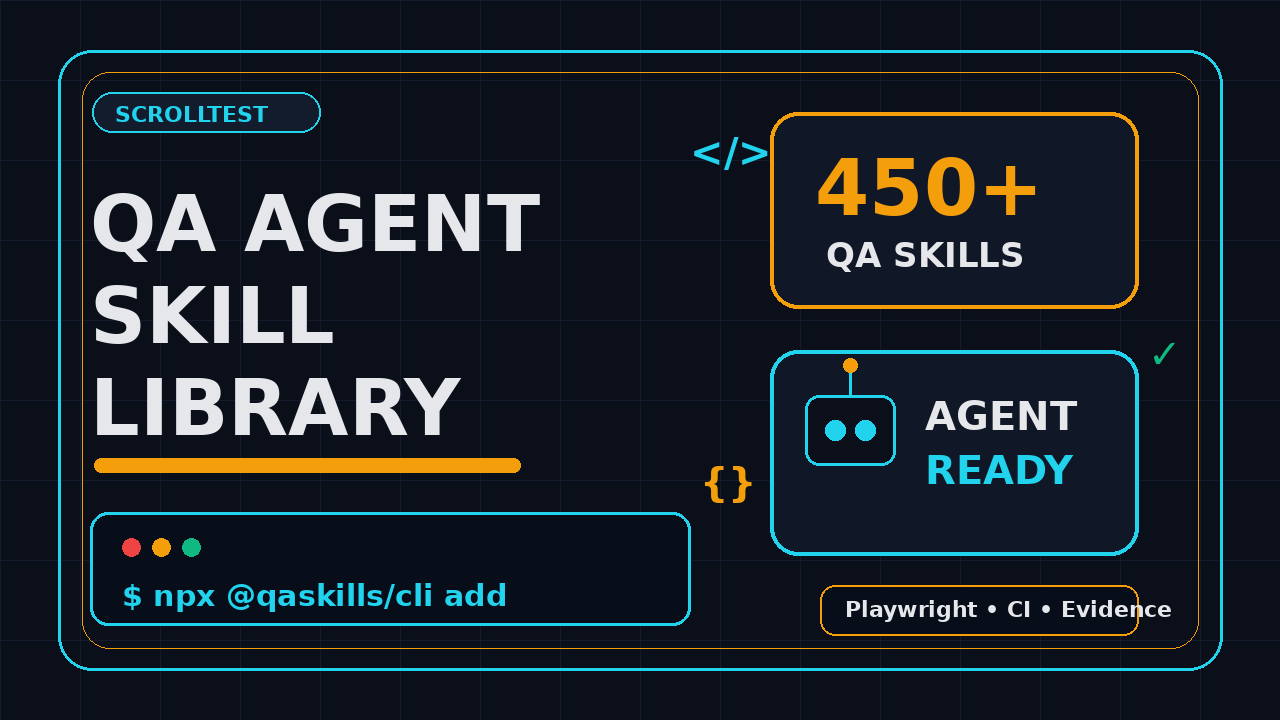
The topic matters now because QA work is moving from “ask the chatbot” to “give the agent a repeatable operating procedure.” The public QASkills.sh site describes itself as a QA skills directory for AI coding agents and currently advertises 450+ skills across 29 agents. The package behind the quick install flow, @qaskills/cli registry metadata, is listed on npm as a CLI to install, search, and manage QA testing skills for AI coding agents.
The one-command idea
The workflow is intentionally small:
npx @qaskills/cli addThat command matters because QA engineers do not need another 40-step setup. The npm registry shows @qaskills/cli latest version 0.2.0, and the npm downloads API reported 1,028 downloads for the package during the last-month window from 2026-05-30 to 2026-06-28 when I checked it for this article. The GitHub API for PramodDutta/qaskills reported 161 stars, 16 forks, and a repository push on 2026-06-30. Those are not enterprise adoption numbers yet, but they are useful signals for a young QA tooling project.
Why this is different from a prompt library
A prompt library stores text snippets. A QA agent skill library stores working rules. The difference becomes visible when the agent touches code.
- A prompt says, “write Playwright tests using best practices.”
- A skill says, “use role-based locators first, keep tests isolated, create fixtures for auth, collect trace on retry, and run this exact command before marking the task done.”
- A prompt can be forgotten in the next session.
- A skill can travel with the repository, team, or agent configuration.
This is why I see skills as the next useful layer for AI-assisted testing. Not magic. Not replacement for SDETs. Just a better way to package the decisions your senior testers keep repeating.
Why Copy-Pasted Prompts Break in Real QA Work
Prompts decay after the first run
Copy-pasted prompts work for demos. They fail when a team has 200 tests, 8 services, 3 environments, and a release branch cut every Thursday. The agent may follow the prompt once, but the next run starts from a different context. Somebody edits the prompt. Somebody removes the setup step. Somebody says “make it faster” and accidentally drops evidence collection.
In test automation, small instruction drift becomes expensive. A missing trace file can turn a 10-minute failure into a 2-hour debugging session. A bad selector rule can create 30 flaky tests. A vague “fix the test” prompt can lead the agent to update assertions instead of finding the real product bug.
Good SDETs carry hundreds of small rules in their head. For example:
- Never use
waitForTimeoutas the first fix for flakiness. - Prefer user-facing locators before CSS chains.
- Do not test implementation details if the user cannot observe them.
- Separate test data setup from UI actions.
- Attach trace, screenshot, video, and console logs when a browser-agent run fails.
- Keep API setup idempotent so reruns do not poison the environment.
The official Playwright best practices page pushes the same direction: test user-visible behavior, use locators, and keep tests isolated. A generic AI prompt will not remember your version of those rules unless you repeat them. A skill can make those rules part of the default behavior.
Agents need boundaries, not vibes
AI coding agents are useful when the task is bounded. They are risky when the task is vague. “Create tests for checkout” is vague. “Create Playwright tests for checkout using the checkout-skill instructions, add only data-testid selectors if role/text locators fail, run npm run test:e2e -- checkout.spec.ts, and attach trace output” is bounded.
Anthropic’s Claude Code workflow documentation shows how agentic coding works best when the model can inspect files, edit code, run commands, and iterate. QA skills add the missing testing policy layer on top of that loop.
QASkills CLI Quick Start
Install or run without installing
The fastest way to try a QA agent skill library is to run the CLI through npx:
npx @qaskills/cli addThe npm npx documentation explains that npx can run packages from the npm registry without you manually installing them first. That is perfect for a quick skill setup flow because a tester can try one skill before committing to a team-wide convention.
If you prefer an explicit install, use:
npm install -g @qaskills/cli
qaskills add
The package metadata on the npm registry lists the CLI binary as qaskills. The homepage points to QASkills.sh, and the repository points to GitHub. That is enough to audit the package before you ask your team to use it.
What I check before installing any QA CLI
I use this 7-step checklist before I allow a new CLI into a test automation repository:
- Check the npm package name, latest version, and maintainer page.
- Read the package repository link and confirm it matches the project website.
- Check GitHub stars, forks, open issues, and recent push date.
- Run the CLI in a disposable folder before touching a production repo.
- Review generated files before committing them.
- Pin the package version in CI if the command affects repository files.
- Add a rollback commit or branch before testing the tool on a real framework.
For this article, I checked the npm registry API, npm downloads API, QASkills.sh, and GitHub repository API. The point is not to worship stars or downloads. The point is to stop installing random testing tools blindly.
A safe trial folder
Use a scratch folder first:
mkdir /tmp/qaskills-trial
cd /tmp/qaskills-trial
git init
npm init -y
npx @qaskills/cli add
git status --short
The git status --short command tells you exactly what changed. If the CLI writes a skill file, review it. If it edits existing files, inspect the diff. A QA engineer should treat AI-agent instructions with the same seriousness as a test framework config.
How Reusable Skills Change Test Automation
They turn senior QA judgment into team defaults
Most automation teams have one or two people who know the framework deeply. They know why the login fixture exists. They know which API creates stable data. They know why the suite runs with 4 workers in CI and 1 worker during debugging. When those people are busy, everyone else copies old tests and hopes the pattern still applies.
A skill makes the default pattern explicit. For example, a Playwright skill can say:
- Use
test.stepfor business-readable actions. - Store shared setup in fixtures, not
beforeEachblocks with hidden side effects. - Use API calls for test data setup when UI setup is not the behavior under test.
- Attach traces only on retry to keep CI artifacts small.
- Fail the task if the test passes only after adding a hard wait.
That is not theory. That is the kind of guidance that reduces review comments. It also helps junior SDETs learn the team’s real rules faster.
They make agent output reviewable
When an agent follows a skill, reviewers can ask a better question: did the output follow the skill? Without a skill, code review becomes subjective. One reviewer says the generated tests are fine. Another says the selectors are weak. A third asks for trace artifacts. The agent gets blamed, but the real problem is missing policy.
Reusable skills create a shared contract. If the contract says “all generated UI tests must include one happy path and one failure path,” the reviewer has a concrete standard. If the contract says “do not update snapshots without explaining the visual change,” the agent has a boundary.
They support multi-agent workflows
Modern QA work is no longer one prompt and one answer. A useful flow can split work across agents:
- One agent reads the feature and writes test scenarios.
- One agent generates Playwright code.
- One agent runs the suite and collects evidence.
- One agent reviews the diff for weak assertions and flaky waits.
A shared QA agent skill library keeps those agents aligned. The scenario agent and code agent should not follow two different definitions of “done.” If you are building AI-assisted browser testing, also read AI Testing Evidence Pack: Trace, Screenshot, Logs because evidence is the difference between a useful agent run and a cute demo.
What to Put in Your Skill Library
Start with painful repeat work
Do not start by writing 100 skills. Start with 5 tasks your team repeats every sprint. If a task creates repeated review comments, it deserves a skill. If a task requires senior judgment, it deserves a skill. If a task touches production-like data, it deserves a skill with guardrails.
My first 5 skills for a QA team would be:
- Playwright E2E test creation: locators, fixtures, assertions, trace policy.
- API contract test creation: schema checks, negative cases, auth setup.
- Flaky test debugging: evidence-first triage, retries, root-cause notes.
- PR test review: weak assertions, waits, duplicated setup, missing edge cases.
- Release evidence pack: screenshots, logs, trace links, environment details.
Write skills like testable requirements
A weak skill says:
Write good Playwright tests. Use best practices. Make them reliable.A strong skill says:
When creating a Playwright test:
1. Inspect existing fixtures before adding new setup.
2. Use getByRole, getByLabel, or getByText before CSS selectors.
3. Add one positive path and one meaningful negative path when the feature supports it.
4. Do not use page.waitForTimeout unless the user explicitly approves it.
5. Run npm run test:e2e -- --grep "FEATURE_NAME" before finishing.
6. If a test fails, attach the trace path and last 30 console lines.
Notice the verbs. Inspect. Use. Add. Do not use. Run. Attach. The agent can follow those. The reviewer can verify those.
Keep project rules separate from public rules
A public skill can teach a general testing pattern. A private team skill can include internal commands, environment names, and folder structure. Keep them separate.
- Public: “Use Playwright locators in this order.”
- Private: “Use
npm run e2e:stagingwithBASE_URLfrom the CI secret.” - Public: “Attach trace on retry.”
- Private: “Upload trace zip to the release evidence bucket.”
This split matters for companies in India too. Many TCS, Infosys, Wipro, and product-company QA teams have strict client data rules. A skill should never leak client names, credentials, test data, or private URLs.
Playwright Example: Agent-Ready Skill
A simple TypeScript target
Here is a small Playwright example that an agent can generate when the skill is clear. The goal is not fancy code. The goal is reviewable behavior.
import { test, expect } from '@playwright/test';

test.describe('QASkills directory search', () => {
  test('finds Playwright skills from the homepage search', async ({ page }) => {
    await page.goto('https://qaskills.sh/');

    await test.step('Search for Playwright', async () => {
      await page.getByPlaceholder(/search skills/i).fill('Playwright');
    });

    await test.step('Verify useful skill cards are visible', async () => {
      await expect(page.getByText(/Playwright/i).first()).toBeVisible();
      await expect(page.getByText(/E2E/i).first()).toBeVisible();
    });
  });
});
A skill should tell the agent why this code is acceptable: it uses user-facing search behavior, avoids hard waits, and checks visible outcomes. If the site changes its placeholder text, the failure is readable. If the search returns no result, the assertion points to the user-visible problem.
Add evidence rules
The Playwright config can enforce evidence without repeating instructions in every prompt:
import { defineConfig } from '@playwright/test';

export default defineConfig({
  retries: process.env.CI ? 1 : 0,
  use: {
    trace: 'on-first-retry',
    screenshot: 'only-on-failure',
    video: 'retain-on-failure'
  },
  reporter: [['html'], ['list']]
});
Now the agent does not need to remember trace policy every time. The skill can simply say: “Do not remove the evidence settings. If a generated test fails, include the trace path in the final note.” That is practical. That is enforceable.
Connect skills to existing QA content
If your team is already building AI-assisted testing workflows, pair skills with evidence and regression checks. I would connect this topic with three ScrollTest guides:
- Playwright AI Test Generator 2026 for teams exploring generated tests.
- Prompt Regression Testing for QA for checking AI prompts like test assets.
- The Hybrid QA Playbook for deciding what AI should and should not own.
The pattern is simple: skills define the agent’s behavior, tests verify the product behavior, and evidence proves what happened.
Governance for QA Agent Skills
Version skills like code
If a skill can change how tests are written, it deserves version control. Store your private skills in the repo or in a controlled internal directory. Review changes through pull requests. Add owners. Add examples. Add a changelog when a skill changes a team-wide rule.
I like this folder shape:
qa-skills/
  playwright-e2e/
    SKILL.md
    examples/
      checkout.spec.ts
      auth.fixture.ts
  api-contract-testing/
    SKILL.md
    examples/
      user-contract.spec.ts
  flaky-test-debugging/
    SKILL.md
    templates/
      failure-report.md
This format works because humans can read it and agents can load it. The skill file gives the rules. The examples show the expected output. The templates keep reports consistent.
Audit generated changes
Never let an agent silently rewrite a test framework. A skill library should include audit rules:
- Show the diff before running a broad refactor.
- Do not update snapshots unless the visual change is explained.
- Do not remove assertions to make tests pass.
- Do not change CI retry counts without reviewer approval.
- Do not create new test data in shared environments without cleanup.
These rules sound strict because they should be strict. QA automation protects releases. If the agent makes the suite look green by weakening checks, the team has not gained productivity. It has hidden risk.
Measure the right signals
Do not measure a QA agent skill library by “number of skills installed.” Measure outcomes:
- How many review comments repeat after the skill is introduced?
- How many generated tests pass on the first CI run?
- How many flaky failures include trace and logs?
- How many junior SDETs can create a valid test without senior help?
- How often does the agent violate a forbidden rule like hard waits?
One useful metric is “review rework rate.” If a generated Playwright test needed 7 comments before the skill and 2 comments after the skill, the library is paying off. You do not need a fake benchmark. Your pull requests already have the data.
India Context for SDETs
This skill matters in interviews
In India, the manual tester to SDET path is still crowded. A lot of candidates know Selenium basics. Fewer candidates can explain how to make AI agents produce safe test automation. That gap is a career opening.
For service-company roles, a QA agent skill library can help you show process maturity. For product-company roles, it can help you show engineering judgment. If you are targeting ₹25-40 LPA SDET roles, do not position yourself as “I can use AI.” Position yourself as “I can design guardrails so AI-generated tests are reviewable, repeatable, and safe for CI.”
What to show in a portfolio
A strong portfolio project can be small:
- Create a public repo with a Playwright TypeScript framework.
- Add a
qa-skills/playwright-e2e/SKILL.mdfile. - Use
npx @qaskills/cli addin a trial branch. - Generate 3 tests with an agent.
- Record the diff, CI run, trace artifact, and review notes.
- Write a README explaining what the skill allowed and what it blocked.
That project tells me more than another calculator test suite. It shows tooling, judgment, evidence, and communication. Hiring managers notice that combination.
Do not skip fundamentals
AI skills do not replace testing fundamentals. They expose whether you have them. If you do not understand assertions, test data, selectors, APIs, CI, and debugging, the agent will simply generate confident noise faster.
Start with foundations. Then package them into skills. If you are moving from manual testing to automation, read From Manual Tester to SDET in 30 Days and use a skill library as an accelerator, not a shortcut.
Key Takeaways
A QA agent skill library is not a trend word for prompts. It is a practical way to turn repeated QA judgment into versioned instructions that AI coding agents can follow.
- QASkills.sh advertises 450+ skills and support for 29 agents, which shows where QA tooling is moving.
- The
npx @qaskills/cli addflow makes a skill trial fast, but you should still audit generated files before committing. - Reusable skills beat copy-pasted prompts because they define rules, commands, evidence, and boundaries.
- Playwright teams should encode selector policy, fixture rules, trace settings, and no-hard-wait rules into skills.
- For SDETs in India, skill-library thinking is a strong portfolio signal because it combines automation, AI, CI, and review discipline.
My honest view: the winners will not be testers who paste the longest prompt. The winners will be testers who build the cleanest operating system around AI-assisted testing.
FAQ
What is a QA agent skill library?
A QA agent skill library is a set of reusable instruction files, examples, and templates that tell AI coding agents how to perform testing tasks. It can cover Playwright tests, API checks, flaky test debugging, release evidence, or test review rules.
Is QASkills CLI only for Playwright?
No. The npm package description says it is a CLI for QA testing skills for AI coding agents. QASkills.sh shows categories beyond one framework, including agent skills and testing patterns. Playwright is a strong first use case because browser automation has clear rules and visible evidence.
Can I use a skill library with Claude Code or Cursor?
Yes, that is the point of the approach. QASkills.sh describes support across Claude Code, Cursor, Copilot, and other agents. The exact install location can differ by agent, so review the CLI output and generated files before committing.
Are reusable skills better than prompt templates?
For serious QA work, yes. Prompt templates are fine for quick one-off tasks. Reusable skills are better when the task repeats, affects test quality, or needs team rules such as selector policy, CI commands, and evidence requirements.
How should a QA team start?
Pick one painful workflow: flaky test debugging, Playwright test creation, or PR review. Write one skill with 6-10 explicit rules, add 1-2 examples, run it in a trial branch, and measure review comments before and after. Keep the scope small until the team trusts the pattern.