Playwright 1.61.1 Upgrade Checklist for Flaky UI Suites
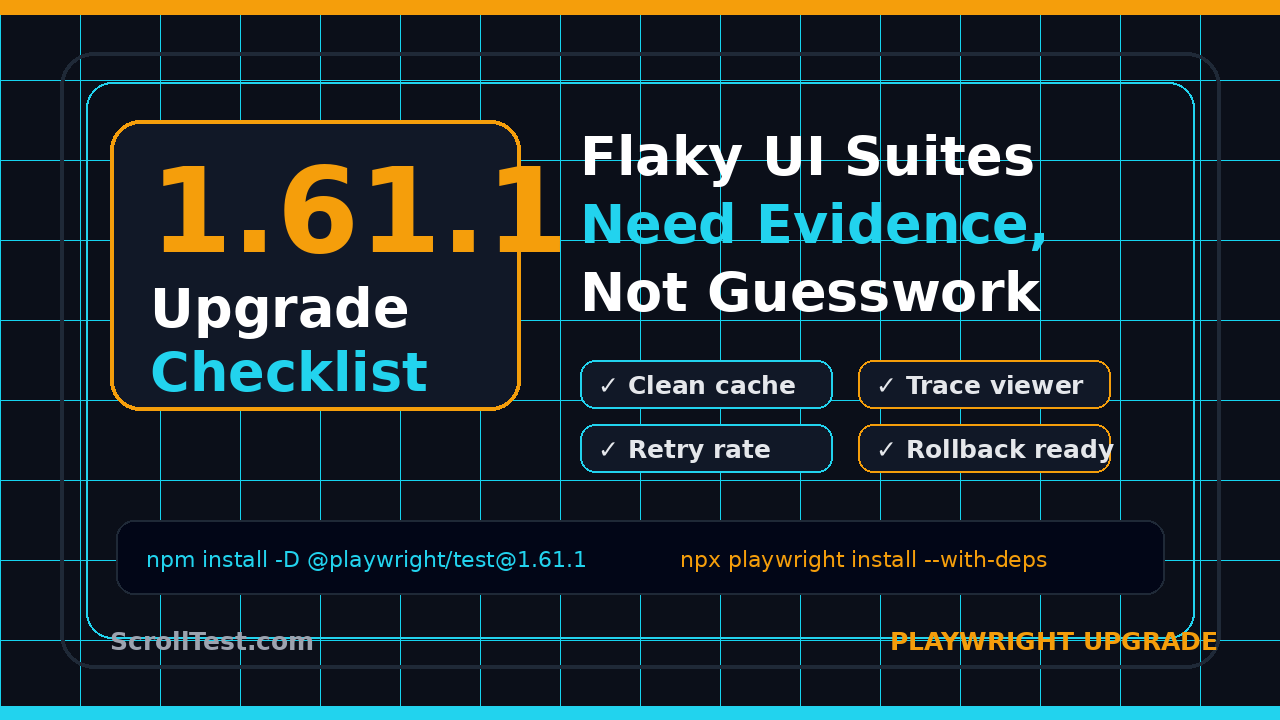
Playwright 1.61.1 upgrade checklist work looks boring until a flaky UI suite blocks a release at 11 PM. I use this checklist when a team wants the bug fixes from a new Playwright patch but cannot afford a random CI failure, a broken trace, or a locator change that nobody planned for.
Table of Contents
- Why This Playwright 1.61.1 Upgrade Checklist Matters
- Release Facts QA Teams Should Verify First
- Build a Pre-upgrade Baseline Before Touching package.json
- Refresh Browser Binaries and CI Cache Safely
- Use Trace Viewer as Your Upgrade Black Box
- Recheck Locator Strictness, Retries, and Timeouts
- Roll Out the Upgrade in CI Without Drama
- India QA Team Context: What Managers Actually Care About
- Key Takeaways
- FAQ
Contents
Why This Playwright 1.61.1 Upgrade Checklist Matters
Minor automation upgrades are rarely minor for QA teams. The dependency number changes in one line, but the risk spreads across browser binaries, CI images, trace artifacts, custom fixtures, visual snapshots, and old tests that were passing for the wrong reason.
Microsoft published Playwright 1.61.1 on GitHub as a patch release with bug fixes. The release notes call out fixes around custom expect matchers, UI mode API request reporting, trace viewer websocket message timing, and Node 22.15 sync loader regressions. That is exactly the kind of release I do not ignore, because those fixes sit close to the debugging path of a modern UI suite.
The wrong way to upgrade is simple: change @playwright/test, push to main, and wait for the pipeline to tell you what broke. The better way is to treat the upgrade like a small release of your test platform.
What can break even in a patch upgrade
I do not assume a patch release is risk-free. I check these areas first:
- Browser binaries: stale browser folders can hide a mismatch between the Playwright package and the browser runtime.
- Trace viewer: a trace that opens locally but fails in CI is a debugging tax.
- Custom matchers: teams often wrap
expectto make domain-specific assertions. - Node version behavior: loader regressions are painful in monorepos and pnpm workspaces.
- Retries: retries can hide the first signal that an upgrade changed timing.
The upgrade goal
The goal is not just to pass green once. The goal is to prove that the suite still gives trustworthy feedback after the upgrade. That means I want before and after evidence, not a heroic commit message.
If your team already follows a release-note review habit, this article extends the same thinking I shared in Release Note Test Plan: QASkills Workflow for QA. A framework upgrade deserves a test plan, even when the version number looks small.
Release Facts QA Teams Should Verify First
Start with primary sources. I do not build an upgrade checklist from a LinkedIn post, a Slack thread, or an SEO summary. I check the package registry, the GitHub release, and the official docs that match the feature or debugging area I plan to verify.
Fact 1: The package exists and points to the expected dependency
The npm registry entry for @playwright/test 1.61.1 confirms the published package version and its dependency on playwright 1.61.1. That matters because a half-upgraded repo can install the test runner at one version and the underlying Playwright package at another.
npm view @playwright/test@1.61.1 version
npm view @playwright/test@1.61.1 dependencies
npm ls @playwright/test playwright
When this output is inconsistent, I stop. Fix the dependency graph before chasing flaky tests. A bad install tree can waste a full day.
Fact 2: The release notes identify debugging-adjacent fixes
The Playwright 1.61.1 GitHub release lists bug fixes that touch the daily life of QA engineers: matcher behavior, UI mode API request reporting, trace viewer websocket message timing, and Node 22.15 loader behavior. Those are not decorative details. They influence how failures are reported, inspected, and reproduced.
If your suite uses custom expect.extend matchers, UI mode during local debugging, websocket-heavy screens, or Node 22.15 in CI, this patch deserves a focused smoke run.
Fact 3: Playwright is now a large dependency in the JavaScript testing ecosystem
The npm downloads API reported 163,181,703 downloads for @playwright/test in the last month for the window I checked during this cron run. Do not treat that number as a quality score. Treat it as a reminder that a lot of teams depend on this runner, so upgrade discipline matters.
High adoption also means your hiring market cares. In interviews, I see stronger SDETs explain not just how to write a Playwright test, but how to upgrade the framework without breaking CI for 40 engineers.
Build a Pre-upgrade Baseline Before Touching package.json
A flaky suite without a baseline is just noise. Before I change the dependency, I capture the current behavior in a way that a lead, a developer, and a release manager can understand.
Run a stable branch smoke
First, run your smoke suite on the current Playwright version. Do not pick the full nightly suite unless it is fast and reliable. Pick a stable subset that covers login, navigation, core create flows, search, and one update or delete path.
git checkout main
npm ci
npx playwright --version
npx playwright test tests/smoke --reporter=line,html
npx playwright show-report
Save three facts:
- Playwright version before upgrade
- Node version and package manager version
- Smoke result with duration, failures, and retry count
This gives you a reference point. If the upgraded branch is slower by 30 percent, fails in a new browser, or uses more retries, you can see it immediately.
Export trace and report artifacts
For flaky UI suites, traces are not optional. The official Playwright trace viewer documentation explains how traces capture actions, snapshots, console logs, network requests, and source information. I link it in team upgrade tickets because it gives everyone the same debugging language: Playwright Trace Viewer documentation.
Use trace on first retry for normal CI. During upgrade validation, I prefer trace on for the smoke subset so I can compare failures faster.
// playwright.config.ts
import { defineConfig } from '@playwright/test';

export default defineConfig({
  retries: process.env.CI ? 1 : 0,
  use: {
    trace: 'on-first-retry',
    screenshot: 'only-on-failure',
    video: 'retain-on-failure',
  },
  reporter: [
    ['line'],
    ['html', { outputFolder: 'playwright-report' }],
  ],
});
Write a one-page upgrade note
I keep the upgrade note short. It should answer these five questions:
- Which package and version are we upgrading?
- Which release notes or registry links did we verify?
- Which smoke tests form the baseline?
- Which known flaky tests are excluded from decision-making?
- What is the rollback command?
This note prevents the classic argument: “Was that test already flaky?” If nobody captured the baseline, the argument wins and the upgrade loses.
Refresh Browser Binaries and CI Cache Safely
Playwright is not just an npm package. It manages browser binaries. That is why a Playwright 1.61.1 upgrade checklist must include browser installation and cache behavior, not just package lockfile changes.
Use a clean install branch
Create a dedicated upgrade branch and make the dependency change intentionally.
git checkout -b chore/playwright-1-61-1
npm install -D @playwright/test@1.61.1
npx playwright install --with-deps
npx playwright --version
Commit the lockfile. I do not accept a Playwright upgrade PR without the lockfile change because CI must reproduce the same package graph.
Reset the cache once, then measure
CI cache is useful until it hides the problem. For the first validation run, I prefer a cache reset or a cache key that includes the Playwright version.
# GitHub Actions cache example
- name: Cache Playwright browsers
  uses: actions/cache@v4
  with:
    path: ~/.cache/ms-playwright
    key: ms-playwright-${{ runner.os }}-1.61.1

- name: Install dependencies
  run: npm ci

- name: Install browsers
  run: npx playwright install --with-deps

- name: Run smoke tests
  run: npx playwright test tests/smoke --reporter=line,html
The versioned cache key is boring, and boring is good. It avoids a class of “works locally, fails in CI” bugs caused by stale browser assets.
Check Docker images separately
If your tests run inside Docker, validate the base image and browser installation path separately. A local npx playwright install success does not prove that your CI image has the same fonts, system dependencies, timezone data, or browser cache.
For teams already containerizing Playwright, connect this step with the practical patterns in Playwright Docker: Day 13 Tutorial. Docker reduces environment drift only when the image is rebuilt and pinned correctly.
Use Trace Viewer as Your Upgrade Black Box
The 1.61.1 release notes mention a trace viewer fix around websocket message times. If your product has chat, live dashboards, streaming notifications, WebSocket events, GraphQL subscriptions, or collaborative editing, that detail matters.
Pick trace-heavy scenarios
I add two or three scenarios that produce useful traces, not just happy-path screenshots. Good upgrade candidates include:
- A login flow with redirects and storage state
- A search flow with network waits and UI rendering
- A real-time event flow with websocket traffic
- A file upload or download flow
- A payment sandbox flow with multiple redirects
The goal is to verify that the upgraded tool still gives you enough evidence when something breaks.
Open the trace from CI, not only local
Local traces can be misleading if CI stores artifacts differently. After the upgraded branch runs in CI, download the trace ZIP and open it.
npx playwright show-trace path/to/trace.zipThen check:
- Can you see every action in order?
- Do screenshots line up with actions?
- Are console errors visible?
- Are request and response details useful?
- For websocket screens, do event timings look believable?
This is also where I connect Playwright traces with evidence discipline. If your AI browser or agentic testing workflow needs stronger evidence, read AI Testing Evidence Pack: Trace, Screenshot, Logs. Human reviewers trust a test result faster when the evidence is packaged well.
Fail the upgrade if debugging gets worse
A test suite is not healthy just because it passes. If the upgraded runner produces missing traces, unreadable reports, broken screenshots, or CI artifacts nobody can open, I fail the upgrade. Debuggability is part of product quality for a test framework.
Recheck Locator Strictness, Retries, and Timeouts
Most flaky Playwright suites I review have the same root problems: vague locators, hidden timing assumptions, weak test data isolation, and retries used as a bandage. An upgrade is a good time to expose those problems.
Run with retries disabled once
Retries help in CI, but they hide signal during an upgrade. I run the smoke subset once with retries disabled.
CI=1 npx playwright test tests/smoke --retries=0 --workers=2If a test only passes because retry number two gets lucky, do not blame Playwright 1.61.1 immediately. Inspect the test. Look for shared state, missing waits, animation timing, and data created by another spec.
Audit locators that are too broad
Locator strictness is one reason I like Playwright, but strictness only helps when the team writes locators with intent. I search for patterns like locator('button'), text-only selectors on crowded pages, and CSS chains tied to layout.
// Weak: breaks when another Save button appears
await page.locator('button').filter({ hasText: 'Save' }).click();

// Better: describes the user-visible contract
await page.getByRole('button', { name: 'Save profile' }).click();

// Better when the UI has repeated cards
const invoice = page.getByTestId('invoice-card').filter({ hasText: 'INV-1042' });
await invoice.getByRole('button', { name: 'Download PDF' }).click();
If the upgrade branch reveals a strict mode violation, treat it as a useful finding. The test was ambiguous. The new run simply made the ambiguity visible.
Separate framework timing from product timing
Do not increase global timeout as your first fix. That teaches the suite to wait longer everywhere. Instead, isolate the timing source.
- If the page is waiting for an API, assert the API response.
- If the UI is waiting for a spinner, wait for the meaningful final state.
- If the test data is slow, seed it before the UI step.
- If the environment is overloaded, reduce workers or split shards.
For production E2E suites, the stronger habit is to review upgrade risk before the PR merges. I covered a similar workflow in Playwright Upgrade Checklist for Production E2E. This 1.61.1 guide is the patch-release version of the same discipline.
Roll Out the Upgrade in CI Without Drama
The safest upgrade is boring. It has a branch, a baseline, a smoke suite, a limited rollout, a rollback command, and a short decision log. That sounds heavy until you compare it with two days of random failures across eight teams.
Use a three-stage rollout
For most teams, I use this rollout plan:
- Local validation: install 1.61.1, run smoke, inspect report and traces.
- CI branch validation: reset Playwright browser cache, run smoke on all supported browsers.
- Limited main validation: merge behind a watch window, monitor retry rate and duration for one day.
If the project has hundreds of specs, I add a fourth stage: shard one representative folder per domain. Do not run 3,000 tests and call the result clear if half the failures are unrelated legacy flakes.
Track retry rate, not only pass rate
A green pipeline with more retries is not the same quality signal. Save these numbers before and after the upgrade:
- Total duration
- Number of failed specs before retry
- Number of passed-on-retry specs
- Top three slowest specs
- Browser-specific failures
If retries jump from 2 to 18 after the upgrade, investigate. Even when the final status is green, your suite is now less trustworthy.
Keep the rollback command in the PR
Every upgrade PR should include the rollback command. This is not pessimism. It is operational hygiene.
npm install -D @playwright/test@1.61.0
npx playwright install --with-deps
npm test -- --grep @smoke
When a release branch is blocked, nobody wants to reverse-engineer the previous package version from an old lockfile under pressure.
India QA Team Context: What Managers Actually Care About
In India QA teams, I see a split between service-company automation and product-company test platform work. In a TCS or Infosys-style delivery setup, the question is often, “Will this upgrade break the client regression pack?” In a product company, the question is, “Will this upgrade reduce release confidence for engineering?”
Why this skill affects SDET growth
A mid-level SDET who can write Playwright tests is useful. A senior SDET who can upgrade Playwright, explain release risk, isolate flakiness, and build a rollback plan is much more valuable. That is the difference between task execution and platform ownership.
For engineers aiming at ₹25-40 LPA product roles, this is the kind of story that works in interviews. Do not say, “I know Playwright.” Say, “I upgraded our Playwright stack from one minor version to another, reset browser cache safely, reduced false failures, and added trace artifacts for faster debugging.”
How I would describe this in an interview
Use a compact version:
“I treated the Playwright upgrade as a test-platform release. I verified npm and GitHub release sources, created a smoke baseline, versioned the CI browser cache, ran retries disabled once, inspected trace artifacts, and merged only after comparing duration and retry rate.”
That answer tells the interviewer you understand engineering systems, not just syntax.
Key Takeaways
A Playwright 1.61.1 upgrade checklist protects flaky UI suites from accidental risk. The patch release is small, but your validation should still be deliberate.
- Verify the primary sources: npm package, GitHub release notes, and relevant Playwright docs.
- Create a pre-upgrade baseline with version, smoke duration, failures, retries, reports, and traces.
- Refresh browser binaries and version your CI cache key with the Playwright version.
- Inspect trace artifacts from CI, especially for websocket-heavy or API-heavy screens.
- Run once with retries disabled so hidden flakiness does not hide behind green status.
- Track retry rate and suite duration before declaring the upgrade safe.
My simple rule: if an upgrade changes how your team debugs failures, it deserves a checklist. Playwright 1.61.1 is a good reminder that test framework maintenance is real engineering work.
FAQ
Should every team upgrade to Playwright 1.61.1 immediately?
No. If you are on 1.61.0 and affected by the listed bug fixes, prioritize it. If you are on an older stable version with a release freeze this week, schedule it with a smoke baseline and rollback plan instead of rushing it into main.
Do I need to reinstall browsers for a patch upgrade?
Yes, I recommend reinstalling or validating browser binaries during the first CI run. Playwright manages browser dependencies, and stale cache issues can create failures that look like test bugs.
What is the fastest sanity check for a flaky Playwright suite?
Run the smoke subset with retries disabled, trace enabled, and a clean browser cache. Then compare duration, first-run failures, and trace readability against the previous version.
Which tests should I run first after upgrading?
Start with login, storage state, one create flow, one search flow, one update flow, and one real-time or network-heavy flow. Avoid using known flaky tests as the main decision gate.
How do I know the upgrade made flakiness worse?
Do not rely only on pass or fail. Compare retry count, first-run failures, browser-specific failures, slowest specs, and whether trace artifacts remain useful. If those signals degrade, investigate before merging.