
Playwright MCP vs Traditional Test Scripts
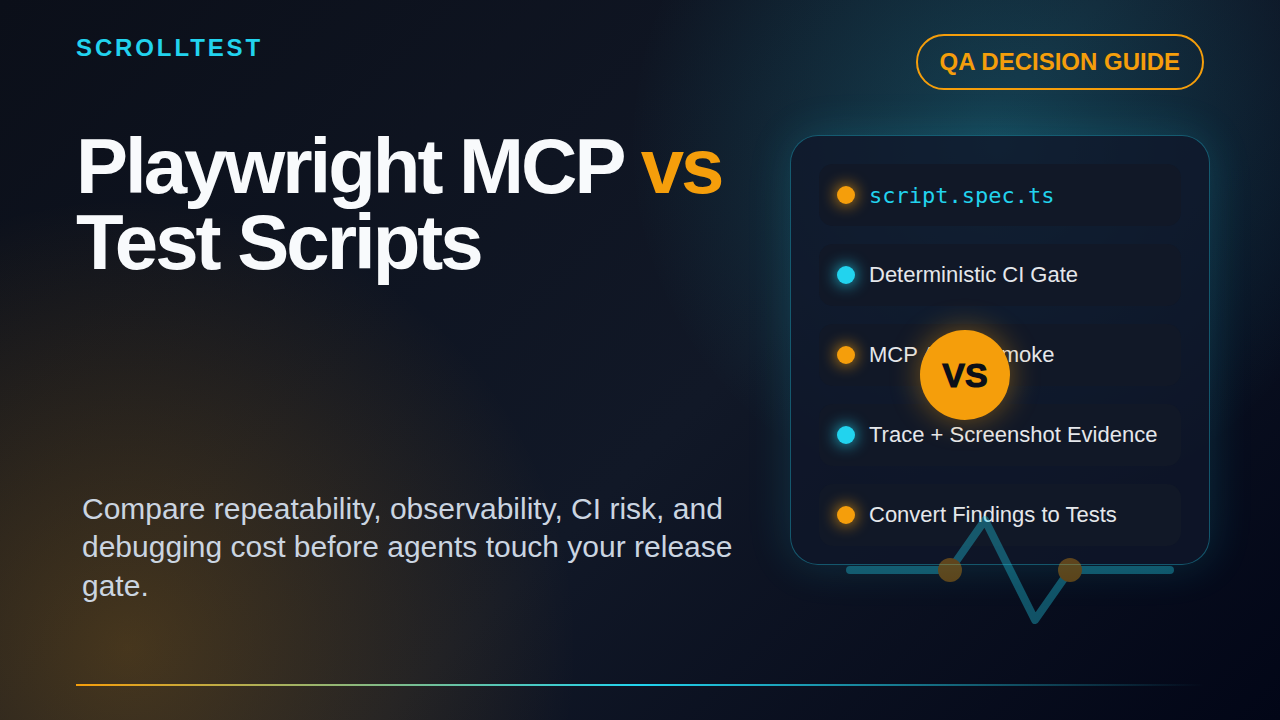
Table of Contents
🤖 Learning AI-powered testing? Go hands-on with LLM, RAG, and AI-agent testing in the AI-Powered Testing Mastery course at The Testing Academy.
- Why This Comparison Matters
- What Playwright MCP Changes
- Where Traditional Test Scripts Still Win
- Playwright MCP vs Traditional Test Scripts: Repeatability
- Observability and Debugging Cost
- CI Strategy: How I Would Use Both
- India Context for QA Teams
- A Practical Migration Plan
- Key Takeaways
- FAQ
Playwright MCP vs traditional test scripts is the comparison QA teams need before they put an AI browser agent anywhere near CI. The question is not “will MCP replace test automation?” The useful question is simpler: which work needs repeatable scripts, and which work benefits from an agent that can inspect, act, and explain?
I see teams make the same mistake with every new testing tool. They compare demos instead of operating cost. A Playwright MCP demo can look magical when an agent opens a browser, clicks through a flow, and reports what it saw. A Playwright test can look boring because it runs the same deterministic assertion for the 500th time. Boring is often what CI needs.
This article compares Playwright MCP and traditional scripts on the things that matter in production: repeatability, observability, debugging cost, version risk, CI fit, and hiring reality. I will cite the official microsoft/playwright-mcp repository, the Model Context Protocol documentation, and the v0.0.76 release notes. I will also connect this to practical ScrollTest guides like Playwright MCP Smoke Test, Playwright Trace Viewer, AI test agents with planner, generator, and healer, and Selenium Strategy 2026.
Contents
Why This Comparison Matters
Playwright MCP is not just another wrapper around browser automation. It connects an AI client to browser actions through MCP, an open standard that the official MCP docs describe as a way for AI applications to connect to external systems, data sources, tools, and workflows. In plain QA language, MCP gives an AI assistant a controlled way to use the browser as a tool.
That changes the conversation. Traditional test scripts are written before the run. MCP-assisted browser checks can decide some steps during the run, based on page state and prompt instructions. That flexibility is useful for exploration, smoke checks, and workflow discovery. It is risky when the expected behavior must be exact.
Teams are already interested, but interest is not proof
GitHub API data on 16 June 2026 showed microsoft/playwright-mcp at about 33,964 stars and 2,809 forks. The same check showed the main microsoft/playwright project at about 91,030 stars. NPM download data for the last month showed roughly 19.2 million downloads for @playwright/mcp, 154 million for @playwright/test, and 227 million for playwright.
The right comparison is job-to-be-done
I compare these tools by job, not by hype:
- Can the run repeat the same steps every time?
- Can a failed run explain what changed?
- Can an engineer reproduce the failure locally in under 10 minutes?
- Can the result block a production deploy without debate?
- Can a new SDET maintain it after three months?
Traditional scripts score well when the path is known and the expected result is strict. Playwright MCP scores well when the path is not fully known, when the application has changed, or when the team needs quick browser evidence instead of a perfect regression assertion.
What Playwright MCP Changes
The official Playwright MCP repository describes it as a Playwright MCP server. That sounds small until you see how it fits into a tester’s workflow. An MCP client, such as an AI coding assistant, can ask the server to open pages, click elements, inspect snapshots, gather console errors, and return evidence.
It turns browser control into an agent tool
Traditional Playwright code looks like this:
import { test, expect } from '@playwright/test';

test('checkout shows order confirmation', async ({ page }) => {
  await page.goto('https://example.test/cart');
  await page.getByRole('button', { name: 'Checkout' }).click();
  await page.getByLabel('Email').fill('qa@example.com');
  await page.getByRole('button', { name: 'Place order' }).click();
  await expect(page.getByText('Order confirmed')).toBeVisible();
});
That script is explicit. The test author owns every locator, step, and assertion. If the flow changes, the script fails. That is the point. The failure tells the team something changed in a contract that was important enough to automate.
A Playwright MCP workflow is different. The user can ask an AI client to perform a task such as: “Open the staging site, log in with the test user, add the cheapest product to the cart, and report whether checkout reaches payment.” The agent chooses how to inspect the page and which controls to use. The MCP server supplies the browser actions and observations.
Release notes show the product is moving fast
The Playwright MCP v0.0.76 release notes, published on 10 June 2026, list new video action overlay tools, remote endpoint improvements, response size controls through --output-max-size, and bug fixes around remote browser headers and navigation. These are not toy-demo features. They point to a tool that is being shaped for real automation sessions where evidence, remote execution, and output size matter.
Best early use cases
I like Playwright MCP for these jobs:
- Smoke exploration: Ask the agent to check whether login, search, cart, and profile pages are basically usable.
- Bug reproduction: Give the agent a ticket and ask it to collect screenshots, console logs, and exact steps.
- Test discovery: Let the agent explore a changed UI and propose candidate Playwright tests.
- Release-note review: Use it to manually verify one browser-sensitive change after a framework upgrade.
- Accessibility sampling: Ask it to inspect labels, keyboard paths, and obvious blocked states before deeper audits.
I do not like it as the first tool for payment assertions, legal compliance gates, irreversible workflows, or flaky environment triage. Those need deterministic tests, stable fixtures, and clear pass/fail contracts.
Where Traditional Test Scripts Still Win
Traditional test scripts are not old because agents are new. They are the backbone of serious release confidence because they encode decisions the team has already made. A good script is not just automation; it is an executable agreement.
Determinism matters in CI
If a deploy is blocked, the reason must be clear. A Playwright test that says “expected order confirmation to be visible” is easy to read. A test report with a trace, screenshot, and locator failure is even better. The engineer knows which assertion failed and where to look.
With an agent run, the failure can be harder to classify. Did the application fail? Did the agent misunderstand the goal? Did it click the wrong element? Did the page use copy that confused the model? Did the model stop too early? These questions are manageable for exploration. They are painful in a release gate.
Scripts preserve team knowledge
A regression suite is a knowledge base. It records what the team cares about. It captures business rules, edge cases, and past production bugs. When a new SDET joins, reading the suite teaches them how the product behaves.
Code review works better on scripts
Pull requests are a strength of traditional automation. Reviewers can see locator choices, fixture design, retry settings, assertions, and cleanup logic. They can ask for better selectors or stronger assertions.
Agent prompts can be reviewed too, but teams are less practiced at it. A vague prompt can pass review because it sounds reasonable. Then it creates noisy results in CI. If you use MCP prompts, review them like test code. Ask what evidence is required, what counts as failure, and what the agent must not do.
Playwright MCP vs Traditional Test Scripts: Repeatability
The core difference in Playwright MCP vs traditional test scripts is repeatability. Scripts repeat exact actions. MCP-assisted agents repeat a goal, then decide some actions at runtime. That is the trade.
Repeatable actions vs repeatable intent
Traditional Playwright gives repeatable actions. The same selector, click, fill, and assertion run every time unless the app changes or the environment is unstable. The test is brittle when the UI contract changes, but that brittleness is often useful. It catches unplanned change.
Playwright MCP gives repeatable intent. The instruction can stay the same even when the UI shifts slightly. The agent may find the new button text or updated layout without a code change. That is powerful for discovery. It is dangerous when a changed path should fail loudly.
A practical scoring model
I use this quick score before deciding whether a check belongs in code or MCP:
- Exact business assertion needed: use a script.
- Path may vary but evidence is valuable: use MCP.
- Failure blocks deploy: use a script first, MCP as supporting evidence.
- Failure creates a ticket for human triage: MCP can work.
- Workflow changes weekly: MCP can help discover updates before scripting.
For example, “a premium user can export invoices in PDF format” should be a script. “Check whether the new billing UI has obvious broken paths after the redesign” is a strong MCP task. The first is a contract. The second is exploratory risk reduction.
How to make MCP more repeatable
You can improve MCP repeatability by reducing freedom. Give the agent a known test account, a fixed base URL, a maximum step count, and required evidence. Tell it what not to do. Ask for a structured result.
{
  "task": "Check login and dashboard smoke path",
  "baseUrl": "https://staging.example.com",
  "account": "qa_smoke_user",
  "mustNot": ["change billing settings", "delete data", "send emails"],
  "evidenceRequired": ["final URL", "screenshot", "console errors", "observed blockers"],
  "passCriteria": "Dashboard loads and user menu is visible within 10 steps"
}
Observability and Debugging Cost
Debugging cost decides whether a tool survives after the first month. A tool that finds issues but creates two hours of triage for every false alarm will be switched off. This is why observability is the real battleground.
Traditional Playwright has mature debugging artifacts
Playwright already has strong debugging assets: traces, screenshots, videos, console logs, network inspection, and locator tooling. If your team is not using trace viewer well, fix that before adding an agent layer. The ScrollTest guide on Playwright Trace Viewer is a good starting point for that discipline.
If your current scripts cannot answer those questions, MCP will not magically fix your test strategy. It may add another layer of uncertainty.
MCP needs evidence, not storytelling
Agent output can sound confident even when it missed a detail. That is why I do not accept agent summaries without evidence. A good MCP result should include screenshots, action logs, console errors, final state, and a short explanation tied to visible facts.
The v0.0.76 release notes mention video action overlay tools and output size controls. Those details matter because QA teams need compact, reviewable evidence. If the agent returns huge logs, no one reads them. If it returns a smooth paragraph without artifacts, no one should trust it.
Debugging cost by failure type
Here is how I classify failures:
- Script assertion failure: usually fast to triage if traces are enabled.
- Script locator failure: medium cost; often UI copy, role, or structure changed.
- MCP agent confusion: medium to high cost; inspect prompt, page state, model behavior, and tool output.
- MCP real bug with strong evidence: valuable; convert to a script if it protects a release-critical path.
- MCP flaky exploration: expensive; keep it out of blocking CI.
My rule is simple: every MCP-discovered production-relevant bug should produce a deterministic regression test afterward. MCP finds the trail. Scripts guard the trail.
🚀 Build Real AI Testing Skills
Stop testing AI by guesswork. Learn DeepEval, RAG evaluation, and agent testing with guided projects.
CI Strategy: How I Would Use Both
I would not replace a Playwright suite with Playwright MCP. I would add MCP around the suite where it gives a different signal. Think of it as a scout, not the security guard at the release gate.
Layer 1: deterministic release gates
Keep your core Playwright tests as blocking CI gates. These should cover login, critical CRUD, checkout or payment simulation, permission checks, API contracts, and high-value bug regressions. Pin your Playwright version. Read release notes before upgrades. The Playwright 1.61.0 release notes, published on 15 June 2026, added WebAuthn passkey testing support and Web Storage APIs, which are exactly the kinds of changes teams should evaluate intentionally.
A basic command stays boring:
npx playwright test tests/smoke --project=chromium --trace=retain-on-failureBoring commands are good when production risk is on the line.
Layer 2: MCP smoke exploration after deployment
Run MCP after staging deploys or nightly builds. Give it a short task list and require evidence. Do not let it mutate dangerous data. Do not let it own pass/fail for the release until your team has weeks of historical signal.
A useful nightly MCP task could be:
Visit staging. Log in as qa_smoke_user. Check whether dashboard, search, cart,
and profile pages are reachable. Capture one screenshot per page. Report console
errors and any blocker. Stop after 20 actions. Do not submit payment or change settings.
This finds broken navigation, client-side errors, auth loops, and obvious UI regressions. It does not replace strict assertions.
Layer 3: convert useful findings into code
When MCP finds a real issue, convert it into a Playwright test. This is the step many teams skip. They celebrate the agent finding a bug, then let the same bug return two releases later.
Use this workflow:
- Agent discovers suspicious behavior and attaches evidence.
- QA engineer confirms whether it is a product bug, environment issue, or agent mistake.
- Engineer writes a deterministic Playwright test for the confirmed bug.
- Test joins the blocking or non-blocking suite based on severity.
- MCP prompt is updated to look for similar classes of issues.
This gives you learning on both sides: the agent gets better task design, and the regression suite gets stronger contracts.
India Context for QA Teams
For QA teams in India, this comparison has a career angle too. Service-company projects and product-company teams will use these tools differently. In TCS, Infosys, Wipro, or similar delivery setups, the immediate pressure is often productivity, documentation, and coverage reporting. In product companies, the pressure is release velocity, flaky test reduction, and better signal in CI.
What hiring managers will look for
I do not think “I used an AI browser agent once” will be enough. Hiring managers will ask whether you can design safe tasks, collect evidence, write deterministic follow-up tests, and explain why a check belongs in MCP or in code.
A strong SDET profile in 2026 should show both skills:
- Playwright test design with fixtures, traces, and stable locators.
- MCP task design with clear constraints and evidence requirements.
- Prompt review discipline for agent-based checks.
- CI judgment: what blocks deploy and what creates a triage report.
- Bug conversion: turning exploratory findings into regression tests.
For mid-level SDETs targeting ₹25-40 LPA roles in Indian product companies, this combination is useful. The market rewards engineers who can reduce risk, not just run trendy tools. If you can show a repo where an MCP smoke check finds a broken flow and a Playwright regression test locks the fix, that is stronger than a certificate screenshot.
Manual testers have a real entry point
Manual testers can use MCP-style workflows to move closer to automation. Start by writing precise browser tasks and evidence templates. Then learn to convert stable paths into Playwright scripts. That bridge matters. The ScrollTest article on AI testing skills for manual testers covers this transition in more detail.
A Practical Migration Plan
If your team wants to try Playwright MCP, do it in a controlled way. Do not announce that agents will replace automation. That creates fear and bad architecture. Run a four-week evaluation with clear success criteria.
Week 1: choose three safe workflows
Pick workflows that are important but not dangerous. Login smoke, catalog search, dashboard navigation, and read-only profile checks are good candidates. Avoid payment, destructive admin actions, and workflows that send messages to real users.
Create a task card for each workflow:
- Base URL and environment
- Test account and data boundaries
- Allowed actions
- Forbidden actions
- Required screenshots and logs
- Pass criteria
- Failure report template
Week 2: run MCP beside existing scripts
Do not remove any tests. Run MCP beside the suite and compare findings. Track false positives, real bugs, missed issues, and triage time. If the agent reports five issues and four are prompt confusion, that is a task-design problem or a poor fit.
Use a simple table:
| Date | Task | Result | Evidence | Real bug? | Triage minutes | Follow-up test? |
|------|------|--------|----------|-----------|----------------|-----------------|
| Jun 16 | Login smoke | Fail | screenshot + console | Yes | 12 | Added |
| Jun 16 | Search | Warn | screenshot | No | 18 | Prompt updated |
Week 3: convert confirmed findings
Every confirmed bug gets a Playwright test. This is where the team proves that MCP improves the automation system instead of creating a separate novelty lane. Link the agent report to the test pull request. Add the trace and screenshot to the bug ticket.
Week 4: decide the CI role
After a month, decide one of three roles:
- Keep MCP manual: useful for release exploration but not stable enough for automation.
- Run MCP nightly: useful signal, but not a deploy blocker.
- Run MCP as non-blocking CI: creates a report after each staging deploy.
I would be slow to choose blocking CI. Earn that decision with data. Track at least 20-30 runs before trusting an agent check as a release gate.
Key Takeaways
Playwright MCP vs traditional test scripts is not a winner-takes-all fight. It is a design decision about certainty, exploration, and cost.
- Use traditional Playwright scripts for deterministic release gates and business-critical assertions.
- Use Playwright MCP for exploration, smoke evidence, bug reproduction, and test discovery.
- Do not trust agent summaries without screenshots, logs, action history, and final state.
- Convert confirmed MCP findings into deterministic regression tests.
- For SDETs, the valuable skill is deciding which layer owns which risk.
My recommended model is simple: scripts block the release, MCP scouts the application, and humans review the evidence. That gives you speed without pretending that a flexible agent is the same thing as a strict test contract.
FAQ
Will Playwright MCP replace Playwright test scripts?
No. Playwright MCP is better viewed as an agent-facing browser tool. It can help with exploration and evidence collection, but deterministic scripts are still stronger for CI gates, strict assertions, and long-term regression coverage.
Is Playwright MCP safe for CI?
It can be safe as a non-blocking CI report if the tasks are constrained and read-only. I would not use it as a blocking release gate until the team has enough historical data, low false positives, and clear debugging artifacts.
What should I learn first as a QA engineer?
Learn Playwright test design first: locators, fixtures, assertions, traces, and CI execution. Then add MCP task design. The strongest profile combines deterministic automation with agent workflow judgment.
How do I reduce false positives in MCP runs?
Use fixed accounts, clear pass criteria, forbidden actions, maximum step counts, required evidence, and structured output. Review prompts like test code. If a result cannot be reproduced or converted into a script, do not treat it as a release signal.
When should a bug found by MCP become a scripted test?
When it affects a critical user path, caused or could cause production impact, or represents a business rule the team wants to protect. The agent can find the issue, but a script should guard the fix.
🎓 Become an AI-Powered QA Engineer
Join hundreds of SDETs mastering LLM, RAG, and agent testing. Lifetime access, hands-on labs, and a job-ready portfolio.

