
MCP Connector Validation Checklist for QA Teams
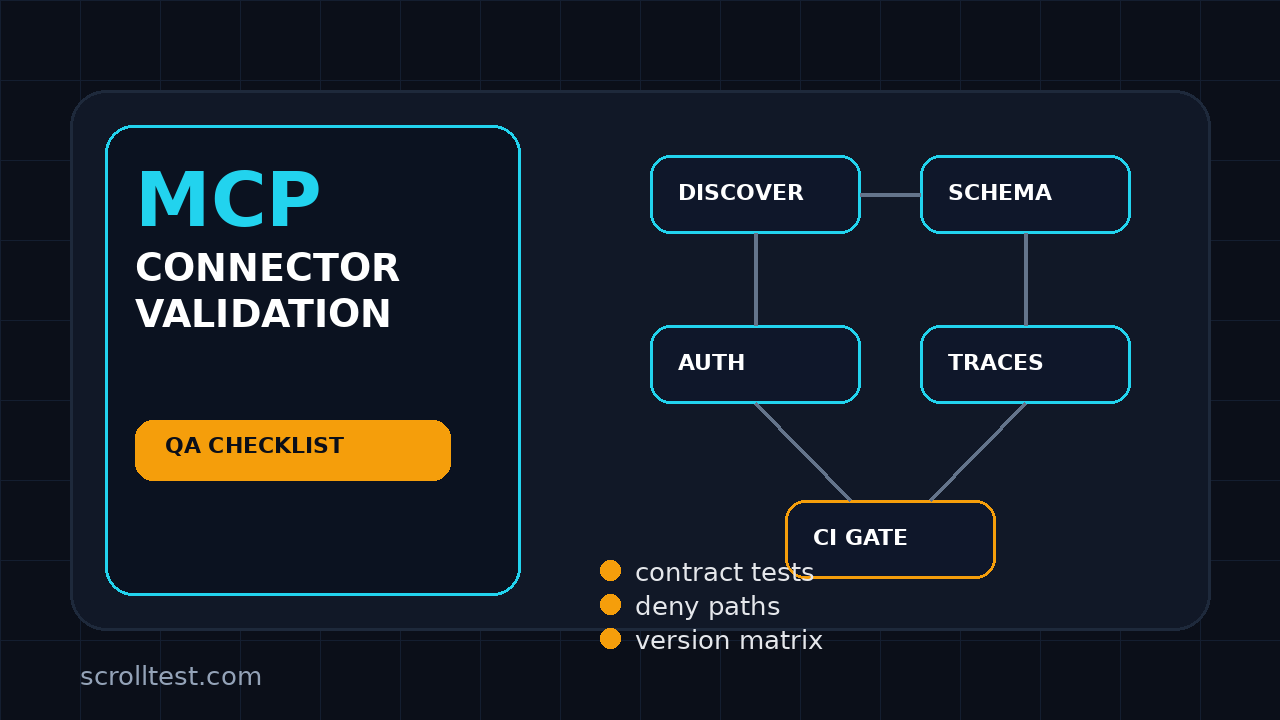
MCP connector validation is no longer a side task for the one engineer who understands agents. After the MCP Python SDK 2.0.0 stable release, QA teams need a repeatable checklist that proves every connector handles discovery, auth, tool calls, observability, and failure modes before it touches a real user workflow.
I see teams treat MCP connectors like small integration glue. That is risky. A broken connector can leak the wrong context, return stale tool results, hide an auth failure, or make an AI agent look confident while it is operating on bad data. This guide gives you a practical validation plan you can run in CI and during release review.
Table of Contents
- Why MCP Connector Validation Matters Now
- What Changed in MCP Python SDK 2.0.0
- The MCP Connector Validation Checklist
- Contract Tests for Tools, Resources, and Prompts
- Auth and Permission Tests
- Observability and CI Gates
- Failure Mode Matrix for QA Teams
- India SDET Context: Skills and Ownership
- FAQ
- Key Takeaways
Contents
Why MCP Connector Validation Matters Now
Model Context Protocol, or MCP, gives AI clients a standard way to reach tools, resources, and prompts. The official MCP documentation frames it as a protocol for connecting AI applications to external systems. That sounds clean, but QA work starts where the diagram ends.
A connector sits between a model and a real capability. It may read Jira tickets, query logs, update a test run, call a payment sandbox, or fetch production-like data. If the connector lies by omission, the model builds the next step on a weak foundation.
The bug is not always inside the model
Many AI testing failures are blamed on the LLM. In practice, I see four boring causes before the model becomes the suspect:
- The connector returns an incomplete schema.
- The tool accepts input that the backend later rejects.
- The auth layer gives the model access it should not have.
- The logs show a success event even when the actual tool result failed.
That is why MCP connector validation must be owned by QA, not left as a best-effort developer smoke test. It is integration testing, contract testing, security testing, and observability testing in one package.
What makes MCP testing different from normal API testing
An API test usually sends a request, checks a response, and validates side effects. MCP adds another layer: the client and server negotiate capabilities, expose tools, and may stream or resolve multi-step interactions. A correct HTTP 200 is not enough.
Your validation must answer these questions:
- Can a client discover the connector reliably?
- Do all advertised tools match their schemas and examples?
- Does the connector reject unsafe inputs before the backend sees them?
- Can the team trace one agent decision to one connector call?
- Can CI block a release when a connector contract breaks?
If you already use the MCP smoke test template, treat this article as the next layer. Smoke tests tell you whether the connector is alive. This checklist tells you whether it is safe to ship.
What Changed in MCP Python SDK 2.0.0
The MCP Python SDK v2.0.0 release landed on July 28, 2026. The release notes say v2 supports the 2026-07-28 protocol revision and can still serve earlier protocol-era clients from the same server. That matters for QA because most teams will not upgrade every client and connector on the same day.
Version compatibility becomes a test case
Do not assume that one green run against the latest client proves compatibility. The release notes mention automatic version negotiation through the client. Your test plan should include both current and older clients if your product has mixed adoption.
The PyPI package page for mcp 2.0.0 lists Python >=3.10. If your CI still runs Python 3.9 in a legacy job, that is not a documentation footnote. It is a release blocker or a migration task.
Client and server APIs changed enough to break assumptions
The v2 release notes call out a first-class Client, a shift from FastMCP toward MCPServer, OpenTelemetry tracing, hardened stdio behavior, and auth improvements. QA does not need to memorize every class name, but QA must test the assumptions those changes create.
I would add these upgrade checks to every MCP connector release:
- Client creation works for URL, stdio, custom transport, and in-memory server where used.
- Tool discovery returns the same logical tool catalog after migration.
- Tracing appears for connector calls without custom patching.
- Auth failures produce clear deny events, not vague transport errors.
- Legacy clients receive a supported response or an explicit upgrade path.
Release notes are test input, not reading material
Good SDETs convert release notes into risk tickets. I use the same mindset in the MCP testing guide for QA teams: every protocol change should become either a contract test, a backward-compatibility test, or a monitoring check.
The official MCP Python SDK GitHub repository also shows strong community attention, with more than 23,000 stars at the time I checked the GitHub API during this run. That popularity does not reduce your validation burden. It increases the chance that your team will adopt MCP fast, sometimes before the test strategy catches up.
The MCP Connector Validation Checklist
Here is the checklist I would put in a release template. It is intentionally practical. You can run parts of it as automated tests and keep the rest as a release review gate.
1. Discovery and capability checks
Start with the basics. If a connector cannot describe itself correctly, nothing downstream is trustworthy.
- Connector starts from a clean environment with documented config only.
- Client can discover server metadata and capabilities.
- Tool list is deterministic across repeated calls.
- Each tool has a name, description, input schema, and expected output shape.
- No experimental tool is exposed in production unless it is behind a flag.
2. Schema and input validation
Schema tests should be boring. That is the point. Boring tests catch expensive agent failures before a model turns them into a messy support ticket.
- Required fields are actually required.
- Optional fields have safe defaults.
- Enums reject unknown values.
- String limits protect backend services from oversized prompts or payloads.
- IDs use the right format and tenant boundary.
3. Tool behavior checks
Every tool needs happy path, sad path, and misuse tests. I like to write them as examples that a developer can run locally before opening a pull request.
import pytest
from mcp import Client

@pytest.mark.asyncio
async def test_connector_exposes_expected_tools(mcp_server_url):
    client = Client(mcp_server_url)
    tools = await client.list_tools()
    names = {tool.name for tool in tools}

    assert "search_test_runs" in names
    assert "create_defect" in names
    assert "get_release_risk" in names

@pytest.mark.asyncio
async def test_create_defect_rejects_cross_tenant_project(mcp_server_url):
    client = Client(mcp_server_url)

    result = await client.call_tool(
        "create_defect",
        {
            "project_id": "other-tenant-project",
            "title": "agent should not create this",
            "severity": "high",
        },
    )

    assert result.is_error is True
    assert "permission" in result.message.lower()
Adjust the API calls to your exact SDK usage. The important part is not the syntax. The important part is that the connector is tested from the client perspective, not only by calling internal Python functions.
4. Backward-compatibility checks
If your product has multiple AI clients, test more than the newest one. MCP SDK v2 can support older protocol-era clients, but your connector code can still break behavior through a schema change or a renamed tool.
Create a small matrix:
- Latest client against latest connector.
- Latest client against previous connector where rollback is supported.
- Previous client against latest connector.
- Stdio transport and Streamable HTTP where both are supported.
This is not overengineering. It is the same compatibility discipline mature teams already apply to mobile apps, browser versions, and public APIs.
Contract Tests for Tools, Resources, and Prompts
Contract tests are the heart of MCP connector validation. They prove that what the connector advertises is what it actually does. I prefer contract tests because they fail close to the change that caused the break.
Tool contracts
A tool contract should include the tool name, version if you expose one, input schema, output schema, permissions, and example results. The example matters because it gives reviewers a concrete object to compare.
type ToolContract = {
  name: string;
  owner: string;
  inputSchemaHash: string;
  outputSchemaHash: string;
  allowedRoles: string[];
  examples: Array<{
    input: Record<string, unknown>;
    expectedKeys: string[];
  }>;
};

const createDefectContract: ToolContract = {
  name: "create_defect",
  owner: "quality-platform",
  inputSchemaHash: "sha256:replace-with-generated-hash",
  outputSchemaHash: "sha256:replace-with-generated-hash",
  allowedRoles: ["qa_lead", "sdet"],
  examples: [
    {
      input: { projectId: "checkout", title: "payment fails", severity: "high" },
      expectedKeys: ["defectId", "status", "link"],
    },
  ],
};
Store the contracts in the same repository as the connector. If the schema hash changes, the pull request should show that change clearly. A reviewer can then ask whether the agent prompt, eval set, or documentation also needs an update.
Resource contracts
Resources are dangerous because they often expose context. A resource that leaks another team’s data can make a model answer confidently with information it should never see.
For each resource, test:
- Tenant isolation.
- Role-based visibility.
- Pagination and result limits.
- Redaction of secrets, tokens, and private customer text.
- Stable shape when no records exist.
Prompt contracts
If your MCP server exposes prompts, validate them like product copy and like executable logic. A bad prompt can cause the model to call the wrong tool or skip a necessary verification.
I add prompt contracts for these items:
- Required variables are documented.
- Prompt output expectations are measurable.
- Prompt text does not include stale product names.
- Prompt instructions do not conflict with connector permissions.
- Prompt changes trigger an eval run in CI.
For AI-heavy flows, pair connector contracts with eval gates. The PromptFoo CI eval gate for AI QA is a good pattern when you need a practical CI check instead of a slide deck.
Auth and Permission Tests
Auth bugs in MCP connectors are not small. The model can make a tool call faster than a human can review the intent. That means permission checks must happen before the action, not after logs show a bad call.
Test the deny path first
Most teams over-test the happy path. I do the opposite for connector auth. First I prove that a user cannot do what they should not do.
import pytest

@pytest.mark.asyncio
@pytest.mark.parametrize("role", ["viewer", "external_contractor", "expired_user"])
async def test_delete_tool_is_not_available_to_unsafe_roles(client_factory, role):
    client = await client_factory(role=role)
    tools = await client.list_tools()

    assert "delete_test_run" not in {tool.name for tool in tools}

@pytest.mark.asyncio
async def test_forbidden_tool_call_returns_safe_error(viewer_client):
    result = await viewer_client.call_tool("delete_test_run", {"run_id": "TR-123"})

    assert result.is_error
    assert "not authorized" in result.message.lower()
    assert "token" not in result.message.lower()
Validate OAuth and identity assumptions
The SDK v2 release notes mention auth hardening, including issuer validation and identity assertion work. QA should turn that into tests for wrong issuer, expired token, missing scope, replayed token, and service-to-service credentials.
Minimum auth cases:
- Missing token returns a clear 401-style failure.
- Expired token is rejected and logged.
- Wrong issuer is rejected.
- Valid user without scope sees fewer tools.
- Service account can call only approved automation tools.
- Error messages do not leak secrets or internal URLs.
Separate model intent from connector permission
Never let a prompt decide permission. The model can explain intent, but the connector must enforce access with backend identity. I want to see a test that proves a malicious prompt cannot unlock a hidden tool.
This is where QA can push back. If a team says, “the agent will not ask for that,” I translate it to a test case: “prove the connector rejects it when the agent does ask.”
Observability and CI Gates
An MCP connector without traceability is a production incident waiting for a customer. The v2 release notes mention OpenTelemetry tracing by default. Use that as a forcing function: every important tool call should be traceable from agent request to connector response.
What to log for every connector call
Do not log raw secrets or full prompts by default. Log the data needed for debugging and audit.
- Correlation ID for the user request.
- Connector name and version.
- Tool or resource name.
- Caller identity and role, redacted where needed.
- Input schema version, not full sensitive input.
- Outcome: success, validation error, auth denied, backend failure, timeout.
- Latency bucket and retry count.
Turn observability into a release gate
Logs are not useful if nobody checks them until the incident review. Add CI and staging gates that fail when the connector is not observable.
name: mcp-connector-validation
on: [pull_request]

jobs:
  validate-mcp-connector:
    runs-on: ubuntu-latest
    steps:
      - uses: actions/checkout@v4
      - uses: actions/setup-python@v5
        with:
          python-version: "3.11"
      - name: Install dependencies
        run: |
          python -m pip install -U pip
          pip install "mcp[cli]" pytest pytest-asyncio opentelemetry-sdk
      - name: Run contract and auth tests
        run: pytest tests/mcp_contract tests/mcp_auth -q
      - name: Run trace smoke check
        run: python scripts/assert_mcp_traces.py
Use evals only where they add signal
Not every connector check needs an LLM eval. Use deterministic tests for contracts, auth, schema, and transport behavior. Use evals when the connector is part of a decision flow, such as “which test failures should block release?” or “which Jira bug should be updated?”
If your agent flow uses LangGraph, read the LangGraph agent testing strategy. Agent tests should verify decisions, not only individual graph nodes.
Failure Mode Matrix for QA Teams
A failure matrix keeps the release conversation honest. Instead of asking “did we test MCP?” you ask “which connector failure can still reach production?”
The matrix I use
| Risk | Example | Test Type | Release Gate |
|---|---|---|---|
| Discovery failure | Client cannot find tools | Smoke and contract | Block |
| Schema drift | Tool renames field silently | Contract | Block |
| Permission leak | Viewer can create defect | Auth | Block |
| Bad context | Resource returns stale run data | Integration | Block or warn |
| Untraceable call | No correlation ID | Observability | Block for prod |
| Model misuse | Agent calls destructive tool | Eval and policy | Block |
| Backend outage | Tool times out | Resilience | Warn with fallback |
Test data you need
Do not run these tests with one admin user and one perfect project. Create a small but realistic dataset:
- One admin, one QA lead, one SDET, one viewer, one expired user.
- Two tenants or business units.
- At least three projects with different permissions.
- One empty project with no test runs.
- One large project that tests pagination and limits.
- One backend outage simulation.
Release checklist for the QA lead
Before approving an MCP connector release, I want the QA lead to answer these seven questions:
- Which protocol versions did we test?
- Which transports did we test?
- Which tools changed their schema?
- Which roles can see each tool?
- Which tool calls are destructive?
- Can we trace one user request end to end?
- What happens when the backend is slow or down?
If the team cannot answer these, the release is not ready. It may still be deployed behind a feature flag for internal testing, but it should not be treated as production-ready.
India SDET Context: Skills and Ownership
For SDETs in India, MCP is a useful career signal because it sits at the intersection of API testing, AI workflows, security, and platform engineering. Service-company projects may start with simple agent demos, but product companies will ask harder questions: how do you prove the connector is safe, observable, and backward compatible?
What hiring managers will notice
A resume line that says “tested AI agents” is weak. A resume line that says “built MCP connector contract tests, auth-deny tests, and CI release gates for agent tools” is much stronger.
For senior QA and SDET roles around ₹25-40 LPA, the gap is not only Playwright syntax. The gap is ownership. Can you read a protocol release note, convert it into risk, write the tests, and explain the release decision to engineering leadership?
A 30-day practice plan
If you want to build this skill, use this simple plan:
- Week 1: Read the MCP docs and run a local sample connector.
- Week 2: Add contract tests for tool discovery and schema validation.
- Week 3: Add auth-deny tests and tenant isolation tests.
- Week 4: Add CI gates, trace checks, and one eval for agent decision quality.
This is a portfolio project worth showing. It proves you understand both normal test automation and the new agent-tool boundary.
FAQ
Is MCP connector validation the same as API testing?
No. API testing is part of it, but MCP connector validation also checks tool discovery, schemas, prompts, resources, protocol negotiation, transport behavior, auth boundaries, and agent-facing errors.
Should QA test MCP connectors with real LLMs?
Use real LLMs for decision-flow evals, not for every contract test. Contracts, schema checks, auth tests, and transport tests should be deterministic. That keeps CI fast and failures easy to debug.
What is the first test to automate?
Automate tool discovery first. If the client cannot discover the expected tools with the expected schema, every agent workflow on top of it is already at risk.
How often should the checklist run?
Run the deterministic checks on every pull request. Run end-to-end agent flows and eval gates before release, after SDK upgrades, and when connector permissions change.
What should teams do if they cannot migrate to SDK v2 yet?
Pin the dependency below v2, document the reason, and still add compatibility tests. The v2 release notes explicitly mention keeping an upper bound such as mcp>=1.28,<2 when a project is not ready to migrate.
Key Takeaways
MCP connector validation is now a release discipline, not a demo checklist. The connector is the boundary where AI intent becomes real system action, so QA must test it like a high-risk integration.
- MCP Python SDK 2.0.0 makes compatibility, auth, and observability checks more important.
- Start with discovery, schema, contract, auth, and traceability tests.
- Use deterministic tests for connector behavior and evals for agent decisions.
- Do not trust happy-path demos. Test deny paths, stale context, backend failure, and version mismatch.
- For SDETs, MCP testing is a strong portfolio signal because it combines AI, API, CI, and security thinking.
If your team is adopting MCP, copy the checklist into your release template this week. One hour of structured validation is cheaper than one production incident caused by a confident agent calling the wrong tool.


