
Integration of Protractor Beautiful Test Reports
Test Reporting in the Software testing is an essential part. Finding a good reporting is an always very tedious task. In this tutorial, We will learn how we can integrate the ‘Protractor Beautiful Reporter’ – https://github.com/Evilweed/protractor-beautiful-reporter.
Why we choose this.
Normal Jasmine reporter is very simple and not much screenshot friendly. This plugin has following features which makes it more suitable for Reporting for Protractor / Angular based Projects.
- Get attached Screenshots
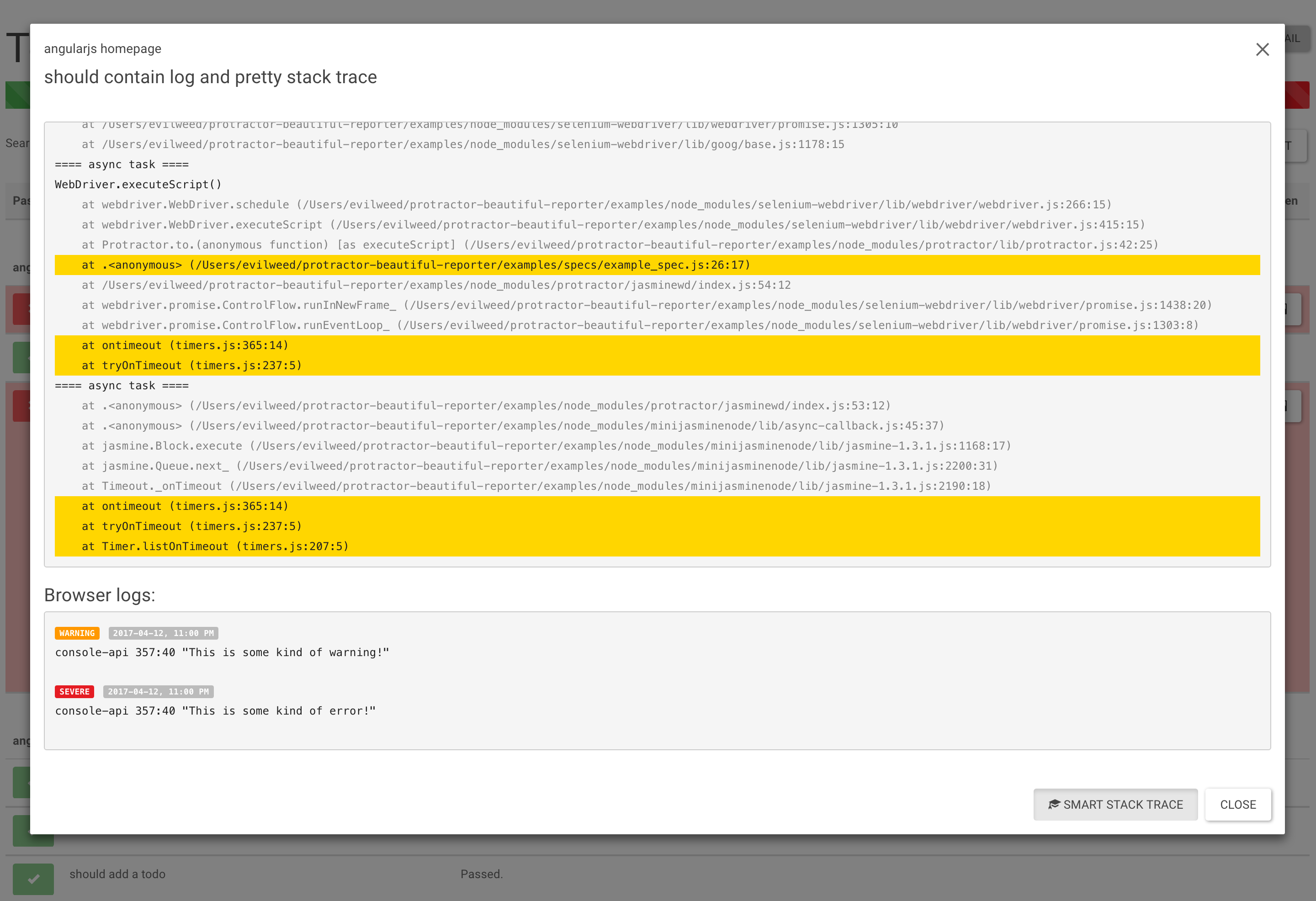
- Selenium & Browser’s Logs (only for Chrome)
- Full Stack Trace (with suspected line highlight)
- Screenshot only on failed spec.
- Test Search
- Filters (can display only Passed/Failed/Pending/Has Browser Logs)
- Inline Screenshots
- Details (Browser/Session ID/OS)
- Duration time for test cases (only Jasmine2)
Note – If you are using the jasmine 2(Jasmine 1.x: No longer supported), It can be integrated very easily with two steps.
Installation –
npm install protractor-beautiful-reporter --save-dev
In your protractor config file e.g protractor-config.js
var HtmlReporter = require('protractor-beautiful-reporter');

exports.config = {
// your config here ...

onPrepare: function() {
// Add a screenshot reporter and store screenshots to `/tmp/screenshots`:
jasmine.getEnv().addReporter(new HtmlReporter({
baseDirectory: 'tmp/screenshots',
, docTitle: 'my reporter' // Title of report
}).getJasmine2Reporter());
}
}
Please note that the screenshots are generated are in /tmp/screenshot directory.
If you want to have screenshot in sub folder –
Screenshots Subfolder (optional)
You can store all images in a subfolder by using screenshotsSubfolder option:
new HtmlReporter({
   baseDirectory: 'tmp/screenshots'
   , screenshotsSubfolder: 'images'
});
Reports –

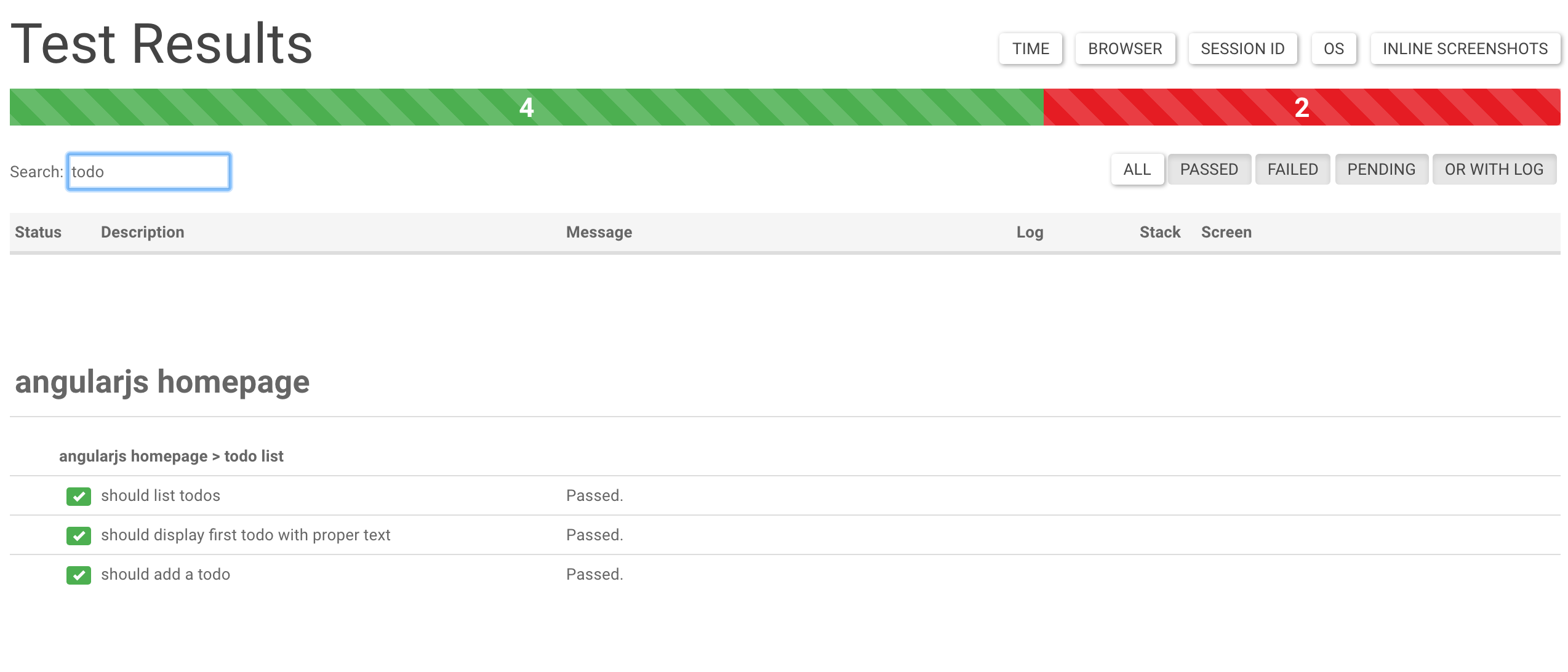
Normal Test Results of Passwd Testcases –
Support of logs : –
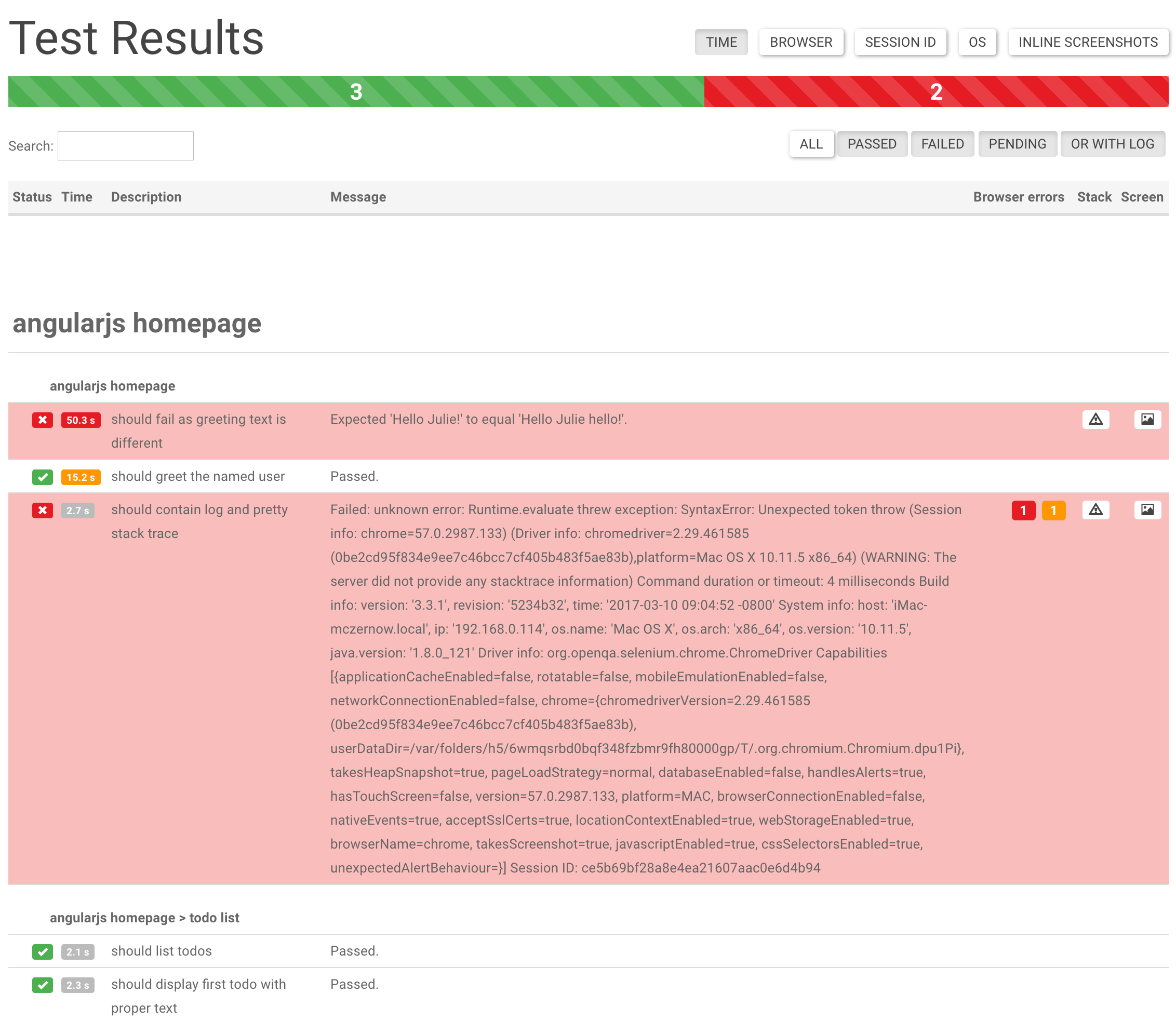
Failed logs and screenshot results
Read more at – https://github.com/Evilweed/protractor-beautiful-reporter
We have used it for a while. It far better than “Jasmine2HtmlReporter“. which lags in UI and some features.
Note: Make sure you delete the previous build folder of Junit else. It will combine your builds in one report.
Thanks for reading ! 🙂 If you enjoyed it, hit that share button. Would mean a lot to me and it helps other people see the story.


how to display difference images in the generated report when the testcases is failed.
How to integrate beautiful protractor in jenkins ???