Playwright Release Smoke Suite for 1.62.1 Upgrades
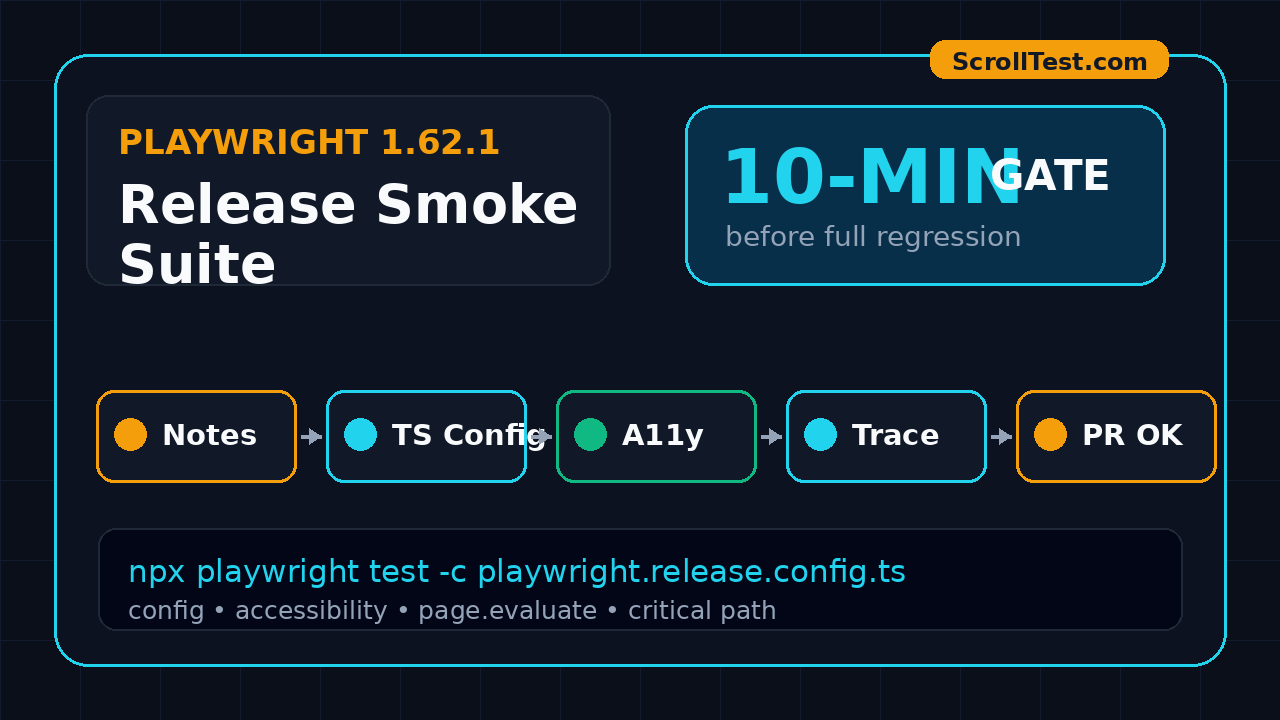
I treat every Playwright upgrade like a release candidate, not a package bump. A Playwright release smoke suite gives QA teams a small, repeatable gate for Playwright 1.62.1 upgrades before the full regression suite burns CI minutes.
The point is simple: validate the risk areas the release touched, keep the suite under ten minutes, and collect enough trace evidence to make the upgrade decision clear. This guide gives you a template I would put in a real TypeScript repo today.
Table of Contents
- Why a Playwright Release Smoke Suite Matters
- What Changed in Playwright 1.62.1
- The Smoke Suite Design
- Repository Template and Config
- Tests to Include in the Gate
- CI Release-Watch Workflow
- Triage Rules for Upgrade Failures
- India QA Team Context
- Key Takeaways
- FAQ
Contents
Why a Playwright Release Smoke Suite Matters
Most teams upgrade Playwright in one of two bad ways. They either pin the package for months and then panic when a browser change forces an upgrade, or they let Dependabot open a pull request and hope the normal regression suite catches everything.
I do not like either approach. Playwright is stable, but it sits close to browsers, TypeScript, selectors, accessibility snapshots, tracing, and CI images. A release can be technically correct and still expose weak spots in your test framework.
The upgrade risk is not only browser behavior
Playwright 1.62.1 is a useful example because it is a patch release with concrete bug fixes. The official GitHub release notes list regressions around TypeScript project reference resolution, bare specifier handling for tsconfig extends, branded primitive type checking in page.evaluate arguments, and accessibility snapshot behavior.
Those are not exotic edge cases. Monorepos use tsconfig project references. Design systems often wrap accessible names inside nested spans and SVG icons. Senior SDETs pass typed fixtures into page.evaluate. A normal happy-path login test may not touch any of this.
A smoke suite protects upgrade confidence
A good release smoke suite answers four questions fast:
- Can the Playwright test runner start in the same CI image we use daily?
- Do our core fixtures, auth setup, and project configuration still load?
- Do selectors, accessibility checks, and trace collection behave as expected?
- Can we explain a failure in less than 15 minutes?
This is different from a product smoke suite. Product smoke tests ask, “Can users still perform critical flows?” A Playwright release smoke suite asks, “Can our automation platform still be trusted after this tool upgrade?”
Why the suite should stay small
The target is not full coverage. The target is fast signal. If the release gate takes 90 minutes, people will skip it during sprint pressure. I prefer 12 to 18 tests, three browser projects, trace on first retry, and a hard timeout that makes failure visible.
If you want a deeper Playwright CI pattern after this, ScrollTest already has a practical guide on Playwright CI sharding with TypeScript. Use sharding for large suites. Use this release-watch gate before the large suite even starts.
What Changed in Playwright 1.62.1
Before writing tests, read the release notes like a tester. Do not scan for shiny features only. Scan for phrases like regression, type-check, snapshot, locator, accessibility, browser, Docker image, CLI, reporter, and trace.
For Playwright 1.62.1, the release was published on 30 July 2026. The GitHub repository API showed Playwright with 93,863 stars at the time I checked, and the npm download API reported 278,705,510 downloads for the package over the last month. Those numbers matter because a patch release can affect many CI systems quickly.
Release note items worth testing
The 1.62.1 notes mention these specific fix areas:
- tsconfig extends resolution: bare specifiers should resolve through node_modules walk-up like tsc.
- TypeScript project references: directory-form project references should resolve correctly.
- Accessibility snapshot names: button names should not disappear when text is nested inside spans with aria-hidden SVG.
- page.evaluate typing: branded primitive strings should still type-check.
- Image-type actionable elements: snapshots should include image-style actionable elements correctly.
I convert each release note into a tiny test. This is the habit that separates a release-watch suite from a random smoke pack.
Official docs to keep close
The Playwright CI documentation recommends a simple three-step CI setup: install packages, install Playwright browsers and dependencies, and run tests. It also recommends setting workers to 1 in CI when stability and reproducibility matter. That advice fits upgrade gates because reproducibility beats speed when you are diagnosing framework changes.
The Playwright Trace Viewer documentation calls traces a useful way to debug CI failures after the script has run. For upgrade testing, traces are not a luxury. They are the evidence file you attach to the dependency PR.
How I score release risk
I use a simple score before approving a Playwright bump:
- Low risk: documentation update, reporter polish, or platform-specific fix outside our stack.
- Medium risk: selector, trace, screenshot, or browser-install change.
- High risk: TypeScript config, accessibility snapshot, network routing, authentication state, fixture lifecycle, or runner behavior.
Playwright 1.62.1 is a patch release, but I would still mark it medium risk for teams with TypeScript monorepos or accessibility assertions.
The Smoke Suite Design
A Playwright release smoke suite should be boring by design. It should not depend on test data that changes every hour. It should not click through 22 screens. It should not require a senior engineer to remember hidden setup steps.
The five buckets
I split the suite into five buckets:
- Runner and config: prove the test runner, projects, fixtures, and tsconfig load.
- Browser basics: launch Chromium, Firefox, and WebKit if your product supports them.
- Locator and accessibility: check role selectors, accessible names, and ARIA snapshots where used.
- Trace and diagnostics: confirm trace, screenshot, video, and HTML report artifacts are created.
- Critical user path: run two or three business flows, not the entire regression pack.
What not to include
I exclude long journeys, visual baselines that need manual approval, end-to-end payment flows, third-party integrations, and tests that frequently fail for product reasons. A release gate should isolate tool risk. If your test fails because a staging payment sandbox is down, the gate is doing the wrong job.
Exit criteria
Define the pass rule before you run the workflow:
- All release-watch tests pass on Chromium.
- At least one minimal launch test passes on Firefox and WebKit.
- No new TypeScript errors appear during test compilation.
- Trace is generated for failed retries.
- One owner signs off on the dependency PR with evidence.
For a product company, I normally put this before nightly regression. For service companies such as TCS, Infosys, Wipro, or Accenture projects, I would attach the report to the client-facing weekly automation status so the upgrade does not look like a silent framework change.
Repository Template and Config
The template below assumes Playwright Test with TypeScript. Keep it in a folder such as tests/release-watch so it does not get mixed with normal regression cases.
Folder structure
tests/
  release-watch/
    01-runner-config.spec.ts
    02-accessibility-snapshot.spec.ts
    03-evaluate-types.spec.ts
    04-critical-path.spec.ts
playwright.release.config.ts
.github/workflows/playwright-release-watch.yml
The separate config is intentional. It lets you run the release suite with conservative settings while keeping the main framework untouched.
Config file
import { defineConfig, devices } from '@playwright/test';

export default defineConfig({
  testDir: './tests/release-watch',
  timeout: 30_000,
  expect: { timeout: 5_000 },
  fullyParallel: false,
  retries: process.env.CI ? 1 : 0,
  workers: process.env.CI ? 1 : undefined,
  reporter: [
    ['list'],
    ['html', { outputFolder: 'playwright-report-release-watch', open: 'never' }]
  ],
  use: {
    baseURL: process.env.BASE_URL || 'https://example.com',
    trace: 'on-first-retry',
    screenshot: 'only-on-failure',
    video: 'retain-on-failure'
  },
  projects: [
    { name: 'chromium', use: { ...devices['Desktop Chrome'] } },
    { name: 'firefox-smoke', use: { ...devices['Desktop Firefox'] }, testMatch: /runner-config/ },
    { name: 'webkit-smoke', use: { ...devices['Desktop Safari'] }, testMatch: /runner-config/ }
  ]
});
The key choices are workers: 1 in CI, trace on first retry, and a small project matrix. This mirrors the official CI stability guidance without making the gate painfully slow.
Package scripts
{
  "scripts": {
    "test:release-watch": "playwright test -c playwright.release.config.ts",
    "test:release-watch:headed": "playwright test -c playwright.release.config.ts --headed",
    "trace:release-watch": "playwright show-report playwright-report-release-watch"
  },
  "devDependencies": {
    "@playwright/test": "1.62.1"
  }
}
Pin the version in the dependency PR. If your organisation uses Renovate or Dependabot, configure a grouped PR for playwright, @playwright/test, and the browser install step so the upgrade is reviewed as one change.
Tests to Include in the Gate
The suite should test framework behavior and one or two product paths. The goal is to catch broken plumbing first.
Runner and fixture smoke
import { test, expect } from '@playwright/test';

test('runner loads config, browser, base URL, and trace settings', async ({ page }, testInfo) => {
  await page.goto('/');
  await expect(page).toHaveTitle(/.+/);
  expect(testInfo.project.name).toBeTruthy();
  expect(testInfo.config.timeout).toBeGreaterThan(0);
});
This looks too simple, but it catches bad browser installs, wrong base URLs, CI network mistakes, and config parsing failures. During upgrades, simple tests earn their place.
Accessibility snapshot smoke
import { test, expect } from '@playwright/test';

test('accessible button names survive nested spans and hidden svg icons', async ({ page }) => {
  await page.setContent(`
    <button aria-label="Save profile">
      <svg aria-hidden="true"></svg>
      <span>Save profile</span>
    </button>
  `);

  await expect(page.getByRole('button', { name: 'Save profile' })).toBeVisible();
});
This directly targets one of the 1.62.1 release-note themes without depending on your application. If your framework uses ARIA snapshots, add one tiny snapshot assertion as well.
page.evaluate type smoke
import { test, expect } from '@playwright/test';

type UserId = string & { readonly brand: unique symbol };

const userId = 'release-watch-user' as UserId;

test('branded primitive arguments still work with page.evaluate', async ({ page }) => {
  await page.setContent('<div id="user"></div>');

  const value = await page.evaluate((id: UserId) => {
    document.querySelector('#user')!.textContent = id;
    return document.querySelector('#user')!.textContent;
  }, userId);

  expect(value).toBe('release-watch-user');
});
This test catches TypeScript compile problems before your main suite starts. It is cheap, isolated, and aligned with the release note.
Critical path smoke
import { test, expect } from '@playwright/test';

test('signed-in user can open the dashboard shell', async ({ page }) => {
  await page.goto('/login');
  await page.getByLabel('Email').fill(process.env.SMOKE_EMAIL!);
  await page.getByLabel('Password').fill(process.env.SMOKE_PASSWORD!);
  await page.getByRole('button', { name: /sign in/i }).click();

  await expect(page.getByRole('heading', { name: /dashboard/i })).toBeVisible();
  await expect(page.getByTestId('main-navigation')).toBeVisible();
});
Replace this with your real happy path. Keep it short. Do not validate every widget. You only need enough product coverage to prove the runner can interact with the app under the new version.
CI Release-Watch Workflow
The best release-watch suite is automated from the dependency PR. If someone has to remember a command, the process will break during a busy sprint.
GitHub Actions workflow
name: Playwright Release Watch

on:
  pull_request:
    paths:
      - 'package.json'
      - 'package-lock.json'
      - 'pnpm-lock.yaml'
      - 'playwright.release.config.ts'
      - 'tests/release-watch/**'

jobs:
  release-watch:
    runs-on: ubuntu-latest
    timeout-minutes: 15
    steps:
      - uses: actions/checkout@v4
      - uses: actions/setup-node@v4
        with:
          node-version: 22
          cache: 'npm'
      - run: npm ci
      - run: npx playwright install --with-deps
      - run: npm run test:release-watch
        env:
          BASE_URL: ${{ secrets.SMOKE_BASE_URL }}
          SMOKE_EMAIL: ${{ secrets.SMOKE_EMAIL }}
          SMOKE_PASSWORD: ${{ secrets.SMOKE_PASSWORD }}
      - uses: actions/upload-artifact@v4
        if: always()
        with:
          name: playwright-release-watch-report
          path: |
            playwright-report-release-watch
            test-results
This workflow follows the official install pattern and keeps the artifact even when the job fails. That artifact is what the reviewer needs.
Release-watch checklist
Put this checklist in the pull request template:
- Read the official Playwright release notes.
- Map every relevant fix or regression to a release-watch test.
- Run
npm run test:release-watchlocally once. - Verify CI artifacts include trace or HTML report on failure.
- Approve the version bump only after the gate passes.
When to run the full regression
Run the full regression after the release-watch gate passes. If the gate fails, do not spend CI time on the large suite. Fix the framework issue first, add a tiny regression test for that issue, and rerun the gate.
If your team is already improving trace-based debugging, pair this workflow with the ScrollTest Playwright Trace Viewer masterclass. The release gate creates traces. Your engineers still need to read them well.
Triage Rules for Upgrade Failures
A failed upgrade test can mean three different things: Playwright changed, your framework relied on undefined behavior, or your product environment is unstable. Treat these separately.
Use a four-label triage model
- Tool regression: the same isolated test passes on the previous Playwright version and fails on the new one.
- Framework gap: your config, fixture, or helper assumed behavior that was never guaranteed.
- Product issue: the user flow is genuinely broken in the target environment.
- Environment issue: credentials, test data, CI image, or network dependency failed.
This classification stops noisy debates. I ask the engineer to attach previous-version evidence, new-version evidence, and trace links before calling something a tool regression.
Use a rollback rule
My rollback rule is direct:
- If the isolated release-watch test fails only on the new version, pause the upgrade PR.
- If the main critical path fails on both old and new versions, route it as a product or environment issue.
- If the test fails because of our helper code, fix the helper and keep the Playwright upgrade alive.
This matters because many teams wrongly blame the new package when the upgrade only exposed a fragile fixture.
Record the learning
Every failed upgrade should leave one artifact behind: a new tiny release-watch test. Over six months, your suite becomes a living map of the framework risks your team actually hit.
For broader automation governance, the ScrollTest article on AI testing checklist discipline has a useful mindset: convert vague quality concerns into repeatable checks. The same principle works for framework upgrades.
India QA Team Context
In India, Playwright adoption is no longer limited to product startups. I see SDETs in service companies, GCCs, and product teams adding Playwright to resumes because hiring managers want engineers who can own CI, debugging, and framework upgrades, not only write locators.
Why this skill changes interviews
A mid-level automation engineer may say, “I worked on Playwright.” A stronger SDET says, “I built a release-watch gate for Playwright upgrades, mapped release notes to tests, and reduced upgrade risk before the nightly regression.” The second answer sounds like ownership.
For senior SDET and lead roles in Bengaluru, Pune, Hyderabad, Chennai, and NCR, this is the type of work that supports compensation discussions in the ₹25-40 LPA band. Companies pay more for engineers who reduce release risk, not only execute assigned test cases.
Service company vs product company usage
In a service company, the release-watch suite becomes part of client trust. Show the client that framework upgrades pass a defined gate. In a product company, it becomes part of engineering velocity. The dependency PR moves faster because reviewers see evidence.
What I would ask in an interview
If I interview a Playwright SDET in 2026, I ask these questions:
- How do you decide whether a Playwright upgrade is safe?
- Which tests run before the full regression suite?
- How do you prove a failure is a tool regression and not a product bug?
- What artifacts do you attach to a dependency PR?
- How do you keep CI stable when browser versions change?
If the candidate can answer with a release-watch suite, trace artifacts, and clear rollback rules, I take the experience seriously.
Key Takeaways
A Playwright release smoke suite turns dependency upgrades into a controlled testing activity. It is small, but it forces the right thinking: read the release notes, map risk to tests, collect traces, and approve with evidence.
- Playwright 1.62.1 fixed TypeScript, accessibility snapshot, and page.evaluate regression areas worth testing directly.
- Keep the suite to 12-18 tests so engineers actually run it.
- Use a separate Playwright config with workers set to 1 in CI, trace on first retry, and a small browser matrix.
- Run this gate before the full regression suite to save CI time and review effort.
- For SDETs, owning upgrade safety is a strong career signal because it connects automation with release engineering.
Start with the template above. Add one test for every upgrade issue your team hits. After a few releases, your Playwright release gate will reflect your real framework risk better than any generic checklist.
FAQ
Is a Playwright release smoke suite the same as product smoke testing?
No. Product smoke testing checks whether critical user flows work. A Playwright release smoke suite checks whether your automation platform still works after a Playwright upgrade. It should include a few product flows, but its main job is framework confidence.
Should I run this suite on every pull request?
I prefer running it on dependency pull requests, Playwright config changes, CI image changes, and major test framework refactors. Running it on every normal product PR is optional if the suite is very fast.
How many browsers should the release-watch gate use?
Use Chromium for the full gate because it is usually the main browser for CI speed. Add one minimal launch or config test for Firefox and WebKit if your product officially supports them. Do not multiply every test across every browser unless you have a strong reason.
What if the release-watch suite fails but the full regression passes?
Investigate the release-watch failure first. The suite may be testing a framework edge case your regression does not cover yet. If the failure is irrelevant to your stack, document the reason and adjust the suite. Do not ignore it silently.
Can manual testers use this template?
Yes, but pair with an automation engineer for the first setup. Manual testers can read release notes, identify risk areas, and define critical user paths. That is valuable testing work, even before they write the TypeScript code themselves.