Playwright Database Testing with TypeScript: Day 36
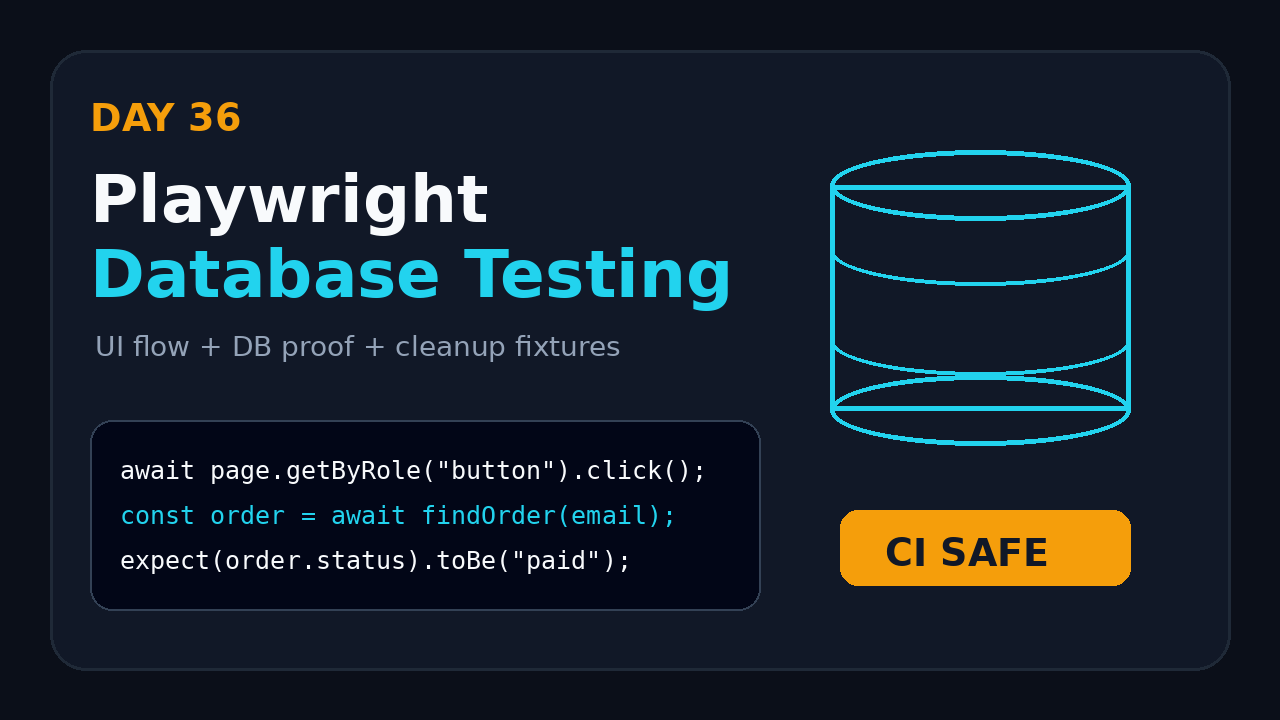
Playwright database testing is where browser automation starts behaving like real end-to-end testing. The UI can tell you that an order was submitted, but the database tells you whether the right customer, amount, status, audit row, and cleanup state actually exist.
Day 36 of this Playwright and TypeScript series is about testing database side effects without turning your suite into a slow, fragile mess. I use PostgreSQL in the examples because it is common in product teams, but the same pattern works for MySQL, SQL Server, MongoDB, or any datastore that has a reliable Node client.
Table of Contents
- Why Playwright database testing matters
- Where database checks fit in a Playwright suite
- Project setup for TypeScript and PostgreSQL
- Build a typed database client
- Write the first UI plus DB test
- Use fixtures for cleanup and isolation
- CI pattern with Docker and GitHub Actions
- Common pitfalls I see in teams
- Key takeaways
- FAQ
Contents
Why Playwright database testing matters
Most UI tests stop too early. They click a button, wait for a toast, and assert that the text says “Saved”. That is useful, but it is not enough when the bug lives behind the UI layer.
I see this often in payments, onboarding, inventory, and admin workflows. The page confirms success, but the wrong row is inserted, a background job fails, or a status transition is skipped. A Playwright test that never checks the system state will miss that class of bug.
The official Playwright API testing guide says Playwright can send requests directly from Node.js to prepare server-side state and validate post-conditions after browser actions. That idea is important for database testing too. You do not need to force every setup and verification step through the browser. Source: Playwright API testing documentation.
What database checks add
Database assertions give you evidence that the full system changed correctly. They are not a replacement for API tests or unit tests. They are a targeted safety net for high-risk workflows.
- Verify that a user action created the right database record.
- Check derived fields such as status, totals, risk flags, and timestamps.
- Confirm that audit records and event tables are populated.
- Prepare seed data faster than the UI can.
- Clean up test data after a run without manual SQL scripts.
The rule I follow
I do not add database assertions to every Playwright test. That turns tests into database integration tests with a browser attached. I add them only when the business risk is stored state.
A login page does not need a DB check. A loan approval workflow probably does. A cart UI may not need one for every item, but a checkout flow should validate the order row, payment state, and inventory movement.
Where database checks fit in a Playwright suite
Playwright database testing works best as a thin layer around critical flows. The browser proves the user path works. The API or database proves the backend state is correct. The trick is deciding where each layer owns the assertion.
Three layers, three jobs
I split tests into three practical layers:
- API tests validate endpoints, status codes, contracts, and validation rules.
- Database checks validate persistent side effects and cleanup.
- UI tests validate the user journey, accessibility of controls, and browser behavior.
Playwright already supports API requests through request and APIRequestContext. If you have not used that yet, read the ScrollTest guide on Playwright API testing and then come back to this tutorial.
Good database assertion candidates
I like DB checks in flows where a single visible message hides multiple state changes. Examples:
- Order creation with line items, taxes, discounts, and payment status.
- User registration with profile, preferences, welcome email queue, and audit trail.
- Role assignment where permissions are stored in join tables.
- File upload where metadata and processing status are saved.
- Subscription cancellation where billing, entitlement, and notification records change.
Bad database assertion candidates
Do not query the DB only because you can. These checks create noise:
- Checking rows for every simple UI validation error.
- Asserting implementation details that product teams change weekly.
- Testing read-only pages where API contract checks already cover the data.
- Using production-like shared data that other tests mutate.
If the DB assertion does not catch a real production bug class, remove it.
Project setup for TypeScript and PostgreSQL
For this tutorial, assume a Node.js Playwright project with TypeScript. We will use pg, the popular PostgreSQL client for Node. The npm registry currently lists @playwright/test as version 1.62.0, and npm download data showed 191,083,347 downloads for @playwright/test in the last reported month. The pg package showed 152,443,278 downloads in the same npm period. Sources: npm registry for @playwright/test, npm downloads for @playwright/test, npm registry for pg, and npm downloads for pg.
Install dependencies
npm init playwright@latest
npm install pg dotenv
npm install -D @types/pg
Keep secrets out of your repository. Put local values in .env and CI values in GitHub Actions secrets, Jenkins credentials, or your company vault.
DATABASE_URL=postgres://app_user:app_password@localhost:5432/app_test
BASE_URL=http://localhost:3000
Recommended folder structure
tests/
  orders.spec.ts
  users.spec.ts
src/
  db/
    dbClient.ts
    orderRepository.ts
  fixtures/
    test.ts
playwright.config.ts
.env
I keep database code outside the test file. The test should read like a scenario, not like a SQL script. Repository-style helpers also make it easier to reuse setup and cleanup across specs.
Environment safety
Add a guard that blocks DB tests from running against production. This is not optional. A tired engineer can run npx playwright test from the wrong terminal, and one bad cleanup query can delete real data.
function assertSafeDatabaseUrl(url: string) {
  const unsafeWords = ['prod', 'production', 'readonly-prod'];
  const lowered = url.toLowerCase();

  if (unsafeWords.some(word => lowered.includes(word))) {
    throw new Error(`Refusing to run DB tests against unsafe database: ${url}`);
  }
}
Build a typed database client
The pg documentation shows how to use parameterized queries to avoid string concatenation problems and SQL injection. That matters in tests too. Source: node-postgres query documentation.
// src/db/dbClient.ts
import { Pool } from 'pg';
import 'dotenv/config';

const databaseUrl = process.env.DATABASE_URL;

if (!databaseUrl) {
  throw new Error('DATABASE_URL is required for database tests');
}

assertSafeDatabaseUrl(databaseUrl);

export const pool = new Pool({
  connectionString: databaseUrl,
  max: 5,
  idleTimeoutMillis: 10_000,
});

export async function query<T>(sql: string, values: unknown[] = []): Promise<T[]> {
  const result = await pool.query(sql, values);
  return result.rows as T[];
}

export async function closeDb() {
  await pool.end();
}

function assertSafeDatabaseUrl(url: string) {
  const lowered = url.toLowerCase();
  if (lowered.includes('prod')) {
    throw new Error('Refusing to run Playwright database testing against prod');
  }
}
Add a repository helper
// src/db/orderRepository.ts
import { query } from './dbClient';

export type OrderRow = {
  id: string;
  email: string;
  status: 'pending' | 'paid' | 'cancelled';
  total_cents: number;
  created_at: string;
};

export async function findOrderByEmail(email: string) {
  const rows = await query<OrderRow>(
    `select id, email, status, total_cents, created_at
     from orders
     where email = $1
     order by created_at desc
     limit 1`,
    [email]
  );

  return rows[0] ?? null;
}

export async function deleteOrdersByEmail(email: string) {
  await query(`delete from order_items where order_id in (
    select id from orders where email = $1
  )`, [email]);

  await query('delete from orders where email = $1', [email]);
}
Notice the order of cleanup. Child rows first, parent rows second. If your schema has cascading deletes, your cleanup may be shorter, but I still prefer explicit cleanup in tests because it documents what the test creates.
Write the first UI plus DB test
Now let us connect the browser flow with a database assertion. The user checks out from the UI. The test then queries the order table and verifies the stored result.
The basic test
// tests/orders.spec.ts
import { test, expect } from '@playwright/test';
import { findOrderByEmail, deleteOrdersByEmail } from '../src/db/orderRepository';

function uniqueEmail() {
  return `pw-db-${Date.now()}-${Math.random().toString(16).slice(2)}@example.com`;
}

test('creates a paid order and persists the correct total', async ({ page }) => {
  const email = uniqueEmail();

  await test.step('complete checkout in the browser', async () => {
    await page.goto('/products/coffee-mug');
    await page.getByRole('button', { name: 'Add to cart' }).click();
    await page.getByRole('link', { name: 'Checkout' }).click();
    await page.getByLabel('Email').fill(email);
    await page.getByLabel('Card number').fill('4242424242424242');
    await page.getByLabel('Expiry').fill('12/30');
    await page.getByLabel('CVC').fill('123');
    await page.getByRole('button', { name: 'Pay now' }).click();
    await expect(page.getByText('Payment successful')).toBeVisible();
  });

  await test.step('verify database post-condition', async () => {
    const order = await findOrderByEmail(email);

    expect(order).not.toBeNull();
    expect(order?.status).toBe('paid');
    expect(order?.total_cents).toBe(2499);
  });

  await deleteOrdersByEmail(email);
});
Screenshot description for your tutorial notes
If you are documenting this for your team, capture three screenshots:
- Checkout screen: product, email field, and payment button visible.
- Success screen: “Payment successful” message with order reference.
- Trace viewer: test step timeline showing browser action followed by DB assertion.
This screenshot set makes the test easy to explain in a PR review. It also helps junior SDETs see why the database assertion exists.
Make failures readable
Do not let the test fail with “expected null not to be null” and nothing else. Add context when the business state is important.
expect(order, `Expected a persisted paid order for ${email}`).not.toBeNull();
expect(order?.status, JSON.stringify(order, null, 2)).toBe('paid');
Use fixtures for cleanup and isolation
Playwright database testing becomes cleaner when setup and cleanup live in fixtures. Playwright fixtures let you extend the base test object and provide reusable capabilities. If fixtures are new to you, read the ScrollTest tutorial on Playwright fixtures and hooks.
Create a test data fixture
// src/fixtures/test.ts
import { test as base } from '@playwright/test';
import { deleteOrdersByEmail } from '../db/orderRepository';

type TestData = {
  email: string;
};

export const test = base.extend<{ testData: TestData }>({
  testData: async ({}, use, testInfo) => {
    const email = `pw-${testInfo.workerIndex}-${Date.now()}@example.com`;

    await use({ email });

    await deleteOrdersByEmail(email);
  },
});

export { expect } from '@playwright/test';
Use the fixture in tests
// tests/orders-with-fixture.spec.ts
import { test, expect } from '../src/fixtures/test';
import { findOrderByEmail } from '../src/db/orderRepository';

test('persists order state after checkout', async ({ page, testData }) => {
  await page.goto('/products/coffee-mug');
  await page.getByRole('button', { name: 'Add to cart' }).click();
  await page.getByRole('link', { name: 'Checkout' }).click();
  await page.getByLabel('Email').fill(testData.email);
  await page.getByRole('button', { name: 'Pay now' }).click();

  await expect(page.getByText('Payment successful')).toBeVisible();

  const order = await findOrderByEmail(testData.email);
  expect(order?.status).toBe('paid');
});
Use worker-safe data
Parallel execution changes everything. If two tests use test@example.com, they will fight. Use unique data per worker and per test. The official Playwright authentication guide explains that tests run in isolated browser contexts. That isolation helps the browser layer, but your database still needs unique test data. Source: Playwright authentication and isolation documentation.
In Indian service teams, I often see one shared staging user used by 20 test cases. It works for a demo, then fails in CI when two engineers run the suite together. Product companies expect SDETs in the ₹25-40 LPA bracket to understand this kind of test isolation problem without waiting for a senior architect to fix it.
CI pattern with Docker and GitHub Actions
Database testing is easiest when CI owns the database lifecycle. Do not point CI at a long-lived shared database unless you have no other choice. A throwaway database gives you repeatability.
Docker Compose for local runs
# docker-compose.yml
services:
  postgres:
    image: postgres:16
    ports:
      - "5432:5432"
    environment:
      POSTGRES_USER: app_user
      POSTGRES_PASSWORD: app_password
      POSTGRES_DB: app_test
    healthcheck:
      test: ["CMD-SHELL", "pg_isready -U app_user -d app_test"]
      interval: 5s
      timeout: 5s
      retries: 10
GitHub Actions service container
name: playwright-db-tests
on: [push, pull_request]

jobs:
  test:
    runs-on: ubuntu-latest
    services:
      postgres:
        image: postgres:16
        env:
          POSTGRES_USER: app_user
          POSTGRES_PASSWORD: app_password
          POSTGRES_DB: app_test
        ports:
          - 5432:5432
        options: >-
          --health-cmd "pg_isready -U app_user -d app_test"
          --health-interval 5s
          --health-timeout 5s
          --health-retries 10
    env:
      DATABASE_URL: postgres://app_user:app_password@localhost:5432/app_test
      BASE_URL: http://localhost:3000
    steps:
      - uses: actions/checkout@v4
      - uses: actions/setup-node@v4
        with:
          node-version: 22
      - run: npm ci
      - run: npm run db:migrate
      - run: npx playwright install --with-deps
      - run: npx playwright test tests/orders.spec.ts
If your application also needs to run in CI, start it with Playwright’s webServer config. The ScrollTest post on Playwright CI with GitHub Actions covers the CI foundation before you add database checks.
Recommended CI gates
Use database-backed Playwright tests as a focused gate, not as your whole regression suite.
- Run smoke DB checks on every pull request.
- Run full DB-backed journeys on merge to main.
- Keep slow reporting and analytics checks in nightly jobs.
- Publish traces for failures so developers can inspect browser and backend evidence.
Common pitfalls I see in teams
The database layer gives strong evidence, but it also introduces new failure modes. These are the mistakes I look for during framework reviews.
Pitfall 1: Testing implementation instead of behavior
Do not assert every column. If a column is internal and does not matter to the user or business rule, skip it. Assert the state that proves the requirement.
// Too brittle
expect(order?.internal_retry_count).toBe(0);
expect(order?.scheduler_partition).toBe('p3');

// Better
expect(order?.status).toBe('paid');
expect(order?.total_cents).toBe(2499);
Pitfall 2: Forgetting eventual consistency
Modern systems often write through queues, events, or background jobs. The UI may show success before a derived table updates. Use polling with a timeout instead of hard waits.
import { expect } from '@playwright/test';
import { findOrderByEmail } from '../src/db/orderRepository';

await expect.poll(async () => {
  const order = await findOrderByEmail(email);
  return order?.status;
}, {
  timeout: 10_000,
  intervals: [500, 1000, 2000],
}).toBe('paid');
Pitfall 3: Leaving dirty data behind
Dirty data is the silent killer of test automation. One failed cleanup today becomes three random failures next week. Prefer unique test data, cleanup in fixtures, and scheduled database resets for shared environments.
Pitfall 4: Using DB access to hide bad APIs
Do not seed everything through SQL because the API is painful. If the product exposes an API for creating a customer or order, use it where possible. Direct SQL is acceptable for low-level setup, emergency cleanup, and state verification. It should not become a shadow backend.
Pitfall 5: Running DB tests without ownership
Database-backed tests need agreement with developers. You need stable schemas, migration timing, seed data rules, and test database access. Without that ownership, QA becomes the team that breaks when someone renames a column.
Key takeaways
Playwright database testing is valuable when a UI flow must prove backend state. It is not about writing SQL for every test. It is about adding evidence where the risk sits.
- Use DB assertions for critical workflows, not for every click.
- Keep SQL inside typed helper modules, not scattered across specs.
- Use parameterized queries with
pgor your database client. - Generate unique data for parallel runs.
- Clean up through fixtures so failed tests do not poison the next run.
- Run DB-backed Playwright tests against throwaway CI databases when possible.
If you already completed the earlier ScrollTest tutorials on Playwright authentication and API testing, this is the next step. You now have browser evidence, API control, and database proof in the same TypeScript test stack.
FAQ
Should every Playwright test connect to the database?
No. Most UI tests should not know the database exists. Use database checks only for workflows where persistent state is the main risk.
Is direct SQL better than API setup?
Not always. API setup is closer to real behavior and usually safer. Direct SQL is useful for fast cleanup, rare seed data, and precise post-condition checks.
Can I use this pattern with MySQL or MongoDB?
Yes. Replace pg with your database client and keep the same architecture: typed helpers, safe environment guards, unique test data, and fixture cleanup.
How do I avoid flaky DB assertions?
Use unique data, wait for asynchronous writes with expect.poll, and avoid checking fields that are unrelated to the business rule.
What should I learn after Playwright database testing?
Learn contract testing, test data factories, and environment orchestration. Those skills separate a script writer from an SDET who can design reliable test systems.