Playwright Configuration TypeScript: Day 32 Guide
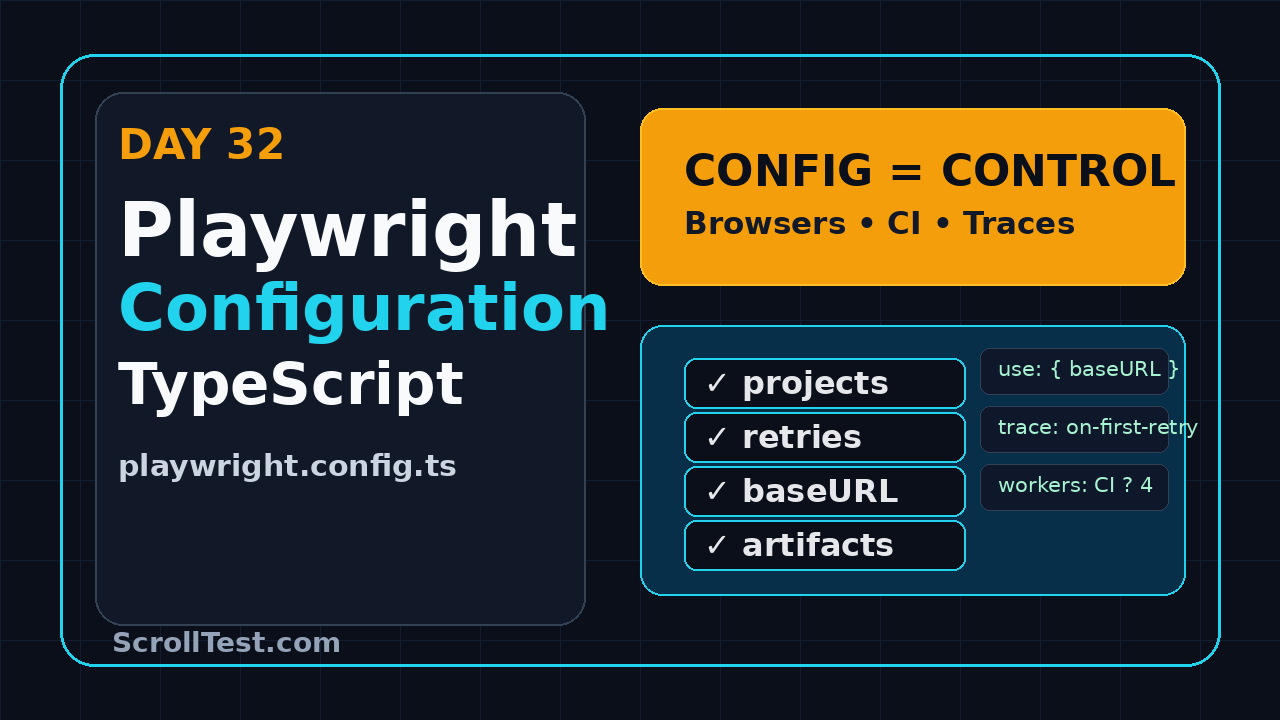
Playwright configuration TypeScript work starts when your test suite outgrows the default file. Day 32 is about turning playwright.config.ts into a readable contract for browsers, environments, retries, artifacts, and CI behavior instead of a dumping ground of copied snippets.
I see many QA teams write decent Playwright tests and still lose time because the configuration is unclear. One engineer runs headed Chromium, another runs all browsers, CI keeps different timeouts, and nobody knows why trace files appear only sometimes. A good config removes that confusion.
Table of Contents
- Why Playwright Configuration TypeScript Matters
- The Mental Model: Runner Options vs Use Options
- Build a Clean Base Config
- Projects for Browsers and Environments
- Artifacts, Traces, Screenshots, and Videos
- CI Configuration That Does Not Surprise You
- Common Pitfalls I See in Real Teams
- Portfolio Task for Day 32
- FAQ
Contents
Why Playwright Configuration TypeScript Matters
Playwright is popular enough that configuration decisions now show up in interviews, code reviews, and production release pipelines. The npm downloads API reported 189,139,952 downloads for @playwright/test in the last-month window ending 2026-07-22. The npm registry lists the current package as version 1.61.1, and the Microsoft Playwright repository has more than 93,000 GitHub stars. That size matters because teams are no longer experimenting with Playwright only on side projects. They are running it in serious CI gates.
Configuration becomes team communication
A Playwright config file is not only a technical file. It tells the team what “done” means for automation. It answers these questions before a test even starts:
- Which browsers are part of the release gate?
- Which environments can the same test target?
- When do retries happen?
- When are screenshots, videos, and traces collected?
- How long can a slow assertion wait?
- How many workers can CI safely run?
If those answers live in Slack threads or tribal memory, your suite will drift. New SDETs will copy commands from old pull requests. Manual testers moving into automation will fear touching the config. Managers will see inconsistent CI behavior and call Playwright flaky, even when the root cause is process.
Why TypeScript helps
TypeScript makes configuration safer because defineConfig gives autocomplete and type checking. The official Playwright configuration documentation separates top-level test runner settings from context-level use settings. That separation is easy to miss in plain JavaScript. In TypeScript, wrong keys are easier to catch before CI burns minutes.
If you are following this series from Day 1, connect this lesson with the earlier ScrollTest guides on Playwright TypeScript setup, Playwright CI with GitHub Actions, and Playwright debugging with TypeScript. Those topics become cleaner when the config is intentional.
The Mental Model: Runner Options vs Use Options
The biggest configuration mistake is putting every setting inside use. Playwright has two important levels:
- Test runner options: settings for how the runner finds, schedules, retries, reports, and times out tests.
- Use options: settings passed to browser contexts and pages, such as base URL, viewport, trace, screenshot, locale, geolocation, and extra HTTP headers.
Top-level settings control the runner
Use top-level settings when the option describes the entire test run. Examples include testDir, timeout, expect, fullyParallel, retries, workers, reporter, and projects. These are not browser-context settings. They define the rules of execution.
import { defineConfig } from '@playwright/test';

export default defineConfig({
  testDir: './tests',
  timeout: 30_000,
  expect: {
    timeout: 7_000,
  },
  fullyParallel: true,
  retries: process.env.CI ? 2 : 0,
  workers: process.env.CI ? 4 : undefined,
  reporter: process.env.CI
    ? [['html'], ['github']]
    : [['list'], ['html', { open: 'never' }]],
});
The important detail is intent. timeout limits the whole test. expect.timeout limits each auto-retrying assertion. retries decides whether a failed test gets another attempt. None of these belongs inside use.
Use options control the browser context
The official configuration use options documentation covers browser and context options. These settings answer, “What should the page feel like when the test starts?”
import { defineConfig } from '@playwright/test';

export default defineConfig({
  use: {
    baseURL: process.env.BASE_URL ?? 'https://demo.playwright.dev',
    viewport: { width: 1440, height: 900 },
    actionTimeout: 10_000,
    navigationTimeout: 15_000,
    trace: 'on-first-retry',
    screenshot: 'only-on-failure',
    video: 'retain-on-failure',
  },
});
I like this rule: if the setting describes the browser session, keep it in use. If it describes test scheduling, reporting, or failure policy, keep it top-level.
Build a Clean Base Config
Here is a base config I would give to a team starting a serious Playwright TypeScript suite. It is not the shortest config. It is the config I can explain in a code review.
import { defineConfig, devices } from '@playwright/test';

const isCI = !!process.env.CI;
const baseURL = process.env.BASE_URL ?? 'https://example.test';

export default defineConfig({
  testDir: './tests',
  outputDir: './test-results',

  timeout: 45_000,
  expect: {
    timeout: 8_000,
  },

  forbidOnly: isCI,
  fullyParallel: true,
  retries: isCI ? 2 : 0,
  workers: isCI ? 4 : undefined,

  reporter: isCI
    ? [['github'], ['html', { outputFolder: 'playwright-report', open: 'never' }]]
    : [['list'], ['html', { open: 'never' }]],

  use: {
    baseURL,
    viewport: { width: 1440, height: 900 },
    ignoreHTTPSErrors: false,
    trace: 'on-first-retry',
    screenshot: 'only-on-failure',
    video: 'retain-on-failure',
  },

  projects: [
    {
      name: 'chromium',
      use: { ...devices['Desktop Chrome'] },
    },
    {
      name: 'firefox',
      use: { ...devices['Desktop Firefox'] },
    },
    {
      name: 'webkit',
      use: { ...devices['Desktop Safari'] },
    },
  ],
});
Screenshot description: config review screen
For the article screenshot, capture VS Code with playwright.config.ts open. Keep the explorer visible on the left with tests/, pages/, playwright-report/, and test-results/. In the editor, highlight retries, reporter, use.baseURL, and the projects array. In the terminal panel, show npx playwright test --project=chromium. This screenshot teaches structure faster than a paragraph.
Choose defaults that match your team
Do not blindly copy my numbers. A B2B dashboard with heavy data tables may need longer navigation timeouts than a simple marketing site. A product company with stable staging may run four workers. A service company project running against a fragile QA environment may start with two workers and increase later.
I also ask teams to keep one short decision log near the config. It can be a table in README.md with three columns: setting, value, and reason. For example, retries equals two in CI because the first retry captures a trace and the second retry confirms whether the issue is persistent. workers equals four because the staging database handles four parallel flows without queueing. video is failure-only because full video on every pass slows artifact upload. This looks small, but it removes a lot of guesswork during onboarding.
The review question is simple: can every line be defended? If nobody knows why timeout is 120 seconds, it is probably hiding a performance issue, slow setup, or weak locator strategy.
One more rule helps: change configuration in small pull requests. Do not mix config changes with twenty test rewrites. If the suite becomes slower or noisier after the merge, the team should know exactly which config decision caused the change.
Projects for Browsers and Environments
Playwright configuration TypeScript becomes powerful when you use projects correctly. The official Playwright projects documentation describes projects as logical groups of tests running with the same configuration. Most teams use projects for browsers. Better teams also use them for roles and environments.
Browser projects
Browser projects are the easy starting point. They help you make browser coverage explicit instead of depending on CLI memory.
projects: [
  { name: 'chromium', use: { ...devices['Desktop Chrome'] } },
  { name: 'firefox', use: { ...devices['Desktop Firefox'] } },
  { name: 'webkit', use: { ...devices['Desktop Safari'] } },
]
In a real release gate, I usually start with Chromium as the mandatory merge check and run Firefox plus WebKit nightly. This is not because cross-browser testing is unimportant. It is because PR feedback must stay fast. If the team has high Safari revenue or mobile web risk, WebKit moves into the merge gate.
Environment projects
You can also use projects to separate staging, pre-prod, and local environments. I prefer environment variables for URLs and project names for behavior. This keeps secrets out of the config and makes CI easier to read.
const environment = process.env.TEST_ENV ?? 'staging';

const urls: Record = {
  local: 'http://localhost:3000',
  staging: 'https://staging.example.com',
  preprod: 'https://preprod.example.com',
};

export default defineConfig({
  use: {
    baseURL: urls[environment],
  },
});
Run it like this:
TEST_ENV=staging npx playwright test
TEST_ENV=preprod npx playwright test --project=chromium
Role-based projects
For admin, seller, buyer, and support roles, projects can point to different storage state files. Keep the login setup separate and commit only safe placeholders. Never commit real session tokens.
projects: [
  {
    name: 'admin-chromium',
    use: {
      ...devices['Desktop Chrome'],
      storageState: '.auth/admin.json',
    },
  },
  {
    name: 'buyer-chromium',
    use: {
      ...devices['Desktop Chrome'],
      storageState: '.auth/buyer.json',
    },
  },
]
This connects directly with the earlier ScrollTest lesson on Playwright authentication. A stable auth strategy makes project-based configuration much cleaner.
Artifacts, Traces, Screenshots, and Videos
Artifacts are your failure evidence. The mistake is collecting too much locally and too little in CI. Day 31 covered debugging workflow. Day 32 makes that workflow automatic through config.
My default artifact policy
I use this policy for most teams:
- Trace:
on-first-retryfor CI signal without huge storage cost. - Screenshot:
only-on-failurebecause one image often shows the broken state. - Video:
retain-on-failurewhen tests cover flows with animation, redirects, or multi-step checkout. - HTML report: always generated in CI and uploaded as an artifact.
use: {
  trace: process.env.CI ? 'on-first-retry' : 'retain-on-failure',
  screenshot: 'only-on-failure',
  video: process.env.CI ? 'retain-on-failure' : 'off',
}
Why not trace: 'on' for everything? Because large suites generate large artifacts. Storage grows, upload time grows, and engineers stop opening reports because there is too much noise. Evidence should be available when it helps diagnosis, not when it makes every pipeline heavy.
Screenshot description: failed trace evidence
Capture the Playwright HTML report with one failed test expanded. Show the retry badge, screenshot attachment, video link, and trace attachment. Add a second small screenshot of Trace Viewer with the action timeline on the left and the DOM snapshot on the right. This pair makes the connection clear: config creates evidence, evidence shortens debugging.
CI Configuration That Does Not Surprise You
Playwright configuration TypeScript should treat CI as a first-class user. CI is not just local execution on a remote machine. It has different constraints: CPU, network, secrets, artifact retention, and pull request feedback time.
Use CI-specific switches
The standard pattern is simple:
const isCI = !!process.env.CI;

export default defineConfig({
  forbidOnly: isCI,
  retries: isCI ? 2 : 0,
  workers: isCI ? 3 : undefined,
  reporter: isCI
    ? [['github'], ['html', { open: 'never' }]]
    : [['list'], ['html', { open: 'never' }]],
});
forbidOnly is non-negotiable. It stops test.only from slipping into CI. I have seen this exact mistake reach pull requests in otherwise mature teams. The fix is one config line.
GitHub Actions example
Here is a clean workflow that installs browsers, runs Playwright, and uploads reports. Pair this with the config above.
name: Playwright Tests

on:
  pull_request:
  push:
    branches: [main]

jobs:
  test:
    runs-on: ubuntu-latest
    timeout-minutes: 30

    steps:
      - uses: actions/checkout@v4
      - uses: actions/setup-node@v4
        with:
          node-version: 22
          cache: npm

      - name: Install dependencies
        run: npm ci

      - name: Install Playwright browsers
        run: npx playwright install --with-deps

      - name: Run Playwright tests
        run: npx playwright test
        env:
          BASE_URL: ${{ secrets.STAGING_BASE_URL }}

      - name: Upload Playwright report
        if: always()
        uses: actions/upload-artifact@v4
        with:
          name: playwright-report
          path: playwright-report/
          retention-days: 7
One practical note for India-based service teams: client QA environments are often shared by multiple vendors and manual testing cycles. Start with fewer workers and increase only after you measure environment stability. A failed release gate because the environment could not handle eight parallel sessions is not an automation win.
Common Pitfalls I See in Real Teams
Most config problems are boring. That is good news. Boring problems are fixable with rules.
Pitfall 1: timeout inflation
The first failure appears. Someone increases timeout from 30 seconds to 90 seconds. Another failure appears. Now it is 180 seconds. Two months later, every broken test waits three minutes before failing.
Fix it this way:
- Keep global test timeout reasonable.
- Use targeted waits only where the product truly needs them.
- Improve test setup and selectors before increasing global timeouts.
- Review any timeout change like a production code change.
Pitfall 2: mixing environment secrets into config
Your config should not contain passwords, tokens, OTP bypass secrets, or real customer data. Read secrets from CI secrets or environment variables. If local developers need values, use a gitignored .env file and document the setup clearly.
const username = process.env.E2E_USERNAME;
const password = process.env.E2E_PASSWORD;

if (!username || !password) {
  throw new Error('Missing E2E credentials. Set E2E_USERNAME and E2E_PASSWORD.');
}
Pitfall 3: too many projects in every PR
Running every role, browser, and environment in every pull request looks mature on paper. In practice, it can make feedback so slow that developers ignore the suite. Split gates by risk:
- PR gate: smoke tests on Chromium.
- Main branch: full regression across critical projects.
- Nightly: cross-browser, mobile viewport, and heavier data flows.
Pitfall 4: config without comments
I do not want comments explaining every obvious line. I do want comments explaining policy decisions. For example, explain why retries are enabled in CI, why WebKit is nightly only, and why videos are disabled locally. Future maintainers need intent, not decoration.
Portfolio Task for Day 32
Build a configuration exercise that you can show in interviews. This is especially useful for manual testers moving into automation or SDETs targeting ₹25-40 LPA product-company roles in Bengaluru, Pune, Hyderabad, or remote teams.
Your assignment
Create a small Playwright TypeScript repo with this structure:
playwright-config-lab/
  playwright.config.ts
  tests/
    smoke.spec.ts
    regression.spec.ts
  .github/
    workflows/
      playwright.yml
  README.md
Your config must include:
- Three browser projects: Chromium, Firefox, WebKit.
BASE_URLsupport through environment variables.- CI-only retries.
- HTML report plus GitHub reporter in CI.
- Trace on first retry.
- Screenshots only on failure.
- A README table explaining every important config choice.
Commands to prove it works
npm init playwright@latest
BASE_URL=https://example.com npx playwright test --project=chromium
CI=true BASE_URL=https://example.com npx playwright test --reporter=list
Add one screenshot of the HTML report and one screenshot of your GitHub Actions artifact. This is stronger than saying, “I know Playwright config” in an interview. You show the evidence.
FAQ
Should I keep one Playwright config or multiple config files?
Start with one playwright.config.ts. Use environment variables and projects before creating separate config files. Multiple config files can work, but they often create duplicate policy and drift. Split only when the suite has genuinely different execution modes.
Should every project run in every pull request?
No. Run the smallest useful signal in the pull request. Move heavier cross-browser and role-based checks to main branch or nightly pipelines. The goal is confidence with fast feedback, not theatre.
Where should I set baseURL?
Set baseURL inside use. Pass the value through BASE_URL in CI. This keeps tests clean because they can call page.goto('/login') instead of repeating full URLs.
Are retries hiding flaky tests?
Retries can hide problems if nobody reviews them. Use retries as evidence collection, not as a broom. Pair retries with trace capture and track retry trends in CI. A test that passes only on retry still deserves attention.
Key Takeaways
Playwright configuration TypeScript is the control room for your automation suite. If it is messy, tests feel random. If it is clear, the team knows how the suite behaves locally and in CI.
- Keep runner options top-level and browser-context options inside
use. - Use projects for browsers, roles, and selected environment behavior.
- Collect traces, screenshots, and videos only when they help diagnosis.
- Treat CI as a separate operating mode with retries, workers, reports, and artifacts.
- Document policy decisions so future SDETs understand why the config exists.
Tomorrow, I would take this one step further by making configuration observable: which project failed, which environment failed, which artifacts were produced, and what the report tells the team before anyone opens the code.