Selenium Upgrade Checklist for 4.46.0 Teams
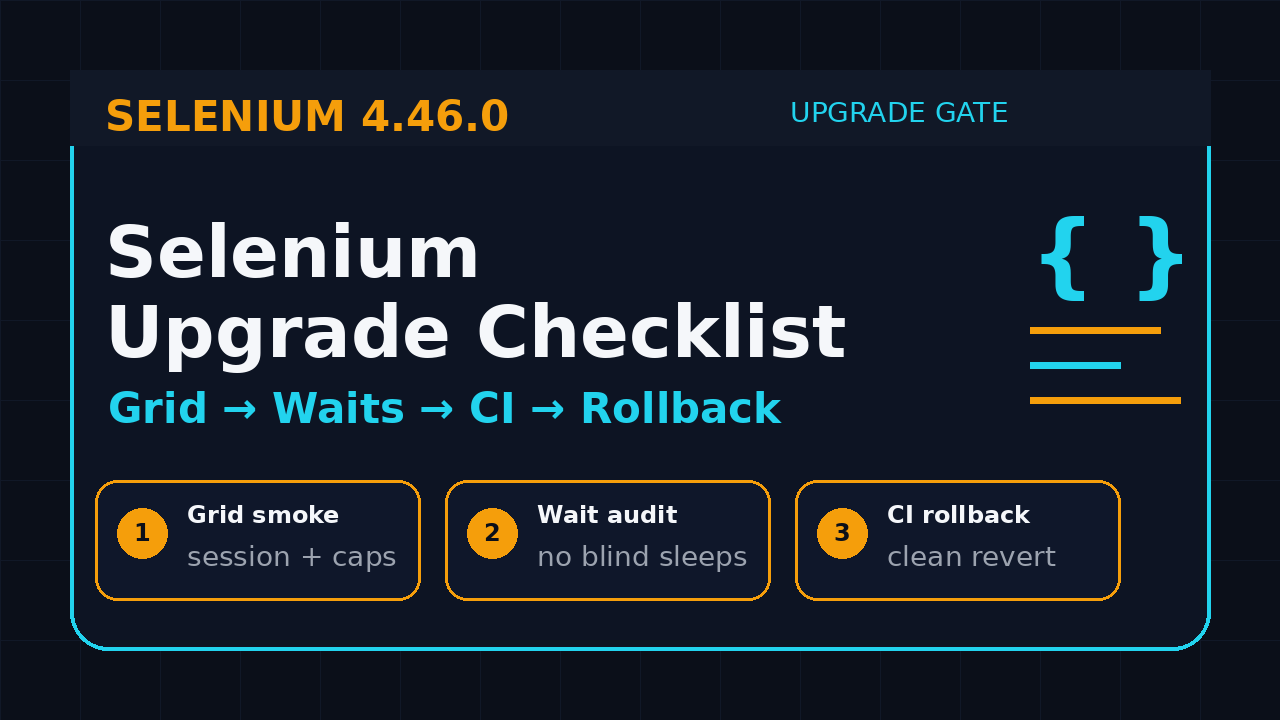
Selenium upgrade checklist work should start before anyone changes a Maven, npm, pip, NuGet, or Docker version. Selenium 4.46.0 shipped on July 11, 2026, and the safest teams treat it like a platform release, not a casual dependency bump.
I see one pattern repeatedly: the UI tests pass on a laptop, then Grid, CI images, proxy settings, browser downloads, or wait behavior fails in the release branch. This guide gives you a practical checklist you can run with SDETs, QA leads, and DevOps before the upgrade touches production pipelines.
Table of Contents
- Why a Selenium Upgrade Checklist Matters
- Read the 4.46.0 Release Like a Tester
- Step 1: Inventory Your Current Selenium Surface Area
- Step 2: Test Grid Before the Tests
- Step 3: Audit Waits, Locators, and Flaky Patterns
- Step 4: Build a CI Rollback Plan
- Step 5: Create an Upgrade Evidence Pack
- India SDET Context: Who Owns This Work?
- Copy-Paste Selenium Upgrade Checklist Template
- FAQ
Contents
Why a Selenium Upgrade Checklist Matters
A Selenium version upgrade looks small from the outside. One line changes in pom.xml, package.json, requirements.txt, or a Docker image tag. The hidden risk sits around that one line: browser drivers, Grid sessions, proxy rules, timeouts, language bindings, retry logic, and CI machines that were never designed as a clean test environment.
The official Selenium 4.46.0 GitHub release lists changes across Java, Python, .NET, Ruby, JavaScript, Rust, CI, documentation, and build tooling. That spread matters. A test suite written in Java can still depend on a Grid image, Docker networking, Chrome or Firefox downloads, and a reporting plugin maintained by another team.
Upgrades fail at integration boundaries
I rarely see failures because Selenium itself is unusable. I see failures when the test stack has undocumented assumptions. A browser version is pinned in one place and floating in another. A proxy variable works locally but not in the container. A Grid node accepts sessions but misses the browser version the team expects. A retry hides a wait issue until the suite runs under load.
That is why this Selenium upgrade checklist is built around boundaries. The goal is not only “green tests.” The goal is to know what changed, where it changed, who approved it, and how to roll back if the release branch starts burning.
Use the upgrade as a quality audit
Selenium has a large, mature ecosystem. The GitHub repository API showed more than 34,000 stars when I checked during this article research. Popularity increases the number of places where old tutorials, inherited utilities, and copied snippets can live inside your framework.
If you run automation for a product company, a services account, or a fintech release train, do not sell the upgrade as “technical housekeeping.” Sell it as a release confidence exercise. You are proving that the automation platform can absorb tool changes without losing evidence.
- What changed in the Selenium release?
- Which parts of our framework can be affected?
- Which suites protect critical revenue flows?
- Which failures are real product bugs, framework regressions, or environment gaps?
- Which person can approve the upgrade and rollback decision?
Read the 4.46.0 Release Like a Tester
Start with the release notes, but do not read them like a developer scanning for a feature. Read them like a tester looking for blast radius. Selenium 4.46.0 includes component changelog links for Java, Python, .NET, Ruby, and JavaScript. It also mentions build, Rust, CI, documentation, URL template behavior, Ruby proxy handling, Java BiDi class status, and browser download handling on macOS.
Classify each release note
I use four buckets. This keeps the upgrade meeting short and concrete.
- Direct binding impact: anything touching your language binding, such as Java, Python, JavaScript, .NET, or Ruby.
- Driver and browser impact: anything touching Selenium Manager, browser downloads, browser version detection, CDP, or BiDi.
- Grid and infrastructure impact: anything that can affect sessions, Docker images, network variables, or CI behavior.
- Low immediate impact: documentation, release automation, and build changes that still deserve a quick glance but may not require a test case.
For example, the Selenium 4.46.0 notes mention Ruby trimming whitespace around NO_PROXY entries. If your company runs tests behind a corporate proxy, that is not a small Ruby-only footnote. It is a reminder to test proxy configuration, environment variables, and remote browser access instead of assuming the Grid path is clean.
Do not skip beta labels
The 4.46.0 notes also mention Java BiDi related classes being marked beta. If your framework uses BiDi flows for console logs, network events, or browser instrumentation, add a focused smoke test. Beta does not mean broken. It means your release notes should carry an ownership note, not a casual “all good.”
The Selenium documentation for WebDriver BiDi is useful when you want to explain this to stakeholders. BiDi gives automation code deeper browser interaction, but deeper hooks also require better regression tests because the surface area is more technical than a normal click-and-type script.
Convert release notes into checks
Here is the simple rule I follow: every relevant release note must become either a check, a note, or a conscious non-action. If a note touches your stack and nobody writes down the decision, the team will rediscover it during a failed CI run.
Release note: Java BiDi classes marked beta
Our usage: We capture console logs in two suites
Check: Run console-log smoke on Chrome and Edge Grid nodes
Owner: Automation platform SDET
Decision: Keep feature, add rollback note if event capture fails
This is where many teams lose discipline. They discuss release notes in Slack, then the evidence disappears. Put the mapping in the PR description, Jira ticket, or release-impact card.
Step 1: Inventory Your Current Selenium Surface Area
The first practical step in a Selenium upgrade checklist is inventory. Do not start with the dependency change. Start by listing every place Selenium appears in your automation system.
Check dependency files
For a mixed team, Selenium can appear in more than one ecosystem. A Java UI suite may live beside a Python utility, a JavaScript smoke test, and a Docker image maintained by DevOps. Search the repository before you update anything.
# Java
find . -name "pom.xml" -o -name "build.gradle" | xargs grep -n "selenium"

# Node.js
find . -name "package.json" | xargs grep -n "selenium-webdriver"

# Python
find . -name "requirements*.txt" -o -name "pyproject.toml" | xargs grep -n "selenium"

# Docker and CI
find . -name "Dockerfile" -o -name "*.yml" -o -name "*.yaml" | xargs grep -n "selenium\|standalone-chrome\|node-chrome"
Map suites by risk
Next, split test suites into risk groups. A login smoke is not equal to an end-to-end payment flow. A low-value admin UI check is not equal to a quote creation flow that blocks a release. Use three groups:
- Tier 0: release-blocking smoke tests and critical user journeys.
- Tier 1: daily regression suites that protect high-traffic features.
- Tier 2: broad coverage, legacy tests, experiments, and low-priority flows.
The upgrade must be judged on Tier 0 and Tier 1 first. Tier 2 can reveal useful cleanup work, but it should not hijack the initial upgrade decision unless it exposes a framework-level failure.
Record browser and operating system matrix
Write down the browsers, versions, operating systems, and execution modes you support. Local Chrome is not the same as Chrome in a Selenium Grid container. Headless Chrome is not always identical to headed Chrome. Windows download behavior can differ from Linux container behavior.
The official Selenium docs for Selenium Grid explain Grid as a way to run tests across different browsers, operating systems, and machines. That flexibility is exactly why upgrades need a matrix. The more combinations you support, the less safe a single local pass becomes.
Step 2: Test Grid Before the Tests
Grid is where “it works on my machine” dies. If your team uses Grid, the upgrade checklist must validate Grid health before full regression. Otherwise, you waste hours debugging test failures that are really session, node, image, or network problems.
Run a session creation smoke
Before running business tests, create a tiny script that only starts a remote session, loads one stable page, captures browser details, and quits. This catches broken endpoints, browser mismatch, driver issues, capability problems, and container problems fast.
from selenium import webdriver
from selenium.webdriver.chrome.options import Options

GRID_URL = "http://localhost:4444/wd/hub"

options = Options()
options.set_capability("browserName", "chrome")
options.set_capability("se:name", "selenium-4-46-grid-smoke")

driver = webdriver.Remote(command_executor=GRID_URL, options=options)
try:
    driver.get("https://www.selenium.dev/")
    print("title=", driver.title)
    print("capabilities=", driver.capabilities)
finally:
    driver.quit()
This script should run in CI before the bigger suite. If it fails, do not rerun the entire regression pack. Fix the platform first.
Capture capability evidence
A pass without evidence is weak. Capture the returned capabilities and attach them to the upgrade ticket. You want browser name, browser version, platform name, Selenium version where available, Grid endpoint, Docker image tag, and CI job URL.
On strong teams, the Grid smoke produces a small JSON artifact. That artifact answers the uncomfortable question during release review: “Which environment did we actually test?”
{
  "upgrade": "selenium-4.46.0",
  "gridUrl": "http://selenium-grid:4444",
  "browserName": "chrome",
  "browserVersion": "stable",
  "platformName": "linux",
  "ciJob": "ui-grid-smoke-1842",
  "result": "pass"
}
Check proxy and network rules
Many enterprise failures come from proxy assumptions. If your company uses HTTP_PROXY, HTTPS_PROXY, or NO_PROXY, include a test that touches internal and external URLs. The upgrade PR should state where those variables are set and how they were validated.
Step 3: Audit Waits, Locators, and Flaky Patterns
A Selenium upgrade can expose weak test design. That is good. Do not blame the tool immediately. Use the upgrade branch to identify hard sleeps, brittle locators, stale element patterns, and retries that mask broken synchronization.
Use explicit waits for real conditions
The Selenium docs for WebDriver waits describe implicit, explicit, and fluent waits. In practical framework work, I prefer explicit waits tied to the user-visible condition you care about. Waiting for an element to exist is weaker than waiting for it to be clickable, visible with expected text, or absent after a delete action.
WebDriverWait wait = new WebDriverWait(driver, Duration.ofSeconds(10));

WebElement checkoutButton = wait.until(
    ExpectedConditions.elementToBeClickable(By.cssSelector("[data-testid='checkout']"))
);
checkoutButton.click();

wait.until(ExpectedConditions.visibilityOfElementLocated(
    By.cssSelector("[data-testid='order-confirmation']")
));
This is not fancy. It is maintainable. During an upgrade, convert the top flaky waits in Tier 0 and Tier 1 first. Do not attempt a full framework rewrite while the release branch is waiting.
Stop trusting sleep-based stability
Search for sleeps. Every mature Selenium framework has some, and not all of them are evil. But a sleep in a login flow, checkout flow, or dashboard load check deserves attention. It can hide timing changes that appear only after browser or driver behavior shifts.
grep -R "Thread.sleep\|time.sleep\|setTimeout" tests src framework -nFor each hit, decide whether it is temporary, intentional, or a cleanup candidate. If nobody can explain the sleep, remove it in a separate commit and replace it with a condition-based wait.
Review locator contracts
Good locators survive tool upgrades because they express a stable contract. Bad locators depend on CSS layout, generated classes, index positions, or visible copy that changes with localization. Use the upgrade to push for data-testid, accessibility labels, or domain-specific attributes for critical flows.
If your development team resists test IDs, do not argue in theory. Show the release evidence: “These five failures came from fragile locators, not product behavior.” Evidence beats opinion.
Step 4: Build a CI Rollback Plan
A safe Selenium upgrade checklist includes a rollback plan before the PR merges. I do not trust upgrade work that only says “revert if needed.” Revert what? Which version? Which image? Which package lock? Which CI cache?
Pin versions clearly
Pin the Selenium version and the surrounding images in one place where possible. Floating versions make upgrade evidence weak because the same branch can behave differently tomorrow.
name: selenium-upgrade-smoke

on:
  pull_request:
    paths:
      - "pom.xml"
      - "ui-tests/**"
      - ".github/workflows/selenium-upgrade-smoke.yml"

jobs:
  grid-smoke:
    runs-on: ubuntu-latest
    services:
      selenium:
        image: selenium/standalone-chrome:4.46.0
        ports:
          - 4444:4444
    steps:
      - uses: actions/checkout@v4
      - uses: actions/setup-java@v4
        with:
          distribution: temurin
          java-version: "21"
      - name: Run Grid smoke
        run: mvn -q -Dtest=GridSmokeTest test
      - name: Run Tier 0 suite
        run: mvn -q -Dgroups=tier0 test
Adapt the example to your CI system. Jenkins, GitHub Actions, GitLab, Azure DevOps, and Buildkite all need the same idea: a small smoke before the expensive suite.
Keep rollback commands in the PR
The rollback note should be copy-paste ready. It does not need drama. It needs clarity.
Rollback plan
1. Revert PR #4821.
2. Restore selenium-java from 4.46.0 to 4.45.x in pom.xml.
3. Restore selenium/standalone-chrome image tag from 4.46.0 to previous approved tag.
4. Clear CI dependency cache for ui-tests if Maven lock mismatch appears.
5. Re-run Grid smoke and Tier 0 suite.
Owner: QA platform team
Approver: Release manager
This is the difference between senior SDET work and “I changed a version and hoped.”
Separate upgrade failures from product failures
Create labels before the run starts. I use these:
- upgrade-framework: Selenium, driver, Grid, waits, utilities, or dependencies.
- upgrade-environment: CI image, browser version, proxy, network, secrets, or machine state.
- product-regression: real application behavior changed.
- test-data: fixture, account, seed, or external dependency problem.
- known-flaky: already tracked before the upgrade branch.
Without labels, the upgrade meeting becomes emotional. With labels, you can say, “We had 11 failures: 6 known flaky, 3 environment, 1 framework wait issue, 1 product regression.” That is a release conversation managers can trust.
Step 5: Create an Upgrade Evidence Pack
The final output of a Selenium upgrade should not be only a merged PR. It should be an evidence pack. This pack is small, but it protects the team if a production release later questions the automation signal.
What to include
My minimum evidence pack has seven items:
- Link to the official Selenium release notes.
- Dependency diff showing old and new Selenium versions.
- Grid smoke result with capabilities.
- Tier 0 run result with pass/fail classification.
- Tier 1 sample result or full daily regression result.
- Failure triage summary with owners.
- Rollback steps and approver name.
If you already use ScrollTest release-impact cards, connect the evidence there. If not, a Markdown file in the repository is enough for the first upgrade. Process maturity starts with one useful artifact.
Internal links for deeper reading
If you want a related framework-level view, read our earlier Selenium 4.46 Grid Regression Plan. For manager-level approval, the Selenium 4.46 QA Manager Upgrade Checklist covers ownership and rollout gates. If your team is comparing tool direction, the Playwright vs Selenium vs Cypress 2026 decision guide gives a broader automation framework lens.
Make failures useful
Do not hide failures from the evidence pack. A clean-looking pack with no context is less useful than a real pack with triage notes. If the upgrade finds three flaky tests and one Grid issue, the team learned where the framework was weak.
Keep the status clear: approved, blocked, or approved with monitoring. Anything else becomes release meeting fog.
India SDET Context: Who Owns This Work?
In India, this upgrade work often falls into an awkward gap. Manual QA teams may not own the framework. Developers may not own Grid. DevOps may own CI images but not test behavior. The SDET becomes the person connecting all of it.
Services teams need repeatable templates
In TCS, Infosys, Wipro, Cognizant, Accenture, and similar services environments, one Selenium upgrade pattern can repeat across many accounts. The winning move is to create a reusable checklist, not a one-time heroic fix. A client project may have its own proxy, browser policy, and approval flow, but the skeleton remains the same.
That is career capital. The SDET who can say “Here is our tested Selenium upgrade runbook” sounds different from the person who says “I updated the jar.”
Product companies expect ownership
In product companies, the expectation is sharper. If you are aiming for senior SDET, staff QA, or QA platform roles in the ₹25-40 LPA range, upgrade ownership is a visible skill. You are not only writing tests. You are protecting the release signal.
Interview talking point
In interviews, frame the work as release ownership: “I mapped Selenium release notes to Grid, waits, CI rollback, and evidence so the team could approve the upgrade with clear risk.”
Copy-Paste Selenium Upgrade Checklist Template
Use this template in your next upgrade ticket. Keep it short enough that people actually fill it.
# Selenium Upgrade Checklist

Upgrade target: Selenium 4.46.0
Release notes: https://github.com/SeleniumHQ/selenium/releases/tag/selenium-4.46.0
Owner:
Reviewer:
Approver:

## Current state
- Current Selenium version:
- Language bindings used:
- Grid used: yes/no
- Browser matrix:
- CI system:
- Docker image tags:
- Proxy variables required: yes/no

## Release-note impact
- Binding impact:
- Grid or infrastructure impact:
- Browser or driver impact:
- BiDi or CDP impact:

## Validation
- Baseline Tier 0 result:
- Dependency diff attached: yes/no
- Grid smoke after upgrade:
- Tier 0 result:
- Tier 1 result:
- Failure classification complete: yes/no

## Rollback and decision
- Previous Selenium version:
- Previous Docker image tag:
- Revert command:
- Rollback owner:
- Approved / blocked:
- Monitoring window:
How to use it without creating process theater
Do not make this a 12-page document. Put it in the PR description or a release-impact Markdown file. The checklist should help the team move faster, not create another approval maze.
For small teams, one owner can fill the whole thing. For larger teams, split it across QA platform, DevOps, and feature QA. The important part is that every risk area has a named person.
What to automate first
Automate the checks that answer the repeated release questions: Grid session creation, tested browser version, Tier 0 result, failure classification, and rollback path.
FAQ
Is a local smoke test enough for a Selenium upgrade?
Not if your real execution happens in Grid or CI. Local smoke is useful, but Grid smoke and Tier 0 CI results carry more release value. The environment that blocks production releases is the environment you must validate.
Do I need to rewrite flaky tests during the upgrade?
Rewrite only the flaky tests that affect upgrade confidence. If a Tier 0 wait or locator is weak, fix it before approval. If a Tier 2 legacy test is noisy, classify it and create a follow-up.
How many browser combinations should I test?
Test the combinations your product officially supports and your CI actually runs. At minimum, cover the release-blocking browser on Grid and one secondary browser if users depend on it.
Where does Selenium Manager fit in the checklist?
Selenium Manager helps Selenium automate driver and browser management, and the official Selenium Manager documentation explains that role. In an enterprise setup, still validate downloads, caches, proxies, and pinned browser policies. Tooling helps, but your environment decides the final risk.
Key Takeaways
A Selenium upgrade checklist turns a dependency bump into a controlled release event. Selenium 4.46.0 is a good trigger to tighten your Grid checks, wait strategy, CI rollback, and evidence habits.
- Start with release-note impact, not the version bump.
- Validate Grid session creation before full regression.
- Fix Tier 0 waits and locators that weaken upgrade confidence.
- Pin versions and write rollback steps before merge.
- Publish an evidence pack so the release decision is auditable.
If your team treats framework upgrades this way, Selenium stops being “just automation code.” It becomes a managed testing platform with clear ownership, clear evidence, and fewer release surprises.