Playwright Codegen with TypeScript: Day 30 Guide
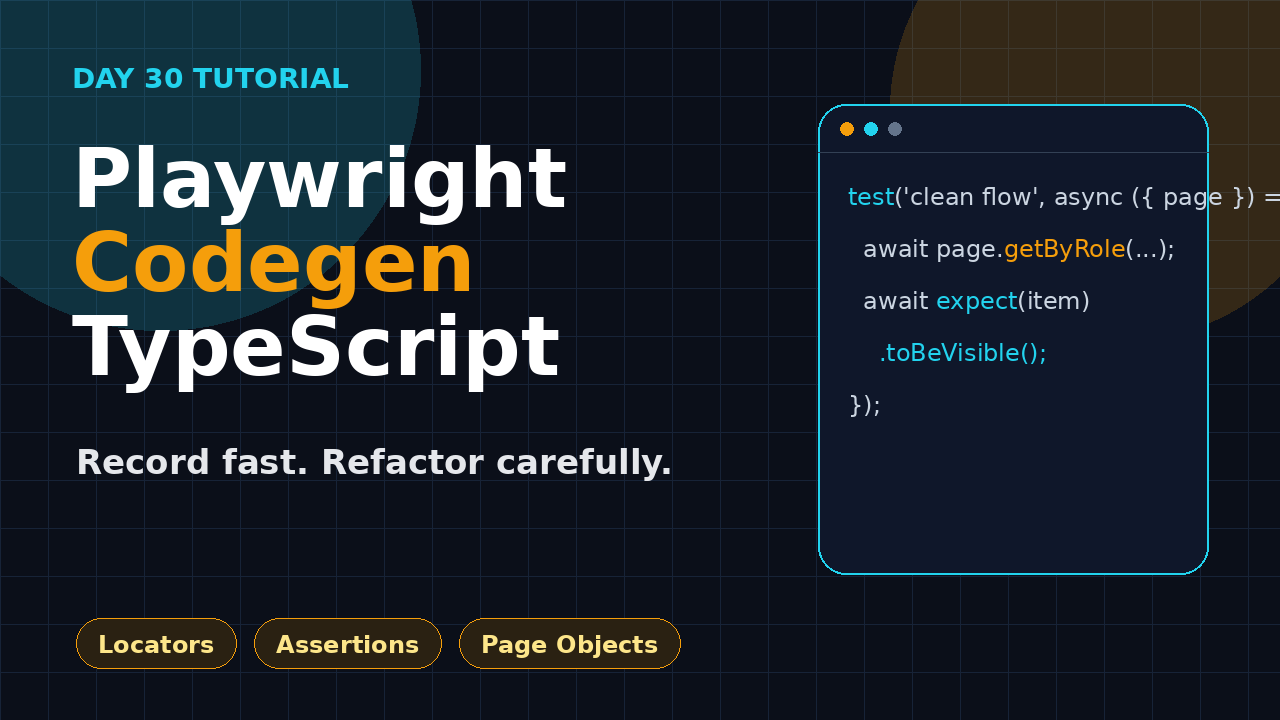
Playwright codegen TypeScript is useful only when you treat it as a fast draft, not as a finished automation framework. Day 30 of this series shows a practical workflow: record a user path, clean the locators, move repeated actions into helpers, add assertions, and commit a test that your team can maintain after the UI changes.
Table of Contents
- Why Playwright codegen TypeScript matters on Day 30
- Setup: record the first flow
- Read the generated TypeScript like a reviewer
- Playwright codegen TypeScript locator cleanup
- Add assertions that catch real bugs
- Move the flow into page objects without overengineering
- Screenshot checklist for codegen reviews
- Common pitfalls and fixes
- Key takeaways
- FAQ
Contents
Why Playwright codegen TypeScript matters on Day 30
I see two extreme opinions about recorders. One group records every test and pushes the output directly to Git. The other group refuses to touch recorders because they remember brittle Selenium IDE scripts from years ago. Both groups miss the useful middle path.
The official Playwright test generator documentation says Playwright can generate tests while you perform actions in the browser, and it tries to choose the best locator by prioritizing role, text, and test id locators. That is a good starting point. It is not a substitute for test design.
The scale of Playwright also matters. The Microsoft Playwright GitHub repository API showed 93,185 stars and 6,122 forks during this cron run. The npm downloads API for @playwright/test reported 179,204,542 downloads for the last-month window from 2026-06-20 to 2026-07-19. Those numbers do not prove your test suite will be clean, but they show that the toolchain is mature enough for serious SDET work.
Where codegen fits in the 21-day series
In the earlier lessons we covered locators, assertions, fixtures, authentication, CI, sharding, reports, annotations, accessibility, performance, and projects. Codegen sits across all of those topics because it helps you discover the page shape quickly. It gives you a first draft of user actions so you can spend more energy on test intent.
If you missed the foundations, read the ScrollTest guide on Playwright TypeScript setup first. If your suite already has too many repeated actions, revisit Playwright Page Object Model on Day 14. Codegen becomes much better when the surrounding framework is already clean.
What I use it for
- Discovering accessible names, roles, labels, and test ids on a new screen.
- Creating a rough flow for login, checkout, search, or profile update paths.
- Teaching manual testers how Playwright sees a page.
- Debugging why a selector is weak before it becomes flaky in CI.
- Building a quick reproduction test for a product bug.
I do not use codegen to create a hundred test cases in one afternoon. That creates automation debt. The better workflow is record one thin flow, refactor it, run it in headed and headless mode, then add it to CI.
Setup: record the first flow
Start from a real Playwright TypeScript project. If you are still using one large spec file from a workshop, fix that first. Codegen output is easier to improve when your project already has strict TypeScript, a base URL, a test data folder, and a predictable folder structure.
Install and verify Playwright
Use the test runner package rather than mixing random browser automation scripts with production test code. A clean install looks like this:
npm init playwright@latest
npm install -D @playwright/test
npx playwright install
npx playwright test --version
Keep the generated playwright.config.ts. The config is where you set the base URL, trace policy, screenshots, projects, retries, and web server. Codegen can produce a test, but the config decides how that test behaves in CI.
Run codegen against a stable environment
Record against a stable test environment, not production. If you record against production, you risk using live data, triggering emails, or capturing a path that changes after a marketing banner appears. I prefer a seeded staging environment with predictable users.
npx playwright codegen https://demo.playwright.dev/todomvcThis command opens a browser and a Playwright Inspector window. As you click, type, and select elements, Playwright writes TypeScript actions. The point is not to copy everything blindly. The point is to see which locators Playwright selects and where your app needs better accessibility or test ids.
Record a small user story
Do not record a 17-minute regression scenario. Record one user story. For example:
- Open the todo app.
- Add three tasks.
- Mark one task as completed.
- Filter completed tasks.
- Assert that only the completed task is visible.
This path is small enough to review. It also has a clear assertion target. If a generated test has no assertion, it only proves that clicking did not crash immediately. That is not enough for regression coverage.
Read the generated TypeScript like a reviewer
Here is the kind of codegen output you may see after a simple todo flow. Your exact output will vary based on the page and Playwright version, so focus on the review pattern.
import { test, expect } from '@playwright/test';

test('add and complete a todo', async ({ page }) => {
  await page.goto('https://demo.playwright.dev/todomvc');
  await page.getByPlaceholder('What needs to be done?').click();
  await page.getByPlaceholder('What needs to be done?').fill('Review codegen output');
  await page.getByPlaceholder('What needs to be done?').press('Enter');
  await page.getByPlaceholder('What needs to be done?').fill('Refactor locators');
  await page.getByPlaceholder('What needs to be done?').press('Enter');
  await page.getByText('Review codegen output').click();
  await page.getByRole('link', { name: 'Completed' }).click();
});
This is readable, but it is not finished. The repeated placeholder locator should become a variable. The click on text may be wrong if the checkbox is the intended target. There is no assertion after the filter. The URL should probably use baseURL. That is the review mindset.
Review checklist
- Does every action support the test intent?
- Are repeated locators extracted into local constants or page objects?
- Are selectors based on user-visible behavior where possible?
- Is there at least one strong assertion after the important action?
- Can the test run without depending on previous test state?
- Will the test pass in Chromium, Firefox, and WebKit if your project requires all three?
Playwright best practices recommend writing tests as close as possible to how a user interacts with the page. That is why I prefer roles, labels, text, and test ids over long CSS chains. A codegen recording often shows you where the app helps the tester and where it does not.
Playwright codegen TypeScript locator cleanup
The biggest quality jump comes from locator cleanup. Playwright codegen TypeScript output usually gives you a workable locator. Your job is to make it stable and expressive.
Prefer role, label, placeholder, text, and test id
The Playwright locator guide describes locators as the central piece of auto-waiting and retry-ability. This is important. A locator is not just a string. It is Playwright’s way to find an element at the moment the action or assertion runs.
Good locators read like user intent:
const newTodo = page.getByPlaceholder('What needs to be done?');
await newTodo.fill('Refactor locators');
await newTodo.press('Enter');

await page.getByRole('link', { name: 'Completed' }).click();
await expect(page.getByText('Refactor locators')).toBeVisible();
Weak locators read like DOM trivia:
await page.locator('body > section > div:nth-child(2) > input').click();
await page.locator('.todo-list li:nth-child(1) .toggle').check();
CSS is not banned. I use CSS when the app has no accessible name and I cannot change the product immediately. But CSS should not be the first choice for a business-critical test. If codegen gives you a long CSS path, treat it as a signal. The page may need a better label, role, or test id.
Use test ids for intentionally testable UI
Some screens have repeated cards, grids, or custom controls where accessible text is not unique. In those cases, use a stable test id. Agree with the frontend team on one attribute, such as data-testid, and make it part of the component contract.
await page.getByTestId('cart-line-item-iphone-15').getByRole('button', { name: 'Remove' }).click();
await expect(page.getByTestId('cart-total')).toHaveText('₹0');
This is especially useful in Indian product teams where QA and frontend engineers often sit in separate pods. A test id contract removes guesswork. The SDET does not need to reverse-engineer React class names, and the frontend engineer knows which attributes are safe to keep stable.
Chain locators to express scope
Codegen may produce a locator that works today because only one matching element exists. Future UI changes can break it. Scope the locator to the section that matters.
const profileCard = page.getByTestId('profile-card');
await profileCard.getByRole('button', { name: 'Edit' }).click();
await profileCard.getByLabel('Display name').fill('Pramod Dutta');
await expect(profileCard.getByText('Changes saved')).toBeVisible();
This pattern is simple and powerful. It also makes screenshots and trace reviews easier because the code tells the reviewer which part of the page is under test.
Add assertions that catch real bugs
A generated script with only actions is a smoke path. It says the browser clicked things. It does not say the product behaved correctly. I usually add assertions in three places: after navigation, after state change, and after persistence.
Assertion 1: page is ready
Do not start typing into a page that may still be rendering. Playwright has auto-waiting, but your test should still assert the screen is the right one.
await page.goto('/todos');
await expect(page).toHaveTitle(/Todo/);
await expect(page.getByRole('heading', { name: 'todos' })).toBeVisible();
Assertion 2: state changed
After a user action, assert the UI state. In the todo example, checking an item should change its visual and semantic state.
const item = page.getByRole('listitem').filter({ hasText: 'Review codegen output' });
await item.getByRole('checkbox').check();
await expect(item.getByRole('checkbox')).toBeChecked();
Assertion 3: state survived a reload
This catches a different class of bug. The UI may update locally but fail to save to storage or backend.
await page.reload();
const completedItem = page.getByRole('listitem').filter({ hasText: 'Review codegen output' });
await expect(completedItem.getByRole('checkbox')).toBeChecked();
This is where codegen ends and testing starts. A recorder cannot know your business rule. It cannot know that a premium user should see a different banner, or that a GST field should be mandatory above a specific invoice value. You add that knowledge.
Move the flow into page objects without overengineering
Once the generated test is stable, decide whether it deserves a page object. Do not create a page object for every tiny page on day one. Create it when you see repeated operations or when the page has business language that should be reused.
A clean page object for the todo page
import { expect, type Locator, type Page } from '@playwright/test';

export class TodoPage {
  readonly page: Page;
  readonly newTodo: Locator;

  constructor(page: Page) {
    this.page = page;
    this.newTodo = page.getByPlaceholder('What needs to be done?');
  }

  async goto() {
    await this.page.goto('/todomvc');
    await expect(this.newTodo).toBeVisible();
  }

  async addTodo(text: string) {
    await this.newTodo.fill(text);
    await this.newTodo.press('Enter');
    await expect(this.todoItem(text)).toBeVisible();
  }

  todoItem(text: string) {
    return this.page.getByRole('listitem').filter({ hasText: text });
  }

  async completeTodo(text: string) {
    const item = this.todoItem(text);
    await item.getByRole('checkbox').check();
    await expect(item.getByRole('checkbox')).toBeChecked();
  }

  async showCompleted() {
    await this.page.getByRole('link', { name: 'Completed' }).click();
  }
}
The final spec
import { test, expect } from '@playwright/test';
import { TodoPage } from '../pages/todo.page';

test('filters completed todos', async ({ page }) => {
  const todos = new TodoPage(page);

  await todos.goto();
  await todos.addTodo('Review codegen output');
  await todos.addTodo('Refactor locators');
  await todos.completeTodo('Review codegen output');
  await todos.showCompleted();

  await expect(todos.todoItem('Review codegen output')).toBeVisible();
  await expect(todos.todoItem('Refactor locators')).toBeHidden();
});
This spec is shorter than the recording and easier to read. It also puts business intent in one place. If the placeholder changes later, you update one locator in the page object instead of hunting through 40 specs.
When not to use page objects
Skip a page object when the test is a one-off reproduction, an exploratory spike, or a very small component check. Too many page objects create their own maintenance cost. The goal is clarity, not ceremony.
Screenshot checklist for codegen reviews
The cron instruction asks for screenshot descriptions, so here is the exact set I would capture while teaching this lesson to a cohort or reviewing a pull request.
Screenshot 1: Playwright Inspector while recording
Capture the browser on the left and the generated TypeScript panel on the right. Highlight the moment where Playwright chooses getByPlaceholder for the todo input. The teaching point: codegen is showing how Playwright interprets the page, not just dumping random selectors.
Screenshot 2: Before and after locator cleanup
Show a split view in VS Code. On the left, keep the raw generated script with repeated placeholders. On the right, show extracted constants and scoped locators. The teaching point: a five-minute refactor makes the test readable for the next SDET.
Screenshot 3: Trace viewer after a failed assertion
Run the test with trace on failure, then open the trace viewer. Show the action timeline, DOM snapshot, and assertion error. Connect this with the earlier ScrollTest article on Playwright Trace Viewer. The teaching point: codegen helps you create the path, trace viewer helps you debug the path when CI fails.
Screenshot 4: Pull request review comments
Show three review comments: add assertion after filter, replace CSS chain with role locator, and move repeated action into helper. This makes the lesson practical for teams. The real value is not the recording. The real value is the engineering review habit.
Common pitfalls and fixes
Codegen creates speed. Speed creates mistakes when teams skip review. Here are the problems I see most often.
Pitfall 1: recording too much
A long recording feels productive, but it is hard to debug. If step 47 fails, nobody remembers why step 12 existed. Keep recordings small. Use one flow per spec and one reason for the test to exist.
Fix: write the scenario before recording. Use this format: given a seeded user, when the user completes one action, then one visible business outcome should happen.
Pitfall 2: no assertions
Generated code often focuses on actions. A test without assertions is not a regression test. It is a browser exercise.
Fix: add assertions after the important state transitions. For UI tests, check visible text, roles, enabled states, URLs, network response status, or persisted state. Avoid asserting everything on the page.
Pitfall 3: accepting weak CSS selectors
If your generated test contains long CSS paths, it may pass today and fail after a harmless markup change. This is a common reason teams blame Playwright when the real problem is selector design.
Fix: prefer user-facing locators. If the app cannot support that, add data-testid where the UI has repeated components or dynamic labels.
Pitfall 4: storing secrets during recording
Codegen can capture typed values. Never commit real passwords, API keys, OTPs, or customer data. This is basic, but it still happens in rushed teams.
Fix: use test users, environment variables, and storage state. If the flow needs login, record it once, then move authentication to a setup project or fixture. See the ScrollTest lesson on Playwright authentication for the cleaner pattern.
Pitfall 5: skipping cross-browser validation
A generated test may pass in Chromium and fail in WebKit because of timing, focus behavior, or missing browser support. If your product supports multiple browsers, test them early.
Fix: run the cleaned spec against configured projects before merging.
npx playwright test tests/todos.spec.ts --project=chromium
npx playwright test tests/todos.spec.ts --project=firefox
npx playwright test tests/todos.spec.ts --project=webkit
My 7-step codegen workflow for teams
Here is the workflow I use when I want manual testers, automation beginners, and SDETs to collaborate without creating junk tests.
- Pick one user story. Keep it under ten user actions if possible.
- Record with codegen. Use staging data and a predictable user.
- Paste into a scratch spec. Do not commit raw output directly.
- Clean locators. Replace weak CSS with role, label, text, or test id locators.
- Add assertions. Validate page readiness, state change, and persistence where relevant.
- Refactor repeated actions. Use helper functions or page objects only when they reduce noise.
- Run with trace on failure. Commit only after headed, headless, and CI-style runs behave predictably.
This workflow also helps career growth. A manual tester who learns this process can contribute useful automation faster than someone who only memorizes syntax. For India-based QA teams, this matters. Service-company projects often reward output volume, while product companies reward maintainability. If you want the ₹25-40 LPA SDET track, show that you can turn a recorder draft into production-grade test code.
Key takeaways for Playwright codegen TypeScript
Playwright codegen TypeScript belongs in your toolkit, but it should never replace engineering judgment. Use it to speed up discovery, then slow down enough to design the test.
- Use codegen for first drafts, selector discovery, and bug reproduction.
- Clean generated locators before committing the spec.
- Add assertions that prove business behavior, not just successful clicks.
- Move repeated flows into helpers or page objects when it improves readability.
- Review screenshots, traces, and pull request comments as part of the workflow.
If you remember only one rule, remember this: record fast, refactor carefully, and commit only the test you are willing to maintain six months later. That is the difference between a demo and a real Playwright TypeScript framework.
FAQ
Is Playwright codegen good enough for production tests?
It is good enough for a draft. Production tests still need cleaned locators, meaningful assertions, stable data, and review. I treat generated output the same way I treat AI-generated code: useful, but not trusted blindly.
Should manual testers use codegen to learn automation?
Yes, if they also learn TypeScript basics and Playwright concepts. Codegen helps manual testers connect user actions with automation code. It becomes harmful only when they copy output without understanding locators, waits, and assertions.
Which locator should I prefer after recording?
Start with role, label, placeholder, text, and test id locators. Use CSS only when the page has no better user-facing or test-facing handle. If you own the app, add stable test ids for complex widgets.
Can codegen handle authentication flows?
It can record login, but committing login steps into every test is usually a bad pattern. Record once if needed, then move authentication to storage state, setup projects, or fixtures.
What should Day 31 cover?
A natural next lesson is converting flaky recorded tests into reliable CI checks. That includes trace analysis, locator fixes, retries, and failure triage rules for teams.