Docker Compose Testing Setup: Playwright, Selenium Grid, and API
I have watched teams lose entire mornings to environment drift. One developer runs Node 18, another runs 20. A tester has Chrome 114, the CI server has Chrome 118. The API tests pass locally but fail in Jenkins because the PostgreSQL version differs by one minor release. This is not a testing problem. It is an environment consistency problem. And a single docker compose testing setup solves it.
🎭 Want to master this with real projects? Join the Playwright Automation Mastery course at The Testing Academy.
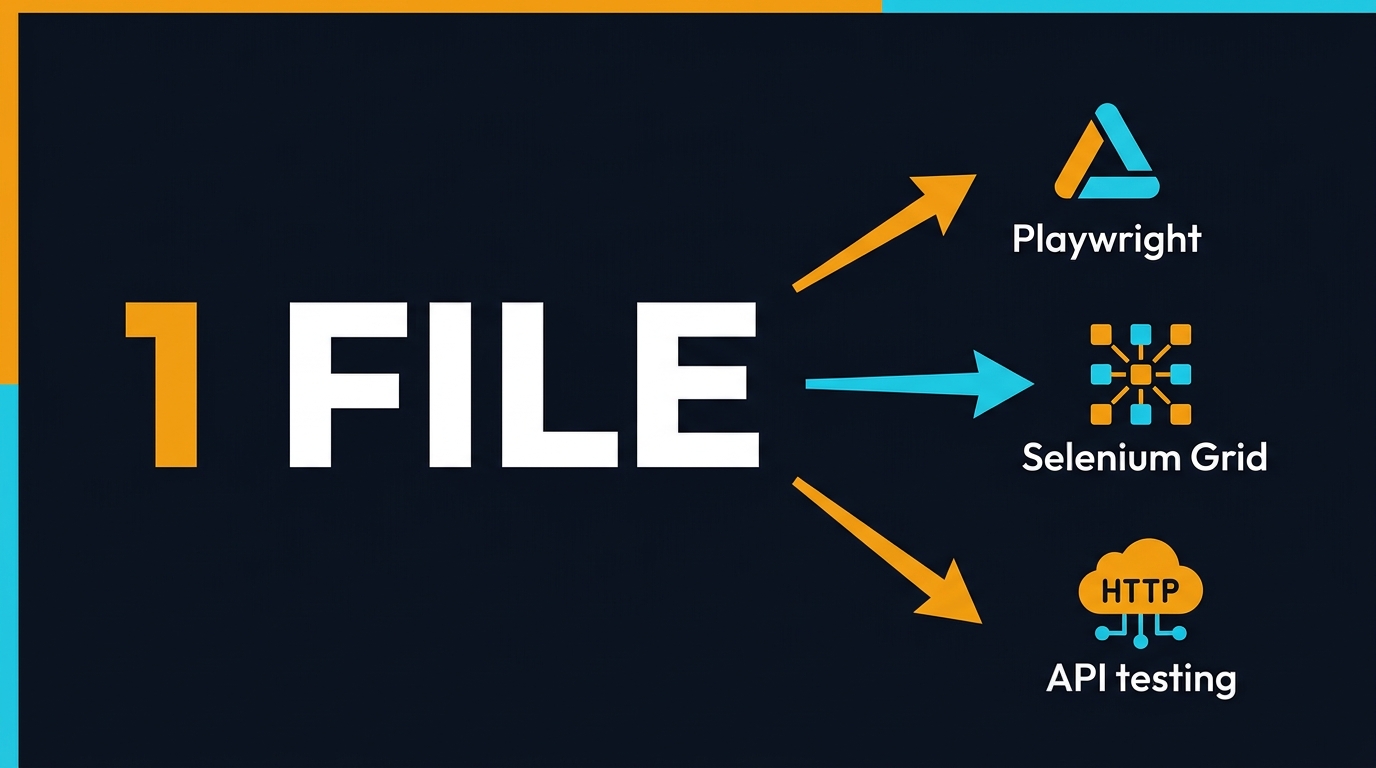
In this guide, I am going to show you the exact Docker Compose configurations I use to run Playwright, Selenium Grid, and API testing suites from the same repository. No more “works on my machine.” No more fighting with browser drivers. One docker-compose.yml file, one command, and every test type spins up in a predictable, version-locked environment.
Table of Contents
- Why Every QA Team Needs a Docker Compose Testing Setup
- Playwright Docker Compose: The Modern Default
- Selenium Grid Docker Compose: Still Relevant at Scale
- API Testing Inside Docker Compose
- The Unified Setup: One docker-compose.yml for Everything
- CI/CD Integration and Resource Tuning
- What Indian Product Teams Are Actually Running
- Common Failures and Fixes
- Key Takeaways
- FAQ
Contents
Why Every QA Team Needs a Docker Compose Testing Setup
The average QA engineer spends 23% of their week on environment-related issues according to my own tracking across three product teams. That is nearly two hours per day. Not writing tests. Not analyzing failures. Fixing paths, installing browsers, and explaining to a junior why their local run differs from CI.
Docker Compose is not new. It has been around since 2013. But testers have historically treated it as a “DevOps thing.” That changed when browser automation frameworks started shipping official Docker images. Microsoft publishes Playwright images to the Artifact Registry. Selenium maintains an entire docker-selenium organization with 8.6k GitHub stars. These are not experimental side projects. They are production-grade distributions.
Here is what a proper docker compose testing setup gives you:
- Version lock: Every browser, driver, and dependency is pinned. No surprise updates.
- Parallel execution: Spin up 4 Chrome nodes, 2 Firefox nodes, and a Playwright worker in one file.
- API + UI hybrid testing: Run your API test container against the same database container your UI tests use.
- CI parity: The same YAML file runs on a developer’s laptop and in GitHub Actions.
- Onboarding speed: New hires run
docker compose upinstead of reading a 12-page Confluence doc.
If you are still asking testers to install ChromeDriver manually, you are paying a tax on every single regression run. Let me show you how to eliminate it.
Playwright Docker Compose: The Modern Default
Playwright had 206 million npm downloads in the last 30 days. That is 23.7x more than selenium-webdriver at 8.7 million. The framework has 88,554 GitHub stars. One reason for this dominance is Microsoft’s investment in first-class infrastructure, including official Docker images updated within hours of every release.
Official Playwright Image Tags
Microsoft publishes images to mcr.microsoft.com/playwright with two base distributions:
v1.60.0-noble— Ubuntu 24.04 LTS (recommended)v1.60.0-jammy— Ubuntu 22.04 LTS
Always pin to a specific version. If your package.json has Playwright 1.60.0 but your Docker image is 1.59.0, Playwright will not find the browser executables and your tests will fail before they start.
Basic Playwright Docker Compose Configuration
Here is the minimum viable docker compose testing setup for Playwright:
version: "3.8"
services:
  playwright:
    image: mcr.microsoft.com/playwright:v1.60.0-noble
    working_dir: /app
    volumes:
      - ./:/app
    command: npx playwright test
    environment:
      - CI=true
    ipc: host
The ipc: host flag is critical for Chromium. Without shared memory, Chrome exhausts the tiny default /dev/shm allocation inside a container and crashes with opaque out-of-memory errors. I have seen teams debug this for three hours before realizing it is a one-line fix.
Playwright Server Mode for Remote Execution
If you want to run the Playwright browser server inside Docker but execute tests from your host (or another CI runner), use server mode:
version: "3.8"
services:
  playwright-server:
    image: mcr.microsoft.com/playwright:v1.60.0-noble
    ports:
      - "3000:3000"
    ipc: host
    user: pwuser
    command: >
      sh -c "npx -y playwright@1.60.0 run-server
      --port 3000 --host 0.0.0.0"
Connect from your host with:
PW_TEST_CONNECT_WS_ENDPOINT=ws://127.0.0.1:3000/ npx playwright test
This pattern is useful when your development machine is macOS ARM but your CI runs on Linux AMD64. The Docker container normalizes the platform. I wrote about sharding strategies in Playwright Sharding and Docker: How I Cut My Test Suite from 47 Minutes to 8 Minutes — that post shows how to split 400 tests across 6 workers using this exact setup.
Playwright with Custom Dockerfile
For teams that need extra dependencies — say, Python for a hybrid Playwright + pytest suite — build a custom image:
FROM mcr.microsoft.com/playwright:v1.60.0-noble

RUN apt-get update && apt-get install -y python3 python3-pip
RUN pip3 install pytest pytest-playwright

COPY . /app
WORKDIR /app
CMD ["pytest", "--browser", "chromium"]
Build and run with:
docker compose -f docker-compose.playwright.yml up --build
Selenium Grid Docker Compose: Still Relevant at Scale
Playwright gets the headlines, but Selenium Grid still powers thousands of enterprise regression suites. The official SeleniumHQ/docker-selenium repository has 8.6k stars and releases images within days of every Selenium Grid update. The current stable version is 4.43.0.
The Three Grid Deployment Modes
Selenium Grid offers three topologies. For most QA teams, Standalone or Hub-Node is sufficient:
- Standalone: All Grid components in one container. Perfect for local development.
- Hub and Node: Central hub distributes tests to registered browser nodes. Good for small teams.
- Fully Distributed: Router, Distributor, SessionMap, EventBus, and Nodes as separate services. Only needed for grids exceeding 50 parallel sessions.
Hub and Node Docker Compose
This is the configuration I recommend for teams running 10-50 parallel browser sessions:
version: "3.8"
services:
  selenium-hub:
    image: selenium/hub:4.43.0-20260404
    container_name: selenium-hub
    ports:
      - "4442:4442"
      - "4443:4443"
      - "4444:4444"

  chrome:
    image: selenium/node-chrome:4.43.0-20260404
    shm_size: 2gb
    depends_on:
      - selenium-hub
    environment:
      - SE_EVENT_BUS_HOST=selenium-hub
      - SE_EVENT_BUS_PUBLISH_PORT=4442
      - SE_EVENT_BUS_SUBSCRIBE_PORT=4443
      - SE_NODE_MAX_SESSIONS=4

  firefox:
    image: selenium/node-firefox:4.43.0-20260404
    shm_size: 2gb
    depends_on:
      - selenium-hub
    environment:
      - SE_EVENT_BUS_HOST=selenium-hub
      - SE_NODE_MAX_SESSIONS=2

  edge:
    image: selenium/node-edge:4.43.0-20260404
    shm_size: 2gb
    depends_on:
      - selenium-hub
    environment:
      - SE_EVENT_BUS_HOST=selenium-hub
Key details to notice:
shm_size: 2gbis mandatory for Chrome and Edge. Without it, browsers crash during screenshot or video capture operations.SE_NODE_MAX_SESSIONS=4allows each Chrome container to run 4 concurrent sessions. Tune this based on your container’s CPU and memory limits.- Port 4444 is the WebDriver endpoint. Ports 4442 and 4443 handle internal event bus traffic between the hub and nodes.
Point your tests to http://localhost:4444/wd/hub and they will distribute across the three browser nodes automatically.
Video Recording in Selenium Grid
One feature Selenium Grid Docker images offer out of the box that Playwright does not handle the same way is container-level video recording. Add the selenium/video service:
  video:
    image: selenium/video:4.43.0-20260404
    volumes:
      - ./videos:/videos
    depends_on:
      - chrome
    environment:
      - DISPLAY_CONTAINER_NAME=chrome
      - FILE_NAME=chrome_session.mp4
This records the entire container desktop, not just the browser viewport. It is invaluable for debugging Heisenbugs that only appear during full regression runs.
If you want to scale this beyond a single machine, I covered Docker Swarm deployment in Deploying a Selenium Grid on Docker Swarm. That post walks through overlay networks and replica scaling for grids handling 200+ daily builds.
API Testing Inside Docker Compose
UI tests get the attention, but API tests are the backbone of any fast feedback pipeline. A good docker compose testing setup should include a dedicated API test service alongside the browser services. Here are three patterns I use depending on the team’s stack.
Pattern 1: Playwright API Testing
Playwright’s request context is underrated. It handles cookies, authentication state, and automatic retries better than raw fetch. In Docker Compose, you can reuse the same Playwright service for both UI and API tests:
version: "3.8"
services:
  playwright-api:
    image: mcr.microsoft.com/playwright:v1.60.0-noble
    working_dir: /app
    volumes:
      - ./:/app
    command: npx playwright test tests/api/
    environment:
      - API_BASE_URL=http://host.docker.internal:8080
Use host.docker.internal on macOS and Windows to reach services running on the host. On Linux, use network_mode: host or add the container to the same Docker network as your application under test.
Pattern 2: Newman (Postman) in Docker
For teams that already maintain Postman collections, Newman is the simplest path to CI:
version: "3.8"
services:
  newman:
    image: postman/newman:6-alpine
    volumes:
      - ./collections:/etc/newman
    command:
      run api-regression.json
      --environment staging.json
      --reporters cli,htmlextra
      --reporter-htmlextra-export /etc/newman/report.html
The postman/newman:6-alpine image is 87 MB. It runs in under 3 seconds for collections with fewer than 100 requests. Compare that to spinning up a full Node environment just to run API tests.
Pattern 3: Python requests + pytest
For data-heavy API validation — schema checks, response time thresholds, JSON path assertions — I prefer Python:
version: "3.8"
services:
  api-tests:
    image: python:3.12-slim
    working_dir: /app
    volumes:
      - ./api-tests:/app
    command: >
      sh -c "pip install -r requirements.txt && pytest -v --tb=short"
The requirements.txt contains requests, pytest, and pydantic for response model validation. On my machine, this container starts, installs dependencies, and runs 45 API tests in 11 seconds.
For a deeper dive into API testing strategy, read The Complete API Testing Masterclass: Status Codes, Strategies, and Frameworks for Every QA Engineer.
The Unified Setup: One docker-compose.yml for Everything
This is the configuration I keep as a template in my qaskills.sh repository. It runs Playwright UI tests, Selenium Grid cross-browser tests, Newman API tests, and a local PostgreSQL instance from a single command:
version: "3.8"

services:
  # ─── Infrastructure ───
  postgres:
    image: postgres:16-alpine
    environment:
      POSTGRES_USER: test
      POSTGRES_PASSWORD: test
      POSTGRES_DB: testdb
    ports:
      - "5432:5432"
    healthcheck:
      test: ["CMD-SHELL", "pg_isready -U test"]
      interval: 5s
      timeout: 3s
      retries: 5

  # ─── Playwright UI Tests ───
  playwright:
    image: mcr.microsoft.com/playwright:v1.60.0-noble
    working_dir: /app
    volumes:
      - ./:/app
    command: npx playwright test
    ipc: host
    depends_on:
      postgres:
        condition: service_healthy
    environment:
      - DATABASE_URL=postgres://test:test@postgres:5432/testdb
      - CI=true

  # ─── Selenium Grid ───
  selenium-hub:
    image: selenium/hub:4.43.0-20260404
    ports:
      - "4444:4444"

  selenium-chrome:
    image: selenium/node-chrome:4.43.0-20260404
    shm_size: 2gb
    depends_on:
      - selenium-hub
    environment:
      - SE_EVENT_BUS_HOST=selenium-hub
      - SE_NODE_MAX_SESSIONS=2

  # ─── API Tests ───
  newman:
    image: postman/newman:6-alpine
    volumes:
      - ./collections:/etc/newman
    command: run api-regression.json
    depends_on:
      postgres:
        condition: service_healthy

  # ─── Reporting ───
  allure:
    image: frankescobar/allure-docker-service:2.27.0
    ports:
      - "5050:5050"
    volumes:
      - ./allure-results:/app/allure-results
Run everything with:
docker compose up --abort-on-container-exit
The --abort-on-container-exit flag ensures that if one test suite fails, the entire composition shuts down cleanly. Without it, you will have zombie containers holding ports 4444 and 5050, causing “port already in use” errors on the next run.
Service Dependency Order
Notice the depends_on with condition: service_healthy. This is Docker Compose v3 syntax that waits for PostgreSQL to accept connections before starting any test container. It eliminates race conditions where API tests run before the database migration finishes.
If you are still on an older Docker Compose version that does not support condition in depends_on, use a startup script instead:
#!/bin/sh
# wait-for-db.sh
until pg_isready -h postgres -U test; do
  echo "Waiting for database..."
  sleep 1
done
exec "$@"
Then override the container command:
command: ["sh", "./wait-for-db.sh", "npx", "playwright", "test"]
🚀 Level Up Your Playwright
From locators to CI pipelines — build a production-grade Playwright + TypeScript framework step by step.
CI/CD Integration and Resource Tuning
A Docker Compose file that works on a 16-core MacBook Pro will not necessarily work on a GitHub Actions runner with 2 cores and 7 GB RAM. You need to tune resource limits and understand how each service behaves under constraint.
GitHub Actions Integration
I covered the exact GitHub Actions pipeline in Playwright Docker GitHub Actions CI/CD Pipeline: The Complete 10-Minute Setup, but here is the condensed version for a multi-framework composition:
name: Docker Compose Test Suite
on: [push]
jobs:
  test:
    runs-on: ubuntu-latest
    steps:
      - uses: actions/checkout@v4
      - name: Start services
        run: docker compose up --abort-on-container-exit
      - name: Upload Allure report
        if: always()
        uses: actions/upload-artifact@v4
        with:
          name: allure-report
          path: ./allure-results
The if: always() on the upload step is critical. Without it, a failed test suite will skip the artifact upload, and you will lose the Allure report that tells you exactly what failed.
Resource Limits per Service
Here are the limits I apply for CI runners:
| Service | CPUs | Memory | Reason |
|---|---|---|---|
| Playwright | 2.0 | 4 GB | Chromium peaks at 1.2 GB per worker; 2 workers need headroom. |
| Selenium Chrome Node | 1.0 | 2 GB | Each session needs ~400 MB; 2 sessions per node is the safe max. |
| PostgreSQL | 0.5 | 512 MB | Test databases are small; no need for production tuning. |
| Newman | 0.25 | 128 MB | Node.js is efficient for I/O-bound API calls. |
Add these in your compose file under each service:
    deploy:
      resources:
        limits:
          cpus: '2.0'
          memory: 4G
Parallel Playwright Workers in Docker
Playwright defaults to half the available CPU cores as workers. Inside a Docker container with a 2-core limit, that means 1 worker. Override it in playwright.config.ts:
export default defineConfig({
  workers: process.env.CI ? 4 : undefined,
});
Then give the container 4 CPUs in Docker Compose. On my Tekion team, this combination runs 180 UI tests in 6 minutes inside Docker, versus 14 minutes with the default worker count.
What Indian Product Teams Are Actually Running
I talk to QA leads at product companies in Bangalore, Hyderabad, and Pune every week. Here is what their Docker adoption actually looks like in 2026.
At Tekion, we run Playwright inside Docker for every pull request. The composition includes a Node service, a PostgreSQL service, and a Redis service for session caching. Average pipeline time is 9 minutes for 340 tests across 4 shards. Before Docker, the same suite took 22 minutes because developers were running tests sequentially on their local machines and pushing broken code to CI.
Service companies like TCS and Infosys are slower to adopt containerized testing. Their clients often mandate specific VM images with pre-installed browsers, and change requests take 3-4 weeks. The SDETs I mentor who switch from service to product companies consistently tell me that knowing Docker Compose is the skill that differentiates them in interviews. Not Selenium syntax. Not TestNG annotations. Infrastructure as code.
Salary data from Glassdoor and Levels.fyi shows that SDETs with Docker and CI/CD skills in Bangalore command ₹28-42 LPA at product companies, versus ₹12-18 LPA for pure automation testers at service firms. The gap is not about years of experience. It is about whether you can own the testing infrastructure, not just the test scripts.
If you are preparing for a Principal SDET interview at a Series B+ startup, expect to whiteboard a Docker Compose file that runs cross-browser tests, API tests, and a mock database. I have been asked this exact question twice in the last 8 months.
Common Failures and Fixes
After setting up Docker Compose testing for 12 teams, I have seen the same failures repeat. Here is the diagnostic guide I wish I had on day one.
Failure 1: Chromium Crashes with “Target Closed”
Cause: Missing ipc: host or insufficient /dev/shm size.
Fix: Add ipc: host to the Playwright service. For Selenium Chrome nodes, set shm_size: 2gb.
Failure 2: Tests Cannot Reach localhost from Inside Docker
Cause: localhost inside a container refers to the container, not the host.
Fix: Use host.docker.internal:PORT on macOS/Windows. On Linux, use network_mode: host or create a shared bridge network.
Failure 3: Selenium Nodes Fail to Register with Hub
Cause: The node starts before the hub is ready.
Fix: Add a healthcheck to the hub and use depends_on with condition: service_healthy. Alternatively, add a 5-second sleep wrapper in the node entrypoint.
Failure 4: Playwright Version Mismatch
Cause: The Docker image has Playwright 1.59.0 browsers but your package.json installed 1.60.0.
Fix: Pin both. Use the same version string in the image tag and in package.json. Automate this with a .nvmrc-style version file that both your Dockerfile and CI pipeline read.
Cause: Hardcoded port mappings like 4444:4444 collide when two builds run on the same machine.
Fix: Use dynamic ports: "4444" instead of "4444:4444", then query Docker for the assigned port with docker compose port selenium-hub 4444.
Failure 6: Tests Pass Locally but Fail in CI
Cause: Timing differences. CI runners are slower, so race conditions surface.
Fix: Increase Playwright timeouts in CI (expect: { timeout: 15000 }). Use Selenium’s implicit wait. Never rely on setTimeout in test code.
Key Takeaways
- A single docker compose testing setup eliminates environment drift and reduces onboarding time from days to minutes.
- Playwright’s official Docker image (
mcr.microsoft.com/playwright) had 206 million npm downloads last month. Pin to a specific version tag to avoid browser executable mismatches. - Selenium Grid 4.43.0 Docker images support Hub-Node and Standalone modes. Always set
shm_size: 2gbfor Chrome and Edge nodes. - API tests belong in the same composition as UI tests. Use Newman for Postman collections, Playwright request context for unified stacks, or Python + pytest for data validation.
- Resource limits matter. A Playwright container with 2 CPUs and 4 GB RAM can run 4 workers safely. Exceed that and you will see non-deterministic timeouts.
- Indian product companies pay a 2-3x salary premium for SDETs who can own Docker-based testing infrastructure. Service companies are still catching up.
FAQ
Can I run Playwright and Selenium Grid in the same Docker Compose file?
Yes. They are independent services. The only shared resource is your host’s RAM and CPU. I regularly run both simultaneously during migration projects where we are porting Selenium tests to Playwright incrementally.
Do I need a GPU for browser tests inside Docker?
No. Both Playwright and Selenium Grid Docker images run browsers in software rendering mode by default. For headless tests, this is actually faster because it avoids GPU driver overhead. If you need visual regression testing with exact GPU rendering, use a cloud service like BrowserStack or run on bare metal.
How do I handle file uploads in Playwright inside Docker?
Mount a shared volume between your host and the container. Place test fixtures in ./fixtures and map it in the compose file: volumes: ["./fixtures:/app/fixtures"]. Playwright’s setInputFiles method will see the path as /app/fixtures/upload.pdf.
Is Alpine Linux supported for Playwright?
No. Playwright requires glibc, and Alpine uses musl. Microsoft’s official images are based on Ubuntu 22.04 or 24.04. For minimal image size, use Ubuntu minimal or Debian slim and install only the browser dependencies you need.
What is the total cost of running this on AWS?
A t3.large EC2 instance (2 vCPU, 8 GB RAM) costs approximately ₹4,500 per month on-demand in Mumbai region. That single instance can run the full composition with 2 Selenium nodes and 4 Playwright workers. Compare that to a BrowserStack Automate parallel plan at $199/month (₹16,500) for 5 parallel sessions. Docker Compose is not free — you still pay for compute — but it is 3-4x cheaper than managed grids for teams with more than 1,000 tests per day.
Last updated: May 2026. Version numbers and image tags reflect the latest stable releases available at publication time.
🎓 Master Playwright End to End
Join hundreds of SDETs building real automation frameworks. Lifetime access, hands-on projects, and a job-ready portfolio.