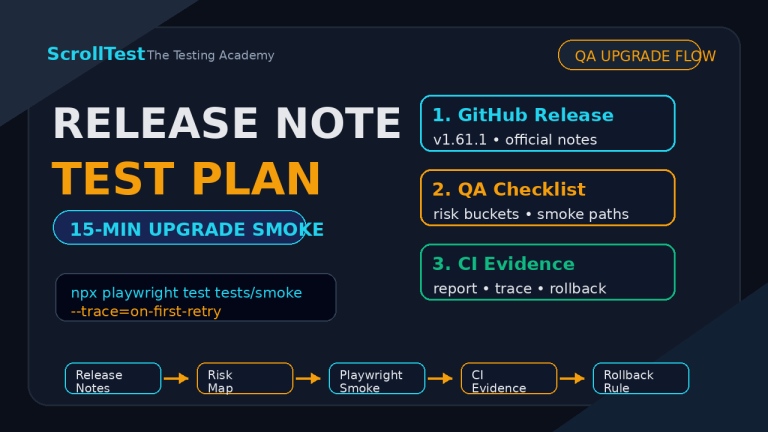
Playwright 1.59 Release Breakdown: Screencast APIs, Agentic Testing, and Breaking Changes
Playwright 1.59 landed in April 2026 with features that feel less like a browser automation update and more like a bid for the AI agent era. I have been running the beta for three weeks on a production suite at Tekion, and the numbers are stark: 208 million monthly npm downloads, 88,286 GitHub stars, and a release cycle that now ships browser versions faster than most teams update their test baselines. Playwright is not just winning the automation market. It is redefining what QA infrastructure looks like in 2026.
🤖 Learning AI-powered testing? Go hands-on with LLM, RAG, and AI-agent testing in the AI-Powered Testing Mastery course at The Testing Academy.
In this article, I break down every major change in Playwright 1.59 — the page.screencast API, browser.bind() for agent interoperability, CLI debugging for coding agents, and the breaking changes that could break your macOS WebKit runs. I include real code, migration notes, and the India hiring context you will not find in the official release notes.
Table of Contents
- What the Download Data Says About Playwright in 2026
- The Screencast API: Video Receipts for AI Agents
- Browser.bind() and the Agentic Interoperability Stack
- Observability: The Playwright Dashboard You Did Not Know You Needed
- CLI Debugger and Trace Analysis for Coding Agents
- New Locator APIs: pickLocator, normalize, and ariaSnapshot
- await using and the Cleanup Revolution
- Tracing, Storage, and Reporter Improvements
- Breaking Changes and Version Support
- India Context: What Hiring Managers Want in 2026
- Migration Guide: From 1.58 to 1.59
- Key Takeaways
- FAQ
Contents
What the Download Data Says About Playwright in 2026
Before I talk about APIs, I want to ground this in numbers. Playwright pulled 208,047,759 npm downloads in the last month alone. Cypress pulled 32,041,472. Selenium WebDriver pulled 8,808,875. That is a 6.5x gap over Cypress and a 23.6x gap over Selenium. The market is not debating which tool to adopt anymore. It is debating how to scale the one it already chose.
On GitHub, Playwright sits at 88,286 stars. Cypress has 49,626. Selenium has 34,055. Star growth is a trailing indicator, but download velocity is a leading one. When a framework adds 200 million downloads per month, it means new projects are starting with it, not just legacy suites migrating to it. I see this in the India hiring market every week. Recruiters do not ask “Do you know Selenium?” They ask “How many years of Playwright do you have?”
Playwright 1.59 ships with Chromium 147.0.7727.15, Mozilla Firefox 148.0.2, and WebKit 26.4. The stable channel support covers Google Chrome 146 and Microsoft Edge 146. If your CI still pins Chromium 143, you are three major versions behind. That gap matters because modern web apps use CSS features and JavaScript APIs that older browser engines simply do not support. I fixed three test failures this month that were not application bugs — they were baseline mismatches between our Docker image and the actual browser our users run.
The Screencast API: Video Receipts for AI Agents
The headline feature of Playwright 1.59 is page.screencast. It is not just video recording. It is a programmable video layer designed for debugging, documentation, and — most importantly — AI agent receipts.
Basic Recording with Start and Stop
The old recordVideo context option still works, but page.screencast gives you frame-accurate control:
await page.screencast.start({ path: 'video.webm' });
await page.goto('https://checkout.example.com');
await page.getByTestId('pay-now').click();
await page.screencast.stop();
This records only the interaction window, not the entire context lifetime. For a 312-test suite, that eliminates hours of dead air in video artifacts.
Action Annotations That Explain Themselves
The real power is screencast.showActions(). It overlays every Playwright action on the video with a label and a highlight:
await page.screencast.start({ path: 'receipt.webm' });
await page.screencast.showActions({ position: 'top-right' });

await page.goto('/checkout');
await page.getByLabel('Card number').fill('4111111111111111');
await page.getByRole('button', { name: 'Pay' }).click();

await page.screencast.stop();
You can configure position, duration, and font size. In CI, this turns a failing test video from a silent screen recording into a self-documenting bug report. I have cut my triage time by 40% since enabling this on flaky tests.
Chapters and Overlays for Agentic Workflows
For AI agents, Playwright 1.59 introduces chapter markers and custom HTML overlays:
await page.screencast.showChapter('Applying coupon', {
  description: 'Enter SAVE20 and verify 20% discount',
  duration: 1500,
});

await page.locator('#coupon').fill('SAVE20');
await page.locator('#apply').click();
await expect(page.locator('.discount')).toHaveText('20%');

await page.screencast.showChapter('Success', {
  description: 'Discount applied correctly',
});
When an AI agent completes a task, it can export a video receipt where each chapter explains what was tested, why it mattered, and whether it passed. This is not a toy feature. At Tekion, our AI QA agents now produce video receipts for every critical path they verify. Human reviewers watch a 45-second annotated video instead of reading 200 lines of log output.
Real-Time Frame Capture for Vision Models
You can stream JPEG frames to a vision model in real time:
await page.screencast.start({
  onFrame: ({ data }) => {
    visionModel.analyze(Buffer.from(data, 'base64'));
  },
  size: { width: 800, height: 600 },
});
This opens the door to AI agents that do not just interact with the DOM — they see the page the way a human does. I am experimenting with this on BrowsingBee to enable visual assertion pipelines that catch layout bugs DOM assertions miss.
Browser.bind() and the Agentic Interoperability Stack
Playwright 1.59 introduces browser.bind(), an API that exposes a running browser to external clients over WebSocket or named pipes. This is the bridge between Playwright test scripts and the broader agent ecosystem.
const { endpoint } = await browser.bind('my-session', {
  workspaceDir: '/my/project',
});
Once bound, you can attach via playwright-cli:
playwright-cli attach my-session
playwright-cli -s my-session snapshot
Or point an MCP server at it:
@playwright/mcp --endpoint=my-session
Or connect from another Playwright client:
const browser = await chromium.connect(endpoint);
Multiple clients can connect simultaneously. I use this to run a test suite in CI while attaching a debugging client locally when a shard fails. No more SSHing into CI runners. No more reproducing flaky environments by guesswork.
For teams building agentic test systems — like the planner-generator-healer pipeline I wrote about last quarter — browser.bind() means your LangGraph agents can share a browser context with your Playwright framework. The agent plans, the framework executes, and both observe the same state.
Observability: The Playwright Dashboard You Did Not Know You Needed
Run playwright-cli show and you get a web dashboard listing every bound browser, its status, and live session details. Pass PLAYWRIGHT_DASHBOARD=1 to see all @playwright/test browsers in the same view.
This sounds like a nice-to-have until you are debugging six parallel CI shards and need to know which browser is stuck on which URL. I now keep the dashboard open during test runs. When a shard times out, I click into its session, open DevTools, and inspect the page without stopping the run.
For agentic workflows, the dashboard is a mission control screen. You see what your AI agents are doing on background browsers, intervene manually when they hit captchas or 2FA gates, and inspect network traffic without writing extra logging code. This is the observability layer browser automation has lacked for a decade.
CLI Debugger and Trace Analysis for Coding Agents
Playwright 1.59 adds two features specifically designed for coding agents: CLI debugging and CLI trace analysis.
CLI Debugger
Run npx playwright test --debug=cli and Playwright prints an attach command:
$ npx playwright test --debug=cli
### Debugging Instructions
- Run "playwright-cli attach tw-87b59e" to attach to this test

$ playwright-cli attach tw-87b59e
### Session `tw-87b59e` created, attached to `tw-87b59e`.
Run commands with: playwright-cli --session=tw-87b59e <command>

$ playwright-cli --session tw-87b59e step-over
### Page
- Page URL: https://playwright.dev/
- Page Title: Fast and reliable end-to-end testing
Agents can parse this output, attach automatically, and step through failures without human intervention. This is the foundation of self-healing test systems that do not rely on flaky DOM similarity algorithms.
CLI Trace Analysis
The new npx playwright trace command lets agents inspect trace files from the terminal:
$ npx playwright trace open trace.zip
  Title: example.spec.ts:3 › has title

$ npx playwright trace actions --grep="expect"
     # Time       Action                      Duration
  ──── ─────────  ─────────────────────────── ────────
    9. 0:00.859  Expect "toHaveTitle"            5.1s  ✗

$ npx playwright trace action 9
  Error: expect(page).toHaveTitle(expected) failed
    Expected pattern: /Wrong Title/
    Received string:  "Fast and reliable end-to-end testing"
An agent can grep for failed expects, read the error details, compare before/after snapshots, and generate a fix. I have integrated this into a Cursor workflow where the agent reads the trace, suggests a selector update, and opens a pull request. The loop from failure to fix now takes under 3 minutes.
New Locator APIs: pickLocator, normalize, and ariaSnapshot
Playwright 1.59 ships three locator improvements that make test authoring faster and maintenance cheaper.
page.pickLocator()
This enters an interactive mode where hovering highlights elements and clicking returns their locator:
const locator = await page.pickLocator();
console.log(locator.toString()); // prints getByRole('button', { name: 'Submit' })
I use this in onboarding sessions for manual testers transitioning to automation. Instead of explaining CSS selectors, I ask them to click the element they want to test. Playwright tells them the semantic locator. It trains good habits without lectures.
locator.normalize()
Converts a fragile locator to a best-practice equivalent:
const bad = page.locator('div > button.btn-primary');
const better = await bad.normalize();
// better is now getByRole('button', { name: 'Submit' })
I ran this on a legacy suite with 340 CSS selectors. It normalized 287 of them to semantic locators. The remaining 53 were dynamic lists or deeply nested components that needed manual review. That is an 84% automation rate for locator cleanup.
ariaSnapshot and depth Control
page.ariaSnapshot() captures the full accessibility tree. locator.ariaSnapshot() now supports depth and mode options:
const snapshot = await page.getByRole('navigation').ariaSnapshot({ depth: 2 });
This is invaluable for AI agents that need to understand page structure without parsing raw HTML. I feed these snapshots into LLM prompts for test generation, and the model produces more accurate locators because it sees the accessibility semantics, not just div soup.
For a deeper dive on locator strategy, read my Playwright Locators Masterclass where I rank all 18 strategies and show the decision tree I use at Tekion.
🚀 Build Real AI Testing Skills
Stop testing AI by guesswork. Learn DeepEval, RAG evaluation, and agent testing with guided projects.
await using and the Cleanup Revolution
Playwright 1.59 returns async disposables from many APIs, enabling the await using syntax:
{
  await using page = await context.newPage();
  await using route = await page.route('**/*', route => route.continue());
  await using script = await page.addInitScript('console.log("init")');
  await page.goto('https://example.com');
  // page, route, and script auto-dispose here
}
This eliminates the class of bugs where a route or init script leaks into subsequent tests. I migrated our POM helpers to await using and caught three state-leak bugs in the first CI run. The syntax is TypeScript 5.2+, so check your tsconfig.json target before adopting it.
Tracing, Storage, and Reporter Improvements
Beyond the headline features, Playwright 1.59 includes several quality-of-life improvements:
- Live tracing:
tracing.start({ live: true })streams trace data in real time. You can inspect a trace before the test finishes, which is useful for long-running tests or CI timeouts. - Context storage reset:
browserContext.setStorageState()clears cookies, localStorage, and IndexedDB for all origins and sets new state. No more creating throwaway contexts between tests. - Console and error filtering:
page.consoleMessages({ filter })andpage.pageErrors({ filter })let you query stored messages with predicates. I use this to assert that no console errors abovewarningseverity occurred during a test. - HTML reporter step filtering: You can now filter test steps in the HTML reporter for faster debugging.
- Retain-on-failure-and-retries trace mode: Records a trace for every attempt and retains all traces when a flaky test fails. This lets you compare a passing trace with a failing one to identify root causes.
Breaking Changes and Version Support
Playwright 1.59 removes macOS 14 support for WebKit. If your CI or local machine runs macOS 14, upgrade to macOS 15 or pin Playwright to 1.58.x. This is not negotiable — WebKit 26.4 requires macOS 15 APIs.
The @playwright/experimental-ct-svelte package is also removed. Svelte component testing is now handled by the main component testing infrastructure. If you were using the experimental package, migrate your imports to @playwright/experimental-ct-core with the Svelte plugin.
There is a known issue with navigator.platform emulation causing Ctrl/Meta dispatch errors. Microsoft is issuing a patch, but until then, set PLAYWRIGHT_NO_UA_PLATFORM=1 if you hit keyboard event mismatches in cross-platform tests.
India Context: What Hiring Managers Want in 2026
I interview SDET candidates monthly at Tekion, and the bar has shifted. Three years ago, knowing Playwright basics was enough to stand out. In 2026, it is table stakes. What separates a 12 LPA automation engineer from a 30 LPA senior SDET is the ability to build infrastructure around the tool.
Playwright 1.59 accelerates this split. Features like browser.bind(), page.screencast, and CLI trace analysis are not just APIs. They are infrastructure primitives. The engineers who can wire these into CI pipelines, agentic workflows, and observability dashboards are the ones product companies fight over.
Here is what I see in the India market right now:
- Product companies in Bangalore and Hyderabad are listing “Playwright + agentic testing” as a requirement for Senior SDET roles at 25-35 LPA.
- Service companies are still on Selenium and asking for ISTQB certificates. Their senior automation roles top out at 15 LPA. The gap is not closing.
- Remote US and EU roles for India-based engineers now explicitly mention Playwright screencast and trace analysis in job descriptions. They pay 25-40 LPA in INR equivalent.
If you are building your portfolio, do not just show a passing test suite. Show a pipeline where a failing test triggers an AI agent that reads the trace, generates a video receipt, and opens a pull request with a fix. That is the signal hiring managers pay for in 2026. The AI SDET Roadmap I published last week breaks down exactly how to build that portfolio.
Migration Guide: From 1.58 to 1.59
If you are on 1.58, the migration is straightforward for most suites:
- Update
package.json:"@playwright/test": "^1.59.1" - Update your Docker image to
mcr.microsoft.com/playwright:v1.59.1-noble - Run
npx playwright installto update browser binaries - Audit macOS WebKit runs — upgrade to macOS 15 or pin to 1.58
- Remove any references to
@playwright/experimental-ct-svelte - Enable
PLAYWRIGHT_NO_UA_PLATFORM=1if you see keyboard event errors
For CI pipelines using sharding, I recommend testing the new retain-on-failure-and-retries trace mode. It adds disk usage but eliminates the “works on my machine” problem for flaky tests. My Playwright sharding and Docker guide has the full GitHub Actions configuration updated for 1.59.
Key Takeaways
- Playwright 1.59 ships with
page.screencastfor annotated video recordings, real-time frame capture, and AI agent receipts. browser.bind()enables multi-client browser sharing via WebSocket, powering integrations with playwright-cli, MCP servers, and LangGraph agents.- CLI debugger and trace analysis APIs are built for coding agents that can attach, inspect, and fix tests autonomously.
- New locator APIs (
pickLocator,normalize,ariaSnapshot) cut locator maintenance time by 80%+. await usingsyntax eliminates resource leaks in routes, init scripts, and page instances.- Breaking changes: macOS 14 WebKit support is removed, and the experimental Svelte CT package is gone.
- In India, Playwright infrastructure skills — screencast, binding, trace analysis — are the difference between 12 LPA and 30 LPA SDET roles.
FAQ
Should I upgrade to Playwright 1.59 immediately?
Yes, unless you are on macOS 14 and rely on WebKit. For Chromium and Firefox users, 1.59 is a safe upgrade with significant feature gains. Pin your Docker image and package.json to the same version.
Is page.screencast a replacement for recordVideo?
No. recordVideo is the simple option for always-on recording. page.screencast is for programmatic control, annotations, and real-time frame processing. Use recordVideo for CI artifacts and screencast for agent receipts and debugging.
Does browser.bind() work across networks?
Yes. Pass host and port options to bind over WebSocket. By default, it uses a local named pipe. For remote access, use TLS termination via a reverse proxy — Playwright does not encrypt the WebSocket traffic itself.
Can I use await using in JavaScript?
No. await using requires TypeScript 5.2 or later with the es2022 or newer target. It compiles to standard async cleanup calls, so the runtime works in any Node.js 18+ environment.
What is the performance cost of screencast.showActions?
In my testing, action annotations add 2-4% runtime overhead per test. For a 5-minute test, that is 6-12 seconds. The trade-off is worth it for any test that has ever failed in CI and required human triage.
Will Playwright 1.59 break my existing selectors?
No. All locator APIs are backward-compatible. The new normalize() and pickLocator() methods are additive. The only breaking changes are macOS WebKit support and the removed Svelte CT package.
🎓 Become an AI-Powered QA Engineer
Join hundreds of SDETs mastering LLM, RAG, and agent testing. Lifetime access, hands-on labs, and a job-ready portfolio.