
Playwright File Download Testing: CSV, PDF, and ZIP in TypeScript
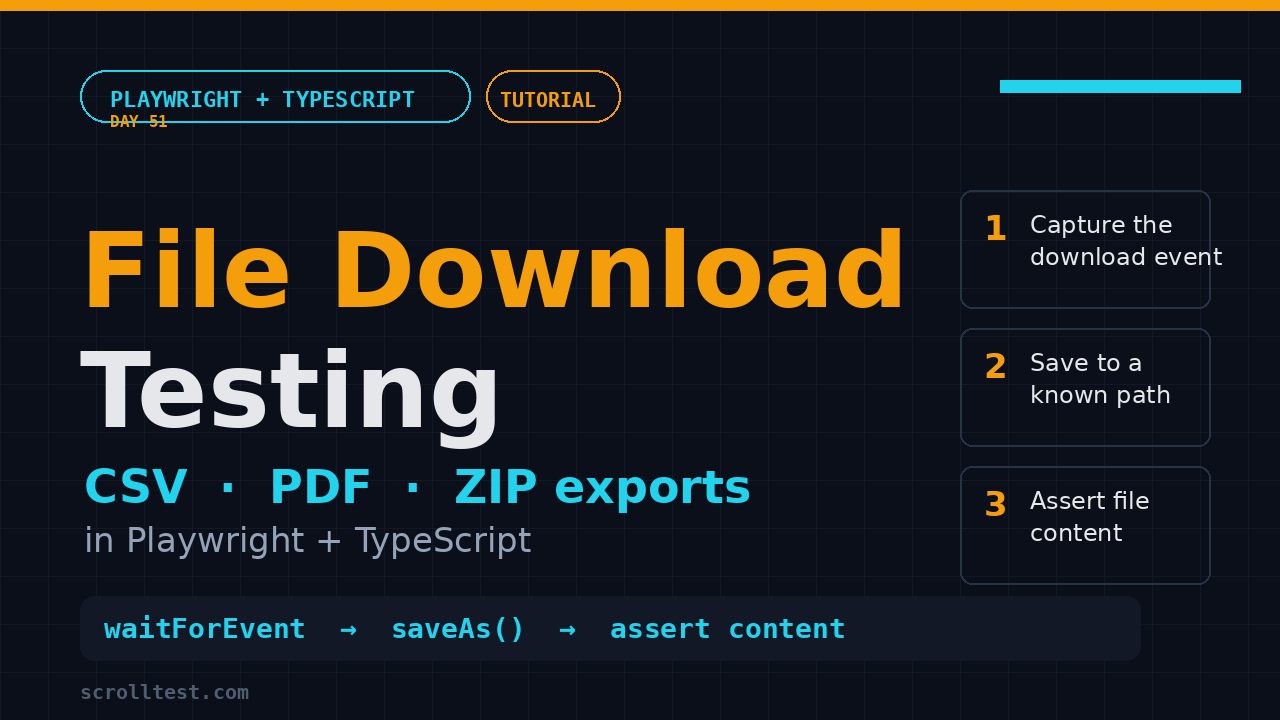
Playwright file download testing looks trivial in the docs and then quietly eats an afternoon in CI. Every team I work with eventually has to test an export button, a PDF invoice, or a CSV report, and the moment that download has to run headless on a Linux runner, the flaky bug reports start rolling in. This Day 51 tutorial walks you through the full Playwright file download workflow in TypeScript: capturing the download event, saving and reading files, asserting on CSV and PDF content, and fixing the headless CI traps that break it all. By the end you will have a reusable pattern you can drop into any suite that touches exports.
It is a skill worth having. Playwright is the most-adopted browser automation framework right now, with 94,532 stars on GitHub and roughly 204 million monthly downloads for @playwright/test, so exports and downloads show up in almost every real application under test.
Table of Contents
- Why File Download Tests Break in CI
- How the Playwright Download API Works
- Enabling Downloads in Your Browser Context
- Capturing a Playwright File Download with waitForEvent
- Saving and Reading the Downloaded File
- Asserting the Download URL and Failure State
- Testing CSV Exports: A Real Example
- Testing PDF Exports: Verify Content, Not Just the Filename
- Handling Multiple and ZIP Downloads
- The Headless vs Headed Playwright File Download Trap
- Seven Common Pitfalls and Their Fixes
- India Context: What Interviewers Ask
- Key Takeaways
- FAQ
Contents
Why File Download Tests Break in CI
Most download tests work perfectly on your local machine and then fail only in the pipeline. The reason is simple: a download is an asynchronous event that races your test, and headed and headless browsers handle file persistence differently. I have watched a single export test flip from green to red three times in a week because nobody pinned down where the file actually lands.
The three failure modes I see most often are:
- The race: the test clicks the export button before it starts listening for the
downloadevent, so the event fires into the void. - The wrong path: the test reads the file from a hardcoded folder, but the browser saved it somewhere else, usually a random GUID filename in a temp directory.
- The headless gap: the download works headed but silently produces nothing on the Linux CI runner because the context was never told where to persist files.
Screenshot description: A local export test passes while the same test fails in GitHub Actions. On the left, the headed run shows the CSV saved under
Downloads. On the right, the CI log shows an emptytest-artifacts/downloadsfolder and a “file not found” assertion.
Playwright gives you a clean, small API to kill all three problems. You just have to use it in the right order. This tutorial covers the exact sequence I use in production suites.
How the Playwright Download API Works
Every attachment a page downloads emits a download event on the page. You grab that event and work with a Download object, which is Playwright’s handle for one file transfer. The official Playwright downloads guide documents the whole flow, and the Download class reference lists the methods you actually use day to day.
The Download object methods that matter
download.suggestedFilename()returns the file name the server intended, computed from theContent-Dispositionheader or thedownloadattribute.download.url()returns the URL the file came from, useful for asserting the endpoint without saving anything.download.saveAs(path)copies the file to a path you choose and waits for the transfer to finish.download.path()returns the path to the already-saved file, but it throws when the download failed or was cancelled, and it throws when you are connected to a remote browser.download.failure()returns the error string if the download broke, ornullif it succeeded.download.createReadStream()returns a readable stream so you can inspect bytes without writing to disk first.download.cancel()aborts an in-flight download, anddownload.delete()removes the temporary file.
The detail most people miss is the one buried in the docs: downloaded files live in a temporary folder and are deleted when the browser context closes. That is why saving with saveAs matters, and why relying on path() alone is a trap.
Enabling Downloads in Your Browser Context
By default Playwright accepts all downloads, because the acceptDownloads context option defaults to true. That means you do not need a config change for the happy path. What you do need is a place to persist files when your test wants to read them back later, and that is the downloadsPath option on browserType.launch().
import { defineConfig } from '@playwright/test';

export default defineConfig({
  testDir: './tests',
  use: {
    baseURL: 'https://app.example.com',
    acceptDownloads: true, // explicit for clarity, though this is the default
  },
});
For a self-contained suite that writes exports into a known folder, set the launch-level path in a custom fixture:
import { test as base, expect } from '@playwright/test';
import path from 'node:path';
import fs from 'node:fs';

const DOWNLOADS = path.join(process.cwd(), 'test-artifacts', 'downloads');

export const test = base.extend({
  context: async ({ browser }, use) => {
    fs.mkdirSync(DOWNLOADS, { recursive: true });
    const context = await browser.newContext({ acceptDownloads: true });
    await use(context);
    await context.close();
  },
});

export { expect };
Keeping one canonical downloads folder means every spec reads and writes from the same place, which removes the single biggest source of CI-only path bugs. Add that folder to .gitignore and let your CI job clean it between runs. If your application downloads into the browser’s default folder today, moving to one shared artifacts directory is the first refactor I would make before writing a single assertion.
Capturing a Playwright File Download with waitForEvent
The core pattern is to start listening before you click, and the critical trick is to not await the listener promise until after the click. If you await it early, your test deadlocks waiting for an event that has not fired yet.
import { test, expect } from './fixtures';
import path from 'node:path';

test('exports the sales CSV', async ({ page }) => {
  await page.goto('/reports');

  // 1. Start waiting BEFORE the click. Note: no await here.
  const downloadPromise = page.waitForEvent('download');

  // 2. Trigger the download.
  await page.getByRole('button', { name: 'Export CSV' }).click();

  // 3. Now await the event.
  const download = await downloadPromise;

  // 4. Assert the suggested file name, then save it.
  expect(download.suggestedFilename()).toContain('sales-report');
  await download.saveAs(path.join('test-artifacts', 'downloads', download.suggestedFilename()));
});
This is the same mental model as waitForResponse and waitForRequest, which I covered back in the Playwright auto-waiting tutorial. If you do not know which element triggers the download, you can attach a persistent listener instead:
page.on('download', (download) => {
  download.saveAs(path.join('test-artifacts', 'downloads', download.suggestedFilename()));
});
I reach for the persistent page.on version rarely, because the docs warn that it forks your control flow and can let the scenario end before the file finishes writing. The waitForEvent promise keeps the flow linear and easier to reason about. Whichever you choose, the rule is the same: register the listener first, then act.
Saving and Reading the Downloaded File
Once you hold the Download object, two paths are available. The first is saveAs, which copies the file to a path you own and waits for completion. The second is createReadStream, which hands you bytes without touching disk.
import fs from 'node:fs';

const downloadPromise = page.waitForEvent('download');
await page.getByRole('link', { name: 'Download invoice' }).click();
const download = await downloadPromise;

// Option A: save to disk and read with Node's fs
const target = path.join('test-artifacts', 'downloads', download.suggestedFilename());
await download.saveAs(target);
const content = fs.readFileSync(target, 'utf-8');
expect(content.length).toBeGreaterThan(0);

// Option B: stream the bytes directly, no file on disk
const stream = await download.createReadStream();
const chunks: Buffer[] = [];
for await (const chunk of stream) {
  chunks.push(Buffer.from(chunk));
}
const buffer = Buffer.concat(chunks);
expect(buffer.length).toBeGreaterThan(0);
I default to saveAs for most suites because the file lands in a predictable place, which makes debugging in the HTML report straightforward. Use createReadStream when you want to avoid leaving artifacts around, or when your CI sandbox has a locked-down filesystem. Whichever you pick, always confirm the file is non-empty before parsing it; a zero-byte file is usually a server-side export failure dressed up as a successful download.
One nuance worth remembering: download.path() returns a random GUID file name, not the human name, and it throws when you are connected to a remote browser. In practice that means never build your assertion on path(); always use suggestedFilename() for the name and saveAs for the location.
Asserting the Download URL and Failure State
Before you bother reading bytes, do two cheap checks that catch a surprising number of bugs. First, assert the download came from the endpoint you expected. Second, confirm the transfer did not fail silently.
test('download comes from the right endpoint and succeeds', async ({ page }) => {
  await page.goto('/reports');
  const downloadPromise = page.waitForEvent('download');
  await page.getByRole('button', { name: 'Export CSV' }).click();
  const download = await downloadPromise;

  // The URL proves the right handler produced the file.
  expect(download.url()).toContain('/api/reports/export');

  // failure() resolves to null on success, or an error string on failure.
  expect(await download.failure()).toBeNull();
});
The failure() check is the one that pays for itself on flaky networks. A download can fail partway through and still emit the event, so without this assertion your test keeps passing while the artifact is corrupt. Treat a null failure() as a prerequisite for any content assertion that follows.
There is one more angle worth covering here: the download URL does not always match the endpoint you clicked. Redirects, signed S3 links, and CDN rewrites can all change the final source. Asserting that download.url() contains your expected path catches regressions where a button silently points at the wrong export route, which is exactly the kind of bug that ships to production because nobody’s test inspects the source.
Testing CSV Exports: A Real Example
Filename checks are not enough. A broken export can return a perfectly named CSV with zero rows, or worse, a 500 page saved as report.csv. Assert on the content. Here is a full spec that exports a user list and checks the header row and the row count.
import { test, expect } from './fixtures';
import path from 'node:path';
import fs from 'node:fs';

function parseCsv(raw: string): string[][] {
  return raw
    .trim()
    .split('\n')
    .map((line) => line.split(','));
}

test('exports a well-formed user CSV', async ({ page }) => {
  await page.goto('/admin/users');
  await page.getByRole('button', { name: 'Download CSV' }).click();

  const download = await page.waitForEvent('download');
  expect(download.suggestedFilename()).toMatch(/users.*\.csv$/);

  const target = path.join('test-artifacts', 'downloads', download.suggestedFilename());
  await download.saveAs(target);

  const rows = parseCsv(fs.readFileSync(target, 'utf-8'));
  expect(rows[0]).toEqual(['id', 'name', 'email', 'status']); // header row
  expect(rows.length).toBeGreaterThan(1);                    // header + data
  expect(rows.length).toBeLessThanOrEqual(1001);             // sane upper bound
});
Screenshot description: The test result panel shows the export button, the saved
users-2026-08-15.csvin the artifacts folder, and the three assertions on header, minimum rows, and maximum rows all green.
This test catches the three real bugs I see in the field: an empty file, a missing header column, and a data dump that is either empty or absurdly large. If your app pages large exports, add a row-count range that reflects the seeded test data instead of a loose greaterThan check. When your export includes a UTF-8 byte order mark, strip it before parsing so the first header cell does not start with a stray character.
Testing PDF Exports: Verify Content, Not Just the Filename
PDFs are the second most common download target after CSVs, and they are where teams usually stop at the filename. That is a mistake. A PDF can render as a blank page or a garbled encoding while the file name stays perfect. A lightweight content check beats nothing, and it does not require a heavy PDF parser.
import { test, expect } from './fixtures';
import path from 'node:path';
import fs from 'node:fs';

test('invoice PDF contains the order number', async ({ page }) => {
  await page.goto('/orders/ORD-1042');
  const downloadPromise = page.waitForEvent('download');
  await page.getByRole('button', { name: 'Download PDF' }).click();
  const download = await downloadPromise;

  expect(download.suggestedFilename()).toContain('ORD-1042');

  const target = path.join('test-artifacts', 'downloads', download.suggestedFilename());
  await download.saveAs(target);

  const bytes = fs.readFileSync(target);
  expect(bytes.subarray(0, 5).toString()).toBe('%PDF-'); // magic bytes

  const raw = bytes.toString('latin1');
  expect(raw).toContain('ORD-1042'); // text is usually embedded in simple PDFs
});
The %PDF- magic byte check confirms you have a real PDF and not an HTML error page, and the substring check works for invoices generated by most libraries. For heavily compressed or encrypted PDFs you will need a proper parser like pdf-parse, but for the common case this is enough to catch the blank-page and wrong-document failures that slip past a filename assertion.
Handling Multiple and ZIP Downloads
Some screens download more than one file, or pack everything into a ZIP. The pattern changes slightly for each case. For multiple files, collect all the events until you have what you need:
test('downloads all selected invoices', async ({ page }) => {
  await page.goto('/invoices');
  await page.getByRole('checkbox').nth(0).check();
  await page.getByRole('checkbox').nth(1).check();

  const downloads: string[] = [];
  page.on('download', (download) => {
    downloads.push(download.suggestedFilename());
  });

  await page.getByRole('button', { name: 'Download selected' }).click();
  await expect.poll(() => downloads.length).toBe(2);
  expect(downloads.every((name) => name.endsWith('.pdf'))).toBe(true);
});
For a ZIP, the cleanest assertion is to save it, unzip it, and inspect the entries. Node ships zlib, but for ZIP archives a small helper on top of the adm-zip package is far less code:
import AdmZip from 'adm-zip';

test('archive contains both reports', async ({ page }) => {
  await page.goto('/reports');
  const downloadPromise = page.waitForEvent('download');
  await page.getByRole('button', { name: 'Download bundle' }).click();
  const download = await downloadPromise;

  const target = path.join('test-artifacts', 'downloads', download.suggestedFilename());
  await download.saveAs(target);

  const zip = new AdmZip(target);
  const entries = zip.getEntries().map((entry) => entry.entryName);
  expect(entries).toEqual(expect.arrayContaining(['sales.csv', 'summary.pdf']));
});
The key lesson is the same across CSV, PDF, and ZIP: assert on what is inside the file, not just that a file appeared. That is the difference between a download test that finds bugs and one that only decorates a coverage report.
The Headless vs Headed Playwright File Download Trap
The most frustrating download bug is the one that only appears in CI. Headed Chromium on your machine will happily write to a default download folder; a headless Linux runner often will not, unless your context or launch options pin the location. That is why I set a single downloads directory in the fixture rather than trusting the browser’s default.
// playwright.config.ts - launch-level downloadsPath
import { defineConfig } from '@playwright/test';

export default defineConfig({
  use: {
    launchOptions: {
      downloadsPath: 'test-artifacts/downloads',
    },
  },
});
With downloadsPath set at launch and acceptDownloads true at the context level, the behavior is identical in headed and headless modes. If a download still fails in CI, the first thing to check is whether your test is connected to a remote browser, because download.path() throws in that setup. Use saveAs or createReadStream instead, which work remotely.
Screenshot description: In the Playwright HTML report, the download step shows the captured event, the saved file path under
test-artifacts/downloads, and an attached snapshot of the page at the moment the export button was clicked.
For more on stabilizing the rest of the pipeline, the Playwright retries and flaky tests guide covers the retry side, and the debugging TypeScript guide shows how to triage what still fails. Uploading the artifacts folder as a CI artifact is also worth the setup time, because a saved CSV next to a failing test log shortens triage from an hour to a minute.
Seven Common Pitfalls and Their Fixes
- Awaiting the listener before the click.
await page.waitForEvent('download')blocks forever. Start the promise, click, then await. - Reading from a hardcoded path. The file may land under a GUID name in a temp folder. Use
saveAsto control the location andsuggestedFilename()for the name. - Trusting the filename alone. An error page can be saved as
report.csv. Assert on magic bytes or content. - Using
path()on a remote browser. It throws. UsesaveAsorcreateReadStreaminstead. - Not checking
failure(). A network hiccup can fail a download silently. Assertexpect(await download.failure()).toBeNull()on critical exports. - Ignoring the context-close cleanup. Download files are deleted when the context closes, so save before teardown.
- Relying on
page.waitForTimeout. A fixed sleep after the click is a race. LetwaitForEventorsaveAsdo the waiting for you.
India Context: What Interviewers Ask
If you are preparing for SDET interviews at product companies in Bengaluru or Pune, file download handling is a small but real signal. Interviewers use it to check whether you understand async event handling, which separates someone who memorized locators from someone who actually writes stable suites. Expect a question like “how do you test a CSV export in Playwright” and be ready to talk about waitForEvent, suggestedFilename, and content assertions, not just clicking the button.
It is also a practical portfolio move. A project that tests a download end to end, including content verification and a CI-safe artifacts folder, reads better in a GitHub repo than another login-page demo. In the current market, where Playwright skills are bundled into the ₹15 to 35 LPA automation band, demonstrating a real export pipeline is worth more than a tenth generic framework tutorial. For the larger picture of where Playwright sits in the 2026 hiring market, the Playwright vs Selenium comparison is a good companion read.
Key Takeaways
Playwright file download testing is stable once you follow a few rules. Here is the short version:
- Start the
waitForEvent('download')promise before the click and await it only after, never before. - Always control the save location with
download.saveAs()and read names fromsuggestedFilename(). - Assert on file content, not just the filename, for CSV and PDF exports.
- Set a single
downloadsPathat launch so headed and headless CI behave the same. - Check
download.failure()on critical downloads and avoidwaitForTimeoutas a substitute.
FAQ
Do I need to set acceptDownloads to true?
No. acceptDownloads defaults to true, so downloads are accepted automatically. You only set it explicitly for clarity or to flip it to false when you want to assert that a download is blocked.
How do I get the downloaded file path?
Call download.suggestedFilename() for the intended name and download.saveAs(target) to copy the file to a path you control. Avoid download.path() in CI because it throws on remote browsers and returns a random GUID name.
Why does my download test pass locally but fail in CI?
Usually the file lands somewhere different in headless mode, or the test is connected to a remote browser where path() throws. Set a launch-level downloadsPath and switch to saveAs or createReadStream.
How do I verify a downloaded PDF without a heavy library?
Check that the first bytes are %PDF- and search the raw bytes for expected text such as an order number. For complex or encrypted PDFs, pull in a parser like pdf-parse.
Can I cancel or delete a download in Playwright?
Yes. download.cancel() aborts an in-flight download and download.delete() removes the temporary file after it completes.


