n8n Workflow Testing: Test Triggers, Branches, and Failure Paths
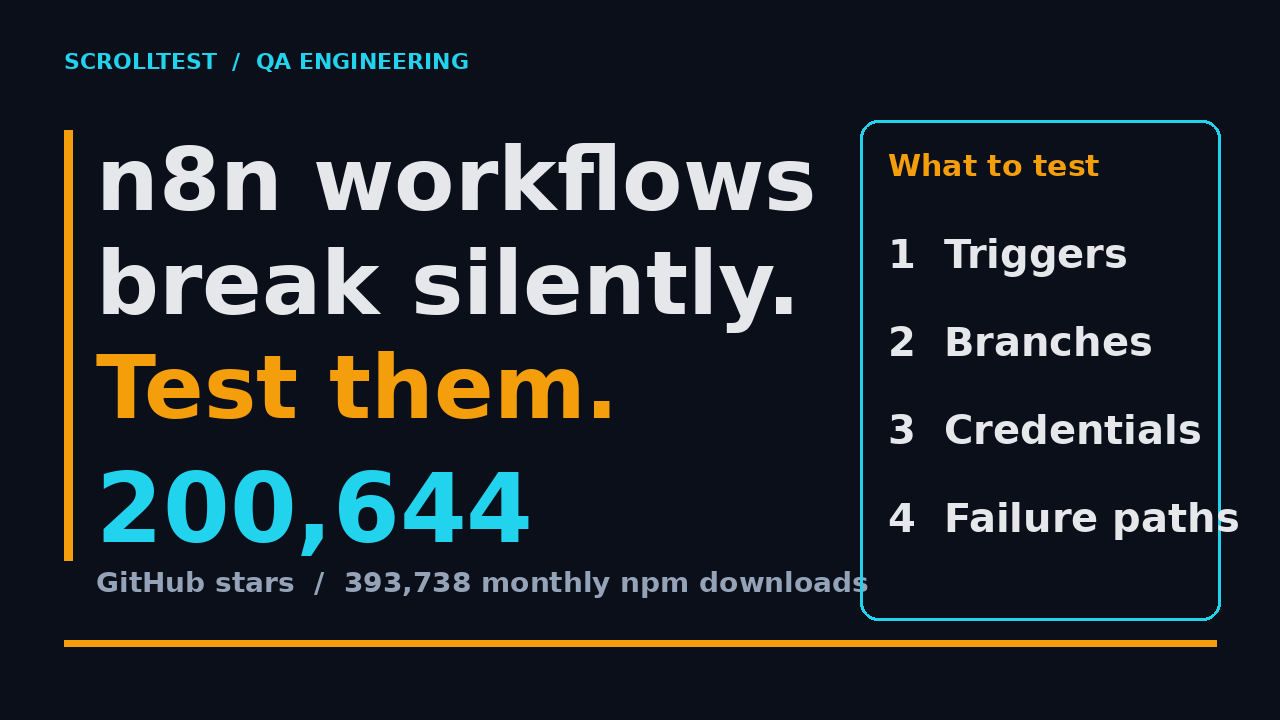
Table of Contents
- Why n8n Workflows Fail Silently
- Test Your Triggers First
- Branch Testing: Prove Both Paths Run
- Credential Testing: The Part Everyone Skips
- Failure Paths: Error Workflows and the Stop And Error Node
- Sub-Workflow Testing: Test Small, Ship Small
- Automate Checks with the n8n CLI
- Put the Checks in a CI Gate
- A Testing Checklist You Can Copy
- India Context: What Managers Expect
- Key Takeaways
- FAQ
Most QA engineers treat n8n workflows like somebody else’s problem. The marketing team built a flow, ops hooked it to a schedule, and everyone assumes it runs. Then a customer files a ticket and you find out an automation has been sending bad data for two weeks. The n8n GitHub repo now sits at 200,644 stars with 60,133 forks, and the n8n package pulls 393,738 downloads a month on npm. This is no longer a niche tool. Workflows are production code, and production code needs tests. This article is a practical guide to n8n workflow testing: what to test, the exact nodes and commands to use, and how to wire it into your pipeline so a broken automation never ships silently again.
Contents
Why n8n Workflows Fail Silently
Here is the uncomfortable truth about n8n workflow testing. A workflow can be published, active, and running on schedule while still being completely broken. The trigger fires, an HTTP call returns 200, and the flow “completes” while writing empty rows to a sheet or messaging the wrong channel. n8n counts it as a success because no node threw an exception. I see three failure modes over and over when I audit automation projects:
- Silent data drift. A webhook payload changes shape, so a field reference like
{{ $json.customer.email }}returnsundefined. The node still runs, and empty values flow downstream. - Branch rot. An If node has four branches, but only the “true” branch ever fires in production. The false branch is dead code, and nobody notices until the one day it matters.
- Credential expiry. An API key rotates or an OAuth token dies. The workflow keeps “succeeding” because the node is set to continue on error, or the error is swallowed by a bad handler.
This is why “click Execute and eyeball it” testing does not scale. Manual executions run your logic once with today’s data. Production executions run it a thousand times a week against data you have never seen. The gap between those two is where silent failures live. The fix is to treat each workflow like an API endpoint and test the same four things: triggers, branches, credentials, and failure paths.
For a hands-on walkthrough you can practice on, I wrote a step-by-step guide on n8n workflow testing as a QA mini-project. The rest of this article assumes you have a workflow open and want to harden it.
Test Your Triggers First
Every production workflow starts with a trigger node. If the trigger never fires, the rest of your logic is irrelevant. Yet trigger testing is the step I see teams skip first, because it feels like configuration rather than code.
What to verify on every trigger
- The workflow is actually active. A workflow can be saved but not published. It only runs automatically when it is published and its trigger is active. Check the toggle, not the canvas.
- The timezone is right. Cron and interval schedules use a timezone setting. I have seen a “9 AM IST” reminder fire at 9 AM UTC, which is 2:30 PM IST, every single day.
- The webhook URL is the one you think it is. For a Webhook node, the production URL only exists once the workflow is active. Copy it, hit it with curl or Postman, and confirm a real 200 comes back with the payload you expect.
- The event filter is not too narrow. A trigger watching for a specific field value silently ignores everything that does not match. Confirm the exact string or regex against a real sample event.
Manual vs production execution is not the same thing
The n8n docs are explicit here. Manual executions are ad-hoc runs you start by clicking Execute Workflow, and they exist for testing logic. Production executions happen when the trigger fires and count toward your quota on paid plans. The practical result: a workflow can pass every manual run you throw at it and still fail the moment a real schedule or webhook fires it, because trigger-level data and error behavior differ.
Here is a concrete way to test a webhook trigger without touching the UI:
curl -X POST "https://your-instance.app.n8n.cloud/webhook/abc123" \
  -H "Content-Type: application/json" \
  -d '{"event":"order.created","customer":{"email":"test@example.com"}}' \
  -w "\nHTTP %{http_code}\n"
You get two things from this: the HTTP status, and the actual execution in the Executions tab. If the status is 200 but zero items reach the second node, your trigger fired but your mapping is wrong. That distinction is the whole game.
Branch Testing: Prove Both Paths Run
The If node is where most n8n logic lives, and it is where most bugs hide. A branch test is not “run the workflow and see where it goes.” It is deliberately feeding data down every branch and asserting the result.
Build a test input table
Before you touch the canvas, write down every branch condition and the input that should trigger it. For an If node that checks order.total > 5000, you want at least three rows:
- total = 1000 (false branch)
- total = 5001 (true branch, just over the boundary)
- total = 5000 (exactly at the boundary, the classic off-by-one)
Boundary values are where I catch the most logic bugs. A condition written as > 5000 when the business meant >= 5000 passes the happy path and fails exactly at the threshold. Test one value and you never see it.
Use data pinning to isolate a branch
n8n has a built-in feature for this called data pinning. You pin a node’s output, and on future manual runs n8n substitutes the pinned data instead of actually calling the node. This lets you feed a crafted value into the If node without hitting the live database or a paid API over and over.
To pin data:
- Run the workflow once manually so the node has real output.
- Open the node and click the pin icon next to its output.
- Edit the pinned JSON to your boundary value.
- Run again and watch which branch lights up.
Pinned data is ignored in production, which is exactly right: it is a test fixture, not a runtime override. This is the fastest way to unit-test branch logic in n8n without writing external code.
Credential Testing: The Part Everyone Skips
Credentials are the most common production failure I see in n8n, and the hardest to catch because they do not throw during manual testing. You test with your own credentials, which are valid, then ship to a shared workspace where the credential is expired or scoped wrong.
Test the credential, not just the node
- Verify the credential is scoped to the right workspace. A credential saved under a personal account is not available to a shared workflow in another project. This fails at execution time, not build time.
- Check expiry dates on API keys and OAuth tokens. Set a Slack alert well before the expiry date. Expired tokens are the classic silent failure: the node retries, then reports success on a misconfigured handler.
- Test with a read-only or sandbox credential first. Never let an untested workflow write to a production database. Run it against a staging table with a scoped-down key first.
Credential overwrites on self-hosted instances
If you run n8n on your own server, credential overwrites let you set credential data globally so users authenticate without seeing secrets. Useful for ops, but a testing trap: your local and production instances can have different overwrites, so a credential that works locally fails in production. Keep a one-line record of which credentials are overwritten in each environment, and re-verify after any infrastructure change.
The n8n CLI can enumerate credentials programmatically so you can audit them in CI:
n8n-cli credential list --format=jsonRun that against production and diff it against staging. A credential that exists only in staging, or has a different type in prod, is a bug waiting to fire.
Failure Paths: Error Workflows and the Stop And Error Node
Testing the happy path is the easy 20 percent. Testing what happens when the workflow fails is where real QA happens. n8n gives you a dedicated mechanism: error workflows.
Set up an error workflow
An error workflow runs when another workflow’s execution fails. You assign it in the failing workflow’s Settings under “Error workflow,” and it must start with an Error Trigger node. When the parent errors, the Error Trigger receives the failed execution’s details, including the error message, stack trace, and the last node that executed. One error workflow can serve many parent workflows, which keeps alerting centralized.
The setup sequence from the n8n error handling docs:
- Create a new workflow with the Error Trigger as the first node.
- Name it something obvious like
Error Handlerand save it. - In each workflow you want covered, open Settings and select the error workflow.
- Save. Now when that workflow errors, the error handler runs.
The manual-test gotcha
This trips people. The n8n docs state plainly that you cannot test error workflows when running workflows manually. The Error Trigger only runs when an automatic workflow errors. So “click Execute and see the alert” will not work. To test the failure path, trigger a real automatic execution that fails, or use the Stop And Error node.
Force a failure with Stop And Error
The Stop And Error node makes a workflow fail on purpose under conditions you choose. Drop it into a branch that represents a business error (an order total that should never be negative, a payload missing a required field), and when that branch executes, the workflow fails and your error workflow fires. This turns your failure path from a “someday this breaks” hope into a deterministic, repeatable test.
Here is what the Error Trigger receives by default, so you can assert against it:
[
  {
    "execution": {
      "id": "231",
      "url": "https://n8n.example.com/execution/231",
      "error": { "message": "Example Error Message", "stack": "Stacktrace" },
      "lastNodeExecuted": "Node With Error",
      "mode": "manual"
    },
    "workflow": { "id": "1", "name": "Example Workflow" }
  }
]
In your error handler, assert that lastNodeExecuted and error.message are captured and routed somewhere a human will actually see, such as a Slack channel or an incident tool. An error workflow that writes to a database nobody reads is the same as no error workflow.
Sub-Workflow Testing: Test Small, Ship Small
As workflows grow, the smart move is to break them into sub-workflows. n8n lets you select a group of nodes and convert them into a reusable sub-workflow, then call it with the Execute Sub-workflow node. This has been available since n8n 1.97.0.
Why sub-workflows help testing
A 40-node workflow is a nightmare to test because you cannot isolate the failure. A workflow made of four sub-workflows, each with a single responsibility, is testable piece by piece. You test the data-transformation sub-workflow independently, the API-call sub-workflow independently, then the wiring between them. Sub-workflows also give you a clean unit boundary: the Execute Sub-workflow Trigger defines the input contract, and the Return fields define the output contract.
Conversion caveats to watch
Sub-workflow conversion is not free. The n8n docs list several caveats, and they matter for testing:
- Type constraints are not set automatically. By default, sub-workflow inputs and outputs allow all types. Set the expected types in the Execute Sub-workflow Trigger and the Return node, or you ship a contract so loose it catches nothing.
- Accessor functions need care. Expressions using
first(),last(), andall()do not always translate cleanly into a sub-workflow context. Re-run after conversion and confirm the values. - Conversions default to v1 execution ordering. A converted sub-workflow uses v1 ordering regardless of the parent’s setting. Check the sub-workflow’s settings if your parent relies on v2.
Treat conversion as a refactor, not a rename. Every sub-workflow you create deserves its own smoke test with the actual input it will receive in production.
Automate Checks with the n8n CLI
Manual UI testing does not survive contact with a real team. If you have more than a handful of workflows, you need scriptable checks. n8n ships a lightweight CLI that talks to a running instance over the n8n API and authenticates with an API key.
npx @n8n/cli workflow list
# or
npm install -g @n8n/cli
Point it at your instance:
n8n-cli config set-url https://your-instance.n8n.cloud
n8n-cli config set-api-key YOUR_API_KEY
The commands you will actually use for testing:
n8n-cli workflow list: enumerate every workflow and its active staten8n-cli workflow get <id>: inspect a single workflow’s definitionn8n-cli execution list --status=error --limit=10: pull recent failed executionsn8n-cli credential list --format=json: audit credentials across the instance
That third command is the one I rely on most. It answers “what failed overnight?” in one line, which is the first question any QA engineer should be able to answer about an automation platform. Every command supports --format=json and --format=id-only, so you can pipe results into scripts and jq instead of eyeballing tables.
Put the Checks in a CI Gate
Individual tests are useful. Automated tests are better. Tests that gate a deployment are best, because they make “broken automation in production” impossible by construction rather than by discipline. A release gate for n8n workflows does not need to be complicated:
- Export the workflow as JSON and keep it in version control. If a workflow only lives in the n8n UI, you have no diff, no review, and no rollback.
- Lint the workflow definition in CI: every workflow has a trigger, every If node has its branches connected, every credential reference is valid.
- Run a smoke test against a staging instance with test credentials and test data.
- Check recent executions with
n8n-cli execution list --status=errorand fail the build if there are new errors. - Promote only when every check is green.
Workflow history and versioning matter here. A known-good previous version turns a bad change into a one-click rollback instead of a fire drill. I cover versioning discipline in more depth in my post on n8n workflow version checks for QA teams.
The checks you automate depend on your stack, but the principle does not: a workflow is a deployment artifact, and deployment artifacts get gates. If your CI gates your Playwright suite but not your n8n workflows, that is a hole in your release process.
The n8n Workflow Testing Checklist
This is the checklist I keep in front of me when hardening any n8n workflow. Run it top to bottom before you publish:
- Trigger: is the workflow published and the trigger active? Is the timezone correct? Does the webhook URL return the expected payload?
- Branches: have I tested every If branch, including boundary values? Have I pinned data to isolate each path?
- Credentials: is the credential in the right workspace, unexpired, and scoped correctly? Does it match between staging and production?
- Failure paths: is an error workflow assigned? Have I forced a failure with Stop And Error and confirmed the alert fires?
- Sub-workflows: are input and output type constraints set? Have I re-run each sub-workflow after conversion?
- Automation: is there a scheduled or CI check that surfaces failed executions without a human digging through the UI?
If any box is unchecked, the workflow is not done. It might work today. It will break someday, and the checklist is the difference between finding it in CI and finding it from a customer ticket.
India Context: What Managers Expect
If you are a QA engineer in India building automation skills, n8n workflow testing is a genuinely differentiating skill right now.
Mid-career QA roles at product companies increasingly ask for automation beyond the UI. A test engineer who can write Playwright specs is common. A test engineer who can also test and harden the automation workflows that run the business is rare, and that person gets the SDET title and the higher band. In India, a strong SDET at a product company typically lands in the ₹25-40 LPA range, while the same years doing manual-heavy work at a services company tops out lower.
This is a portfolio argument, not a “learn n8n and get rich” promise. When you can walk into an interview and describe how you caught a silent data-drift bug in a production workflow by adding a CI check that queries failed executions, you are telling the hiring manager you understand systems, not just test cases. That is the gap between a tester and an engineer.
Start small: build one workflow that connects to a real API, add a branch, break it on purpose, and fix it. The muscle memory you build testing triggers, branches, and failure paths transfers directly to the AI-agent and workflow-automation work that keeps showing up in JD bullet points. The Testing Academy covers automation and AI testing from scratch.
Key Takeaways
- n8n workflow testing matters because workflows are production code: 200,644 GitHub stars and 393,738 monthly npm downloads mean this is mainstream, and mainstream code needs tests.
- Silent failures (data drift, branch rot, expired credentials) are the real risk, and manual “click Execute” testing does not catch them.
- Test the trigger first, every branch second, and the credentials third, before you look at the happy path output.
- Error workflows only fire on automatic executions, so force failures with the Stop And Error node instead of testing by hand.
- Automate the checks with the n8n CLI and gate the release in CI so a broken workflow cannot ship.
FAQ
Can I test an n8n error workflow manually?
No. The n8n docs state that the Error Trigger only runs when an automatic workflow errors, so a manual “Execute Workflow” run will not fire your handler. Force a real automatic failure, or add a Stop And Error node to make it deterministic.
What is the difference between manual and production executions?
Manual executions are ad-hoc runs you start by clicking Execute Workflow, and they exist for testing logic. Production executions happen automatically when a trigger fires and require the workflow to be published. They count toward your quota on paid plans and can behave differently at the trigger and error levels.
How do I test an If node branch without hitting a live API?
Use data pinning. Run the node once, pin its output, then edit the pinned JSON to the boundary value you want to test. On subsequent manual runs, n8n substitutes the pinned data instead of calling the node.
What does the n8n CLI let me check?
The n8n CLI is a command-line client for the n8n API. It can list and inspect workflows, pull recent executions (including filtering by error status), audit credentials, and manage projects, all in a scriptable format. Install it with npx @n8n/cli.
Why should sub-workflows matter for testing?
Breaking a large workflow into sub-workflows gives you a testable contract boundary with defined inputs and outputs, so you can test each piece in isolation instead of chasing a failure through 40 nodes. Conversion is available from n8n 1.97.0, but you must set input and output type constraints yourself.
If you want to put this into practice hands-on, start with my n8n workflow testing mini-project, then tighten your release process with n8n workflow version checks for QA teams. Both are free and take an afternoon.