
LangGraph Testing: How to Test LangChain Apps End to End
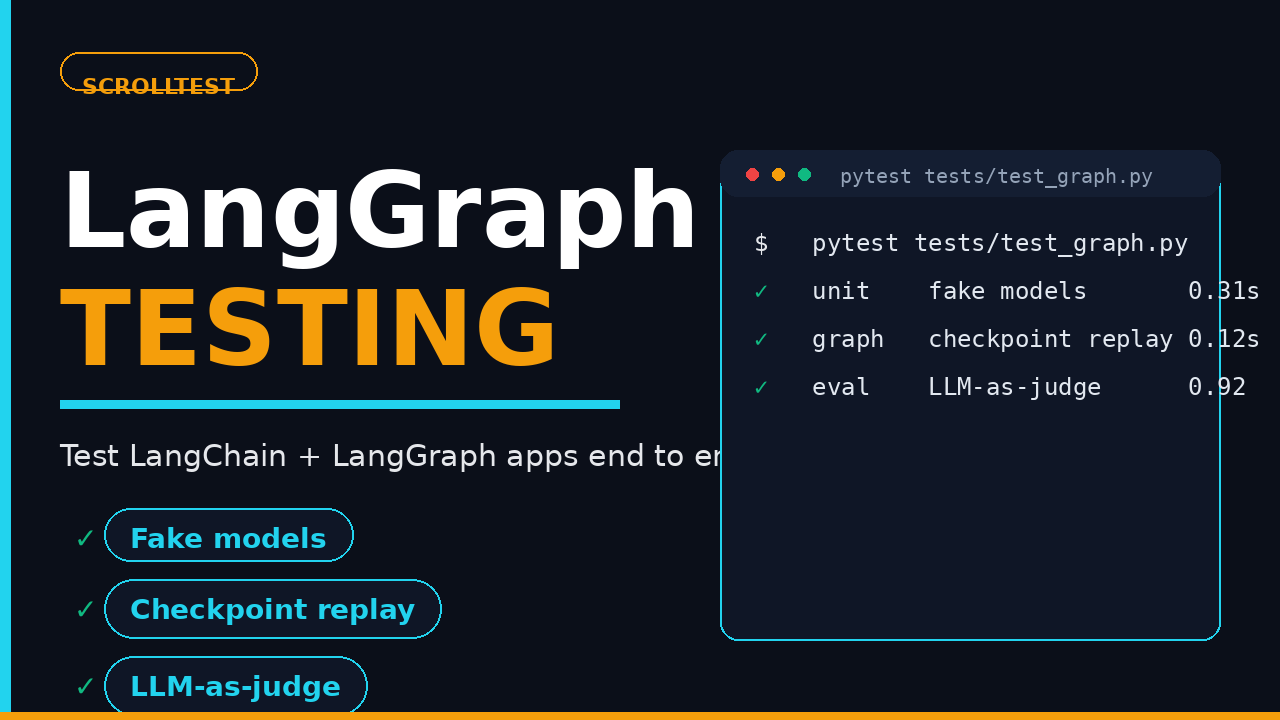
Most teams test a LangGraph app the same way they test a REST endpoint: one happy-path invoke(), a green checkmark, and a prayer. Then the agent ships, invents a refund policy, and you find out from a customer ticket at 2 a.m. LangGraph testing is a different discipline than API testing because the thing you’re asserting against is non-deterministic, stateful, and expensive. In this guide I’ll show you how to test LangChain chains and LangGraph graphs end to end, from fake models to checkpoint replay to LLM-as-judge evaluation, using LangGraph 1.2.11 as the reference.
Table of Contents
- What End-to-End Testing Means for an LLM App
- The LangGraph Testing Stack in 2026
- Unit Testing Chains and Nodes with Fake Models
- Testing Stateful Graphs: Checkpoint Replay and Time Travel
- Testing Tool Calls and Multi-Agent Graphs
- Evaluating Outputs: Don’t Assert on the Exact String
- Testing Failure Paths: Errors, Retries, and Human-in-the-Loop
- Cost and Latency Gates for Agent Tests
- A CI Pipeline That Runs Agent Tests Without Flaking
- India Context: LangGraph in SDET Job Descriptions
- Key Takeaways
- FAQ
Contents
What End-to-End Testing Means for an LLM App
In a CRUD app, end-to-end testing means a browser hits a real backend and a real database. In an LLM app, the “end” of the pipeline is a probabilistic model that costs money to call and gives you a different answer every time. That changes what a passing test can mean.
I see four layers in a LangGraph testing pyramid, and each needs its own assertion strategy:
- Unit layer: individual nodes and chains with a deterministic fake model. No network, no cost, runs in milliseconds.
- Graph layer: the wiring between nodes, state transitions, and checkpoint behavior. Test with a fake model plus the real graph structure.
- Evaluation layer: run the real model and judge the output with an evaluator (LLM-as-judge, DeepEval, Promptfoo, or Ragas), not with
assert result == "expected". - Contract and performance layer: token counts, latency, and cost stay under gates on every PR.
The mistake I see repeatedly is teams skipping layers one through three and treating a single integration call as their entire test suite. When that call passes, they trust it. When it flakes, they delete it. Neither is a test strategy.
The LangGraph Testing Stack in 2026
Before writing a single test, pin your versions and know what you’re building against. As of August 2026, the reference stack looks like this:
- LangGraph 1.2.11 (released August 11, 2026) is the current stable line, with 39,889 GitHub stars as I write this, per the LangGraph repository.
- LangChain sits at 144,427 GitHub stars, per the LangChain repository.
- langgraph-checkpoint 4.2.0 (released August 7, 2026) adds an
omit_expiredflag to skip expired checkpoint rows on read, a small but useful win for long-running test suites that replay state. - The
langchainnpm package clocked roughly 10.9 million downloads in the last month, per npm registry data. The Python side requires Python 3.10 or newer, per the langgraph PyPI page.
The full 1.2.11 changelog is on GitHub. One thing worth calling out: 1.2.11 exposes a trace_policy argument on add_node, which is genuinely useful when you want per-node tracing control during debugging.
The test-relevant primitives have been stable across the 1.x line, which is why the patterns below work whether your team is on 1.2.9 or 1.2.11. The two you’ll reach for constantly are the in-memory checkpointer and the deterministic fake model.
Unit Testing Chains and Nodes with Fake Models
The single highest-value habit in LangGraph testing is this: never call a real model in a unit test. A real call is slow, costs money, and injects randomness into a test whose only job is to verify your logic. Swap in a fake model that returns a scripted response instead.
LangChain ships deterministic fakes in langchain_core.language_models.fake_chat_models. The workhorse is FakeMessagesListChatModel, which returns exactly the messages you hand it, in order, every time:
from langchain_core.language_models.fake_chat_models import FakeMessagesListChatModel
from langchain_core.messages import AIMessage

# Script the exact reply your node will receive.
fake = FakeMessagesListChatModel(
    responses=[
        AIMessage(content="ORDER_CREATED"),
        AIMessage(content="REFUND_ISSUED"),
    ]
)
Now you can unit-test a node that classifies a support ticket and routes it, with zero flakiness:
import pytest
from your_app.nodes import classify_node

def test_classify_orders_route():
    fake = FakeMessagesListChatModel(
        responses=[AIMessage(content="ORDER")]
    )
    result = classify_node({"ticket": "Where is my order #4821?"}, llm=fake)
    assert result["intent"] == "ORDER"
    assert result["route"] == "order_support"
Three rules I enforce on every unit test
- Inject the model, don’t import it. The node should accept the LLM as a parameter or a dependency. If the node instantiates its own model, you can’t swap it.
- One behavior per test. “Classifies orders” and “classifies refunds” are two tests, not one test with two asserts.
- Assert on the state, not the string. Check the structured field the node writes (
intent,route), not the raw text, so a wording change doesn’t break the suite.
There’s also GenericFakeChatModel, which lets you define a callable that maps inputs to outputs, and ParrotFakeChatModel, which echoes the input back. I use GenericFakeChatModel when a node’s behavior depends on the incoming prompt, so the fake can respond differently based on what it receives.
Testing Stateful Graphs: Checkpoint Replay and Time Travel
LangChain chains are stateless. LangGraph graphs are not, and that statefulness is where most of your real bugs live. The good news: LangGraph’s checkpointing gives you a built-in way to test state transitions, replay a run, and even rewind the graph to an earlier checkpoint.
The in-memory checkpointer is the canonical test double. In LangGraph 1.x it’s InMemorySaver (the older MemorySaver name still works as an alias, but InMemorySaver is the name in the current package):
from typing import TypedDict
from langgraph.graph import StateGraph, START, END
from langgraph.checkpoint.memory import InMemorySaver

class AgentState(TypedDict):
    query: str
    answer: str
    refund_issued: bool

def answer_node(state: AgentState) -> dict:
    return {"answer": "resolved", "refund_issued": True}

def build_graph():
    builder = StateGraph(AgentState)
    builder.add_node("answer", answer_node)
    builder.add_edge(START, "answer")
    builder.add_edge("answer", END)
    return builder.compile(checkpointer=InMemorySaver())
Every run needs a thread_id in its config. That ID is what makes state retrievable:
graph = build_graph()
config = {"configurable": {"thread_id": "test-run-1"}}

graph.invoke({"query": "refund my order"}, config=config)

# Inspect the final state.
state = graph.get_state(config)
assert state.values["refund_issued"] is True
Replay and time travel
Two more primitives turn checkpointing into a real test tool. First, get_state_history() returns every checkpoint the graph wrote during the run, so you can assert that intermediate state was correct before the final node fired. Second, update_state() lets you rewrite the state at a checkpoint and re-run from there. That’s “time travel,” and it’s how I test a node’s behavior without replaying the entire pipeline:
# Rewind: change state at the latest checkpoint, then resume.
graph.update_state(config, {"refund_issued": False})
resumed = graph.invoke(None, config=config)
assert resumed["refund_issued"] is True

# Every checkpoint the run produced, oldest to newest.
history = list(graph.get_state_history(config))
assert len(history) >= 2
This is the pattern I wrote about in more depth in my LangGraph state persistence testing guide, and it’s the difference between testing an agent’s final answer and testing the journey it took to get there. Memory and context retention are the same idea applied to conversation state; I covered that in the AI agent memory testing post.
Testing Tool Calls and Multi-Agent Graphs
Chains and single-node graphs are the easy 60%. The harder 40% is tool-calling agents, where the model doesn’t return an answer but a decision about which tool to invoke, with what arguments. That decision is exactly where subtle regressions hide: the agent starts calling lookup_order when it should call lookup_refund, or it passes the wrong argument shape.
The fake model can script a tool call instead of a plain message, so you can assert routing without ever touching a live tool:
from langchain_core.messages import AIMessage

def scripted_tool_call(*args, **kwargs):
    return AIMessage(
        content="",
        tool_calls=[{
            "name": "lookup_order",
            "args": {"order_id": "4821"},
            "id": "call_1",
        }],
    )

fake = FakeMessagesListChatModel(responses=[scripted_tool_call])
Then assert on what the graph did with that decision: which tool node it entered, and what the tool wrote back to state. If your tool nodes write structured state (state["order"] = {...}), the assertion is clean and deterministic. If the agent called the wrong tool, your test fails before a real API is ever hit.
Multi-agent graphs are the same idea, scaled. When one graph hands off to another, isolate the hand-off contract: the supervisor’s final state becomes the worker’s initial state, so test that mapping with fakes on both sides. You don’t need to run the whole swarm to catch a bad hand-off, and running it will cost you a fortune. I broke down the architecture of these systems in my multi-agent test systems guide.
Evaluating Outputs: Don’t Assert on the Exact String
At some point you have to call the real model. The question is what you assert when you do. If you write assert output == "refund approved", you’ll rewrite that test every time the model’s phrasing shifts. The fix is to separate “did the model say the right thing” from “did the model say it the exact way I expected.”
Evaluation frameworks exist precisely for this. The three I see teams standardize on:
- DeepEval runs as pytest fixtures with metrics like faithfulness, answer relevancy, and G-Eval, so it slots into a Python test runner you already use.
- Promptfoo is config-file-driven and shines at red-teaming and regression suites where you define assertions (
contains,llm-rubric,factuality) against many test cases at once. - Ragas targets RAG specifically, with metrics like faithfulness and answer relevancy tuned for retrieval pipelines.
I compared all three in my DeepEval vs Promptfoo vs Ragas breakdown, so I won’t repeat the whole table here. The point for this guide: run the real graph with the real model, then hand the output to an evaluator that scores it against a rubric rather than a hardcoded string.
A minimal DeepEval example, because it’s the one that fits most naturally inside a Python graph test:
from deepeval import assert_test
from deepeval.metrics import AnswerRelevancyMetric
from deepeval.test_case import LLMTestCase

def test_answer_is_relevant():
    graph = build_graph()
    result = graph.invoke({"query": "What is the return policy?"})
    assert_test(
        LLMTestCase(
            input="What is the return policy?",
            actual_output=result["answer"],
        ),
        [AnswerRelevancyMetric(threshold=0.7)],
    )
Thresholds and golden datasets
The threshold is the discipline. A metric without a numeric threshold is a hope, not a gate. Set it, put it in CI, and let it fail loudly when the model drifts.
The other piece is a golden dataset: a fixed set of 30 to 50 real inputs with known-good outputs that you run every evaluation against. This is your regression suite for model changes. When a vendor ships a new model version, you don’t re-trust it, you re-run the golden set and watch which scores moved. A golden set that’s too small misses drift; one that’s too large makes every eval run slow and expensive. Thirty to fifty representative cases, curated by hand, is the sweet spot for most teams.
Testing Failure Paths: Errors, Retries, and Human-in-the-Loop
Happy paths are easy. The tests that earn their keep cover what happens when a tool call fails, a model returns malformed JSON, or the graph needs a human decision before it can proceed.
LangGraph gives you three levers for this, and each has a test pattern:
- Model errors. Point the node at a fake that raises, and assert the graph either retries, degrades gracefully, or surfaces a typed error instead of returning a hallucinated answer.
- Malformed tool output. If a node parses JSON from the model, feed it bad JSON and assert your parser’s fallback path, not a crash.
- Human-in-the-loop. Use
interrupt()(orinterrupt_beforeon a node) to pause the graph mid-run, then assert the run stopped at the right node before you resume it withupdate_state().
Here’s the interrupt pattern, which is the one most teams skip and the one that catches the most production bugs:
from langgraph.types import interrupt

def approval_node(state: AgentState) -> dict:
    decision = interrupt({"question": "Approve refund?"})
    return {"refund_issued": decision == "yes"}

# The run pauses at the interrupt.
graph.invoke({"query": "refund order #91"}, config=config)
state = graph.get_state(config)
assert state.next == ("approval",)   # waiting on the human

# The human answers, and the run resumes.
graph.invoke(None, config=config)
Getting state.next right is the key assertion here. If the graph doesn’t pause where you expect, the interrupt is in the wrong node, and that’s exactly the kind of bug that ships silently.
Cost and Latency Gates for Agent Tests
An LLM test that’s correct but costs $4 and takes 90 seconds is a liability, not a test. Once you’re calling the real model, measure the call, because agents loop, and loops multiply cost.
Two gates I put on every agent PR:
- Token budget. Record the prompt and completion token counts per run and assert they stay under a ceiling. A graph that used to spend 800 tokens and now spends 3,200 is regressing, even if the answer is still right.
- Latency ceiling. Assert the full graph run finishes under a time budget (I use 30 seconds for a typical single-hop agent in CI). If a node now retries three times, the latency test is what tells you.
I wrote the full token and latency gate setup in my LLM performance testing post. The short version: capture usage from the model response, log it, and assert on it in CI. Cost regressions are test failures too.
Here’s the shape of a token gate on a real-model evaluation test, using the response metadata LangChain already returns:
import time

def test_agent_stays_under_budget():
    graph = build_graph()
    start = time.perf_counter()
    result = graph.invoke({"query": "summarize this ticket"}, config=config)
    elapsed = time.perf_counter() - start

    usage = result["usage"]   # capture this in your node
    assert usage["total_tokens"] < 2000, f"token budget blown: {usage['total_tokens']}"
    assert elapsed < 30, f"latency ceiling hit: {elapsed:.1f}s"
Two things make this useful rather than annoying. First, capture usage inside the node and store it in state, so the assertion reads from a single place. Second, keep the budget generous enough that a legitimate model change doesn’t trip it, but tight enough that an accidental three-hop loop does. The exact ceiling is a team decision; the point is that it exists and runs in CI.
A CI Pipeline That Runs Agent Tests Without Flaking
The reason most teams abandon LangGraph testing isn’t that the tests are hard to write. It’s that they throw real-model tests into a normal CI job and watch them flake. Here’s the pipeline I’ve landed on after running these suites for real teams:
- Layer one, no network: run all fake-model unit and graph tests first. They’re deterministic and finish in seconds. If these fail, nothing else runs.
- Layer two, cached evals: run evaluation tests against a small set of real-model calls, with results cached per prompt hash so a wording change doesn’t re-burn budget.
- Layer three, nightly: run the full evaluation and red-team suite on a schedule, not on every push, so the expensive and slower checks don’t block merges.
- Pin the model and temperature: set temperature to 0 for anything you assert on, and pin the model version in config. An unpinned model is a flaky test waiting to happen.
That fourth point is non-negotiable. Two runs of the same graph against two different model versions are two different tests, and you didn’t ask for the second one.
India Context: LangGraph in SDET Job Descriptions
I get asked weekly whether LangGraph is worth learning for a testing career in India. My answer is blunt: it’s showing up in SDET and QA automation job descriptions at product companies, and it’s the difference between a ₹15 LPA manual-to-automation profile and a ₹28-40 LPA agent-testing profile.
The pattern is consistent. Companies building AI products in Bengaluru, Hyderabad, and Pune now want testers who can write a deterministic graph test and an LLM-as-judge eval, not just someone who can automate a login page in Selenium. Manual testing and basic UI automation still exist, but they no longer command the premium.
If you’re early in your career, the highest-value sequence is: learn pytest, learn to test a LangChain chain with a fake model, then learn to replay LangGraph state. That’s three skills, and each one compounds the last. I put a full curriculum for this transition together in my QA engineer prompt library and the AI testing courses at The Testing Academy.
Key Takeaways
- Layer your LangGraph testing. Fake models for unit and graph tests, real models only for evaluation, and cost/latency gates on every PR.
- Use
InMemorySaverandthread_id. They unlockget_state,get_state_history, andupdate_statefor deterministic replay and time travel. - Never assert on the exact string. Judge real-model output with DeepEval, Promptfoo, or Ragas against a numeric threshold.
- Test the pause. Interrupts and human-in-the-loop are where production bugs hide; assert
state.next. - Pin the model and temperature. Unpinned models are the leading cause of agent-test flakiness.
FAQ
Do I need to call a real LLM to test a LangGraph app?
No. The unit and graph layers run entirely on deterministic fake models like FakeMessagesListChatModel. Real-model calls only belong in the evaluation layer, where an evaluator scores the output instead of comparing it to a hardcoded string.
What’s the difference between MemorySaver and InMemorySaver?
They’re the same class. LangGraph 1.x names it InMemorySaver in langgraph.checkpoint.memory, and MemorySaver is kept as a backwards-compatibility alias. Use InMemorySaver in new tests.
How do I test a node that needs a human decision?
Use interrupt() inside the node, run the graph, and assert graph.get_state(config).next points at the paused node. Then call update_state() or invoke() again to resume and verify the post-decision path.
Which evaluation framework should a QA newbie start with?
DeepEval, because it runs as pytest fixtures and fits a Python test runner you already know. Reach for Promptfoo when you need config-driven regression suites and red-teaming, and Ragas when the app is RAG-specific.
Why do my agent tests flake in CI?
Almost always an unpinned model, a non-zero temperature, or a real-model call inside a test that should be using a fake. Pin the model, set temperature to 0 for asserted output, and move real-model calls into a cached or nightly layer.


