The QA Engineer’s Prompt Library: 20 AI Prompts for Testing Tasks You Do Every Day
AI assistants have become indispensable tools for QA engineers, but their usefulness depends entirely on the quality of your prompts. A vague prompt like “write me some tests” produces generic, unusable output. A structured prompt with context, constraints, and expected format produces output that is eighty percent ready for production use. This guide contains twenty copy-paste prompts organized by category, each with a template, an example input, and guidance on expected output quality. These prompts are designed for use with ChatGPT, Claude, Copilot, and any other AI assistant that accepts natural language instructions. Save this as your reference library and adapt each prompt to your specific technology stack and project requirements.
🤖 Learning AI-powered testing? Go hands-on with LLM, RAG, and AI-agent testing in the AI-Powered Testing Mastery course at The Testing Academy.
Contents
Category 1: Test Case Generation (4 Prompts)
Prompt 1: Generate Test Cases from Requirements
This prompt takes a product requirement or user story and generates a comprehensive set of test cases covering positive flows, negative flows, boundary conditions, and edge cases.
You are a senior QA engineer creating test cases for a web application.

REQUIREMENT:
[Paste the requirement, user story, or acceptance criteria here]

CONTEXT:
- Application type: [web app / mobile app / API]
- Technology: [React, Angular, etc.]
- User roles: [admin, standard user, guest, etc.]

Generate test cases in the following format:
| ID | Category | Test Case Title | Preconditions | Steps | Expected Result | Priority |

Include these categories:
1. Positive/Happy path (3-5 cases)
2. Negative/Error scenarios (3-5 cases)
3. Boundary values (2-3 cases)
4. Edge cases (2-3 cases)
5. Security considerations (1-2 cases)
6. Performance considerations (1-2 cases)
7. Accessibility checks (1-2 cases)

For each test case, assign priority as P0 (critical), P1 (high), P2 (medium), or P3 (low).
Example Input: “As a user, I want to reset my password via email so that I can regain access to my account if I forget my password. Acceptance criteria: User clicks forgot password link, enters email, receives reset link valid for 24 hours, creates new password meeting complexity requirements, and is redirected to login.”
Expected Output Quality: The AI will generate fifteen to twenty test cases covering the happy path, invalid email formats, expired links, password complexity validation, multiple reset requests, and security scenarios like brute force attempts. Review the output for domain-specific gaps the AI might miss, such as SSO integration or account lockout policies specific to your application.
Prompt 2: Generate Test Cases from User Stories
Analyze this user story and generate BDD-style test scenarios using Given/When/Then format.

USER STORY:
[Paste user story here]

ADDITIONAL CONTEXT:
- Sprint goal: [context about the sprint]
- Related features: [other features this interacts with]
- Known constraints: [any technical or business constraints]

Generate:
1. Feature file header with descriptive feature name and description
2. At least 3 positive scenarios
3. At least 3 negative scenarios
4. Scenario outlines for data-driven testing where applicable
5. Tag each scenario with @smoke, @regression, or @edge-case

Format output as a valid Gherkin .feature file.
Prompt 3: Generate Negative and Edge Case Tests
You are a QA engineer focused on finding bugs through negative testing and edge cases.

FEATURE DESCRIPTION:
[Describe the feature and its inputs/outputs]

INPUT FIELDS:
[List each field with its type, constraints, and validation rules]

Generate an exhaustive list of negative and edge case tests organized by:

1. INVALID INPUT TYPES
   - Wrong data types (string where number expected, etc.)
   - Empty/null/undefined values
   - Whitespace-only strings

2. BOUNDARY VALUES
   - Min - 1, Min, Min + 1
   - Max - 1, Max, Max + 1
   - Zero, negative numbers for numeric fields

3. SPECIAL CHARACTERS
   - SQL injection patterns
   - XSS payloads
   - Unicode characters (emoji, CJK, RTL)
   - HTML entities

4. STATE-BASED EDGE CASES
   - Concurrent modifications
   - Session expiration mid-operation
   - Network disconnection during submission
   - Back button after submission

5. DATA VOLUME
   - Empty lists/tables
   - Single item
   - Maximum allowed items
   - Beyond maximum items

For each test, provide the input, expected behavior, and why this test matters.
Prompt 4: Security-Focused Test Cases
Generate security-focused test cases for this feature based on OWASP Top 10 categories.

FEATURE:
[Describe the feature, its authentication model, and data it handles]

API ENDPOINTS:
[List relevant endpoints with methods and parameters]

USER ROLES:
[List roles and their permission levels]

Generate security test cases for:
1. Authentication bypass attempts
2. Authorization/privilege escalation
3. Input injection (SQL, XSS, command injection)
4. Insecure direct object references (IDOR)
5. CSRF protection verification
6. Rate limiting and brute force protection
7. Sensitive data exposure in responses
8. Session management vulnerabilities

Format: | Security Category | Test Case | Attack Vector | Expected Defense | Severity |
Category 2: Test Code Generation (4 Prompts)
Prompt 5: Playwright Test from Feature Description
Generate a complete Playwright test file in TypeScript for the following feature.

FEATURE:
[Describe what the feature does from the user's perspective]

PAGE URL: [URL or route]

KEY ELEMENTS:
[List the interactive elements: buttons, forms, dropdowns, etc.]

REQUIREMENTS:
- Use Playwright Test runner with TypeScript
- Follow Page Object Model pattern
- Use getByRole and getByLabel locators (avoid CSS selectors)
- Include test.describe blocks for logical grouping
- Add beforeEach for common setup
- Include at least: 2 happy path tests, 2 negative tests, 1 edge case
- Add meaningful test names that describe the expected behavior
- Use soft assertions where appropriate

Generate two files:
1. Page Object class (pages/FeaturePage.ts)
2. Test file (tests/feature.spec.ts)
Prompt 6: API Test Scaffolding
Generate API tests using Playwright APIRequestContext for these endpoints.

API SPECIFICATION:
[Paste OpenAPI/Swagger spec, endpoint documentation, or describe the API]

BASE URL: [API base URL]
AUTH: [Authentication method: Bearer token, API key, Basic auth]

Generate tests covering:
1. Happy path for each endpoint (correct request, verify response)
2. Authentication tests (missing token, expired token, wrong role)
3. Input validation (missing required fields, wrong types, boundary values)
4. Error response verification (4xx status codes, error message format)
5. Response schema validation (verify JSON structure matches spec)
6. Pagination testing if applicable
7. Rate limiting verification if applicable

Include:
- Shared fixtures for authentication
- Helper functions for common assertions
- Test data factories for request bodies
- Environment-aware base URL configuration
Prompt 7: Data-Driven Test Generation
Convert this test scenario into a data-driven test using Playwright's test parameterization.

SCENARIO:
[Describe the test scenario]

VARIABLES:
[List the parameters that should be data-driven with their valid and invalid values]

Generate:
1. A test data array with at least 10 test cases including valid, invalid, and boundary values
2. A parameterized test using test.describe and a for loop or test.each equivalent
3. Clear test names that include the parameter values
4. Appropriate assertions for each data category (valid vs invalid)

Format: TypeScript with Playwright Test, using descriptive variable names.
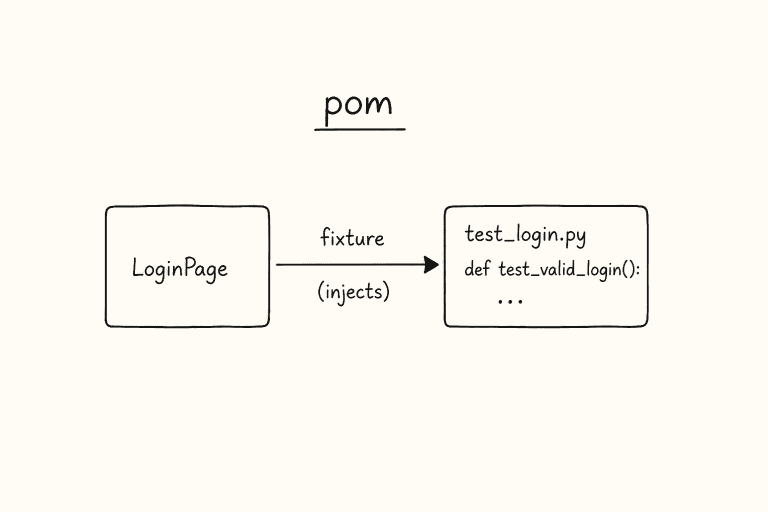
Prompt 8: Page Object Model Class Generation
Generate a Page Object Model class for this page using Playwright with TypeScript.

PAGE DESCRIPTION:
[Describe the page layout and functionality]

URL PATTERN: [URL or route pattern]

INTERACTIVE ELEMENTS:
[List all interactive elements with their types and purposes]

REQUIREMENTS:
- TypeScript class with readonly locator properties
- Constructor accepts Page object
- Methods for each user action (login, search, addItem, etc.)
- Getter methods for dynamic content verification
- waitForReady() method for page load verification
- Use getByRole, getByLabel, getByText locators
- Include JSDoc comments for each method
- Include assertion helper methods (expectSuccessMessage, expectErrorMessage, etc.)
- Make the class export-ready for use in test files
Category 3: Bug Investigation (4 Prompts)
Prompt 9: Root Cause Analysis from Error Logs
Analyze these error logs and provide a root cause analysis.

ERROR LOGS:
[Paste the relevant error logs, stack traces, or console output]

CONTEXT:
- When did this start happening: [date/time or deploy version]
- Frequency: [every time / intermittent / under load]
- Affected environment: [production / staging / local]
- Recent changes: [recent deploys, config changes, dependency updates]

Provide:
1. SUMMARY: One-sentence description of the issue
2. ROOT CAUSE: Most likely cause based on the log evidence
3. CONTRIBUTING FACTORS: Other conditions that may be involved
4. EVIDENCE: Specific log lines that support the diagnosis
5. REPRODUCTION STEPS: How to reproduce based on the analysis
6. FIX SUGGESTIONS: Ordered by likelihood of resolving the issue
7. PREVENTION: How to prevent this class of issue in the future
Prompt 10: Flaky Test Diagnosis
Diagnose this flaky test and suggest fixes.

TEST CODE:
[Paste the test code that is flaky]

FAILURE PATTERN:
- Pass rate: [e.g., passes 7 out of 10 runs]
- Fails more in CI than locally: [yes/no]
- Specific failure message: [paste error message]
- Time of failures: [random / during peak hours / after specific tests]

ENVIRONMENT:
- Test framework: [Playwright / Cypress / Selenium]
- CI system: [GitHub Actions / Jenkins / etc.]
- Parallel execution: [yes/no]

Analyze for these common flakiness causes:
1. Race conditions (missing waits, async operations)
2. Test data dependencies (shared state, ordering)
3. Timing issues (animations, network latency, element rendering)
4. Environment differences (screen size, timezone, locale)
5. Resource contention (ports, files, database connections)

For each identified issue:
- Point to the specific line(s) causing the problem
- Explain why it causes intermittent failures
- Provide the corrected code
🚀 Build Real AI Testing Skills
Stop testing AI by guesswork. Learn DeepEval, RAG evaluation, and agent testing with guided projects.
Prompt 11: Performance Bottleneck Identification
Analyze this performance data and identify bottlenecks.

PERFORMANCE DATA:
[Paste performance metrics: response times, resource usage, network waterfall, etc.]

APPLICATION CONTEXT:
- Type: [SPA / SSR / API service]
- Tech stack: [React, Node.js, PostgreSQL, etc.]
- User load: [current users, expected growth]
- SLAs: [target response times, uptime requirements]

Identify:
1. TOP 3 BOTTLENECKS ranked by impact on user experience
2. For each bottleneck:
   - What is slow and by how much
   - Root cause hypothesis
   - Evidence from the data
   - Specific optimization recommendation
   - Expected improvement after fix
3. QUICK WINS: Changes that require minimal effort but improve performance
4. MONITORING RECOMMENDATIONS: What metrics to track going forward
Prompt 12: Regression Impact Analysis
Analyze this code change and identify areas at risk of regression.

CODE DIFF:
[Paste the git diff or describe the changes]

CHANGED FILES:
[List modified files and their purposes]

Provide:
1. DIRECT IMPACT: Features directly affected by the change
2. INDIRECT IMPACT: Features that depend on changed components
3. RISK ASSESSMENT: High/Medium/Low risk for each affected area
4. RECOMMENDED TEST SCOPE:
   - Must-run test suites
   - Specific test cases to prioritize
   - Exploratory testing areas
5. REGRESSION TEST PLAN: Ordered checklist of areas to verify
6. DEPLOYMENT RECOMMENDATION: Safe to deploy / needs additional testing / needs rollback plan
Category 4: Documentation (4 Prompts)
Prompt 13: Test Plan from Product Requirements Document
Create a test plan based on this product requirements document.

PRD CONTENT:
[Paste the PRD or key sections]

PROJECT CONTEXT:
- Timeline: [release date or sprint end]
- Team size: [QA engineers available]
- Risk tolerance: [high quality required / fast release / balanced]

Generate a test plan with:
1. SCOPE: In-scope and out-of-scope items
2. TEST STRATEGY: Approach for each testing level (unit, integration, E2E)
3. TEST SCENARIOS: Grouped by feature area with priority
4. ENVIRONMENT REQUIREMENTS: Test environments and data needs
5. ENTRY/EXIT CRITERIA: When to start and stop testing
6. RISK REGISTER: Identified risks and mitigation strategies
7. RESOURCE ALLOCATION: Who tests what, and when
8. SCHEDULE: Test phases aligned with development milestones
9. DELIVERABLES: Test artifacts to produce
Prompt 14: Bug Report Structuring
Structure this bug information into a clear, actionable bug report.

RAW INFORMATION:
[Paste your rough notes, screenshots descriptions, log snippets, or informal bug description]

Format the output as:

**Title:** [Concise, searchable title following pattern: [Component] Action produces wrong result]

**Environment:** [Browser, OS, version, environment URL]

**Severity:** [Critical / Major / Minor / Trivial] with justification

**Steps to Reproduce:**
1. [Numbered, specific steps]
2. [Include exact URLs, test data used]
3. [Note any required preconditions]

**Expected Result:** [What should happen]

**Actual Result:** [What actually happens]

**Frequency:** [Always / Intermittent (X out of Y attempts) / Once]

**Workaround:** [Any known workaround, or "None identified"]

**Additional Context:** [Related tickets, screenshots, logs]

**Suggested Root Cause:** [Optional technical analysis if available]
Prompt 15: Release Notes from Commit History
Generate user-facing release notes from these commit messages and ticket descriptions.

COMMITS/TICKETS:
[Paste commit log or list of tickets included in the release]

VERSION: [Version number]
RELEASE DATE: [Date]

Generate release notes with:
1. HIGHLIGHTS: 2-3 sentence summary of the most important changes
2. NEW FEATURES: User-facing features with brief descriptions
3. IMPROVEMENTS: Enhancements to existing features
4. BUG FIXES: Resolved issues (reference ticket numbers)
5. KNOWN ISSUES: Outstanding issues in this release
6. BREAKING CHANGES: Any changes requiring user action
7. UPGRADE INSTRUCTIONS: Steps to upgrade (if applicable)

Write in clear, non-technical language that customers can understand.
Avoid internal jargon, code references, or implementation details.
Prompt 16: Test Coverage Report Summary
Analyze this test coverage data and generate an executive summary.

COVERAGE DATA:
[Paste coverage report: lines, branches, functions, or test case counts by area]

Generate:
1. EXECUTIVE SUMMARY: Overall coverage health in 2-3 sentences
2. COVERAGE DASHBOARD: Table showing coverage by module/feature
3. RISK AREAS: Low-coverage areas ranked by business criticality
4. RECOMMENDATIONS: Specific areas where adding tests would have the highest impact
5. TREND: Coverage direction compared to last period (if data available)
6. ACTION ITEMS: Prioritized list of coverage improvement tasks with estimated effort
Category 5: Career Development (4 Prompts)
Prompt 17: Resume Bullet Points for QA Engineers
Transform these raw job responsibilities into impactful resume bullet points.

RAW RESPONSIBILITIES:
[List your daily tasks, projects, and achievements in plain language]

TOOLS/TECHNOLOGIES USED:
[List your tech stack]

METRICS (if available):
[Any numbers: bugs found, test coverage, time saved, etc.]

Generate resume bullet points that:
- Start with strong action verbs (Engineered, Automated, Reduced, Led)
- Include quantifiable results where possible
- Highlight technical skills and tools
- Show impact on business outcomes
- Follow the format: [Action] + [What] + [Result/Impact]
- Are 1-2 lines each
- Target both ATS keyword matching and human readers

Generate 8-10 bullet points ranked by impact.
Prompt 18: Interview Answer Structuring (STAR Method)
Structure my answer to this interview question using the STAR method.

INTERVIEW QUESTION:
[Paste the interview question]

MY RAW NOTES:
[Write your unstructured thoughts, experiences, and details about the situation]

Format using STAR:
**Situation:** [Set the context - 2-3 sentences]
**Task:** [Describe your specific responsibility - 1-2 sentences]
**Action:** [Detail the steps YOU took - 3-5 sentences, use "I" not "we"]
**Result:** [Quantifiable outcome - 2-3 sentences with metrics]

Then provide:
- A concise 30-second version for initial response
- 2-3 follow-up questions the interviewer might ask with suggested answers
- Key technical terms to naturally include
Prompt 19: LinkedIn Post Drafting for QA Professionals
Draft a LinkedIn post about this QA/testing topic that positions me as a thought leader.

TOPIC:
[Describe the topic, insight, or experience you want to share]

MY PERSPECTIVE:
[Your unique take or lesson learned]

TARGET AUDIENCE: QA engineers, SDETs, engineering managers

Generate a LinkedIn post that:
- Opens with a hook (contrarian statement, surprising fact, or question)
- Is 150-200 words (optimal for engagement)
- Uses short paragraphs (1-2 sentences each)
- Includes a personal experience or specific example
- Ends with a question to drive comments
- Includes 3-5 relevant hashtags
- Avoids buzzwords and generic advice
- Sounds authentic and conversational, not corporate
Prompt 20: Learning Plan Generation
Create a personalized learning plan for advancing my QA engineering career.

CURRENT SKILLS:
[List your current technical skills and proficiency levels]

CURRENT ROLE: [Your current title and responsibilities]

TARGET ROLE: [Where you want to be in 12 months]

AVAILABLE TIME: [Hours per week for learning]

CONSTRAINTS: [Budget, preferred learning style, etc.]

Generate a 12-week learning plan with:
1. WEEK-BY-WEEK SCHEDULE: Specific topics and activities
2. RESOURCES: Free and paid courses, books, tutorials, projects
3. HANDS-ON PROJECTS: Practical exercises to build portfolio pieces
4. MILESTONES: Monthly checkpoints with measurable goals
5. COMMUNITY: Conferences, meetups, online communities to join
6. CERTIFICATION PATH: Relevant certifications and prep timeline

Prioritize practical skills over theoretical knowledge.
Include specific resource links where possible.
How to Maximize Prompt Effectiveness
The quality of AI output depends on the quality of your input. Here are practical tips for getting the best results from these prompts. First, always provide concrete context rather than abstract descriptions. Instead of saying “a login feature,” describe “a login page with email and password fields, Google SSO button, forgot password link, and remember me checkbox.” The more specific your input, the more relevant the output.
Second, iterate on the output. Treat the first response as a draft and ask follow-up questions to refine it. “Add more edge cases for the email field” or “Make the test code use our custom wait utility instead of page.waitForTimeout” produce increasingly tailored output. Third, maintain a living library. Save prompts that work well for your project, annotate them with the context they were used in, and share them with your team. A shared prompt library becomes a form of institutional knowledge that accelerates onboarding and standardizes quality practices.
Fourth, validate everything. AI-generated test cases and code are drafts, not finished products. Review generated test cases against your actual application behavior, verify that generated code compiles and runs, and check that generated documentation matches your project’s actual state. The goal is to use AI to get from zero to eighty percent in minutes, then apply your expertise for the remaining twenty percent that makes the output production-ready.
Conclusion
These twenty prompts cover the most common tasks QA engineers perform daily, from generating test cases and writing automation code to investigating bugs and advancing your career. The key to effective AI assistance is providing structured, specific prompts with clear context and constraints. Start with the prompts most relevant to your current work, customize them for your technology stack and project requirements, and build a personal prompt library that evolves as you discover what works best for your workflow. AI does not replace QA expertise; it amplifies it by handling the repetitive groundwork so you can focus on the creative, analytical work that catches the bugs that matter.
🎓 Become an AI-Powered QA Engineer
Join hundreds of SDETs mastering LLM, RAG, and agent testing. Lifetime access, hands-on labs, and a job-ready portfolio.