Selenium 4 BiDi Testing Checklist for QA Teams
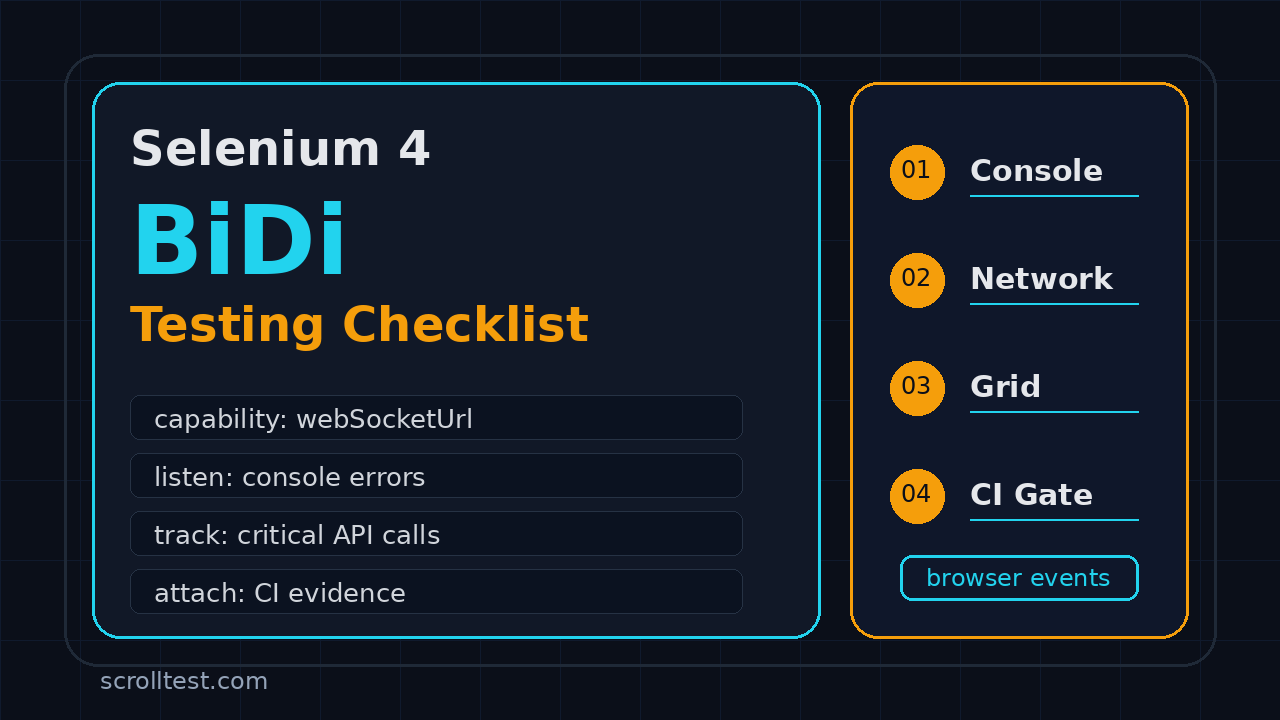
Table of Contents
- Why a Selenium 4 BiDi testing checklist matters now
- What Selenium 4 BiDi changes in real test suites
- Selenium 4 BiDi testing checklist: environment and browser setup
- Console, JavaScript error, and logging checks
- Network, API, and request inspection checks
- Script, DOM, and event-driven checks
- CI, Grid, and parallel execution checklist
- Migration plan from classic Selenium tests
- India hiring context for SDETs
- Key takeaways
- FAQ
The Selenium 4 BiDi testing checklist is now a practical QA artifact, not a future-looking experiment. Selenium is steadily moving beyond one-way WebDriver commands into event-driven browser automation, and QA teams need a safe way to adopt BiDi without turning their stable regression suite into a research project.
I see teams make the same mistake during tool upgrades: they bump the dependency, run smoke tests, and call it done. That is risky with WebDriver BiDi because the value sits in browser events, console logs, network traffic, and asynchronous behavior that old Selenium tests often ignore.
This guide gives you a production checklist you can use before enabling BiDi in a Java, Python, or JavaScript Selenium framework. I will keep the advice grounded in official documentation and real framework decisions, not hype.
Contents
Why a Selenium 4 BiDi testing checklist matters now
Selenium is still one of the most important automation projects in testing. The SeleniumHQ GitHub repository shows more than 34,000 stars and active releases, with Selenium 4.46.0 published in July 2026. That activity matters because many enterprise teams still run large Selenium suites across Java, Python, C#, and JavaScript.
WebDriver BiDi changes what those suites can observe. The official W3C WebDriver BiDi specification defines a bidirectional protocol that allows the browser and automation client to communicate through events. Selenium’s own BiDi documentation explains the shift clearly: traditional WebDriver is strict request and response, while BiDi enables asynchronous interactions such as browser logs, network events, and script events.
That sounds technical, but the testing impact is simple. Your test can stop asking only, “Did the button appear?” and start asking, “Did this page throw a JavaScript error, send the wrong API call, or silently fail a telemetry request while the button appeared?”
Classic WebDriver is not broken
Classic WebDriver still handles most browser actions well. Click, type, wait, assert text, switch frames, upload files, and run cross-browser regression. I do not recommend rewriting a working Selenium framework just because BiDi exists.
The gap appears when the defect is not visible in the DOM. A payment page can show a success toast while an analytics event fails. A React screen can render correctly while a hydration error floods the browser console. A micro frontend can return a 200 response but include a backend warning that should fail the release gate.
BiDi adds observability to UI tests
The strongest reason to adopt BiDi is observability. It lets QA engineers collect evidence from the browser while the test is running, not after a manual DevTools inspection. That evidence helps with:
- JavaScript errors that do not break the visible page
- Network calls with bad status codes or malformed payloads
- Console warnings that reveal frontend regressions
- Browser event timing that explains flaky behavior
- Richer failure reports for CI pipelines
If your team already likes Playwright traces or Cypress network inspection, BiDi is Selenium’s route toward similar event-driven visibility while preserving the Selenium ecosystem. For a broader tool decision, read ScrollTest’s Playwright vs Selenium vs Cypress decision guide.
What Selenium 4 BiDi changes in real test suites
The phrase “bidirectional” can sound abstract. In a test framework, it means your automation code can subscribe to browser-side events and react to them. Selenium is adding user-friendly APIs on top of lower-level BiDi domains so teams do not need to write raw protocol code for every check.
The old model: command, response, command
Classic Selenium flows usually look like this:
- Open a page.
- Find an element.
- Click or type.
- Wait for a condition.
- Assert the DOM.
That model is deterministic and easy to understand. It is also blind to many problems unless the page state exposes them. If the browser console logs a security warning, the test may pass. If a background request fails after the DOM assertion, the test may pass. If an application emits a client-side exception that the UI swallows, the test may pass.
The BiDi model: subscribe, act, assert evidence
A BiDi-aware test adds one more loop:
- Open a BiDi-capable browser session.
- Subscribe to the event domain you care about.
- Perform the user action.
- Collect console, network, or script evidence.
- Assert both UI state and browser evidence.
That final step is where the value sits. A checkout test should assert the confirmation page, but it can also assert that no severe console errors occurred and no critical API returned a 500. That gives QA a stronger release signal.
BiDi does not replace API testing
Do not turn every UI test into a full API audit. That creates slow tests and noisy failures. Keep API contract tests in their own layer. Use BiDi in UI tests to catch browser-observed issues that are strongly tied to the user journey.
If your team wants a CI structure for this split, use the pattern in How to Build a QA-First CI/CD Pipeline: fast checks first, focused integration checks next, and full regression only where the risk justifies it.
Selenium 4 BiDi testing checklist: environment and browser setup
The first part of the Selenium 4 BiDi testing checklist is boring by design. Most BiDi failures I see are not clever protocol bugs. They are version mismatches, unsupported browser combinations, grid capabilities not passed correctly, or CI containers missing the right browser build.
1. Pin Selenium and browser versions
Start with explicit versions. Do not allow your CI image to silently pick a new browser while your local machine runs an older one. Record these values in your test report:
- Selenium language binding version
- Browser name and version
- Driver or Selenium Manager behavior
- Operating system and container image
- Remote Grid vendor or Selenium Grid version
The Selenium project publishes releases on GitHub. Before a large upgrade, I check the release page, scan breaking changes, then run a controlled subset of browser-observability tests before touching the full regression suite.
2. Enable BiDi explicitly
Selenium documentation states that WebDriver BiDi is enabled by setting the required browser capability. Keep that setup in one factory method so your framework can turn BiDi on or off per suite.
ChromeOptions options = new ChromeOptions();
options.setCapability("webSocketUrl", true);
WebDriver driver = new ChromeDriver(options);

// Keep BiDi setup behind a factory flag:
// - local smoke: BiDi on
// - legacy regression: BiDi off until audited
// - CI release gate: BiDi on for selected journeys
3. Run a capability smoke test
Before adding assertions, run one tiny test that proves the browser session exposes BiDi capability. I like a simple “open page and collect one console event” test because it validates the session, event subscription, and teardown path.
def test_bidi_session_smoke(driver):
    driver.get("https://example.com")
    assert "Example" in driver.title
    # Framework-specific BiDi hook goes here.
    # The smoke test should fail loudly if BiDi is not available.
4. Keep a fallback mode
BiDi adoption should be reversible. Add a feature flag such as ENABLE_BIDI=true and keep classic WebDriver execution available for a few sprints. That lets you compare behavior and avoid blocking releases because one browser event listener is unstable.
Console, JavaScript error, and logging checks
Console observability is the easiest starting point. Selenium’s BiDi documentation lists logging features because browser logs are a practical use case for asynchronous events. The goal is not to fail builds on every warning. The goal is to catch severe application errors that users would never report clearly.
What to fail on
I recommend failing only on high-signal events at first:
- Uncaught JavaScript exceptions
- Console errors from your application bundle
- Security or CORS errors on critical pages
- Hydration or rendering errors in React, Angular, or Vue apps
- Errors that appear after a user action, not during unrelated third-party script loading
Do not fail the build because a marketing pixel prints a warning. That creates alert fatigue and teams will disable the check.
Use an allowlist and a denylist
A healthy logging gate needs two lists. The denylist captures failures that should always fail the test. The allowlist documents known noisy messages that you are intentionally ignoring until the owning team fixes them.
type ConsoleIssue = {
  level: "error" | "warning" | "info";
  message: string;
  url?: string;
};

const failPatterns = [
  /Uncaught/i,
  /TypeError/i,
  /ReferenceError/i,
  /Hydration failed/i,
  /CORS/i,
];

const ignoredPatterns = [
  /third-party-analytics/i,
  /favicon.ico/i,
];

export function shouldFailConsole(issue: ConsoleIssue): boolean {
  const text = `${issue.level} ${issue.message} ${issue.url ?? ""}`;
  if (ignoredPatterns.some((pattern) => pattern.test(text))) return false;
  return issue.level === "error" && failPatterns.some((pattern) => pattern.test(text));
}
The key is ownership. Every ignored message should have a ticket or owner. Otherwise the allowlist becomes a dumping ground.
Attach logs to CI artifacts
When a BiDi logging gate fails, attach the logs to the test report. A failure message that says “console error found” is useless. A failure message that includes timestamp, URL, event level, and test step is actionable.
Network, API, and request inspection checks
Network checks are powerful, but they can also make Selenium tests brittle. Use them for critical requests only. If a journey depends on a checkout API, quote API, login token, file upload, or search endpoint, BiDi network events can give your UI test one extra layer of confidence.
Pick the requests before writing code
Do not subscribe to everything and assert later. Start with a short table:
- Login page: token request returns 200 or 201
- Checkout page: order creation request returns 201
- Search page: query endpoint returns 200 and responds within your SLO
- File upload: upload endpoint returns 200 and response has file ID
- Feature flag page: config endpoint returns expected flag value
Separate status checks from contract checks
A Selenium BiDi network check can catch a failed request. It should not replace contract tests that validate every response schema field. Keep the UI test assertion small:
type NetworkObservation = {
  method: string;
  url: string;
  status: number;
  durationMs: number;
};

export function assertCriticalRequests(events: NetworkObservation[]) {
  const checkout = events.find((event) =>
    event.method === "POST" && event.url.includes("/api/orders")
  );

  if (!checkout) throw new Error("Missing order creation request");
  if (checkout.status !== 201) {
    throw new Error(`Order API returned ${checkout.status}`);
  }
  if (checkout.durationMs > 3000) {
    throw new Error(`Order API was slow: ${checkout.durationMs}ms`);
  }
}
Protect secrets in logs
Network evidence often includes tokens, cookies, emails, order IDs, or phone numbers. Redact before attaching artifacts. This matters even more in India-based service teams where client environments may have strict audit rules and shared CI access.
Use redaction as a default, not an afterthought:
export function redactNetworkLog(value: string): string {
  return value
    .replace(/Bearer\s+[A-Za-z0-9._-]+/g, "Bearer ***")
    .replace(/[A-Z0-9._%+-]+@[A-Z0-9.-]+\.[A-Z]{2,}/gi, "***@***")
    .replace(/"password"\s*:\s*"[^"]+"/gi, '"password":"***"');
}
Script, DOM, and event-driven checks
Script-level checks are where teams need discipline. BiDi can expose deeper browser behavior, but that does not mean every UI test should become a browser internals test. Use script and DOM event checks where they directly explain a release risk.
Good candidates for script checks
I add script checks when the defect history shows repeated client-side issues. Examples:
- A dashboard page that silently fails when local storage is corrupt
- A micro frontend that throws errors during mount or unmount
- A single-page app that breaks browser back navigation
- A feature-flagged component that renders the wrong branch
- A form that looks submitted but never dispatches the expected event
Keep assertions close to user value
Do not assert internal implementation details just because they are visible. If your assertion breaks every time a component refactors, it is a bad test. BiDi should help you observe user-impacting behavior, not freeze the frontend architecture.
Make event timing explicit
Asynchronous browser events create timing problems when teams do not define windows. Decide when collection starts and stops:
- Start collecting before the user action.
- Perform the action.
- Wait for a visible completion signal.
- Wait one short stability window, such as 500 ms to 1000 ms.
- Assert collected evidence.
CI, Grid, and parallel execution checklist
BiDi failures often show up only under CI pressure. Local runs are clean. Parallel Grid runs are noisy. Docker runs miss one dependency. Remote browser providers handle capabilities differently. That is why the CI part of the checklist is mandatory.
Run BiDi tests as a separate suite first
Create a suite such as bidi-observability. Keep it small and high-value. I usually start with 5 to 15 journeys:
- Login
- Search
- Checkout or booking
- File upload or export
- One feature-flagged page
- One dashboard or report page
Record capability metadata
Every CI report should show whether BiDi was enabled. Add a small metadata block to the artifact:
{
  "suite": "bidi-observability",
  "selenium": "4.46.0",
  "browser": "chrome",
  "browserVersion": "stable",
  "bidiEnabled": true,
  "grid": "selenium-grid",
  "eventsCaptured": ["console", "network"]
}
Decide what blocks a release
Not every BiDi signal deserves release-blocker status. Use three levels:
- Blocker: critical API failure, uncaught app exception, broken login or checkout event
- Warning: non-critical console error, slow request, known third-party issue
- Info: diagnostic data attached for debugging only
Migration plan from classic Selenium tests
A sensible Selenium 4 BiDi migration is incremental. The wrong plan is “enable BiDi everywhere and see what breaks.” The right plan is to add observability to a few journeys, learn from the noise, then expand.
Phase 1: audit your current framework
Before writing BiDi code, answer these questions:
- Where is browser creation centralized?
- Can the framework pass custom browser capabilities cleanly?
- Where are logs attached to test reports?
- Which tests already fail due to frontend exceptions?
- Which journeys have the highest production defect cost?
Phase 2: add one observability helper
Start with console errors. Network checks are tempting, but console error collection is usually easier to explain and less dependent on backend details. Build a helper with three methods: start collection, stop collection, assert no severe issues.
class BrowserEvidence {
  private consoleIssues: ConsoleIssue[] = [];

  async start() {
    // Bind Selenium BiDi console listener here.
    // Push normalized issues into this.consoleIssues.
  }

  async stop() {
    // Remove listeners and flush pending events.
  }

  assertNoSevereConsoleErrors() {
    const failures = this.consoleIssues.filter(shouldFailConsole);
    if (failures.length > 0) {
      throw new Error(JSON.stringify(failures, null, 2));
    }
  }
}
Phase 3: expand by risk, not by coverage percentage
BiDi coverage percentage is a bad KPI. A better KPI is “top 10 business journeys now collect browser evidence.” For an e-commerce app, that may be login, search, add to cart, checkout, cancellation, and invoice download. For a SaaS app, it may be login, workspace creation, permissions, billing, export, and notification settings.
Phase 4: document the decision tree
Every new test author should know when to use BiDi. Put this decision tree in your framework README:
- Is the defect visible in the DOM? Use normal Selenium assertions first.
- Is the defect a browser console or client-side exception? Add logging evidence.
- Is the defect a critical request failure tied to a user action? Add network evidence.
- Is the defect a backend contract issue? Write an API contract test instead.
- Is the defect a visual layout issue? Use visual regression, not BiDi.
This protects the framework from random low-level assertions.
India hiring context for SDETs
For India-based QA engineers, Selenium still matters. Many TCS, Infosys, Wipro, Cognizant, Accenture, and enterprise captive teams continue to maintain Selenium-heavy automation stacks. Product companies may ask for Playwright, Cypress, or API testing, but Selenium remains a common baseline skill in interviews.
The career edge is not “I know Selenium.” Too many people can say that. The edge is “I can modernize a Selenium framework with browser observability, CI evidence, and lower flakiness.” That sounds like an SDET who can own quality systems, not just write locators.
What to show in your portfolio
If you want this skill to show up in interviews, build a small public repo:
- One Selenium 4 project with Chrome and Firefox setup
- One BiDi capability smoke test
- One console error gate
- One network request observation example
- One GitHub Actions pipeline that uploads logs as artifacts
- A README explaining when BiDi should and should not block a release
How I would pitch it in an interview
Use this simple answer:
“I use Selenium for stable cross-browser flows, and I add WebDriver BiDi only where browser evidence improves the release signal. For example, I collect severe console errors on checkout and critical network status codes on order creation. I keep the gate small, redact logs, and attach evidence to CI artifacts.”
Key takeaways
The Selenium 4 BiDi testing checklist is about controlled adoption. BiDi gives Selenium teams better browser observability, but only if the framework treats it as evidence collection, not as a reason to over-engineer every UI test.
- Start with one BiDi smoke test before adding release gates.
- Use console error collection as the first practical adoption point.
- Add network checks only for critical user journeys and critical requests.
- Keep BiDi tests separate in CI until the signal is stable.
- Attach clean, redacted evidence to every failure report.
- Expand by product risk, not by vanity coverage percentage.
If your team is already planning framework modernization, pair this checklist with a broader test automation review. Start with the highest-risk Selenium journeys, add browser evidence, and measure whether debugging gets faster in CI. That is the real win.
FAQ
Is Selenium 4 BiDi ready for production testing?
Yes, but use it selectively. Selenium’s documentation describes BiDi as available for user-facing features such as logging, network, and script-related capabilities. I would not enable every possible BiDi check across a full enterprise regression suite on day one. Start with smoke tests and a small observability suite.
Does WebDriver BiDi replace Chrome DevTools Protocol?
WebDriver BiDi is designed as a stable, cross-browser protocol, while Chrome DevTools Protocol is Chrome-focused. Selenium documentation notes that CDP has provided limited bidirectional functionality, and BiDi addresses some drawbacks by aiming for a browser-vendor-backed standard. For QA teams, that means fewer Chrome-only assumptions over time.
Should Selenium teams switch to Playwright instead of adopting BiDi?
It depends on the suite, team, and product risk. If you have a stable Selenium investment and need better browser observability, BiDi is worth testing. If you are building a new TypeScript-first automation stack and need traces, auto-waiting, and API testing in one workflow, Playwright may be the better default. Read the ScrollTest tool comparison guide before deciding.
What is the first BiDi check I should add?
Add severe console error collection on one critical journey. It is easy to explain, easy to report, and catches real frontend failures. Once that signal is stable, add network observations for one or two critical requests.
How many BiDi tests should run in CI?
Start with 5 to 15 high-risk journeys. Keep them in a separate suite, publish the browser evidence as artifacts, and review failures for two or three sprints. Expand only when the failures are actionable and the team trusts the signal.