Playwright Email Testing with TypeScript: Day 37
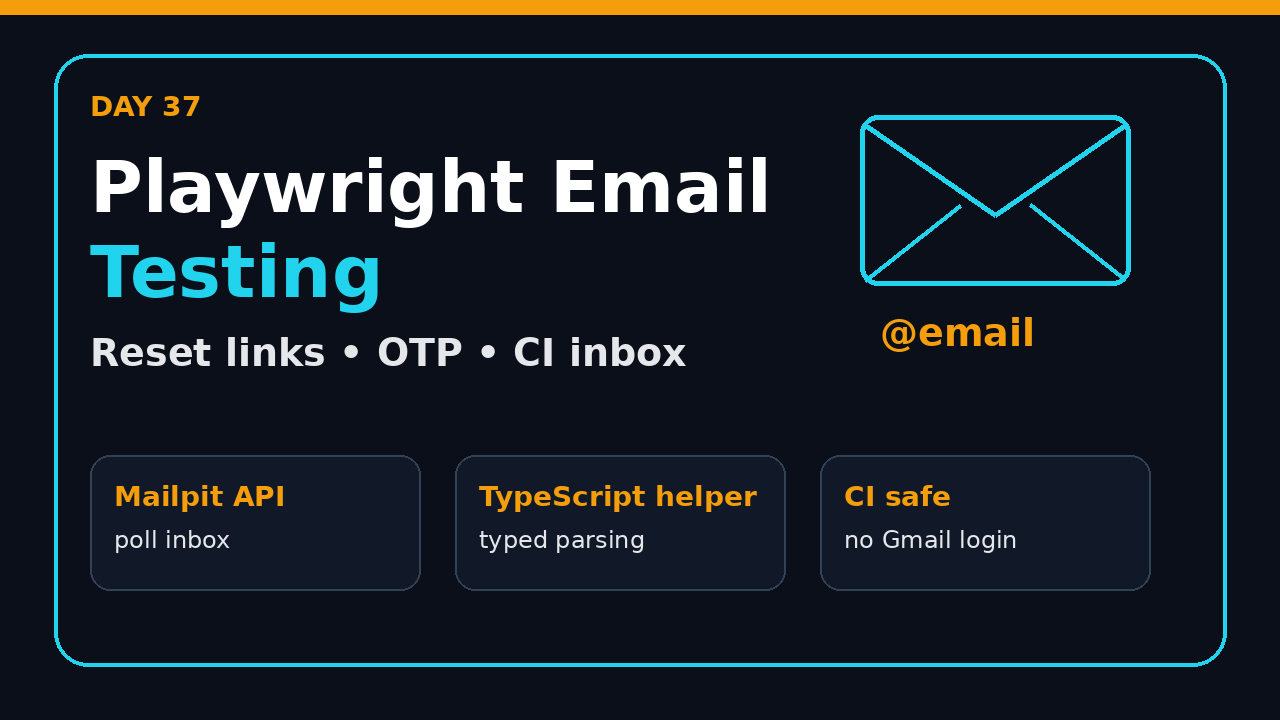
Playwright email testing is the missing piece in many Playwright suites. On Day 37, I show how to test password reset links, OTP emails, magic links, and attachments with TypeScript without logging into Gmail or adding random sleeps.
The goal is practical: use Playwright for the browser journey, use a local inbox API for email verification, and keep the test stable in CI. This is the pattern I expect a serious SDET to know before calling a framework production-ready.
Table of Contents
- Why email tests break in real projects
- The Day 37 test stack
- Build a typed Mailpit client
- Test password reset links end to end
- Test OTP and magic-link flows
- Verify email content and attachments
- Run email tests in CI
- Common pitfalls I see in Indian QA teams
- Key takeaways
- FAQ
Contents
Why email tests break in real projects
Playwright email testing is where many automation suites stop being clean demos and start behaving like production systems. Registration, password reset, invoice delivery, invite flows, OTP login, account lockout, and trial activation all depend on email. If your Playwright suite ignores email, you are not testing the full customer journey.
I see teams test only the UI success toast: click Send, assert “Check your inbox”, and move on. That test proves the button rendered. It does not prove the application generated the right message, sent it to the right user, included a safe link, or accepted the code from the inbox. Day 37 fixes that gap with a local inbox, a typed TypeScript helper, and Playwright’s API layer.
The official Playwright API testing guide explains that Playwright can send direct HTTP requests from Node.js without loading a page. That is perfect for an email inbox API. We use the browser for the user journey and the API client for inbox inspection. This keeps the test fast and readable.
The risk behind shallow email assertions
- Password reset links must contain the correct host and token.
- OTP emails must reach the exact recipient used in the test.
- Invite emails must not leak another tenant’s organization name.
- Invoice attachments must be present and generated for the right order.
- Unsubscribe and support links must be valid, not placeholder text.
For product teams in Bengaluru or Pune, this matters because onboarding and payments are revenue paths. A senior SDET should own the flow before UAT.
What we will build today
We will test email without using a real Gmail account. Real inboxes add rate limits, spam filters, network delays, and privacy risk. Instead, we run a local SMTP capture tool and inspect messages through an HTTP API. The pattern works locally, in Docker, and in GitHub Actions.
- Run Mailpit as a local test inbox.
- Configure the app SMTP settings to send test email to Mailpit.
- Use Playwright’s
requestfixture to query the inbox API. - Extract reset links and OTP codes from the message body.
- Finish the UI flow in the browser.
The Day 37 test stack
The clean stack for Playwright email testing has three parts: Playwright for the browser, Mailpit for the inbox, and TypeScript for safe helper code. Mailpit provides a web UI at port 8025 and SMTP capture at port 1025. Its API v1 documentation exposes endpoints for searching and reading captured messages.
MailHog is another popular option. The MailHog API v2 swagger file shows a similar idea: capture messages and query them through HTTP. I use Mailpit in new examples because the API is simple and the UI is modern, but the Playwright pattern stays the same.
Local setup
Start the inbox before running the application. Your app should send test emails to SMTP port 1025 instead of a production provider. Never point automated tests at real customers, a shared company mailbox, or a developer’s personal inbox.
# local email inbox for tests
docker run --rm -p 8025:8025 -p 1025:1025 axllent/mailpit

# app points SMTP to localhost:1025
SMTP_HOST=127.0.0.1
SMTP_PORT=1025
EMAIL_BASE_URL=http://127.0.0.1:8025
Playwright config for local email
Here is a realistic Playwright configuration. It starts the app and Mailpit as test dependencies. In a real framework you may run Mailpit through Docker Compose instead, but the idea is the same: make the email server part of the test environment, not tribal knowledge in a README.
// playwright.config.ts
import { defineConfig } from '@playwright/test';

export default defineConfig({
  testDir: './tests',
  timeout: 45_000,
  expect: { timeout: 10_000 },
  use: {
    baseURL: process.env.APP_URL ?? 'http://localhost:3000',
    trace: 'on-first-retry',
    screenshot: 'only-on-failure'
  },
  webServer: [
    {
      command: 'npm run start:test',
      url: 'http://localhost:3000',
      reuseExistingServer: !process.env.CI
    },
    {
      command: 'docker run --rm -p 8025:8025 -p 1025:1025 axllent/mailpit',
      url: 'http://localhost:8025',
      reuseExistingServer: !process.env.CI
    }
  ]
});
For earlier setup, use Service Worker testing. For database cleanup, connect this with Day 36.
The current npm registry metadata for @playwright/test reports version 1.62.0 at the time of this run. Do not hardcode your framework decisions around one version number, but keep Playwright updated because tracing, browser support, and API ergonomics improve quickly.
Build a typed Mailpit client
Raw API calls inside test files become messy after two scenarios. A typed client keeps the tests readable. The helper below does four things: clears the inbox, polls until a message appears, fetches message details, and extracts the first matching link.
This is also where Playwright email testing becomes less flaky. We do not sleep for 5 seconds and hope the email arrived. We poll for a short timeout with a clear error message. Playwright already promotes retryable assertions for UI checks, and the same mindset applies to backend side effects.
The helper class
// tests/support/mailpit.ts
import { APIRequestContext, expect } from '@playwright/test';
export type MailSummary = {
ID: string;
To: { Address: string }[];
From: { Address: string };
Subject: string;
Created: string;
};
type MessageSearch = { messages: MailSummary[] };
type MessageDetail = { Text: string; HTML: string; Subject: string };
export class MailpitClient {
constructor(
private request: APIRequestContext,
private baseURL = process.env.EMAIL_BASE_URL ?? 'http://127.0.0.1:8025'
) {}
async deleteAll() {
await this.request.delete(`${this.baseURL}/api/v1/messages`);
}
async waitForMessage(to: string, subjectPart: string, timeoutMs = 15_000) {
const started = Date.now();
while (Date.now() - started < timeoutMs) {
const response = await this.request.get(`${this.baseURL}/api/v1/search`, {
params: { query: `to:${to}` }
});
expect(response.ok()).toBeTruthy();
const body = (await response.json()) as MessageSearch;
const match = body.messages.find(message =>
message.Subject.includes(subjectPart) &&
message.To.some(recipient => recipient.Address === to)
);
if (match) return match;
await new Promise(resolve => setTimeout(resolve, 500));
}
throw new Error(`No email found for ${to} with subject containing ${subjectPart}`);
}
async getMessage(id: string) {
const response = await this.request.get(`${this.baseURL}/api/v1/message/${id}`);
expect(response.ok()).toBeTruthy();
return (await response.json()) as MessageDetail;
}
extractFirstLink(message: MessageDetail, pathPart: string) {
const combined = `${message.HTML}\n${message.Text}`;
const links = [...combined.matchAll(/https?:\/\/[^\s"'<>]+/g)].map(match => match[0]);
const link = links.find(item => item.includes(pathPart));
if (!link) throw new Error(`No link containing ${pathPart} found`);
return link.replace(/&/g, '&');
}
}The helper filters by recipient and subject part. A broad “latest email” query is unsafe when tests run in parallel. It also checks both HTML and text bodies because test templates often differ from production templates.
Why not open the Mailpit UI with Playwright?
Use the Mailpit UI for debugging and screenshots. Use the API for automation. Otherwise a product test can fail because an inbox UI label changed.
Test password reset links end to end
Password reset is the best first scenario for Playwright email testing. It has a clear trigger, a generated email, a secure link, and a browser continuation step. A shallow test checks only the toast. A useful test follows the link and completes the password change.
The end-to-end reset test
// tests/auth/password-reset.spec.ts
import { test, expect } from '@playwright/test';
import { MailpitClient } from '../support/mailpit';

test('user can reset password from email link', async ({ page, request }) => {
  const mail = new MailpitClient(request);
  await mail.deleteAll();

  const email = `reset-${Date.now()}@example.test`;
  await page.goto('/forgot-password');
  await page.getByLabel('Email').fill(email);
  await page.getByRole('button', { name: 'Send reset link' }).click();

  await expect(page.getByText('Check your email')).toBeVisible();

  const summary = await mail.waitForMessage(email, 'Reset your password');
  const detail = await mail.getMessage(summary.ID);
  const resetLink = mail.extractFirstLink(detail, '/reset-password');

  await page.goto(resetLink);
  await page.getByLabel('New password').fill('SDET@12345');
  await page.getByLabel('Confirm password').fill('SDET@12345');
  await page.getByRole('button', { name: 'Update password' }).click();

  await expect(page.getByText('Password updated')).toBeVisible();
});
This test uses a unique email address. If your app needs a pre-existing account, create it through an API or database fixture first. Do not reuse one static email across workers.
The assertion sequence matters:
- Assert the UI confirms the request was accepted.
- Wait for the exact message for the exact recipient.
- Fetch the full message body from the inbox API.
- Extract and visit the reset link.
- Complete the user-facing password update flow.
Security checks worth adding
If your team uses page objects, keep email extraction outside the page object. Page objects model browser pages. Mail clients model external test services. Mixing both creates bloated classes and unclear ownership. For a refresher, see Day 34: Network Mocking.
Test OTP and magic-link flows
OTP flows are common in India because many products support email plus mobile login. The email version is easy to test with the same helper. The important part is to parse the code from the body and keep the regex strict enough to avoid accidental matches.
OTP code extraction
test('signup OTP works through email', async ({ page, request }) => {
  const mail = new MailpitClient(request);
  await mail.deleteAll();

  const email = `otp-${Date.now()}@example.test`;
  await page.goto('/signup');
  await page.getByLabel('Email').fill(email);
  await page.getByRole('button', { name: 'Create account' }).click();

  const summary = await mail.waitForMessage(email, 'Your verification code');
  const detail = await mail.getMessage(summary.ID);
  const otp = detail.Text.match(/\b\d{6}\b/)?.[0];
  expect(otp, 'six digit OTP should be present in email').toBeTruthy();

  await page.getByLabel('Verification code').fill(otp!);
  await page.getByRole('button', { name: 'Verify' }).click();
  await expect(page.getByRole('heading', { name: 'Welcome' })).toBeVisible();
});
A six-digit regex is fine for many apps, but do not assume every product uses six digits. Some use eight digits, alphanumeric codes, or magic links. Keep the extraction function close to your product contract. If the product owner changes the format, the test should fail loudly.
Magic links
Magic links are reset links with a different label. Trigger login, wait for the email, extract a URL containing /magic-login, then navigate. After navigation, assert the user lands on the authenticated dashboard and that the session storage or cookies are created as expected.
Be careful with one-time links. If your test opens the same link twice because of a retry, the second attempt should fail. That failure is correct. Use clean test data and isolate each retry where possible. Playwright’s locator documentation reminds us that locators are retryable and re-resolve elements, but backend tokens do not magically reset between retries.
Verify email content and attachments
Email testing is not only links and OTP. Invoice PDFs, CSV exports, calendar invites, and KYC documents need checks. Prove the attachment exists, has the expected type, and belongs to the current test entity.
Content checks that matter
- Subject includes the customer-visible action, not an internal template key.
- Recipient and sender are correct for the tenant and environment.
- HTML body contains the product name and primary CTA.
- Plain text body is not empty for accessibility and deliverability.
- Links use HTTPS and the expected domain.
- Attachments have expected names, MIME types, and non-zero size.
For visual email templates, keep one or two screenshot checks in a slower suite. PR runs should check structure and key text.
If an email never arrives, the screenshot alone is not enough. Check app logs, SMTP configuration, and the Mailpit container logs. Many “email test flakes” are actually environment configuration errors.
Run email tests in CI
CI is where Playwright email testing proves whether your framework is production-ready. CI exposes missing services, wrong ports, DNS assumptions, and race conditions.
GitHub Actions service container
# .github/workflows/playwright.yml
name: playwright-email-tests
on: [push, pull_request]

jobs:
  test:
    runs-on: ubuntu-latest
    services:
      mailpit:
        image: axllent/mailpit:latest
        ports:
          - 1025:1025
          - 8025:8025
    env:
      EMAIL_BASE_URL: http://127.0.0.1:8025
      SMTP_HOST: 127.0.0.1
      SMTP_PORT: 1025
    steps:
      - uses: actions/checkout@v4
      - uses: actions/setup-node@v4
        with:
          node-version: 22
      - run: npm ci
      - run: npx playwright install --with-deps chromium
      - run: npm run test:e2e -- --grep @email
This workflow uses a service container for Mailpit and passes the inbox URL through environment variables. If your application runs in another container, use Docker networking names instead of 127.0.0.1. The key is simple: the app must send SMTP to Mailpit, and the tests must query Mailpit’s HTTP API.
Parallel workers and inbox isolation
Parallelism is useful, but email tests need isolation. You can isolate by recipient, by test run ID, or by mailbox namespace if your inbox tool supports it. My default is unique recipient plus cleanup before each test. For heavier suites, I group email tests into a serial project or run them with fewer workers.
Do not disable parallelism for the entire suite just because email tests need care. Keep the rest of the Playwright suite fast. Put email scenarios under an @email tag and tune that group separately.
Common pitfalls I see in Indian QA teams
Many Indian QA teams are moving from Selenium-only automation to Playwright plus TypeScript. The mistakes are predictable: teams automate the screen and skip the side effect.
Pitfall 1: Testing Gmail instead of your product
Do not automate Gmail login. It is slow, brittle, risky, and usually blocked by security controls. You are not paid to test Gmail. Capture the outgoing email in a test inbox and assert the message contract.
Pitfall 2: Sleeping instead of polling
A fixed wait hides the real problem. If email usually arrives in 300 ms, a 5 second sleep wastes time. If email sometimes takes 8 seconds, the same sleep still flakes. Poll the inbox API with a short timeout and a precise error message.
One shared inbox creates order dependence. Two tests can read the same latest message. Use unique recipients and filter by subject. This is the difference between a demo framework and a framework that survives a product-company CI pipeline.
Pitfall 4: No negative checks
Happy paths are not enough. Add token reuse, expiry, wrong recipient, and invalid code checks. For SDET roles around ₹25-40 LPA, talk about system-level assertions, not only browser clicks.
Key takeaways
Playwright email testing should verify the complete user journey, not only the button click. The browser triggers the flow, the inbox API inspects the email, and the browser completes the action. That is the pattern I want you to remember from Day 37.
- Use a local SMTP capture tool such as Mailpit or MailHog for test environments.
- Query the inbox through HTTP APIs instead of automating the inbox UI.
- Filter messages by unique recipient and subject to avoid parallel test bugs.
- Poll for email arrival instead of using fixed waits.
- Keep email helpers separate from page objects.
- Run email scenarios in CI with explicit service containers and environment variables.
Tomorrow, we can build on this by testing file uploads, downloads, or payment-style confirmation flows. The pattern stays the same: do not stop at the UI when the product behavior crosses system boundaries.
FAQ
Can Playwright read emails directly?
Playwright does not read Gmail or Outlook by default. It can call any HTTP API through the request fixture. That means it can read emails from tools such as Mailpit, MailHog, Mailosaur, or a custom test inbox API.
Should I use Mailpit or MailHog?
Both work. Mailpit is my default for new TypeScript examples because the UI and API feel clean. MailHog is common in older Docker Compose setups. Pick one, document the ports, and keep the helper interface stable.