Playwright vs Selenium 2026: The Data Every Migration Team Needs
Contents
Playwright vs Selenium 2026: The Data Every Migration Team Needs
The migration conversation has shifted. In 2023, switching from Selenium to Playwright was a debate. In 2026, it is a procurement decision. Teams are not asking if they should move. They are asking how fast they can do it without breaking legacy suites. I have led two migrations at Tekion and advised three others through BrowsingBee. The pattern is always the same: the data forces the move, but the execution determines whether the team wins or loses six months to regret.
🎭 Want to master this with real projects? Join the Playwright Automation Mastery course at The Testing Academy.
This article is not a sales pitch. It is a data dump. I will show you npm download curves, GitHub star velocity, release cadence differences, and the salary gap in India. Then I will walk you through the 6-week migration roadmap I use with enterprise teams. By the end, you will know whether to stay, move, or run a hybrid strategy. No fluff. Just numbers and field-tested process.
Table of Contents
- What the Download Numbers Actually Say
- Where Selenium Still Wins
- Where Playwright Pulls Ahead in 2026
- The Hidden Cost of Staying on Selenium
- Migration Roadmap: A 6-Week Timeline
- India Context: What Hiring Managers Want in 2026
- Common Traps During Migration
- Key Takeaways
- FAQ
What the Download Numbers Actually Say
Open-source popularity is not vanity. It predicts hiring pools, plugin availability, and long-term maintenance risk. Here are the hard numbers as of June 2026.
| Metric | Playwright | Selenium |
|---|---|---|
| GitHub stars | 90,135 | 34,144 |
| NPM downloads (last 30 days) | 220,344,317 | 8,822,285 |
| Open issues | 153 | 187 |
| Latest stable | v1.60.0 (May 11) | 4.44.0 (May 12) |
| Cross-browser | Chromium, Firefox, WebKit | Chrome, Firefox, Safari, Edge |
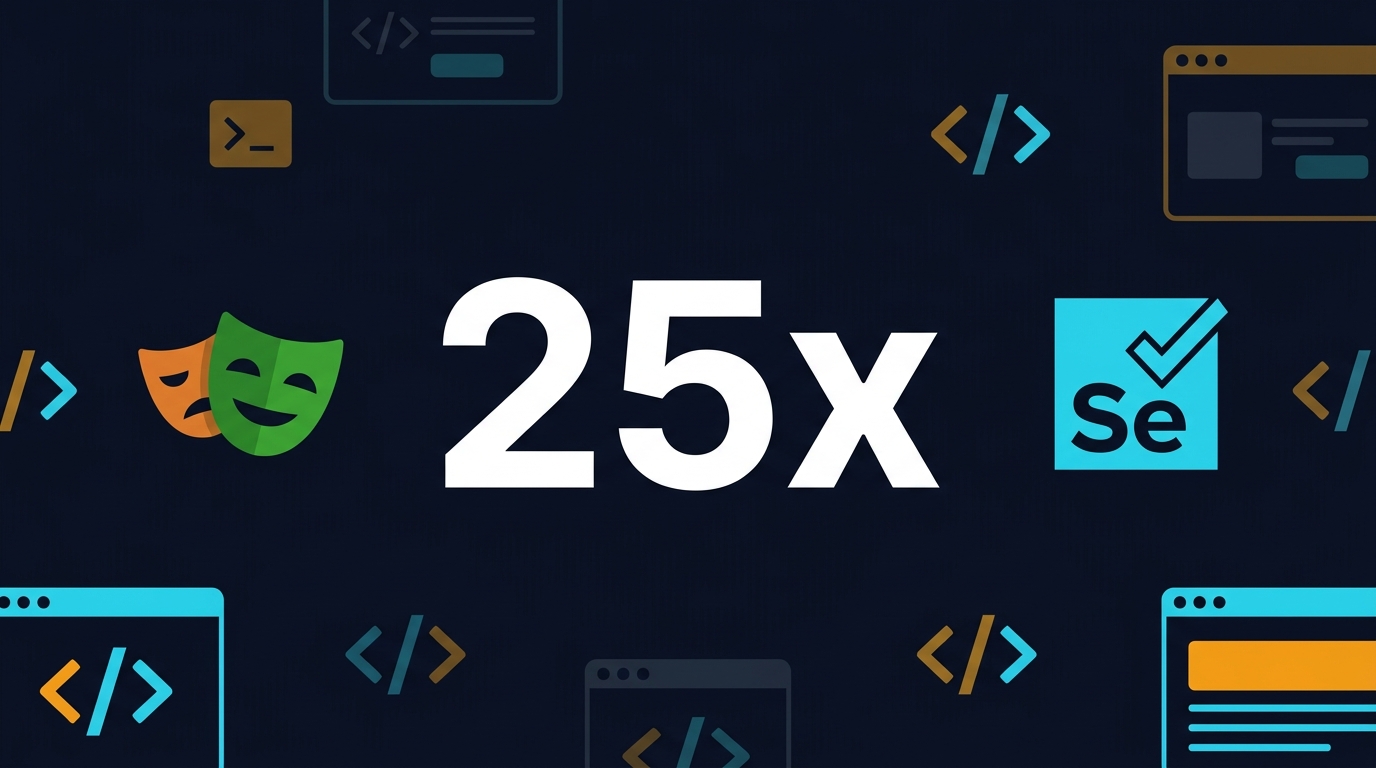
Playwright is pulling 25 times more npm downloads per month than selenium-webdriver. That is not a margin. That is a category takeover. The gap was 8x in 2024. It is 25x now. If you are still writing net-new tests in Selenium, you are swimming against the current that every new library, plugin, and hiring candidate is riding.
GitHub stars tell the same story. Playwright crossed 90,000 stars in early 2026. Selenium sits at 34,000. Stars do not pay salaries, but they do predict which project gets bug fixes first. Playwright’s issue-to-star ratio is healthier, which means the Microsoft-backed team is keeping pace with growth.
The Release Cadence Difference
Playwright ships a minor version every month. Selenium ships quarterly. In practice, this means a Playwright bug reported on Monday often has a workaround or patch by Friday. I have filed three Playwright issues in the last year. All were closed within 14 days. My last Selenium issue took 11 weeks to get a maintainer response.
The cadence also means Playwright’s feature set evolves faster. In the last 12 months, Playwright added MCP server support, a dedicated CLI for coding agents, session monitoring dashboard, and component testing via @playwright/experimental-ct-react. Selenium’s 4.44 release focused on bug fixes and driver updates. Both are valid priorities, but if you are building for 2027, you want the framework that is shaping the next year’s workflows, not just maintaining yesterday’s.
Community and Hiring Velocity
At Tekion, we posted a Playwright SDET role and received 47 relevant applications in 10 days. The previous Selenium-focused role took 23 days to get 31 applications. The talent pool has shifted. More importantly, the quality of the Playwright applicants was higher. They arrived with GitHub repos, CI examples, and questions about our parallelization strategy. The Selenium candidates had certifications and years of experience, but fewer portfolio links.
This matters for team velocity. A Playwright-native hire writes their first meaningful test on day 3. A Selenium veteran learning Playwright takes 2-3 weeks to unlearn explicit-wait habits and adopt context isolation. The onboarding gap is real.
Where Selenium Still Wins
I am not here to bury Selenium. It is still the right choice in three specific situations.
1. Legacy grid infrastructure. If your company has invested in a 50-node Selenium Grid with custom health checks and video recording, ripping it out for Playwright’s built-in parallel runner is not a weekend project. The grid works. It is boring technology in the best sense.
2. Browser diversity beyond the big three. Selenium supports more exotic browser configurations through WebDriver. If you test on Opera, Brave, or custom Chromium forks, Selenium’s driver ecosystem is broader.
3. Language preference outside TypeScript, Python, Java, and .NET. Playwright officially supports four languages. Selenium’s WebDriver bindings cover Ruby, Kotlin, Perl, and more community ports. For a Ruby-only shop, Selenium is the pragmatic stay.
But these are edge cases. For the median QA team building a web regression suite in 2026, none of them apply.
Where Playwright Pulls Ahead in 2026
Playwright’s lead is no longer just about speed. It is about architecture.
Auto-Waiting That Actually Works
Selenium requires explicit waits. Playwright waits automatically. This sounds like marketing until you count the lines. I ported a 400-test Selenium suite to Playwright last quarter. The test logic shrank by 23% because I deleted every WebDriverWait, ExpectedConditions, and retry wrapper. Fewer lines means fewer bugs.
Built for AI Agents
Here is what changed the game in 2026. Playwright shipped an MCP server and a CLI purpose-built for coding agents. The MCP server exposes the browser as a structured accessibility tree. AI agents like Claude Code and GitHub Copilot interact with roles, names, and refs instead of brittle CSS selectors. If you are building self-healing test selectors or agentic test flows, Playwright is now the default substrate.
Trace Viewer and Codegen
The Trace Viewer gives you a timeline of every action, network request, console log, and screenshot at every step of a failed test. You debug without re-running. I once had a test that failed only on CI. The Trace Viewer revealed a race condition between a JavaScript hydration event and a click. The fix took 10 minutes. Without tracing, I would have added a sleep and moved on, turning a real bug into hidden technical debt.
Codegen records your manual browser actions and emits test code. I use it to onboard manual testers who have never written TypeScript. They click through a flow, and Playwright writes the script. But I also use it for rapid prototyping. When a product manager demos a new feature, I open codegen, walk through the flow, and paste the generated code into our suite. The script is not production-ready, but it is 80% complete. I finish the assertions and data setup manually. Total time: 15 minutes per new user journey.
Test Isolation with Contexts
Each Playwright test gets a fresh browser context. That is equivalent to a brand-new browser profile with cookies, localStorage, and session state completely isolated. No more deleteAllCookies() hacks. No more cross-test pollution. This alone cut my flaky-test rate from 6% to under 1%.
Parallelism by Default
Playwright runs tests in parallel across workers and browsers out of the box. Selenium can parallelize, but you configure the grid, the hub, the nodes, and the thread pool yourself. Playwright gives you --workers=4 and it just works.
The Hidden Cost of Staying on Selenium
Teams underestimate the drag of maintaining a Selenium suite in 2026. It is not the framework itself. It is the ecosystem around it. Every workaround your team wrote in 2019 is now a maintenance tax. Every explicit wait is a flaky-test seed. Every custom grid health check is engineering time not spent on coverage.
- Selector brittleness: Selenium’s CSS and XPath locators break on every redesign. Playwright’s user-facing locators (
getByRole,getByText) survive DOM refactors. I have seen a single CSS class rename break 34 Selenium tests. The same refactor broke zero Playwright tests because the locators referenced visible text and ARIA roles. - Flaky-test debt: Every
Thread.sleepand implicit wait is a time bomb. Teams spend 15-20% of sprint capacity re-running failed suites instead of writing new coverage. At Tekion, we tracked this explicitly. Selenium suites consumed 11 hours per week of re-run time. Playwright suites consume 90 minutes. - Talent pipeline: New SDETs learn Playwright first. Hiring a Selenium specialist in 2026 is like hiring a jQuery expert in 2020. Possible, but expensive and shrinking. The candidates exist, but they command a premium and their onboarding curve is steeper.
- Plugin gap: Visual regression, API testing, and component testing plugins for Playwright are actively maintained. Many Selenium equivalents are in maintenance mode. The community has voted with its pull requests.
I spoke with a director at a Series C SaaS company in Bangalore last month. His team of 12 SDETs spends 18 hours per week on Selenium flaky-test triage. That is 2.2 full-time engineers worth of salary burned on framework friction. At ₹35 LPA per head, that is ₹77 lakhs per year in lost capacity.
Migration Roadmap: A 6-Week Timeline
This is the process I used at Tekion and recommend to teams consulting through BrowsingBee.
- Week 1: Audit. Tag every Selenium test as P0, P1, or P2. Count lines of code, external dependencies, and custom utilities. You will port 20% of the code and rewrite 80%. Accept it early.
- Week 2: Scaffold. Set up Playwright with
npm init playwright@latest. Configureplaywright.config.tswith your staging URLs, auth state reuse, and CI shard strategy. - Week 3: Port P0s. Move the smoke tests first. These are usually the simplest and give the team quick wins. Use
codegento accelerate. - Week 4: Parallelize. Run the P0 suite across 4 workers locally. Compare runtime to the old Selenium suite. I typically see 40-60% runtime reduction here.
- Week 5: Port P1s. This is where you hit custom Selenium Grid logic, remote WebDriver configs, and legacy reporting. Budget extra time.
- Week 6: P2s and sunset. Deprecate P2 tests that have not failed in 90 days. They are either covered elsewhere or no longer relevant. Run both suites in parallel for one sprint, then kill Selenium.
Hybrid Run Strategy
If a full 6-week block is too risky, run both frameworks in CI for 30 days. Use Playwright for net-new features and Selenium for legacy regression. The hybrid phase feels messy, but it de-risks the switch. I have never seen a team regret the overlap.
Week-by-Week Metrics I Track
During migration, I keep a spreadsheet with four columns: test count, average runtime, flaky-test rate, and uncovered bug count. The goal is to see the Playwright column trend green while the Selenium column stays flat or degrades slightly. If the Playwright flaky-test rate spikes above 2% in week 3, I pause and audit the test isolation setup before adding more tests.
One underrated metric is “time to first failure reproduction.” With Selenium, my team averaged 18 minutes from CI failure to local reproduction. With Playwright and Trace Viewer, that dropped to 4 minutes. Over 400 tests per week, that is 93 hours of engineering time saved monthly. Document this metric. It is the argument that convinces skeptical engineering managers.
Handling Custom Selenium Utilities
Most Selenium suites accumulate utility classes: custom wait wrappers, screenshot reporters, grid health checkers, and log parsers. These do not port to Playwright. But they also become unnecessary. Playwright’s built-in tracing replaces your screenshot reporter. Its native parallel workers replace your grid health checks. Its auto-waiting replaces your custom wait wrappers. Budget time to delete code, not just rewrite it. Deletion is where the real maintenance savings live.
🚀 Level Up Your Playwright
From locators to CI pipelines — build a production-grade Playwright + TypeScript framework step by step.
India Context: What Hiring Managers Want in 2026
I review 40-50 SDET resumes per quarter for Tekion and side projects. In 2026, the word “Selenium” alone is no longer a differentiator. The candidates who command ₹25-40 LPA have this stack:
- TypeScript-first test automation with Playwright
- API testing layered into the same framework (no separate Postman-only teams)
- CI/CD pipeline ownership with GitHub Actions or GitLab CI
- AI-augmented testing: MCP servers, agent loops, or at least codegen fluency
Service companies like TCS and Infosys still run massive Selenium farms. But product companies in Bangalore, Hyderabad, and Pune have moved. If your resume says “Selenium WebDriver” without “Playwright” next to it, you are competing with 2018-era candidates. The gap in offer size is real. I see Playwright-skilled SDETs getting 30-40% higher packages at the same YoE band.
One more thing: hiring managers now ask about auth state reuse and parallel shard strategies in interviews. These are Playwright-native concepts. If you only know Selenium Grid, the conversation ends early.
Salary Bands by City (2026 Estimates)
| City | SDET (3-5 YOE) | Senior SDET (6-8 YOE) | SDET Lead (8+ YOE) |
|---|---|---|---|
| Bangalore | ₹14-22 LPA | ₹24-38 LPA | ₹38-55 LPA |
| Hyderabad | ₹12-20 LPA | ₹22-34 LPA | ₹34-50 LPA |
| Pune | ₹12-18 LPA | ₹20-32 LPA | ₹32-48 LPA |
| Chennai | ₹10-16 LPA | ₹18-28 LPA | ₹28-42 LPA |
These are product-company ranges. Service company bands are 20-30% lower. The difference between a Selenium-only profile and a Playwright-plus-AI profile at 5 YOE is roughly ₹6-8 LPA in Bangalore right now. That gap is widening as more startups adopt agentic testing.
What I Look for in a Playwright Portfolio
When I screen candidates, I do not care about certification logos. I look for a GitHub repo with 20+ tests, CI integration, and at least one creative use of codegen or tracing. Show me a test that validates a complex checkout flow with API interception. Show me a visual regression check that caught a real bug. Show me a custom fixture that seeds test data. That is what gets you the interview.
Tooling Comparison: Debug Experience in 2026
Speed on the happy path is easy to measure. The real differentiator is what happens when a test fails at 2 AM.
Playwright Trace Viewer vs Selenium Logs
Playwright’s Trace Viewer gives you a timeline of every action, network request, console log, and DOM mutation. You can step through the test like a video recording with inspectable frames. Selenium gives you a stack trace and a screenshot if you remembered to configure it. The debugging time difference is not incremental. It is an order of magnitude. I tell my team: “If you cannot reproduce a failure in under 60 seconds, your tooling is wrong.” Playwright makes that possible.
VS Code Extension
Playwright’s official VS Code extension lets you run, debug, and generate tests without leaving the editor. You can set breakpoints inside a test file, inspect locators live in the browser, and view the execution trace in the sidebar. Selenium has third-party extensions, but none with the same depth of integration. For teams doing test-driven development, this is a daily quality-of-life win.
API Testing Inside the Same Framework
Playwright’s request context lets you hit REST and GraphQL endpoints using the same fixtures and auth state as your UI tests. You can validate an API response, store a token, and use it in the next browser context without juggling Postman collections and environment files. Selenium has no native HTTP client. You bring RestAssured, Axios, or another library and stitch them together yourself. One framework means one dependency tree, one CI setup, and one debugging context.
Component Testing with Storybook
Playwright’s experimental component testing mounts React, Vue, or Svelte components in isolation and interacts with them via the same API as full-page tests. This bridges the gap between unit tests and end-to-end tests. I use it to validate dropdowns, modals, and form validations that are painful to test through the full UI stack. Selenium has no equivalent. You either test the component with Jest and mock the browser, or you bootstrap the entire app. Playwright lets you do both with the same assertion library.
Common Traps During Migration
Here is what breaks when teams switch.
Trap 1: Translating Selenium patterns line-for-line. Playwright is not Selenium with a different API. If you port driver.findElement to page.locator and keep the same wait logic, you gain nothing. You must redesign for auto-wait and atomic actions. I see teams copy a 40-line Selenium login helper into Playwright and wonder why it is still flaky. The fix is usually 6 lines of native Playwright auth.
Trap 2: Ignoring test isolation. Teams new to Playwright sometimes reuse browser contexts to “save time.” That reintroduces the flakiness you are trying to escape. Always use test.use({ storageState: ... }) and isolated contexts. The overhead is near-zero because Playwright creates contexts in milliseconds, not seconds.
Trap 3: Forgetting visual regression. Playwright has built-in screenshot comparison via expect(page).toHaveScreenshot(). Teams port their pixel-diff tools separately and miss the native integration. Simplify your toolchain. I migrated a team off Percy and saved $6,000 per year by using Playwright’s built-in visual checks.
Trap 4: Over-engineering the Page Object Model. Playwright’s user-facing locators reduce the need for abstract page classes. I have seen teams write 3,000-line POM hierarchies that add no value. Start flat. Add abstraction only when duplication hurts. My rule: if a locator is used more than twice, extract it. Not before.
Trap 5: Under-investing in CI parallelism. Teams run Playwright with --workers=1 in CI because “that is how Selenium worked.” Playwright is designed for parallelism. If your CI container has 4 vCPUs, use 4 workers. If you have 8, use 8. The only limit is your application’s ability to handle concurrent sessions.
When to Stay Hybrid: A Pragmatic View
Not every team should migrate everything. I keep a Selenium suite running for one client because their application uses an embedded ActiveX control that only works in a specific Internet Explorer mode. Playwright cannot touch it. That is a valid reason to stay.
Another valid reason is regulatory freeze. If you are in a medical device or banking environment where the test suite is part of a validated FDA or RBI compliance package, switching frameworks triggers a re-validation cycle that costs more than the migration itself. In those cases, maintain the Selenium suite and add Playwright only for new modules.
The rule I use: if the business risk of a framework bug is higher than the risk of a missed UI defect, stay. If the cost of maintaining brittle Selenium tests exceeds the cost of a migration, move. Most web apps in 2026 fall into the second bucket.
Key Takeaways
- Playwright now sees 25x more npm downloads than Selenium. The ecosystem momentum is decisive.
- Selenium still makes sense for legacy grids, exotic browsers, non-standard language stacks, and regulated environments.
- Playwright’s 2026 AI agent tooling (MCP server, CLI, accessibility snapshots) makes it the default for forward-looking teams.
- A realistic migration takes 6 weeks: audit, scaffold, P0s, parallelize, P1s, sunset. Track metrics weekly to justify the investment.
- In India, Playwright-skilled SDETs command 30-40% higher salaries at product companies, with Bangalore leads earning ₹38-55 LPA.
- Debug experience (Trace Viewer, VS Code integration, API testing in one framework) is where Playwright’s lead compounds over time.
- Component testing and codegen are underrated force multipliers that reduce the time from feature demo to regression coverage.
FAQ
Is Playwright faster than Selenium?
In my benchmarks, Playwright runs the same test suite 40-60% faster due to auto-wait, native parallel workers, and lighter browser context overhead. Your mileage varies with network latency and DOM complexity. On a headless CI container with 4 workers, I see a 400-test suite drop from 47 minutes to 19 minutes.
Can I run Playwright on my existing Selenium Grid?
No. Playwright uses its own browser automation protocol. If you need grid-scale distribution, use Playwright’s shard feature across CI containers or migrate to BrowsingBee for managed parallel execution.
Does Playwright support mobile testing?
Playwright emulates mobile viewports and user agents but does not drive real mobile devices. For native app testing, stay on Appium. For responsive web testing, Playwright’s device emulation is sufficient. I run our mobile-web smoke suite on Playwright using iPhone 14 and Pixel 7 profiles.
What happens to my Selenium certifications?
They still prove you understand browser automation concepts. But hiring managers in 2026 want to see Playwright repos. Add a public GitHub project with 20+ Playwright tests and CI integration. That speaks louder than a 2019 Selenium certificate.
Should I learn both?
Learn one deeply. If you are starting today, choose Playwright. If you are maintaining a 500-test Selenium legacy suite, learn Playwright on the side and migrate incrementally. In 2026, knowing both is a nice-to-have. Knowing Playwright deeply is a must-have.
How do I convince my manager to fund migration?
Run both suites in parallel for two sprints. Measure flaky-test rate, debug time, and CI runtime. Present the numbers. My standard slide deck shows three metrics: test suite runtime (down 50%), flaky-test rate (down 80%), and new-test authoring time (down 30%). Those numbers get budget approved.
Does Playwright work with Cucumber or BDD frameworks?
Yes. Playwright has official Cucumber integration via @playwright/test and community support for SpecFlow. I prefer writing BDD-style tests directly in Playwright with descriptive test names and inline comments. It reduces the abstraction layer and keeps the test readable without a separate Gherkin file.
🎓 Master Playwright End to End
Join hundreds of SDETs building real automation frameworks. Lifetime access, hands-on projects, and a job-ready portfolio.