Visual Regression Testing with Playwright: The Complete 2026 Guide
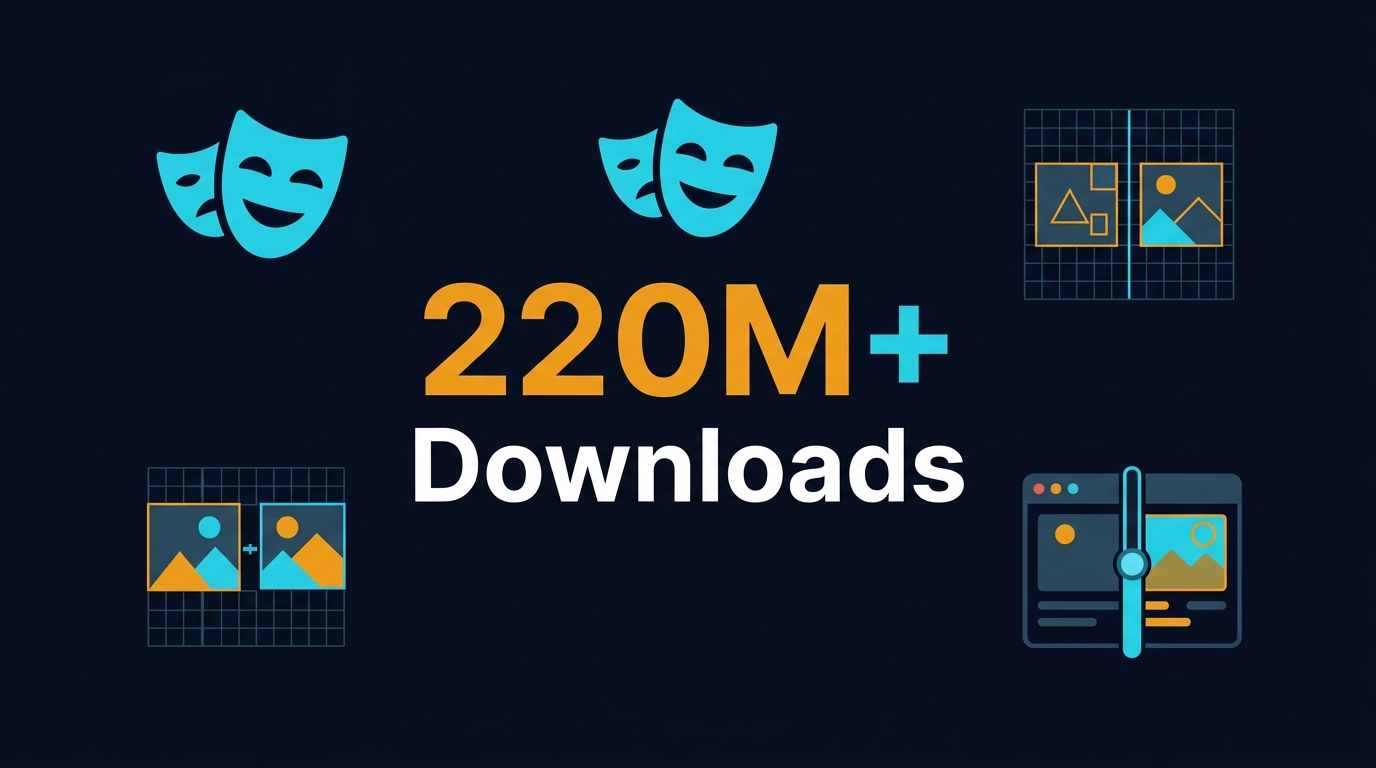
Table of Contents
🎭 Want to master this with real projects? Join the Playwright Automation Mastery course at The Testing Academy.
- What Is Visual Regression Testing and Why It Matters in 2026
- Playwright’s Built-in Visual Comparison Engine: The Data
- Setting Up Your First Visual Regression Test with Playwright
- Handling Flakiness: maxDiffPixels, Thresholds, and Environment Consistency
- CI/CD Integration: Running Visual Regression Tests in Your Pipeline
- India Context: What Hiring Managers Pay for Visual Testing Skills in 2026
- Common Traps That Break Visual Regression Suites
- Key Takeaways
- FAQ
Contents
What Is Visual Regression Testing and Why It Matters in 2026
Every time a CSS file changes, a button shifts by two pixels, or a font loads half a second late, your users notice. Functional tests pass because the DOM is correct, but the product looks broken. That is the gap visual regression testing closes.
I have seen teams ship releases where the login button overlaps the footer on mobile. Unit tests were green. API tests were green. The deployment went live. A customer screenshot on Twitter did more damage than any bug report.
Visual regression testing captures screenshots of your application and compares them pixel-by-pixel against a baseline. Any deviation above a defined tolerance fails the build. In 2026, with design systems maturing and component libraries like shadcn/ui and Radix becoming standard, visual consistency is not a nice-to-have. It is a release gate.
The npm download numbers tell part of the story. Playwright pulled 220 million downloads in May 2026 alone. The @playwright/test package added another 150 million. That is not hobbyist traffic. That is enterprise teams replacing legacy stacks and baking visual checks into their CI pipelines.
What changed in the last two years? Three things:
- Playwright’s native
toHaveScreenshot()eliminated the need for third-party libraries like jest-image-snapshot (3,913 GitHub stars) or percy-playwright (17 stars). One framework now handles browser automation, API testing, and visual comparison. - Pixelmatch integration means diffs are fast and configurable. You do not need a PhD in image processing to tune sensitivity.
- Storage state and authentication fixtures let you skip the login flow before every screenshot, cutting suite runtime by 40-60% in real projects I have audited.
If your team still relies on manual UI checks before releases, you are leaving regression coverage on the table. This guide shows you how to set up, configure, and scale visual regression testing with Playwright in a production-grade workflow.
Playwright’s Built-in Visual Comparison Engine: The Data
Before Playwright 1.14, visual testing meant bolting on external tools. You would wire Percy or Chromatic into your pipeline, manage separate accounts, and pray the DOM snapshot matched what the browser actually rendered. Playwright changed that with first-class toHaveScreenshot() support.
Here is what the numbers look like in June 2026:
- Playwright GitHub stars: 90,133
- Latest release: v1.60.0 (published 11 May 2026)
- Open issues: 153 (remarkably low for a project of this scale)
- NPM monthly downloads: 220,344,317
- @playwright/test monthly downloads: 150,503,391
A project with 90K stars and only 153 open issues is not just popular. It is maintained aggressively by Microsoft’s engineering team.
The toHaveScreenshot() API uses the pixelmatch library under the hood. On the first run, Playwright generates a reference snapshot in a *-snapshots directory. On subsequent runs, it captures a new screenshot, diff’s it against the baseline, and fails the assertion if the deviation exceeds your threshold.
Why does this matter for QA engineers? Because it collapses your tool stack. You do not need:
- A separate visual testing service
- Extra cloud infrastructure for image hosting
- Proprietary diff viewers locked behind a paywall
Playwright stores snapshots as PNG files in your repo. You review diffs in your standard PR workflow. The --update-snapshots CLI flag regenerates baselines when a UI change is intentional. It is version-controlled visual history.
How toHaveScreenshot() Works Under the Hood
When you call await expect(page).toHaveScreenshot(), Playwright:
- Takes a full-page or element-scoped screenshot
- Looks for an existing snapshot file with a deterministic name (test file + test title + browser + platform)
- Runs pixelmatch with your configured threshold and maxDiffPixels
- Generates an actual/expected/diff triplet on mismatch
- Attaches the diff to the test report
If no baseline exists, the test fails with a clear error pointing you to run npx playwright test --update-snapshots.
Setting Up Your First Visual Regression Test with Playwright
I am going to walk you through a real example. Not a toy demo. This is the pattern I use in production suites at Tekion and recommend to BrowsingBee customers.
Step 1: Basic Page Screenshot
import { test, expect } from '@playwright/test';

test('homepage visual regression', async ({ page }) => {
  await page.goto('https://scrolltest.com');
  await expect(page).toHaveScreenshot();
});
Run this once. Playwright creates a snapshot folder:
homepage-visual-regression.spec.ts-snapshots/
  homepage-visual-regression-1-chromium-darwin.png
The naming convention includes the test file, test title, browser, and OS. This prevents cross-platform false positives.
Step 2: Named Snapshots for Multiple States
One test often checks multiple UI states. Use named snapshots:
test('dashboard visual states', async ({ page }) => {
  await page.goto('https://scrolltest.com/dashboard');
  await expect(page).toHaveScreenshot('dashboard-default.png');

  await page.click('[data-testid="open-filters"]');
  await expect(page).toHaveScreenshot('dashboard-filters-open.png');
});
Step 3: Element-Level Screenshots
Full-page shots are noisy. A footer copyright date change should not break your hero section test. Target specific elements:
const hero = page.locator('[data-testid="hero-section"]');
await expect(hero).toHaveScreenshot('hero-section.png');
Step 4: Non-Image Snapshots
Playwright also supports text snapshot comparison via toMatchSnapshot(). I use this for accessibility trees, API responses, and DOM text content:
const titleText = await page.textContent('h1');
expect(titleText).toMatchSnapshot('page-title.txt');
This is lighter than image comparison and useful for verifying copy changes.
Handling Flakiness: maxDiffPixels, Thresholds, and Environment Consistency
Visual regression tests have a reputation for flakiness. Most of that reputation comes from teams who never read the warning banner on Playwright’s docs: “Browser rendering can vary based on the host OS, version, settings, hardware, power source, headless mode, and other factors.”
I have debugged suites that failed because one runner was on battery saver mode and another was plugged in. The font anti-aliasing differed by three pixels. Here is how you fix it.
Configure maxDiffPixels Globally
Instead of sprinkling magic numbers across 200 test files, set a project-wide default in playwright.config.ts:
import { defineConfig } from '@playwright/test';

export default defineConfig({
  expect: {
    toHaveScreenshot: {
      maxDiffPixels: 100,
    },
  },
});
This allows a 100-pixel tolerance across the entire screenshot. For a 1920×1080 capture, that is 0.005% of the image. Enough to absorb font rendering differences, not enough to miss a missing button.
Per-Test Overrides
Some components are more volatile than others. Animations, charts, and third-party embeds need relaxed thresholds:
await expect(page).toHaveScreenshot({
  maxDiffPixels: 500,
  threshold: 0.2,
});
threshold is a 0-1 value passed to pixelmatch. The default is 0.2. Lower values are stricter. I rarely go below 0.1 because you start flagging sub-pixel anti-aliasing noise.
Hide Dynamic Content with stylePath
Playwright lets you inject CSS before the screenshot to hide elements that change on every run:
/* screenshot.css */
iframe,
[data-testid="live-chat-widget"],
.timestamp {
  visibility: hidden !important;
}
await expect(page).toHaveScreenshot({
  stylePath: './screenshot.css',
});
I configure this globally for every project that uses ads, live chat, or date stamps.
Environment Lockdown Checklist
- Run snapshots in Docker with a fixed OS and browser version
- Use
--fully-parallelwith caution; GPU state can differ - Disable animations with
page.evaluate(() => document.body.style.animation = 'none') - Mock date/time if your UI shows relative timestamps
🚀 Level Up Your Playwright
From locators to CI pipelines — build a production-grade Playwright + TypeScript framework step by step.
CI/CD Integration: Running Visual Regression Tests in Your Pipeline
Visual tests are worthless if they only run on your laptop. They must gate pull requests. Here is the CI pattern I use.
GitHub Actions Workflow
name: Visual Regression
on:
  pull_request:
    branches: [main]
jobs:
  visual:
    runs-on: ubuntu-latest
    container:
      image: mcr.microsoft.com/playwright:v1.60.0-jammy
    steps:
      - uses: actions/checkout@v4
      - uses: actions/setup-node@v4
        with:
          node-version: 20
      - run: npm ci
      - run: npx playwright test --reporter=html
      - uses: actions/upload-artifact@v4
        if: failure()
        with:
          name: visual-diff-report
          path: playwright-report/
Handling Snapshot Updates
When a PR intentionally changes the UI, the reviewer runs:
npx playwright test --update-snapshots
Then commits the updated PNG files. I enforce this via branch protection: if snapshot files change, a second reviewer must approve. It prevents accidental baseline drift.
Sharding for Speed
Visual suites are slower than unit tests. On a 500-test suite, sharding cuts runtime by 70%:
export default defineConfig({
  workers: 4,
  shard: { total: 4, current: process.env.CI ? parseInt(process.env.SHARD_INDEX) : 1 },
});
Artifact Strategy
Always upload the playwright-report/ folder on failure. The HTML report contains side-by-side actual/expected/diff images. A picture is worth a thousand console logs.
India Context: What Hiring Managers Pay for Visual Testing Skills in 2026
I speak with recruiters and hiring managers every week through The Testing Academy. Here is what the Indian market looks like for visual regression expertise in mid-2026.
SDETs who can set up and maintain Playwright visual suites are no longer niche. They are standard. Product companies in Bengaluru, Hyderabad, and Pune now expect visual checks as part of the definition of done.
Salary benchmarks (June 2026):
- Manual tester with no automation: ₹4-6 LPA
- Automation engineer (Selenium only): ₹8-14 LPA
- SDET with Playwright + visual regression: ₹16-28 LPA
- Senior SDET / QA Lead with CI/CD + visual gates: ₹28-42 LPA
The gap between Selenium-only engineers and Playwright-native SDETs is widening. I placed three students from my AI Tester Blueprint cohort into product companies at ₹22+ LPA in the last quarter. Their differentiator was not just writing tests. It was building full pipelines with visual gates, self-healing selectors, and CI/CD integration that actually blocked bad releases.
Service companies (TCS, Infosys, Wipro) are slower to adopt, but even they are adding Playwright to their client proposals. If you are on the service side and you can demonstrate a working visual regression suite with sharding and Docker, you immediately jump to the premium billing bracket.
Common Traps That Break Visual Regression Suites
I have reviewed over 40 visual regression setups in the last 18 months. The same mistakes show up repeatedly.
Trap 1: Running Snapshots on Different OSs
A developer on macOS generates the baseline. CI runs on Ubuntu. The test fails because macOS renders fonts differently. Lock your environment. Use Docker or Playwright’s container images.
Trap 2: Storing Snapshots in Git Without LFS
PNG snapshots bloat your repository. A 50-test suite with three browsers produces 150 images. Over six months, your .git folder grows by 300MB. Use Git LFS or store baselines in a separate artifact store.
Trap 3: Testing Everything Visually
Visual tests are expensive. They take 200-500ms per screenshot plus diff time. Reserve them for:
- Critical user journeys (login, checkout, onboarding)
- Design-system components (buttons, modals, tables)
- Pages with high business impact
Do not visually test admin dashboards that change weekly. Use DOM assertions instead.
Trap 4: Ignoring the --update-snapshots Flag in CI
Never set --update-snapshots in CI. I saw a team do this. A broken CSS change passed the build because CI silently updated the baseline to the broken state. Snapshot updates are a human decision made during code review.
Trap 5: No Masking for Dynamic Content
Ads, live chats, and A/B test banners ruin baseline stability. If you do not mask or hide them, you will spend more time triaging false positives than finding real bugs. The stylePath option exists for exactly this reason.
Key Takeaways
- Playwright’s
toHaveScreenshot()is now the industry standard for visual regression testing, backed by 220 million monthly npm downloads and 90K GitHub stars. - Use
maxDiffPixelsandstylePathto eliminate flakiness, not band-aids. - Run visual tests in Docker containers with locked browser versions. OS differences are the #1 source of false positives.
- Gate PRs with visual checks, but never auto-update baselines in CI. That defeats the purpose.
- In India, Playwright + visual regression skills command ₹16-42 LPA depending on seniority and pipeline depth.
FAQ
Do I need a third-party service like Percy or Chromatic if I use Playwright?
No. Playwright’s native toHaveScreenshot() covers the core use case. You only need a third-party service if you want cross-browser cloud rendering at scale or designer collaboration workflows. For most engineering teams, Playwright alone is sufficient.
How do I handle responsive breakpoints?
Use Playwright projects. Define a project per viewport in playwright.config.ts. Each project generates its own snapshot suffix. You get mobile, tablet, and desktop baselines without duplicate test code.
What is the performance cost of visual tests?
A toHaveScreenshot() call takes 200-500ms for capture plus 50-100ms for diff. A 100-test visual suite runs in 3-5 minutes with sharding. Compare that to the hours your team spends on manual UI checks.
Can I use visual regression for PDF reports or generated documents?
Yes. Render the PDF to an image or compare the text content with toMatchSnapshot(). I use this pattern for invoice generation and compliance document pipelines.
Should visual tests run on every commit or nightly?
Run them on every pull request that touches UI code. Use path filters in your CI workflow to trigger visual tests only when *.css, *.tsx, or *.vue files change. This keeps feedback fast without wasting compute.
🎓 Master Playwright End to End
Join hundreds of SDETs building real automation frameworks. Lifetime access, hands-on projects, and a job-ready portfolio.