LangGraph State Persistence Testing: Replay and Retries
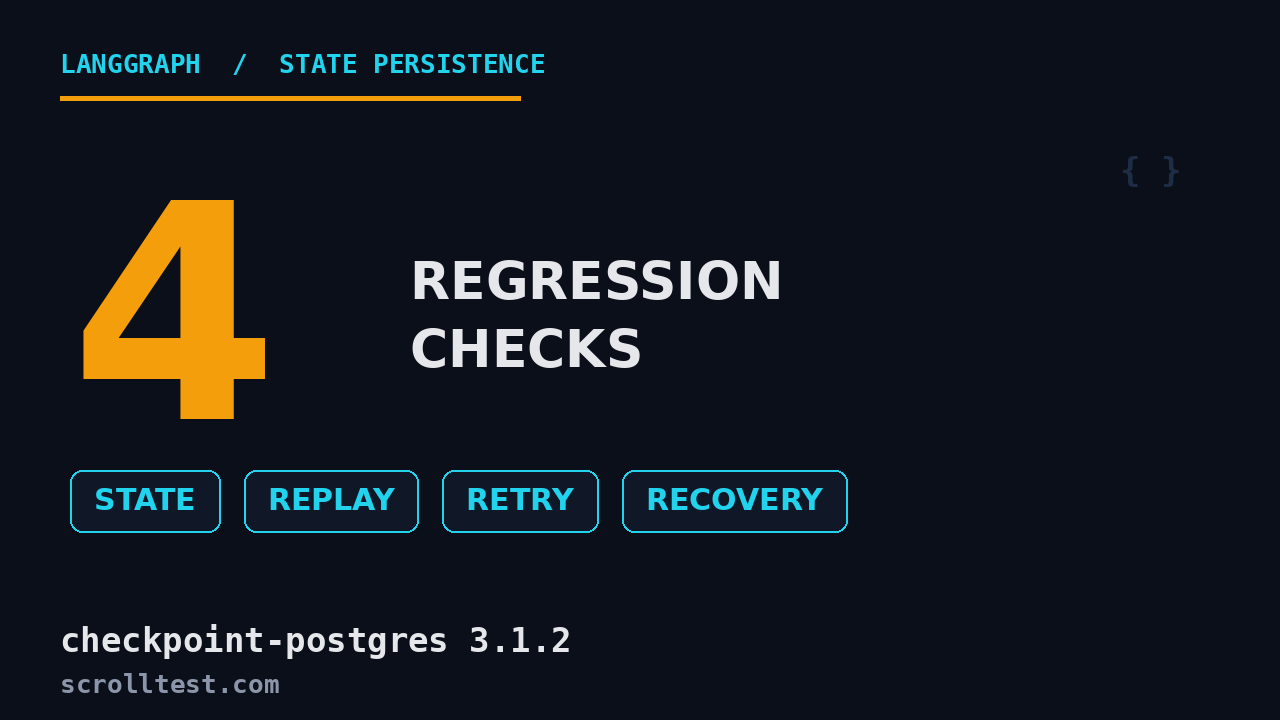
Most teams test their LangGraph agents by checking the final output. That is the exact wrong place to start. If your agent’s state persistence is broken, the final output looks fine while every replay, retry, and tool-call recovery silently fails underneath it. I have watched three production agents ship with a broken checkpointer and nobody caught it for weeks, because the happy path never touches it. This guide shows you how to test LangGraph state persistence properly: the four regression checks you need, real PostgresSaver code, and what changed in langgraph-checkpoint-postgres 3.1.2.
Table of Contents
- Why LangGraph State Persistence Breaks First
- What Changed in checkpoint-postgres 3.1.2 and checkpoint 4.2.0
- The Four Regression Checks Every Agent Test Needs
- Testing State Persistence with PostgresSaver
- Testing Replay and Time Travel
- Testing Retries and Interrupt Recovery
- Testing Tool-Call Recovery
- AgentQA’s State Regression Template
- India Context: Why This Skill Gets You Hired
- Key Takeaways
- FAQ
Contents
Why LangGraph State Persistence Breaks First
A LangGraph agent is a state machine, not a function. You call it, it runs nodes, and between every node the framework saves a checkpoint through a checkpointer. That checkpoint is the source of truth for four features your users rely on: continuing a conversation, resuming after a crash, retrying a failed step, and pausing for human approval. LangGraph’s own documentation lists them as the four reasons checkpointers exist: human-in-the-loop, memory, time travel, and fault tolerance.
Here is the trap. Your unit tests invoke the graph, assert on the final messages list, and pass. But the checkpointer was never exercised beyond a single happy-path run. The moment a real user hits “retry” or the process restarts mid-run, the persisted state is wrong and the agent either loops or returns stale data. The worst failures are silent: a delta channel reconstructs as empty and the agent simply forgets earlier turns, with no exception thrown.
I split state-persistence bugs into three buckets that match where I find them in real teams:
- Wrong checkpointer for the environment.
InMemorySaverin production loses every checkpoint on restart. It is for tests and notebooks only. - Broken by-id lookup. Time travel and delta channels call
get_tuplewith a specificcheckpoint_id. If that path returns nothing, replay silently does nothing. - Unbounded checkpoint growth. A long conversation writes a full state snapshot every super-step. Storage and read latency creep up until you prune or switch to delta channels.
Here is a concrete version of the silent failure, because it is the one that scared me the most. LangGraph 1.2 introduced DeltaChannel, a beta reducer that stores only a sentinel instead of the full channel value, then reconstructs state by replaying ancestor writes. If your checkpointer’s by-id lookup is wrong, the walk stops early and the channel reconstructs as empty with no error. Your agent looks fine on a two-turn test and then silently forgets turn eight of a real conversation. That bug lived in langgraph-checkpoint-postgres until the 3.1.2 release fixed the delta-history seed lookup. If you run a naive happy-path suite, you never see it.
Every one of these is testable with a regression suite before it reaches production. That is the whole point of this article.
What Changed in checkpoint-postgres 3.1.2 and checkpoint 4.2.0
On August 7, 2026, LangChain shipped langgraph-checkpoint-postgres 3.1.2 alongside langgraph-checkpoint 4.2.0. The main release, langgraph 1.2.11, followed on August 11, 2026. Three changes in this batch matter to anyone testing agents:
- The delta-history seed fix. 3.1.2 fixes a bug where walking delta history failed to find plain-value seeds (PR #8535). The matching fix in
langgraph-checkpoint4.2.0 collects writes at the plain-value seed in delta channel history (PR #8526). If you usedDeltaChannelbefore this, your reconstructed state could be wrong; this is exactly the silent bug I described above. - The conformance suite is now enforced. The release runs the conformance suite against the Postgres and SQLite checkpointers in CI (PR #8537). You can run the same suite against any checkpointer you build or wrap, and I show you how below.
- Opt-in
omit_expired.langgraph-checkpoint4.2.0 adds anomit_expiredflag to skip expired rows on read (PR #8354), which helps when you pair checkpointing with a retention policy.
The core library also gained a trace_policy option on add_node in 1.2.11, which changes how you control tracing per node. None of these are headline features, but together they tell you where the LangGraph maintainers are spending effort: on making state persistence and delta channels correct under conformance testing, not just fast. Your test suite should follow the same direction.
The Four Regression Checks Every Agent Test Needs
I compress LangGraph state-persistence testing into four checks. If your suite covers these, you will catch the failures that break real agents:
- State persistence: after a run, the correct state is saved and retrievable for the same
thread_id. - Replay: resuming from a prior checkpoint re-executes only the nodes after it, not the whole graph.
- Retries: a node that fails or interrupts can be resumed with
Command(resume=...)without re-running earlier nodes. - Tool-call recovery: a failed tool call can be corrected via
update_stateand the graph resumes from the corrected step.
Each check maps to a real production failure mode. A checkpointer that cannot retrieve state by thread_id breaks conversational memory. A broken replay path means your “retry” button re-runs the entire conversation and burns tokens. A broken interrupt path strands users waiting on approval forever. A broken tool-call recovery path forces a full restart instead of a one-argument fix.
Testing LangGraph State Persistence with PostgresSaver
Start with the checkpointer itself. For anything that touches production, use PostgresSaver or AsyncPostgresSaver from langgraph-checkpoint-postgres. The in-memory saver is fine for a quick logic test, but it cannot catch serialization or schema bugs because it never writes to a real database.
Set up the checkpointer once
from langgraph.checkpoint.postgres import PostgresSaver

checkpointer = PostgresSaver.from_conn_string("postgresql://user:pass@localhost:5432/agents")
checkpointer.setup()  # creates the checkpoints and writes tables
For a test, point it at a throwaway schema or a test database and drop it between runs. Do not run your regression suite against the same Postgres instance your staging agent writes to.
Run and assert on saved state
from langgraph.graph import StateGraph, START
from typing_extensions import TypedDict

class State(TypedDict):
    question: str
    answer: str

def answer_node(state: State):
    return {"answer": f"resolved: {state['question']}"}

graph = StateGraph(State).add_node("answer", answer_node).add_edge(START, "answer").compile(checkpointer=checkpointer)

config = {"configurable": {"thread_id": "test-thread-1"}}
graph.invoke({"question": "why do agents forget?"}, config)

snapshot = graph.get_state(config)
assert snapshot.values["answer"] == "resolved: why do agents forget?"
assert snapshot.next == ()
The assertions that actually catch bugs
Do not stop at the final value. Assert the shape of the StateSnapshot:
snapshot.valuesholds the persisted channel values, including reducer-accumulated channels.snapshot.nextis()when the graph completed, or a tuple of pending node names when it is waiting.snapshot.config["configurable"]["checkpoint_id"]is the concrete checkpoint ID you will use for replay.snapshot.metadata["step"]tells you how many super-steps ran, which catches a graph that re-runs more nodes than it should.
One concrete pitfall from the docs: keep thread_id under 255 characters, because PostgresSaver stores it in a fixed-length column. A long user ID that works fine in memory will throw a database error in production.
Pick a durability mode and test against it
LangGraph exposes three durability modes that change when checkpoints are written: "exit" persists only when the run ends, "async" persists while the next step runs, and "sync" writes every checkpoint before the next step starts. "sync" is the only one that guarantees recovery after a mid-run crash. If your agent must survive a process kill and resume from the last successful node, test it with durability="sync" and assert that a checkpoint exists for the last completed super-step. Running "exit" in production and then claiming fault tolerance is how teams get a nasty surprise the first time a container dies mid-run.
Testing Replay and Time Travel
Replay is the feature that separates a stateful agent from a script. LangGraph supports two operations, and people confuse them constantly: replay re-runs nodes after a checkpoint, and fork branches from a checkpoint with modified state. Both resume from a prior checkpoint via its config.
Replay: resume from the last good checkpoint
history = list(graph.get_state_history(config))

# find the checkpoint right before a specific node ran
before_answer = next(s for s in history if s.next == ("answer",))

# re-invoke from that checkpoint; nodes before it are NOT re-executed
replay_result = graph.invoke(None, before_answer.config)
assert replay_result["answer"].startswith("resolved:")
The key assertion is about what did not run. If you instrument your nodes with a call counter, replay should only increment the counter for nodes after the checkpoint. If the counter for earlier nodes also increments, your checkpoint is not being honored and you are re-running (and re-billing) the whole graph.
Fork: change state and explore an alternative path
fork_config = graph.update_state(
    before_answer.config,
    values={"question": "why do agents hallucinate?"},
)
fork_result = graph.invoke(None, fork_config)
assert fork_result["answer"] == "resolved: why do agents hallucinate?"
update_state does not roll back the thread. It creates a new checkpoint that branches from the one you passed, and the original history stays intact. That matters for debugging: you can fork an incident thread, fix the state, and replay the corrected path without destroying the evidence of what originally happened. For parallel branches where LangGraph cannot infer the last node, pass as_node explicitly to avoid an InvalidUpdateError.
Testing Retries and Interrupt Recovery
Retries are where checkpoints earn their keep. When a node calls interrupt(), the graph pauses and waits for a human or another system to resume it. The resume path is a checkpoint-driven operation: the graph reloads the saved state and continues from the paused node.
Resume an interrupted node
from langgraph.types import interrupt, Command

class State(TypedDict):
    value: list[str]

def ask_human(state: State):
    answer = interrupt("Approve this change?")
    return {"value": [f"approved:{answer}"]}

graph = (
    StateGraph(State)
    .add_node("ask_human", ask_human)
    .add_edge(START, "ask_human")
    .compile(checkpointer=checkpointer)
)

config = {"configurable": {"thread_id": "retry-thread-1"}}
graph.invoke({"value": []}, config)          # pauses at the interrupt

# resume with the human's answer
result = graph.invoke(Command(resume="yes"), config)
assert result["value"][-1] == "approved:yes"
What to assert on retries
- The first invoke returns with
nextpointing at the interrupted node, not an exception. - The resume invoke returns the completed value, and earlier nodes were not re-run (check your counters).
- Resuming with a different answer produces a different result, which proves the resume value actually reaches the node.
- If you resume with no prior checkpoint (fresh
thread_id), the graph should start from the beginning, not crash.
Interrupts are always re-triggered during time travel. If you replay from before an interrupt, the graph pauses again and waits for a new Command(resume=...). That is correct behavior, not a bug, and your test should assert the pause rather than expect a value back.
Fault tolerance and pending writes
Checkpoints also give you crash recovery, and it is worth a dedicated test. When several nodes run in parallel within a single super-step and one fails, LangGraph stores the successful nodes’ outputs as pending writes. On resume, the graph skips those nodes and re-runs only the failed one and anything downstream. The assertion is the same as replay: instrument your nodes with counters, kill the run mid-super-step, resume, and confirm the successful nodes did not execute twice. If they did, you are double-billing LLM calls on every failure, which is both slow and expensive at scale.
Testing Tool-Call Recovery
Tool-call recovery is the highest-value test for real agents, because tool calls fail constantly: wrong arguments, an API returning a 429, a schema the model guessed wrong. Without a recovery path, every failure means restarting the whole run. With checkpoints, you fix the one bad argument and resume.
Recover a failed tool call with update_state
def call_api(state: State):
    if "bad" in state.get("args", {}).get("endpoint", ""):
        raise ValueError("invalid endpoint")
    return {"result": "ok"}

# ... graph with call_api -> downstream nodes ...

config = {"configurable": {"thread_id": "tool-recovery-1"}}
try:
    graph.invoke({"args": {"endpoint": "bad-url"}}, config)
except ValueError:
    pass

# find the last checkpoint and fix the bad argument
snap = graph.get_state(config)
fixed = graph.update_state(
    snap.config,
    values={"args": {"endpoint": "good-url"}},
    as_node="call_api",
)
result = graph.invoke(None, fixed)
assert result["result"] == "ok"
Three things to assert here. First, the recovered run re-executes only the node you pointed at and its successors. Second, the corrected value flows through the reducer, not raw-overwriting accumulated channels. Third, the failed attempt still exists in get_state_history, so you have an audit trail of what broke and how it was fixed.
This is the same pattern human-in-the-loop approval uses, and it is why I keep saying the checkpointer is the agent’s real source of truth. For a deeper read on how memory and state interact, I wrote AI Agent Memory Testing: A LangGraph QA Guide.
AgentQA’s State Regression Template
This is exactly why I ship a state regression template in AgentQA. My team kept rewriting the same four checks by hand, and they kept missing the silent delta-channel bug. The template encodes the four checks from above as a runnable suite you drop into CI.
What the template gives you:
- A
PostgresSaverfixture that spins up a test database, runssetup(), and tears down between runs. - The four checks (persistence, replay, retry, tool-call recovery) as parametrized tests against your actual graph.
- A conformance hook that runs
langgraph-checkpoint-conformanceagainst your custom checkpointer so you catch contract violations before you ship. - Call counters on every node so replay and retry assertions verify “nodes before the checkpoint did not re-run” instead of just checking output.
The conformance suite is worth running even if you never write a custom checkpointer. It validates that the Postgres or SQLite saver you are using behaves against the full contract, including delta channel history:
from langgraph.checkpoint.conformance import checkpointer_test, validate

@checkpointer_test(name="MyCheckpointer")
async def my_checkpointer():
    async with MyCheckpointer.create() as saver:
        yield saver

report = await validate(my_checkpointer)
report.print_report()
if not report.passed_all_base():
    raise RuntimeError("Checkpointer failed conformance suite")
If the suite flags your checkpointer, treat it as a failing test in your pipeline, not a warning. A checkpointer that passes the base contract but breaks delta-channel reconstruction will still corrupt long conversations.
The template plugs into the same planner-generator-healer loop the rest of AgentQA uses. The planner walks your graph and identifies every node that writes state; the generator emits the four checks with your real State schema wired in; the healer watches CI and, when a check fails, points you at the exact checkpoint and write row that diverged. It is the difference between “my agent test is flaky” and “my agent test told me which node corrupted state.”
India Context: Why This Skill Gets You Hired
I hire SDETs, and in 2026 the resume filter has shifted. Manual-testing and even Selenium-only experience are not the differentiators they were five years ago. The differentiator is whether you can test an AI agent that does not behave deterministically. LangGraph state-persistence testing is one of the few skills that proves it, because it is concrete, code-heavy, and immediately useful to any team shipping agents.
The numbers back this up for the India market. AI/LLM testing roles in product companies and GCCs now routinely land in the ₹25-40 LPA band for mid-career SDETs, versus ₹12-20 LPA for comparable roles locked into legacy UI automation. A testing professional who can write a replay-and-recovery regression suite for a LangGraph agent is interviewing for the higher band. If you want the structured path from “I run Playwright scripts” to “I test AI systems”, that is the gap my AI Tester Blueprint course is built around.
Do not over-index on the tool. LangGraph is one framework. What transfers is the discipline: treat state as the thing under test, not the output. That mindset is what a hiring manager pays for. For the strategy behind deciding what to test in an agent, read LangGraph Testing: Stop Testing Nodes, Test Decisions.
Key Takeaways
Testing LangGraph state persistence is a discipline, not a one-off. Here is what to remember:
- Test the checkpointer, not just the final output. State persistence, replay, retry, and tool-call recovery are four separate regression checks.
- Use
PostgresSaverin production and tests;InMemorySaverloses everything on restart and cannot catch schema or serialization bugs. - Replay re-runs nodes after a checkpoint; fork (
update_state) branches with modified state. Verify via node call counters, not just output. checkpoint-postgres3.1.2 fixed a silent delta-history seed bug and now runs the conformance suite in CI. Run the same suite on your own checkpointer.- Tool-call recovery via
update_statefixes one bad argument and resumes, instead of restarting the whole run and re-burning tokens.
FAQ
Do I need a real Postgres database to test LangGraph state persistence?
For unit tests, no, but for regression tests that catch real bugs, yes. InMemorySaver never touches a database, so it cannot catch the serialization, schema, or by-id lookup failures that break production. Use PostgresSaver against a throwaway test database in CI.
What is the difference between replay and fork in LangGraph?
Replay re-invokes the graph from a prior checkpoint and re-runs only the nodes after it. Fork uses update_state to create a new branch from a prior checkpoint with modified state, then continues execution. Replay re-executes nodes as they were; fork explores an alternative path.
Why does my agent forget earlier turns after upgrading to checkpoint 3.1.2?
If you use DeltaChannel, check the 3.1.2 and checkpoint 4.2.0 release notes. Before the fix, walking delta history could fail to find plain-value seeds, and a delta channel would reconstruct as empty with no error. Upgrading to 3.1.2 resolves it; verify by asserting the reconstructed channel value after a long multi-turn run.
How do I stop checkpoints from growing without bound?
Prune old checkpoints on a schedule, set a retention policy, or switch append-heavy channels to DeltaChannel (beta, requires langgraph>=1.2). The new omit_expired flag in checkpoint 4.2.0 lets reads skip expired rows when paired with a retention policy.
Where should I start if I have never tested an AI agent before?
Start with the state, not the prompt. Compile a simple two-node graph with a checkpointer, run it, and assert on get_state and get_state_history. That single habit teaches you more about how agents behave than a month of reading about prompts. Then layer in replay, retry, and tool-call recovery.
For the broader strategy behind deciding what to test in an agent and the seven QA checks I run, see LangGraph Agent Testing Strategy: 7 QA Checks and AI Observability for QA: Testing LLM Apps in Production.