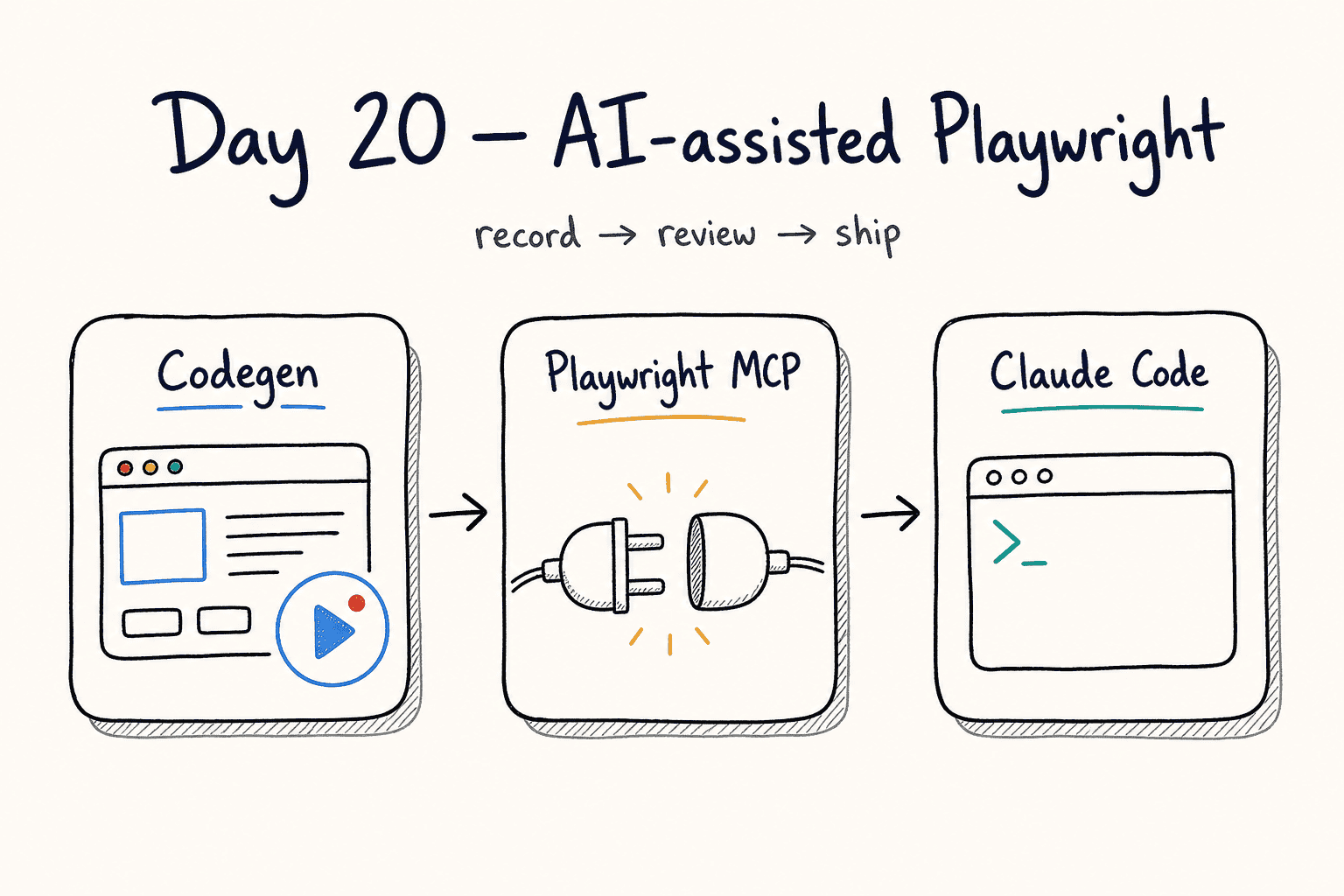
Day 20: AI-assisted Playwright — Codegen, MCP, and Claude Code
This is Day 20 of the 21-Day Playwright with TypeScript Challenge. One lesson per day. Zero to production-ready in 3 weeks.
🎭 Want to master this with real projects? Join the Playwright Automation Mastery course at The Testing Academy.
AI can record a flow, pick locators, and drive a browser from a prompt. That is a first draft, not a test suite. Codegen, Playwright MCP, and Claude Code get you to a working spec faster. You still own role locators, assertions, and what runs in CI.
Contents
Codegen: Record the Happy Path
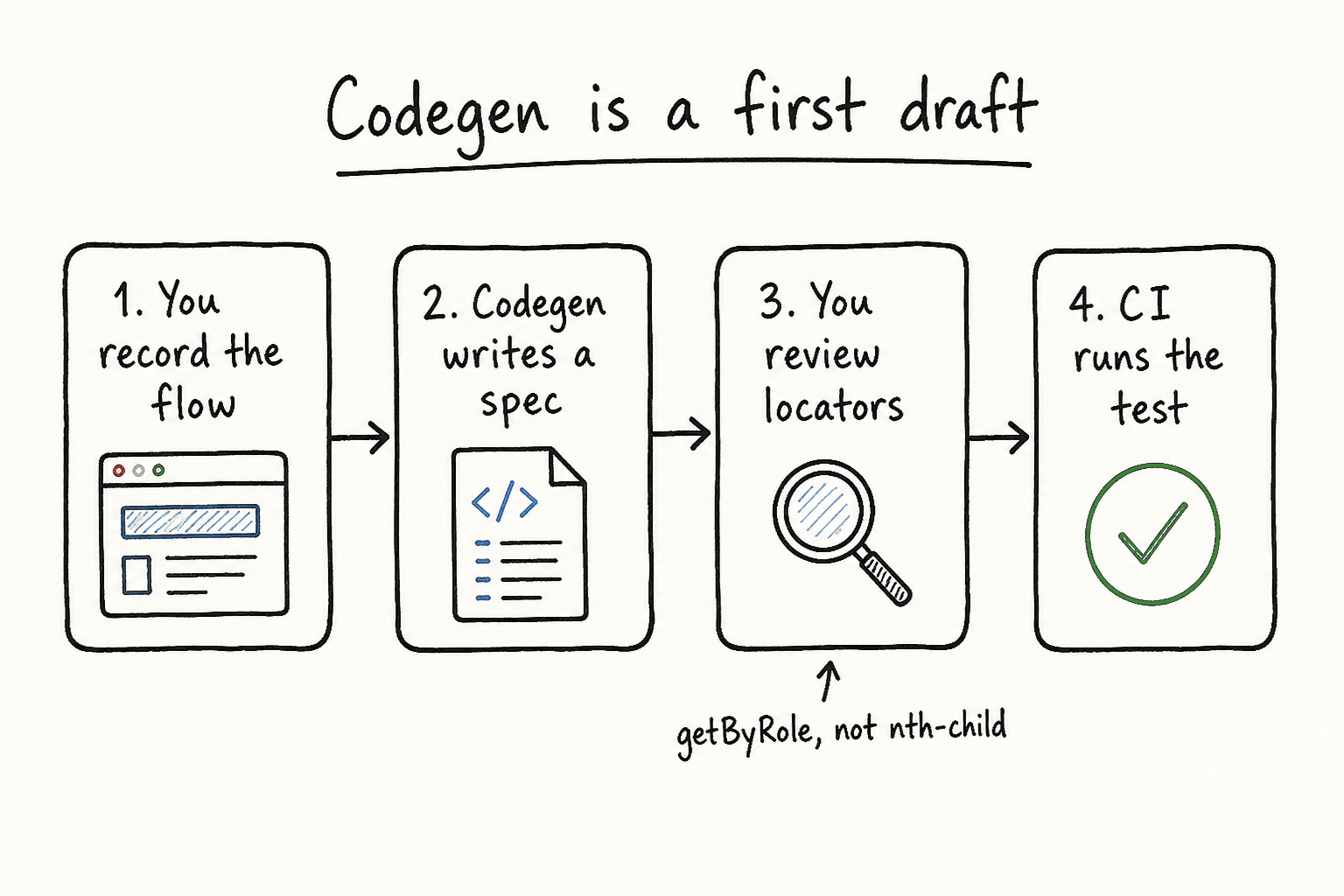
Playwright’s test generator watches your actions and emits TypeScript. It prefers role, text, and test id locators. Use it for a new flow. Do not ship the file until you have read every locator.
npx playwright codegen demo.playwright.dev/todomvcTwo windows open: the browser you drive, and the Inspector that writes the test. Walk through the flow, add assertions from the toolbar (visibility, text, value), then copy the spec into your repo.
import { test, expect } from '@playwright/test';

test('add a todo', async ({ page }) => {
  await page.goto('https://demo.playwright.dev/todomvc');
  await page.getByPlaceholder('What needs to be done?').fill('write tests');
  await page.getByPlaceholder('What needs to be done?').press('Enter');
  await expect(page.getByTestId('todo-item')).toHaveText('write tests');
});
Useful flags when the happy path is not desktop Chrome:
# viewport
npx playwright codegen --viewport-size="800,600" demo.playwright.dev/todomvc

# mobile
npx playwright codegen --device="iPhone 13" demo.playwright.dev/todomvc

# save login once, reuse it
npx playwright codegen --save-storage=auth.json https://your-app.example/login
npx playwright codegen --load-storage=auth.json https://your-app.example/dashboard
Put auth.json in .gitignore. It holds cookies and localStorage.
VS Code: Record New and Pick Locator
Install the Playwright VS Code extension. Testing sidebar → Record new writes a spec as you go. Record at cursor appends steps into an existing test. Pick locator hovers the page and copies a locator you can paste.
This is the same generator as CLI codegen. Same rule: generated code is a starting point.
🚀 Level Up Your Playwright
From locators to CI pipelines — build a production-grade Playwright + TypeScript framework step by step.
Playwright MCP: Let the Agent Drive the Browser
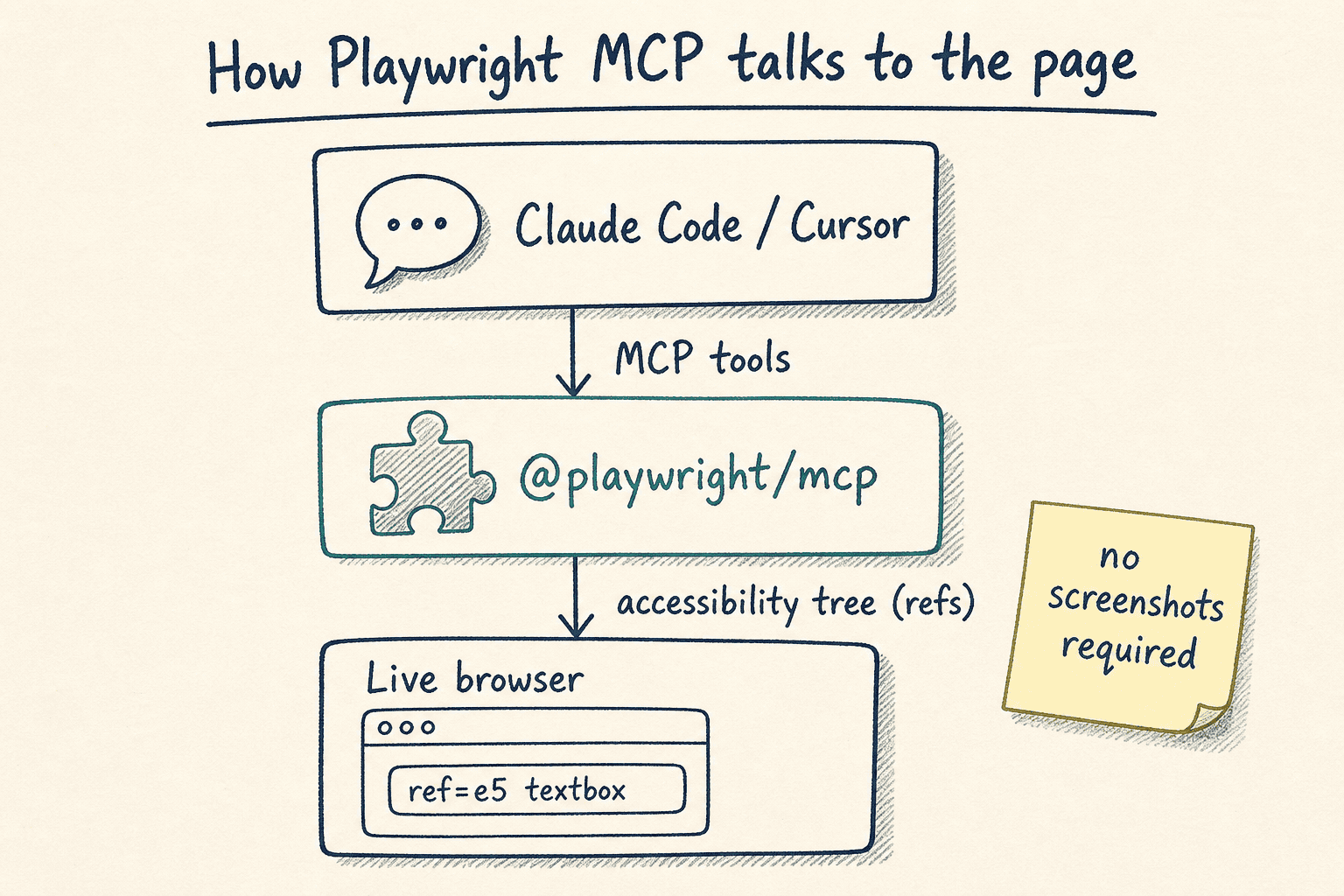
Microsoft’s official MCP server is @playwright/mcp. It gives Claude, Cursor, VS Code, and other MCP clients a live browser through the accessibility tree. No screenshot model required. If a tutorial says @executeautomation/playwright-mcp-server or @modelcontextprotocol/server-playwright, that is a different package. Use @playwright/mcp.
{
  "mcpServers": {
    "playwright": {
      "command": "npx",
      "args": ["@playwright/mcp@latest"]
    }
  }
}
Then ask:
Navigate to https://demo.playwright.dev/todomvc and add a few todo items.The server returns a snapshot with roles, names, and refs. The model uses ref=e5, not pixels.
- heading "todos" [level=1]
- textbox "What needs to be done?" [ref=e5]
- listitem:
  - checkbox "Toggle Todo" [ref=e10]
  - text: "Buy groceries"
Headless for CI-like runs. Headed is the default so you can watch.
{
  "mcpServers": {
    "playwright": {
      "command": "npx",
      "args": ["@playwright/mcp@latest", "--headless"]
    }
  }
}
Claude Code: One Command
claude mcp add playwright npx @playwright/mcp@latestNext session, Claude Code can open a page, fill forms, and read console/network. Check with claude mcp list or /mcp inside Claude Code.
Good prompts for an SDET:
Open https://demo.playwright.dev/todomvc, add 3 todos, complete one,
then write a Playwright test that covers this flow using getByRole locators.
The MCP session explores. The test file is what you keep. If the agent offers browser_run_code_unsafe, treat it as RCE-equivalent. Only enable that for a client you trust, on a machine you control.
Generated vs Reviewed
This is the whole job on Day 20. Leave the generated action. Fix the locator. Add the assertion you actually care about.
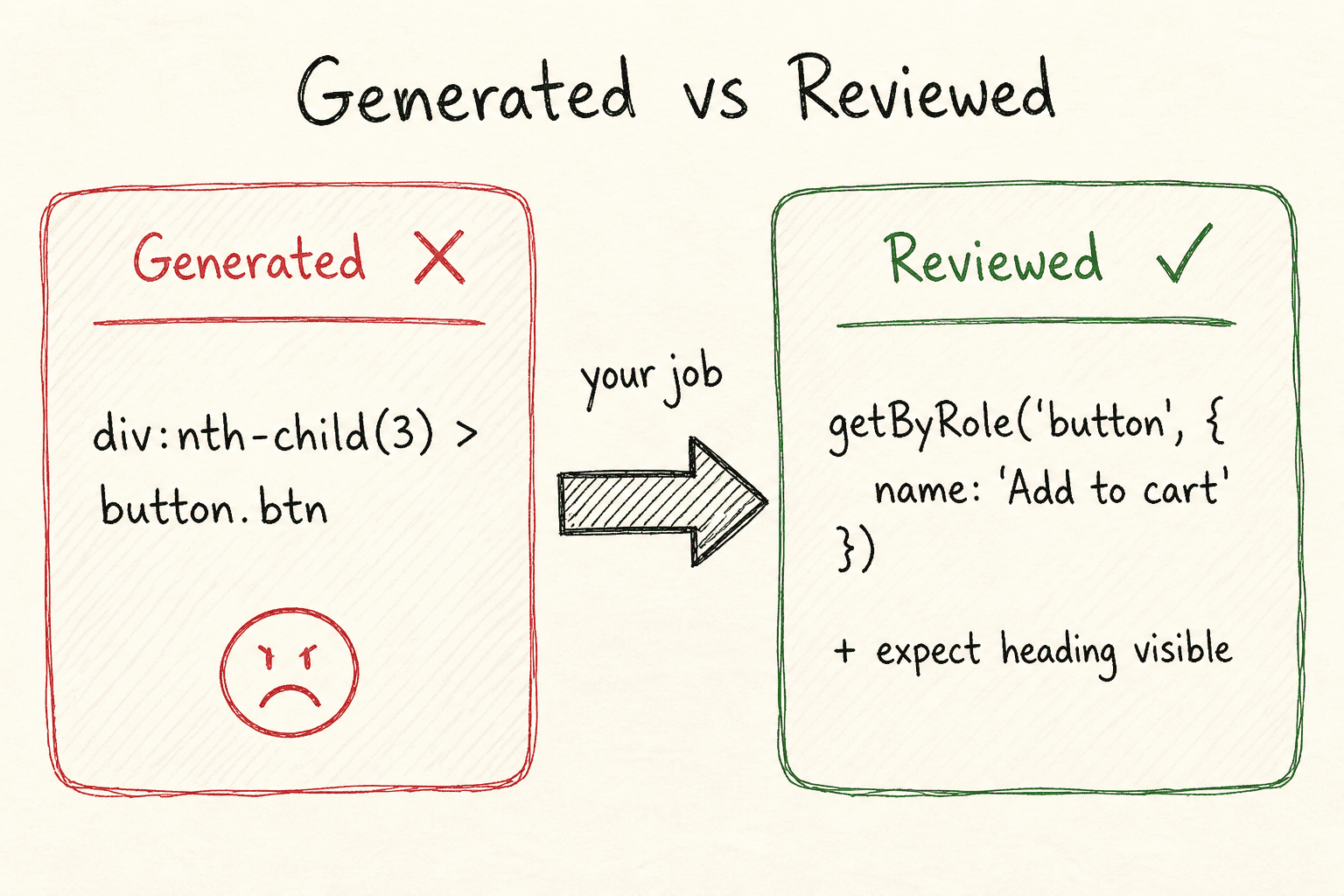
// generated — brittle
await page.locator('div:nth-child(3) > button.btn').click();

// reviewed — role + name, plus an assertion
await page.getByRole('button', { name: 'Add to cart' }).click();
await expect(page.getByRole('heading', { name: 'Your cart' })).toBeVisible();
Checklist before the spec hits main:
- Every action uses
getByRole,getByLabel,getByPlaceholder, orgetByTestId - No
nth-child, no CSS chains copied from codegen because they “worked once” - At least one assertion per test, not just a trail of actions
- Auth via
storageState, not a login recorded into every file - The test still passes when you run it twice
Tomorrow (Day 21): Capstone — the production-ready Playwright checklist you can ship on Monday.
🎓 Master Playwright End to End
Join hundreds of SDETs building real automation frameworks. Lifetime access, hands-on projects, and a job-ready portfolio.