Playwright 1.62 Regression Checklist for QA Teams
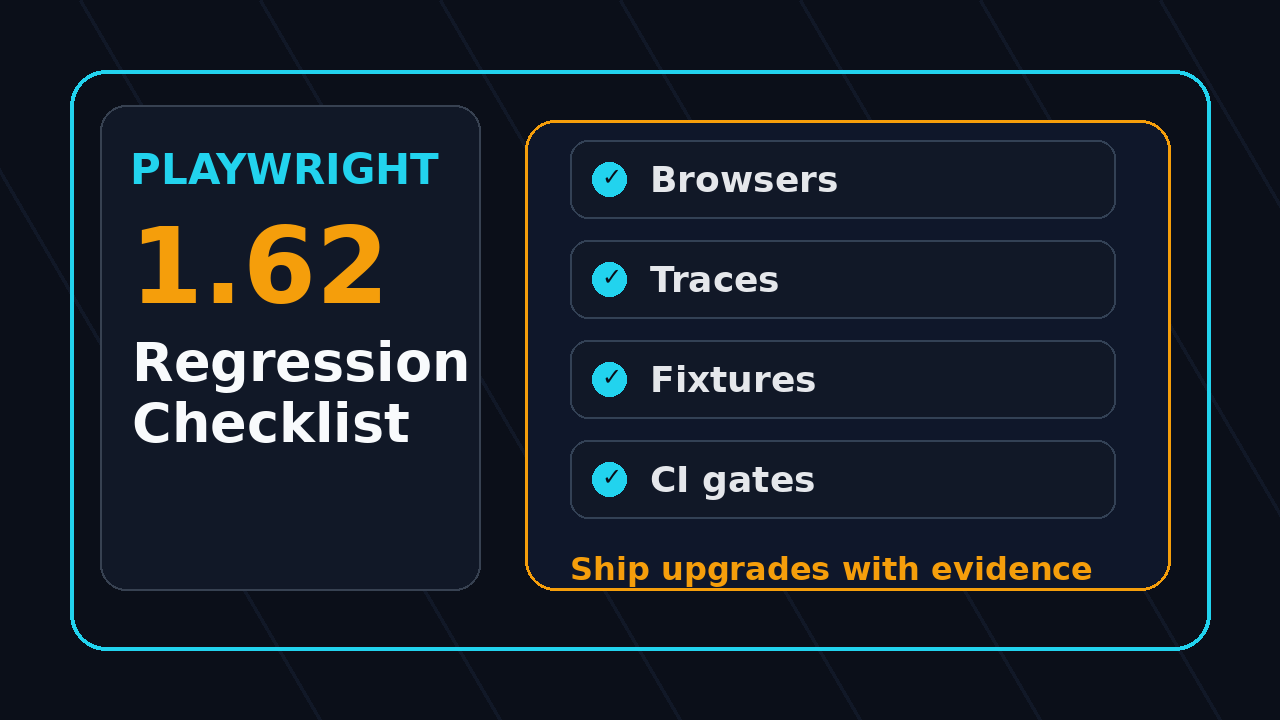
The Playwright 1.62 regression checklist below is the upgrade guardrail I want every QA team to run before bumping @playwright/test in a real CI pipeline. Playwright upgrades are usually smooth, but browser binaries, trace behavior, fixtures, projects, and retries can expose weak assumptions that older suites quietly carried for months.
Table of Contents
- Why this Playwright 1.62 regression checklist matters
- Lock the upgrade baseline before touching tests
- Validate the browser matrix and install flow
- Re-check traces, videos, screenshots, and reports
- Stress fixtures, parallelism, and project dependencies
- Build CI gates that catch upgrade regressions
- Run a selector and flake audit after the upgrade
- India team context: how I roll this out
- Copy-paste Playwright 1.62 regression checklist
- FAQ
Contents
Why this Playwright 1.62 regression checklist matters
Playwright is not a tiny test helper anymore. The GitHub repository shows more than 93,000 stars and active releases, and the npm downloads API reported 199,962,685 downloads for @playwright/test during July 2026. That level of adoption is good for the ecosystem, but it also means many teams now treat Playwright upgrades like a minor dependency bump when they should treat them like a controlled browser-platform release.
Version 1.62.0 was published on npm and GitHub in late July 2026, followed by 1.62.1 soon after. I do not read that as a reason to panic. I read it as a reminder that a serious QA team needs a small, repeatable release gate around browser automation upgrades. The gate should be boring, fast, and strict enough to catch the problems that matter.
What can break even when your code compiles?
Most Playwright upgrade issues I see are not TypeScript compiler errors. They are runtime mismatches. A test waits for a network call that now finishes earlier. A fixture that was safe in serial mode starts leaking state in parallel. A trace is generated but not attached to the CI artifact. A browser install works on one runner image but fails on the older Linux image used by another team.
- Browser binary versions can change screenshots, timing, media permissions, and download behavior.
- Reporter output can move or become too large for the artifact retention policy.
- Retries can hide a real regression if the team only checks the final green status.
- Project dependencies can mask setup failures when the config is too clever.
- CI cache keys can reuse old browsers with new test code.
This article is not a release-note rewrite. You should still read the official Playwright v1.62.0 GitHub release and the @playwright/test 1.62.0 npm registry metadata. My goal is to turn the upgrade into a QA checklist you can run today.
Lock the upgrade baseline before touching tests
The first rule of a safe Playwright upgrade is simple: do not upgrade from a messy baseline. If the suite is already flaky, slow, or full of skipped tests, 1.62 becomes the scapegoat for problems that existed last week. I start by freezing the current state so I can compare before and after with evidence.
Capture the current version and browser state
Run these commands on the same CI image or developer container that executes the production test suite. Local laptop output is useful, but it is not enough if CI uses a different OS image.
node --version
npm ls @playwright/test
npx playwright --version
npx playwright install --dry-run || true
npx playwright test --list > /tmp/pw-before-tests.txt
Then commit a tiny upgrade note in the repo or attach it to the release ticket. I prefer a short markdown file named docs/qa/playwright-upgrade-1.62.md. It should include the previous version, target version, CI image name, node version, and links to the before and after reports.
Make skipped tests visible
Skipped tests are dangerous during framework upgrades because they create false confidence. Add skipped-test counting to the upgrade gate.
npx playwright test --reporter=json > results-before.json
node scripts/count-playwright-statuses.js results-before.json
// scripts/count-playwright-statuses.js
const fs = require('fs');
const report = JSON.parse(fs.readFileSync(process.argv[2], 'utf8'));
const counts = { passed: 0, failed: 0, skipped: 0, timedOut: 0, interrupted: 0 };
function walk(suites = []) {
  for (const suite of suites) {
    for (const spec of suite.specs || []) {
      for (const test of spec.tests || []) {
        const result = test.results?.at(-1);
        const status = result?.status || test.outcome || 'unknown';
        counts[status] = (counts[status] || 0) + 1;
      }
    }
    walk(suite.suites || []);
  }
}
walk(report.suites || []);
console.table(counts);
This gives you a clean before number. After the upgrade, the skipped count should not silently increase unless the team approved it.
Validate the browser matrix and install flow
The browser matrix is the part of the Playwright 1.62 regression checklist that catches the most expensive surprises. Playwright bundles browser management into the test workflow, and the official Playwright browser documentation explains how browser installation works. Your CI gate still needs to prove that your own runner image, proxy rules, and cache policy behave correctly.
Test install from a clean cache
Many teams only test upgrades on a warm cache. That is a weak signal. A release branch may pass because the runner already has a compatible browser directory, while a new runner fails on Monday morning.
rm -rf ~/.cache/ms-playwright
npm ci
npx playwright install --with-deps
npx playwright test tests/smoke --project=chromium
Run this once on the CI base image. If your company uses a Docker image, build the image from scratch instead of testing against an old container layer. Docker cache problems are boring until they block every release train.
Run at least one test per browser project
You do not need the full suite on every browser for the first gate, but you need a real check for Chromium, Firefox, and WebKit if those projects exist in your config. I like a five-test browser smoke pack that covers login, navigation, one form, one file or download flow, and one responsive layout check.
// tests/browser-smoke.spec.ts
import { test, expect } from '@playwright/test';

test('browser smoke: login shell loads', async ({ page, browserName }) => {
  await page.goto('/login');
  await expect(page.getByRole('heading', { name: /sign in/i })).toBeVisible();
  await page.getByLabel('Email').fill(`qa+${browserName}@example.com`);
  await page.getByLabel('Password').fill(process.env.TEST_PASSWORD!);
  await page.getByRole('button', { name: /sign in/i }).click();
  await expect(page.getByTestId('dashboard-shell')).toBeVisible();
});
Pin or document the Node version
A Playwright upgrade and a Node upgrade in the same pull request creates noisy debugging. If you must change both, split the work into two pull requests. First move Node. Then move Playwright. For teams inside TCS, Infosys, Wipro, or large enterprise accounts, this separation also helps when security teams audit base image updates.
Re-check traces, videos, screenshots, and reports
Artifacts are not vanity output. They are how QA engineers debug failures quickly. The official Playwright Trace Viewer docs describe traces as a way to inspect actions, DOM snapshots, console logs, network activity, and source context. After an upgrade, I always verify that traces are still generated, uploaded, retained, and easy to open.
Force one controlled failure
Do not wait for a random failure to check artifacts. Add a temporary branch-only failure or use a small diagnostic test in a sandbox workflow.
import { test, expect } from '@playwright/test';

test('artifact diagnostic failure', async ({ page }) => {
  await page.goto('/');
  await expect(page.getByTestId('this-id-should-not-exist')).toBeVisible({ timeout: 1000 });
});
The failure should prove four things:
- The HTML report is created and uploaded.
- The trace opens from the CI artifact without a manual local copy step.
- The screenshot and video policy matches the config.
- The artifact retention period is long enough for developers in another timezone.
Keep artifact size under control
Trace-on-every-test sounds comforting, but it can turn CI into a storage problem. My default for large suites is trace: 'retain-on-failure' or trace: 'on-first-retry'. For high-risk migrations, run one temporary job with more aggressive tracing, then revert to the normal policy after the upgrade is stable.
// playwright.config.ts
import { defineConfig } from '@playwright/test';

export default defineConfig({
  use: {
    trace: 'on-first-retry',
    screenshot: 'only-on-failure',
    video: 'retain-on-failure',
  },
  reporter: [['html'], ['json', { outputFile: 'playwright-report/results.json' }]],
});
If your team already verifies product analytics, connect the upgrade check with your event assertions. The ScrollTest guide on Analytics Event Verification in Playwright is a useful next read because browser upgrades can change event timing and page lifecycle assumptions.
Stress fixtures, parallelism, and project dependencies
Fixtures are where clean Playwright code can become fragile. A fixture that creates users, seeds data, or starts a worker process might work for months and then fail when parallelism, timeouts, or dependency order changes. The upgrade window is the right time to test these assumptions directly.
Run the same smoke pack three ways
I use this sequence because it catches state leaks without burning a full day of CI minutes:
npx playwright test tests/smoke --workers=1
npx playwright test tests/smoke --workers=50%
npx playwright test tests/smoke --fully-parallel
If the single-worker run passes and the parallel run fails, do not blame Playwright first. Look for shared accounts, shared database rows, test data generated from timestamps, and cleanup code that assumes execution order.
Check setup projects and storage state
Many teams now use setup projects to log in once and save storage state. That is fine, but it must be explicit. The upgrade checklist should run a failure case where the setup project fails and the dependent projects stop clearly. A hidden setup failure is worse than a red test because it sends people to debug the wrong layer.
// playwright.config.ts
export default defineConfig({
  projects: [
    { name: 'setup', testMatch: /.*\.setup\.ts/ },
    {
      name: 'chromium',
      use: { ...devices['Desktop Chrome'], storageState: '.auth/user.json' },
      dependencies: ['setup'],
    },
  ],
});
Ask one practical question: if the setup project fails at 9:15 AM, can a junior SDET identify the root cause from the report by 9:25 AM? If not, the failure message and artifact links need work.
Keep drag-and-drop and complex UI flows in the canary set
Complex UI flows catch different problems than login tests. Drag-and-drop, iframes, downloads, clipboard, and permissions are perfect upgrade canaries. If you have drag-and-drop coverage, compare it with the patterns in Playwright Drag and Drop Testing with TypeScript: Day 39 and put one stable scenario in the browser smoke pack.
Build CI gates that catch upgrade regressions
A good CI gate for the Playwright 1.62 regression checklist does not run the whole company test suite on every commit. It runs the right slices at the right time and fails loudly when the upgrade creates risk. I split the gate into four layers.
Layer 1: dependency and install gate
This gate checks lockfile changes, browser install, and Playwright version output. It should finish in a few minutes.
name: playwright-upgrade-gate
on:
  pull_request:
    paths:
      - 'package-lock.json'
      - 'package.json'
      - 'playwright.config.ts'
      - 'tests/**'

jobs:
  smoke:
    runs-on: ubuntu-latest
    steps:
      - uses: actions/checkout@v4
      - uses: actions/setup-node@v4
        with:
          node-version: 22
          cache: npm
      - run: npm ci
      - run: npx playwright --version
      - run: npx playwright install --with-deps
      - run: npx playwright test tests/smoke --reporter=html,json
      - uses: actions/upload-artifact@v4
        if: always()
        with:
          name: playwright-report
          path: playwright-report
Layer 2: changed-area tests
Map high-risk folders to specific test packs. If checkout changed, run checkout tests. If authentication changed, run auth tests. This is not only an upgrade practice. It is the same thinking behind strong regression selection.
Layer 3: nightly full suite
The full suite belongs in a nightly or pre-release job. During the 1.62 upgrade week, run it on the upgrade branch at least once before merging. Compare duration, failed tests, flaky tests, and artifact size against the previous stable run.
Layer 4: release-note watch
The GitHub API shows the Playwright repository is active, and releases can arrive close together. If you upgrade to 1.62.0 and 1.62.1 appears quickly, do not blindly jump again. Read the release note, check the issue it fixes, and decide whether your suite is affected. I usually wait for the smoke gate to be clean before moving from a dot-zero release to the next patch.
If your team also ships prompt changes or AI agents, combine this browser gate with prompt regression gates. The ScrollTest article on PromptFoo Regression Gates for Production Prompts shows how I think about blocking bad prompt releases with evals. The mindset is the same: do not trust a green build that did not test the risk.
Run a selector and flake audit after the upgrade
A Playwright upgrade is a good forcing function to clean test debt. I do not mean rewriting the whole suite. I mean picking the top flaky failures and checking whether they depend on timing, brittle selectors, or hidden network waits.
Classify every new failure
Do not label everything as flaky. Use a small failure taxonomy:
- Product bug: the user flow is broken in the application.
- Test bug: the assertion, data setup, or selector is wrong.
- Environment issue: CI, network, secrets, proxy, or browser install failed.
- Upgrade sensitivity: the test depended on behavior that changed with the browser or Playwright version.
- Unknown: needs trace review before classification.
This sounds basic, but it saves hours. A manager can make a release decision from classified failures. A dump of red test names does not help anyone.
Prefer user-facing locators
The upgrade gate should flag weak selectors in the smoke pack. I want getByRole, getByLabel, and stable data-testid attributes in critical flows. I do not want CSS chains that break when a design system adds a wrapper div.
// Fragile
await page.locator('.modal > div:nth-child(2) button.primary').click();

// Better
await page.getByRole('dialog', { name: /delete user/i })
  .getByRole('button', { name: /confirm/i })
  .click();
Review retries instead of hiding them
The Playwright test retries documentation explains how retries mark tests as flaky when they fail initially and pass on retry. In an upgrade gate, flaky is not green. It is yellow. Track it separately and require an owner for each new flaky test.
npx playwright test --retries=1 --reporter=json > results-after.json
node scripts/count-playwright-statuses.js results-after.json
If a test fails once and passes on retry after the upgrade, keep the trace from the first failure. That trace is usually the most valuable artifact in the whole run.
India team context: how I roll this out
For India-based QA teams, the upgrade problem is not only technical. It is also about ownership. In service companies, a client may ask why automation is blocked by a dependency bump. In product companies, an engineering manager may ask why a browser test suite became noisy right before a release. In both cases, the SDET who brings a clear upgrade checklist earns trust.
Assign one owner, not five watchers
I prefer one upgrade owner and two reviewers. The owner runs the checklist, posts the evidence, and tracks failure classification. Reviewers check the config, CI logs, and the final report. Five people watching a flaky pipeline in Slack is not ownership.
Use the checklist as a career artifact
If you are moving from manual testing to SDET roles, this is the kind of work that separates you from keyword-based resumes. Do not only say you know Playwright. Show that you can upgrade it safely, explain the risk, and protect a release. That matters in ₹25-40 LPA product-company interviews because hiring managers look for judgment, not only syntax.
Make it teachable for juniors
A good checklist should be easy to hand to a junior QA engineer. If only the senior automation engineer understands the upgrade process, the process is too fragile. Write clear commands. Save sample reports. Link traces. Keep the first smoke pack small enough that a new team member can run it without asking ten questions.
Copy-paste Playwright 1.62 regression checklist
Use this checklist in the pull request description. Delete items that do not apply, but do not leave them unchecked without a comment.
Pre-upgrade checks
- Record current
@playwright/testversion, Node version, CI image, and browser install mode. - Run the current smoke pack and save the report link.
- Count passed, failed, skipped, flaky, and timed-out tests.
- List known flaky tests before the upgrade starts.
- Confirm the upgrade branch changes only Playwright-related files unless approved.
Upgrade execution checks
- Update
@playwright/testto 1.62.x and commit the lockfile. - Run
npm cifrom a clean workspace. - Run
npx playwright install --with-depsfrom a clean browser cache. - Run one smoke pack across each configured browser project.
- Run setup-project and storage-state tests.
- Run one controlled artifact failure and verify trace, screenshot, video, and report upload.
- Run smoke tests with
--workers=1, normal workers, and fully parallel mode if supported.
Post-upgrade decision checks
- No increase in skipped tests without approval.
- No new flaky tests without an owner and trace link.
- No browser install failures on the production CI image.
- No artifact upload or retention regression.
- Full suite or nightly suite completed before merge for high-risk applications.
- Release note reviewed for 1.62.0 and any newer 1.62.x patch.
Pull request summary template
## Playwright upgrade summary
Target version: @playwright/test 1.62.x
Previous version: [fill]
Node version: [fill]
CI image: [fill]

### Evidence
- Smoke before: [link]
- Smoke after: [link]
- Full suite or nightly: [link]
- Controlled artifact failure: [link]

### Result counts
- Passed: [fill]
- Failed: [fill]
- Skipped: [fill]
- Flaky: [fill]
- Timed out: [fill]

### Decision
[Merge / hold / merge with follow-up]
FAQ
Should I upgrade directly to Playwright 1.62.0?
Check the latest patch in the 1.62 line first. The npm registry showed 1.62.1 as the latest version at the time of writing, while 1.62.0 remains the target release discussed here. If a patch release exists and its notes match your stack, test the patch with the same checklist.
Do I need to run the full suite before merging?
For a small suite, yes. For a large suite, run a browser smoke pack on the pull request and run the full suite in a nightly or pre-release job before the upgrade reaches production branches. The point is not to burn CI minutes. The point is to test the risk before it reaches release day.
What is the biggest mistake teams make during Playwright upgrades?
The biggest mistake is trusting a green final status without checking retries, skipped tests, artifacts, and browser install logs. A retry-green suite can still hide a real problem. A skipped test can hide a missing business flow. A missing trace can turn a simple failure into a two-hour debugging session.
How many tests should be in the upgrade smoke pack?
I like 20-40 tests for a mature product, with at least one test per critical user journey and one test per browser project. If the application is small, start with 10 strong tests. Quality matters more than count.
Can manual testers use this checklist?
Yes. Manual testers can own the risk map, smoke scenario selection, evidence review, and release sign-off. Pair with an automation engineer for the config and CI steps. That pairing is a strong path into SDET work because it combines product judgment with technical execution.
Key takeaways
The Playwright 1.62 regression checklist is not about fear. It is about release discipline. Playwright is mature, active, and widely adopted, but your suite still runs inside your own CI image, with your own fixtures, data, selectors, and artifact rules.
- Freeze the baseline before upgrading so you can compare evidence.
- Test browser installation from a clean cache, not only a warm runner.
- Verify traces, screenshots, videos, and reports with a controlled failure.
- Track skipped and flaky tests separately from passed tests.
- Make the checklist teachable so junior SDETs can run it without tribal knowledge.