
Day 21: Playwright MCP, AI Agents, and Assembling the Framework
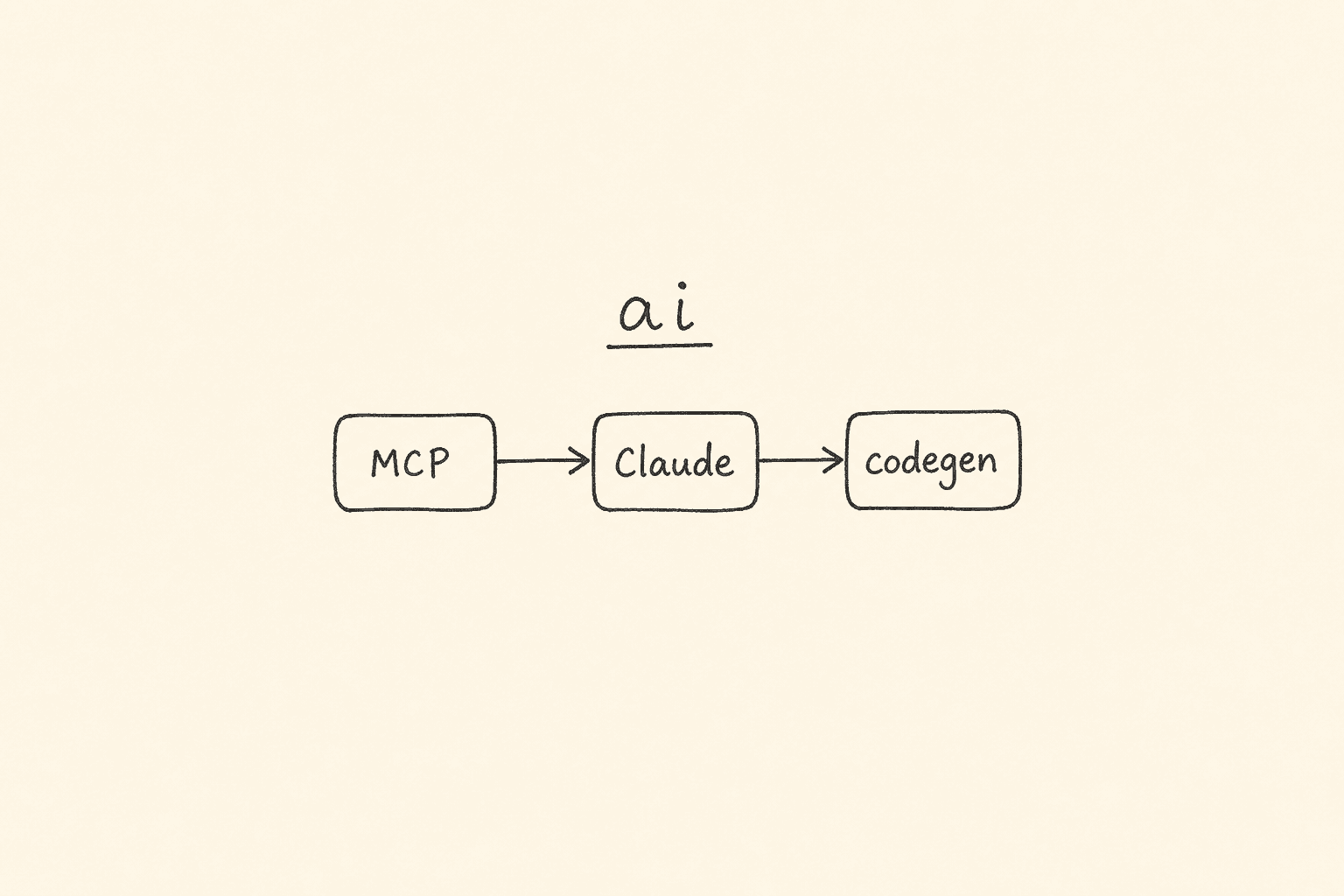
This is Day 21 of the 21-day JS to Playwright Framework series. One lesson a day. JavaScript first. TypeScript next. Playwright Test after that. Framework layers. Then the last mile: MCP and AI agents. This is the capstone. It is also a draft. It is not published.
I am Pramod Dutta. I teach SDETs in India for a living. The last week of a live batch is when someone always pastes a ChatGPT login test and calls it an AI framework. A prompt is not a protocol. A screenshot of Claude clicking Login is not a pipeline. A folder named ai/ is not a factory until a file in that folder owns one job and is imported by the next file.
Today we read those files. We also recap how Days 1-20 assemble into the same framework. I will not invent a file that is not on the tree I fetched.
If you want the video plus project path after you finish these 21 posts, the course is here: Playwright Automation Mastery. The series hub for every day lives here: JavaScript to TypeScript to Playwright Advanced Framework 21-Day Guide.
Contents
What I fetched. What I did not invent.
All MCP and agent labs come from my public batch repo: LearningPlaywrightBatch on branch main. All factory code comes from my public framework repo: AdvancePlaywrightFramework1x on branch feat-cucumber.
Lecture_Playwright_MCP / learning (01-08)
01_What_Is_MCP.md02_MCP_Architecture.md03_How_Playwright_MCP_Works.md04_Jira_MCP_Overview.md05_Document_Creation_MCP.md06_Simple_MCP_Example.js07_MCP_Flow_Diagrams.md08_MCP_Tools_Reference.md
Lecture_Playwright_MCP / exercises (01-05)
01_Setup_MCP_Exercise.md02_Browser_Automation_Exercise.md03_Test_Plan_Exercise.md04_Failure_Handling_Exercise.md05_STLC_Mini_Project.md
Lecture_Playwright_AI_Agents / learning (01-07 only — 08-13 exist on the tree, I do not open them today)
01_What_Are_AI_Agents.md02_Agentic_Testing_vs_Traditional.md03_Playwright_Built_In_Agents.md04_Test_Planner_Agent_Deep_Dive.md05_Test_Generator_Agent_Deep_Dive.md06_Test_Healer_Agent_Deep_Dive.md07_Agent_Workflow_Plan_Generate_Heal.md
Lecture_Playwright_AI_Agents / exercises (01-05)
01_Explore_Agent_Files_Exercise.md02_Planner_Agent_Exercise.md03_Generator_Agent_Exercise.md04_Healer_Agent_Exercise.md05_Agent_Pipeline_Mini_Project.md
AdvancePlaywrightFramework1x / feat-cucumber
docs/AIAgentFactory.mdsrc/ai/AIAgentFactory.mdsrc/ai/index.tssrc/ai/types.tssrc/ai/models.jsonsrc/ai/gateway/llmGateway.tssrc/ai/config/providers.tssrc/ai/agents/customDataGenerator.tssrc/ai/agents/rcaAgent.tssrc/ai/agents/flakyAnalyzer.tssrc/ai/utils/jsonExtract.ts
The official Playwright MCP package, as the lecture writes it, is @playwright/mcp. Not a community fork. Not a renamed wrapper. That is the package you install and the package you pass to npx.
I fetched those files from raw GitHub. I quote them below. The lecture trees also contain stlc_project/, agents_project/, ai_projects/, demo/, notes/, and interview_questions/. I name a file from those folders only when a learning or exercise file I opened already names it. I do not invent a sixth agent. I do not invent a fourth factory method.
Clone the batch repo and stay on main:
git clone https://github.com/PramodDutta/LearningPlaywrightBatch.git
cd LearningPlaywrightBatch
git checkout main
The framework tree is a second clone, branch feat-cucumber:
git clone https://github.com/PramodDutta/AdvancePlaywrightFramework1x.git
cd AdvancePlaywrightFramework1x
git checkout feat-cucumber
You need Node.js 18 or newer. Claude Code or Claude Desktop if you want to run MCP hosts. An API key only if you call the factory. hasApiKey() exists so CI can skip when the key is missing.
Days 1-20 assemble into the framework
A capstone that starts at MCP without the climb is a demo. The series is the climb.
Days 1-7 were the language. Day 1 was Node, comments, identifiers, var vs let vs const, and hoisting. Day 2 was identifiers, literals, and operators. Day 3 was if / else / switch — the same branches a login assertion later uses. Day 4 was loops and arrays — the same shape as a CSV row. Day 5 was functions, closures, and strings. Day 6 was objects and multi-dimensional arrays. Day 7 was callbacks, Promises, and async / await. Playwright is a Node library. page.goto() is a Promise. If Day 7 is foggy, Day 21 will look like magic.
Days 8-9 were the object and the type. Day 8 was OOP and inheritance — the walk from a class to a BasePage idea. Day 9 was TypeScript: types, interfaces, enums, generics, a typed POM. The factory on feat-cucumber is TypeScript. ProviderId, ChatMessage, RcaVerdict are types. You met that habit on Day 9.
Days 10-16 opened the browser. Day 10 was install, annotations, Browser / Context / Page. Day 11 was locators — role, CSS, XPath, VWO login. Day 12 was storage state, Allure, lists, web tables. Day 13 was selects, frames, keyboard, hover, drag-and-drop, alerts. Day 14 was SVG, Shadow DOM, upload, download, scroll. Day 15 was expect, hooks, and data-driven tests from arrays, CSV, JSON, and Faker. Day 16 was Page Object Model and the course projects. A spec that owns every locator is a demo. A LoginPage that owns goto() and login() is a page object. Folder 21_Fixture in the fundamentals repo was a skipped placeholder. I said so then. I will not rewrite that history.
Days 17-20 were the layers. Day 17 opened AdvancePlaywrightFramework1x on feat-cucumber: playwright.config.ts, src/config/credentials.ts, BasePage plus the TTACart pages, test-base fixtures, Winston, visualStep, ApiHelper, CustomTTAReporter. The Dockerfile was empty. test:lor was documented and missing from package.json. Day 18 was Cucumber BDD on the same pages — cucumber.js profiles, CustomWorld, hooks, Level 0 / 1 / 2, and the honest note that CI still ran Playwright Test, not cucumber-js. Day 19 was API: Restful Booker, ApiHelper, BookingApi plus booker.fixture, jsonpath-plus, Ajv. Day 20 was CLI, codegen, Trace Viewer, and the GitHub Actions gate — a local run is a demo, a trace zip is the recording, a failing job is a gate. The pipeline on feat-cucumber still does not run Cucumber. I said so on Day 20. I do not unsay it on Day 21.
Put those twenty days in one sentence: language, then types, then the browser, then ownership, then layers, then a second runner, then the API, then the CLI gate. Today we add two more words: MCP and agents. They sit on top. They do not replace Days 1-20.
Why MCP is the last mile, not the first
01_What_Is_MCP.md opens with a USB-C analogy. Before USB-C, every device had its own charger. USB-C is one port. MCP is one protocol for an AI to talk to any tool.
Without MCP the lecture draws this:
AI <--custom code--> Tool A
AI <--different API--> Tool B
AI <--another adapter--> Tool C
With MCP:
AI <--MCP--> Tool A
AI <--MCP--> Tool B
AI <--MCP--> Tool C
That is the same lesson as Day 17. A custom adapter per tool is N integrations. One protocol is one client and many servers. Playwright already taught you this: one page fixture, many locators. MCP teaches it again at the AI boundary.
The lecture names three roles.
Host — the application that runs the model. Claude Desktop. Claude Code. VS Code with a Claude extension. Your custom app. The host manages client connections, presents tool results to the model, and handles permissions.
Client — the protocol handler inside the host. It discovers servers, sends tool calls, parses responses, keeps connection state. The lecture calls it the translator.
Server — the tool provider. Playwright MCP. Jira MCP. a file-system MCP. a GitHub MCP. Each server declares tool schemas, handles execution, returns MCP-shaped results.
Discovery, then call, then result:
Host: "What tools do you have?"
Server: "I have: browser_navigate, browser_click, browser_fill_form, ..."
AI: "I need to navigate to example.com"
Host -> Client -> Server: { tool: "browser_navigate", args: { url: "https://example.com" } }Server -> Client -> Host -> AI: { result: "Navigated to https://example.com successfully" }Two transports. stdio — the server is a child process, stdin / stdout, best for local tools. HTTP with SSE — the server is a web service, best for remote tools. Playwright MCP in this lecture is the stdio case: the host spawns npx @playwright/mcp@latest.
The comparison table in 01_What_Is_MCP.md is the one I want you to keep:
| Feature | Traditional API | MCP |
|---|---|---|
| Discovery | Read docs manually | Automatic tool discovery |
| Format | Different per API | Standardized JSON-RPC |
| Auth | API keys, OAuth, etc. | Handled by host |
| AI-Friendly | Must write prompts | Native tool schemas |
| Multi-tool | N integrations | 1 protocol |
MCP in test automation, as the same file lists it: plan tests, write tests, execute tests, report defects, generate reports. That is the STLC story the lecture then builds. It is not a replacement for npx playwright test on CI. Day 20 already told you the gate is the Test runner.
Architecture: one host, many servers, JSON-RPC 2.0
02_MCP_Architecture.md is diagrams. I will not redraw every Mermaid block. I will keep the facts.
One Host connects to multiple Servers at once. Each Server provides different tools. They all speak MCP. The Host in the lecture is Claude / Claude Code. The Servers in the high-level picture are Playwright MCP, Jira MCP, and a File System MCP. Playwright talks to a browser. Jira talks to Jira Cloud. File System talks to disk.
The request lifecycle is JSON-RPC. The AI decides to use browser_navigate. The Client sends a JSON-RPC request. The Server executes. The tool returns. The Client hands a result back to the AI. Then the AI decides to browser_click. Same pipe. Different tool.
Tool discovery is an initialize, then tools/list, then later tools/call. The lecture quotes the wire format. A list request:
{
  "jsonrpc": "2.0",
  "id": 1,
  "method": "tools/list"
}
A call request:
{
  "jsonrpc": "2.0",
  "id": 2,
  "method": "tools/call",
  "params": {
    "name": "browser_navigate",
    "arguments": {
      "url": "https://example.com"
    }
  }
}
The response wraps content:
{
  "jsonrpc": "2.0",
  "id": 2,
  "result": {
    "content": [
      {
        "type": "text",
        "text": "Navigated to https://example.com"
      }
    ]
  }
}
That is enough protocol. You do not write JSON-RPC by hand in the classroom. The host does. You need to recognize the three methods: initialize, tools/list, tools/call.
The same lecture file names the STLC pipeline implemented in stlc_project/mcp_scripts/06_full_stlc_pipeline.js. I did not fetch that script body today. I name it because 02_MCP_Architecture.md names it. Phase 1 test planning. Phase 2 test case design. Phase 3 execution. A branch: all pass goes to the report; a failure goes to defect reporting via Jira MCP, then the report. I will not invent steps that are not in that diagram.
07_MCP_Flow_Diagrams.md repeats the pipeline with more boxes and adds a snapshot workflow: browser_snapshot → find the element → if not found, browser_take_screenshot → then click / fill / select / hover → loop. That loop is the agent loop you meet again in the AI lecture. Observe. Think. Act. Repeat.
Playwright MCP — the official package is @playwright/mcp
03_How_Playwright_MCP_Works.md is the file I want every SDET to open before they paste a random mcpServers block from Twitter.
Playwright MCP is an MCP server that exposes Playwright browser automation as MCP tools. Instead of writing a spec first, an AI agent can drive a browser from natural language. That sentence is true. The next sentence is also true: this is not your CI suite.
Install and configure
The lecture installs the official Playwright MCP package: @playwright/mcp. Claude Code settings live in .claude/settings.json or project settings. The lecture quotes this shape: mcpServers.playwright with command npx and args ["@playwright/mcp@latest"].
Claude Desktop uses claude_desktop_config.json with the same command plus an optional DISPLAY env of :1 for headed Linux.
CLI options the lecture lists: headed mode, browser firefox, viewport-size 1280×720.
That is the official package. If a blog post tells you to install a different name for Playwright MCP, close the tab.
The tools the lecture actually names
03_How_Playwright_MCP_Works.md and 08_MCP_Tools_Reference.md agree on the families.
Navigation: browser_navigate (url), browser_navigate_back, browser_wait_for (time, selector, state), browser_tabs.
Interaction: browser_click (element, ref), browser_fill_form (ref, value), browser_select_option (ref, values), browser_hover, browser_drag (startRef, endRef), browser_type (text, submit), browser_press_key (key).
Information: browser_snapshot, browser_take_screenshot (raw), browser_console_messages, browser_network_requests.
Form and file: browser_file_upload (paths), browser_handle_dialog (accept, promptText).
Advanced: browser_evaluate (expression), browser_run_code (code), browser_resize (width, height), browser_close, browser_install.
I will not add a tool that is not in those two files.
Snapshot first, screenshot second
This is the part people skip. browser_snapshot returns the accessibility tree. Text. Element refs. Fast. That is how the agent finds the username field. browser_take_screenshot returns a picture. Slower. Larger. Useful for visual proof and layout bugs. The lecture is blunt: snapshot is for finding and reading; screenshot is for seeing.
A login on the-internet.herokuapp.com, as the lecture walks it:
browser_navigateto /loginbrowser_snapshot— username, password, login button, refsbrowser_fill_formusername tomsmithbrowser_fill_formpassword SuperSecretPassword!browser_clickthe login buttonbrowser_snapshotagain — You logged into a secure area!
That is the same flow Day 11 wrote as locators. MCP does not invent a new login. It exposes the browser as tools so an LLM can walk that flow without you typing getByLabel first.
When to use MCP. When to use a spec.
The lecture table is the one I use in class. Direct Playwright: the developer writes code, the script is fixed, error handling is pre-coded, you write test files, you update scripts by hand, it is faster, it is deterministic, it belongs on CI/CD. Playwright MCP: the AI agent writes the actions, decisions are dynamic, the AI adapts, you configure a server, the agent adjusts, it is slower because of reasoning, it may vary between runs, it is for exploratory testing and one-off tasks.
Use a spec when the run must be deterministic, when CI owns the gate, when performance matters, when the flow is stable. That is Days 17-20.
Use Playwright MCP when you are exploring, when the UI is moving, when you want the agent to discover, when you are bootstrapping a first draft you will later convert to a spec, when a non-SDET needs to drive a browser from English.
Security, from the same file: Playwright MCP runs a real browser. It can open any URL. Keep credentials in environment variables. The agent can see page content. Use headed mode while you learn. I still prefer npx playwright test on the gate. Day 20 did not change.
A tiny MCP server you can run without the SDK
06_Simple_MCP_Example.js is the teaching file. The real SDK code is commented out. The file says so. Setup would install @modelcontextprotocol/sdk. The live part of the file is a simulation that runs with plain Node.
An MCP server, as the comments list it, has three pieces: server definition (name, version, capabilities), tool registration, tool handlers. Host connects. Server lists tools. Host calls. Server returns.
The commented SDK sketch registers two tools with Zod schemas: greet (name, optional style formal or casual) and calculate (operation add/subtract/multiply/divide, a, b). Division by zero returns isError true. Transport is StdioServerTransport. The process logs to stderr so stdout stays the protocol.
The runnable simulation prints tool discovery for tools/list, then calls greet with name Pramod and style formal, then calculate multiply 7 and 6.
Run it from the lecture folder with node on Lecture_Playwright_MCP/learning/06_Simple_MCP_Example.js.
That is the MCP mental model without a host. Discovery. Call. Result. Playwright MCP is the same shape with browser_navigate instead of greet.
To wire the real server later, the file shows a host block named simple-example whose command is node and whose args point at this file. Uncomment the SDK first. Install the SDK and zod. I will not pretend the commented block is live.
Jira MCP and document MCP — STLC around the browser
Playwright MCP is one server. The lecture does not stop there.
04_Jira_MCP_Overview.md is the defect side. Typical STLC: a test fails, a human opens Jira, types a summary, attaches a screenshot, sets priority. With Jira MCP the agent parses the failure and creates the ticket. The tools in this file are conceptual: create_issue, search_issues, get_issue, update_issue, add_comment, transition_issue, assign_issue, attach_file. I say conceptual because the lecture says conceptual.
Three setup options, as written:
- A community package. The lecture shows an npx jira-mcp example with JIRA_URL, JIRA_EMAIL, JIRA_API_TOKEN. That is the lecture example, not a package I installed today.
- Jira REST API directly — POST /rest/api/2/issue with Basic auth from email plus token. The sample project key is STLC. The sample summary is Test Failure: Login page title mismatch. The sample spec name is 08_wrong_title.spec.js.
- The classroom path: a mock server. The lecture starts it with node on
stlc_project/jira_mock/jira_mock_server.js. It listens on http://localhost:3001. The lecture says it supports the same REST endpoints as real Jira. Seestlc_project/jira_mock/README.md— named in the lecture, not fetched as a body today.
Mapping I keep: test name to Summary. Error plus stack to Description. Category to Labels. Screenshot to Attachment. First failure to High. Flaky to Medium. File path to a custom field. Best practices from the same file: search for duplicates first, include context, do not mark every failure Critical, link related tickets, auto-close when the next run passes, label automation-reported.
05_Document_Creation_MCP.md is the paper side. Templates with PROJECT_NAME, VERSION, AUTHOR, DATE, TEST_CASES_TABLE, SCOPE_DESCRIPTION placeholders. File-system tools: read_file, write_file, list_directory, search_files. Three document types: test plan, test case list, test report.
The lecture names two scripts I did not open as bodies: 01_generate_test_plan.js (read template, replace placeholders, write documents/test_plan.md) and 02_generate_test_cases.js (a markdown table of cases, write documents/test_cases.md). Other document MCPs the file mentions and we do not configure today: Google Docs MCP, Confluence MCP. The classroom choice is markdown on disk, versioned in git.
07_MCP_Flow_Diagrams.md then strings the master script it names: 06_full_stlc_pipeline.js. Step 1 generate plan. Step 2 generate cases. Step 3 run Playwright test with JSON plus HTML reporters. Step 4 parse reports/results.json. Step 5 create Jira tickets on the mock at localhost:3001. Step 6 print a summary. Sample numbers in that diagram: 10 tests, 7 passed, 3 failed, 3 tickets. Those numbers are the lecture example, not a run I executed today.
MCP exercises 01-05 — do these, do not skip to the factory
01_Setup_MCP_Exercise.md — Node 18+, Claude Code or Desktop. Install the official Playwright MCP package. Confirm node_modules holds that package. Put the mcpServers.playwright block in .claude/settings.json. Restart. Ask: List all available Playwright MCP tools. Then: navigate to example.com, snapshot, tell the title. Verification questions the exercise actually asks: how many tools, stdio or HTTP, snapshot vs screenshot.
02_Browser_Automation_Exercise.md — login on the-internet.herokuapp.com/login. Snapshot and write the refs. Valid login tomsmith / SuperSecretPassword!. Invalid baduser / badpass. Screenshot. Bonus: homepage, Checkboxes, toggle both, screenshot. The cycle is snapshot, interact, verify.
03_Test_Plan_Exercise.md — Checkboxes page. Use stlc_project/templates/test_plan_template.md. Project name Checkboxes Feature. Base URL the-internet.herokuapp.com/checkboxes. At least four cases. Ask Claude to write documents/checkboxes_test_plan.md. I did not fetch the template body. I name the path because the exercise names it.
04_Failure_Handling_Exercise.md — from Lecture_Playwright_MCP run Playwright test. Open stlc_project/reports/results.json. Run stlc_project/mcp_scripts/04_parse_results.js. Terminal 1: the mock Jira server. Terminal 2: stlc_project/mcp_scripts/05_create_jira_tickets.js. Then curl the mock search endpoint. Bonus: change priority by category, add a date label. Those script paths are the exercise paths.
05_STLC_Mini_Project.md — pick dropdown, checkboxes, or add/remove elements. Plan 5 scenarios. Write 5 specs, at least one intentional failure, names like XX_description.spec.js. Run. Mock Jira. Master script. Deliverables: plan, 5 specs, JSON report, HTML report, tickets, pipeline summary. Failures are allowed if they are intentional.
That is the MCP half of the capstone. Protocol. Official package. Tools. A simulated server. Jira and documents as the STLC wrap. Five exercises. Now the agents.
What an AI agent is — and what it is not
01_What_Are_AI_Agents.md starts with a definition I use in every batch. An AI agent is a software system that uses an LLM as its reasoning engine to autonomously perform tasks. A chatbot answers one prompt. An assistant holds a multi-turn chat. An agent loops: observe, think, act, repeat until the goal is done or a limit is hit.
The lecture table: chatbot is single-turn, no tools, template answers. Assistant is multi-turn, limited tools, LLM-guided replies. Agent is a multi-step workflow, persistent task memory, extensive tools (browser, editor, CLI), LLM-guided actions, proactive, iterates, retries. The example in that last column is the Playwright Test Planner Agent.
Four properties: autonomy, tool use, reasoning, iteration. Observe is a snapshot of state. Think is the LLM. Act is a tool call. Repeat until the objective is satisfied.
Why this matters for testing: agents do not get bored on the hundredth page. They can enforce a rule across an app. They explore flows you did not script. They can adapt when a selector moves because they read the current snapshot. The analogy in the file: a junior QA engineer that never sleeps. You still owe them a clear prompt, a review, and guardrails.
The takeaway sentence I keep: AI agents are not magic. They are LLMs in a loop with access to tools.
Agentic testing versus the specs you already wrote
02_Agentic_Testing_vs_Traditional.md is the honest comparison. Traditional is script-first: human writes the spec, static selectors, hardcoded data, breaks when the UI moves, maintenance is manual. The lecture quotes a traditional login: goto login, locator #username, locator #password, button type submit, expect #flash. If #username becomes #user-email, the test dies.
Agentic is explore-first: a goal, snapshots, identify flows, generate scenarios including negatives, write code from real execution, a healer when it breaks. The generated example in the lecture uses getByLabel and getByRole and includes an invalid-credentials case. Semantic locators. Comments. Both paths.
The comparison table is long. I will keep the columns that change a hiring conversation: creation speed, maintenance, selector strategy, adaptability, coverage, edge-case discovery, setup cost, running cost, determinism, debugging, CI maturity, expertise, trust, best-for. Traditional is hours, high maintenance, static selectors, no adapt, only what you script, cheap to run, fully deterministic, native CI, programming plus testing, high trust, critical path. Agentic is minutes, self-heal, semantic locators, adapts via snapshot, discovers flows, LLM cost, non-deterministic, emerging CI, prompt plus oversight, needs validation, exploratory and new features.
When to stay traditional: critical business flows, regulatory evidence, performance numbers, simple CRUD that is faster to type, a mature suite you already trust.
When to go agentic: new feature exploration, a large app you cannot cover by hand, frequent UI churn, exploratory discovery, bootstrapping a first suite.
The lecture hybrid is three layers. Layer 1: critical tests, handwritten, deterministic — login, checkout, payment. Layer 2: feature tests, agent generates, human reviews, healer repairs. Layer 3: fully agentic exploration, periodic, human triages. Workflow: generate, review, commit, CI, healer on fail, review the heal, explore later.
Key takeaway from that file: agentic testing does not replace traditional testing. It augments it. AI with humans. Not AI versus humans. That is the same sentence I used on Day 16 about POM. A tool does not delete the owner.
Playwright built-in agents — Plan, Generate, Heal
03_Playwright_Built_In_Agents.md is the file that names the three agents that ship with Playwright 1.50+ under node_modules/playwright/lib/agents/. Each agent is a .agent.md file: YAML frontmatter plus a markdown system prompt.
| Agent | File | Color | Model | Purpose |
|---|---|---|---|---|
| Test Planner | test-planner.agent.md | Green | Sonnet | Explores apps and creates detailed test plans |
| Test Generator | test-generator.agent.md | Blue | Sonnet | Generates .spec.ts from plans |
| Test Healer | test-healer.agent.md | Red | Sonnet | Debugs and fixes failing tests |
Frontmatter fields the lecture lists: name, description, model, color, tools. A host reads the file, parses YAML, uses the body as the system prompt, connects the tools, runs the observe-think-act loop. Compatible hosts named in the file: Claude Code, VS Code with the Claude extension, custom hosts.
Planner tools (21): search, the browser family (click, close, console_messages, drag, evaluate, file_upload, handle_dialog, hover, navigate, navigate_back, network_requests, press_key, run_code, select_option, snapshot, take_screenshot, type, wait_for), plus planner_setup_page and planner_save_plan.
Generator tools (20): search, a similar browser set, four verify tools (element_visible, list_visible, text_visible, value), plus generator_read_log, generator_setup_page, generator_write_test.