
Day 18: Cucumber BDD in the Advanced Playwright Framework
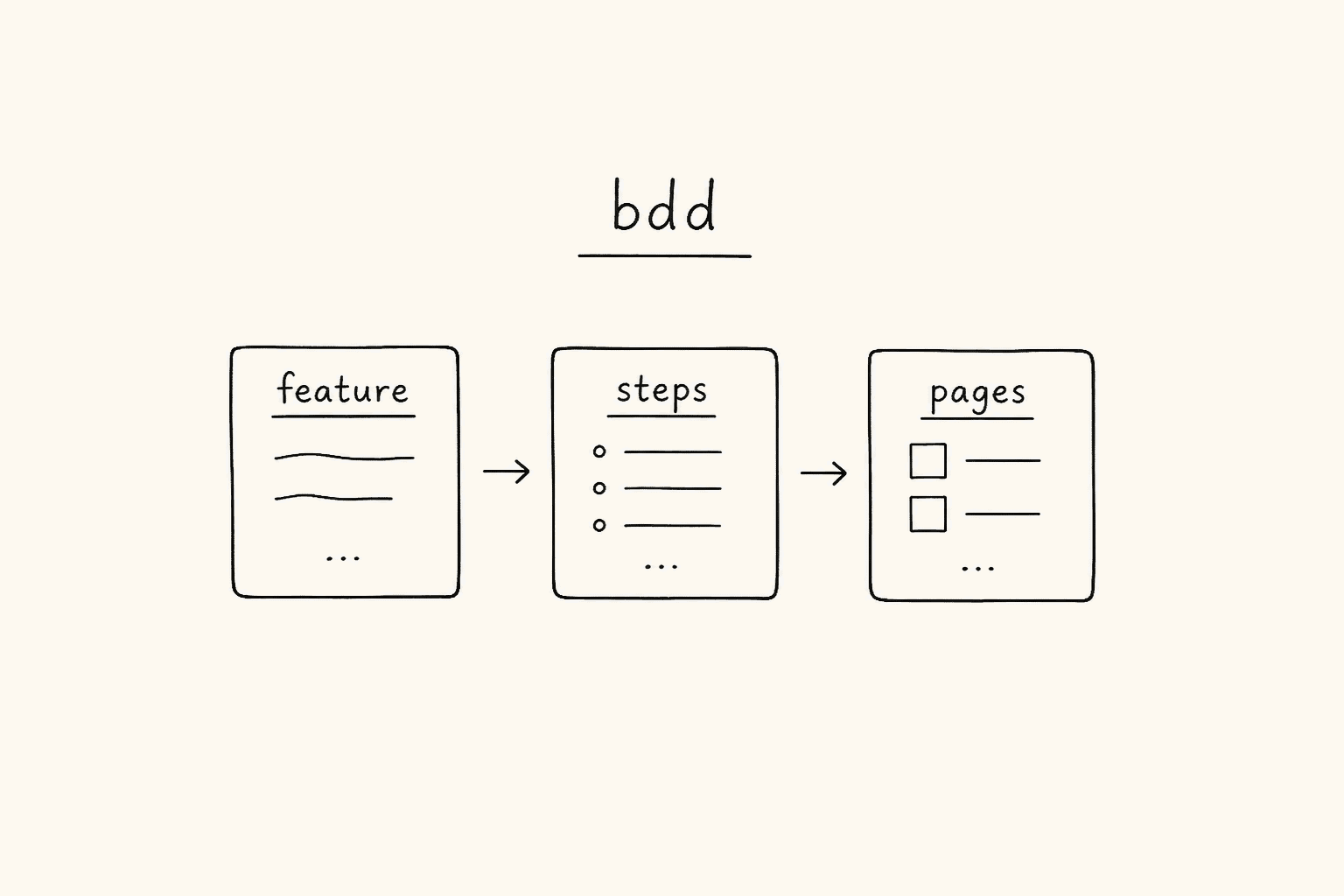
This is Day 18 of the 21-day JS to Playwright Framework series. One lesson a day. JavaScript first. TypeScript next. Playwright Test. Then the framework. Yesterday the layers. Today a second runner on those layers.
Days 1-7 were the language. Days 8-9 were the object. Days 10-16 opened the browser in the fundamentals repo. Day 17 left that repo for AdvancePlaywrightFramework1x on branch feat-cucumber — config, BasePage, fixtures, the custom TTA reporter. Today that same tree grows a BDD lane. Same LoginPage. Same TTACart. A different executable.
I am Pramod Dutta. I teach SDETs in India for a living. The week I open Cucumber, someone always copies the Gherkin into a Playwright test() and calls it BDD. A sentence in a .feature file is not a test. A step that calls this.loginPage.open() and forgets await is not a Given. A report that only Playwright CI uploads is not coverage of the BDD suite.
This is not the existing 21-Day Playwright with TypeScript Challenge. That series starts later in the stack. This series started at console.log. Day 18 is the day the Advanced Framework speaks Gherkin without growing a second automation stack.
All files in this post come from the public repo AdvancePlaywrightFramework1x on branch feat-cucumber. I fetched cucumber.js, the three level folders, and src/cucumber/support/. I quote those files. I will not invent a Level 03. I will not invent a Cucumber job in GitHub Actions. I will not invent an await that is not on disk.
Classroom names stay. Level 0 steps live in steps/smoke.spec.ts — a .spec.ts filename that Cucumber loads, not Playwright. Level 1 and Level 2 use step/ (singular). Level 1’s Given is missing await. I do not rename folders or patch the step to make this post prettier.
If you want the video plus project path after you finish these 21 posts, the course is here: Playwright Automation Mastery. The series hub for every day lives here: JavaScript to TypeScript to Playwright Advanced Framework 21-Day Guide.
*Want to master this with real projects? Join the Playwright Automation Mastery course at The Testing Academy.*
Contents
What you will be able to do after Day 18
By the end of this post you can:
- Say why this framework has two runners —
playwright testandcucumber-js— and why that is not two POMs. - Read
cucumber.jsand point atrequireModule,require,paths, the three formatters, and thelevel0/level1/level2profiles. - Explain why
src/cucumber/tsconfig.jsonforces CommonJS while the rest of the repo is Node16. - Walk
CustomWorld:browser,context,page, six page objects,CREDS,scratch,initPages(). - Walk
hooks.ts: one Chromium inBeforeAll, a fresh context and page inBefore, a PNG on everyAfterStep, an extra PNG on fail. - Run Level 0 from
smoke.feature+smoke.spec.tsand see a three-line happy path that only talks tothis.loginPageandthis.inventoryPage. - Run Level 1 from
login.feature+login.steps.tsand call out the missingawaitonthis.loginPage.open(). - Read Level 2 three ways: Scenario Outline, a DataTable of product ids, and personas loaded from
customers.json. - See that Level 2 has one step file —
checkout.steps.ts— for all three features. - Trace
ttaFormatter.ts->renderExternalRun(...)->tta-report/, and say whyttaFormatter.cjsexists. - Admit that
.github/workflows/playwright.ymlrunsnpx playwright testand does not run Cucumber. - Draw the Day 18 diagram from memory: feature -> steps -> world -> page.
That is the skill. Not the Gherkin keyword. The skill is who owns the locator. The feature never does. The step should not. The page already does — Day 17 built it. Today we glue English to that page.
The files we are actually using
Clone the advanced framework and stay on feat-cucumber. That is the Cucumber-enabled tip, not a guess at main.
git clone https://github.com/PramodDutta/AdvancePlaywrightFramework1x.git
cd AdvancePlaywrightFramework1x
git checkout feat-cucumber
I fetched every path GitHub lists under src/cucumber/ plus the root runner. Those files, as GitHub serves them:
Root runner
cucumber.js—ts-node+tsconfig-paths, feature glob, three formatters, profilesdefault/level0/level1/level2
Cucumber TypeScript
src/cucumber/tsconfig.json— extends the repotsconfig.json, then overridesmoduletoCommonJS
Support (the glue that is not a scenario)
src/cucumber/support/world.ts—CustomWorld,BASE_URL,CREDS,initPages(),setWorldConstructorsrc/cucumber/support/hooks.ts—BeforeAll/AfterAll/Before/AfterStep/Aftersrc/cucumber/support/ttaFormatter.ts— CucumberFormatterthat rebuildsTestData[]and callsCustomTTAReporter.renderExternalRunsrc/cucumber/support/ttaFormatter.cjs— CommonJS shim. Cucumber loads formatters with native ESMimport()
Level 0 — installation wiring
src/cucumber/level-00-Installation/feature/smoke.featuresrc/cucumber/level-00-Installation/steps/smoke.spec.ts
Level 1 — basic login
src/cucumber/level-01-basic/feature/login.featuresrc/cucumber/level-01-basic/step/login.steps.ts— Given is missingawait
Level 2 — data-driven
src/cucumber/level-02-data-driven/feature/login-outline.featuresrc/cucumber/level-02-data-driven/feature/cart-datatable.featuresrc/cucumber/level-02-data-driven/feature/checkout-external-data.featuresrc/cucumber/level-02-data-driven/step/checkout.steps.tssrc/cucumber/level-02-data-driven/data/customers.json
Also fetched so I do not lie about CI or the page
.github/workflows/playwright.yml—npx playwright testonlypackage.json—test:bdd,test:bdd:smoke,test:bdd:tta,cucumber:level0/level1/level2src/pages/LoginPage.ts— the POM the World constructs (open(),loginAs())src/utils/DataGenerator.ts— only for theCheckoutCustomertype thatcheckout.steps.tsimports
There is no level-03. There is no src/cucumber/support/hooks.js. There is no Playwright config switch that starts Cucumber. src/fixtures/index.ts is empty on this branch — I am not teaching fixtures from it today. Day 17 already covered test.extend. Today the World is the fixture.
The app under test is still TTACart at https://app.thetestingacademy.com plus LoginPage.PATH /playwright/ttacart/index.html. SauceDemo-shaped. data-test locators. You have seen this cart since Day 16.
Why a second runner at all
Playwright Test is a runner. It owns test(), fixtures, projects, retries, the HTML report, the trace. Cucumber is also a runner. It owns .feature files, step glue, tags as Gherkin tags, formatters.
Two runners is a cost. You pay it only if someone in the room needs to read the scenario without opening TypeScript. Product. BA. A junior who can review “locked-out user is refused” before they can review loginAs. If that person does not exist on your team, stay on Playwright Test. Day 17’s e2e-checkout.spec.ts already tells the story in test.step titles.
This framework pays the cost thin. The README on feat-cucumber says it in one sentence I will not decorate: business-readable .feature files drive TypeScript step definitions that reuse the same Page Objects as the Playwright suite — no parallel automation stack.
That is the whole argument. If your Cucumber steps start calling page.locator for every field, you grew a second stack. Level 1’s error assertion already leans that way — I will show you the locator. Level 0 does not. Level 2’s checkout walk uses the pages. Hold that standard while you read.
cucumber.js — the file that is not TypeScript
Cucumber-js looks for cucumber.js at the repo root. This one is CommonJS. It does three jobs before any scenario runs.
Job 1 — point ts-node at the Cucumber tsconfig. Step defs, hooks, and the formatter are TypeScript. Cucumber is not. The file sets TS_NODE_PROJECT to src/cucumber/tsconfig.json unless you already exported one.
const path = require("path");

process.env.TS_NODE_PROJECT =
  process.env.TS_NODE_PROJECT ||
  path.resolve(__dirname, "src/cucumber/tsconfig.json");
Job 2 — one shared profile body. requireModule loads ts-node/register and tsconfig-paths/register. require globs src/cucumber/**/*.ts. paths globs src/cucumber/**/*.feature. Formatters are a list. Snippets, if Cucumber has to print a missing step, come out as async-await. publishQuiet stays true so a classroom run does not offer to publish results to the Cucumber Reports service.
const base = {
  requireModule: ["ts-node/register", "tsconfig-paths/register"],
  require: ["src/cucumber/**/*.ts"],
  paths: ["src/cucumber/**/*.feature"],
  format: [
    "progress-bar",
    "html:reports/cucumber/report.html",
    "./src/cucumber/support/ttaFormatter.cjs:tta-report/.cucumber-tta.log",
  ],
  formatOptions: { snippetInterface: "async-await" },
  publishQuiet: true,
};
Read the third formatter carefully. The custom TTA formatter is given a file sink, not stdout. The comment in cucumber.js says why: so it never collides with the progress-bar formatter. The real HTML still lands in tta-report/ via renderExternalRun. The log path tta-report/.cucumber-tta.log is the sink Cucumber demanded, not the report you open.
Job 3 — named profiles. default is the shared body. level0, level1, level2 spread that body and add a tag filter.
module.exports = {
  default: base,
  level0: { ...base, tags: "@level0" },
  level1: { ...base, tags: "@level1" },
  level2: { ...base, tags: "@level2" },
};
Profiles filter features. They do not filter require. src/cucumber/**/*.ts still loads every step file, every hook, the World, the formatter TypeScript. That is why a Level 2 Scenario Outline can say When I log in as "<username>" with password "<password>" and hit the Level 1 step. The glue is global once Cucumber starts.
Here is the script matrix from the repo on this branch.
| Script | What it runs |
|---|---|
test:bdd | cucumber-js (default profile, every feature) |
test:bdd:smoke | cucumber-js --tags @smoke |
test:bdd:report | open reports/cucumber/report.html |
test:bdd:tta | cucumber-js && open tta-report/index.html |
cucumber | cucumber-js |
cucumber:level0 | HEADED=1 cucumber-js --profile level0 |
cucumber:level1 | HEADED=1 cucumber-js --profile level1 |
cucumber:level2 | HEADED=1 cucumber-js --profile level2 |
cucumber:level2:report | Level 2, then open the TTA HTML |
cucumber:headed | HEADED=1 cucumber-js |
HEADED=1 is not a Cucumber flag. hooks.ts reads process.env.HEADED when it launches Chromium. The level scripts open a window on purpose. CI, when it one day grows a Cucumber job, should not copy those scripts blindly.
Dependency on this branch: @cucumber/cucumber ^12.9.0, plus ts-node ^10.9.2 and tsconfig-paths ^4.2.0. Playwright stays @playwright/test ^1.60.0. Cucumber does not replace Playwright. It imports the same chromium and the same expect.
The CommonJS tsconfig
The Cucumber tsconfig extends the root file and then forces CommonJS so ts-node can load steps.
{
    "extends": "../../tsconfig.json",
    "compilerOptions": {
        "module": "CommonJS",
        "moduleResolution": "Node",
        "ignoreDeprecations": "6.0",
        "types": [
            "node"
        ],
        "baseUrl": "../../",
        "paths": {
            "@api/*": [
                "src/api/*"
            ],
            "@config/*": [
                "src/config/*"
            ],
            "@fixtures/*": [
                "src/fixtures/*"
            ],
            "@pages/*": [
                "src/pages/*"
            ],
            "@testdata/*": [
                "src/testdata/*"
            ],
            "@tests/*": [
                "src/tests/*"
            ],
            "@utils/*": [
                "src/utils/*"
            ]
        }
    },
    "ts-node": {
        "transpileOnly": true,
        "files": true
    }
}
transpileOnly is true. A missing await can survive a run. Do not assume the compiler saved you.
CustomWorld — this is the fixture
Playwright Test injects page or, after Day 17, a bundle of page objects from test.extend. Cucumber injects this. this is whatever you passed to setWorldConstructor. src/cucumber/support/world.ts is that constructor.
import { World, IWorldOptions, setWorldConstructor } from "@cucumber/cucumber";
import type { Browser, BrowserContext, Page } from "@playwright/test";

import { LoginPage } from "../../pages/LoginPage";
import { InventoryPage } from "../../pages/InventoryPage";
import { CartPage } from "../../pages/CartPage";
import { CheckoutStepOnePage } from "../../pages/CheckoutStepOnePage";
import { CheckoutStepTwoPage } from "../../pages/CheckoutStepTwoPage";
import { CheckoutCompletePage } from "../../pages/CheckoutCompletePage";

export const BASE_URL =
  process.env.BASE_URL ?? "https://app.thetestingacademy.com";

export const CREDS = {
  standardUser: process.env.STANDARD_USER ?? "standard_user",
  password: process.env.TTA_SECRET ?? "tta_secret",
} as const;

export class CustomWorld extends World {
  browser!: Browser;
  context!: BrowserContext;
  page!: Page;

  loginPage!: LoginPage;
  inventoryPage!: InventoryPage;
  cartPage!: CartPage;
  checkoutStepOnePage!: CheckoutStepOnePage;
  checkoutStepTwoPage!: CheckoutStepTwoPage;
  checkoutCompletePage!: CheckoutCompletePage;

  scratch: Record<string, unknown> = {};

  constructor(options: IWorldOptions) {
    super(options);
  }

  initPages(): void {
    this.loginPage = new LoginPage(this.page);
    this.inventoryPage = new InventoryPage(this.page);
    this.cartPage = new CartPage(this.page);
    this.checkoutStepOnePage = new CheckoutStepOnePage(this.page);
    this.checkoutStepTwoPage = new CheckoutStepTwoPage(this.page);
    this.checkoutCompletePage = new CheckoutCompletePage(this.page);
  }
}

setWorldConstructor(CustomWorld);
Four things to say out loud in class. First: browser, context, and page are definite assignment. They are empty until hooks.ts fills them. A step that runs without the Before hook will throw on this.page.
Second: every TTACart page the e2e checkout needs is pre-built. The step does not new LoginPage(this.page). The World does. That is the same ownership Day 17 taught with fixtures. Different injection. Same classes.
I fetched src/pages/LoginPage.ts so I can say what open() and loginAs() actually do. open() is goto(LoginPage.PATH) where PATH is /playwright/ttacart/index.html. loginAs fills username and password data-test fields and clicks login. The feature file never sees those selectors.
Third: CREDS is not src/config/credentials.ts. It lives in this file. STANDARD_USER and TTA_SECRET, with classroom fallbacks standard_user / tta_secret. Two stories. I am not merging them in a blog post.
Fourth: scratch is a bag. Record<string, unknown>. None of the step files I fetched write to it. I will not invent a scenario that does. BASE_URL becomes baseURL on the Playwright context in the hook.
hooks.ts — browser once, page every scenario
One Chromium for the process. A new context and a new page for every scenario. Pages are constructed after the page exists. That order is not optional.
import {
  BeforeAll,
  AfterAll,
  Before,
  After,
  AfterStep,
  Status,
  setDefaultTimeout,
} from "@cucumber/cucumber";
import { chromium, Browser } from "@playwright/test";
import { CustomWorld, BASE_URL } from "./world";

setDefaultTimeout(60_000);

let browser: Browser;

BeforeAll(async function () {
  browser = await chromium.launch({ headless: !process.env.HEADED });
});

AfterAll(async function () {
  await browser?.close();
});

Before(async function (this: CustomWorld) {
  this.browser = browser;
  this.context = await browser.newContext({ baseURL: BASE_URL });
  this.page = await this.context.newPage();
  this.initPages();
});

// Attach a screenshot after every Gherkin step so the TTA report shows a shot
// per step (the custom formatter wires these into each StepData).
AfterStep(async function (this: CustomWorld) {
  if (this.page) {
    const png = await this.page.screenshot();
    this.attach(png, "image/png");
  }
});

After(async function (this: CustomWorld, { result }) {
  if (result?.status === Status.FAILED && this.page) {
    const png = await this.page.screenshot();
    this.attach(png, "image/png");
  }
  await this.page?.close();
  await this.context?.close();
});
Headless is the default. HEADED any truthy string flips it. The level scripts set HEADED=1. test:bdd does not.
AfterStep attaches a PNG after every Gherkin step so the TTA report can show a shot per step. After attaches another PNG if the scenario failed, then closes page and context.
Sixty seconds is the default step timeout. Cucumber will not retry from playwright.config.ts. Workers are not configured in cucumber.js on this branch. The TTA formatter meta hard-codes workers: 1.
Level 0 — prove the wiring, then stop
Three lines. No parameters. No outline. The feature description is the lesson: wiring. If this fails, do not debug Gherkin. Debug TS_NODE_PROJECT, the World, BASE_URL, and whether TTACart is up.
@level0 @smoke
Feature: TTACart login (Level 0)

  Verifies the Cucumber + Playwright wiring end to end by driving the
  Page Objects exposed on the CustomWorld.

  Scenario: A standard user can log in and reach the inventory
    Given I am on the TTACart login page
    When I log in as the standard user
    Then the inventory page is displayed
smoke.spec.ts is the filename. Level 0 uses steps/ (plural) and a Playwright-looking suffix. Cucumber does not care. The require glob is **/*.ts.
import { Given, When, Then } from "@cucumber/cucumber";
import { CustomWorld, CREDS } from "../../support/world";

Given("I am on the TTACart login page", async function (this: CustomWorld) {
  await this.loginPage.open();
});

When("I log in as the standard user", async function (this: CustomWorld) {
  await this.loginPage.loginAs(CREDS.standardUser, CREDS.password);
});

Then("the inventory page is displayed", async function (this: CustomWorld) {
  await this.inventoryPage.assertLoaded();
});
This is the pattern I want every later step to copy. async function (this: CustomWorld). await on every page call. Credentials from CREDS, not from a quoted password in the feature. No page.locator in the step.
test:bdd:smoke is a different filter. It is –tags @smoke. Level 0 is tagged @level0 @smoke. Level 1 happy scenario is tagged @smoke @P0. So test:bdd:smoke is not Level 0 only.
Level 1 — parameters, negatives, and the missing await
Three classroom lessons in one file, before you open the steps. Background runs before every scenario. The happy scenario repeats the login-page Given after Background already did. Quoted parameters put the password in English so a reviewer can see wrong_password without opening TypeScript.
@level1 @login
Feature: TTA Cart Login

  Background:
    Given I am on the TTACart Login Page

  @smoke @P0
  Scenario: A standard user can log in
    Given I am on the TTACart Login Page
    When I log in as "standard_user" with password "tta_secret"
    Then I should land on the products page

  @negative
  Scenario: A locked-out user is refused
    When I log in as "locked_out_user" with password "tta_secret"
    Then I should see a login error containing "locked out"

  @negative
  Scenario: Wrong password is rejected
    When I log in as "standard_user" with password "wrong_password"
    Then I should see a login error containing "do not match"
Now the step file. Folder name is step, singular. Filename is login.steps.ts. Call this out. Do not skip it.
import { Given, When, Then } from '@cucumber/cucumber';
import { expect } from '@playwright/test';
import { CustomWorld } from '../../support/world';

Given('I am on the TTACart Login Page', async function (this:CustomWorld) {
        this.loginPage.open();
});

When(
    'I log in as {string} with password {string}',
    async function (this: CustomWorld, username: string, password: string) {
        await this.loginPage.loginAs(username, password);
    },
);

Then('I should land on the products page', async function (this: CustomWorld) {
    await this.inventoryPage.assertLoaded();
});

Then(
    'I should see a login error containing {string}',
    async function (this: CustomWorld, fragment: string) {
        const error = this.page.locator('[data-test="error"]');
        await expect(error).toBeVisible();
        await expect(error).toContainText(fragment);
    },
);
Line 6 is this.loginPage.open() with no await. LoginPage.open() is async. It returns a Promise. The Given is declared async and then throws that Promise away. Cucumber can move to When while goto is still in flight. That is a race. Students will call this flaky Cucumber. It is not Cucumber. It is a missing await.
Level 0 Given of the same idea is correct: it awaits open(). Same method. Same World. Different string. Different spelling of the step text, too. Level 0: I am on the TTACart login page. Level 1: I am on the TTACart Login Page. Capital L, capital P. Cucumber glue is exact. These are two step definitions.
The error Then uses this.page.locator of the error data-test. LoginPage on this branch already constructs errorBox as that same selector. The step does not use it. Level 0 passed the POM standard. This Then is the first leak.
expect here is Playwright expect, not a Cucumber assert library. toContainText locked out and do not match are fragments of TTACart real error copy. Fix you should make in the repo, not in this post: add await. I am not shipping a patch from a blog. I am teaching you to see it.
Level 2 — three data-driven shapes, one step file
Level 2 is not more login. It is how data enters a scenario. Three features. One step module: checkout.steps.ts. The outline feature reuses Level 0 and Level 1 glue for navigation and login. The new Then and the cart and checkout steps live in checkout.steps.ts.
Shape 1 — Scenario Outline
Five rows. Two Examples tables so the report groups valid versus rejected. The scenario title interpolates username and outcome. Background uses Level 0 sentence, the one that has await. The When is Level 1 parameterized step. The Then is new.
@level2 @outline
Feature: TTACart login outcomes (Level 2 — Scenario Outline)

  Background:
    Given I am on the TTACart login page

  Scenario Outline: <username> logging in ends on the <outcome>
    When I log in as "<username>" with password "<password>"
    Then I should see the "<outcome>"

    Examples: valid users
      | username                | password   | outcome  |
      | standard_user           | tta_secret | products |
      | problem_user            | tta_secret | products |
      | performance_glitch_user | tta_secret | products |

    Examples: rejected attempts
      | username        | password       | outcome |
      | locked_out_user | tta_secret     | error   |
      | standard_user   | wrong_password | error   |
Shape 2 — DataTable
A DataTable is not an Examples table. Examples explode one scenario into many. A DataTable is an argument to one step. One scenario. Three adds. One assertion. table.hashes() turns the header row into keys. The Gherkin column must stay named productId.
@level2 @datatable
Feature: Adding products from a Data Table (Level 2)

  Background:
    Given I am logged in as a standard user
    And I am on the products page

  Scenario: Add three products to the cart in one step
    When I add the following products to the cart:
      | productId                    |
      | tta-practice-backpack        |
      | tta-bike-light               |
      | test-allthethings-tshirt-red |
    Then the cart should contain 3 products
Shape 3 — external JSON
The feature does not contain first names, last names, or postal codes. It contains keys: alice, bob, carol. The step loads the book. Faker DataGenerator.checkoutCustomer() is not called here. These personas are fixed. The import is the type CheckoutCustomer, not the factory.
@level2 @external @e2e
Feature: End-to-end checkout, data from an external JSON file (Level 2)

  Background:
    Given I am logged in as a standard user

  Scenario Outline: <persona> completes a full checkout
    When I add product "test-allthethings-tshirt-red" to the cart
    And I check out as the "<persona>" customer
    Then the order should be confirmed

    Examples:
      | persona |
      | alice   |
      | bob     |
      | carol   |
{
"alice": {
"firstName": "Alice",
"lastName": "Walker",
"postalCode": "560001"
},
"bob": {
"firstName": "Bob",
"lastName": "Singh",
"postalCode": "110011"
},
"carol": {
"firstName": "Carol",
"lastName": "Mendes",
"postalCode": "400001"
}
}checkout.steps.ts is the only file under level-02-data-driven/step/. Shared Given, outline Then, DataTable When, single-product When, and the checkout walk all live here. If you add dave to Examples and forget the JSON key, the step throws No customer dave in customers.json. That is a better fail than filling empty strings.
import { readFileSync } from 'node:fs';
import { join } from 'node:path';
import { Given, When, Then, DataTable } from '@cucumber/cucumber';
import { expect } from '@playwright/test';
import { CustomWorld, CREDS } from '../../support/world';
import type { CheckoutCustomer } from '../../../utils/DataGenerator';

type CustomerBook = Record<string, CheckoutCustomer>;

const customers: CustomerBook = JSON.parse(
    readFileSync(join(__dirname, '../data/customers.json'), 'utf-8'),
);

// ---------- shared Given steps ----------
Given('I am logged in as a standard user', async function (this: CustomWorld) {
    await this.loginPage.open();
    await this.loginPage.loginAs(CREDS.standardUser, CREDS.password);
    await this.inventoryPage.assertLoaded();
});

Given('I am on the products page', async function (this: CustomWorld) {
    await this.inventoryPage.open();
});

// ---------- Scenario Outline outcome ----------
Then('I should see the {string}', async function (this: CustomWorld, outcome: string) {
    if (outcome === 'products') {
        await this.inventoryPage.assertLoaded();
    } else {
        await expect(this.page.locator('[data-test="error"]')).toBeVisible();
    }
});

// ---------- Data Table ----------
When(
    'I add the following products to the cart:',
    async function (this: CustomWorld, table: DataTable) {
        for (const { productId } of table.hashes()) {
            await this.inventoryPage.addToCart(productId);
        }
    },
);

Then('the cart should contain {int} products', async function (this: CustomWorld, count: number) {
    await this.cartPage.open();
    expect(await this.cartPage.rowCount()).toBe(count);
});

// ---------- single product + external-data checkout ----------
When('I add product {string} to the cart', async function (this: CustomWorld, productId: string) {
    await this.inventoryPage.addToCart(productId);
});


When('I check out as the {string} customer', async function (this: CustomWorld, persona: string) {
    const customer = customers[persona];
    if (!customer) throw new Error(`No customer "${persona}" in customers.json`);

    await this.cartPage.open();
    await this.cartPage.checkout();
    await this.checkoutStepOnePage.assertLoaded();
    await this.checkout