|

Day 15: Playwright Assertions, Hooks, and Data-Driven Tests (CSV, JSON, Faker)
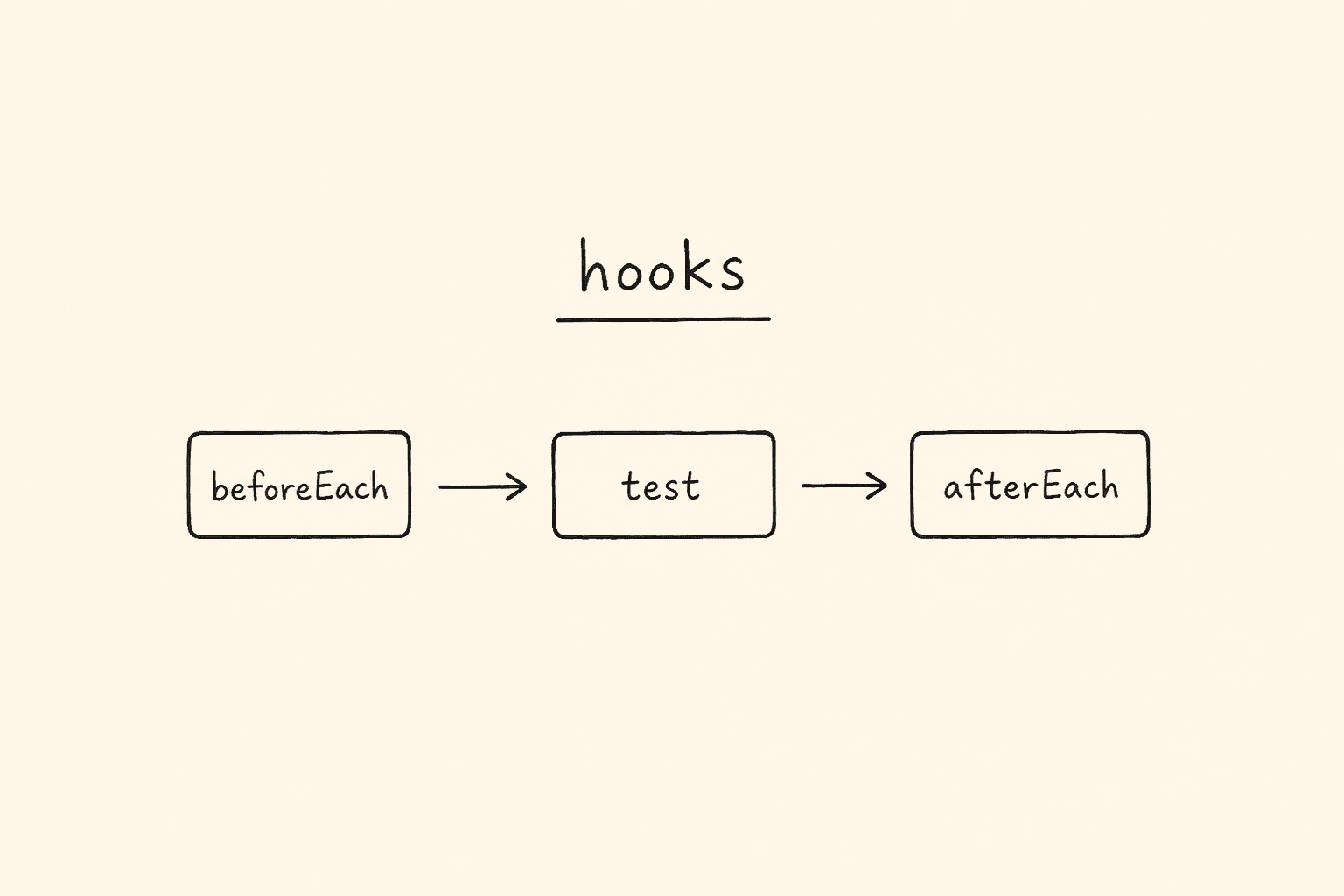
Compact diagram of Playwright hooks: beforeEach, test, afterEach

This is Day 15 of the 21-day JS to Playwright Framework series. One lesson a day. JavaScript first. TypeScript next. Playwright Test now. Framework later.

Days 1–7 were the language. Day 8 was the object model. Day 9 typed that object. Day 10 installed Playwright and handed you { page }. Day 11 found a field. Day 12 saved a session and read a table. Day 13 chose a document. Day 14 opened SVG, Shadow DOM, upload, download, and scroll. Today the suite has to *prove* something, *prepare* something, and *multiply* something.

I am Pramod Dutta. I teach SDETs in India for a living. The week I open assertions, someone always writes await page.click('#login') and calls it a test. The week I open hooks, someone pastes the same goto into eight files. The week I open data-driven tests, someone copies the login spec five times and changes the email by hand. That is not a suite. That is a folder of demos.

This is not the existing 21-Day Playwright with TypeScript Challenge. That series starts later in the stack. This series started at console.log. Day 15 is the first day the spec has to choose how it fails, when it sets up, and how many times it runs the same flow.

All labs come from my public fundamentals repo: LearningPlaywrightFundamentals on branch main. I fetched three folders from raw GitHub: tests/17_Expect_Assertions, tests/18_Test_hooks, and tests/19_Data_Driven_Testing. I quote those files. I will not invent a file that is not there.

Classroom spellings stay. The URL spec is 257_URL_Asserations.spec.tsAsserations, as GitHub serves it. The annotations file is 258_Test_HOOK.spec.tsHOOK, singular. Lab 260 titles a test practice index has 25 cards and then asserts .index-card toHaveCount(29). Lab 265 is named 265_DDT_JSON.spec.ts, imports registration-data.json, and still titles the describe DDT CSV. I do not rename files to make this post prettier.

yamlReader.ts and xlsxReader.ts exist in folder 19. No spec on main imports them. I will show the helpers. I will not invent a 266_DDT_YAML.spec.ts.

Custom fixtures — test.extend — are not in these three folders. They sit in tests/21_Fixture/272_Fixture_Placeholder.spec.ts, a skipped placeholder. The diagram at the top of this post is the built-in { page } fixture versus a hook versus a DDT loop. Do not read “fixture” here as a custom worker-scoped login. That is Day 16, and even then the file is a skip.

If you want the video plus project path after you finish these 21 posts, the course is here: Playwright Automation Mastery. The series hub for every day lives here: JavaScript to TypeScript to Playwright Advanced Framework 21-Day Guide.

*Want to master this with real projects? Join the Playwright Automation Mastery course at The Testing Academy.*

Compact diagram of Playwright hooks: beforeEach, test, afterEach

Contents

What you will be able to do after Day 15

By the end of this post you can:

  1. Tell a synchronous value assertion (expect(1 + 2).toBe(3)) from an auto-retrying locator assertion (await expect(heading).toBeVisible()).
  2. Use toEqual for objects and arrays, and admit that toBe is ===.
  3. Soft-assert a First name field and still run a hard toBeEnabled after the soft block, the way 256_Expect.spec.ts does.
  4. Negate with .not on a locator (#error not visible) and on a value (title not containing error).
  5. Assert title and URL on the calendar widget, then toBeChecked / toBeEnabled / toBeVisible on the practice-tables page — from 257_URL_Asserations.spec.ts.
  6. Read Expect_Assertions_Cheatsheet.md as the interview one-pager, and treat More_Expect_Examples.md as the long reference — without pretending playwright-assertions.spec.ts exists.
  7. Annotate with test.skip, test.slow, test.fixme, and test.fail the way 258_Test_HOOK.spec.ts does, including the Firefox conditions.
  8. Split one login-form scenario into named test.step phases so the HTML report and the trace show Open / Fields / Submit.
  9. Write beforeAll / beforeEach / afterEach / afterAll, and capture a full-page screenshot only when testInfo.status !== testInfo.expectedStatus.
  10. Use test.describe.serial only when order matters, and leave independent tests outside that block.
  11. Register one Playwright test per data row with a for loop — inline first, then CSV, then JSON, then Faker.
  12. Read login-data.csv through the hand-rolled csvReader.ts, and say out loud that 263 asks for data.expectedURL while the CSV on main has no such column.
  13. Branch on shouldPass === "true" the way 264 does — and notice that 265 compares a JSON boolean to the string "true".
  14. Generate a user with @faker-js/faker and, in 266, admit the password field is filled with testUser.name.
  15. Tell a built-in fixture from a hook from a DDT loop, and refuse to invent test.extend today.

That is the skill. Not the matcher. The skill is prove, prepare, multiply — in that order.

The labs we are actually using

Clone the fundamentals repo and stay on main:

git clone https://github.com/PramodDutta/LearningPlaywrightFundamentals.git
cd LearningPlaywrightFundamentals
git checkout main

Three folders. I fetched every file GitHub lists in them. Those files, as GitHub serves them:

tests/17_Expect_Assertions — prove the page.

  • README.md — module index, value vs locator vs soft vs .not, run commands
  • 256_Expect.spec.ts — value assertions, locator assertions, expect.soft, .not
  • 257_URL_Asserations.spec.ts — title, URL, checked / enabled / visible (Asserations in the filename)
  • Expect_Assertions_Cheatsheet.md — interview one-pager: value, locator, page, API, modifiers
  • More_Expect_Examples.md — long TTA reference (visibility, state, text, a11y, screenshots, poll, timeouts)

tests/18_Test_hooks — prepare the worker and the test.

  • README.md — annotations, test.step, lifecycle, describe.serial
  • 258_Test_HOOK.spec.ts — skip / slow / fixme / fail (HOOK in the filename)
  • 259_Grouped_TEST.spec.ts — three named steps on the practice login form
  • 260_Test_Before_After.spec.tsbeforeAll / beforeEach / afterEach fail screenshot / afterAll
  • 261_Group_Describe.spec.ts — serial checkout logs versus two standalone parallel tests

tests/19_Data_Driven_Testing — multiply the same flow.

  • README.md — inline to CSV to JSON to Faker, plus the three readers
  • 262_DDT_Simple.spec.ts — inline array of five login rows
  • 263_DDT_CSV.spec.tsreadCSV(login-data.csv), asserts toHaveURL(data.expectedURL)
  • 264_DDT_CSV.spec.ts — same CSV, plus hooks, plus shouldPass / expectedError branch
  • 265_DDT_JSON.spec.tsimport loginData from "./registration-data.json" (describe title still says CSV)
  • 266_DDT_FakerJS.spec.ts — one Faker user against TTA Cart login, expects the mismatch alert
  • 267_FakerJS2.spec.ts — Faker-filled practice-profile fields, asserts #submission-output
  • 268_FakerJS3.spec.tsgenerateUser() helper, same page, telephone is created and never filled
  • 269_DDT_FakerJS.spec.ts — loop of five Faker registrations across five email domains
  • csvReader.ts — hand-rolled CSV to TestDataRow[]
  • yamlReader.tsjs-yaml parser, optional top-level key — no spec uses it
  • xlsxReader.tsxlsx sheet_to_jsonno spec uses it
  • login-data.csv — seven login rows
  • login-data.yaml — the same seven rows in YAML
  • registration-data.json — five registration rows

I am not opening tests/20_Page_Object_Model today. That is Day 16. I am not inventing a YAML spec. I am not inventing a consuming XLSX spec. I am not inventing test.extend. The 21 README can wait until tomorrow.

Run each module from its README:

npx playwright test tests/17_Expect_Assertions
npx playwright test tests/18_Test_hooks
npx playwright test tests/19_Data_Driven_Testing

One assertion file:

npx playwright test tests/17_Expect_Assertions/256_Expect.spec.ts

One hook file:

npx playwright test tests/18_Test_hooks/260_Test_Before_After.spec.ts

One DDT file, the CSV-plus-hooks spec the 19 README points at:

npx playwright test tests/19_Data_Driven_Testing/264_DDT_CSV.spec.ts

By title, the way the 17 README shows it:

npx playwright test tests/17_Expect_Assertions -g "soft assertions"

Headed, so you can watch the loop:

npx playwright test tests/19_Data_Driven_Testing --headed

Public demo pages on app.thetestingacademy.com need network. Several files still call await page.waitForTimeout(5000). I will point at those lines. I will not pretend they are the production habit. Auto-wait plus expect is the habit. The timeout is a classroom freeze-frame so the batch can see the UI.

Why Day 15 is the next framework decision

Day 10 gave you { page }. That is a fixture. Playwright Test injects it. You did not write chromium.launch().

Day 11–14 taught you what to do *with* that page: locators, session, frames, SVG, files, scroll.

Day 15 asks three framework questions the earlier days could dodge:

  1. How do you fail? expect is the contract. A locator click that never asserts is a script. The cheatsheet in folder 17 is the contract list I want in every PR review.
  2. When do you set up? A hook is not a fixture. beforeEach is a function you own. page is an object Playwright owns. Mixing the words is how juniors start stuffing login into beforeAll and then wonder why the second test has a closed page.
  3. How many times does the same flow run? A for loop that calls test() is data-driven testing. It is not a runtime loop inside one test. Playwright registers the tests when it loads the file. Five rows, five titles, five traces.

In a framework these three become: an assertion helper policy, a hook / fixture layer, and a testdata folder. Today we still read the classroom files. Day 16 puts the login behind LoginPage.ts. Day 21 puts the policy behind a real framework. Do not skip the messy files. The mess is the curriculum.

Look at the diagram. Left card is { page }. Middle card is beforeEach. Right card is for (const data of rows). If you cannot point at which card a line belongs to, you are not ready to write test.extend.

Module 17 — prove it, or it is not a test

I start here because a hook that never asserts is ceremony, and a DDT loop that never asserts is five ceremonies.

The module README is the rule I want you to steal:

Use synchronous generic assertions for plain values. Await locator and page assertions because they auto-retry. Use .not to assert absence. Use expect.soft() when multiple checks should be collected. Prefer state-specific assertions such as toBeChecked(), toBeEnabled(), and toHaveValue() over manual DOM inspection.

Two specs. Two markdown files. No third spec named playwright-assertions.spec.ts. I will say that again when we open More_Expect_Examples.md.

Lab 256 — 256_Expect.spec.ts is three families in one describe

The file opens a describe titled Expect Assertions - TestingAcademy. Three tests. The first test never uses page even though the fixture is in the signature. Classroom leftover. I do not delete the unused { page }. I quote the file.

Test 1 — value assertions. Synchronous. No await.

expect(1 + 2).toBe(3);
// expect(1 + 2).toBe(4);

expect(false).toBeFalsy();
expect(true).toBeTruthy();
expect(null).toBeNull();
expect(34).toBeGreaterThan(11);
expect([1, 2, 3]).toEqual([1, 2, 3]);
expect({ role: 'admin' }).toEqual({ role: 'admin' });
expect({ age: 20, role: 'admin' }).toEqual({ role: 'admin', age: 20 });

toBe is ===. Use it for primitives. The commented toBe(4) is the classroom “this is what failure looks like” line. Leave it commented when you run the module. Uncomment it once in your working copy if you want to see a red value assertion. Put it back.

toEqual is deep equality. The last two object lines are the lesson: key order does not matter. { age, role } equals { role, age }. If you reach for toBe on two object literals, you are comparing references and you will fail a test that is logically green.

toBeTruthy / toBeFalsy / toBeNull / toBeGreaterThan are the generic Jest-style family. They run once. They do not wait for the DOM. If you write expect(await heading.isVisible()).toBe(true) you have thrown away auto-retry. The cheatsheet exists so you stop doing that.

Test 2 — locator assertions. Auto-retrying. await required.

await page.goto('https://app.thetestingacademy.com/playwright/multiple_element_filter.html');

const heading = page.getByText('multiple element filters', { exact: true });
await expect(heading).toBeVisible();
await expect(heading).toContainText('filter', { timeout: 10000 });

const email = page.getByRole('textbox', { name: 'Email Address' });
await expect(email).toHaveAttribute('id', 'email');
await expect(email).toHaveAttribute('type', 'email');
await expect(email).toHaveAttribute('placeholder', 'student@thetestingacademy.com');

const footerLinks = page.locator('footer a');
await expect(footerLinks).toHaveCount(16);

Four jobs in one test:

  1. Visible. The heading multiple element filters is on the page. Exact text. toBeVisible retries until the default timeout — or until you pass { timeout: 10000 } on the next line.
  2. Contains. toContainText('filter') is a substring. toHaveText would be exact. The cheatsheet table at the bottom of that markdown file is this distinction.
  3. Attribute. Three toHaveAttribute calls on the Email Address textbox. Id, type, placeholder. This is better than getAttribute plus a value expect, because the locator assertion retries.
  4. Count. footer a must be 16. If the footer grows, this test fails. That is the point of a count assertion. I do not invent a “greater than 10” here. The file says 16.

If you drop the await on any of those locator lines, Playwright does not wait. The promise is orphaned. The test may pass before the element exists. That is the interview question. The cheatsheet answers it in one row.

Test 3 — soft assertions and negation.

await page.goto('https://app.thetestingacademy.com/playwright/tables/practice.html');

const firstName = page.getByLabel('First name');

// Soft: each line records its own failure; test continues either way.
await expect.soft(firstName).toHaveAttribute('id', 'first-name');
await expect.soft(firstName).toBeVisible();
await expect.soft(firstName).toHaveValue('');

// Final hard assertion still runs after the soft block.
await expect(firstName).toBeEnabled();

await page.goto('https://app.thetestingacademy.com/playwright/webtable.html');
await expect(page.locator('#error')).not.toBeVisible();

const title = await page.title();
expect(title).not.toContain('error');

Soft means: collect. Hard means: stop. The three soft lines on First name all run even if the first one fails. The hard toBeEnabled still runs after the soft block. At the end of the test, Playwright fails the test if any soft assertion failed. That is the contract. It is not “soft means ignore.”

Then the file changes page. #error must not be visible on the webtable page. The title string must not contain error. Two .nots: one auto-retrying on a locator, one synchronous on a string you already read. If you write await expect(page.title()).not.toContain('error') you are mixing families. page.title() is a string promise, not a locator. The file does it the honest way: const title = await page.title() then a value expect.

Lab 257 — 257_URL_Asserations.spec.ts is title, URL, and widget state

The filename is 257_URL_Asserations.spec.ts. Asserations. I type it that way in every run command.

The first line of the file is a leftover comment:

// Screenshot assertions (visual diff)

There is no toHaveScreenshot in this spec. The cheatsheet documents toHaveScreenshot. This file does not call it. I will not invent a visual-diff lab for a comment.

Test 1 — URL and title.

await page.goto('https://app.thetestingacademy.com/playwright/widgets/calendar.html');
await page.getByTestId('trigger-depart').click();
await expect(page).toHaveTitle('Calendar Date Picker — The Testing Academy');
await expect(page).toHaveURL('https://app.thetestingacademy.com/playwright/widgets/calendar');

await expect(page).toHaveTitle(/Calendar/);

const appUrl = page.url();
expect(appUrl).toContain('thetestingacademy');

// expect(page.locator('')).toHaveCSS(''); // toHaveClass

Three title/URL lessons:

  1. Exact title. toHaveTitle('Calendar Date Picker — The Testing Academy') is a string. Auto-retrying. Page assertion. await it.
  2. URL without the .html. The goto used calendar.html. The assertion is /playwright/widgets/calendar. That is the URL the widget settles on after the click. I do not “fix” it to add .html. I tell you the file asserts the settled URL.
  3. Regex title. /Calendar/ is the interview form. Exact when the title is a contract. Regex when the suffix changes.

page.url() is a string *now*. The expect(appUrl).toContain('thetestingacademy') is a value assertion. No retry. If you need to wait for a navigation, use await expect(page).toHaveURL(...). Do not snapshot page.url() too early.

The last commented line is a stub for toHaveCSS / toHaveClass. Empty locator. I leave it commented. More_Expect_Examples.md has the real toHaveCSS samples if you want the API, not a passing test.

Test 2 — visible, enabled, checked.

await page.goto('https://app.thetestingacademy.com/playwright/tables/practice.html');

const agreeCheckbox = page.getByRole('checkbox', { name: /UFT/ });
const submitBtn = page.getByTestId('profile-submit');

await expect(agreeCheckbox).not.toBeChecked();
await expect(submitBtn).toBeVisible();
await expect(submitBtn).toBeEnabled();

await agreeCheckbox.check();
await expect(agreeCheckbox).toBeChecked();
await page.waitForTimeout(5000);

State-specific matchers. The README already told you to prefer these over reading the DOM yourself.

  • Unchecked first. .not.toBeChecked() on the UFT checkbox.
  • Submit is visible and enabled before you check anything. The button is not gated on the checkbox in this test. I do not invent a disabled-until-checked story. The file never asserts disabled.
  • Then check(), then toBeChecked().
  • Then the classroom waitForTimeout(5000). Production habit is the expects above. The timeout is so the batch can see the tick.

The cheatsheet also documents toBeChecked({ checked: false }) as the positive form of “unchecked.” This spec uses .not.toBeChecked(). Both are valid. I quote what the spec uses.

The cheatsheet — Expect_Assertions_Cheatsheet.md

This file is why folder 17 has more than two specs. It is the interview one-pager. Format on disk: What → How → Example. The opening rule is the one I want above the fold:

Auto-retrying assertions (Locator / Page / APIResponse) MUST be await-ed. Value assertions (numbers, strings, booleans) are synchronous — no await.

I am not pasting the entire markdown into this post as if I wrote it. I am walking the six sections so you know what is *in* the file when you open it on main.

Section 1 — value assertions (non-retrying). toBe, toEqual, toStrictEqual, toBeTruthy / toBeFalsy, toBeNull / toBeUndefined / toBeDefined / toBeNaN, the numeric four, toBeCloseTo, toContain, toContainEqual, toHaveLength, toMatch, toMatchObject, toThrow / toThrowError. Lab 256 uses a subset: toBe, toBeFalsy, toBeTruthy, toBeNull, toBeGreaterThan, toEqual. The rest live in the cheatsheet. I do not invent a toBeCloseTo spec.

Section 2 — locator assertions (auto-retrying). Visibility (toBeVisible / toBeHidden), state (toBeEnabled / toBeDisabled / toBeEditable / toBeEmpty / toBeChecked / toBeFocused / toBeAttached / toBeInViewport), text (toHaveText / toContainText), values (toHaveValue / toHaveValues), attributes (toHaveAttribute / toHaveClass / toHaveCount / toHaveCSS / toHaveId / toHaveJSProperty), screenshot (toHaveScreenshot), a11y (toHaveAccessibleName / toHaveAccessibleDescription / toHaveRole). Labs 256 and 257 use visible, contain-text, attribute, count, checked, enabled. The rest are reference.

Section 3 — page assertions. toHaveTitle, toHaveURL, page-level toHaveScreenshot. Lab 257 uses the first two.

Section 4 — API response. toBeOK. No spec in folder 17 calls request.get. Day 19 of this series is the API layer, and that day uses a different repo. I will not invent an API test in fundamentals folder 17.

Section 5 — modifiers. .not, expect.soft, expect.poll, expect.toPass, expect.configure. Lab 256 uses .not and expect.soft. Lab 255 back on Day 14 already used expect.poll on a lazy list. expect.toPass and expect.configure are cheatsheet-only in this folder.

Section 6 — interview Q&A table. Six rows. Difference between toBe and toEqual. Why await locator assertions. Soft vs hard. expect.poll vs expect.toPass. toHaveText vs toContainText. Default assertion timeout (5 seconds, via expect.configure or playwright.config.ts). I steal four of those rows into the FAQ at the bottom of this post, attributed to this file.

Closing tip on the cheatsheet:

All Locator/Page assertions auto-retry. Never wrap them in try/catch for retry logic — use expect.toPass.

That sentence is the difference between a junior suite and a review I will approve.

The long reference — More_Expect_Examples.md

The second markdown is the classroom encyclopedia. Title on disk: PLAYWRIGHT ASSERTIONS & EXPECTATIONS — COMPLETE REFERENCE. It walks visibility, state, text, attributes, values, count, accessibility, screenshots, page, API, generic values, and modifiers. The examples hit playwright.dev, the-internet.herokuapp.com, demo.playwright.dev/todomvc, and reqres.in. Those are documentation samples inside a markdown file. They are not specs in this folder.

The run command at the top of that file is:

npx playwright test playwright-assertions.spec.ts -g "<test-name>"

There is no playwright-assertions.spec.ts on main under tests/17_Expect_Assertions. I will not invent it. If you want to run assertions, you run 256_Expect.spec.ts and 257_URL_Asserations.spec.ts. The README already gave you those two commands.

The bottom of More_Expect_Examples.md recommends a filename PLAYWRIGHT_ASSERTIONS_COMPLETE_REFERENCE.md. That file is also not in the tree. The file you are reading is More_Expect_Examples.md. Classroom leftover. Follow the GitHub name.

The rule-of-thumb block at the end of that file is worth stealing into your notes:

  • Locator/Page assertions auto-retry until timeout.
  • Generic assertions execute once immediately.
  • .soft continues after failures.
  • expect.poll polls non-locator values.
  • Prefer toHaveCount(0) over .not.toBeVisible() for lists.

Lab 256’s #error .not.toBeVisible() is the “element should not appear” case. A list that should be empty is a count. Different question. Different matcher.

The long file also shows toMatchAriaSnapshot, toBeInViewport({ ratio: 0.5 }), toHaveJSProperty, toBeAttached({ attached: false }), and a TodoMVC flow that adds two items and asserts toHaveCount(2). None of those are a third spec. They are the encyclopedia. Open the markdown. Do not ask me for a file named after the recommended title.

Module 18 — prepare it, or you will paste goto forever

Folder name: 18_Test_hooks. Four specs. The README’s pattern list is the policy:

  • Annotations when behavior depends on browser support, known defects, or expected failures.
  • test.step() to make reports readable without splitting one scenario.
  • beforeEach for repeated page setup; beforeAll / afterAll for worker-level work.
  • afterEach plus testInfo.status / testInfo.expectedStatus for artifacts only on unexpected failure.
  • test.describe.serial() only when tests must share ordering.

Day 10 already showed annotations in Lab210_Test_Annoations.spec.ts, including a live test.only I told you not to commit. Lab 258 is the cleaner classroom version. I still follow 258 as GitHub serves it.

Lab 258 — 258_Test_HOOK.spec.ts is annotations, not lifecycle hooks

The filename says HOOK. The body is test.skip / test.slow / test.fixme / test.fail. Lifecycle hooks are lab 260. I do not merge the two files because the folder is named hooks.

const URL = 'https://app.thetestingacademy.com/playwright/multiple_element_filter.html';

test('title test', async ({ page, browserName }) => {
  test.skip(browserName === 'firefox', 'Feature not yet supported on Firefox');
  await page.goto(URL);
  await expect(page).toHaveTitle(/Multiple Element Filter/, { timeout: 15000 });
});

test('email is visible (slow on firefox)', async ({ page, browserName }) => {
  test.slow(browserName === 'firefox', 'firefox is slow on this layout');
  await page.goto(URL);
  await expect(page.getByRole('textbox', { name: 'Email Address' })).toBeVisible();
});

test.fixme('password is visible — broken in Safari, fix me', async ({ page }) => {
  await page.goto(URL);
  await expect(page.getByRole('textbox', { name: 'Password' })).toBeVisible();
});

test('expected to fail until backend ships', async ({ page }) => {
  test.fail();
  await page.goto(URL);
  await expect(page.getByText('New customer area', { exact: true })).toBeVisible();
});

Four annotations. Four meanings. Do not swap them in a PR.

CallWhat Playwright doesThis file’s reason
test.skip(condition, reason)Does not run the body when the condition is trueFirefox not supported for the title test
test.slow(condition, reason)Triples the timeout when the condition is trueFirefox is slow on this layout
test.fixme(title, body)Marks the test as broken; it is skippedPassword field, “broken in Safari, fix me” — the skip is unconditional in this form
test.fail()Runs the body; the run is green if the body *fails*, red if the body *passes*“New customer area” is not shipped

test.fail() is the one people misuse. It is not “this might fail, ignore it.” It is “I expect this to fail. If it starts passing, the test goes red so I come back and remove the annotation.” That is how you track a missing backend without a silent skip.

browserName is a built-in fixture, same family as page. Conditional skip and slow read it. That is fixture-plus-annotation, not a hook.

This repo’s playwright.config.ts (Day 10) projects Chromium. If you only run the default project, the Firefox skip and the Firefox slow never fire. The lines are still the lesson. I do not invent a Firefox project in this post.

Lab 259 — 259_Grouped_TEST.spec.ts is one test, three steps

test('login form is reachable via steps', async ({ page }) => {

  await test.step('open practice page', async () => {
    await page.goto('https://app.thetestingacademy.com/playwright/multiple_element_filter.html');
  });

  await test.step('fields are visible', async () => {
    await expect(page.getByRole('textbox', { name: 'Email Address' })).toBeVisible();
    await expect(page.getByRole('textbox', { name: 'Password' })).toBeVisible();
  });

  await test.step('submit + assert validation', async () => {
    await page.getByRole('button', { name: /Login/i }).click();
    await expect(page.getByText(/required|invalid/i)).toBeVisible();
  });
});

This is not three tests. It is one test with three named phases. The HTML report and the trace viewer show open practice page, fields are visible, submit + assert validation. When the third step fails, you know the click happened and the validation text did not.

When do you use a step versus a new test()?

  • Same user journey, same page, same failure should fail the whole storytest.step.
  • Independent proof (title versus checkbox versus URL) → separate test() calls, like 256.

The third step clicks Login with empty fields and expects text matching /required|invalid/i. That is a regex or. If the widget copy changes from “required” to “Please fill”, this step goes red. That is the assertion doing its job.

Lab 260 — 260_Test_Before_After.spec.ts is the lifecycle

This is the file the folder is named for.

test.beforeAll(async () => {
  // run once per worker — e.g. seed test data, spin a docker container
  console.log('beforeAll — server is up');
});

test.beforeEach(async ({ page }) => {
  // run before every test — e.g. log in, seed cookies
  await page.goto('https://app.thetestingacademy.com/playwright/');
});

test('practice index has 25 cards', async ({ page }) => {
  await expect(page.locator('.index-card')).toHaveCount(29);
});

test('sidebar collapse button works', async ({ page }) => {
  await page.getByLabel('Toggle sidebar').first().click();
  await expect(page.locator('.tta-shell')).toHaveAttribute('data-sidebar-collapsed', 'true');
});

test.afterEach(async ({ page }, testInfo) => {
  if (testInfo.status !== testInfo.expectedStatus) {
    await page.screenshot({ path: `out/fail-${testInfo.title}.png`, fullPage: true });
  }
});

test.afterAll(async () => {
  console.log('afterAll — tear down');
});

Read it in the order Playwright runs it, not the order you wish it ran.

  1. beforeAll — once per worker. This file only logs beforeAll — server is up. The comment says seed data or spin Docker. There is no Docker in this repo for this lab. I will not invent a container. The hook is a console.log so you see the worker start in the reporter.
  2. beforeEach — before every test, with a fresh { page }. goto the practice index. This is the correct place for “open the app.” It is not beforeAll, because page is test-scoped. If you put goto in beforeAll and try to reuse that page, you are fighting the fixture.
  3. Test A — card count. The title says practice index has 25 cards. The assertion is toHaveCount(29). I do not “correct” the title in this post. I tell you the file disagrees with itself. When you run it, believe the matcher, then fix the title in your working copy if you want. The GitHub file stays 25-versus-29 until someone lands a cleanup PR.
  4. Test B — sidebar. getByLabel('Toggle sidebar').first() then data-sidebar-collapsed must be true on .tta-shell. .first() is there because labels can match more than once. Strict mode would fail without it.
  5. afterEach — artifact on unexpected failure. testInfo.status !== testInfo.expectedStatus is the important comparison. A test.fail() that failed as expected will *not* screenshot. A test that should have passed and did not *will* screenshot to out/fail-${testInfo.title}.png. Full page. This is the hook I want you to steal into a framework later — not as a copy-paste, as a policy.
  6. afterAll — once per worker. Another console.log. No browser teardown here. Playwright already tears down the fixture.

Fixture versus hook, in this file. { page } arrives from Playwright. beforeEach uses that page. The hook does not create the page. The fixture does. If you write let page at module scope and assign it in beforeAll, you have left the model this series taught on Day 10. Lab 260 does not do that. Do not “improve” it that way.

Lab 261 — 261_Group_Describe.spec.ts is serial versus parallel

test.describe.serial('Checkout suite — must run in order', () => {
  test('open landing', async () => { console.log('1'); });
  test('search product', async () => { console.log('2'); });
  test('add to cart', async () => { console.log('3'); });
  test('go to checkout', async () => { console.log('4'); });
});

// These two run in parallel — independent of the serial suite above.
test('standalone A', async () => { console.log('A'); });
test('standalone B', async () => { console.log('B'); });

Six tests. Zero page. Zero expect. The lesson is ordering, not checkout.

describe.serial means 1 then 2 then 3 then 4, and if 2 fails, 3 and 4 are skipped. That is the contract for a journey that mutates shared state — a real cart, a real user. This file only prints numbers so you can see the order in the reporter.

Standalone A and B sit *outside* the serial block. They can run in parallel with each other and with the serial group (subject to workers). They do not wait for checkout.

I do not invent a real cart here. Folder 20 and TTACartProject are Day 16. Today you learn: default is independent tests; serial is a tax you pay only when order is the product.

If you wrap your entire suite in describe.serial because “it failed in parallel,” you have hidden a shared-state bug. Fix the fixture. Do not freeze the world.

Module 19 — multiply it, or you will copy the spec

This is the folder that turns Day 15 into a suite.

The README’s path is the path I teach: inline array, then file, then Faker. Readers first as helpers. Specs then consume *some* of those helpers.

Honest inventory before a single loop:

FileData sourceConsumed by a spec on main?
inline loginData in 262in the specyes — 262
login-data.csvseven rowsyes — 263, 264
login-data.yamlsame seven rowsno
registration-data.jsonfive rowsyes — 265
csvReader.tsreadCSVyes — 263, 264
yamlReader.tsreadYAMLno
xlsxReader.tsreadXLSXno
@faker-js/fakerruntimeyes — 266, 267, 268, 269

I will show the unused readers. I will not write a spec for them in this draft and pretend it was in the repo.

The loop rule — register tests, do not loop inside one test

Every consuming spec in this folder does some version of:

for (const data of rows) {
  test(`Login with : ${data.description}`, async ({ page }) => {
    // one row, one page, one expect
  });
}

That for runs when Playwright loads the file. It registers N tests. You get N traces, N retries, N titles in the HTML report. If you instead write one test('login ddt', ...) and for inside the body, you get one test, one trace, and a failure that cannot tell you which row died without extra logging.

Lab 269 is the same idea with for (let i = 1; i <= totalUserCount; i++). Still registration time. Still one test per user.

Lab 262 — 262_DDT_Simple.spec.ts is the inline array

Five objects. Describe title DDT Simple. Target: https://app.thetestingacademy.com/playwright/multiple_element_filter (no .html in this goto).

Rows, as the file declares them:

descriptionusernamepasswordexpectedURLshouldPass
valid credentialsadmin@gmail.comadmin123/admin/true
invalid passwordadmin123@ymail.comwrongpass/admin/false
empty usernameempty stringadmin123/admin123/false
empty passwordpramod@ppp.comempty string/admin/false
both emptyempty stringempty string/multiple_element_filter/false

The body fills Email Address, Password (with two .or() fallbacks), clicks Login to Practice Account (three .or() fallbacks), then:

await expect(page).toHaveURL(data.expectedURL);

shouldPass is on every object. The body never reads shouldPass. Invalid rows still assert toHaveURL(/admin/). If a failed login stays on the filter page, those rows go red. I do not invent an if (data.shouldPass) in 262. Lab 264 is where the branch appears. 262 is the “loop plus one assertion” teaching file. The unused boolean is a classroom leftover. Say it. Leave it.

The locator chain is the other lesson:

let textboxPassword = page.getByRole("textbox", { name: "Password" })
  .or(page.locator("#password"))
  .or(page.locator("[name=\"password\"]"));
let buttonLoginToPracticeAccount = page.getByRole("button", { name: "Login to Practice Account" })
  .or(page.getByTestId("login-button"))
  .or(page.getByText("Login to Practice Account"));

Role first, then id, then name / testid / text. Day 11’s priority, written as .or(). I prefer this over three separate specs. I also prefer const (lab 264 switches to const). 262 uses let. Follow the file you are in.

The CSV — login-data.csv as GitHub serves it

Seven data rows after the header. Columns, exactly: description, username, password, shouldPass, expectedError. There is no expectedURL column. Hold that. Lab 263 needs it.

descriptionusernamepasswordshouldPassexpectedError
valid credentialsadminadmin123trueempty
invalid passwordadminwrongpassfalseInvalid credentials
empty usernameempty celladmin123falseUsername is required
empty passwordadminempty cellfalsePassword is required
locked accountlocked_userpass123falseAccount is locked
special charsadminp@$$w0rd!trueempty
SQL injectionclassic tautology username as the CSV seventh rowpasswordfalseInvalid credentials

Usernames here are admin, not admin@gmail.com. Different fixture than 262’s inline array. I do not merge the two datasets.

The seventh row description is SQL injection. I am not retyping the tautology payload in this paragraph. Open login-data.csv on main. The username cell has no comma, so the hand-rolled reader will survive that row. A username with a comma would not. I will say that when we open csvReader.ts.

csvReader.ts — hand-rolled, string-only

export interface TestDataRow {
  [key: string]: string;
}

export function readCSV(filePath: string): TestDataRow[] {
  let fullPath = path.resolve(filePath);
  let content = fs.readFileSync(fullPath, 'utf-8');
  let lines = content.trim().split('\n');

  let headers = lines[0].split(",");

  let data: TestDataRow[] = [];
  for (let i = 1; i < lines.length; i++) {
    let values = lines[i].split(',');
    let row: TestDataRow = {};
    for (let j = 0; j < headers.length; j++) {
      row[headers[j].trim()] = values[j]?.trim() || "";
    }
    data.push(row);
  }
  return data;
}

What this helper actually does:

  1. path.resolve the argument. Callers pass path.join(__dirname, 'login-data.csv'). Good. The 19 README tells you to keep doing that.
  2. Read the whole file as UTF-8. Split on newlines. First line is headers.
  3. Every value is a string. shouldPass in the CSV is "true" or "false", not a boolean. That is why lab 264 writes data.shouldPass === "true".
  4. split(',') is not a real CSV parser. Quoted commas, escaped quotes, multiline cells — none of those are handled. The current login-data.csv does not need them. I will not add a parser dependency in this post. The file on main is this loop.

Lab 263 — 263_DDT_CSV.spec.ts is the first file reader, and it asks for a column the CSV does not have

const loginData = readCSV(path.join(__dirname, 'login-data.csv'));

for (const data of loginData) {
  test(`Login with : ${data.description}`, async ({ page }) => {
    await page.goto('https://app.thetestingacademy.com/playwright/multiple_element_filter');
    // same Email / Password / Login locators as 262
    await textboxEmailAddress.fill(data.username);
    await textboxPassword.fill(data.password);
    await buttonLoginToPracticeAccount.click();
    await expect(page).toHaveURL(data.expectedURL);
  });
}

Seven tests. Titles like Login with : valid credentials. Same locators as 262. The assertion is toHaveURL(data.expectedURL).

TestDataRow is [key: string]: string. A missing key is undefined at runtime. login-data.csv has no expectedURL header. So data.expectedURL is undefined for every row.

I will not invent an expectedURL column and silently “fix” the CSV. I will not pretend 263 is green on main without you checking. Classroom fact: 263 was written against a shape 262’s inline array has, then pointed at a CSV that grew shouldPass / expectedError instead. Lab 264 is the spec that matches the CSV that is actually on disk.

If you run 263 in class, watch the URL assertion. Then open 264.

Lab 264 — 264_DDT_CSV.spec.ts is CSV plus hooks plus a branch

This is the file the module README highlights.

test.describe('DDT CSV', () => {

  test.beforeEach(async ({ page }) => {
    await page.goto('https://app.thetestingacademy.com/playwright/multiple_element_filter');
  });

  test.afterEach(async ({ }, testInfo) => {
    console.log(`afterEach: ${testInfo.title} — status: ${testInfo.status}`);
  });

  const loginData = readCSV(path.join(__dirname, "login-data.csv"));

  for (const data of loginData) {
    test(`Login with : ${data.description}`, async ({ page }) => {
      // locators — now const
      await textboxEmailAddress.fill(data.username);
      await textboxPassword.fill(data.password);
      await buttonLogin.click();

      if (data.shouldPass === "true") {
        await expect(page).not.toHaveURL(/multiple_element_filter/);
      } else {
        await expect(page.getByText(data.expectedError)).toBeVisible();
      }
    });
  }
});

Three upgrades from 263:

  1. beforeEach owns the goto. The test body is fill / click / assert. That is the hook-versus-body split from 260, applied to a loop.
  2. afterEach logs title and status. The first fixture slot is empty { }. They wanted testInfo only. Legal. No screenshot here — 260 already taught the screenshot policy.
  3. The assertion matches the CSV columns. shouldPass === "true" (string, because csvReader stringifies) → URL must leave multiple_element_filter. Else → expectedError text is visible.

Passing rows in the CSV: valid credentials and special chars. Both have an empty expectedError cell. They never enter the else branch if the string compare works.

Failing rows: invalid password → Invalid credentials; empty username → Username is required; empty password → Password is required; locked → Account is locked; the seventh (injection-description) row → Invalid credentials.

If the practice login widget does not render those exact strings, the else branch fails. That is data-driven testing being honest. The CSV is the contract. The widget is the system. When they disagree, you change one of them — in a working copy — and you say which one.

Look at the diagram again. 264 is all three cards in one file: { page } fixture, beforeEach hook, for loop. That is the Day 15 picture.

Lab 265 — 265_DDT_JSON.spec.ts imports JSON and still says CSV

import path from 'path';
import loginData from "./registration-data.json";

test.describe('DDT CSV', () => {
  // same beforeEach / afterEach as 264
  for (const data of loginData) {
    test(`Login with : ${data.description}`, async ({ page }) => {
      // same Email / Password / Login locators
      await textboxEmailAddress.fill(data.username);
      await textboxPassword.fill(data.password);
      await buttonLogin.click();

      if (data.shouldPass === "true") {
        await expect(page).not.toHaveURL(/multiple_element_filter/);
      } else {
        await expect(page.getByText(data.expectedError)).toBeVisible();
      }
    });
  }
});

Classroom leftovers, listed so you do not “clean” them in a comment that claims the file is missing:

  • The filename is 265_DDT_JSON.spec.ts. Correct.
  • The describe is 'DDT CSV'. Copy-paste from 264.
  • import path from 'path' is unused. 264 needed path.join. 265 imports JSON as a module.
  • The JSON variable is named loginData. The file is registration-data.json.
  • Test titles still say Login with : ${data.description} even though the rows are registration scenarios.

registration-data.json on main:

descriptionnameusernamepasswordconfirmPasswordshouldPassexpectedError
valid registrationDev Sharmadev@test.comStrong@123Strong@123true (boolean)Email already exists
password mismatchAlicealice@test.comStrong@123Different@456falsePasswords do not match
weak passwordBobbob@test.com123123falsePassword must be at least 8 characters
duplicate emailExisting Userexisting@test.comStrong@123Strong@123falseEmail already exists
invalid email formatCharlienot-an-emailStrong@123Strong@123falsePlease enter a valid email

The spec fills login fields (Email Address, Password, Login to Practice Account). It never fills name or confirmPassword. The JSON has those keys. The spec does not use them.

Worse, the branch is data.shouldPass === "true". In the JSON, shouldPass is a boolean true / false. In JavaScript, true === "true" is false. So the “valid registration” row takes the else branch and looks for visible text Email already exists. That string is sitting on the valid row as expectedError, which is itself a classroom leftover — a valid row should not carry a failure message.

I will not rewrite 265 in this post and call it the GitHub file. I will tell you: JSON import is the lesson; the branch was copied from the CSV spec and does not match JSON types. When you do this at work, keep one type. Either stringify in the reader, or compare booleans.

TypeScript JSON import needs resolveJsonModule (this repo already compiles specs). I am not inventing a tsconfig paste. The import works in this classroom because the project already allows it.

Unused readers — yamlReader.ts, xlsxReader.ts, login-data.yaml

login-data.yaml is the same seven login rows as the CSV: valid, invalid password, empty username, empty password, locked, special chars, and the injection-description row. shouldPass in YAML is a real boolean. expectedError is a string, empty for the two passing rows. The seventh username is quoted in the YAML so the apostrophe survives the parser.

yamlReader.ts:

export function readYAML(filePath: string, key?: string): TestDataRow[] {
  const content = fs.readFileSync(filePath, 'utf-8');
  const parsed = yaml.load(content) as unknown;

  const rows = key
    ? (parsed as Record<string, unknown>)?.[key]
    : parsed;

  if (!Array.isArray(rows)) {
    throw new Error(
      `Expected array in YAML${key ? ` at key "${key}"` : ''}, got ${typeof rows}`
    );
  }

  return rows.map((row: Record<string, unknown>) => {
    const normalized: TestDataRow = {};
    for (const k of Object.keys(row)) {
      normalized[k.trim()] = row[k] == null ? "" : String(row[k]).trim();
    }
    return normalized;
  });
}

Optional key lets you pass a top-level map name if the YAML is { logins: [ ... ] }. login-data.yaml is a top-level array, so you would call readYAML(path) with no key. Values are normalized to strings — so shouldPass: true becomes "true", and a 264-style compare would work. No spec calls this function.

xlsxReader.ts:

export function readXLSX(filePath: string, sheetName?: string): TestDataRow[] {
  const workbook = XLSX.readFile(filePath);
  const targetSheet = sheetName ?? workbook.SheetNames[0];
  const worksheet = workbook.Sheets[targetSheet];
  if (!worksheet) {
    throw new Error(`Sheet "${targetSheet}" not found in ${filePath}`);
  }
  const rows = XLSX.utils.sheet_to_json<Record<string, unknown>>(worksheet, {
    defval: "",
    raw: false,
  });
  return rows.map((row) => {
    const normalized: TestDataRow = {};
    for (const key of Object.keys(row)) {
      normalized[key.trim()] = String(row[key]).trim();
    }
    return normalized;
  });
}

First sheet, or a named sheet. raw: false so Excel dates and numbers come out as strings. Same TestDataRow shape. There is no .xlsx data file in this folder on main. There is no spec. The helper is a preview. I will not invent login-data.xlsx.

If a manager asks “do we support YAML and Excel,” the honest classroom answer is: readers exist; labs do not consume them yet. That is a better sentence than a fake spec.

Labs 266–269 — Faker, from one user to a loop

@faker-js/faker is already a dependency of this repo (the specs import { faker }). I am not adding a package in this post.

266 — 266_DDT_FakerJS.spec.ts. Describe title: FakerJS data-driven template. One test. Target: https://app.thetestingacademy.com/playwright/ttacart/.

const testUser = {
  name: faker.person.firstName(),
  email: faker.internet.email(),
  password: faker.internet.password(),
};

await page.getByRole("textbox", { name: "Username" }).fill(testUser.name);
await page.getByRole("textbox", { name: "Password" }).fill(testUser.name);
await page.getByRole("button", { name: "Login" }).click();

await expect(page.getByRole("alert")).toContainText(
  'Username and password do not match any user in this service'
);

await page.waitForTimeout(5000);

Read the fills again. Username gets testUser.name. Password also gets testUser.name. testUser.email and testUser.password are generated and never typed. This is a known-fail login. The alert text is the Sauce-style mismatch message TTA Cart shows. The test is not “create an account.” The test is “random user cannot log in, and the alert says so.”

I do not silently change the password fill to testUser.password. The GitHub file fills name twice. The unused email/password fields are the leftover of a template that started as “display generated user details” (that is the test title) and became a negative login.

waitForTimeout(5000) at the end is the classroom pause. The expect already proved the alert.

267 — 267_FakerJS2.spec.ts. One test, no describe. Practice profile page: tables/practice.html.

const firstName = faker.person.firstName();
const lastName = faker.person.lastName();
const email = faker.internet.email({ firstName: 'Auto' });
const telephone = faker.phone.number({ style: 'national' });
const password = faker.internet.password({
  length: 20, memorable: true, pattern: /[A-Z]/, prefix: 'Auto ',
});

await page.getByRole('textbox', { name: 'First Name' }).fill(firstName);
await page.getByRole('textbox', { name: 'Last Name' }).fill(lastName);
await page.getByRole('textbox', { name: 'Email' }).fill(email);
await page.getByRole('textbox', { name: 'Phone' }).fill(telephone);
await page.getByRole('textbox', { name: 'Password' }).first().fill(password);
await page.getByRole('button', { name: 'Save profile' }).click();
await expect(page.locator('#submission-output')).toContainText(firstName);

This is the first Faker lab that asserts a generated value came back. #submission-output must contain the first name you typed. Email is forced through { firstName: 'Auto' }. Password is 20 chars, memorable, at least one A–Z, prefix Auto . .first() on Password because confirm-password fields exist on this page.

268 — 268_FakerJS3.spec.ts. Same page, same output assert, data moved into a helper:

function generateUser() {
  return {
    firstName: faker.person.firstName(),
    lastName: faker.person.lastName(),
    email: faker.internet.email({ firstName: 'Auto' }),
    telephone: faker.phone.number({ style: 'national' }),
    password: faker.internet.password({
      length: 20, memorable: true, pattern: /[A-Z]/, prefix: 'Auto ',
    }),
  };
}

The test fills First Name, Last Name, Email, Password. It does not fill Phone. user.telephone is created and dropped. 267 filled Phone. 268 does not. I do not add the fill. The helper is the lesson: one function, one shape, reuse tomorrow inside a Page Object.

This generateUser is a plain function. It is not a fixture. It is not a hook. Right card of the diagram is still the loop. 268 has no loop. 269 does.

269 — 269_DDT_FakerJS.spec.ts. The loop plus Faker.

const totalUserCount = 5;
const emailDomains = ['gmail.com', 'yahoo.com', 'outlook.com', 'tta.dev', 'icloud.com'];

for (let i = 1; i <= totalUserCount; i++) {
  test(`Register user# ${i} (${emailDomains[i - 1]})`, async ({ page }) => {
    const firstName = faker.person.firstName();
    const lastName = faker.person.lastName();
    const email = `${firstName.toLowerCase()}.${lastName.toLowerCase()}@${emailDomains[i - 1]}`;
    const password = faker.internet.password({
      length: 20, memorable: true, pattern: /[A-Z]/, prefix: 'Auto ',
    });

    await page.goto('https://app.thetestingacademy.com/playwright/tables/practice.html');
    await page.getByRole('textbox', { name: 'First Name' }).fill(firstName);
    await page.getByRole('textbox', { name: 'Last Name' }).fill(lastName);
    await page.getByRole('textbox', { name: 'Email' }).fill(email);
    await page.getByRole('textbox', { name: 'Password' }).first().fill(password);
    await page.getByRole('button', { name: 'Save profile' }).click();
    await expect(page.locator('#submission-output')).toContainText(email);
  });
}

Five tests. Titles: Register user# 1 (gmail.com) through Register user# 5 (icloud.com). The email is composed, not faker.internet.email(), so the domain in the title is the domain in the field. The assertion is #submission-output contains that email, not the first name. 267 and 268 asserted firstName. 269 asserts email. Follow the file you are in.

No Phone fill. No generateUser(). The loop *is* the reuse. In a framework you would call generateUser() inside this loop and pass domains in. I will not invent that refactor as a file on main.

Faker values change every run. That is the point of 266–269. Do not snapshot a generated email into a CSV and then also call Faker. Pick a lane: fixed rows (262–265) for contracts you can review; generated rows (266–269) for “the form accepts a person-shaped payload.”

Fixture vs hook vs DDT loop — the diagram in words

I want this paragraph in every review of a “framework” PR that is still a folder of specs.

A fixture is injected. { page }, { browser }, { browserName }, { request }. Playwright creates it, scopes it, tears it down. Day 10. Labs 256 and 260 use it. Lab 258 reads browserName. Custom test.extend — worker-scoped auth, a loginPage fixture — is tests/21_Fixture/272_Fixture_Placeholder.spec.ts, skipped. Not today.

A hook is a function you schedule. beforeAll / beforeEach / afterEach / afterAll. You write the body. You do not create page in beforeAll in this course. You *use* the test-scoped page in beforeEach. Lab 260. Lab 264. Lab 265.

A DDT loop is a registrar. for (const data of rows) test(...). It multiplies tests at load time. It is not setup. It is not teardown. It is not a fixture. Labs 262, 263, 264, 265, 269.

If you put the loop *inside* one test, you hid rows from the report. If you put goto in every DDT body after 264 already has beforeEach, you are pasting. If you name a helper authFixture and it is just a function called from beforeEach, you have a hook plus a helper — say that, do not say fixture.

What I extract into a framework later — not today

I am not creating page-object files in this post. Folder 20 is LoginPage.ts. Folder 21 is a skip. The *map* in my head after these three folders:

Classroom fileFuture helper
256 + cheatsheetassertion policy: await locators, soft for batches, no try/catch retry
257 title/URLexpect(page).toHaveURL in a BasePage.assertOn
258 annotationstag + test.skip on a project, not a commented test.only
259 stepsevery POM method is already a step; do not wrap twice without a reason
260 afterEach + testInfoscreenshot / trace policy in a custom fixture *after* 272 exists
261 serialcheckout journey only; never the whole suite
csvReader.tstestdata reader with a real CSV parser when a cell needs a comma
yamlReader.ts / xlsxReader.tskeep; write a spec when a batch actually owns YAML or Excel
264 shouldPass branchone expectOutcome(row) so JSON booleans and CSV strings share an adapter
268 generateUserdata/user.ts, used by POM tests on Day 16

Day 21 is when those names get folders. Today you run the specs and you feel the triangle.

Homework — run the files, then tighten one of them

Do this on main of LearningPlaywrightFundamentals. Do not invent a fourth folder.

  1. Run npx playwright test tests/17_Expect_Assertions/256_Expect.spec.ts. Watch the soft block on First name. Then run -g "soft assertions".
  2. Run 257_URL_Asserations.spec.ts (that spelling). Click the depart trigger. Confirm the title string and the URL *without* .html.
  3. Open Expect_Assertions_Cheatsheet.md. Cover the interview table with your hand. Answer toBe vs toEqual, why locator expects need await, soft vs hard, toHaveText vs toContainText. Uncover. Grade yourself.
  4. Open More_Expect_Examples.md. Do not run playwright-assertions.spec.ts. That file is not in the folder. Steal one sample — expect.poll or toHaveCount — into your notes.
  5. Run 258_Test_HOOK.spec.ts. Read the test.fail() case. If “New customer area” is visible, the test goes red. That is the annotation working.
  6. Run 259_Grouped_TEST.spec.ts with --reporter=html and open the three steps.
  7. Run 260_Test_Before_After.spec.ts. Count the cards. Title says 25. Matcher says 29. Write down which one you trust.
  8. Run 261_Group_Describe.spec.ts and read the log order: 1–4 serial, A and B free.
  9. Run 262_DDT_Simple.spec.ts. Notice shouldPass is unused.
  10. Open login-data.csv and 263_DDT_CSV.spec.ts side by side. Find expectedURL. You will not find it in the CSV. Then run 264_DDT_CSV.spec.ts.
  11. Open 265_DDT_JSON.spec.ts and registration-data.json. Confirm shouldPass === "true" versus JSON booleans. Do not invent a YAML spec.
  12. Run 266 through 269. In 266, watch the password fill use testUser.name. In 268, notice Phone is generated and not filled. In 269, read five titles with five domains.
  13. Optional in your working copy: add one expect that 264’s passing branch is a dashboard title, not only not.toHaveURL. Do not ask me to invent that title if it is not in the file.

Public URLs need network. Classroom waitForTimeout(5000) will make 257 and 266 slow. That is expected.

Common failures I see in reviews

expect(await locator.isVisible()).toBe(true). You threw away auto-retry. Lab 256 uses await expect(heading).toBeVisible().

Locator expect without await. The promise is orphaned. The test lies. Cheatsheet section 1 vs 2.

toBe on two object literals. References. Use toEqual. Lab 256’s { age, role } line.

Soft assertions treated as optional. Soft records. The test still fails at the end. Lab 256.

page.url() snapped before navigation finished. Use await expect(page).toHaveURL. Lab 257.

test.fail() used as “flaky, ignore.” Wrong annotation. fail means you expect red. fixme / skip means do not run. Lab 258.

beforeAll holds a page. page is test-scoped. Lab 260 puts goto in beforeEach.

Entire suite wrapped in describe.serial because parallel failed. You hid shared state. Lab 261.

for inside one test() for five logins. One trace, one title, one retry. Labs 262–265 register N tests.

263 greenwashed. data.expectedURL is not in login-data.csv. Run 264.

shouldPass === "true" on JSON. Booleans are not strings. Lab 265.

Inventing 266_DDT_YAML.spec.ts because yamlReader.ts exists. Helper is not a lab.

Calling generateUser a fixture. It is a function. Lab 268. Fixtures are test.extend. Not in this folder.

Renaming Asserations or HOOK in a PR that is supposed to follow the repo. Follow the repo. Fix spellings in a dedicated cleanup.

Trusting waitForTimeout(5000) as the assertion. 257 and 266 pause. 256, 259, 264 expect. Prefer the second group.

FAQ

Why do some Playwright expects need await and others do not?

Value assertions are synchronous. expect(1 + 2).toBe(3) in 256_Expect.spec.ts runs once. Locator and page assertions auto-retry until they pass or time out, so they return a promise. await expect(heading).toBeVisible() is the form. If you omit await, Playwright does not wait. Expect_Assertions_Cheatsheet.md opens with that rule.

What is the difference between toBe and toEqual in Playwright?

toBe is strict === — primitives or the same reference. toEqual is deep equality for objects and arrays. Lab 256 uses toBe(3) for a number and toEqual({ role: 'admin', age: 20 }) for an object whose key order does not match the expected literal. The cheatsheet interview table is the same answer.

When should I use expect.soft in Playwright?

When you want several checks on one screen to all run, then fail the test once at the end. 256_Expect.spec.ts soft-asserts First name id, visibility, and empty value, then hard-asserts toBeEnabled. Soft is not “ignore.” Soft is “collect.”

How do I assert title and URL in Playwright?

await expect(page).toHaveTitle(...) and await expect(page).toHaveURL(...). Lab 257_URL_Asserations.spec.ts (Asserations in the filename) goes to the calendar widget, clicks getByTestId('trigger-depart'), asserts the exact title Calendar Date Picker — The Testing Academy, the URL without .html, and a /Calendar/ regex. page.url() plus a value expect does not retry.

What is the difference between a Playwright fixture and a hook?

A fixture is injected — { page }, { browserName }. A hook is a function you schedule — beforeEach, afterAll. Lab 260 uses the page fixture inside beforeEach to goto the practice index. Custom test.extend fixtures are 272_Fixture_Placeholder.spec.ts in folder 21, skipped. This post does not invent them.

How do Playwright test.skip, test.slow, test.fixme, and test.fail differ?

258_Test_HOOK.spec.ts shows all four. test.skip(browserName === 'firefox', ...) does not run the title test on Firefox. test.slow triples the timeout on Firefox for the email field. test.fixme marks the password test broken. test.fail() runs the “New customer area” test and expects it to fail until the backend ships. If that text appears, the fail-annotated test goes red.

Why use test.step instead of more tests?

When the phases are one journey. 259_Grouped_TEST.spec.ts is one login-form test with steps open practice page, fields are visible, and submit + assert validation. The report and the trace show the step that died. Independent proofs belong in separate test() calls.

How do I take a screenshot only when a Playwright test fails unexpectedly?

Lab 260_Test_Before_After.spec.ts uses afterEach plus testInfo. If testInfo.status !== testInfo.expectedStatus, it writes out/fail-${testInfo.title}.png at full page. Expected failures (test.fail() that failed) do not match that inequality.

How do I write data-driven tests in Playwright with CSV or JSON?

Register one test per row at load time. 262_DDT_Simple.spec.ts loops an inline array. 263_DDT_CSV.spec.ts and 264_DDT_CSV.spec.ts call readCSV(path.join(__dirname, 'login-data.csv')). 265_DDT_JSON.spec.ts imports ./registration-data.json. Prefer 264’s shouldPass === "true" branch for the CSV on disk. 263 asserts data.expectedURL, and login-data.csv has no expectedURL column. 265 compares a JSON boolean to the string "true".

Does this repo have YAML and Excel data-driven tests?

It has yamlReader.ts, xlsxReader.ts, and login-data.yaml. No spec on main imports the YAML or XLSX readers. There is no .xlsx file in tests/19_Data_Driven_Testing. I will not invent those specs.

How does Faker work in these Playwright labs?

266_DDT_FakerJS.spec.ts builds a user with faker.person.firstName(), faker.internet.email(), and faker.internet.password(), then logs into TTA Cart with the name in both username and password and expects the mismatch alert. 267_FakerJS2.spec.ts fills the practice profile and asserts #submission-output contains the first name. 268_FakerJS3.spec.ts wraps the same shape in generateUser() and does not fill Phone. 269_DDT_FakerJS.spec.ts loops five users across gmail.com, yahoo.com, outlook.com, tta.dev, and icloud.com and asserts the output contains the composed email.

What is Day 16 of this series?

Page Object Model — tests/20_Page_Object_Model in the same fundamentals repo. The files on main include 270_WithOut_POM.spec.ts, 271_Login_With_POM.spec.ts, and LoginPage.ts. Folder 21 is a skipped fixture placeholder. I will quote those names tomorrow. I will not open them today.


<script type=”application/ld+json”> { “@context”: “https://schema.org”, “@type”: “FAQPage”, “mainEntity”: [ { “@type”: “Question”, “name”: “Why do some Playwright expects need await and others do not?”, “acceptedAnswer”: { “@type”: “Answer”, “text”: “Value assertions are synchronous. expect(1 + 2).toBe(3) in 256_Expect.spec.ts runs once. Locator and page assertions auto-retry, so they must be awaited — await expect(heading).toBeVisible(). Expect_Assertions_Cheatsheet.md opens with that rule.” } }, { “@type”: “Question”, “name”: “What is the difference between toBe and toEqual in Playwright?”, “acceptedAnswer”: { “@type”: “Answer”, “text”: “toBe is strict === for primitives or the same reference. toEqual is deep equality for objects and arrays. 256_Expect.spec.ts uses toBe(3) and toEqual on { age: 20, role: ‘admin’ } versus { role: ‘admin’, age: 20 }.” } }, { “@type”: “Question”, “name”: “When should I use expect.soft in Playwright?”, “acceptedAnswer”: { “@type”: “Answer”, “text”: “When several checks on one screen should all run, then fail the test once at the end. 256_Expect.spec.ts soft-asserts First name id, visibility, and empty value, then hard-asserts toBeEnabled. Soft collects. It does not ignore.” } }, { “@type”: “Question”, “name”: “How do I assert title and URL in Playwright?”, “acceptedAnswer”: { “@type”: “Answer”, “text”: “Use await expect(page).toHaveTitle and await expect(page).toHaveURL. 257_URL_Asserations.spec.ts (Asserations in the filename) asserts Calendar Date Picker — The Testing Academy and https://app.thetestingacademy.com/playwright/widgets/calendar after clicking getByTestId(‘trigger-depart’). page.url() plus a value expect does not retry.” } }, { “@type”: “Question”, “name”: “What is the difference between a Playwright fixture and a hook?”, “acceptedAnswer”: { “@type”: “Answer”, “text”: “A fixture is injected ({ page }, { browserName }). A hook is a function you schedule (beforeEach, afterAll). 260_Test_Before_After.spec.ts uses the page fixture inside beforeEach to open the practice index. Custom test.extend fixtures are 272_Fixture_Placeholder.spec.ts, skipped — not in Day 15 folders.” } }, { “@type”: “Question”, “name”: “How do Playwright test.skip, test.slow, test.fixme, and test.fail differ?”, “acceptedAnswer”: { “@type”: “Answer”, “text”: “258_Test_HOOK.spec.ts skips the title test on Firefox, slows the email test on Firefox, marks the password test fixme, and uses test.fail() on New customer area so the run stays green only while that text is missing.” } }, { “@type”: “Question”, “name”: “Why use test.step instead of more Playwright tests?”, “acceptedAnswer”: { “@type”: “Answer”, “text”: “When the phases are one journey. 259_Grouped_TEST.spec.ts is one login-form test with steps open practice page, fields are visible, and submit + assert validation. Independent proofs belong in separate test() calls.” } }, { “@type”: “Question”, “name”: “How do I screenshot only unexpected Playwright failures?”, “acceptedAnswer”: { “@type”: “Answer”, “text”: “260_Test_Before_After.spec.ts afterEach writes out/fail-${testInfo.title}.png at full page when testInfo.status !== testInfo.expectedStatus. Expected failures do not match that check.” } }, { “@type”: “Question”, “name”: “How do I write Playwright data-driven tests from CSV or JSON?”, “acceptedAnswer”: { “@type”: “Answer”, “text”: “Loop at load time and call test() once per row. 262 uses an inline array. 263 and 264 use readCSV on login-data.csv. 265 imports registration-data.json. 264 branches on shouldPass === true as a string. 263 asserts data.expectedURL, which that CSV does not define. 265 compares a JSON boolean to the string true.” } }, { “@type”: “Question”, “name”: “Does LearningPlaywrightFundamentals have YAML and Excel DDT specs?”, “acceptedAnswer”: { “@type”: “Answer”, “text”: “yamlReader.ts, xlsxReader.ts, and login-data.yaml exist under tests/19_Data_Driven_Testing. No spec on main imports those readers. There is no xlsx data file in that folder. Do not invent those specs.” } }, { “@type”: “Question”, “name”: “How do the Faker Playwright labs work?”, “acceptedAnswer”: { “@type”: “Answer”, “text”: “266_DDT_FakerJS.spec.ts fills TTA Cart username and password with testUser.name and expects the mismatch alert. 267_FakerJS2.spec.ts fills the practice profile and asserts submission-output contains the first name. 268_FakerJS3.spec.ts uses generateUser() and skips Phone. 269_DDT_FakerJS.spec.ts registers five tests across gmail.com, yahoo.com, outlook.com, tta.dev, and icloud.com and asserts the composed email.” } }, { “@type”: “Question”, “name”: “What is Day 16 of the JS to Playwright Framework series?”, “acceptedAnswer”: { “@type”: “Answer”, “text”: “Day 16 is Page Object Model from LearningPlaywrightFundamentals tests/20_Page_Object_Model: 270_WithOut_POM.spec.ts, 271_Login_With_POM.spec.ts, and LoginPage.ts. Folder 21 is a skipped fixture placeholder. Those files are not opened in Day 15.” } } ] } </script>

Tomorrow — Day 16: Page Object Model

An inline spec that fills Email, Password, and Login is a lesson. A suite that pastes those three locators into 264, 265, and 271 is a mess. Day 16 is the day the locators move into a class.

Day 16 of this series opens tests/20_Page_Object_Model in the same LearningPlaywrightFundamentals repo. The files on main today are 270_WithOut_POM.spec.ts, 271_Login_With_POM.spec.ts, and LoginPage.ts. Folder 21 is 272_Fixture_Placeholder.spec.tstest.describe.skip. The course projects on main are tests/Projects/Project_4_TTA_BANK/Task1.spec.ts and TTACartProject/tests/ttacartE2E.spec.ts.

I will quote those files tomorrow. I will not invent a custom test.extend that folder 21 does not implement. I will not open them in this draft.

Series hub (bookmark this): JavaScript → TypeScript → Playwright Advanced Framework — 21-Day Guide.

Master Playwright end to end

If you want these labs as a live classroom — expect.soft, test.step, beforeEach, a CSV loop that registers one test per row, Faker users, and the framework we assemble on Day 21 — join Playwright Automation Mastery at The Testing Academy. Lifetime access. Real projects. A job-ready suite, not a folder of page.click() with no expect.

*This is Day 15 of 21. Draft only. Not published.*

Similar Posts

Leave a Reply

Your email address will not be published. Required fields are marked *

This site uses Akismet to reduce spam. Learn how your comment data is processed.