Day 6: JavaScript Objects and Multi-Dimensional Arrays in Test Automation
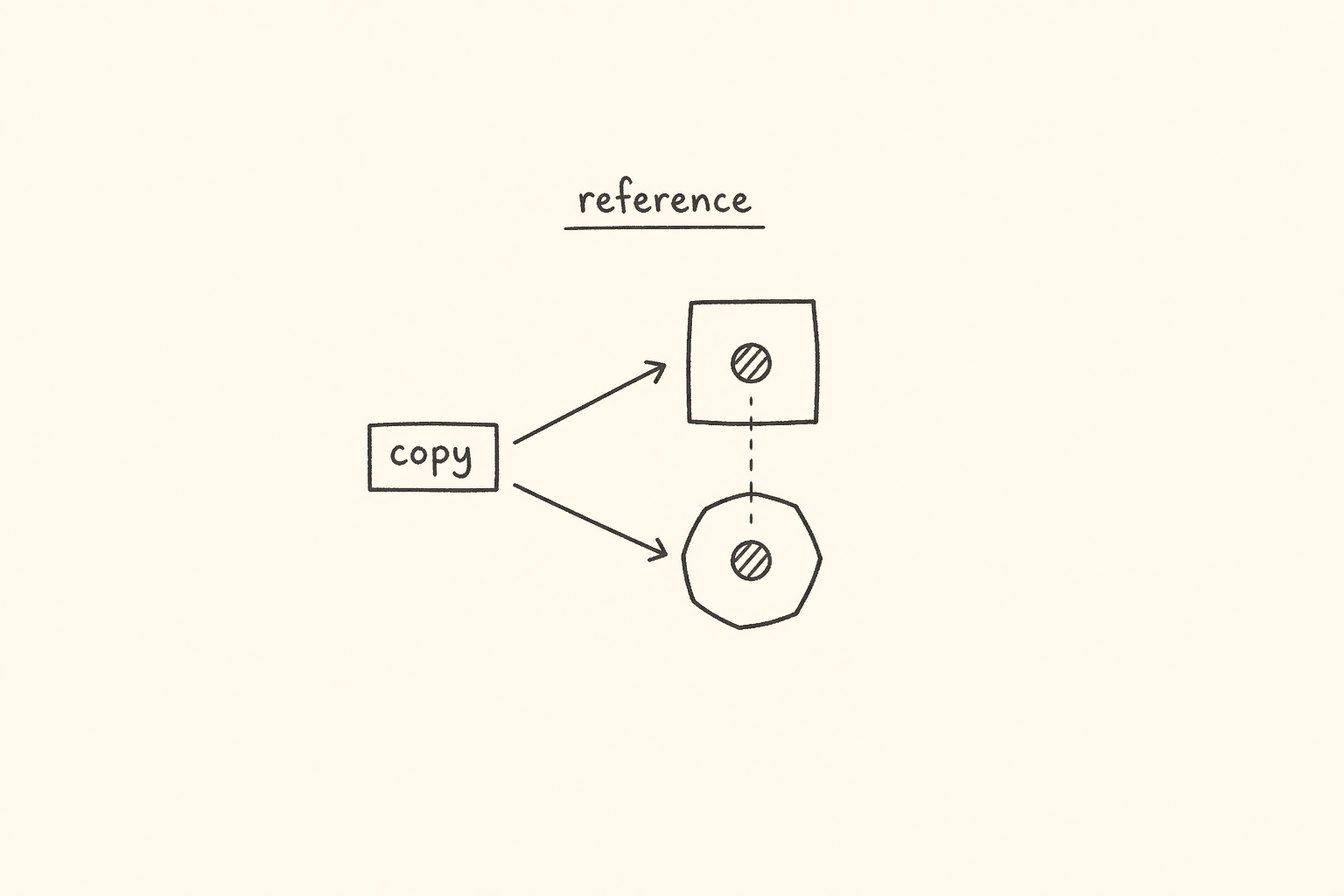
<!– DIAGRAM_PROMPT Compact Excalidraw-style diagram, landscape 16:9, white background, thin black strokes, muted teal / amber / gray fills only. No 3D. No shadows. No stock photos. Small enough to sit above the fold as one blog figure.
Title (hand-lettered, 18px): “Primitive vs reference — why your fixture leaked”
LEFT CARD — title “Primitive (copy the value)”:
- Box “let a = 10”
- Arrow “let b = a” to a second box “b = 10” (separate copy, gray)
- Arrow “b = 99” — only the right box changes to amber 99
- Footer (tiny): “number · string · boolean · null · undefined — a stays 10”
RIGHT CARD — title “Reference (copy the pointer)”:
- One heap box in teal: “{ val: 10 }”
- Two stack labels “obj1” and “obj2” with arrows both pointing at that same heap box
- Annotation “obj2.val = 99” turns the heap box amber: “{ val: 99 }”
- Footer (tiny): “object · array · function — obj1.val is now 99”
BOTTOM RULE (one line): “toBe = identity (same box). toEqual = shape. A shared fixture object mutates every test that still holds the pointer.” –>
This is Day 6 of the 21-day JS to Playwright Framework series. One lesson a day. We are still in JavaScript on purpose.
Day 1 put values in boxes. Day 2 compared them. Day 3 decided. Day 4 looped a list. Day 5 wrapped work in functions and strings. Today the value *is* a structure — a bag of keys, or a grid of rows.
I am Pramod Dutta. I teach this batch the same way I review a failing suite: open the smallest file, print the value, then ask what Playwright would do with it. If you cannot explain why let b = a turns a login fixture into "fail" for every later test, you are not ready for test.extend, JSON fixtures, or request.post({ data }).
All labs today come from my public batch repo: LearningPlaywrightBatch on branch main. I fetched each file from raw GitHub. I quote it. I do not invent a file that is not in the tree. Some classroom names are misspelled on disk — 112_Object_Property_Desciptor.js, 115_Spead_Objects.js, 122_MD_Array_Funtions.js. I use those names. If a slide said 109_Objects.js, that name is not on main. The file is 109_Objects_Consts.js.
If you want these labs as a live classroom — with the JSON fixtures, Restful Booker bodies, and the framework we assemble on Day 21 — that is Playwright Automation Mastery at The Testing Academy.

Contents
Why Day 6 matters before you touch Playwright
Most “flaky fixture” bugs I review are not Playwright bugs. They are object-reference bugs wearing a test.extend jacket.
Someone writes const user = testData.admin and then user.role = "viewer" inside one spec. The next spec in the worker still sees "viewer". Someone asserts expect(body).toBe(expected) and the shapes match, but the test fails because toBe is identity. Someone spreads { ...baseUser, password: process.env.PASS } and thinks they cloned address. They did not. Nested objects still share memory. Someone reads a web table into a 1D list and then wonders why column 3 of row 2 is the wrong cell.
Playwright’s expect(value).toEqual(expected) walks a structure. expect(value).toBe(expected) asks “is this the same box?” request.post({ data: payload }) serializes an object into a JSON body. test.use({ storageState }) and every custom fixture you will write on Day 16 is an object you pass around. A <table> is a 2D array the moment you ask for row[i] × cell[j].
Until you can see a reference versus a copy in one glance, your framework will keep “fixing” bugs that are just shared memory.
Today you will be able to:
- Build a JS object and a JSON-looking object, and say which one belongs in a
.jsfixture and which one belongs on the wire. - Read
obj.keyandobj["key"], including a key you only know at runtime. - Explain primitive versus reference the way an SDET should — and stop leaking fixtures.
- Read a property descriptor:
writable,enumerable,configurable. - Destructure a response body. Spread a base user into a role variant. Write a getter that looks like a field.
- Walk
Object.keys/values/entrieswhen you assert a payload. - Treat a web table, a CSV row-set, and a suite-result grid as a 2D array.
- Nest loops until a right triangle, an inverted triangle, and a pyramid print — because that is the same muscle as “for each row, for each cell.”
The labs we are actually using
Clone the repo and stay on main:
git clone https://github.com/PramodDutta/LearningPlaywrightBatch.git
cd LearningPlaywrightBatch
git checkout main
You need Node.js 18 or newer. Today we only need node and a terminal. Playwright arrives on Day 10. The object habits you build today are the ones Day 15 (JSON/CSV fixtures) and Day 19 (ApiHelper) will sit on.
From chapter_11_Objects on main:
108_Objects.js109_Objects_Consts.js(not109_Objects.js)110_Objects.js111_Primitive_Ref.js112_Object_Property_Desciptor.js(filename is spelled that way)113_Objects.js114_Object_Dec.js115_Spead_Objects.js(filename is spelled that way)116_GETTER_SETTER.js117_Objects_methods.js118_REAL_Object.js119_Let_const_Objects.js
From chapter_12_Multi_Dimension_Array on main:
120_MD_Array.js121_MD_Array_Part2.js122_MD_Array_Funtions.js(filename is spelled that way)123_MD_Pattern_RIGHT.js124_MD_Left_hand.js125_Pyramid_Pattern.js
Those are the files. Eighteen of them. I ran every file with node for this post. Where a comment in the classroom file disagrees with the engine, I say so.
Lab 108 — an object is a bag of keys
File: chapter_11_Objects/108_Objects.js
This is the door. An object is a collection of key → value pairs. The first three students in the file do not even print. They exist to show you that two objects of the “same kind” do not have to carry the same keys.
let student1 = { name: "Amit", age: 65 };
let student2 = { name: "Pramod" };
let student3 = { name: "Pramod", age: 87, phone: 987654320 };
// Key will not be in the doubt quotes
// below key in doubt is actually JSON
let JSON_student4 = { "name": "Pramod", "age": 87, "phone": 987654320 };
student2 has no age. That is legal. JSON fixtures are the same: optional fields are missing keys, not null, unless the contract says null. Day 2 already taught null versus undefined. An absent key is undefined when you read it. A present key with null is an intentional empty.
The comment in the file is the classroom shorthand I use in batch: unquoted keys are a JavaScript object literal. Quoted keys look like JSON. Both are valid in a .js file. JSON_student4 is still a JavaScript object. The quotes do not magically put it on the wire. JSON.stringify does that. JSON.parse does the reverse.
Then the file shows the two ways you read a key:
let a = { status: "pass" };
console.log(a.status);
console.log(a["status"]);
Both print pass. Dot is for a known identifier. Bracket is for a string, including a string you computed. You will live in brackets the moment a fixture key comes from a column name or an env var.
Keys are case sensitive. This is the assertion trap:
let a22 = { status: "pass", Status: "fail" };
console.log(a22["status"]);
console.log(a22["Status"]);
Output: pass, then fail. Two keys. I have seen a Restful Booker helper assert body.Status because the Swagger UI titled the field that way, while the JSON key was status. The test failed on a capital letter. When you dump a body, print Object.keys(body) before you invent a getter.
Now the line that is the rest of the day:
let b = a; // b copies the REFERENCE, not the object
b.status = "fail";
console.log(a.status);
Output: fail. a changed because b is not a second object. b is a second name for the same box in memory. Two separate objects with the same shape are not the same box:
let c = { status: "pass" };
let d = { status: "pass" };
console.log(c === d);
Output: false. === on objects is identity. Playwright expect(c).toBe(d) fails. expect(c).toEqual(d) passes. Tattoo that. toBe is lab 108’s ===. toEqual is “walk the keys.”
The last block of the file prints t_json and t_js. Both look like { name: 'pramod', age: 10 } in Node. The quotes on the keys do not survive console.log. They are source syntax, not a runtime badge that says “this is JSON.”
Lab 109 — const does not freeze the bag
File: chapter_11_Objects/109_Objects_Consts.js
const user = {
name: "John",
age: 30,
email: "john@example.com"
};
console.log(user);
// Accessing properties
console.log(user.name);
console.log(user["age"]);
// Dynamic property access
const key = "age";
console.log(user[key]);
// Adding/modifying properties
user.city = "NYC";
user.age = 31;
console.log(user);
user is declared with const. We still add city and change age. The last print is { name: 'John', age: 31, email: 'john@example.com', city: 'NYC' }.
const locks the binding. It does not lock the object. Day 1’s const lecture was about reassignment. Day 6 is the follow-up: the bag can grow. If you need the bag frozen, that is Object.freeze — and even then it is shallow. We do not have a freeze lab in this chapter, so I will not pretend there is one. Remember the rule from what *is* in the file: const user = { ... } still mutates.
Dynamic access is the other half. const key = "age"; console.log(user[key]); prints 30. In Playwright you will write this every time a CSV header or a query param decides the field:
const field = process.env.ASSERT_FIELD ?? "email";
expect(body.user[field]).toBeTruthy();
Dot cannot do that. body.user.process.env.ASSERT_FIELD is a different, wrong, key path.
Lab 110 — grow a config, overwrite, delete
File: chapter_11_Objects/110_Objects.js
The whole file:
let config = {};
config.browser = "Chrome";
config.timeout = 3000;
config.timeout = 5000; // latest
console.log(config);
delete config.browser;
console.log(config);
Output:
{ browser: 'Chrome', timeout: 5000 }
{ timeout: 5000 }
Empty object. Add keys after the fact. A second write to timeout wins. delete removes browser. The second print has no browser key — that is undefined when you read it, not null.
This is how a lot of SDET “config builders” start, and it is how they rot. A helper that deletes browser because “API tests do not need a browser” will surprise the next UI spec that reused the same object. Prefer a new object (lab 115’s spread) over mutating a shared config in place. If you must delete, delete on a copy.
Playwright-shaped version of the same file, for later — this is *not* in the repo:
const config = {};
config.timeout = 3000;
config.timeout = Number(process.env.TIMEOUT ?? "5000");
// latest write wins — same rule as lab 110
Lab 111 — primitive versus reference (read this twice)
File: chapter_11_Objects/111_Primitive_Ref.js
This is the diagram at the top of the post, in code.
// Primitive data types - call by value
// Primitive, number, string, boolean, null, undefined
let a = 10;
let b = a;
b = 99;
console.log(a);
console.log(b);
a = 90;
console.log(a);
console.log(b);
console.log("-----")
// Objects — copied by REFERENCE , call by ref.
// Reference - object, array, function
let obj1 = { val: 10 };
let obj2 = obj1;
obj2.val = 99;
console.log(obj1.val);
Actual output:
10
99
90
99
-----
99
b = a copied the number 10 into a new box. Changing b did not touch a. Changing a later did not touch b. That is a primitive: number, string, boolean, null, undefined. (Also bigint and symbol, which this file does not mention, so I will not build a lab around them.)
obj2 = obj1 copied the pointer. There is one heap object. obj2.val = 99 paints that one object. obj1.val is 99. The file does not print obj2.val because it does not need to. They are the same box.
Where this destroys a Playwright suite:
// This is the bug. Not a file in the repo — a pattern I fail in review.
const admin = fixtures.users.admin; // same reference as the module export
await login(page, admin);
admin.role = "viewer"; // the shared fixture is now dirty
The next test that imports fixtures.users.admin is already a viewer. Workers make this worse: one worker, many tests, one mutated object.
The fix is a new object per test. Spread (lab 115) for a shallow copy. structuredClone or JSON.parse(JSON.stringify(...)) when you need a deep copy of JSON-safe data. test.extend should *build* the user, not hand out the module singleton.
The same rule applies to arrays. Lab 111 lists array next to object and function as reference types. let rows2 = rows1; rows2.push(extra) mutates the table you thought you isolated.
expect(obj1).toBe(obj2) is true here, because they are the same box. After a real clone, toBe is false and toEqual is true. That pair of assertions is how I prove a helper cloned.
Lab 112 — a property is more than a value
File: chapter_11_Objects/112_Object_Property_Desciptor.js
The filename is Desciptor, not Descriptor. The whole file:
let obj = { name: "Login" };
console.log(Object.getOwnPropertyDescriptor(obj, "name"));
// {
// value: "Login",
// writable: true, ← can change the value
// enumerable: true, ← shows in for...in / Object.keys()
// configurable: true ← can delete or redefine
// }
Node prints exactly that shape (without my classroom arrows):
{
value: 'Login',
writable: true,
enumerable: true,
configurable: true
}
Every own property has a descriptor. The three flags matter in a test framework more than people think.
- writable — can you assign
obj.name = "Logout"? Default yes. A fixture you thought was a constant may still be writable. That is lab 109 again, from the inside. - enumerable — does it show up in
Object.keysandfor...in? Playwright’spageobject is full of methods. If youfor...ina Page Object that inherited a getter fromBasePage, you will iterate things you did not put in the class body. Day 8 is inheritance. The seed is here: “own and enumerable” is not “everything on the object.” - configurable — can you
deleteit or change the descriptor? Lab 110’sdelete config.browserworks becausebrowserwas configurable.
I do not have an Object.defineProperty file in this chapter, so I will not invent one. What I want you to run is the file that exists, then remember the three flags when a key “disappears” from Object.keys or refuses to delete.
SDET use: when you dump Object.keys(response.headers()) you are looking at enumerable own keys. When a library hides a field from that list, the field can still exist. in and obj.field will find it. Object.keys will not. Assert with the tool that matches the contract.
Lab 113 — methods, this, and a chain
File: chapter_11_Objects/113_Objects.js
const user = {
name: "Pramod",
age: 43
}
const calculator = {
value: 0,
// name : "Pramod",
add(n) {
this.value += n;
// this.name += "Dutta"
return this;
},
substract(n) {
this.value -= n;
return this;
}
}
console.log(calculator.add(5).substract(6));
// { value: 0, add: [Function: add], substract: [Function: substract] }
user is declared and never used. That is fine. The lesson is calculator. Methods are functions stored on the object. this is the object that received the call. return this lets you chain.
The method is spelled substract in the repo. I will not “fix” it in a quote. Classroom files keep their typos so your node path matches GitHub.
The comment under console.log is wrong. I ran the file. Output:
{ value: -1, add: [Function: add], substract: [Function: substract] }
0 + 5 - 6 = -1. The comment says value: 0. Comments lie. node does not. I leave that in every batch on purpose the second someone copies a comment into an assertion.
Chaining is how a fluent Page Object will feel on Day 8 and Day 16:
// Later in the series — not a file in chapter 11.
await loginPage.fillUser("admin").fillPass("pass").submit();
That only works if each method returns this (or a thenable of this). Lab 113 is the JavaScript of that habit. Without return this, add(5).substract(6) throws because add returned undefined.
this is also fragile. Extract const add = calculator.add; add(5) and this is no longer calculator. We do not have a this-binding lab in this chapter, so I will only say: keep the method on the object when you call it. Day 7’s callbacks will try to steal this. That is one reason we will prefer async methods on a page class over loose functions.
Lab 114 — destructure the body, do not pick keys by hand
File: chapter_11_Objects/114_Object_Dec.js
const user = { name1: "John", age: 30, city: "NYC" };
// Basic destructuring
const { name1, age } = user;
console.log(name1);
console.log(age);
// Rename variables
const { name1: userName, age: userAge } = user;
console.log(userName);
console.log(userAge);
// Default values
const { country = "USA" } = user;
console.log(country);
const data = { user: { name: "John", address: { city: "NYC" } } };
const { user: { address: { city } } } = data;
Output: John, 30, John, 30, USA. city is bound and never printed. Nested destructure works; the file just stops.
The key is named name1 because name is easy to shadow in classroom demos. The rename syntax { name1: userName } is what you want in a spec when the API key is ugly and your assertion name should not be.
Defaults: { country = "USA" } fires only when the key is missing or undefined. It does not fire for null. That is the same nullish rule as Day 2’s ??. A JSON body that says "country": null will not become "USA".
This is the Playwright habit I want in every API spec by Day 19:
const body = await response.json();
const { token, user: { role } = {} } = body;
expect(role).toBe("admin");
Nested destructure with a default on user saves you from Cannot read properties of undefined when the 401 body has no user. The classroom file does not default the nest — data.user.address.city is present. In a real suite, default the levels you do not control.
Lab 115 — spread is a shallow copy, and this still exists
File: chapter_11_Objects/115_Spead_Objects.js
Filename: Spead, not Spread.
const obj1 = { a: 1, b: 2 };
const obj2 = { c: 3, d: 4 };
const copy = { ...obj1 };
console.log(copy);
const merged = { ...obj1, ...obj2 };
console.log(merged);
// this keyword
const user = {
name: "Pramod",
saymyName(lastName) {
this.name += lastName;
return this.name;
}
}
console.log(user.saymyName("Dutta"));
Output:
{ a: 1, b: 2 }
{ a: 1, b: 2, c: 3, d: 4 }
PramodDutta
{ ...obj1 } is a new object with the same enumerable own keys. copy === obj1 is false. { ...obj1, ...obj2 } is a merge. Later keys win. If obj2 also had a, obj2.a would overwrite.
This is how you build role variants from a base fixture without leaking (as long as the values are primitives):
const baseUser = { email: "qa@example.com", password: "Secret", role: "viewer" };
const admin = { ...baseUser, role: "admin" };
admin is a new box. baseUser.role is still "viewer". That is the fix for lab 111.
Shallow. If baseUser.address = { city: "Pune" } and you spread, admin.address === baseUser.address. Mutating admin.address.city paints the shared nested object. For JSON-safe fixtures I clone deep. For one-level env overlays ({ ...ENV, TIMEOUT: 8000 }) shallow is enough.
Right-hand overwrite is also how env-specific config should work. Lab 118 will give you the ENV object. Spread the base, then the env overlay, then the CLI overlay. Last write wins — same rule as lab 110, without delete.
The second half of the file is this again. saymyName("Dutta") mutates user.name and returns "PramodDutta" with no space. The getter in lab 116 will do the same concatenation. Two files, one reminder: string join is not formatting. If you want "Pramod Dutta", put the space in yourself.
Lab 116 — getters look like fields, setters look like assignment
File: chapter_11_Objects/116_GETTER_SETTER.js
const user = {
firstName: "Pramod",
lastName: "Dutta",
get fullName() {
return this.firstName + this.lastName;
},
set fullName(value) {
[this.firstName, this.lastName] = value.split(" ");
}
};
console.log(user.fullName);
user.fullName = "Amit Sharma";
console.log(user.fullName);
Output:
PramodDutta
AmitSharma
You did not call fullName(). You read it. The engine ran the getter. You did not call a setter function. You assigned a string. The setter split on space and wrote firstName / lastName. The next getter read still has no space, so "AmitSharma".
Object.keys(user) on this object will include firstName and lastName. A getter is enumerable by default when you write it in an object literal, but it has no value field in the descriptor — it has get and set. Run Object.getOwnPropertyDescriptor(user, "fullName") locally if you want to see it. I am not adding a file that is not in the repo; that one-liner is yours.
Playwright use I want you to steal for Day 8 Page Objects:
class LoginPage {
constructor(page) {
this.page = page;
}
get userInput() {
return this.page.getByLabel("Email");
}
}
A getter locates on access. That is better than storing a locator in the constructor that you then reuse after a navigation, *if* you understand it re-queries. It is worse if the getter hides a slow scan you call in a loop. Know what you are hiding.
Setters are how a config object can validate. A timeout setter that throws on NaN is an SDET-friendly guard. The classroom setter does not validate. It splits. If you assign "Amit" with no space, lastName becomes undefined. Try it. Then decide whether your fixture setter should throw.
Lab 117 — keys, values, entries, for...in
File: chapter_11_Objects/117_Objects_methods.js
const obj = { a: 1, b: 2, c: 3 };
console.log(Object.keys(obj));
console.log(Object.values(obj));
console.log(Object.entries(obj));
const user = { name: "John", age: 30 };
for (const key in user) {
console.log(`${key}: ${user[key]}`);
}
// Object.keys/values/entries
Object.keys(user).forEach(key => {
console.log(key);
});
Object.entries(user).forEach(([key, value]) => {
console.log(`${key}: ${value}`);
});
Output, in order:
[ 'a', 'b', 'c' ]
[ 1, 2, 3 ]
[ [ 'a', 1 ], [ 'b', 2 ], [ 'c', 3 ] ]
name: John
age: 30
name
age
name: John
age: 30
Three tools, one object:
| Call | You get | Use in a test |
|---|---|---|
Object.keys(obj) | string[] of enumerable own keys | “payload has exactly these fields” |
Object.values(obj) | the values, same order | “every feature flag is boolean” |
Object.entries(obj) | [key, value][] | walk both; destructure in forEach |
for...in | keys, including inherited enumerable | easy to over-iterate; prefer Object.keys |
for...in is in the file so you can see it. I want Object.keys / Object.entries in Playwright helpers. for...in will pick up inherited keys the day you put a method on Object.prototype in a plugin you did not read. Object.keys stays on own enumerable keys.
API assertion I write constantly:
const body = await response.json();
expect(Object.keys(body).sort()).toEqual(["createdAt", "id", "token"].sort());
That is lab 117 plus Day 2’s toEqual. Extra keys fail. Missing keys fail. Values are a second assertion.
Object.entries plus destructure is lab 114 inside lab 117. The ([key, value]) in the forEach is an array destructure. Same language, two shapes.
Lab 118 — three objects you will actually ship
File: chapter_11_Objects/118_REAL_Object.js
The file has no console.log. I ran it. Silence is correct. The lesson is the shape, not the print.
const ENV = {
BASE_URL: "https://staging.myapp.com",
TIMEOUT: 5000,
RETRIES: 2,
BROWSER: "Chrome"
}
const EXPECTED_RESPONSE = {
status: 200,
body: {
user: { role: "admin", active: true }
}
}
const config = {
// Base URLs
baseUrl: 'http://localhost:3000',
apiBaseUrl: 'http://localhost:3000/api',
testUser: {
username: 'testuser@example.com',
password: 'SecurePass123',
},
// Logging
logLevel: 'INFO',
// Retry configuration
retryCount: parseInt(process.env.RETRY_COUNT || '3', 10),
};
Three jobs, three objects.
ENV— the knobs. URL, timeout, retries, browser. This is whatplaywright.config.jsuse: { baseURL, ... }andprocess.envwill become on Day 10 and Day 17. ALL_CAPS keys are a classroom signal: “treat as constant values,” even though the object is still mutable (lab 109).EXPECTED_RESPONSE— the contract. Status plus a nested body. This is yourtoEqualtarget. Nesteduser.roleis lab 114 waiting to be destructured. Day 19 will check this with AJV. Today,expect(body).toEqual(EXPECTED_RESPONSE.body)is enough to see the idea.config— the merged runtime. NestedtestUser.retryCountreads the environment. The file uses|| '3', not??. Day 2 warned you:||will treat0as missing. For a retry count,??is the better operator. I will not edit the classroom file. When you copy this into a real config, change that one operator and parse withNumber(...)orparseInt(..., 10)as they already did.
This file is the JSON-fixture / API-body day in miniature. EXPECTED_RESPONSE.body is what you put in testdata/admin-login.expected.json. config.testUser is what you put in testdata/users.json and then JSON.parse. ENV is what you do not commit a password into — and yes, the classroom SecurePass123 is a demo string in a public repo, not a real secret. In a job, vault or env. Never a committed password object.
How you will load this on Day 15, so the shape is in your head now:
import expected from "../testdata/expected-admin.json" assert { type: "json" };
// or: JSON.parse(fs.readFileSync(path, "utf8"))
expect(await response.json()).toEqual(expected.body);
The JSON file on disk is lab 108’s quoted-key form. After JSON.parse, it is a JavaScript object. Same bag. Different birthplace.
Lab 119 — let can rebind, const cannot, both can mutate
File: chapter_11_Objects/119_Let_const_Objects.js
let config1 = { browser: "Chrome", timeout: 3000 };
// ✅ Modifying properties — ALLOWED
config1.browser = "Firefox";
config1.timeout = 5000;
config1.retries = 2;
console.log(config1);
config1 = { browser: "Safari" };
console.log(config1);
// print
console.log("---- ")
const config = { browser: "Chrome", timeout: 3000 };
// ✅ Modifying properties — ALLOWED
config.browser = "Firefox";
config.timeout = 5000;
config.retries = 2;
console.log(config);
// config = { browser: "Safari" };
console.log(config);
Output:
{ browser: 'Firefox', timeout: 5000, retries: 2 }
{ browser: 'Safari' }
----
{ browser: 'Firefox', timeout: 5000, retries: 2 }
let config1 is mutated, then replaced with a brand new object { browser: "Safari" }. The first object is garbage unless something else still points at it.
const config is mutated the same way. The reassignment line is commented. If you uncomment config = { browser: "Safari" }, Node throws TypeError: Assignment to constant variable. I want you to uncomment it once, locally, and see the throw. I will not claim a second file exists for that throw.
Rule for the rest of this series:
constfor config, fixtures, page objects, expected bodies. Mutate only when you mean to, on a copy.letwhen the binding itself must change — a token you reassign after refresh, aconfig1 = loadEnv("prod")swap. Even then, prefer returning a new object from a function (Day 5) over rebinding a global.
Lab 110’s empty {} plus delete plus lab 119’s rebind is how people lose track of “which config am I holding?” Spread a new object. Name it for the env. Do not rebind config in the middle of a spec.
Objects → JSON fixtures and API bodies (the map)
Before we go 2D, lock the object chapter to the three Playwright artifacts this series cares about.
1. JSON fixtures
A fixture file is a JSON document. JSON.parse gives you a lab-108 object. Treat it as data, not as a singleton you mutate.
- Load once per test, or
structuredCloneafter load. - Assert with
toEqual, nottoBe. - Optional fields: missing key (
undefined) versus"field": null. Day 2 + lab 108. - Dynamic field from a column:
row[header]— lab 109 brackets.
2. API request bodies
request.post(url, { data: body }) will JSON.stringify your object. Keys you delete (lab 110) disappear from the wire. Keys you set to undefined are typically omitted by JSON.stringify. Keys you set to null go on the wire as null. That difference is a contract test.
const base = { firstname: "Jim", lastname: "Brown", totalprice: 111, depositpaid: true };
const overlay = { additionalneeds: "Breakfast" };
const payload = { ...base, ...overlay }; // lab 115
const response = await request.post("/booking", { data: payload });
const { bookingid, booking } = await response.json(); // lab 114
expect(booking).toEqual(payload); // shape, not identity
Restful Booker arrives as a real project on Day 19. The object grammar is today.
3. Expected bodies
Lab 118’s EXPECTED_RESPONSE is the pattern. Keep expected data next to the spec or under testdata/. Do not scrape the live response and paste it back as the assertion unless you are writing a snapshot on purpose. Snapshots drift. Contracts should be named.
Lab 120 — a table is an array of arrays
File: chapter_12_Multi_Dimension_Array/120_MD_Array.js
// 1D array,list - duplicate element
let results = ["pass", "fail", "pass"];
// 2D — array of arrays (like a table/grid)
let matrix = [
[1, 2, 3],
[4, 5, 6],
[7, 8, 9]
];
let matrix_2D = [
[1, 2, 3, 4],
];
console.log(" ---- ")
let grid = [
[1, 2, 3],
[4, 5, 6],
[7, 8, 9]
];
for (let i = 0; i < 3; i++) {
for (let j = 0; j < 3; j++) {
console.log(grid[i][j]);
}
}
results is Day 4. One list. Duplicates allowed. matrix is a grid: row 0 is [1,2,3], so matrix[0][1] is 2. matrix_2D is a 1×4 — still 2D, just one row. The nested loop prints 1 through 9, each on its own line. The hardcoded 3 is the classroom shortcut. Lab 121 will use .length.
This is a web table. grid[i] is a <tr>. grid[i][j] is a <td>. If you flatten too early, you lose the row boundary and your “column 2” assertion walks into the next row.
Playwright shape, for Day 12 when we do web tables — not a file in chapter 12:
const rows = page.locator("table#users tbody tr");
const rowCount = await rows.count();
const grid = [];
for (let i = 0; i < rowCount; i++) {
grid.push(await rows.nth(i).locator("td").allTextContents());
}
// grid[i][j] is now lab 120
Until you can write the nested loop in 120_MD_Array.js without looking, do not write that locator loop. The engine is the same. Only the source of the cell changes.
Lab 121 — index, mutate, last cell, three ways to walk
File: chapter_12_Multi_Dimension_Array/121_MD_Array_Part2.js
The first line of this file is:
const test = require("node:test");
It is never used. The file still runs. I will not invent a node:test suite around a leftover require. If you delete that line locally, the rest of the lab is unchanged. I am not adding a cleaned file to the repo from this post.
The rest:
let grid = [
[10, 20, 30],
[40, 50, 60],
[70, 80, 90]
];
// Access — [row][col]
console.log(grid[0][0])
// grid[2][1]; -> 80
// grid[1][2]; -> 60
grid[0][0] = 99;
console.log(grid[0][0]);
console.log(grid);
console.log(grid.length); // 3 — number of rows
console.log(grid[0].length); // 3 — number of cols in row 0
console.log(grid[grid.length - 1][grid[0].length - 1]); // Last element
Output starts 10, then 99, then the whole grid with the corner overwritten, then 3, 3, 90.
Rules:
[row][col]. Not[x][y]unless you defined x. I say row, then col, every time.grid.lengthis rows.grid[0].lengthis columns of row 0. A ragged table can have row 2 shorter than row 0. Always readgrid[i].lengthwhen you walk rowi. The last-element line usesgrid[0].lengthas a stand-in for a rectangular grid. That is correct only while every row is the same width.- Assignment mutates. Arrays are references (lab 111).
grid[0][0] = 99paints the inner array. Any other variable still pointing atgridsees99.
Then the file becomes a test report:
let testMatrix = [
["login", "pass", 200],
["checkout", "fail", 404],
["search", "pass", 180]
];
Three rows. Columns: name, result, status. The file walks it three ways — index for, for...of, forEach. All three print the same cells. forEach and for...of use process.stdout.write so cells stay on one line.
Which walk do I want in Playwright?
- Index
forwhen you need the row number fornth(i)or a failure message"row 2". for...ofwhen you already have the 2D data and you do not need the index.forEachis fine. It does notawaitwell. Day 7 will make that painful. If the inner work is async, usefor...ofandawait. That sentence is the teaser. Today, the walks are syncconsole.log.
180 as a “status” on the search row is in the file. I will not pretend it is HTTP. Classroom data is messy. Your real matrix should not invent a 180 status. Use the numbers the server actually returns.
Lab 122 — map, reduce, and find the fails
File: chapter_12_Multi_Dimension_Array/122_MD_Array_Funtions.js
Filename: Funtions.
let scores = [
[85, 90, 78], // student 0 , 253
[60, 45, 70], // student 1, 175
[95, 88, 92] // student 2, 275
];
let rowSums = scores.map(row => row.reduce((a, b) => a + b, 0));
console.log(rowSums);
Output: [ 253, 175, 275 ]. Day 5’s higher-order functions, one level deeper. map walks rows. reduce walks cells. That is a row-total on a results grid, or a duration sum per suite.
Then the fail filter:
let suiteResults = [
["login-pass", "register-pass", "logout-pass"], // Auth suite
["search-pass", "filter-fail", "sort-pass"], // Search suite
["checkout-fail", "payment-fail", "confirm-pass"] // Payment suite
];
for (let i = 0; i < suiteResults.length; i++) {
for (let j = 0; j < suiteResults[i].length; j++) {
if (suiteResults[i][j].includes("fail")) {
console.log(suiteResults[i][j]);
}
}
}
Output:
filter-fail
checkout-fail
payment-fail
Nested loop plus Day 3’s if plus Day 5’s includes. This is a poor person’s report parser. In Playwright you will do the same with result.status === "failed" after a JSON report, or with cell text toContain("fail") on a dashboard table. The grid is the model. The string check is the assertion.
The file ends with a 3×4 of execution times and a comment // 3x4. Nothing else. I will not invent a Math.max lab on execTimes. The array is there so you can see a rectangular grid that is not 3×3. Run execTimes.length (3) and execTimes[0].length (4) yourself.
let execTimes = [
[120, 340, 89, 450], // dev
[200, 410, 100, 520], // staging
[180, 390, 95, 490] // prod
];
// 3x4
Dev / staging / prod as rows, tests as columns, is a useful mental picture for Day 20 CI. One env, four measurements. Do not average them in your head. Write the map/reduce when you need a number.
Labs 123–125 — patterns are nested loops with a rule
These three files look like school drawings. They are. I keep them because SDET interviews still ask them, and because a web table with a triangular “expanding columns” UI is the same index math.
Lab 123 — right triangle
File: chapter_12_Multi_Dimension_Array/123_MD_Pattern_RIGHT.js
// n = 3a
// *
// * *
// * * *
let n = 3;
for (let i = 1; i <= n; i++) {
let row = " ";
for (let j = 1; j <= i; j++) {
//row = row + "* ";
row += "* ";
}
console.log(row.trim());
}
The comment // n = 3a is in the file. Output:
*
* *
* * *
Row i has i stars. row starts as a single space, then trim() on print. The commented row = row + "* " is the same as +=. Day 4 loop plus Day 5 string.
Lab 124 — inverted / left-hand stack
File: chapter_12_Multi_Dimension_Array/124_MD_Left_hand.js
// *****
// ****
// ***
// **
// *
let n = 5;
for (let i = n; i >= 1; i--) {
let row = "";
for (let j = 1; j <= i; j++) {
row += "*";
}
console.log(row);
}
Count down the outer loop. That is “last row first” on a table, or a stack you drain. Output matches the comment.
Lab 125 — pyramid
File: chapter_12_Multi_Dimension_Array/125_Pyramid_Pattern.js
// *
// ***
// *****
let n = 3;
for (let i = 1; i <= n; i++) {
let row = "";
for (let j = 1; j <= n - i; j++) {
row += " ";
}
for (let j = 1; j <= 2 * i - 1; j++) {
row += "*";
}
console.log(row);
}
Two inner loops: pad spaces, then odd-count stars. Output:
*
***
*****
Why this is in a Playwright series: index math. n - i spaces. 2 * i - 1 cells. A calendar widget, a seat map, a pricing grid that grows, a “compare N products” table — you will compute j from i. If you can only walk a square 3×3, a ragged or padded UI will beat you.
I do not use pyramids in production tests. I use the nested-loop fluency they force. That is the honest reason they sit in chapter_12.
2D arrays → table grids (the map)
Day 12 of this series is session storage, Allure, multiple elements, and web tables. Steal these rules now so that day is a locator problem, not a JavaScript problem.
- Row then column.
grid[row][col]. Name the indexesrandcifiandjstart to drift. - Length is not square.
rows.lengthandrows[r].lengthare different questions. A table with a colspan is a ragged array. Do not hardcode3. - The inner array is a reference. Copying
const row = grid[0]; row[0] = "changed"paints the grid. Clone the row if you will edit it. - Walk with an index when the locator needs
nth. Walk withfor...ofwhen you already have strings. - Do not
forEach+async. Lab 121’sforEachis sync on purpose. Day 7 will show you whyforEach(async ...)does not wait. - A CSV is a 2D array after parse. Header row is
grid[0]. Data starts atgrid[1]. Day 15 will load CSV. The model is lab 120. - A Playwright table helper should return
string[][]or{ header: string, cells: string[] }[]. Pick one. Do not mix. Objects-of-rows (lab 108 per row) are nicer for assertions:expect(row.email).toBe(...). Arrays-of-cells are nicer for column index checks. I use objects when I have a header row I trust.
Concrete helper you will write later — again, not a file in the batch:
function tableToObjects(grid) {
const [headers, ...rows] = grid;
return rows.map((cells) => {
const obj = {};
headers.forEach((h, i) => {
obj[h] = cells[i];
});
return obj;
});
}
That function is labs 108 + 117 + 120 in one breath. Header strings become keys. Each data row becomes an object. toEqual on one row is then readable.
The interview bugs I want you to fail on purpose tonight
Run these in a scratch file. Do not add them to my repo.
const a = { status: "pass" }; const b = a; b.status = "fail";— printa.status. If you say"pass", re-read lab 108 and 111.expect-style: two objects{ x: 1 }and{ x: 1 }.===isfalse. If that surprises you, you will misusetoBe.- Uncomment
config = { browser: "Safari" }in a *copy* of lab 119. Read theTypeError. - Spread a nested object. Mutate the nest. See the source change. Then
JSON.parse(JSON.stringify(source))and mutate again. See the source stay. Object.keysversus a getter. Add lab 116’sfullNameand print keys.- Walk lab 122’s
suiteResultsand collect fails into a new 1D array withflatMap. If you cannot, your Day 5 HOF is shaky. - Change lab 125’s
nto5. Predict the middle line before you run it.
If you cannot do (1) and (2) cold, do not go to Day 7.
Homework — Day 6 close-out
- Clone LearningPlaywrightBatch,
git checkout main. - Run every file in
chapter_11_Objectsandchapter_12_Multi_Dimension_Arraywithnode. Match the outputs in this post. If yours differ, you are not onmainor you edited the file. - In
108_Objects.js, afterlet b = a, addconsole.log(a === b). You should seetrue. - In a local copy of
111_Primitive_Ref.js, clone withconst obj3 = { ...obj1 }; obj3.val = 1;. Printobj1.val. It must still be99after lab 111’s mutation, then stay99whenobj3moves. (After the classroom lines,obj1.valis already99.) - Write a new file on your machine — not in my repo — called
fixture-clone.js. Export abaseUser. Createadminwith spread. Mutateadmin.role. Assert withconsole.logthatbaseUser.roledid not change. - Write
table-grid.jsthat holds a 3×3 of[name, result, status]like lab 121. Print only the rows whose result is"fail". - Write
pyramid.jsthat takesnfromprocess.env.N ?? "3"and prints lab 125’s pyramid. Default must throw ifnis not a number. Day 3’sdefaulthabit, Day 6’s loop. - Explain out loud, in one minute: primitive versus reference, and why
toBeis the wrong matcher for a JSON body.
If you cannot do step 8 without looking, do not go to Day 7 yet.
Key takeaways
- An object is a key → value bag. Unquoted keys are a JS literal. Quoted keys look like JSON. Both are objects in memory until
JSON.stringifyputs them on the wire. - Keys are case sensitive.
statusandStatusare two fields. DumpObject.keysbefore you assert. constlocks the binding, not the bag. Lab 109 and lab 119. Reassignment throws onconst. Mutation does not.let b = aon an object copies the pointer. That is the fixture leak. Labs 108 and 111.- Two objects with the same shape are not
===.toBeis identity.toEqualis shape. - Descriptors:
writable,enumerable,configurable.Object.keyssees enumerable own keys. Lab 112’s filename isDesciptor. - Methods use
thisand canreturn thisto chain. Lab 113’s comment saysvalue: 0.nodeprintsvalue: -1. Believe the engine. The method is spelledsubstracton disk. - Destructure response bodies. Rename ugly keys. Default only fills
undefined, notnull. Lab 114. - Spread copies enumerable own keys, shallow. Nested objects still share memory. Lab 115 is named
Spead. - Getters read like fields. Setters assign like fields. Lab 116 concatenates without a space.
Object.keys/values/entriesare the assertion tools. Prefer them overfor...in. Lab 117.- Lab 118 is the real trio:
ENV,EXPECTED_RESPONSE,config. That is fixtures + API contract + runtime. It prints nothing. The shapes are the lesson. - A 2D array is a table.
[row][col].lengthis rows.row.lengthis cells. Labs 120–122.122isFuntions.121has an unusedrequire("node:test"). - Pattern labs 123–125 are nested-loop fluency for interviews and for padded / growing grids.
- JSON fixtures, API bodies, and table grids are the same two types: object, and array of arrays (or array of objects).
FAQ
What is the difference between a JavaScript object and JSON in Playwright fixtures?
JSON is a string format. A JavaScript object is a value in memory. JSON.parse turns a .json fixture file into an object. JSON.stringify turns an object into the string you send as an API body. Quoted keys in a .js file (lab 108’s JSON_student4) do not make the value JSON. They are still a JS object.
Why did my Playwright fixture change in the next test?
You copied a reference. const user = fixtures.admin; user.role = "viewer" paints the shared object (labs 108, 111). Clone per test: { ...fixtures.admin } for a shallow copy, or structuredClone / JSON.parse(JSON.stringify(...)) for JSON-safe deep copy. Do not mutate the module export.
Why does expect(body).toBe(expected) fail when the fields match?
toBe is identity, like === on objects. Two bags with the same keys are still two bags (lab 108’s c === d is false). Use toEqual for shape. Use toBe for primitives and for “is this the same instance I put in the map?”
Does const freeze a config object?
No. const prevents config = somethingElse. It does not prevent config.timeout = 8000 or config.retries = 2. Labs 109 and 119. Uncomment the reassignment in a copy of 119 to see the TypeError. Use Object.freeze only when you mean it, and remember it is shallow.
Is object spread a deep clone?
No. { ...obj } is a new outer object. Nested objects and arrays are still shared references. Safe for one-level overlays like { ...ENV, TIMEOUT: 8000 }. Not safe for { ...user } when user.address is an object you will edit.
How do I turn a web table into something I can assert?
Read rows, then cells, into a string[][] — lab 120’s grid. Or zip a header row with each data row into an object (labs 108 + 117). Assert with toEqual on one row, or walk with [row][col]. Do not flatten a table into a 1D list unless you no longer care about row boundaries.
When should I use Object.keys instead of for…in?
When you want own enumerable keys and nothing inherited. Lab 117 shows both. for...in walks the prototype chain. That is a surprise on Page Objects and on objects libraries have extended. Object.keys / entries are the default in my suites.
Why is fullName “PramodDutta” with no space?
Lab 116’s getter is this.firstName + this.lastName. There is no " " in the file. The setter splits on space, so "Amit Sharma" becomes two fields, then the getter glues them without a space. The engine is honest. The formatter is you.
What is Day 7?
Callbacks, promises, and async / await — chapter_13, chapter_14, and chapter_15 in the same batch. That is why Playwright tests are async ({ page }) => {}, why forEach + await is a trap, and why lab 113’s return this will turn into return a Promise.
<script type=”application/ld+json”> { “@context”: “https://schema.org”, “@type”: “FAQPage”, “mainEntity”: [ { “@type”: “Question”, “name”: “What is the difference between a JavaScript object and JSON in Playwright fixtures?”, “acceptedAnswer”: { “@type”: “Answer”, “text”: “JSON is a string format. A JavaScript object lives in memory. JSON.parse turns a .json fixture into an object. JSON.stringify turns an object into an API body. Quoted keys in a .js file do not make the value JSON.” } }, { “@type”: “Question”, “name”: “Why did my Playwright fixture change in the next test?”, “acceptedAnswer”: { “@type”: “Answer”, “text”: “You copied a reference. Mutating user.role after const user = fixtures.admin paints the shared object. Clone per test with object spread for a shallow copy, or structuredClone / JSON.parse(JSON.stringify(…)) for JSON-safe deep copy.” } }, { “@type”: “Question”, “name”: “Why does expect(body).toBe(expected) fail when the fields match?”, “acceptedAnswer”: { “@type”: “Answer”, “text”: “toBe is identity, like === on objects. Two objects with the same keys are not the same box. Use toEqual to compare shape. Use toBe for primitives or true instance identity.” } }, { “@type”: “Question”, “name”: “Does const freeze a JavaScript config object?”, “acceptedAnswer”: { “@type”: “Answer”, “text”: “No. const prevents reassignment of the binding. You can still change config.timeout or add config.retries. Reassigning a const object throws TypeError. Object.freeze is a separate, shallow operation.” } }, { “@type”: “Question”, “name”: “Is JavaScript object spread a deep clone?”, “acceptedAnswer”: { “@type”: “Answer”, “text”: “No. Spread copies enumerable own keys into a new object. Nested objects and arrays remain shared references. Use spread for one-level overlays. Use structuredClone for a deep clone of structured data.” } }, { “@type”: “Question”, “name”: “How do I assert a Playwright web table with a 2D array?”, “acceptedAnswer”: { “@type”: “Answer”, “text”: “Collect each row’s cells into an array, then push those onto a grid so grid[row][col] is one cell. Use rows.length for row count and row.length for cells in that row. Zip headers with cells if you want an object per row.” } }, { “@type”: “Question”, “name”: “What is next after Day 6 of the JS to Playwright Framework series?”, “acceptedAnswer”: { “@type”: “Answer”, “text”: “Day 7 covers callbacks, promises, and async/await from LearningPlaywrightBatch chapters 13 to 15 — the reason Playwright tests are async and why forEach plus await does not wait.” } } ] } </script>
<script type=”application/ld+json”> { “@context”: “https://schema.org”, “@type”: “BreadcrumbList”, “itemListElement”: [ { “@type”: “ListItem”, “position”: 1, “name”: “Home”, “item”: “https://scrolltest.com/” }, { “@type”: “ListItem”, “position”: 2, “name”: “Javascript”, “item”: “https://scrolltest.com/category/javascript/” }, { “@type”: “ListItem”, “position”: 3, “name”: “JS to Playwright Framework”, “item”: “https://scrolltest.com/javascript-typescript-playwright-advanced-framework-21-day-guide/” }, { “@type”: “ListItem”, “position”: 4, “name”: “Day 6: JavaScript Objects and Multi-Dimensional Arrays in Test Automation”, “item”: “https://scrolltest.com/js-playwright-framework-day-06-objects-multidimensional-arrays/” } ] } </script>
Tomorrow — Day 7: callbacks, promises, async / await
Objects and grids are still synchronous. You built a bag, you cloned it, you walked a table. Playwright will not let you stay synchronous.
Day 7 of this series takes chapter_13, chapter_14, and chapter_15 from the same LearningPlaywrightBatch repo. Callbacks first. Then Promise. Then async / await — the reason every spec you will write is test("...", async ({ page }) => { ... }), the reason forEach(async ...) is a lie, and the reason lab 121’s three walks are not equal once a cell read returns a Promise.
Do not skip today’s labs to get there. An await on a shared fixture you mutated is just Day 6 waiting to fail on CI.
Series hub (bookmark this): JavaScript → TypeScript → Playwright Advanced Framework — 21-Day Guide.
Master Playwright end to end
If you want these labs as a live classroom — with JSON fixtures, Restful Booker bodies, VWO tables, and the framework we assemble on Day 21 — join Playwright Automation Mastery at The Testing Academy. Lifetime access. Real projects. A job-ready suite, not a folder of console.log.
*This is Day 6 of 21. Draft only. Not published.*
