Day 5: JavaScript Functions, Closures, and Strings for SDETs
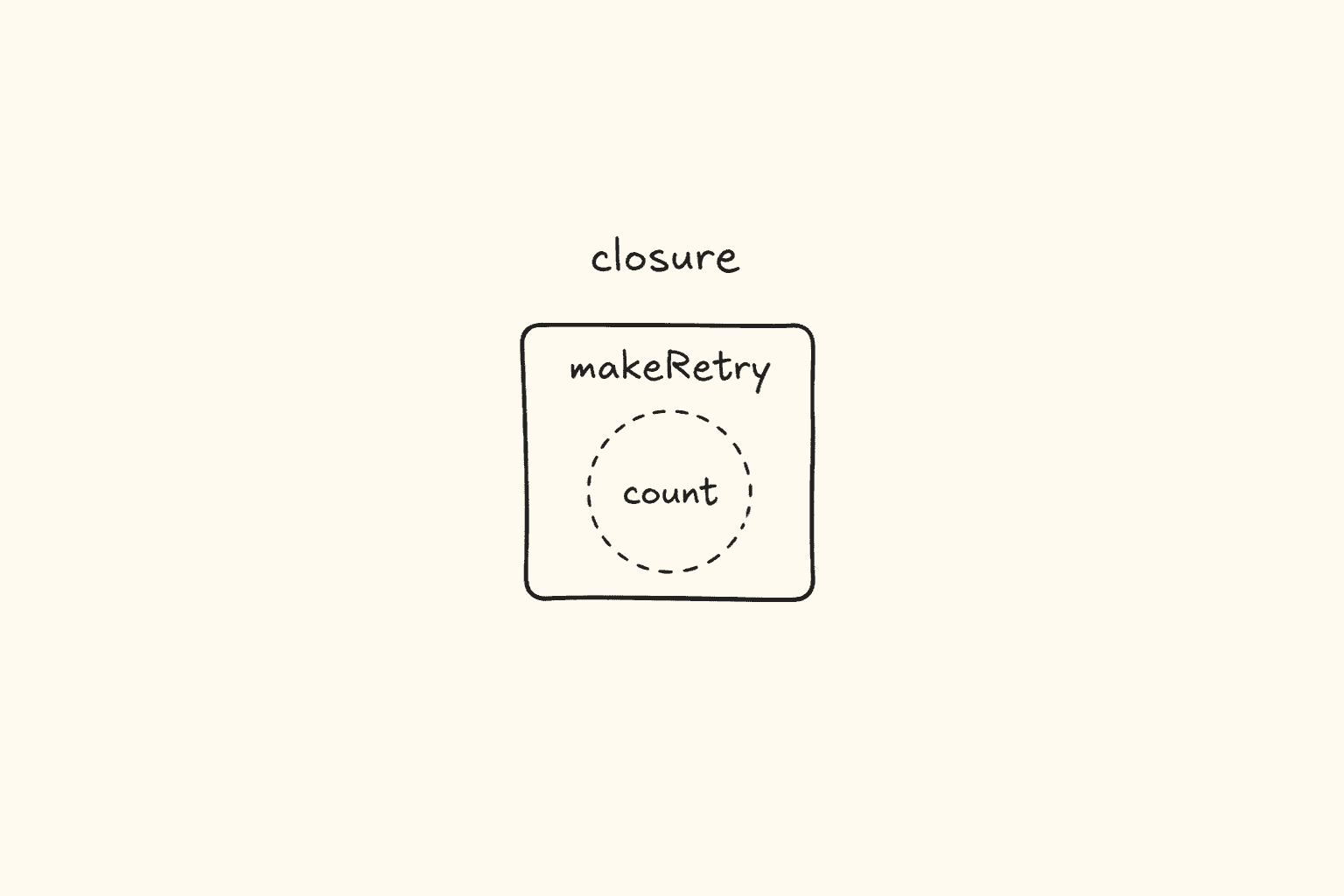
<!– DIAGRAM_PROMPT Compact Excalidraw-style diagram, landscape 16:9, white background, thin black strokes, muted teal / amber / gray fills only. No 3D. No shadows. No stock photos. Small enough to sit above the fold as one blog figure.
Title (hand-lettered, 18px): “A closure keeps the outer variable alive”
LEFT CARD — title “outer() runs once”:
- Rounded box “makeRetryTracker(3)”
- Inner teal box “let attempts = 0”
- Arrow down “returns tryAgain”
RIGHT CARD — title “inner() runs later, same memory”:
- Four stacked calls labeled retry(“Login”)
- 1/3 teal, 2/3 teal, 3/3 teal
- 4th amber: “exceeded max retries (3)”
Footer of right card (tiny): “attempts is not global. The inner function closed over it.”
BOTTOM RULE (one line): “Function + remembered scope = closure. Playwright helpers and custom expect messages live here.” –>
This is Day 5 of the 21-day JS to Playwright Framework series. One lesson a day. JavaScript first. TypeScript next. Playwright after that. A production framework by Day 21.
Day 1 put values in boxes. Day 2 compared them. Day 3 made the script decide. Day 4 walked a list. Today the script learns to reuse work — and to remember work after the outer function has already returned.
A Playwright suite that cannot write a helper is a folder of copy-paste. A helper that cannot close over state is a pile of globals. A failing expect with no message is a screenshot without a caption. Functions, closures, and strings are the three tools that turn “I can click Login” into “I can ship a framework.”
I am Pramod Dutta. I teach this batch the same way I debug a failing pipeline: open the smallest file, run it with node, then ask what Playwright would do with the same idea. Today we work from the real classroom labs in LearningPlaywrightBatch — chapter_09_Functions and chapter_10_Strings. I will quote those files. I will not invent a file that is not on main.
If you want the recorded path with projects, reviews, and the framework we assemble at the end of this series, that is the Playwright Automation Mastery course at The Testing Academy.

Contents
Why Day 5 matters before you touch Playwright helpers
Most bloated Playwright repos I review are not locator problems. They are function problems wearing a Playwright jacket.
Someone pastes the same login steps into twelve specs. Someone writes const login = async () => {} and then calls it above the line. Someone puts let attempts = 0 at module scope and two tests share a retry counter. Someone writes expect(text).toBe("welcome") after innerText() returned "Welcome " with a trailing space. Someone ships await expect(locator).toBeVisible() with no second argument, then spends twenty minutes staring at a trace because the failure message is expect.toBeVisible failed.
Playwright’s test("name", async ({ page }) => { ... }) is already a higher-order function. expect(value, "why this must be true").toBe(expected) is already a string problem. Until you can write a function that takes arguments, returns a value, closes over a counter, and builds a message, your Page Object will be a class-shaped copy of the same copy-paste.
Today you will be able to:
- Name the four function types from the batch and pick the one a helper actually needs.
- Rewrite a declaration as an expression and as an arrow — and know which one hoists.
- Use default parameters, rest, and spread the way a retry helper and an API client do.
- Draw a closure: outer runs once, inner remembers
attempts. - Tell a higher-order function from a callback from a pure function in one glance.
- Search, slice, trim, and replace strings so a custom
expectmessage tells CI the truth.
That is the skill. Not the syntax. The skill is extract a helper, remember only what it must remember, and fail with a sentence a human can read.
The labs we are actually using
Clone the repo and stay on main:
git clone https://github.com/PramodDutta/LearningPlaywrightBatch.git
cd LearningPlaywrightBatch
git checkout main
We will run, quote, and adapt these files only.
Chapter 09 — Functions
76_Functions.js77_Type1_Fn_Basic_Functions.js78_Type2_Fn_With_Arg_No_Return.js79_Type3_Fn_without_Arg_Return_Type.js80_Type4_Fn_With_Arg_With_Return.js81_Ex.js82_Fn_Expression.js83_Fn_Arrow.js84_Ex_API_Testing.js85_Fn_IIFE.js86_IQ.js87_Default_Parameter.js88_Rest_Parameters_Fn.js89_IQ_Fn.JS(filename is capital.JSon GitHub — not.js)90_Spead_Fn.js(filename is spelled that way in the repo)91_Return_Fn.js92_Hoisting_Fn.js93_Scope_Fn.js94_Closure.js95_Closure_Part2.js96_Closures_Part2.js97_Closure_Part4.js(there is no97_Closure_Part3.jsonmain)98_Higher_Order_Fn.js99_Pure_Fn.js100_Callback_Fn.js101_Callback_me.js
Chapter 10 — Strings
102_Strings.js103_String_Properties.js104_Strings_Search_Check.js105_Strings_P2.js106_Transforming_Strings.js107_String_Conversion.js
Those are the files. The folders also contain a PPTP directory. That is slides, not a lab. I skip it. If a slide mentioned 89_IQ_Fn.js or 90_Spread_Fn.js, those exact names are not on main. We stay with what GitHub actually serves.
You need Node.js 18 or newer. Today we only need node and a terminal. Playwright mappings in this post are the *shape* of helpers you will write from Day 10 onward. Do not skip the node run.
Lab 76 — why functions exist, and the first classroom bug
File: chapter_09_Functions/76_Functions.js
// Without functions — repeated logic
let score1 = 85;
let result1 = score1 >= 70 ? "pass" : "fail";
console.log(result1);
let score2 = 45;
let result2 = score2 >= 70 ? "pass" : "fail";
console.log(result2);
function getResult(scroe) {
return score2 >= 70 ? "pass" : "fail";
}
getResult(85); // "pass"
getResult(45); // "fail"
I leave this file in the batch on purpose. The top half is the lesson: the same ternary twice is a function waiting to be born. The bottom half is the trap.
Read getResult the way an interviewer will. The parameter is spelled scroe. The body never uses it. The body reads score2 from the outer scope. score2 is 45. Both calls return "fail". The comments lie.
This is the exact bug I see in Playwright helpers:
function isSuccess(status) {
return lastStatus >= 200 && lastStatus < 300; // ignored the argument
}
You passed 201. The helper graded yesterday’s 404. The spec went green or red for the wrong request. A function that ignores its parameter is not a helper. It is a global in a hat.
The repaired shape is Type 4 — arguments in, value out:
function getResult(score) {
return score >= 70 ? "pass" : "fail";
}
console.log(getResult(85)); // pass
console.log(getResult(45)); // fail
Run the broken file first. Then fix it locally. Do not “know” it. Watch getResult(85) print fail. That sting is the point of Day 5.
The four function types — labs 77 to 80
I teach functions as a 2-by-2 grid. Argument or no argument. Return or no return. Every Playwright helper you write sits in one cell.
Type 1 — no argument, no return
File: chapter_09_Functions/77_Type1_Fn_Basic_Functions.js
// Define
function greet() {
console.log("Hi");
}
// This is a Basic type-1 function, which means no argument, no return.
// Call
greet();
let a = greet();
greet() prints "Hi". let a = greet() still prints "Hi", and a is undefined. JavaScript does not punish you for capturing a function that returns nothing. It hands you undefined and keeps walking. That is why console.log(a) later looks empty and people add return in the wrong place.
Type 1 in a suite is a side-effect helper: print a banner, seed a clock, call test.info().annotate. Useful. Dangerous if you treat the return as data.
function stampSuite() {
console.log("Auth suite — staging");
}
const started = stampSuite(); // undefined — do not assert on this
Type 2 — argument, no return
File: chapter_09_Functions/78_Type2_Fn_With_Arg_No_Return.js
function greetByName(name) { // parameter
console.log("Hi", name);
}
greetByName("Pramod"); // argument
greetByName("Dipak");
greetByName("Meeti");
greetByName("Sangeetha");
function begger(money) {
console.log("Thanks", money);
}
let returnMesomething = begger(100);
console.log(returnMesomething);
let name1 = greetByName("Sumit");
console.log(name1);
Parameter is the hole in the definition. Argument is the value you pour in at the call. I want that vocabulary in interviews.
begger(100) logs "Thanks 100". returnMesomething is undefined. Same for name1. Type 2 is a logger, a reporter, a page.goto(url) wrapper that does not hand you the response. Fine — as long as you do not write expect(name1).toBe("Hi Sumit").
Playwright mapping:
function logStep(step) {
console.log(`[step] ${step}`);
}
test("login", async ({ page }) => {
logStep("open VWO");
await page.goto("https://app.vwo.com");
// logStep returns undefined — do not chain it
});
Type 3 — no argument, with return
File: chapter_09_Functions/79_Type3_Fn_without_Arg_Return_Type.js
function sayHello() {
console.log('Hi');
return "Hello";
}
let relative = sayHello();
console.log(relative);
This prints Hi, then Hello. The console.log is a side effect. The return is the value. Type 3 is “give me the current env”, “give me today’s ISO date”, “give me the default base URL”. No input. Predictable output — until it reads process.env and stops being pure. We will come back to that in lab 99.
Type 4 — argument and return
File: chapter_09_Functions/80_Type4_Fn_With_Arg_With_Return.js
function sumofTwoNumbers(a, b) {
return a + b;
}
let c = sumofTwoNumbers(4, 5);
let c2 = sumofTwoNumbers(10, 15);
console.log(c);
console.log(c2);
This is the cell I want 80% of your helpers in. Input in. Value out. No console.log inside if you can help it. Testable with node. Testable later with expect(sumofTwoNumbers(4, 5)).toBe(9).
Lab 81 is the same cell with a template string:
File: chapter_09_Functions/81_Ex.js
function greet(name) {
return `Hello, ${name}!`;
}
greet("Alice");
greet("Alice") produces "Hello, Alice!". The file does not console.log it. If you run node chapter_09_Functions/81_Ex.js and see nothing, that is not a crash. That is a return value you threw away. Capture it. This is how custom expect messages start:
function greet(name) {
return `Hello, ${name}!`;
}
// later in a spec
await expect(page.getByRole("heading"), greet("Alice")).toHaveText("Hello, Alice!");
The second argument to expect is a string. Lab 81 already knows how to build one.
Function expressions — lab 82
File: chapter_09_Functions/82_Fn_Expression.js
const greet = function (name) {
return `Hello, ${name}!`;
};
// Type 4 Function
function greet1(name1) {
return `Hello, ${name1}!`;
}
// Functions as Expression
const greet2 = function (name1) {
return `Hello, ${name1}!`;
}
console.log(greet1("Bob"));
console.log(greet2("Bob"));
A declaration is function greet1(...) { }. It is a statement. A function expression is a function that is a *value* — usually assigned to const. Same body. Different birth certificate.
Why SDETs care:
- Declarations hoist. You can call them above the line. Lab 92 will prove it.
- Expressions do not hoist as functions.
const greet = function ...is in the Temporal Dead Zone until that line. Call it above and you getCannot access 'greet' before initialization, or in lab 89’s live code,sayHi is not a function. - Playwright fixtures, page-object methods assigned as fields, and
const login = async ({ page }) => {}are expressions. Treat them likeconst. Define first. Call second.
greet is declared in this file and never logged — the console.log(greet("Bob")) line is commented. greet1 and greet2 both print Hello, Bob!. Same result. Different hoisting story.
Arrow functions — lab 83
File: chapter_09_Functions/83_Fn_Arrow.js
const greet = function (name1) {
return `Hello, ${name1}!`;
};
const greet1 = (name2) => `Hello, ${name2}!`;
console.log(greet("Pramod"));
console.log(greet1("Pramod"));
const doubleIt = n => n * 2;
console.log(doubleIt(10));
const getEnv = () => "staging";
console.log(getEnv());
const getResult = (score) => {
if (score >= 70) return "pass";
return "fail";
};
The classroom rewrite rule is in the comments: remove function, remove return, remove the curly braces, put =>. That rule is for one expression. greet1 and doubleIt follow it. getEnv needs () because there is no parameter — the parentheses are the empty argument list, not decoration.
Multi-line arrows need { } and an explicit return. getResult is that shape. If you write the same body *without* return inside braces, you return undefined. I have reviewed a Playwright helper that looked like this:
const statusLabel = (code) => {
if (code >= 200 && code < 300) "success"; // missing return
};
expect(statusLabel(200)).toBe("success") failed with undefined. The arrow had braces. Braces mean “I will return myself.” You forgot.
One-parameter arrows can drop the parens: n => n * 2. Zero parameters cannot. Two parameters cannot. I want const add = (a, b) => a + b, not creative punctuation.
Playwright’s default test callback is an arrow — and it is async, which we fully unpack on Day 7:
test("login heading", async ({ page }) => {
await page.goto("https://app.vwo.com");
await expect(page.getByRole("heading")).toBeVisible();
});
That is a function expression stored by the runner. It does not hoist. It does not get its own this the way a method does. For SDET work this week, remember three rules:
- One expression → implicit return.
- Braces → you must
return. - No
functionkeyword → not hoisted. Define it before the spec calls it.
Three styles, one API check — lab 84
File: chapter_09_Functions/84_Ex_API_Testing.js
function validateStatusCode(status) {
if (status >= 200 && status <= 300) {
console.log("Request is fine!")
}
}
const validateStatusCode_Exp = function (status) {
if (status >= 200 && status <= 300) {
console.log("Request is fine!")
}
}
const validateStatusCode_Arrow = (status) => {
if (status >= 200 && status <= 300) {
console.log("Request is fine!");
}
}
validateStatusCode(200);
validateStatusCode_Exp(200);
validateStatusCode_Arrow(200);
Same Type 2 body, three skins: declaration, expression, arrow. All three log "Request is fine!" for 200.
Two classroom nits I want you to fix when you rewrite this as a helper.
First, status <= 300 includes 300. HTTP 2xx is >= 200 && < 300. 300 is Multiple Choices, not success. Lab 91 already uses < 300. Prefer that.
Second, Type 2 only logs. A Playwright helper should return a boolean or a label so expect can see it:
function isSuccessStatus(status) {
return status >= 200 && status < 300;
}
test("create booking", async ({ request }) => {
const response = await request.post("/booking", { data: payload });
const code = response.status();
expect(isSuccessStatus(code), `create booking returned ${code}`).toBe(true);
});
Declaration, expression, or arrow — I do not care. I care that it returns, that it uses numeric ranges from Day 2–3, and that the expect message includes the actual code.
IIFE — lab 85
File: chapter_09_Functions/85_Fn_IIFE.js
function name1() {
console.log("Hi")
}
name1();
(function () {
console.log("Hi")
})();
(function () {
console.log("Staging")
})();
(() => {
console.log("Setup complete")
})();
IIFE means Immediately Invoked Function Expression. You do not store it. You do not call it later. The () at the end runs it now.
name1() is the long way: define, then call. The next three blocks are the short way. The last one is an arrow IIFE.
Why would an SDET ever write this?
- Isolate setup that must not leak
letbindings into the module. - Run a one-shot env banner when the spec file loads.
- Wrap a
constso two files can both have atimeoutwithout colliding.
const config = (() => {
const env = process.env.ENV ?? "staging";
return {
env,
baseURL: env === "prod" ? "https://app.vwo.com" : "https://staging.vwo.com",
};
})();
That IIFE runs once at import. env inside is not global. config.baseURL is what the tests read. Day 17 will put this idea into a real config layer. Today I only want you to see the parentheses: wrap the function, then invoke it.
If you forget the outer (), you have defined a function and thrown it away. If you forget the trailing (), you have an expression that never ran. Run lab 85. You should see Hi, Hi, Staging, Setup complete.
Interview helper — lab 86
File: chapter_09_Functions/86_IQ.js
function runTest(name, status, duration) {
return `${name}: ${status} (${duration}ms)`;
}
runTest("Login", "pass", 320);
// "Login: pass (320ms)"
Three arguments. One template string. This is the ancestor of every custom expect message in this series.
function runTest(name, status, duration) {
return `${name}: ${status} (${duration}ms)`;
}
test("login reports a readable line", async ({ page }) => {
const started = Date.now();
await page.goto("https://app.vwo.com");
const line = runTest("Login", "pass", Date.now() - started);
expect(line, "reporter line must include name, status, duration").toMatch(/Login: pass \(\d+ms\)/);
});
Interviewers love this file because it is small and it forces the word return. If you console.log inside and forget return, the test receives undefined. Lab 78 already burned you on that.
Default parameters — lab 87
File: chapter_09_Functions/87_Default_Parameter.js
function retry(testName, maxRetries = 3, delay = 1000) {
console.log(`Retrying ${testName} up to ${maxRetries} times, ${delay}ms apart`);
}
retry("Login");
retry("Checkout", 5);
retry("API Test", 2, 500);
Defaults fire when the argument is missing or undefined. They do not fire for 0 or "". That is the Day 2 ?? story in parameter clothing.
retry("Login")→ 3 retries, 1000 ms.retry("Checkout", 5)→ 5 retries, 1000 ms.retry("API Test", 2, 500)→ both overrides.
Playwright’s own config uses the same idea: retries: 0 is a real choice. If you write a wrapper, do not default with ||:
function retry(testName, maxRetries = 3, delay = 1000) {
// maxRetries = maxRetries || 3; // WRONG — 0 becomes 3
console.log(`Retrying ${testName} up to ${maxRetries} times, ${delay}ms apart`);
}
retry("flake-prone search", 0, 0); // means: do not retry, do not wait
0 must survive. That is how you disable retries for a known-stable spec without inventing a magic -1.
Rest parameters — lab 88
File: chapter_09_Functions/88_Rest_Parameters_Fn.js
function logResults(suiteName, ...results) {
console.log(`Suite: ${suiteName}`);
console.log(`Results: ${results.join(", ")}`);
}
logResults("Auth Suite", "pass", "fail", "pass", "skip");
function add(a, b, c) {
return a + b + c;
}
...results is rest. It gathers leftover arguments into a real array. First argument is the suite name. Everything after becomes ["pass", "fail", "pass", "skip"].
add in this file is the contrast: fixed arity. Three holes. No rest. Lab 90 will explode an array into those holes.
Rest is how a reporter, a soft-assert collector, or a test.step wrapper accepts “as many results as you have”:
function logResults(suiteName, ...results) {
const failed = results.filter((r) => r === "fail");
return {
suiteName,
total: results.length,
failed: failed.length,
};
}
expect(logResults("Auth Suite", "pass", "fail", "pass", "skip").failed).toBe(1);
Rest must be last. function logResults(...results, suiteName) is a SyntaxError. Remember that for the interview.
Lab 89 — the hoisting TypeError, and the capital .JS
File: chapter_09_Functions/89_IQ_Fn.JS
The filename is 89_IQ_Fn.JS. Capital JS. Linux and GitHub are case-sensitive. 89_IQ_Fn.js is a different path. I am not renaming it in this post.
Most of the file is commented. The live code is the interview:
sayHi("Bob");
const sayHi = function (name) {
return `Hi, ${name}!`;
};
Run it:
node chapter_09_Functions/89_IQ_Fn.JS
You get TypeError: sayHi is not a function in some engines after a var-style hoist, or more commonly with const, ReferenceError: Cannot access 'sayHi' before initialization. On the main file as written, const sayHi is in the TDZ. The call sits above the binding. Function expressions are not hoisted as callable functions.
The commented block above it is the opposite story — a declaration you *can* call early — and a getStatus / logTest preview of lab 91. Leave the comments as comments. Do not pretend they run. The live lesson is the crash.
Playwright version of the same crash:
test("calls a helper too early", async ({ page }) => {
await login(page); // ReferenceError if login is a const below
});
const login = async (page) => {
await page.goto("https://app.vwo.com");
};
Hoist a declaration if you must. Prefer const helpers defined at the top of the file, then tests below. I do the second in every framework I ship.
Spread — lab 90
File: chapter_09_Functions/90_Spead_Fn.js
Yes, the file is named 90_Spead_Fn.js. Spread with a missing r. I will not invent 90_Spread_Fn.js.
function add(a, b, c) {
return a + b + c;
}
let num = [1, 2, 3];
add(...num); // sum -> 6
function hasError(...codes) {
return codes.some(c => c >= 400);
}
let responseCodes = [200, 201, 404];
hasError(...responseCodes); // true
Rest collects. Spread explodes.
add(...num) is add(1, 2, 3). hasError(...responseCodes) is hasError(200, 201, 404). codes.some(c => c >= 400) is a higher-order call we will name in lab 98. 404 makes it true.
Playwright mapping — merge headers, copy a list of status codes, pass fixture arrays without sharing the same reference (Day 6 will go deeper on objects):
function hasError(...codes) {
return codes.some((c) => c >= 400);
}
test("no 4xx in the waterfall", async ({ page }) => {
const codes = [];
page.on("response", (res) => codes.push(res.status()));
await page.goto("https://app.vwo.com");
expect(hasError(...codes), `statuses: ${codes.join(",")}`).toBe(false);
});
If you write hasError(codes) without spread, codes is one argument — an array — and c >= 400 compares an array to a number. That is false for the reason you do not want. Spread the list. Or change the helper to accept an array. Do not mix the two.
Return values — lab 91
File: chapter_09_Functions/91_Return_Fn.js
function getStatus(code) {
if (code >= 200 && code < 300) return "success";
if (code >= 400 && code < 500) return "client error";
if (code >= 500) return "server error";
}
getStatus(200); // "success"
getStatus(404); // "client error"
getStatus(500); // "server error"
function logTest(name) {
console.log(`Running: ${name}`);
}
logTest("Hi this is a a log");
function aaa() {
return [2, 2, 3, 5, 4];
}
getStatus is the helper I actually want from lab 84. Ranges. Labels. No console.log. 300 is not success here. Good.
What about getStatus(399)? No branch matches. The function returns undefined. Same for 301. A Type 4 helper still needs a default. Day 3 taught you else / default. Put it back:
function getStatus(code) {
if (code >= 200 && code < 300) return "success";
if (code >= 400 && code < 500) return "client error";
if (code >= 500) return "server error";
return "other";
}
logTest is Type 2. No return. Capturing it gives undefined. aaa shows you can return many values by returning one array (or, as the comment says, one object — the comment’s object literal is not valid JavaScript, and I will not pretend it is). Playwright helpers that need status plus body plus duration should return an object. We build those objects on Day 6.
Function hoisting — lab 92
File: chapter_09_Functions/92_Hoisting_Fn.js
greet("Alice"); // declaration — hoisted
function greet(name) {
return `Hello, ${name}!`;
}
sayHi("Bob"); // TypeError: sayHi is not a function
const sayHi = function (name) {
return `Hi, ${name}!`;
};
Day 1 hoisting was var / let / const. Today it is functions.
- A function declaration is lifted whole.
greet("Alice")works above the body. - A function expression assigned to
constis not callable above that line. - An arrow assigned to
constis the same: not hoisted as a function.
If you run the whole file, you never reach a happy ending. greet would work. sayHi("Bob") throws. That is the demo. Comment the sayHi call if you want to see greet alone.
House rule for this series: helpers as const at the top of the file, tests below. Do not rely on declaration hoisting to hide a messy order. Playwright spec files are read by humans and by the runner. Order should match execution.
Scope — lab 93
File: chapter_09_Functions/93_Scope_Fn.js
let env = "staging"; // global scope
function setupConfig() {
let timeout = 3000; // local scope
console.log(env); // can access global
console.log(timeout); // can access local
}
setupConfig();
console.log(env);
console.log(timeout); // ReferenceError — not accessible outside
let g_x = 10;
function outer() {
let x = 10;
function inner() {
let y = 20;
console.log(x); // inner can access outer's variables
}
inner();
console.log(y); // outer cannot access inner's variables
}
Two pictures.
1. Function scope vs global. env is visible inside setupConfig. timeout is not visible outside. After setupConfig() the next line console.log(timeout) throws. Inner can read outer. Outer cannot read inner.
2. Nested functions. inner sees x. outer does not see y. This file calls inner() from inside outer, then tries console.log(y) and will throw if you invoke outer().
Playwright mapping: a timeout that belongs to setupConfig must not become the next test’s timeout. Put it inside the helper or inside the test. Do not let timeout at module scope unless every spec in the file should share it.
const env = process.env.ENV ?? "staging"; // module — shared on purpose
function setupConfig() {
const timeout = 3000; // local — this test only
return { env, timeout };
}
outer / inner is the doorway to closures. Inner can already *read* outer’s x. A closure is what happens when you return inner and keep using it after outer is finished.
Closures — labs 94 to 97
This is the heart of Day 5. The diagram at the top of this post is this idea in one picture.
Lab 94 — return the inner function
File: chapter_09_Functions/94_Closure.js
function outer() {
let message = "Hello";
console.log("Outer called!");
function inner() {
console.log(message);
}
return inner;
}
let fn_inner = outer();
fn_inner();
Run it. You see Outer called!, then Hello.
outer() runs. It creates message. It creates inner. It returns inner. outer is done. Its stack frame should be gone. And yet fn_inner() still prints Hello.
That is a closure: a function plus the lexical environment it was born in. inner closed over message. message is not global. You cannot write inner() at the bottom — the comment says so — because the name inner is local to outer. You can only call the function value you were handed.
Playwright translation: a page-object factory, a retry wrapper, a header builder. The token lives inside. The returned function carries it.
function makeAuthHeader(token) {
return function headers() {
return { Authorization: `Bearer ${token}` };
};
}
const headers = makeAuthHeader(process.env.API_TOKEN);
// later, after makeAuthHeader has returned
await request.get("/booking", { headers: headers() });
token is not a global. Every call to headers() still sees it.
Lab 95 — a counter object
File: chapter_09_Functions/95_Closure_Part2.js
function makeCounter(start = 0) {
let count = start;
return {
increment() { count++; },
decrement() { count--; },
get() { return count; }
}
}
let counter = makeCounter(0);
counter.increment();
console.log(counter.get());
counter.decrement();
console.log(counter.get());
count is private. There is no counter.count. There are three methods that close over the same count. After three increments, get() is 3. After one decrement, 2.
This is how I want you to think about a soft-assert bag, a request-id generator, or a per-test click counter — not let count = 0 at the top of the spec file.
function makeCounter(start = 0) {
let count = start;
return {
increment() { count++; },
get() { return count; },
};
}
test("login clicks once", async ({ page }) => {
const clicks = makeCounter();
await page.goto("https://app.vwo.com");
await page.getByRole("button", { name: "Sign in" }).click();
clicks.increment();
expect(clicks.get(), "Sign in should be clicked once").toBe(1);
});
Two tests, two makeCounter() calls, two private counts. That is the point of a factory. A module-level let count would leak.
Lab 96 — retry tracker
File: chapter_09_Functions/96_Closures_Part2.js
function makeRetryTracker(max) {
let attempts = 0;
function tryAgain(testName) {
attempts++;
if (attempts > max) {
return `${testName} exceeded max retries (${max})`;
}
return `Attempt ${attempts}/${max} for ${testName}`;
};
return tryAgain;
}
let retry = makeRetryTracker(3);
console.log(retry("Login"));
This is the diagram. makeRetryTracker(3) runs once. attempts starts at 0. Four calls later:
Attempt 1/3 for Login
Attempt 2/3 for Login
Attempt 3/3 for Login
Login exceeded max retries (3)
The fourth call does not reset. It remembers. Playwright’s built-in retries in config is the product version of this. Your own helper — polling a toast, reloading a flaky dashboard — is this file.
function makeRetryTracker(max) {
let attempts = 0;
return async function tryAgain(label, action) {
attempts++;
if (attempts > max) {
throw new Error(`${label} exceeded max retries (${max})`);
}
return action();
};
}
Do not put let attempts = 0 next to import { test }. Parallel workers and retries will share it or fight it. Close over it per test.
Lab 97 — rate limiter
File: chapter_09_Functions/97_Closure_Part4.js
There is no Part 3 file. Part 4 is the assignment I give in class:
function makeRateLimiter(limit) {
let call = 0;
function check() {
call++;
return call <= limit;
}
return check;
}
let limiter = makeRateLimiter(3);
console.log(limiter());
true, true, true, false. Three allowed. The fourth is rejected. Same closure, boolean instead of a string.
Use it when a helper must not hammer an OTP API or a third-party search more than N times in one test:
function makeRateLimiter(limit) {
let call = 0;
return function check() {
call++;
return call <= limit;
};
}
test("search is rate limited in the helper", async ({ page }) => {
const allow = makeRateLimiter(3);
for (const q of ["alpha", "beta", "gamma", "delta"]) {
if (!allow()) {
throw new Error(`search helper blocked extra query: ${q}`);
}
}
});
Closure rule I want you to say out loud:
A closure is an inner function that keeps using a variable from an outer function after that outer function has returned. The variable is private. The inner function is the only door.
If you can say that and then write makeRetryTracker, you will survive the SDET interview and you will stop leaking counters across tests.
Higher-order functions — lab 98
File: chapter_09_Functions/98_Higher_Order_Fn.js
function runWithLogging(testfn, testName) {
console.log(`Starting: ${testName}`);
let result = testfn();
console.log(`Finished: ${testName} → ${result}`);
return result;
}
function loginTest() {
return "pass";
}
function loginTestFAILED() {
return "fail";
}
runWithLogging(loginTest, "Login Test");
runWithLogging(loginTestFAILED, "Dashboard Failed Test");
A higher-order function takes a function as an argument, or returns a function, or both. runWithLogging takes testfn. Closures like makeRetryTracker *return* a function. Both are HOFs.
You do not write runWithLogging(loginTest(), ...). You pass the function, not the result. Parentheses mean “run it now.” Lab 98 wants to run it *inside*, after the start log.
Playwright is a HOF library:
test(title, callback)— takes a function.test.describe(title, callback)— takes a function.test.beforeEach(callback)— takes a function.expect.extend({ ... })— takes functions.array.some(c => c >= 400)from lab 90 — takes a function.
function runWithLogging(testfn, testName) {
console.log(`Starting: ${testName}`);
const result = testfn();
console.log(`Finished: ${testName} → ${result}`);
return result;
}
test("hof wrapper still sees pass/fail", () => {
const result = runWithLogging(() => "pass", "Login Test");
expect(result, "wrapper must return the inner result").toBe("pass");
});
Day 7 will put real async in the inner function. Today, pass the function, call it later, return its result. That is the whole trick.
Pure functions — lab 99
File: chapter_09_Functions/99_Pure_Fn.js
function calculatePassRate(total, passed) {
return ((passed / total) * 100).toFixed(2);
}
console.log(calculatePassRate(10, 7));
function isPassing(score) {
return score >= threshold;
}
let threshold = 70;
console.log(isPassing(threshold));
threshold = 50;
console.log(isPassing(threshold));
A pure function always returns the same output for the same input and has no side effects. calculatePassRate(10, 7) is "70.00" every time. No Date.now(). No process.env. No console.log. No writes to a file. You can snapshot it.
isPassing is impure. It reads threshold from outside. Change threshold, change the answer. The classroom calls are also a little wicked: isPassing(threshold) passes the threshold *as the score*, so 70 >= 70 and 50 >= 50 are both true. The impurity is still real — isPassing(69) would flip from false to true if you moved threshold from 70 to 50.
Playwright needs both kinds. Be honest about which one you wrote.
Pure — put these in utils/ and unit-test them:
isSuccessStatus(code)getStatus(code)calculatePassRate(total, passed)runTest(name, status, duration)normalize(text)— trim + lower-case, lab 106expectMsg(step, actual, expected)— a string builder
Impure — isolate them, pass dependencies in:
- anything that reads
process.envinside the body - anything that talks to
pageorrequest - anything that writes Allure or
console.log - anything that uses
Date.now()without takingnowas an argument
function calculatePassRate(total, passed) {
return ((passed / total) * 100).toFixed(2);
}
function isPassing(score, threshold = 70) {
return score >= threshold; // threshold is an argument now — pure
}
expect(calculatePassRate(10, 7)).toBe("70.00");
expect(isPassing(69, 70)).toBe(false);
expect(isPassing(69, 50)).toBe(true);
A Page Object method is almost never pure. That is fine. The functions it *calls* to grade a status or build a message should be.
Callbacks — labs 100 and 101
File: chapter_09_Functions/100_Callback_Fn.js
function runTest(testName, callback) {
let result = "pass";
callback(testName, result)
}
function onComplete(name, result) {
console.log(`${name} finished with: ${result}`);
}
runTest("loginTest", onComplete)
A callback is a function you pass so someone else can call it later. onComplete is the callback. runTest is the higher-order function that accepts it. After the fake work, it calls callback(testName, result).
File: chapter_09_Functions/101_Callback_me.js
function pramod_doing_work(worker, callback) {
console.log("Started the class PW")
let work = worker;
console.log("Finished the class PW")
callback();
}
function callWife() {
console.log("Call wife when done");
}
pramod_doing_work('PW class', callWife);
Same shape. Human story. Start work. Finish work. Then the callback. I teach it this way because “callback” sounds like a framework word until you hear it as “call me when you are done.”
Playwright is callbacks all the way down:
page.on("response", (res) => {
// callback — Playwright calls you later
});
test.afterEach(async ({}, testInfo) => {
// callback — the runner calls you later
});
await page.waitForFunction(() => window.appReady === true);
Day 7 turns this into Promises and async/await. Do not skip the idea today: you pass a function, the platform decides when it runs. If you write runTest("loginTest", onComplete()) with extra parentheses, you pass undefined — the return of onComplete — and callback explodes. Pass the function. Do not call it first.
Playwright payoff — helper functions and custom expect messages
This is why Day 5 exists. Everything above is so the next block looks obvious, not clever.
Helpers live in one cell of the grid
function isSuccessStatus(status) {
return status >= 200 && status < 300;
}
function statusLabel(code) {
if (code >= 200 && code < 300) return "success";
if (code >= 400 && code < 500) return "client error";
if (code >= 500) return "server error";
return "other";
}
function runLine(name, status, duration) {
return `${name}: ${status} (${duration}ms)`;
}
Type 4. Pure. No page. You can run these with node today and import them into a spec on Day 10.
expect takes a message. Use it.
Playwright’s expect(actual, message) — the message is the second argument, before the matcher. It is a string. Lab 81, lab 86, and chapter 10 exist to build that string.
import { test, expect } from "@playwright/test";
function expectMsg(step, detail) {
return `[${step}] ${detail}`;
}
test("login button is visible on VWO", async ({ page }) => {
const url = "https://app.vwo.com";
await page.goto(url);
await expect(
page.getByRole("button", { name: "Sign in" }),
expectMsg("login", `Sign in missing on ${url}`)
).toBeVisible();
});
When this fails, CI does not say only expect.toBeVisible failed. It says [login] Sign in missing on https://app.vwo.com. That sentence is the difference between a five-minute fix and a thirty-minute trace safari.
Soft asserts and API checks need the same habit:
test("create booking returns 2xx", async ({ request }) => {
const response = await request.post("/booking", { data: { firstname: "Pramod" } });
const code = response.status();
expect(
isSuccessStatus(code),
expectMsg("create-booking", `wanted 2xx, got ${code} (${statusLabel(code)})`)
).toBe(true);
});
Closures make the message factory
One suite name, many steps. Lab 95’s object. Lab 96’s tracker. Same idea:
function makeExpectMsg(suite) {
return function expectMsg(step, detail) {
return `[${suite} / ${step}] ${detail}`;
};
}
test("auth suite messages carry the suite name", async ({ page }) => {
const msg = makeExpectMsg("Auth");
await page.goto("https://app.vwo.com");
await expect(
page.getByRole("textbox", { name: "Email" }),
msg("email-field", "email textbox not rendered")
).toBeVisible();
});
makeExpectMsg("Auth") runs once. suite is closed over. Every later msg(...) still prefixes Auth. You did not put let suite on the module. You did not repeat the prefix. That is a closure earning its keep.
HOF around a test body
Lab 98’s runWithLogging becomes a step wrapper:
async function runWithLogging(label, fn) {
console.log(`Starting: ${label}`);
const result = await fn();
console.log(`Finished: ${label}`);
return result;
}
test("login with logged steps", async ({ page }) => {
await runWithLogging("open VWO", () => page.goto("https://app.vwo.com"));
});
test.step is Playwright’s official version. I still want you to be able to write the 8-line HOF so test.step is not magic.
What not to do
- Do not close over
pagein a helper created inbeforeAlland then reuse it after the context died. - Do not put
let attempts = 0next to imports. - Do not build expect messages with
+and a number —"status " + 200is fine until someone adds another+ 1and you get concatenation surprises from Day 2. Use templates. Chapter 10 is next.
Strings — labs 102 to 107
Functions build values. Strings are the values your assertions print and compare. Chapter 10 is short and you will use it every remaining day of this series.
Lab 102 — quotes, templates, String()
File: chapter_10_Strings/102_Strings.js
let url = "https://app.vwo.com";
let status = 'pass';
let message = `Test completed in ${320}ms`;
let a = 'hello';
let b = "world";
let name1 = "Alice";
let msg = `Hello, ${name1}! 2 + 2 = ${2 + 2}`;
console.log(msg);
let report = `
Test: Login
Status: Pass
Duration: 320ms
`;
console.log(String(200));
String(true); // "true"
String(null); // "null"
String([1, 2]); // "1,2"
Single quotes, double quotes, backticks. Backticks interpolate and allow multiline. String(200) is "200" — that is how you stop expect(status).toBe("200") from failing when status is the number 200. Convert on purpose. Do not hope == will save you. Day 2 already ended that hope.
message and runTest from lab 86 are the same idea. Custom expect messages are template literals. Multiline report is what I put in test.info().attach or a failure message when I want the whole block, not one line.
Lab 103 — length, index, at, charCode
File: chapter_10_Strings/103_String_Properties.js
let str = "Hello, World!";
console.log(str.length);
console.log(str[0]);
console.log(str[7]);
console.log(str.at(-1));
console.log(str.at(-6));
str.charAt(0); // "H"
str.charCodeAt(0); // 72
length counts from 1. Indexes count from 0. str[0] is "H". str[7] is "W". at(-1) is the last character — "!". charAt is the older cousin of []. charCodeAt(0) is 72, the Unicode value of H.
Playwright: expect(await locator.innerText()).toHaveLength(0) is a smell — prefer toHaveText("") or toBeEmpty(). But password.length >= 8 in a test-data helper is this lab. at(-1) is useful when a generated id looks like Login_Test_Pass_001 (lab 105).
Lab 104 — search and check
File: chapter_10_Strings/104_Strings_Search_Check.js
let url = "https://staging.vwo.com/api/login?retry=true";
url.includes("staging"); // true
url.includes("production"); // false
url.startsWith("https"); // true
url.startsWith("http://"); // false
url.endsWith("true"); // true
console.log(url.indexOf("a"));
console.log(url.lastIndexOf("a"));
console.log(url.indexOf("nothere"));
console.log(url.search(/login/));
url.search(/\d+/);
This is the URL lab I run before anyone writes expect(page).toHaveURL.
includes("staging")— are we on the staging host? Gate destructive tests with this, not withurl == "staging".startsWith("https")— scheme check.endsWith("true")— query flag. Fragile, but it teachesendsWith.indexOfreturns a number. Missing →-1, notfalse.if (url.indexOf("nothere"))is a Day 3 landmine because-1is truthy. Write=== -1or useincludes.searchtakes a regex.search(/login/)is the index oflogin.search(/\d+/)looks for digits — this URL has none in the path, so you get-1.
Playwright matchers already wrap some of this: toHaveURL(/login/), toContainText("Welcome"). I still want the raw methods in helpers that run *before* you have a locator — env URLs, CSV cells, error bodies.
function assertSafeBaseURL(url) {
if (!url.startsWith("https")) {
throw new Error(`baseURL must be https, got ${url}`);
}
if (url.includes("production") && process.env.ALLOW_PROD !== "1") {
throw new Error(`refusing production url: ${url}`);
}
}
Lab 105 — slice and substring
File: chapter_10_Strings/105_Strings_P2.js
let str = "Login_Test_Pass_001";
console.log(str.slice(0, 5)); // "Login"
console.log(str.slice(11));
console.log(str.slice(-3));
let testNumber = str.slice(-3);
str.substring(6, 10); // "Test"
str.at(0); // "L"
str.at(-1); // "1"
slice(0, 5) is "Login" — end is exclusive. slice(11) from index 11 to the end is "Pass_001". slice(-3) is "001". That is how you peel a run id off a generated name.
substring does not like negatives the same way. It treats a negative as 0. Prefer slice in this series. at is for one character.
Playwright: order ids, invoice numbers, screenshot suffixes.
function runIdFrom(name) {
return name.slice(-3);
}
expect(runIdFrom("Login_Test_Pass_001"), "suffix should be the 3-digit run id").toBe("001");
Lab 106 — transform, replace, split, join
File: chapter_10_Strings/106_Transforming_Strings.js
let str = " Hello, World! ";
console.log(str.toUpperCase());
console.log(str.toLowerCase());
console.log(str.trim());
str.trimStart();
str.trimEnd();
let msg = "Test: FAIL. Retry: FAIL.";
msg.replace("FAIL", "PASS"); // first only
msg.replaceAll("FAIL", "PASS");
msg.replace(/FAIL/g, "PASS");
"Hello" + " " + "World";
"Hello".concat(" ", "World");
`${"Hello"} ${"World"}`;
let url = "https://app.vwo.con?app=pramod";
console.log(url.replace(/app/g, "qa"));
"pass,fail,skip".split(",");
"hello".split("");
"test_login_pass".split("_").join(" ");
let parts = ["2024", "03", "07"];
let date = parts.join("-");
console.log(date);
This is the file you will steal from for the rest of your career.
Case. innerText() from a heading might be "LOGIN" on one build and "Login" on another. toLowerCase() before === is a helper. Playwright also has { ignoreCase: true } on some matchers. Know both.
Trim. "Welcome " is not "Welcome". I have failed more toBe assertions on a trailing space than on a wrong locator. trim() the value you own. Or use toHaveText with a regex. Do not toBe a dirty string.
Replace. replace changes the first match. replaceAll and replace(/FAIL/g, "PASS") change every match. The url.replace(/app/g, "qa") line is a teaching grenade: the host app.vwo.con (the file uses .con, not .com) and the query app=pramod both contain app. A global replace turns the host into qa.vwo.con and the query into qa=pramod. That is why we do not rewrite URLs with a blind /app/g in a real helper. Replace the host on purpose. Leave the query alone.
Split and join. "pass,fail,skip".split(",") is yesterday’s rest-parameter list as a string. parts.join("-") is "2024-03-07". CSV in Day 15 is this lab with a file around it.
function normalize(text) {
return text.trim().toLowerCase();
}
function expectMsg(step, actual, expected) {
return `[${step}] expected "${expected}", got "${actual}"`;
}
test("heading normalizes", async ({ page }) => {
await page.goto("https://app.vwo.com");
const raw = await page.getByRole("heading").innerText();
expect(
normalize(raw),
expectMsg("heading", raw, "login")
).toBe("login");
});
normalize is pure. expectMsg is pure. The test is impure because it uses page. That split is lab 99 again.
Lab 107 — conversion and immutability
File: chapter_10_Strings/107_String_Conversion.js
(200).toString(); // "200"
true.toString(); // "true"
Number("42"); // 42
parseInt("42px"); // 42
parseFloat("3.14rem"); // 3.14
let str = "hello";
str[0] = "H";
console.log(str);
console.log(str);
let upper = str.toUpperCase();
console.log(str);
console.log(upper);
The comment in the file says strings are immutable “in Java.” The idea is right. The language is JavaScript. I will not invent a different file to clean the comment.
(200).toString() is "200". Number("42") is 42. parseInt("42px") is 42 — it stops at p. parseFloat("3.14rem") is 3.14. These three are how env strings and CSS values become numbers. process.env.RETRIES is a string. parseInt(process.env.RETRIES, 10) is a number. Day 2’s ?? still applies after you parse.
str[0] = "H" does nothing useful. str stays "hello". Strings are immutable. toUpperCase() returns a new string. upper is "HELLO". str is still "hello". If you write a helper that “trims in place” and then assert on the original variable, you will assert on spaces you thought you removed.
function asStatusString(code) {
return code.toString();
}
function asRetryCount(raw) {
const n = parseInt(raw ?? "0", 10);
if (Number.isNaN(n)) throw new Error(`RETRIES is not a number: ${raw}`);
return n;
}
expect(status).toBe(200) and expect(String(status)).toBe("200") are different contracts. Pick one. Convert on the helper side. Do not convert inside the matcher with a prayer.
How the two chapters click together
A function returns. A string describes. A closure remembers. A Playwright helper is usually all three.
function makeExpectMsg(suite) {
let calls = 0;
return function expectMsg(step, detail) {
calls++;
return `[${suite} #${calls} / ${step}] ${detail}`.trim();
};
}
- Function types: Type 4 factory, Type 4 inner.
- Default? You can add
suite = "suite". - Closure:
callsandsuitestay private. - HOF: returns a function.
- String: template +
trim. - Playwright:
expect(locator, msg("login", "no Sign in")).toBeVisible().
If you can write that block from memory, Day 5 is done.
Homework — do this before Day 6
- Run every file in the two lists with
node. For89_IQ_Fn.JSand92_Hoisting_Fn.js, expect a throw. Write the error name in a notebook. - Fix
76_Functions.jslocally sogetResultuses its parameter. ConfirmgetResult(85)is"pass". - Rewrite lab 84 to return a boolean and to use
status < 300. Do not invent a new filename in my repo — writestatus-helper.json your machine. - From memory, write
makeRetryTracker(2)and call it three times. The third call must say the test exceeded max retries. - Write
makeExpectMsg("Auth")and use it as the second argument of a fakeexpect. You cannodea tiny assert:if (msg("login", "x") !== "[Auth / login] x") throw new Error("nope"). - From lab 106,
trim+toLowerCasea string" Welcome ". Assert it equals"welcome". - Explain out loud, in one minute: what is a closure, and why is a module-level
let attempts = 0a bad retry counter?
If you cannot do step 7 without looking, do not go to Day 6 yet.
How this fits the 21-day framework
Day 1: you can run JavaScript and you know var / let / const and hoisting.
Day 2: you can name things and compare values the way expect does.
Day 3: you can branch.
Day 4: you can walk a list.
Day 5 (today): you can extract a helper, close over private state, and write the sentence CI reads when the helper is wrong.
Day 6: objects and multi-dimensional arrays — the return shape of aaa() and the config object from the IIFE become first-class.
Day 7: callbacks grow up into Promises and async/await. Labs 100 and 101 are the door.
Day 10: we install Playwright for this series. Every test(), every expect(..., message), every fixture callback is today’s material.
Day 17–19: config, fixtures, API helpers. Closures become factories. Pure functions become the utils/ layer. Strings become AJV messages and JSONPath leftovers.
If you want that path with me in the room, enroll in Playwright Automation Mastery. This blog series is the public spine. The course is the projects, the reviews, and the framework we actually ship.
Key takeaways
- Four function types. Prefer Type 4: arguments in, value out. Lab 76’s
getResultignoresscroeand readsscore2. That is a global in a hat. - Declarations hoist. Function expressions and arrows assigned to
constdo not. Lab 89 is89_IQ_Fn.JSwith capital.JS. Lab 92 is the same crash with a comment. - Arrow: one expression returns implicitly. Braces require
return. No-param arrows need(). - IIFE runs now and keeps the inner bindings off the module. Use it for a one-shot config object.
- Defaults fire on
undefined, not on0. Rest collects. Spread explodes. The spread file is90_Spead_Fn.js. - Scope: inner sees outer. Outer does not see inner. A closure is inner returned and still using outer’s variable.
makeCounter,makeRetryTracker,makeRateLimiterare the interview trio. Do not putlet attempts = 0next to imports.- A HOF takes or returns a function.
test()is a HOF. A callback is the function you pass so someone else can call it later. Labs 100 and 101. - Pure functions are snapshot-friendly.
calculatePassRate(10, 7)is always"70.00". Page methods are impure. The graders they call should not be. - Strings are immutable.
trim,toLowerCase,includes,slice,replace/replaceAll,split/join,String(200)are the SDET toolkit.indexOfmissing is-1. - Custom
expectmessages are Type 4 template helpers, often closed over a suite name. Fail with a sentence a human can read.
FAQ
What is the difference between a function declaration and a function expression?
A declaration is function greet() {}. It is hoisted. You can call it above the line. A function expression is a function used as a value, usually const greet = function () {} or const greet = () => {}. Expressions follow const / let rules. Labs 82, 89, and 92.
When should an SDET use an arrow function in Playwright?
Use arrows for short callbacks: test("login", async ({ page }) => { ... }), .map, .some, page.on("response", res => ...). Use a declaration or a named expression for a helper you will call from more than one spec. If the arrow has braces, you must return. Lab 83.
What is an IIFE and do I need one in a Playwright repo?
An IIFE is a function you invoke immediately: (function () { ... })() or (() => { ... })(). Use it to build a config object at import time without leaking inner let bindings. Do not wrap every test in an IIFE. Lab 85.
What is a closure in JavaScript for testers?
A closure is an inner function that keeps using a variable from an outer function after that outer function has returned. makeRetryTracker returns tryAgain. attempts is private. Four calls later it still remembers. That is labs 94–97. It is also how you write makeExpectMsg("Auth").
Why is a module-level retry counter a bug?
let attempts = 0 next to import { test } is shared by every test in the file (and by retries, and by parallel workers if they share the module). Test B starts at whatever Test A left. Close over attempts inside makeRetryTracker() per test instead.
What is a higher-order function vs a callback?
A higher-order function takes a function as an argument or returns a function. A callback is the function you pass in. runWithLogging(loginTest, "Login Test") — runWithLogging is the HOF, loginTest is the callback. Playwright’s test() is a HOF. Labs 98, 100, 101.
What is a pure function and why do helpers care?
A pure function returns the same output for the same input and has no side effects. calculatePassRate(10, 7) is always "70.00". Put status graders and expect-message builders in utils/ and unit-test them. Anything that reads page or process.env is impure — pass those values in. Lab 99.
How do I write a custom expect message in Playwright?
expect(actual, message).matcher(expected). The message is a string, the second argument. Build it with a Type 4 helper and a template literal: ` expect(code, create booking returned ${code}).toBe(200) `. Close over a suite name if you want a prefix on every step.
Why did my string assertion fail when the UI looks correct?
Leading or trailing spaces, different case, or a number compared to a string. trim() and toLowerCase() the value you own. String(200) is "200". "Welcome " is not "Welcome". Labs 102, 106, 107.
Does indexOf return false when the substring is missing?
No. It returns -1. -1 is truthy. if (url.indexOf("nothere")) runs the if body. Use includes or === -1. Lab 104.
What is Day 6 of this series?
Objects and multi-dimensional arrays from chapter_11_Objects and chapter_12_Multi_Dimension_Array in the same batch. The object you return from a helper, the config from an IIFE, and the array aaa() already hinted at become the lesson.
<script type=”application/ld+json”> { “@context”: “https://schema.org”, “@type”: “FAQPage”, “mainEntity”: [ { “@type”: “Question”, “name”: “What is the difference between a function declaration and a function expression in JavaScript?”, “acceptedAnswer”: { “@type”: “Answer”, “text”: “A function declaration (function greet() {}) is hoisted and can be called before it appears in the file. A function expression assigned to const or let is not callable above that line. Arrow functions follow the same rule as expressions. Playwright helpers should be defined at the top of the file, then used in tests below.” } }, { “@type”: “Question”, “name”: “What is a closure in JavaScript for Playwright testers?”, “acceptedAnswer”: { “@type”: “Answer”, “text”: “A closure is an inner function that keeps using a variable from an outer function after that outer function has returned. makeRetryTracker(3) returns tryAgain, which still sees attempts. Use closures for per-test counters, rate limiters, auth-header factories, and custom expect-message prefixes. Do not put let attempts = 0 at module scope.” } }, { “@type”: “Question”, “name”: “How do I add a custom message to a Playwright expect assertion?”, “acceptedAnswer”: { “@type”: “Answer”, “text”: “Pass a string as the second argument: expect(actual, message).toBe(expected) or expect(locator, message).toBeVisible(). Build the message with a template literal helper such as expectMsg(step, detail). A closure like makeExpectMsg(suite) can prefix every step with the suite name.” } }, { “@type”: “Question”, “name”: “When should an SDET use default, rest, and spread in test helpers?”, “acceptedAnswer”: { “@type”: “Answer”, “text”: “Default parameters fill in undefined arguments (retry(testName, maxRetries = 3)). They do not replace 0. Rest (…results) collects leftover arguments into an array. Spread (…codes) explodes an array into arguments. Use rest for reporters and spread when passing a list of status codes into a helper that takes individual numbers.” } }, { “@type”: “Question”, “name”: “What is a pure function in a Playwright framework?”, “acceptedAnswer”: { “@type”: “Answer”, “text”: “A pure function always returns the same output for the same input and has no side effects. Status graders, pass-rate math, string normalize, and expect-message builders should be pure and unit-tested. Functions that read page, request, or process.env are impure — pass those values in as arguments.” } }, { “@type”: “Question”, “name”: “Which JavaScript string methods should SDETs use before Playwright assertions?”, “acceptedAnswer”: { “@type”: “Answer”, “text”: “trim and toLowerCase before strict toBe. includes, startsWith, and endsWith for URL and env checks. slice for run ids. replace / replaceAll for first-vs-all substitutions. split and join for CSV-like lists. String(value) or toString() to convert numbers before comparing to text. indexOf returns -1 when missing, not false.” } }, { “@type”: “Question”, “name”: “What is next after Day 5 of the JS to Playwright Framework series?”, “acceptedAnswer”: { “@type”: “Answer”, “text”: “Day 6 covers objects and multi-dimensional arrays from LearningPlaywrightBatch chapters 11 and 12: object literals, references, spread on objects, getters and setters, and nested arrays as test-data tables.” } } ] } </script>
Tomorrow — Day 6: objects and multi-dimensional arrays
A function that returns [2, 2, 3, 5, 4] is already begging for a named object. A config IIFE that returns { env, baseURL } is already an object. Tomorrow we treat that shape as the lesson.
Day 6 of this series takes chapter_11_Objects (108_Objects.js through 119_Let_const_Objects.js) and chapter_12_Multi_Dimension_Array (120_MD_Array.js through 125_Pyramid_Pattern.js) from the same LearningPlaywrightBatch repo. You will read and write object properties, see primitive vs reference, spread an object the way lab 90 spread an array, and walk a nested list of test rows. That is how a helper’s return value becomes a payload, a fixture, and a Page Object field.
Do not skip today’s labs to get there. An object full of methods is just closures with keys. A test-data table is just strings and functions in a grid.
Series hub (bookmark this): JavaScript → TypeScript → Playwright Advanced Framework — 21-Day Guide.
Master Playwright end to end
If you want these labs as a live classroom — with VWO helpers, Restful Booker status graders, custom expect messages, and the framework we assemble on Day 21 — join Playwright Automation Mastery at The Testing Academy. Lifetime access. Real projects. A job-ready suite, not a folder of console.log.
*This is Day 5 of 21. Draft only. Not published.*
