
Day 4: JavaScript Loops and Arrays for Test Data and Assertions
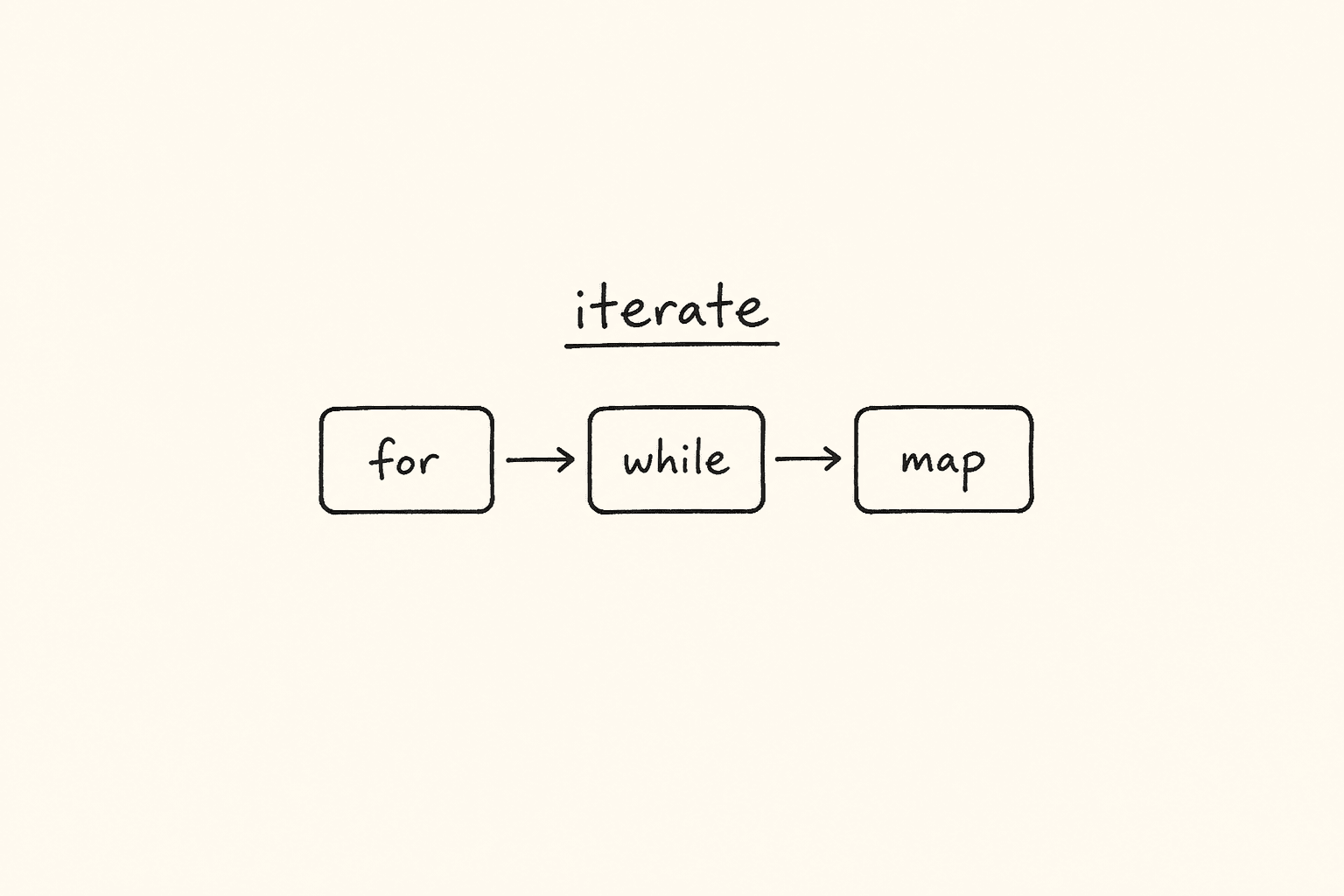
<!– DIAGRAM_PROMPT Compact Excalidraw-style diagram, landscape 16:9, white background, thin black strokes, muted teal / amber / gray fills only. No 3D. No shadows. No stock photos. Small enough to sit above the fold as one blog figure.
Title (hand-lettered, 18px): “for vs while vs map — pick the walk your test needs”
LEFT CARD — title “for (i; cond; i++)”:
- Box: “I know the count”
- Arrow down → teal box “i = 0 .. n-1”
- Arrow down → “rows.nth(i) / users[i]”
Footer of left card (tiny): “Known length. Index matters.”
MIDDLE CARD — title “while (cond)”:
- Diamond: “still failing / still loading?”
- Yes → amber box “retry, then increment”
- No → gray box “stop”
Footer of middle card (tiny): “Unknown count. Poll, retry, wait.”
RIGHT CARD — title “array.map(fn)”:
- Box: “[45, 82, 91]”
- Arrow → teal box “fn(each) → new array”
- Arrow → “[‘Fail’,’Pass’,’Pass’]”
Footer of right card (tiny): “Transform a list. Do not mutate. Assert the result.”
BOTTOM RULE (one line): “Known count → for. Unknown / retry → while. Transform list → map. Do-while = try once, then ask.” –>
This is Day 4 of the 21-day JS to Playwright Framework series. One lesson a day. JavaScript first. TypeScript next. Playwright after that. A production framework by Day 21.
On Day 1 we put values in boxes. On Day 2 we compared them. On Day 3 we decided — if/else and switch. Today we repeat the decision across a list.
A test that cannot walk a list is a one-shot recording. Real suites retry a login, walk every row in a table, map API statuses into pass/fail, and assert that *every* price in a cart is a number. That is loops and arrays. If you skip this day, you will copy-paste expect(row1), expect(row2), expect(row3) until the product adds a fourth row and your suite lies.
I am Pramod Dutta. I teach this the same way I debug a failing pipeline: open the smallest file, print the value, then ask what Playwright would do with a locator list of the same shape.
The labs are not invented. They live in my LearningPlaywrightBatch repo on main:
chapter_07_Loops/—53_Loops.jsthrough62_DO_while_2.jschapter_08_Arrays/—63_Arrays_Creation.jsthrough75_Task.js
Two filenames in chapter 07 are spelled Incremnt on GitHub. I will use those names. I will not invent 54_Increment_operator.js.
Open those files. Run them with node. Then come back here and I will map every loop and every array method to a Playwright list, a table row, or a piece of test data you will write for the rest of this series.
*Want to master this with real projects? Join the Playwright Automation Mastery course at The Testing Academy.*
Contents
What you will be able to do after Day 4
By the end of this post you can:
- Explain
++aversusa++on paper, then usei++as the update slot of aforwithout guessing. - Write
for,while, anddo-whileand pick one on purpose — known count, unknown retry, must-run-once. - Create an array the right way (
[], notnew Array(3)when you meant three scores). - Access, modify, add, and remove items with
at,push,pop,shift,unshift, andsplice. - Search with
indexOf,includes,find, andfindIndex— and treat-1as “not in the list.” - Iterate with
for,for...of,forEach, andentries. Avoidfor...inon arrays unless you can explain why it is the wrong tool. - Transform with
map,filter,reduce, andflat. Sort numbers with a comparator, not the default string sort. - Slice, copy, and destructure without mutating the fixture you meant to reuse.
- Walk a Playwright locator list and a table of rows the same way you walk
tests = ["login", "checkout", "search"].
That is the skill. Not the syntax. The skill is walking every item, transforming it on purpose, and failing loud when the list is empty or the copy was never a copy.
The labs we are actually using
From chapter_07_Loops on main:
53_Loops.js54_Incremnt_operator.js(filename is spelled that way in the repo)55_Incremnt_operator2.js(same spelling)56_For_Loops.js57_For_Loop.js58_For_Loop2.js59_While_Loop.js60_While_2.js61_DO_while.js62_DO_while_2.js
From chapter_08_Arrays on main:
63_Arrays_Creation.js64_Array_Access_Modify.js65_Arrays_Adding_Remove.js66_Array_REAL.js67_Array_Searching.js68_Arrays_Iterating.js69_Arrays_Transforming_Arrays.js70_Array_Sorting.js71_Arrays_Slicing.js72_Arrays_Checking.js73_Arrays_Copying_Shallow_Deep.js74_Arrays_Destructuring.js75_Task.js
Those are the files. Chapter folders also contain a PPTP directory. I am not treating slides as labs. If a notebook mentioned 54_Increment_operator.js or 71_Array_Slice.js, that name is not on main. We stay with what GitHub actually serves.
Why Day 4 matters before you touch Playwright
Most “I will just write a loop in the test” bugs I review are not locator problems. They are JavaScript problems wearing a Playwright jacket.
Someone writes for (let i = 1; i <= rows.length; i++) and the last nth(i) is off-by-one. Someone writes while (true) around page.reload() and the job never dies. Someone copies testData with let copy = testData and then copy.push(...) mutates the fixture for the next test. Someone sorts prices with .sort() and ["₹10", "₹2", "₹21"] becomes lexicographic nonsense. Someone writes if (rows) after locator.all() and an empty list is still truthy — Day 3 lab 37, now wearing an array.
Playwright hands you arrays every five minutes:
locator.all()— a list of locatorsallTextContents()— a list of stringsallInnerTexts()— another list of strings- table rows — a list you must walk
test.describe.configuredata — a list you must map into cases- API JSON — almost always an array of objects
Until you can create, walk, search, transform, and copy that list without lying to yourself, your framework will keep “fixing” flakes that are just i++, shared references, and string sort.
Lab 53 — why we bother with a loop at all
File: chapter_07_Loops/53_Loops.js
console.log(1);
console.log(2);
console.log(3);
console.log(4);
console.log(5);
console.log("...");
console.log(10);
This is the pain. Ten lines to count to ten. The "..." in the middle is me telling the batch: you already know this does not scale.
How I use the same shape in a review. Someone pastes:
await expect(page.getByRole("listitem").nth(0)).toHaveText("Home");
await expect(page.getByRole("listitem").nth(1)).toHaveText("Products");
await expect(page.getByRole("listitem").nth(2)).toHaveText("Cart");
await expect(page.getByRole("listitem").nth(3)).toHaveText("Account");
That is lab 53 in a spec file. The day the nav grows a fifth item, this test is a liar. The fix is not more nth. The fix is a list plus a loop.
const expected = ["Home", "Products", "Cart", "Account"];
const items = page.getByRole("listitem");
await expect(items).toHaveCount(expected.length);
for (let i = 0; i < expected.length; i++) {
  await expect(items.nth(i)).toHaveText(expected[i]);
}
Same idea. One source of truth. We will earn every piece of that snippet today.
Labs 54 and 55 — increment is the engine of every loop
Files: 54_Incremnt_operator.js and 55_Incremnt_operator2.js. Both names are Incremnt on GitHub. Live with it.
Lab 54 is comments on purpose. I want you to read, not run, until the table is in your head.
// ++ -> increase the value 1
// Pre  - ++a  (increment, then use)
// Post - a++  (use, then increment)

// let a = 10;
// let b = ++a;
// console.log(b); // 11
// console.log(a); // 11

// let a = 10;
// let b = a++;
// console.log(b); // 10
// console.log(a); // 11
Pre-increment changes the box, then hands you the new value. Post-increment hands you the old value, then changes the box. Same for --.
Lab 55 is the interview sheet. I write an Expression-Result Table (ERT) on the board. You should too.
let a = 10;
console.log(a++ + a);
// ExpA = a++  → 10, then a becomes 11
// ExpB = a    → 11
// print 21, a is 11
Next block in the same file (commented in the lab — run it yourself in a scratch file, do not pretend I uncommented GitHub):
let a = 10;
console.log(a++ + ++a);
// ExpA = a++ → 10, a becomes 11
// ExpB = ++a → 12, a becomes 12
// print 22, a is 12
let a = 10;
console.log(++a + ++a);
// ExpA = ++a → 11
// ExpB = ++a → 12
// print 23, a is 12The live code at the bottom of 55_Incremnt_operator2.js is decrement:
let a = 10;
let r2 = --a;
console.log(r2);
r2 is 9. Pre-decrement. The commented let r = a-- above it would have printed 10 and left a at 9.
Why Playwright cares. The update slot of a for runs *after* the body. i++ and ++i in that slot print the same sequence. I still write i++ because the batch can read it. Where pre versus post *does* bite you is a retry counter you log:
let attempts = 0;
while (attempts < 3) {
  console.log("Attempt", attempts); // 0, 1, 2  if you increment at the end
  attempts++;
}
If you write console.log("Attempt", ++attempts) you will log 1, 2, 3 and then wonder why Allure says you retried three times but the last index is off. Print the value *before* you increment, or name the log after the increment on purpose. Do not mix.
Interview rule I want in your mouth: ++ on its own line is increment. ++ inside an expression is a bug magnet. Split the line.
Labs 56, 57, 58 — for is Init, Condition, Update
Files: 56_For_Loops.js, 57_For_Loop.js, 58_For_Loop2.js.
I write for(I;C;U) on the board. Init. Condition. Update.
// 56_For_Loops.js
for (let i = 0; i < 5; ++i) {
  console.log(i);
}

for (let i = 0; i < 5; i++) {
  console.log(i);
}
Both print 0 1 2 3 4. The body sees i *before* the update runs. That is why ++i and i++ in the third slot are the same walk. Do not spend interview time claiming they differ inside a vanilla for. They do not.
Lab 57 is the same idea with a student name as the index, because an identifier can be anything legal:
for (let somya = 0; somya < 10; somya++) {
  console.log(somya);
}
// 0 to 9
Ten times. 0 to 9. Not 1 to 10. Arrays and Playwright locators are zero-based. If you write for (let i = 1; i <= count; i++) and then rows.nth(i) you skip the first row and blow past the last. I fail that in review every week.
Lab 58 is the trap file. Most of it is comments. Read every commented block. Then look at what actually runs.
Commented, and I want you to predict before you uncomment:
// for (let pramod = 0; pramod > 1; pramod++) {
//   console.log(pramod);
// }
Init 0. Condition 0 > 1 is false. Body never runs. Zero iterations. This is the loop you write when you flip < to > at 1 a.m.
// for (let pramod = 0; ; pramod++) {
//   console.log(pramod);
// }
Empty condition is true. This is an infinite loop. Node will print until you kill it. In Playwright this is while (true) { await page.reload(); } with no timeout. CI pays for that.
// for (let somya = 0; somya < 18; somya++) {
//   if (somya > 15) {
//     console.log("Gift from papa, iphone this year")
//   } else {
//     console.log("No Gift, iphone only barbie doll")
//   }
// }
A loop can contain Day 3. Age 16 and 17 get the iPhone branch. That is how you gate “only assert the admin column after row 15” — but you still walk the whole table.
The live code in 58_For_Loop2.js is this:
for (let i = 0; i > 10;) {
  console.log("Hello");
}
Condition 0 > 10 is false. Nothing prints. The update slot is empty, which would have been an infinite loop *if* the condition were ever true. I leave this in the repo so you feel a loop that looks busy and does zero work.
Playwright version of a correct for:
const rows = page.locator("table tbody tr");
const count = await rows.count();
for (let i = 0; i < count; i++) {
  const cells = rows.nth(i).locator("td");
  await expect(cells.nth(0)).not.toHaveText("");
}
Init 0. Condition i < count. Update i++. Zero-based. Count is a snapshot — if the table mutates mid-loop you re-query. That is a later day. Today, get the I;C;U right.
Labs 59 and 60 — while is the same three pieces, written as a sentence
Files: 59_While_Loop.js, 60_While_2.js.
I call while the sister of for. Same I, C, U. You write them on three lines instead of one.
// 59_While_Loop.js
let attempts = 0; // Init

while (attempts < 3) {
  console.log("Attempt", attempts);
  attempts++;
}
Prints Attempt 0, Attempt 1, Attempt 2. Then attempts is 3 and the condition dies.
This is the retry skeleton. Playwright already has expect.poll and toPass. You will still write a while in a helper when you are waiting on *your* API, not a locator:
let attempts = 0;
let lastStatus = 0;
while (attempts < 3) {
  const response = await request.get("/health");
  lastStatus = response.status();
  if (lastStatus === 200) break;
  attempts++;
}
if (lastStatus !== 200) {
  throw new Error(`Health never came up. last=${lastStatus} attempts=${attempts}`);
}
Init. Condition. Update. Fail loud. Day 3’s default throw, now in a loop.
Lab 60 is the same walk with a joke counter:
let modi = 1;
while (modi <= 15) {
  console.log("Modi will do 15+ years");
  modi++;
}
1 to 15. Fifteen times. Notice <= versus <. Lab 57 used < 10 and printed ten values 0..9. Lab 60 uses <= 15 starting at 1 and prints fifteen values. Write the range on the line as a comment (// 1 to 15) before you write the condition. Off-by-one is the most common loop bug in this batch.
When do I pick while over for in a test?
- I know the count →
for - I know the max attempts but not how many will succeed →
while - I am polling something the UI has not counted yet →
while(or Playwright’sexpect.poll)
Do not use while to walk an array you already have. That is showing off. Use for or for...of.
Labs 61 and 62 — do-while runs the body once, then asks
Files: 61_DO_while.js, 62_DO_while_2.js.
This is the one loop juniors skip and seniors reach for when a retry *must* fire once.
Lab 61 first shows the difference with a = 10 and condition a < 10:
// while (a < 10) { ... }  // body never runs

do {
  console.log(a);
  a++;
} while (a < 10);
while would print nothing. do-while prints 10, increments to 11, then checks 11 < 10 and stops. The body ran once even though the condition was already false.
The commented retry at the top of the same file is the product version:
// let retry = 0;
// do {
//   console.log("Execute a code!");
//   console.log("Retrying.....", retry);
//   retry++;
// } while (retry < 3);
That prints three times (0, 1, 2). Same count as lab 59. The difference is philosophical: do-while means “try, then ask if we go again.” while means “ask, then maybe try.”
Lab 62 is the counting form plus a comment I left for the batch:
let number = 0;
//. elements or student in apis
do {
  console.log(number);
  // Code that we need to execute
  number++;
} while (number < 10);
0 to 9. The comment is the point: this is how you walk elements, students, or API records when the first fetch is mandatory.
Playwright mapping I use in class:
let attempt = 0;
let loggedIn = false;
do {
  await page.getByLabel("Username").fill(user);
  await page.getByLabel("Password").fill(pass);
  await page.getByRole("button", { name: "Login" }).click();
  loggedIn = await page.getByRole("heading", { name: "Dashboard" }).isVisible();
  attempt++;
} while (!loggedIn && attempt < 3);

if (!loggedIn) {
  throw new Error(`Login did not land after ${attempt} attempts`);
}
We always try once. We stop at three. We throw. We do not hide a failed login behind a silent while that never entered.
I do not use do-while to walk a table. I use it for “must execute, then maybe repeat.” If you catch yourself writing do { rows[i] ... i++ } while (i < n), you wanted for.
Pick the loop on purpose — for vs while vs do-while
Hold this in your head before we touch arrays. The diagram at the top of this post adds map. map is not a loop keyword. It is an array method that *walks for you* and returns a new list. We will get there in lab 69. The three keywords first:
| You know | You want | Use |
|---|---|---|
The length (count, users.length) | To visit each index | for (let i = 0; i < n; i++) |
| The values, not the index | To visit each item | for (const item of list) — lab 68 |
| A max budget, unknown success | To retry / poll | while (attempts < max) |
| The first try is mandatory | To try, then ask | do { ... } while (cond) |
| A list in, a list out | To transform | list.map(fn) — lab 69 |
Wrong picks I still see:
whileoverusers.lengthwith a manuali++you forget — infinite or one-shortdo-whileto walkallTextContents()— theatreforwithi <= locator.count()andnth(i)— off-by-one past the last row- No update at all (lab 58 empty
U) — hang the worker
Lab 63 — create the list the way a tester means it
File: chapter_08_Arrays/63_Arrays_Creation.js
An array is an ordered box of boxes. Index starts at 0. length is a property, not a function. The lab says it out loud:
let fruits = []; // Empty []
let fruits_fresh = ["apple", "banana", "cheery"];
// 3, index - 0,1,2

let arr = [10, 20, 30, 40]; // 0-3: 4
console.log(arr.length);
// console.log(arr.length()); length is property , () -> functionc
console.log(arr[0]);
console.log(arr[3]);
console.log(arr[4]); // undefined
arr[4] is undefined. There is no throw. That is why expect(texts[4]).toBe("Tax") becomes expect(undefined).toBe("Tax") when the cart UI hid a column. Out of range is silent. Check length first, or use Playwright toHaveCount.
The rest of the lab is how you *create*:
let testResults = ["pass", "fail", "pass", "skip"];
let mixed = [1, "hello", true, null]; // JS arrays can hold any type.

// Array literal (preferred)
let browsers = ["Chrome", "Firefox", "Safari"];

// Array constructor
let scores = new Array(3); // creates [empty x 3]
let scores2 = new Array(1, 2, 3); // creates [1, 2, 3]

let test = Array.of(10, 20, 30, 40, 50); // 0-4: 5
let chars = Array.from("hello"); // ["h", "e", "l", "l", "o"]
Three landmines I make the batch repeat:
new Array(3)is three holes, not[3].new Array(1, 2, 3)is three numbers. The constructor changes meaning based on argument count. I never use it in a spec. I write[]or[...].Array.of(3)is[3]. That is the safe constructor when you truly need one.Array.from("hello")splits a string. Useful for OTP digits. Dangerous if youArray.from(200)— a number is not iterable the way you think. PreferArray.from(await locator.all())orArray.from({ length: n }, (_, i) => i).
Playwright already gives you arrays. You rarely construct holes:
const texts = await page.locator("[data-testid='price']").allTextContents();
// texts is a real array of strings — literal-shaped, not new Array(n)
If you need an empty collector, write const failures = []; then push. That is lab 63 plus lab 65.
Lab 64 — access, at(-1), and modify in place
File: chapter_08_Arrays/64_Array_Access_Modify.js
let statuses = ["pass", "fail", "skip"];
console.log(statuses[0]);
console.log(statuses[2]);

console.log(statuses.at(-1)); // last element
console.log(statuses.at(-2));
console.log(statuses.at(-3));
console.log(statuses.at(-4));

statuses[1] = "blocked";
console.log(statuses);

console.log(statuses.length);
statuses[0] is "pass". statuses[2] is "skip". at(-1) is the last item — "skip" — without writing statuses[statuses.length - 1]. at(-4) is undefined, same silence as statuses[4].
Then we mutate index 1 from "fail" to "blocked". The array is the same object. length stays 3.
Playwright mapping. Last row in a table, last breadcrumb, last console message:
const rows = await page.locator("table tbody tr").allTextContents();
const last = rows.at(-1);
expect(last).toContain("Total");
And the modify warning: do not write texts[1] = "blocked" on the array Playwright just gave you if a later assertion still thinks index 1 is the original fail. Mutate a copy. Labs 73 and 75 exist because people skip this sentence.
Lab 65 — add and remove from the ends, then splice the middle
File: chapter_08_Arrays/65_Arrays_Adding_Remove.js
let arr = [1, 2, 3];
arr.push(4);       // [1, 2, 3, 4]
arr.pop();         // [1, 2, 3]
arr.push(5, 6);    // [1, 2, 3, 5, 6]
arr.unshift(0);    // [0, 1, 2, 3, 5, 6]
arr.shift();       // [1, 2, 3, 5, 6]
arr.splice(2, 1);  // removes 1 item at index 2 → [1, 2, 5, 6]
arr.splice(2, 0, 99);          // insert 99 at 2 → [1, 2, 99, 5, 6]
arr.splice(1, 2, 10, 20);      // remove 2, add 10,20 → [1, 10, 20, 5, 6]
Memorise the verbs the way you memorise HTTP:
push/pop— end of the list (stack)unshift/shift— front of the list (queue)splice(start, deleteCount, ...items)— surgical middle. Mutates.
push can take many arguments. pop and shift return the removed value. I use that return in lab 66.
Playwright / fixture mapping:
const queue = ["login", "search", "checkout"];
const next = queue.shift(); // "login"
// run next, then
queue.push("logout");
For test data I prefer not to splice the shared fixture. Build a local array:
const users = ["admin", "editor", "viewer"];
const withoutAdmin = users.filter((u) => u !== "admin"); // lab 69 — new array
splice is correct when *you own* the array — a local collector of failures, a retry queue you drain. It is wrong when the array is imported JSON that the next test also reads.
Lab 66 — a real browser list, a leftover require, and a loop that talks
File: chapter_08_Arrays/66_Array_REAL.js
This is the first array file that looks like the job.