LangGraph Agent Testing Strategy for QA Engineers
LangGraph agent testing is now a QA skill, not an AI research hobby. When an agent can call tools, branch through a graph, pause for human review, and resume from stored state, your old “assert one response string” test is too weak.
I see QA teams make one repeated mistake: they test the happy prompt and ignore the graph. This playbook shows how to test LangGraph agents like production software, with deterministic state checks, mocked tools, checkpoint replay, CI gates, and evaluation runs that catch regressions before users see them.
Table of Contents
- Why LangGraph Agent Testing Matters
- What to Test in LangGraph
- A Practical Test Architecture
- TypeScript Examples for Agent Tests
- Evaluations and CI Gates
- India Context for SDETs
- Common Failures I Test First
- Implementation Roadmap
- Key Takeaways
- FAQ
Contents
Why LangGraph Agent Testing Matters
Agents fail differently from normal APIs
A normal REST API usually has a clean input, a predictable output, and a contract you can validate with a schema. A LangGraph agent has state, branches, model calls, tools, retries, checkpoints, and sometimes a human approval step. That means a green HTTP 200 is not enough.
The official LangGraph overview describes LangGraph as a framework for building stateful, long-running agents. That phrase matters for QA. Stateful software needs state tests. Long-running software needs resume tests. Agent software needs tool-call tests.
As of my July 31, 2026 research, the langchain-ai/langgraph GitHub repository shows 38,539 stars and 6,494 forks through the GitHub API. The JavaScript package @langchain/langgraph reported 11,779,019 npm downloads for the last month from the npm downloads API. This is no longer a tiny side project. QA teams will meet it in real product work.
The release cadence is fast
The PyPI project page for langgraph lists version 1.2.10 as the current Python package version. The GitHub releases API shows langgraph 1.2.10 published on July 28, 2026, with checkpoint package releases after that. Fast release cadence is good for features, but it also means regression risk.
Why QA should own the graph, not only the prompt
Prompt quality matters, but the graph decides what happens next. A support agent may choose between “search docs,” “open ticket,” “refund,” and “ask human.” A QA agent may choose between “generate test,” “run Playwright,” “repair selector,” and “file bug.” If the graph takes the wrong edge, the final text may still look confident.
This is why prompt regression testing is only one layer. For LangGraph agent testing, I want four signals: the final answer, the selected node path, the tool arguments, and the persisted state.
What to Test in LangGraph Agent Testing
Test the graph contract
Start with the graph contract. A LangGraph workflow usually has typed state, nodes, edges, and finish conditions. Your first tests should prove that the graph can compile, accept valid state, reject bad state where your application requires it, and finish through the expected path for simple scenarios.
For a QA engineer, the contract test should answer these questions:
- Does the graph start from the correct entry node?
- Can each node read the state keys it needs?
- Does each node write only the state keys it owns?
- Do conditional edges route to the intended next node?
- Does the graph stop instead of looping forever?
Test tool calls as first-class outputs
Most agent bugs hide in tool calls. The model may call the right tool with the wrong ID. It may pass a natural-language string where your tool expects JSON. It may search production data when the environment should be staging.
I test tool calls like API requests. The test should assert the tool name, the argument shape, required fields, environment constraints, and side-effect policy. If an agent can create tickets, send email, delete records, or run CI jobs, tool-call tests are not optional.
Test checkpoints and replay
LangGraph supports persistence and checkpointing. The official LangGraph persistence documentation explains how graph state can be saved and resumed. QA should use that feature for replay tests.
A replay test gives you two wins. First, you can reproduce a production failure with the exact state that created it. Second, you can compare the same state across model or dependency versions. If version 1.2.10 routes a failed support case to “human review” but the next upgrade routes it to “auto-refund,” you want CI to shout.
Test interrupts and human review
The LangGraph interrupts documentation covers pause-and-resume behavior for human-in-the-loop flows. This is a natural QA target because approval paths often break at boundaries.
Test what happens when the user approves, rejects, edits, or times out. Test duplicate approvals. Test resume after process restart. Test whether sensitive tool arguments are visible before the approver clicks anything. These are boring tests until one missing approval check becomes a production incident.
A Practical LangGraph Agent Testing Architecture
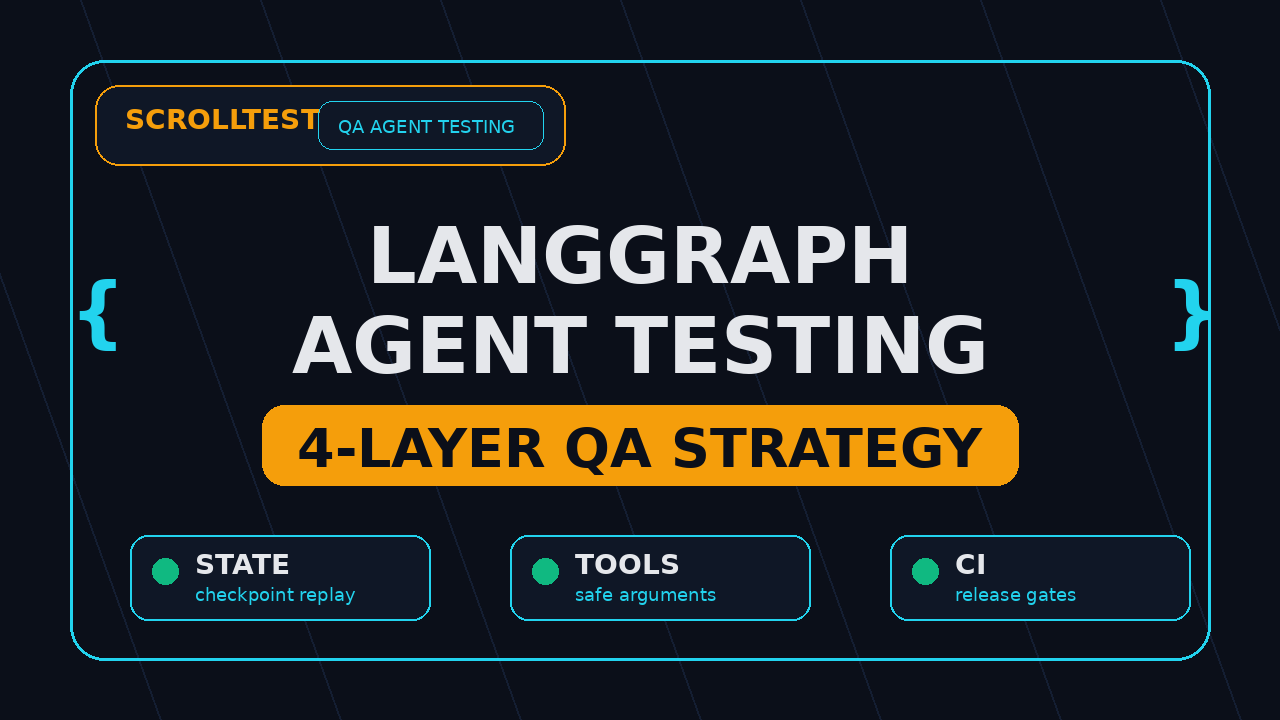
Use a four-layer model
I use four layers for LangGraph agent testing. Each layer catches a different class of bug, and each layer should be small enough to run in CI.
- Node unit tests: Test each node with fixed state and mocked dependencies.
- Graph path tests: Run the graph with deterministic inputs and assert the route.
- Tool contract tests: Validate tool names, arguments, schemas, and side effects.
- Evaluation tests: Run a curated dataset and score behavior quality.
Keep deterministic tests separate from evals
A deterministic test should fail only when behavior changes. An evaluation can fail because the model became noisy, the scoring rubric is strict, or the dataset found a real weakness. Both are useful, but mixing them creates noisy CI.
My rule is simple: deterministic tests block every pull request. Evaluations run on a schedule, on model changes, and on agent graph changes. If the eval score drops, I inspect examples before blocking the release branch.
Make state visible
QA cannot test what it cannot see. Add debug hooks or trace exporters that capture the node name, state snapshot, tool call, latency, and model metadata. Do not store secrets in traces. Do store enough context to reproduce the failure.
This is similar to how I inspect Playwright traces for AI-generated tests. The final failure message is useful, but the trace explains how the system reached that failure. LangGraph agent testing needs the same mindset.
Pin versions in the test report
Every report should print the LangGraph version, model name, prompt version, tool version, dataset version, and commit SHA. Without those six identifiers, a failed agent run is hard to reproduce.
For Python projects, print langgraph.__version__ if available and run pip freeze | grep langgraph in CI. For TypeScript projects, print npm ls @langchain/langgraph. These tiny details save hours during release triage.
LangGraph Agent Testing with TypeScript Examples
A minimal fake tool contract test
TypeScript is my default for browser and agent QA examples because many teams already use Playwright with TS. The pattern below shows a fake tool registry test. The goal is not to call a real LLM. The goal is to prove that the agent asks for the right tool with safe arguments.
import { describe, expect, test } from "@jest/globals";

type ToolCall = {
  name: string;
  args: Record<string, unknown>;
};

function planToolCall(userMessage: string): ToolCall {
  if (userMessage.includes("refund")) {
    return {
      name: "create_human_review_ticket",
      args: {
        queue: "billing-approval",
        reason: "refund_request",
        environment: "staging"
      }
    };
  }

  return {
    name: "search_docs",
    args: { query: userMessage, maxResults: 5 }
  };
}

describe("agent tool contract", () => {
  test("refund requests go to human review", () => {
    const call = planToolCall("Customer asks for a refund on order 9841");

    expect(call.name).toBe("create_human_review_ticket");
    expect(call.args).toMatchObject({
      queue: "billing-approval",
      reason: "refund_request",
      environment: "staging"
    });
  });
});
In your real suite, replace planToolCall with the adapter around your LangGraph node or graph invocation. Keep the assertion strict. Do not accept “some ticket tool” when the safe path requires one exact tool.
Assert node path, not only final text
The next test pattern captures path history. This is the difference between testing an answer and testing the agent.
type AgentRun = {
  answer: string;
  path: string[];
  toolCalls: Array<{ name: string; args: unknown }>;
};

async function runSupportGraph(input: string): Promise<AgentRun> {
  // In production, call graph.invoke(...) and collect events from streaming logs.
  // In tests, keep the model deterministic or stub the model response.
  return {
    answer: "I created a human review ticket for billing approval.",
    path: ["classify", "policy_check", "human_review", "final"],
    toolCalls: [{ name: "create_human_review_ticket", args: { queue: "billing-approval" } }]
  };
}

test("high-risk billing action follows approval path", async () => {
  const run = await runSupportGraph("Refund the annual plan for account ACME-42");

  expect(run.path).toEqual(["classify", "policy_check", "human_review", "final"]);
  expect(run.toolCalls[0].name).toBe("create_human_review_ticket");
  expect(run.answer).toContain("human review");
});
If this test only checked the final answer, it could miss a dangerous route. The agent might say “human review” while calling the refund tool directly. That is exactly the type of bug QA should catch.
Add dataset-driven regression cases
Do not rely on 3 hand-written prompts. Build a small dataset with 25 to 100 cases. Include normal requests, ambiguous requests, malicious instructions, missing data, retry cases, and known production failures.
type RegressionCase = {
  id: string;
  input: string;
  expectedPathIncludes: string[];
  forbiddenTools: string[];
};

const cases: RegressionCase[] = [
  {
    id: "billing-refund-needs-human",
    input: "Refund invoice INV-1007 now",
    expectedPathIncludes: ["policy_check", "human_review"],
    forbiddenTools: ["issue_refund"]
  },
  {
    id: "docs-question-search-only",
    input: "How do I reset my API token?",
    expectedPathIncludes: ["retrieve_docs"],
    forbiddenTools: ["create_ticket", "issue_refund"]
  }
];

for (const item of cases) {
  test(`agent regression: ${item.id}`, async () => {
    const run = await runSupportGraph(item.input);
    for (const node of item.expectedPathIncludes) {
      expect(run.path).toContain(node);
    }
    for (const tool of item.forbiddenTools) {
      expect(run.toolCalls.map(t => t.name)).not.toContain(tool);
    }
  });
}
This dataset becomes your release gate. Every new bug adds one row. Every risky feature adds five rows. After 3 months, you have a real agent safety net instead of a few demo prompts.
LangGraph Agent Testing Evaluations and CI Gates
Use evaluations for quality, not basic correctness
The LangSmith evaluation documentation describes datasets, evaluators, and experiment comparison. That is useful for agent quality checks, but I do not use evals as a replacement for unit tests. I use them after deterministic tests pass.
An evaluation can measure whether the answer is grounded, whether the agent selected a reasonable tool, whether it followed policy, or whether a human reviewer prefers the output. Keep each evaluator narrow. A vague “quality score” is hard to debug.
Build a CI gate with three thresholds
For production LangGraph agent testing, I like three CI thresholds:
- Route pass rate: 100% for critical safety and payment flows.
- Tool schema pass rate: 100% for required fields and forbidden tools.
- Evaluation score: Team-defined threshold, usually compared against the previous baseline.
The first two gates should be strict. The third gate should be reviewed with examples. If your eval score drops from 0.86 to 0.79 on 80 cases, inspect the failing examples before blaming the model. Sometimes the new failures expose weak test data.
Run upgrade tests on every dependency bump
LangGraph upgrades, model upgrades, vector-store upgrades, and prompt changes should all trigger the agent regression suite. This is the same discipline QA teams already apply to Playwright browser upgrades and Selenium Grid changes.
If your team is building browser agents, connect this with a practical automation stack. I would pair a LangGraph test gate with Playwright traces and a small MCP server testing checklist when the agent can call internal tools.
Store failing examples as assets
Every failed run should produce a small artifact: input, expected route, actual route, tool calls, model name, graph version, and trace link. Store the artifact in CI, not only in chat logs. If you use GitHub Actions, upload it with actions/upload-artifact.
name: agent-regression
on: [pull_request]

jobs:
  langgraph-agent-tests:
    runs-on: ubuntu-latest
    steps:
      - uses: actions/checkout@v4
      - uses: actions/setup-node@v4
        with:
          node-version: 22
      - run: npm ci
      - run: npm test -- --runInBand agent-regression
      - uses: actions/upload-artifact@v4
        if: failure()
        with:
          name: langgraph-agent-failures
          path: artifacts/agent-runs/*.json
India Context: Why This Skill Pays for SDETs
AI agent testing is becoming an SDET differentiator
In India, many QA engineers still get pulled between manual regression, Selenium maintenance, and release support. Product companies now expect SDETs to understand APIs, CI/CD, cloud logs, and increasingly AI workflows. LangGraph agent testing fits that shift.
I see a clear career pattern: manual testers compete on execution speed, automation engineers compete on framework skills, and senior SDETs compete on system risk. Agent testing is system-risk work. You are not only checking a screen. You are checking decisions, state, policy, tools, and recovery.
Where the salary conversation changes
I will not promise a fixed salary number from one tool. Hiring ranges change by company, city, and market cycle. But in Bengaluru, Hyderabad, Pune, and remote product teams, SDETs who can design automation architecture usually sit in a stronger band than testers who only execute scripts.
A practical range I see for strong automation and AI-aware SDETs in product companies is often around ₹25-40 LPA, while service-company roles can be lower for similar years of experience. The gap is not magic. It comes from owning release risk, building frameworks, and speaking the language of engineering teams.
What to add to your portfolio
If you want this skill to show in interviews, build one small public project. Do not build a toy chatbot. Build an agent with a graph, two tools, a fake approval step, and 30 regression cases.
Your README should include:
- Graph diagram with nodes and edges.
- Test matrix with route, tool, and checkpoint cases.
- One GitHub Actions workflow that runs the suite.
- One failing-example artifact from a seeded bug.
- Short notes on what you would monitor in production.
If you already know Playwright, connect the agent to a browser task. Use the ideas from feature flag testing in Playwright and make the agent choose which flag scenario to run. That gives you a stronger portfolio story than another login test.
Common LangGraph Agent Failures I Test First
Wrong branch after ambiguous input
Ambiguity is where agents look smart and fail quietly. A user says, “Cancel my plan if the refund is possible.” The agent may cancel first and check policy later. Your test should force ambiguity and assert that the graph asks a clarifying question or routes to human review.
Tool call with unsafe arguments
This is the most important failure class. The agent chooses the right tool but passes unsafe values. Examples: environment: production instead of staging, maxResults: 1000 instead of 5, or a missing approval ID. Schema validation catches some issues. Business-rule tests catch the rest.
Checkpoint resume skips a guardrail
Resume bugs are nasty. The first half of the run completes correctly, the process restarts, and the second half resumes after the policy check instead of before it. This is why checkpoint replay needs specific assertions on the resumed node and the approval status.
Model upgrade changes routing
A model upgrade can improve answer quality while changing route decisions. If the product only checks final text, the release looks safe. If the product checks path and tool calls, the risky change becomes visible.
Evaluation data goes stale
Old eval datasets stop representing the product. Add examples from production support tickets, recent bugs, new features, and actual misuse patterns. Remove duplicates. Keep IDs stable so trend reports make sense.
A 14-Day Implementation Roadmap
Days 1-3: map the graph and risks
Draw the graph first. List every node, edge, tool, and finish condition. Mark nodes that can trigger side effects. Mark nodes that need policy checks. Mark nodes that can pause for human input.
By day 3, you should have a risk matrix with at least 10 rows. Each row should include the user scenario, expected route, allowed tools, forbidden tools, and recovery rule.
Days 4-7: write deterministic tests
Write node tests and graph path tests. Mock the LLM. Mock external tools. Add strict assertions on state keys, node path, and tool arguments. Keep these tests fast enough for every pull request.
A good target is 25 deterministic cases by the end of week 1. That is enough to cover the main flows without slowing down the team.
Days 8-10: add checkpoint and interrupt tests
Pick 5 flows that need persistence. Save state midway, resume the graph, and assert the next node. Then test human approval, rejection, and timeout. Do not skip duplicate approval clicks. Real users double-click buttons.
Days 11-12: add eval dataset and scoring
Create a small dataset with 50 examples. Split it into normal, edge, malicious, missing-data, and regression buckets. Use narrow evaluators. If one evaluator checks grounding, do not also make it judge tone and route safety.
Days 13-14: wire CI and release reporting
Run deterministic tests on every pull request. Run evals nightly or on graph changes. Publish a release report with pass rate, changed routes, failed examples, dependency versions, and open risks.
This is also where you add a rollback rule. If critical route pass rate is below 100%, the release does not go out. If evaluation quality drops, the owner reviews examples before approving.
Key Takeaways
LangGraph agent testing gives QA teams a practical way to test agent behavior before it reaches users. The focus keyword here is not a theory term. It is a release discipline.
- Test the graph path, not only the final answer.
- Assert tool names, arguments, side effects, and forbidden actions.
- Use checkpoint replay to reproduce failures across upgrades.
- Keep deterministic tests separate from LLM evaluations.
- For Indian SDETs, agent testing is a strong portfolio signal because it proves system-risk thinking.
If your team is starting from zero, build 25 deterministic cases this week. Then add 50 evaluation examples. That small suite will catch more useful bugs than a 200-line prompt that nobody can reason about.
FAQ
What is LangGraph agent testing?
LangGraph agent testing is the practice of validating graph-based AI agent behavior: state, nodes, edges, tool calls, checkpoints, interrupts, final responses, and evaluation scores. It treats the agent as production software, not a demo prompt.
Should QA engineers test LangGraph with real LLM calls?
Use real LLM calls for evaluations and selected end-to-end tests. For pull-request tests, prefer mocked or deterministic model responses so failures are actionable. The best setup uses both styles.
How many regression cases should a team start with?
Start with 25 deterministic cases and 50 evaluation examples. Add one case for every production bug and every risky new graph path. After a quarter, many teams can reach 100 useful cases without creating test bloat.
What tools pair well with LangGraph agent testing?
Use your normal test runner, TypeScript or Python assertions, CI artifacts, LangSmith evaluations if it fits your stack, and Playwright when the agent touches browser workflows. PromptFoo and DeepEval can help when prompt or LLM output regression is part of the risk.
What should SDETs show in interviews?
Show a small LangGraph-style agent with a graph diagram, two tools, one human approval path, checkpoint replay, and CI regression tests. Interviewers remember concrete artifacts more than generic AI claims.