Day 13: Playwright Selects, Frames, Keyboard, Hover, Drag-and-Drop, and Alerts

This is Day 13 of the 21-day JS to Playwright Framework series. One lesson a day. JavaScript first. TypeScript next. Playwright Test now. Framework later.
Days 1–7 were the language. Day 8 was the object model. Day 9 typed that object. Day 10 installed Playwright. Day 11 found a field. Day 12 saved a session and read a table. Today the page stops being one document.
I am Pramod Dutta. I teach SDETs in India for a living. The week I open frames, someone always pastes page.locator('#RESULT_TextField-1') from a screenshot of the form they can *see*. Playwright times out. The field is on the screen. The locator is on the wrong document. That is not a wait problem. That is a frame-boundary problem.
This is not the existing 21-Day Playwright with TypeScript Challenge. That series starts later in the stack. This series started at console.log. Day 13 is the first day the spec has to *choose a document* before it chooses a locator.
All labs come from my public fundamentals repo: LearningPlaywrightFundamentals on branch main. I fetched four folders from raw GitHub: tests/08_Web_Select_Frames_Iframe, tests/09_Frame_Iframe, tests/10_Keyboard_Hover_Drag_Drop, and tests/11_JS_Alerts. I quote those files. I will not invent a file that is not there.
Classroom spellings stay. The custom-dropdown labs are 236_Advacne_Select_Frames2.spec.ts and 237_Advacne_Select_Pro.spec.ts — Advacne, as GitHub serves them. The keyboard test title is Keybaord. The iframe variable is vechileFrame. Lab 243 lives in 11_JS_Alerts, not between 242 and 244. I do not rename files to make this post prettier.
If you want the video plus project path after you finish these 21 posts, the course is here: Playwright Automation Mastery. The series hub for every day lives here: JavaScript to TypeScript to Playwright Advanced Framework 21-Day Guide.
*Want to master this with real projects? Join the Playwright Automation Mastery course at The Testing Academy.*
Contents
What you will be able to do after Day 13
By the end of this post you can:
- Tell a native
<select>from a custom dropdown and from a React Select widget, and pick the API that matches the markup. - Use
locator.selectOptiononly when the control is a real<select>— and admit that lab235currently leaves that call commented. - Open a custom trigger, pick exact visible text, and close a multi-select with
Escape. - Drive a React Select single, multi, creatable, grouped, and async control using the
data-testidvalues in labs237and238. - Call
page.frameLocator('#frame-one')*before* you fill a field that lives in that iframe. - Inspect named
<frame>tags withpage.locator('//frame').all()and scope the side pane with[name="side"]. - Chain
frameLocator('#pact1').frameLocator('#pact2').frameLocator('#pact3')for nested iframes. - Send
page.keyboard.press('A'),ArrowLeft, andShift+Othe way242_keyboard.spec.tsdoes. - Hover SpiceJet Add-ons, then hover the same pattern on the Testing Academy hover-menu widget.
- Drag
#column-aonto#column-bwithdragTo, then drag a Kanban card with a manualmouse.move/down/uppath whendragTois not enough. - Right-click a context-menu target and pick Copy.
- Register
page.once('dialog', ...)*before* the click that opens a JS alert, confirm, or prompt.
That is the skill. Not the selector. The skill is picking the document, then the interaction, then the assertion — in that order.
The labs we are actually using
Clone the fundamentals repo and stay on main:
git clone https://github.com/PramodDutta/LearningPlaywrightFundamentals.git
cd LearningPlaywrightFundamentals
git checkout main
Four folders. I fetched every file GitHub lists in them. Those files, as GitHub serves them:
tests/08_Web_Select_Frames_Iframe — selects and custom dropdowns. The folder *name* says Frames. The module README is honest: there is no active frameLocator() in this folder yet.
README.md— module index, native vs custom vs React Select, run commands234_Web.spec.ts— table-row checkboxes on the Testing Academy webtable page (not a frame)235_Select_FramesWeb.spec.ts— HerokuApp dropdown page;selectOptionlines are commented236_Advacne_Select_Frames2.spec.ts— custom language and experience dropdowns (Advacnein the filename)237_Advacne_Select_Pro.spec.ts— React Select single, multi, creatable, async238_Advance_Select_Pro_v2.spec.ts— stronger React Select: search, remove a chip, creatable Enter, grouped option, async waitutil.ts—selectValue(page, dropDownLabel, value)helper
tests/09_Frame_Iframe — this is where frames actually start.
README.md—frameLocator, named frames, nested chain239_Iframe.spec.ts— vehicle registration inside#frame-one240_Multiple_frame.spec.ts—[name="main"],[name="side"],//frameinventory241_Iframe_within_Iframe.spec.ts— SelectorsHub#pact1/#pact2/#pact3
tests/10_Keyboard_Hover_Drag_Drop
README.md— keyboard, hover,dragTo, manual mouse path, right-click242_keyboard.spec.ts—keycode.info,A/ArrowLeft/Shift+O, three PNGs244_Spicejet_Hover.spec.ts— SpiceJet Add-ons, then the TTA hover-menu widget245_Drag_Drop.spec.ts— HerokuApp#column-adragTo#column-b246_Drag_Drop_advance_Kanban.spec.ts— TTA Kanban,#card-write-specinto[data-status="review"]247_RightClick.spec.ts— context menu, list options, click Copy
tests/11_JS_Alerts
README.md— accept alert / confirm / prompt243_JS_Alerts.spec.ts— the only spec in this folder; numbered 243, between 242 and 244 in the classroom sequence
I am not opening tests/12_Handle_SVG today. That is Day 14. I am not inventing a 243 inside the keyboard folder. I am not inventing a frameLocator example inside folder 08. The 08 README says it is not there yet.
Run each module from its README:
npx playwright test tests/08_Web_Select_Frames_Iframe
npx playwright test tests/09_Frame_Iframe
npx playwright test tests/10_Keyboard_Hover_Drag_Drop
npx playwright test tests/11_JS_Alerts/243_JS_Alerts.spec.ts
One lesson file, the React Select v2 spec the 08 README points at:
npx playwright test tests/08_Web_Select_Frames_Iframe/238_Advance_Select_Pro_v2.spec.tsOne iframe file:
npx playwright test tests/09_Frame_Iframe/239_Iframe.spec.tsHeaded, so you can watch the cursor:
npx playwright test tests/09_Frame_Iframe --headedPublic demo sites need network. SpiceJet, HerokuApp, SelectorsHub, keycode.info, and app.thetestingacademy.com are live URLs in these specs. If a third-party page is down, the spec fails. That is a classroom fact, not a Playwright bug.
Several files still call await page.waitForTimeout(5000). I will point at those lines. I will not pretend they are the production habit. Auto-wait plus expect is the habit. The timeout is a classroom freeze-frame so the batch can see the UI.
Why Day 13 is the next framework decision
Day 11 asked what page is allowed to touch. Day 12 asked whether you must log in again. Day 13 asks which document and which input channel.
Four things break a naive page.locator().click() suite:
- A custom dropdown is not a
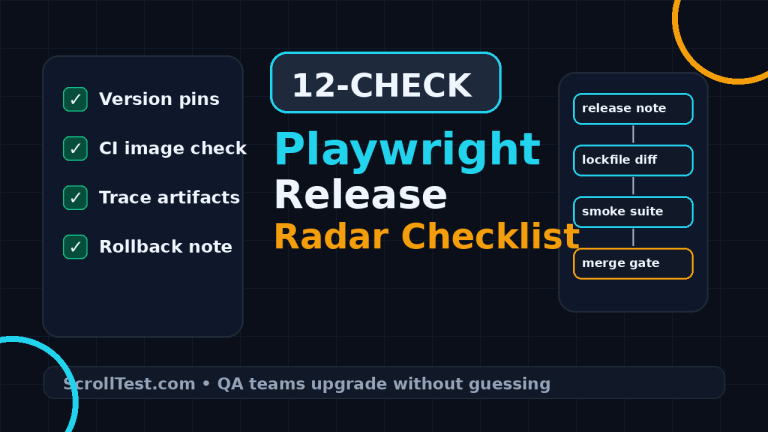
<select>.selectOptiondoes nothing useful on adivthat *looks* like a dropdown. Folder 08 is that lesson. - An iframe is another document. Locators never cross the frame boundary. Folder 09 is that lesson. The diagram at the top of this post is the rule I want in every PR.
- Hover, drag, keyboard, and right-click are not clicks. A submenu that exists only on hover will timeout if you click the child without hovering the parent. A Kanban library that listens to a path of
mousemoveevents will ignore a teleportingdragTo. Folder 10 is that lesson. - A JS dialog pauses the page. If you click first and register the handler second, the dialog is already gone or the test is stuck. Folder 11 is that lesson.
In a framework these four become four helpers, not four copy-pasted specs. Today we still read the classroom files. Day 20 and Day 21 will ask you to put frameLocator and dialog behind a page object. Do not skip the messy files. The mess is the curriculum.
Module 08 — the folder name says frames. The files say selects.
I start here because the classroom numbering starts here. I also start with a warning the module README already wrote:
The current specs run against top-level pages only; there is no active
frameLocator()or iframe example in this folder yet.
If you cloned the repo looking for frames, go to tests/09_Frame_Iframe. Folder 08 is tables, native select comments, custom dropdowns, and React Select.
Lab 234 — 234_Web.spec.ts is a table, not a select
The filename is 234_Web.spec.ts. The test title is still the classroom leftover Basic Web Test - Verify Page Title. The body is a web-table checkbox, on https://app.thetestingacademy.com/playwright/webtable.
await page.locator(
  "//td[text()='Aarav.Sharma']/preceding-sibling::td/input[@type='checkbox']"
).click();

await page
  .locator("tr:has(td:text('Rohan.Mehta'))")
  .locator("td")
  .first()
  .click();
Two row strategies in one file. The first is XPath sibling traversal: find the cell whose text is Aarav.Sharma, walk to the checkbox in a preceding td. The second is the CSS I prefer: tr:has(td:text('Rohan.Mehta')), then the first td of that row.
Day 12 already taught you hasText on a row. I am not inventing a new table API. I am telling you why this file sits in folder 08: the batch was still on “find the row, then act.” Then we move to dropdowns. The waitForTimeout(5000) at the bottom is the classroom pause.
Also: Day 12 already told you that tests/07_WebTables/234_WebTABLE_Employe_Management.spec.ts is a *different* file that shares the number 234 and is empty (0 bytes). Two 234s. Classroom numbering collision. I do not merge them. I do not invent employee-management rows in this post.
Lab 235 — 235_Select_FramesWeb.spec.ts is the native <select> you do not run yet
This is the file people expect when they hear “Playwright select.”
await page.goto('https://the-internet.herokuapp.com/dropdown');

// await page.locator("#dropdown").click();

// await page.selectOption("#dropdown", "Option 1");
// await page.locator("#dropdown").selectOption("Option 1");

await page.waitForTimeout(5000);
Three lines of the real lesson are commented out. I will not uncomment them in this post and pretend the spec already selects Option 1. The README says this file “keeps native select examples as commented reference.”
When you *do* uncomment, you have two equivalent APIs for a real <select id="dropdown">:
page.selectOption("#dropdown", "Option 1")— page-level, value or label depending on the overloadpage.locator("#dropdown").selectOption("Option 1")— locator-level, same idea
Do not click the <select> and then getByText('Option 1') unless the control is a fake dropdown. Native select is selectOption. Fake dropdown is click-trigger-then-click-option. Mixing them is how you get a 30-second timeout on a control that was ready in 200 ms.
Homework from this file: uncomment one of the two selectOption lines. Assert the selected value. Delete the waitForTimeout. That is the production version of 235. I am not checking in that rewrite. The repo file stays as GitHub serves it.
Lab 236 — 236_Advacne_Select_Frames2.spec.ts is a custom dropdown
Filename: Advacne. I keep it.
URL: https://app.thetestingacademy.com/playwright/tables/dropdowns.
await page.locator('//div[@data-testid="dropdown-language"]').click();
await page.getByText("JavaScript").click();

await page.locator("#experience-shell").click();
await page.getByText("Mid-level (4-6 years)", { exact: true }).click();
This is not a <select>. It is a trigger. You click the trigger. You click the visible option. The language trigger is an XPath on data-testid="dropdown-language". I would write page.getByTestId('dropdown-language') in a new spec. I will not rewrite the classroom file in this post.
exact: true on the experience option is not decoration. Without it, getByText("Mid-level") can match a longer string or a hint. Strict mode then throws, or worse, a looser match clicks the wrong seniority. When two options share a prefix, exact is the contract.
Lab 237 — 237_Advacne_Select_Pro.spec.ts is React Select, first pass
Same product family, different page: https://app.thetestingacademy.com/playwright/tables/select-boxes.
Four widgets, four ids:
#rs-single— click,getByText("Cypress")#rs-multi— click,Pytestexact,JUnitexact, thenpage.keyboard.press("Escape")#rs-creatable— click,api-testing,security, Escape again#rs-async— click, fillgetByTestId('rs-async-input')withpun, expect the menu to containPune, click the option
Two habits I want you to steal.
Close the menu on purpose. A multi-select React Select stays open. The next getByText can hit a leftover option. Escape is the classroom close. In a page object I would close by clicking the control again or pressing Escape inside the helper, not in every test.
Wait for the async menu, not for a sleep. The async box types pun and asserts rs-async-menu contains Pune *before* it clicks. That is the Day 11 auto-wait idea applied to a typeahead. Do not waitForTimeout(2000) and hope Pune arrived.
Lab 238 — 238_Advance_Select_Pro_v2.spec.ts is the one I run in reviews
Same URL. Stronger locators. Assertions. A remove. A grouped option.
await page.getByTestId('rs-single').click();
await page.getByTestId('rs-single-input').fill('play');
await page.getByRole('option', { name: 'Playwright' }).click();
await expect(page.locator('#rs-single .tta-rs__single-value')).toHaveText('Playwright');
This is the upgrade from 237. Search the input. Pick by role. Assert the selected value. If the click landed and the chip did not appear, the test fails. 237 never asserted Cypress stayed selected.
The multi-select loop is the pattern I want in a helper:
const multi = page.getByTestId('rs-multi');
for (const name of ['Playwright', 'Pytest', 'TestNG']) {
  await multi.click();
  await page.getByRole('option', { name }).click();
}
await multi.locator('.tta-rs__multi-value:has-text("Pytest") .tta-rs__multi-value__remove').click();
Reopen for each option. Then remove Pytest by the chip’s remove control. Selecting is not enough. A real suite also deselects.
Creatable:
await page.getByTestId('rs-creatable-input').fill('chaos-engineering');
await page.getByTestId('rs-creatable-input').press('Enter');
await expect(page.locator('#rs-creatable .tta-rs__multi-value', { hasText: 'chaos-engineering' })).toBeVisible();
You did not click an existing option. You typed a tag the list did not have and pressed Enter. That is a different contract than 237’s api-testing / security clicks.
Grouped:
await page.getByTestId('rs-grouped').click();
await page
  .locator('.tta-rs__group[data-group="Edge"]')
  .getByRole('option', { name: 'Vercel Edge' })
  .click();
Scope the group first. Then the option. getByRole('option', { name: 'Vercel Edge' }) on the whole page can still work if the name is unique. Scoping to data-group="Edge" is the review comment I write when two groups can share a label next quarter.
Async is the same pun → Pune wait as 237. Good. Keep it.
238 is the first file in folder 08 that looks like a production spec: test ids, role options, expects, no waitForTimeout. When I say “write dropdowns like 238, not like 236,” this is the file I mean.
util.ts — a helper that is not imported yet
import { Page, test, expect } from '@playwright/test';

async function selectValue(page: Page, dropDownLabel: string, value: string): Promise {
  await page.locator(`//button[contains(@class,'select-trigger')]//span[text()='${dropDownLabel}']`).click();
  await page.getByText(value, { exact: true }).click();
}
Three honest notes.
- Nothing in this folder imports
selectValue. I checked the specs. The helper is a pattern, not a wired utility. I will not pretend 236 calls it. - The return type is
Promisewith no type argument. Classroom TypeScript. A finished helper isPromise<void>. - The locator is XPath with a template string. If
dropDownLabelever came from user input you would not concatenate it. For a classroom label it works. In a framework I would usegetByRole('button', { name: dropDownLabel })if the trigger exposes that name.
The *idea* is right: one function for “open this labelled trigger, pick this exact text.” Day 20 page objects will look like this, with a locator map instead of an XPath template.
Native select vs custom vs React Select — write this on the wall
| What you see | What it is | Playwright API in these labs |
|---|---|---|
Real <select> | Native | locator.selectOption — lab 235, currently commented |
A div / button that opens a list | Custom dropdown | Click trigger, getByText(..., { exact: true }) — labs 236, util.ts |
| React Select-style widget | Searchable / multi / async | getByTestId, fill, getByRole('option'), Escape, expect — labs 237, 238 |
Interview answer, short: I do not call selectOption on a div. I inspect the markup first.
That sentence fails more SDET interviews than “what is an iframe.” Because everyone has a story about a dropdown. Few people open DevTools and check for a <select>.
Module 09 — this is the iframe day
The diagram at the top of this post is this module. Main frame is document A. The iframe is document B. page.locator() searches A. page.frameLocator(selector).locator() searches B. There is no switchTo(). Selenium muscle memory will fight you. Let it lose.
Lab 239 — 239_Iframe.spec.ts, one iframe, a whole form
URL: https://app.thetestingacademy.com/playwright/frames/.
let vechileFrame: FrameLocator = await page.frameLocator('#frame-one');
await vechileFrame.locator('#RESULT_TextField-1').fill('Hyundai i10');
await vechileFrame.locator('#RESULT_TextField-2').fill('Pramod Dutta');
await vechileFrame.locator('#RESULT_TextField-3').fill('2012');
await vechileFrame.locator('#RESULT_RadioButton-1').selectOption('Hatchback');
await vechileFrame.locator('#RESULT_TextField-4').fill('2015');
await vechileFrame.locator('#RESULT_TextArea-1').fill('Amazing car with amazing family car in a budget');
await vechileFrame.getByText('Submit registration', { exact: true }).click();

let output = await vechileFrame.locator("#vehicle-output").innerText();
console.log(output);
The variable is vechileFrame. Classroom spelling. I keep it when I quote the file. In a page object I would name it vehicleFrame.
frameLocator('#frame-one') does not need await to construct — FrameLocator is lazy, like Locator. The spec still awaits it. Harmless. The important part is every fill, every selectOption, the submit click, and the output read all go through vechileFrame, not page.
If you write this by mistake:
await page.locator('#RESULT_TextField-1').fill('Hyundai i10');Playwright waits for an element that does not exist in the main document. Timeout. The screenshot will show the field. That screenshot is a trap. Your eyes crossed the iframe. Your locator did not.
#RESULT_RadioButton-1 is a native select *inside* the frame. Here selectOption('Hatchback') is correct, because the control is a real <select>. Folder 08’s lesson applies *inside* a frame the same way it applies on the main page.
The submit button is getByText('Submit registration', { exact: true }) on the frame locator. Role would be better if the button exposes it. The file uses text. I quote the file.
console.log(output) is a classroom peek. A finished spec would expect(vechileFrame.locator('#vehicle-output')).toContainText(...). I will not invent that assertion. The file logs.
Lab 240 — 240_Multiple_frame.spec.ts, named frames and an inventory
URL: https://app.thetestingacademy.com/playwright/frames/multi-frames.
let mainFrame: FrameLocator = await page.frameLocator('[name="main"]');
const headerText = await mainFrame.locator('h2').innerText();
console.log(headerText);

page.getByRole()

const allFrames: Locator[] = await page.locator('//frame').all();
console.log('total number of frames: ' + allFrames.length);

for (const frame of allFrames) {
  console.log(await frame.getAttribute('name'), ': ', await frame.getAttribute('src'));
}

let sideFrame: FrameLocator = await page.frameLocator('[name="side"]');
await sideFrame.getByTestId('side-link-registration').click();
This page uses legacy <frame> tags, not only <iframe>. The inventory XPath is //frame. The README says so. I am not changing it to iframe.
Named frames: [name="main"], [name="side"]. Name is a valid selector. Prefer it over “the second frame” when the markup gives you a name.
There is a leftover line: page.getByRole(). No arguments. It is not awaited. It does nothing useful. I leave it in the quote because it is in the file. If you are following along, delete that line in your working copy. I am not inventing a role I cannot see in the spec.
The useful action is the last one: open the side frame, click side-link-registration. Two documents, two frameLocators, one page. You do not “switch.” You hold both handles.
page.frames() also exists on the Page API and returns Frame objects, including the main frame. This spec does not call it. It locates the <frame> *elements* in the parent document. Different list. I mention page.frames() so you know the API. I do not pretend 240 uses it.
Lab 241 — 241_Iframe_within_Iframe.spec.ts, the nested chain
URL: https://selectorshub.com/iframe-scenario/.
let frame1: FrameLocator = page.frameLocator('#pact1').first();
let frame2: FrameLocator = frame1.frameLocator('#pact2');
let frame3: FrameLocator = frame2.frameLocator('#pact3');

await frame1.locator('#inp_val').fill('Aishwarya Rai');
await frame2.locator('#jex').fill('Wife');
await frame3.locator('#glaf').fill('Playwright');
This is the diagram’s bottom callout. You do not jump to #pact3 from page. You walk.
#pact1is on the main page..first()is in the file — use it if the selector can match more than one.#pact2is *inside* pact1.#pact3is *inside* pact2.
Then each field is filled on the frame that owns it. Aishwarya Rai in pact1. Wife in pact2. Playwright in pact3. The header read is frame1.locator('h3').
Nested iframes show up in payment widgets, chat plugins, and older admin portals. If your locator times out and the screenshot shows the field, walk the iframe tree in DevTools before you add a wait. Nine times out of ten the field is two frames down.
I do not invent a fourth frame. I do not invent a cross-origin lecture beyond this: Playwright can still talk to a frame through frameLocator even when the origin differs, because the protocol can reach it. If a frame is closed or not yet attached, the locator auto-waits for the *inner* action, the same way Day 11 auto-waited a button.
Main frame vs iframe — the rule I write on the whiteboard
- Open DevTools. If the node sits under
#documentinside aniframeorframe, you are not onpage. - First locator:
page.frameLocator(selector)or a chain of them. - Second locator: the field, on that
FrameLocator. - Never write an XPath that starts on the main page and “reaches into” the iframe. XPath does not pierce documents.
- Prefer
frameLocatoroverpage.frame({ name })/page.frame({ url })for actions.frame()returns aFramethat can benull.frameLocatoris lazy and auto-waiting, like a locator.
Selenium people ask “when do I switch back?” You do not. You keep the handle. page is still the main document. vechileFrame is still the iframe. Both exist at the same time.
Module 10 — keyboard, SpiceJet hover, Kanban drag, right-click
Clicks and fills covered Days 11–12. Today the pointer and the keyboard have to behave like a human.
Lab 242 — 242_keyboard.spec.ts on keycode.info
test('Keybaord', async ({ page }) => {
  await page.goto('https://keycode.info');

  await page.keyboard.press('A');
  await page.screenshot({ path: 'A.png' });
  await page.keyboard.press('ArrowLeft');
  await page.screenshot({ path: 'ArrowLeft.png' });
  await page.keyboard.press('Shift+O');
  await page.screenshot({ path: 'O.png' });

  await page.keyboard.up("Shift");
  await page.keyboard.down("Shift");
Title: Keybaord. Filename: 242_keyboard.spec.ts. I quote both.
page.keyboard.press sends a key to the focused page. A is a character. ArrowLeft is a named key. Shift+O is a modifier chord. The three screenshots land as A.png, ArrowLeft.png, and O.png in the repo root — those PNGs exist on main. The spec writes them again when you run it.
keyboard.up("Shift") then keyboard.down("Shift") is the classroom “see the modifier API” pair. In a real shortcut test I would down the modifier, press the key, up the modifier, in that order. I will not rewrite 242 into a shortcut suite. The file is a keycode playground.
When do you use keyboard instead of locator.fill?
- The page has no input. keycode.info is the whole point: keys hit the window.
- You need a chord:
Control+A,Meta+C,Shift+Tab. - You already used
press('Enter')on a creatable React Select in lab 238. That waslocator.press. Same family, scoped to an element.
locator.press goes to a focused locator. page.keyboard.press goes to whatever has focus. Prefer the locator when you have one.
Lab 244 — 244_Spicejet_Hover.spec.ts, the file the title promised
await page.goto('https://www.spicejet.com/');

await page.getByText('Add-ons', { exact: true }).hover();
await page.getByText('FlyEarly', { exact: true }).click();

await page.goto('https://app.thetestingacademy.com/playwright/widgets/hover-menu');

await page.getByText('Add-ons', { exact: true }).hover();
const addons = await page
  .locator('[data-testid="nav-add-ons"] .submenu .submenu-item')
  .allInnerTexts();
console.log(addons);
Two sites. One pattern.
SpiceJet first: hover Add-ons, click FlyEarly. The submenu is not in the accessibility tree as a clickable child until the parent is hovered. If you getByText('FlyEarly').click() without the hover, you race the CSS. Sometimes it works. On a slow CI agent it does not. Hover first is the contract.
Then the Testing Academy widget, same visible label Add-ons, then read every .submenu-item under [data-testid="nav-add-ons"]. That is the assertion-shaped version: collect the submenu texts. The file logs them. A finished spec would expect(addons).toContain('FlyEarly') or whatever the widget lists. I will not invent the expected array. The file logs.
Airline sites change markup. If SpiceJet renames Add-ons, the first half fails. That is why the second half exists on a page I control. In a batch I still start with SpiceJet because you remember a real airline menu. Then I move you to a stable widget.
exact: true again. Add-ons must not match Add-ons and extras if that string appears later.
Lab 245 — 245_Drag_Drop.spec.ts, the honest dragTo
await page.goto('https://the-internet.herokuapp.com/drag_and_drop');

const columnA = page.locator('#column-a');
const columnB = page.locator('#column-b');

await expect(columnA).toHaveText('A');
await expect(columnB).toHaveText('B');

await columnA.dragTo(columnB);

await expect(columnA).toHaveText('B');
await expect(columnB).toHaveText('A');
This is the clean API. Source locator. Target locator. dragTo. Assert the swap.
HerokuApp’s two columns use HTML5 drag-and-drop. Playwright’s dragTo fires that path. The assertions are the lesson people skip. If dragTo ran and the headers did not swap, you shipped a green lie. 245 does not lie.
Try dragTo first. Always. The next file exists because some libraries ignore a teleport.
Lab 246 — 246_Drag_Drop_advance_Kanban.spec.ts, the manual mouse path
URL: https://app.thetestingacademy.com/playwright/widgets/dnd.
The commented lines are the first attempt:
// await page.locator('#card-write-spec').dragTo(page.locator('[data-status="in-progress"]'));
// await page.locator('#card-review-pr-21').dragTo(page.locator('[data-status="in-progress"]'));
// await page.locator('#card-review-pr-21').dragTo(page.locator('[data-status="review"]'));
I do not uncomment them and call the lab finished. The file left them commented and wrote the manual path instead. That is the curriculum: dragTo first, then drop to coordinates when the library is finicky.
let source: Locator = page.locator('#card-write-spec');
const sBox = (await source.boundingBox())!;

let target: Locator = page.locator('[data-status="review"]');
const tBox = (await target.boundingBox())!;

await page.mouse.move(sBox.x + sBox.width / 2, sBox.y + sBox.height / 2);
await page.mouse.down();
await page.mouse.move(tBox.x + tBox.width / 2, tBox.y + tBox.height / 2, { steps: 10 });
await page.mouse.up();
Read it as a human arm:
- Find the card
#card-write-spec. - Find the Review column
[data-status="review"]. - Move the pointer to the center of the card.
- Press the button (
down). - Move to the center of the column in 10 steps.
- Release (
up).
steps: 10 is the line that makes or breaks custom drag libraries. Many Kanban boards listen to a stream of mousemove events along the path. A single jump from A to B never fires the hover-column highlight, so the drop is ignored. Ten intermediate points is the classroom number. If a board is still deaf, raise steps. Do not add waitForTimeout and wiggle.
boundingBox() can return null if the element is not visible. The spec uses !. In a framework helper I would throw a clear error if the box is missing. I will not invent that helper file.
There is no expect after the drop in 246. 245 had expects. 246 is a headed demo. Homework: assert the card is inside the review column. I will not invent the assertion locator.
URL: https://app.thetestingacademy.com/playwright/widgets/context-menu.
await page.locator('span.context-menu-one').first().click({ button: 'right' });

const allOptions: string[] = await page
  .locator('ul.context-menu-list span')
  .allInnerTexts();
console.log(allOptions);

await page.getByText('Copy', { exact: true }).first().click();
Right-click is not a special API. It is click({ button: 'right' }). .first() is in the file because the selector can match more than one span.
Then the spec reads every menu label. Then it clicks Copy. The commented line under it is .click() without .first(). Strict mode will throw if two Copy nodes exist. The live line keeps .first(). I prefer a tighter locator — a menu item role, or a data-testid — over .first(). I quote what is there.
Do not use page.mouse.click(x, y, { button: 'right' }) unless you already have coordinates. The locator click is the default.
Module 11 — JS alerts, and why 243 sits between 242 and 244
Folder 11_JS_Alerts has one spec: 243_JS_Alerts.spec.ts. The classroom number is 243. The keyboard folder jumps from 242 to 244. If you sort by filename across folders, 243 is the alert file. I am not inventing a keyboard 243.
Register the handler before the click
The module README’s first pattern is the only pattern that matters:
Register
page.once('dialog', handler)before clicking the button that opens the dialog.
A JS alert, confirm, or prompt is not a DOM node. You cannot page.locator('.alert').click(). The browser pauses. Playwright emits dialog. If no handler is registered, Playwright auto-dismisses in recent versions or the test sticks, depending on configuration and timing. The classroom habit is explicit: listen first, then click.
page.once is one dialog. page.on is every dialog until you remove the listener. 243 uses once per test. That is what I want in a lesson. A suite that opens three dialogs in one test can on and branch on dialog.type().
test.describe('Javascript Alerts', () => {
  test.beforeEach(async ({ page }) => {
    await page.goto('https://the-internet.herokuapp.com/javascript_alerts');
  });
First describe + beforeEach in this four-folder slice. Day 18 will make hooks a whole lesson. Today: three tests, one URL. Do not paste goto three times when the page is the same.
Alert — accept, then assert #result
page.once('dialog', async dialog => {
  console.log('Alert type:', dialog.type());
  console.log('Alert message:', dialog.message());
  expect(dialog.message()).toBe('I am a JS Alert');
  await dialog.accept();
});

await page.getByRole('button', { name: "Click for JS Alert" }).click();
await expect(page.locator('#result')).toHaveText('You successfully clicked an alert');
dialog.type() for an alert() is 'alert'. dialog.message() is the string the app put in alert(...). Accept. Then the *page* tells you the alert was handled: #result.
Commented alternatives for the same button are still in the file: getByText, XPath //button[text()="Click for JS Alert"], and locator('button', { hasText: 'Click for JS Alert' }). The live line is getByRole. That is the Day 11 priority showing up in Day 13. I leave the comments. I run the role.
Confirm — accept, or the commented dismiss
page.once('dialog', async dialog => {
  expect(dialog.type()).toBe('confirm');
  expect(dialog.message()).toBe('I am a JS Confirm');
  await dialog.accept();
  //await dialog.dismiss();
});

await page.locator('button', { hasText: 'Click for JS Confirm' }).click();
await expect(page.locator('#result')).toHaveText('You clicked: Ok');
A confirm has two exits. accept() is OK. dismiss() is Cancel. The dismiss line is commented. If you uncomment it, change the result assertion to the Cancel string the page writes. I will not invent that string if I have not run the dismiss path in this file. The accept path expects You clicked: Ok.
Prompt — accept with text
const inputText = 'Hello from The Testing Academy';

page.once('dialog', async dialog => {
  expect(dialog.type()).toBe('prompt');
  expect(dialog.defaultValue()).toBe('');
  await dialog.accept(inputText);
});

await page.locator('button', { hasText: 'Click for JS Prompt' }).click();
await expect(page.locator('#result')).toHaveText(`You entered: ${inputText}`);
dialog.defaultValue() is the second argument of prompt(). Here it is empty. accept(inputText) types into the prompt and hits OK. The result interpolates the same string. If you dismiss() a prompt, the page typically writes a null/empty path. That line is commented. Same rule: do not assert a dismiss you did not run.
This is the first file in today’s set that looks like a small suite: describe, hook, three named cases, expects on both the dialog and the page. Steal this shape for the other modules.
What I extract into a framework later — not today
I am not creating page-object files in this post. Folder 20 is LoginPage.ts. Folder 08’s util.ts is the only helper, and it is unused. The *map* in my head after these four folders:
| Classroom file | Future helper |
|---|---|
util.ts selectValue | CustomSelect.select(label, value) using role, not XPath |
| 238 React Select | ReactSelect.choose({ testId, query, option }) with expect |
239 vechileFrame | FramesPage.vehicle.register({ make, owner, year }) |
| 241 chain | NestedIframes.fill({ pact1, pact2, pact3 }) |
| 246 mouse path | KanbanBoard.drag(card, column, { steps: 10 }) |
| 243 dialog | acceptDialog({ type, message, promptText }) registered before the trigger |
Day 21 is when those names get files. Today you run the specs and you feel the boundary.
Homework — run the files, then tighten one of them
Do this on main of LearningPlaywrightFundamentals. Do not invent a fifth folder.
- Run
npx playwright test tests/08_Web_Select_Frames_Iframe/238_Advance_Select_Pro_v2.spec.ts. Watch the five React Select widgets. - Uncomment one
selectOptionline in235_Select_FramesWeb.spec.tsin your working copy. Assert the selected label. Keep the GitHub file as-is if you are only reading. - Run
239_Iframe.spec.tsheaded. Then temporarily changevechileFrame.locator('#RESULT_TextField-1')topage.locator('#RESULT_TextField-1')and watch it timeout. Put it back. That timeout is the diagram. - Run
241_Iframe_within_Iframe.spec.ts. In DevTools, confirm#pact3sits inside#pact2sits inside#pact1. - Run
244_Spicejet_Hover.spec.ts. If SpiceJet is down or the label moved, run only the TTA hover-menu half. - Run
245_Drag_Drop.spec.tsand246_Drag_Drop_advance_Kanban.spec.ts. Feel the difference betweendragToand ten mouse steps. - Run
243_JS_Alerts.spec.ts. Then write, in your notes, why thepage.onceline is *above* the click. - Optional: add one
expectto 239’s#vehicle-outputand oneexpectto 246 after the drop. Do not ask me to invent those locators in this post if they are not already in the file.
Public URLs need network. Classroom waitForTimeout(5000) will make the module slow. That is expected.
Common failures I see in reviews
Timeout on a field you can see. You are on the wrong document. Frame first.
selectOption on a React Select. Markup is a div. Use 238’s test ids.
Hover menu click without hover. Works on your laptop. Fails in CI. Lab 244.
dragTo on a Kanban that needs a path. Card snaps back. Lab 246, steps: 10.
Dialog handler after the click. The alert already auto-dismissed or the test hung. Lab 243, listen first.
getByText('Copy') without exact or first, two matches. Strict mode. Lab 247 already shows .first().
XPath into an iframe from page. Documents do not share XPath. Lab 239.
Trusting console.log as the assertion. 239, 240, 241, 244, 247 log. 238 and 243 and 245 expect. Prefer the second group when you rewrite.
Renaming Advacne or Keybaord in a PR that is supposed to follow the repo. Follow the repo. Fix spellings in a dedicated cleanup, not in a “I could not find the file” comment.
FAQ
Does Playwright selectOption work on every dropdown?
No. selectOption is for a real <select>. Lab 235_Select_FramesWeb.spec.ts shows page.selectOption("#dropdown", "Option 1") and locator.selectOption as commented lines on HerokuApp’s dropdown page. Labs 236, 237, and 238 are custom or React Select widgets. Those use click, getByText, getByTestId, getByRole('option'), and keyboard.press('Escape') or press('Enter'). Inspect the markup before you pick the API.
Why does my Playwright locator timeout on a field I can see in the screenshot?
The field is probably inside an iframe. page.locator() searches the main document only. Lab 239_Iframe.spec.ts scopes with page.frameLocator('#frame-one') and then fills #RESULT_TextField-1 on that FrameLocator. Locators do not cross the frame boundary. The Day 13 diagram is that rule.
How do I handle nested iframes in Playwright?
Chain frameLocator calls, one per level. Lab 241_Iframe_within_Iframe.spec.ts does page.frameLocator('#pact1').first(), then frame1.frameLocator('#pact2'), then frame2.frameLocator('#pact3'), and fills #inp_val, #jex, and #glaf on the frame that owns each field. There is no switchTo().
How do I list every frame on a page?
Lab 240_Multiple_frame.spec.ts uses page.locator('//frame').all() on a legacy frameset and logs each name and src. The Page API also has page.frames(), which returns Frame objects including the main frame. 240 does not call page.frames(). Named access in that file is frameLocator('[name="main"]') and frameLocator('[name="side"]').
Call locator.hover() on the parent, then click or read the submenu. 244_Spicejet_Hover.spec.ts hovers getByText('Add-ons', { exact: true }) on https://www.spicejet.com/, clicks FlyEarly, then repeats the hover on https://app.thetestingacademy.com/playwright/widgets/hover-menu and reads [data-testid="nav-add-ons"] .submenu .submenu-item.
When should I use dragTo versus a manual mouse path?
Use locator.dragTo(target) first. Lab 245_Drag_Drop.spec.ts drags #column-a to #column-b on HerokuApp and asserts A and B swapped. If the library listens to a path of mousemove events — a Kanban board — use bounding boxes plus page.mouse.move, down, move({ steps }), up. That is 246_Drag_Drop_advance_Kanban.spec.ts moving #card-write-spec to [data-status="review"] with steps: 10.
How do I handle JavaScript alerts in Playwright?
Register page.once('dialog', handler) *before* the click. In 243_JS_Alerts.spec.ts, the alert test asserts dialog.message() is I am a JS Alert and dialog.accept()s, then expects #result to be You successfully clicked an alert. Confirm uses dialog.type() === 'confirm'. Prompt uses dialog.accept(inputText) with Hello from The Testing Academy. Dismiss lines are commented in that file.
Why is lab 243 not in the keyboard folder?
Classroom numbering. 242_keyboard.spec.ts and 244_Spicejet_Hover.spec.ts live in tests/10_Keyboard_Hover_Drag_Drop. 243_JS_Alerts.spec.ts lives in tests/11_JS_Alerts. I do not invent a 243 keyboard spec. I follow the GitHub tree.
Is waitForTimeout required for frames and drag-and-drop?
No. Several classroom specs still end with await page.waitForTimeout(5000) so the batch can see the UI. Production habit is auto-wait plus expect. Labs 238, 243, and 245 already assert outcomes. Prefer those.
What is Day 14 of this series?
SVG, Shadow DOM, and file upload — tests/12_Handle_SVG, tests/13_Shadow_DOM, and tests/14_FileUpload in the same fundamentals repo. The files on main include 248_SVG_Project.spec.ts, 249_SVG_Practice.spec.ts, 250_Advance_SVG_pROJECT.spec.ts, 251_Shadom_DOM.spec.ts, 252_FileUpload.spec.ts, and 253_Multi_FileUpload.spec.ts. I will quote those names tomorrow. I will not open them today.
<script type=”application/ld+json”> { “@context”: “https://schema.org”, “@type”: “FAQPage”, “mainEntity”: [ { “@type”: “Question”, “name”: “Does Playwright selectOption work on every dropdown?”, “acceptedAnswer”: { “@type”: “Answer”, “text”: “No. selectOption is for a real HTML select. Lab 235_Select_FramesWeb.spec.ts shows page.selectOption and locator.selectOption as commented examples on the-internet.herokuapp.com/dropdown. Labs 236, 237, and 238 drive custom and React Select widgets with click, getByText, getByTestId, getByRole(‘option’), and keyboard Escape or Enter.” } }, { “@type”: “Question”, “name”: “Why does my Playwright locator timeout on a field I can see in the screenshot?”, “acceptedAnswer”: { “@type”: “Answer”, “text”: “The field is likely inside an iframe. page.locator() searches the main document only. 239_Iframe.spec.ts uses page.frameLocator(‘#frame-one’) and then fills #RESULT_TextField-1 on that FrameLocator. Locators do not cross the frame boundary.” } }, { “@type”: “Question”, “name”: “How do I handle nested iframes in Playwright?”, “acceptedAnswer”: { “@type”: “Answer”, “text”: “Chain frameLocator calls. 241_Iframe_within_Iframe.spec.ts does page.frameLocator(‘#pact1’).first(), then frame1.frameLocator(‘#pact2’), then frame2.frameLocator(‘#pact3’), and fills #inp_val, #jex, and #glaf on the owning frame. There is no switchTo().” } }, { “@type”: “Question”, “name”: “How do I list every frame on a Playwright page?”, “acceptedAnswer”: { “@type”: “Answer”, “text”: “240_Multiple_frame.spec.ts uses page.locator(‘//frame’).all() on a legacy frameset and logs name and src. Named access is frameLocator(‘[name=\”main\”]’) and frameLocator(‘[name=\”side\”]’). page.frames() also exists on the Page API but that spec does not call it.” } }, { “@type”: “Question”, “name”: “How do I hover a SpiceJet-style menu in Playwright?”, “acceptedAnswer”: { “@type”: “Answer”, “text”: “Hover the parent, then click or read the submenu. 244_Spicejet_Hover.spec.ts hovers getByText(‘Add-ons’, { exact: true }) on spicejet.com, clicks FlyEarly, then repeats the hover on the Testing Academy hover-menu widget and reads [data-testid=\”nav-add-ons\”] .submenu .submenu-item.” } }, { “@type”: “Question”, “name”: “When should I use Playwright dragTo versus a manual mouse path?”, “acceptedAnswer”: { “@type”: “Answer”, “text”: “Use locator.dragTo(target) first, as in 245_Drag_Drop.spec.ts on HerokuApp #column-a to #column-b. For Kanban libraries that need a mousemove path, 246_Drag_Drop_advance_Kanban.spec.ts moves #card-write-spec to [data-status=\”review\”] with boundingBox centers and page.mouse.move(…, { steps: 10 }).” } }, { “@type”: “Question”, “name”: “How do I handle JavaScript alerts in Playwright?”, “acceptedAnswer”: { “@type”: “Answer”, “text”: “Register page.once(‘dialog’, handler) before the click. 243_JS_Alerts.spec.ts accepts an alert after asserting message I am a JS Alert, accepts a confirm, and accepts a prompt with Hello from The Testing Academy. Each test then asserts #result. Dismiss calls are commented in that file.” } }, { “@type”: “Question”, “name”: “Why is lab 243 not in the keyboard folder?”, “acceptedAnswer”: { “@type”: “Answer”, “text”: “243_JS_Alerts.spec.ts lives in tests/11_JS_Alerts. tests/10_Keyboard_Hover_Drag_Drop jumps from 242_keyboard.spec.ts to 244_Spicejet_Hover.spec.ts. Follow the GitHub tree. Do not invent a 243 keyboard spec.” } }, { “@type”: “Question”, “name”: “Is waitForTimeout required for Playwright frames and drag-and-drop?”, “acceptedAnswer”: { “@type”: “Answer”, “text”: “No. Several classroom specs still call waitForTimeout(5000) so the batch can see the UI. Prefer auto-wait and expect. 238_Advance_Select_Pro_v2.spec.ts, 243_JS_Alerts.spec.ts, and 245_Drag_Drop.spec.ts already assert outcomes.” } }, { “@type”: “Question”, “name”: “What is Day 14 of the JS to Playwright Framework series?”, “acceptedAnswer”: { “@type”: “Answer”, “text”: “Day 14 covers SVG, Shadow DOM, and file upload from LearningPlaywrightFundamentals tests/12_Handle_SVG, tests/13_Shadow_DOM, and tests/14_FileUpload, including 248_SVG_Project.spec.ts, 249_SVG_Practice.spec.ts, 250_Advance_SVG_pROJECT.spec.ts, 251_Shadom_DOM.spec.ts, 252_FileUpload.spec.ts, and 253_Multi_FileUpload.spec.ts.” } } ] } </script>
Tomorrow — Day 14: SVG, Shadow DOM, and file upload
Frames hide a second document. Shadow DOM hides a second tree *inside* the same document. SVG hides shapes that are not normal HTML. File upload is not a fill. It is setInputFiles.
Day 14 of this series opens tests/12_Handle_SVG, tests/13_Shadow_DOM, and tests/14_FileUpload in the same LearningPlaywrightFundamentals repo. The files on main today are 248_SVG_Project.spec.ts, 249_SVG_Practice.spec.ts, 250_Advance_SVG_pROJECT.spec.ts (pROJECT as GitHub serves it), 251_Shadom_DOM.spec.ts (Shadom as GitHub serves it), 252_FileUpload.spec.ts, and 253_Multi_FileUpload.spec.ts, plus file1.jpg, file2.jpg, and testdata.txt in the upload folder.
I will quote those files tomorrow. I will not invent a shadow-piercing helper that the folder does not have. I will not open them in this draft.
Series hub (bookmark this): JavaScript → TypeScript → Playwright Advanced Framework — 21-Day Guide.
Master Playwright end to end
If you want these labs as a live classroom — React Select, frameLocator, SpiceJet hover, Kanban drag, JS dialogs, and the framework we assemble on Day 21 — join Playwright Automation Mastery at The Testing Academy. Lifetime access. Real projects. A job-ready suite, not a folder of page.locator().click() on the wrong document.
*This is Day 13 of 21. Draft only. Not published.*