Day 4: JavaScript Loops and Arrays for Test Data and Assertions
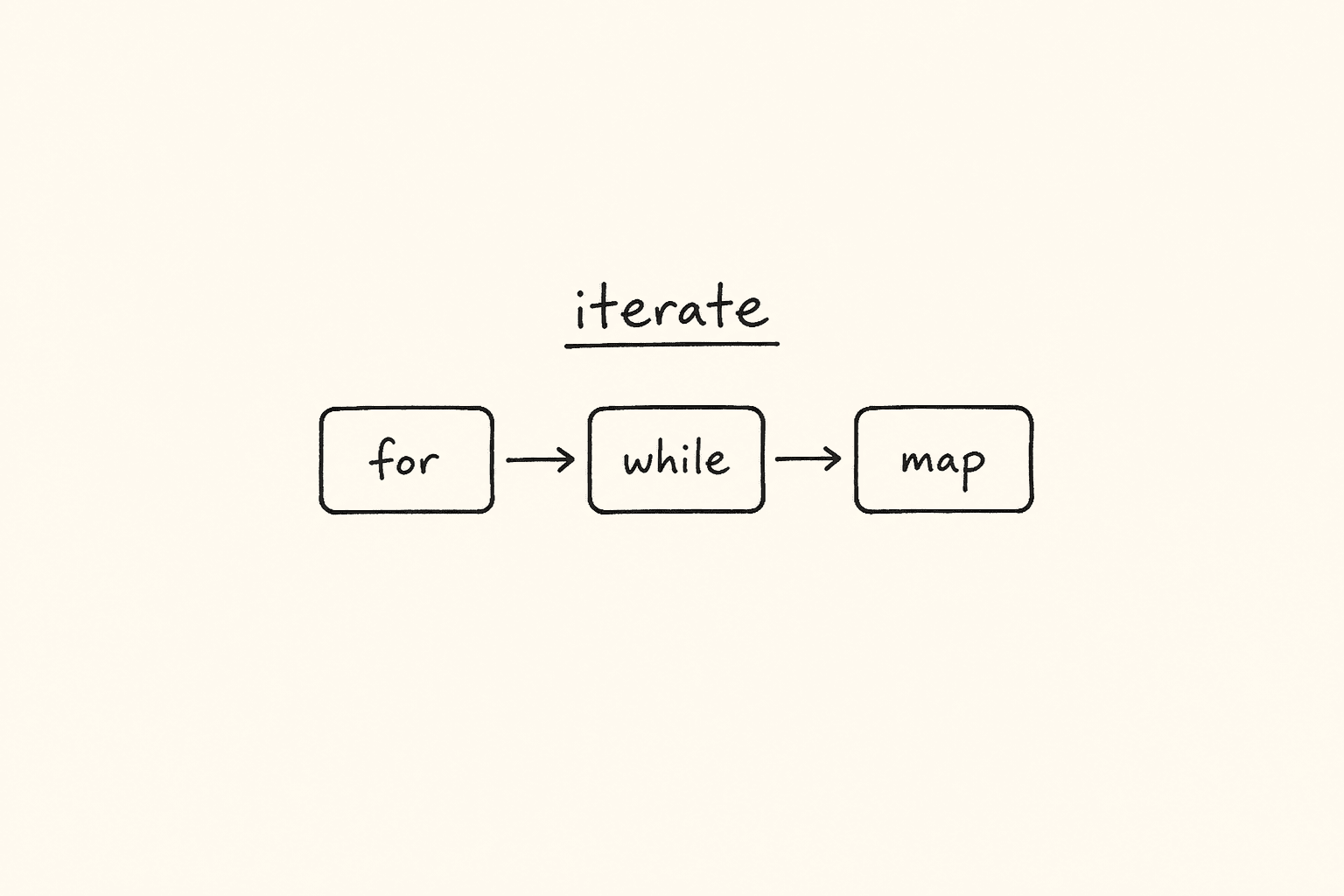
<!– DIAGRAM_PROMPT Compact Excalidraw-style diagram, landscape 16:9, white background, thin black strokes, muted teal / amber / gray fills only. No 3D. No shadows. No stock photos. Small enough to sit above the fold as one blog figure.
Title (hand-lettered, 18px): “for vs while vs map — pick the walk your test needs”
LEFT CARD — title “for (i; cond; i++)”:
- Box: “I know the count”
- Arrow down → teal box “i = 0 .. n-1”
- Arrow down → “rows.nth(i) / users[i]”
Footer of left card (tiny): “Known length. Index matters.”
MIDDLE CARD — title “while (cond)”:
- Diamond: “still failing / still loading?”
- Yes → amber box “retry, then increment”
- No → gray box “stop”
Footer of middle card (tiny): “Unknown count. Poll, retry, wait.”
RIGHT CARD — title “array.map(fn)”:
- Box: “[45, 82, 91]”
- Arrow → teal box “fn(each) → new array”
- Arrow → “[‘Fail’,’Pass’,’Pass’]”
Footer of right card (tiny): “Transform a list. Do not mutate. Assert the result.”
BOTTOM RULE (one line): “Known count → for. Unknown / retry → while. Transform list → map. Do-while = try once, then ask.” –>
This is Day 4 of the 21-day JS to Playwright Framework series. One lesson a day. JavaScript first. TypeScript next. Playwright after that. A production framework by Day 21.
On Day 1 we put values in boxes. On Day 2 we compared them. On Day 3 we decided — if/else and switch. Today we repeat the decision across a list.
A test that cannot walk a list is a one-shot recording. Real suites retry a login, walk every row in a table, map API statuses into pass/fail, and assert that *every* price in a cart is a number. That is loops and arrays. If you skip this day, you will copy-paste expect(row1), expect(row2), expect(row3) until the product adds a fourth row and your suite lies.
I am Pramod Dutta. I teach this the same way I debug a failing pipeline: open the smallest file, print the value, then ask what Playwright would do with a locator list of the same shape.
The labs are not invented. They live in my LearningPlaywrightBatch repo on main:
chapter_07_Loops/—53_Loops.jsthrough62_DO_while_2.jschapter_08_Arrays/—63_Arrays_Creation.jsthrough75_Task.js
Two filenames in chapter 07 are spelled Incremnt on GitHub. I will use those names. I will not invent 54_Increment_operator.js.
Open those files. Run them with node. Then come back here and I will map every loop and every array method to a Playwright list, a table row, or a piece of test data you will write for the rest of this series.
*Want to master this with real projects? Join the Playwright Automation Mastery course at The Testing Academy.*
Contents
What you will be able to do after Day 4
By the end of this post you can:
- Explain
++aversusa++on paper, then usei++as the update slot of aforwithout guessing. - Write
for,while, anddo-whileand pick one on purpose — known count, unknown retry, must-run-once. - Create an array the right way (
[], notnew Array(3)when you meant three scores). - Access, modify, add, and remove items with
at,push,pop,shift,unshift, andsplice. - Search with
indexOf,includes,find, andfindIndex— and treat-1as “not in the list.” - Iterate with
for,for...of,forEach, andentries. Avoidfor...inon arrays unless you can explain why it is the wrong tool. - Transform with
map,filter,reduce, andflat. Sort numbers with a comparator, not the default string sort. - Slice, copy, and destructure without mutating the fixture you meant to reuse.
- Walk a Playwright locator list and a table of rows the same way you walk
tests = ["login", "checkout", "search"].
That is the skill. Not the syntax. The skill is walking every item, transforming it on purpose, and failing loud when the list is empty or the copy was never a copy.
The labs we are actually using
From chapter_07_Loops on main:
53_Loops.js54_Incremnt_operator.js(filename is spelled that way in the repo)55_Incremnt_operator2.js(same spelling)56_For_Loops.js57_For_Loop.js58_For_Loop2.js59_While_Loop.js60_While_2.js61_DO_while.js62_DO_while_2.js
From chapter_08_Arrays on main:
63_Arrays_Creation.js64_Array_Access_Modify.js65_Arrays_Adding_Remove.js66_Array_REAL.js67_Array_Searching.js68_Arrays_Iterating.js69_Arrays_Transforming_Arrays.js70_Array_Sorting.js71_Arrays_Slicing.js72_Arrays_Checking.js73_Arrays_Copying_Shallow_Deep.js74_Arrays_Destructuring.js75_Task.js
Those are the files. Chapter folders also contain a PPTP directory. I am not treating slides as labs. If a notebook mentioned 54_Increment_operator.js or 71_Array_Slice.js, that name is not on main. We stay with what GitHub actually serves.
Why Day 4 matters before you touch Playwright
Most “I will just write a loop in the test” bugs I review are not locator problems. They are JavaScript problems wearing a Playwright jacket.
Someone writes for (let i = 1; i <= rows.length; i++) and the last nth(i) is off-by-one. Someone writes while (true) around page.reload() and the job never dies. Someone copies testData with let copy = testData and then copy.push(...) mutates the fixture for the next test. Someone sorts prices with .sort() and ["₹10", "₹2", "₹21"] becomes lexicographic nonsense. Someone writes if (rows) after locator.all() and an empty list is still truthy — Day 3 lab 37, now wearing an array.
Playwright hands you arrays every five minutes:
locator.all()— a list of locatorsallTextContents()— a list of stringsallInnerTexts()— another list of strings- table rows — a list you must walk
test.describe.configuredata — a list you must map into cases- API JSON — almost always an array of objects
Until you can create, walk, search, transform, and copy that list without lying to yourself, your framework will keep “fixing” flakes that are just i++, shared references, and string sort.
Lab 53 — why we bother with a loop at all
File: chapter_07_Loops/53_Loops.js
console.log(1);
console.log(2);
console.log(3);
console.log(4);
console.log(5);
console.log("...");
console.log(10);
This is the pain. Ten lines to count to ten. The "..." in the middle is me telling the batch: you already know this does not scale.
How I use the same shape in a review. Someone pastes:
await expect(page.getByRole("listitem").nth(0)).toHaveText("Home");
await expect(page.getByRole("listitem").nth(1)).toHaveText("Products");
await expect(page.getByRole("listitem").nth(2)).toHaveText("Cart");
await expect(page.getByRole("listitem").nth(3)).toHaveText("Account");
That is lab 53 in a spec file. The day the nav grows a fifth item, this test is a liar. The fix is not more nth. The fix is a list plus a loop.
const expected = ["Home", "Products", "Cart", "Account"];
const items = page.getByRole("listitem");
await expect(items).toHaveCount(expected.length);
for (let i = 0; i < expected.length; i++) {
  await expect(items.nth(i)).toHaveText(expected[i]);
}
Same idea. One source of truth. We will earn every piece of that snippet today.
Labs 54 and 55 — increment is the engine of every loop
Files: 54_Incremnt_operator.js and 55_Incremnt_operator2.js. Both names are Incremnt on GitHub. Live with it.
Lab 54 is comments on purpose. I want you to read, not run, until the table is in your head.
// ++ -> increase the value 1
// Pre  - ++a  (increment, then use)
// Post - a++  (use, then increment)

// let a = 10;
// let b = ++a;
// console.log(b); // 11
// console.log(a); // 11

// let a = 10;
// let b = a++;
// console.log(b); // 10
// console.log(a); // 11
Pre-increment changes the box, then hands you the new value. Post-increment hands you the old value, then changes the box. Same for --.
Lab 55 is the interview sheet. I write an Expression-Result Table (ERT) on the board. You should too.
let a = 10;
console.log(a++ + a);
// ExpA = a++  → 10, then a becomes 11
// ExpB = a    → 11
// print 21, a is 11
Next block in the same file (commented in the lab — run it yourself in a scratch file, do not pretend I uncommented GitHub):
let a = 10;
console.log(a++ + ++a);
// ExpA = a++ → 10, a becomes 11
// ExpB = ++a → 12, a becomes 12
// print 22, a is 12
let a = 10;
console.log(++a + ++a);
// ExpA = ++a → 11
// ExpB = ++a → 12
// print 23, a is 12The live code at the bottom of 55_Incremnt_operator2.js is decrement:
let a = 10;
let r2 = --a;
console.log(r2);
r2 is 9. Pre-decrement. The commented let r = a-- above it would have printed 10 and left a at 9.
Why Playwright cares. The update slot of a for runs *after* the body. i++ and ++i in that slot print the same sequence. I still write i++ because the batch can read it. Where pre versus post *does* bite you is a retry counter you log:
let attempts = 0;
while (attempts < 3) {
  console.log("Attempt", attempts); // 0, 1, 2  if you increment at the end
  attempts++;
}
If you write console.log("Attempt", ++attempts) you will log 1, 2, 3 and then wonder why Allure says you retried three times but the last index is off. Print the value *before* you increment, or name the log after the increment on purpose. Do not mix.
Interview rule I want in your mouth: ++ on its own line is increment. ++ inside an expression is a bug magnet. Split the line.
Labs 56, 57, 58 — for is Init, Condition, Update
Files: 56_For_Loops.js, 57_For_Loop.js, 58_For_Loop2.js.
I write for(I;C;U) on the board. Init. Condition. Update.
// 56_For_Loops.js
for (let i = 0; i < 5; ++i) {
  console.log(i);
}

for (let i = 0; i < 5; i++) {
  console.log(i);
}
Both print 0 1 2 3 4. The body sees i *before* the update runs. That is why ++i and i++ in the third slot are the same walk. Do not spend interview time claiming they differ inside a vanilla for. They do not.
Lab 57 is the same idea with a student name as the index, because an identifier can be anything legal:
for (let somya = 0; somya < 10; somya++) {
  console.log(somya);
}
// 0 to 9
Ten times. 0 to 9. Not 1 to 10. Arrays and Playwright locators are zero-based. If you write for (let i = 1; i <= count; i++) and then rows.nth(i) you skip the first row and blow past the last. I fail that in review every week.
Lab 58 is the trap file. Most of it is comments. Read every commented block. Then look at what actually runs.
Commented, and I want you to predict before you uncomment:
// for (let pramod = 0; pramod > 1; pramod++) {
//   console.log(pramod);
// }
Init 0. Condition 0 > 1 is false. Body never runs. Zero iterations. This is the loop you write when you flip < to > at 1 a.m.
// for (let pramod = 0; ; pramod++) {
//   console.log(pramod);
// }
Empty condition is true. This is an infinite loop. Node will print until you kill it. In Playwright this is while (true) { await page.reload(); } with no timeout. CI pays for that.
// for (let somya = 0; somya < 18; somya++) {
//   if (somya > 15) {
//     console.log("Gift from papa, iphone this year")
//   } else {
//     console.log("No Gift, iphone only barbie doll")
//   }
// }
A loop can contain Day 3. Age 16 and 17 get the iPhone branch. That is how you gate “only assert the admin column after row 15” — but you still walk the whole table.
The live code in 58_For_Loop2.js is this:
for (let i = 0; i > 10;) {
  console.log("Hello");
}
Condition 0 > 10 is false. Nothing prints. The update slot is empty, which would have been an infinite loop *if* the condition were ever true. I leave this in the repo so you feel a loop that looks busy and does zero work.
Playwright version of a correct for:
const rows = page.locator("table tbody tr");
const count = await rows.count();
for (let i = 0; i < count; i++) {
  const cells = rows.nth(i).locator("td");
  await expect(cells.nth(0)).not.toHaveText("");
}
Init 0. Condition i < count. Update i++. Zero-based. Count is a snapshot — if the table mutates mid-loop you re-query. That is a later day. Today, get the I;C;U right.
Labs 59 and 60 — while is the same three pieces, written as a sentence
Files: 59_While_Loop.js, 60_While_2.js.
I call while the sister of for. Same I, C, U. You write them on three lines instead of one.
// 59_While_Loop.js
let attempts = 0; // Init

while (attempts < 3) {
  console.log("Attempt", attempts);
  attempts++;
}
Prints Attempt 0, Attempt 1, Attempt 2. Then attempts is 3 and the condition dies.
This is the retry skeleton. Playwright already has expect.poll and toPass. You will still write a while in a helper when you are waiting on *your* API, not a locator:
let attempts = 0;
let lastStatus = 0;
while (attempts < 3) {
  const response = await request.get("/health");
  lastStatus = response.status();
  if (lastStatus === 200) break;
  attempts++;
}
if (lastStatus !== 200) {
  throw new Error(`Health never came up. last=${lastStatus} attempts=${attempts}`);
}
Init. Condition. Update. Fail loud. Day 3’s default throw, now in a loop.
Lab 60 is the same walk with a joke counter:
let modi = 1;
while (modi <= 15) {
  console.log("Modi will do 15+ years");
  modi++;
}
1 to 15. Fifteen times. Notice <= versus <. Lab 57 used < 10 and printed ten values 0..9. Lab 60 uses <= 15 starting at 1 and prints fifteen values. Write the range on the line as a comment (// 1 to 15) before you write the condition. Off-by-one is the most common loop bug in this batch.
When do I pick while over for in a test?
- I know the count →
for - I know the max attempts but not how many will succeed →
while - I am polling something the UI has not counted yet →
while(or Playwright’sexpect.poll)
Do not use while to walk an array you already have. That is showing off. Use for or for...of.
Labs 61 and 62 — do-while runs the body once, then asks
Files: 61_DO_while.js, 62_DO_while_2.js.
This is the one loop juniors skip and seniors reach for when a retry *must* fire once.
Lab 61 first shows the difference with a = 10 and condition a < 10:
// while (a < 10) { ... }  // body never runs

do {
  console.log(a);
  a++;
} while (a < 10);
while would print nothing. do-while prints 10, increments to 11, then checks 11 < 10 and stops. The body ran once even though the condition was already false.
The commented retry at the top of the same file is the product version:
// let retry = 0;
// do {
//   console.log("Execute a code!");
//   console.log("Retrying.....", retry);
//   retry++;
// } while (retry < 3);
That prints three times (0, 1, 2). Same count as lab 59. The difference is philosophical: do-while means “try, then ask if we go again.” while means “ask, then maybe try.”
Lab 62 is the counting form plus a comment I left for the batch:
let number = 0;
//. elements or student in apis
do {
  console.log(number);
  // Code that we need to execute
  number++;
} while (number < 10);
0 to 9. The comment is the point: this is how you walk elements, students, or API records when the first fetch is mandatory.
Playwright mapping I use in class:
let attempt = 0;
let loggedIn = false;
do {
  await page.getByLabel("Username").fill(user);
  await page.getByLabel("Password").fill(pass);
  await page.getByRole("button", { name: "Login" }).click();
  loggedIn = await page.getByRole("heading", { name: "Dashboard" }).isVisible();
  attempt++;
} while (!loggedIn && attempt < 3);

if (!loggedIn) {
  throw new Error(`Login did not land after ${attempt} attempts`);
}
We always try once. We stop at three. We throw. We do not hide a failed login behind a silent while that never entered.
I do not use do-while to walk a table. I use it for “must execute, then maybe repeat.” If you catch yourself writing do { rows[i] ... i++ } while (i < n), you wanted for.
Pick the loop on purpose — for vs while vs do-while
Hold this in your head before we touch arrays. The diagram at the top of this post adds map. map is not a loop keyword. It is an array method that *walks for you* and returns a new list. We will get there in lab 69. The three keywords first:
| You know | You want | Use |
|---|---|---|
The length (count, users.length) | To visit each index | for (let i = 0; i < n; i++) |
| The values, not the index | To visit each item | for (const item of list) — lab 68 |
| A max budget, unknown success | To retry / poll | while (attempts < max) |
| The first try is mandatory | To try, then ask | do { ... } while (cond) |
| A list in, a list out | To transform | list.map(fn) — lab 69 |
Wrong picks I still see:
whileoverusers.lengthwith a manuali++you forget — infinite or one-shortdo-whileto walkallTextContents()— theatreforwithi <= locator.count()andnth(i)— off-by-one past the last row- No update at all (lab 58 empty
U) — hang the worker
Lab 63 — create the list the way a tester means it
File: chapter_08_Arrays/63_Arrays_Creation.js
An array is an ordered box of boxes. Index starts at 0. length is a property, not a function. The lab says it out loud:
let fruits = []; // Empty []
let fruits_fresh = ["apple", "banana", "cheery"];
// 3, index - 0,1,2

let arr = [10, 20, 30, 40]; // 0-3: 4
console.log(arr.length);
// console.log(arr.length()); length is property , () -> functionc
console.log(arr[0]);
console.log(arr[3]);
console.log(arr[4]); // undefined
arr[4] is undefined. There is no throw. That is why expect(texts[4]).toBe("Tax") becomes expect(undefined).toBe("Tax") when the cart UI hid a column. Out of range is silent. Check length first, or use Playwright toHaveCount.
The rest of the lab is how you *create*:
let testResults = ["pass", "fail", "pass", "skip"];
let mixed = [1, "hello", true, null]; // JS arrays can hold any type.

// Array literal (preferred)
let browsers = ["Chrome", "Firefox", "Safari"];

// Array constructor
let scores = new Array(3); // creates [empty x 3]
let scores2 = new Array(1, 2, 3); // creates [1, 2, 3]

let test = Array.of(10, 20, 30, 40, 50); // 0-4: 5
let chars = Array.from("hello"); // ["h", "e", "l", "l", "o"]
Three landmines I make the batch repeat:
new Array(3)is three holes, not[3].new Array(1, 2, 3)is three numbers. The constructor changes meaning based on argument count. I never use it in a spec. I write[]or[...].Array.of(3)is[3]. That is the safe constructor when you truly need one.Array.from("hello")splits a string. Useful for OTP digits. Dangerous if youArray.from(200)— a number is not iterable the way you think. PreferArray.from(await locator.all())orArray.from({ length: n }, (_, i) => i).
Playwright already gives you arrays. You rarely construct holes:
const texts = await page.locator("[data-testid='price']").allTextContents();
// texts is a real array of strings — literal-shaped, not new Array(n)
If you need an empty collector, write const failures = []; then push. That is lab 63 plus lab 65.
Lab 64 — access, at(-1), and modify in place
File: chapter_08_Arrays/64_Array_Access_Modify.js
let statuses = ["pass", "fail", "skip"];
console.log(statuses[0]);
console.log(statuses[2]);

console.log(statuses.at(-1)); // last element
console.log(statuses.at(-2));
console.log(statuses.at(-3));
console.log(statuses.at(-4));

statuses[1] = "blocked";
console.log(statuses);

console.log(statuses.length);
statuses[0] is "pass". statuses[2] is "skip". at(-1) is the last item — "skip" — without writing statuses[statuses.length - 1]. at(-4) is undefined, same silence as statuses[4].
Then we mutate index 1 from "fail" to "blocked". The array is the same object. length stays 3.
Playwright mapping. Last row in a table, last breadcrumb, last console message:
const rows = await page.locator("table tbody tr").allTextContents();
const last = rows.at(-1);
expect(last).toContain("Total");
And the modify warning: do not write texts[1] = "blocked" on the array Playwright just gave you if a later assertion still thinks index 1 is the original fail. Mutate a copy. Labs 73 and 75 exist because people skip this sentence.
Lab 65 — add and remove from the ends, then splice the middle
File: chapter_08_Arrays/65_Arrays_Adding_Remove.js
let arr = [1, 2, 3];
arr.push(4);       // [1, 2, 3, 4]
arr.pop();         // [1, 2, 3]
arr.push(5, 6);    // [1, 2, 3, 5, 6]
arr.unshift(0);    // [0, 1, 2, 3, 5, 6]
arr.shift();       // [1, 2, 3, 5, 6]
arr.splice(2, 1);  // removes 1 item at index 2 → [1, 2, 5, 6]
arr.splice(2, 0, 99);          // insert 99 at 2 → [1, 2, 99, 5, 6]
arr.splice(1, 2, 10, 20);      // remove 2, add 10,20 → [1, 10, 20, 5, 6]
Memorise the verbs the way you memorise HTTP:
push/pop— end of the list (stack)unshift/shift— front of the list (queue)splice(start, deleteCount, ...items)— surgical middle. Mutates.
push can take many arguments. pop and shift return the removed value. I use that return in lab 66.
Playwright / fixture mapping:
const queue = ["login", "search", "checkout"];
const next = queue.shift(); // "login"
// run next, then
queue.push("logout");
For test data I prefer not to splice the shared fixture. Build a local array:
const users = ["admin", "editor", "viewer"];
const withoutAdmin = users.filter((u) => u !== "admin"); // lab 69 — new array
splice is correct when *you own* the array — a local collector of failures, a retry queue you drain. It is wrong when the array is imported JSON that the next test also reads.
Lab 66 — a real browser list, a leftover require, and a loop that talks
File: chapter_08_Arrays/66_Array_REAL.js
This is the first array file that looks like the job.
const { SourceTextModule } = require("node:vm");

let browser = ['chrome', 'firefox', 'safari', 'opera', 'edge'];
console.log(browser.length);
console.log(browser);

browser.pop();
console.log(browser);

console.log("------------ TTA --------");

let removed = browser.shift();
console.log(browser);
console.log(removed);

console.log("------------ TTA --------");

for (let i = 0; i < browser.length; i++) {
  console.log(browser[i]);
  if (browser[i] === "opera") {
    console.log("Opera is removed from the selenium!");
  }
}
Honest notes, because I said I will not invent files and I will not invent cleanliness:
const { SourceTextModule } = require("node:vm");is in the file. It is unused. It is leftover. Ignore it. Do not build a story aboutvmmodules. The lesson is the array.- Start: five browsers,
lengthis5. pop()removes"edge"from the end. Now four.shift()removes"chrome"from the front and stores it inremoved. Now['firefox', 'safari', 'opera'].removedis"chrome".- The
forwalks what is left. When the value is"opera"we log a comment about Selenium. We do notspliceopera out. The message is the lesson, not a delete.
Day 3 grouped chrome / edge as one Chromium family. Today the list is data. Tomorrow a Playwright projects array will look like this:
const browsers = ["chromium", "firefox", "webkit"];
for (const name of browsers) {
  // each name becomes a project — Day 10
}
For now, practice pop / shift / for on a list of engine names until you can say what is left without running Node.
Lab 67 — search returns an index, a boolean, or the element
File: chapter_08_Arrays/67_Array_Searching.js
The file is comments plus expressions. Run them with console.log in a scratch file. I will not pretend the repo prints them.
let results = ["pass", "fail", "pass", "error", "fail"];

results.indexOf("fail");   // 1  — first match
results.indexOf("skip");   // -1 — not found
results.lastIndexOf("fail"); // 4
results.includes("error"); // true
results.includes("skip");  // false

let nums = [10, 25, 30, 45];
nums.find(x => x > 20);           // 25 — first element that matches
nums.findIndex(n => n > 20);      // 1
nums.findLast(n => n > 20);       // 45
nums.findLastIndex(n => n > 20);  // 3
Rules I want in review:
indexOf/lastIndexOfuse===. They will not find"200"in[200]. Day 2 is still not optional.-1means missing.if (results.indexOf("skip"))is a bug —-1is truthy. Writeif (results.indexOf("skip") === -1)or, better,if (!results.includes("skip")).includesis the boolean you actually wanted 90% of the time.findreturns the element (orundefined).findIndexreturns the index (or-1). Do notexpect(find(...)).toBe(1).findLast/findLastIndexare the right tools for “last failing screenshot” / “last 5xx in the network log.”
Playwright mapping:
const statuses = await page.locator("[data-status]").allTextContents();
expect(statuses.includes("Failed")).toBe(false);

const firstFail = statuses.find((s) => s === "Failed");
expect(firstFail).toBeUndefined();

const prices = [199, 49, 0, 1200];
const free = prices.find((p) => p === 0);
expect(free).toBe(0); // 0 is valid. Do not if (free) — Day 3 falsy list.
Search the array Playwright gave you. Do not write a for that sets a flag if includes will do.
Lab 68 — four ways to walk, and one I do not want on arrays
File: chapter_08_Arrays/68_Arrays_Iterating.js
let tests = ["login", "checkout", "search"];

for (let i = 0; i < tests.length; i++) {
  console.log(tests[i]);
}

for (let test of tests) {
  console.log(test); // value
}

tests.forEach((test, index) => {
  console.log(`${index}: ${test}`);
});

for (let [i, test] of tests.entries()) {
  console.log(i, test);
}

let students = ["methis", "senthil", "ajay", "rahul"];
for (let student in students) {
  console.log(student, " -> ", students[student]); // index = in
}
Read that last comment again. for...in on an array gives you the index as a string, not the value. I left it in the lab so you see it. I do not want it in a spec. for...in is for enumerable keys on a plain object. It also walks inherited keys if someone polluted Array.prototype. Use for...of for values, entries() when you need both, classic for when you need nth(i) or a break with an index.
How I pick in Playwright:
const labels = ["login", "checkout", "search"];

// values only
for (const name of labels) {
  await page.getByRole("link", { name }).click();
}

// index + value — assert nth and text together
for (const [i, name] of labels.entries()) {
  await expect(page.getByRole("listitem").nth(i)).toHaveText(name);
}

// forEach — fine for sync logs. Awkward with await.
// I do not put await inside forEach in this batch. Use for...of.
forEach does not await the way you think. A forEach(async () => { await ... }) fires the promises and walks on. In a Playwright spec, for...of with await inside is the default. Classic for when you talk to nth(i).
Lab 69 — map, filter, reduce, flat: the assertion toolbox
File: chapter_08_Arrays/69_Arrays_Transforming_Arrays.js
This is the lab I would tattoo on an SDET’s laptop lid.
let scores = [45, 82, 91, 60, 73];

let grades = scores.map(s => s > 70 ? "Pass" : "Fail");
console.log(grades);
// ["Fail", "Pass", "Pass", "Fail", "Pass"]

let passing = scores.filter(s => s >= 70);
console.log(passing);
// [82, 91, 73]

let total = scores.reduce((sum, s) => sum + s, 0); // 351
console.log(total);

let nested = [[1, 2], [3, 4], [5]];
console.log(nested.flat());
// [1, 2, 3, 4, 5]
map — same length, new values. filter — maybe shorter, same values that passed. reduce — one value. flat — unwrap one level of nesting (pass a depth if you need more).
Day 3’s grade ladder was one score. Today the ladder runs on a list. That is the jump.
Playwright mappings I actually write:
const raw = await page.locator(".price").allTextContents();
// ["₹ 1,199", "₹ 499", "₹ 0"]

const paise = raw.map((t) => Number(t.replace(/[₹,\s]/g, "")));
expect(paise.every((n) => Number.isFinite(n))).toBe(true); // lab 72

const paid = paise.filter((n) => n > 0);
expect(paid.length).toBe(2);

const sum = paise.reduce((acc, n) => acc + n, 0);
await expect(page.getByTestId("cart-total")).toHaveText(String(sum));
Network log as nested arrays? flat:
const batches = [[200, 200], [304], [200, 500]];
const codes = batches.flat();
expect(codes.filter((c) => c >= 500)).toEqual([500]);
map is the right card in the diagram when the job is transform, then assert. A for that pushes into const out = [] is a handwritten map. I accept it from juniors. I ask seniors why they did not use map.
Do not map when you only need a side effect (click, expect). That is for...of. map that you ignore the return of is a lie.
Lab 70 — sort will betray numbers unless you bring a comparator
File: chapter_08_Arrays/70_Array_Sorting.js
let fruits = ["banana", "apple", "cherry"];
fruits.sort();
// ["apple", "banana", "cherry"]  — alphabetical, fine

let nums = [10, 1, 21, 2];
nums.sort(); // [1, 10, 2, 21]  ← WRONG (compares as strings!)
nums.sort((a, b) => a - b); // ascending  [1, 2, 10, 21]
nums.sort((a, b) => b - a); // descending [21, 10, 2, 1]
The comment in the lab is the lesson. Default sort stringifies. "10" sits before "2" because "1" < "2". I have failed production dashboards for this. A “sort by price” test that does expect(prices).toEqual([...prices].sort()) is green and wrong.
sort mutates. The lab reuses nums. After the first sort() you no longer have [10, 1, 21, 2]. Copy first (lab 73), then sort the copy:
const prices = [199, 49, 1200, 0];
const asc = [...prices].sort((a, b) => a - b);
expect(asc).toEqual([0, 49, 199, 1200]);
expect(prices).toEqual([199, 49, 1200, 0]); // fixture untouched
Strings of names — default sort is acceptable if you agree on locale. UI that uses localeCompare is a later fight. Today: never default-sort numbers.
Lab 71 — slice does not mutate; concat and spread build; join reports
File: chapter_08_Arrays/71_Arrays_Slicing.js
The top of the file is comments I want you to uncomment at home:
let arr = [1, 2, 3, 4, 5];
// slice(start, end) — new array, does NOT mutate
// end is exclusive (start, end-1)
// arr.slice(1, 3) → [2, 3]
// arr.slice(2)    → [3, 4, 5]
// arr.slice(-2)   → [4, 5]
slice is how you page. First three rows, last two prices, “everything except the header.” It is also how you copy (slice() with no args) — lab 73 uses that.
The live code:
let a = [1, 2];
let b = [3, 4];
let c = a.concat(b);
console.log(c); // [1, 2, 3, 4]

let d = [...a, ...b];
console.log(d); // [1, 2, 3, 4]

let s = ["pass", "fail", "skip"].join(" | ");
console.log(s); // "pass | fail | skip"
concat and spread both build a new array. a and b stay. join builds a string. I use join in failure messages:
const unexpected = ["Failed", "Timed Out"];
throw new Error(`Unclean statuses: ${unexpected.join(" | ")}`);
Playwright pagination:
const all = await page.locator("tbody tr").allTextContents();
const page1 = all.slice(0, 10);
const page2 = all.slice(10, 20);
expect(page1).toHaveLength(10);
Do not splice when you meant slice. One mutates. One does not. The vowels are close. The bugs are not.
Lab 72 — is it an array, did every item pass, did any item fail?
File: chapter_08_Arrays/72_Arrays_Checking.js
let result = Array.isArray([1, 2, 3]); // true
let result1 = Array.isArray("a");      // false

[80, 90, 85].every(s => s >= 70); // true
[80, 60, 85].every(s => s >= 70); // false

[80, 60, 85].some(s => s < 70); // true  — at least one
[80, 90, 85].some(s => s < 70); // false
typeof [] is "object". That is why Array.isArray exists. If a helper sometimes returns a single status and sometimes a list, check before you .map.
every is the assertion “all rows are priced.” some is the assertion “at least one error exists” (and then you fail the test).
const statuses = await page.locator("[data-result]").allTextContents();
expect(statuses.every((s) => s === "Pass")).toBe(true);

const texts = await page.locator(".alert").allTextContents();
expect(texts.some((t) => t.includes("critical"))).toBe(false);
Empty array trivia, because Day 3 still haunts us:
[].every(() => false)istrue— vacuously. Every item (there are none) passed.[].some(() => true)isfalse— no item passed.
So expect((await rows.all()).every(...)).toBe(true) on an empty table is a green lie. Pair every with toHaveCount greater than zero, or with expect(rows).not.toHaveCount(0).
Labs 73 and 75 — copy versus the same box with two names
Files: 73_Arrays_Copying_Shallow_Deep.js and 75_Task.js. I teach them as a pair. 74 sits between them as the destructure lab.
// 73_Arrays_Copying_Shallow_Deep.js
let original = [1, 2, 3];

let copy1 = [...original];      // spread
let copy2 = original.slice();
let copy3 = Array.from(original);
let copy4 = original.concat();

copy1.push(99);
console.log(original); // [1, 2, 3]
console.log(copy1);    // [1, 2, 3, 99]
Those four lines are shallow copies. For numbers and strings they behave like real copies. copy1.push(99) leaves original alone. That is what you want for fixtures.
Then the file does this:
// Deep copy (JSON)
let c = original; // Deep copy
original.push(99);
console.log(original);
console.log(copy1);
I will not polish that comment. let c = original is not a deep copy. It is not even a shallow copy. It is a second name for the same array. The comment in the lab is the bug. 75_Task.js is the exam:
let arr = [1, 2, 3];
let copy = arr;
copy.push(4);
console.log(arr.length); // 4
console.log(copy);       // [1, 2, 3, 4]
arr.length is 4 because copy and arr are one object. If this is your Playwright fixture:
const baseUsers = ["admin", "viewer"];
test("adds guest", async () => {
  const users = baseUsers; // BUG — same box
  users.push("guest");
});
test("default list", async () => {
  expect(baseUsers).toEqual(["admin", "viewer"]); // fails — guest leaked
});
Fix:
const users = [...baseUsers]; // or baseUsers.slice()
users.push("guest");
Shallow versus deep, said simply:
- Shallow copy (
[...],slice,Array.from,concat) — new outer array. Inner objects are still shared. - Deep copy — new outer array *and* new inner objects.
structuredClone(original)is the modern Node way.JSON.parse(JSON.stringify(original))is the old classroom way and dropsundefined, functions, andDatethe way you do not want. - Assignment (
let c = original) — no copy.
When the array is ["pass", "fail"] (primitives), shallow is enough. When the array is [{ user: "admin", roles: ["x"] }], users[0].roles.push("y") mutates the fixture even after [...users]. That is Day 6 object territory. Today you must at least refuse let copy = arr.
Lab 74 — destructure the first items, rest the tail
File: chapter_08_Arrays/74_Arrays_Destructuring.js
// let [first, second, third] = [10, 20, 30];

let [first, second, ...third] = [10, 20, 30, 40, 50];
console.log(first);  // 10
console.log(second); // 20
console.log(third);  // [30, 40, 50]
Left side is a pattern. Right side is the array. ...third is the rest. It is always an array, even if nothing remains ([]).
Playwright / test-data mapping:
const [primary, ...others] = ["admin@tta.com", "editor@tta.com", "viewer@tta.com"];
await login(primary);
for (const user of others) {
  await expectNoAdminNav(user);
}

const row = await page.locator("tbody tr").first().locator("td").allTextContents();
const [name, role, status] = row;
expect(status).toBe("Active");
Skip slots with a hole: const [, password] = ["skip-me", "Secret#1"]. I use that when a CSV row is [id, email, password] and the test does not care about id.
Destructuring is not a copy of the source. It binds values (primitives) or references (objects). Same shallow rule as lab 73.
Playwright lists, rows, and test data — the same labs, one spec
Here is Day 4 in one flow. None of these filenames exist in the batch. I am not claiming they do. This is how I use *today’s* labs when I sit on a spec.
1. Test data is an array you own.
const cases = [
  ["valid", "admin@tta.com", "Secret#1", 200],
  ["bad-pass", "admin@tta.com", "wrong", 401],
  ["missing", "", "Secret#1", 400],
];

for (const [name, email, password, status] of cases) {
  test(`login ${name}`, async ({ request }) => {
    const res = await request.post("/login", { data: { email, password } });
    expect(res.status()).toBe(status);
  });
}
That is lab 68 for...of plus lab 74 destructure plus Day 3’s status number. test.each(cases) is the Playwright-flavoured version. Same array.
2. A locator list is an array you walk with an index.
const items = page.getByRole("listitem");
const expected = ["Home", "Products", "Cart"];
await expect(items).toHaveCount(expected.length);
for (let i = 0; i < expected.length; i++) {
  await expect(items.nth(i)).toHaveText(expected[i]);
}
Lab 53 pain, lab 56 I;C;U, lab 63 length.
3. Table rows are allTextContents() plus map / every.
const rows = await page.locator("table tbody tr").allTextContents();
expect(rows.length).toBeGreaterThan(0); // empty is not "all passed"
const cells = rows.map((r) => r.trim());
expect(cells.every((r) => r.length > 0)).toBe(true);
Labs 69 and 72. Day 3’s if (rows) is still wrong.
4. Retry is while or do-while, not a second copy of the test.
let attempts = 0;
do {
  await page.reload();
  attempts++;
} while (!(await page.getByTestId("ready").isVisible()) && attempts < 5);
Labs 59–62. Prefer await expect(page.getByTestId("ready")).toBeVisible() when Playwright’s waiter is enough. Write the loop when the condition is *your* API, not a locator.
5. Sort and slice a copy, never the fixture.
const raw = [199, 49, 1200];
const top2 = [...raw].sort((a, b) => b - a).slice(0, 2);
expect(top2).toEqual([1200, 199]);
Labs 70, 71, 73.
If you can write those five blocks without looking, Day 4 landed.
Common mistakes I still see in SDET interviews
I have run these two chapters with thousands of students at The Testing Academy. The same ten failures show up.
- Off-by-one.
i <= lengthplusnth(i). Ori = 1on a zero-based locator. Labs 57 and 60 — write the range in a comment first. ++inside a larger expression. Lab 55. Split the line.- Infinite
for/while. Empty condition (lab 58) or forgottenattempts++. do-whileversuswhileswapped. “Must try once” isdo. “Ask first” iswhile. Lab 61 witha = 10.new Array(3)holes. Lab 63. Use[]or[1, 2, 3].indexOfas a boolean.-1is truthy. Useincludesor=== -1. Lab 67.for...inon arrays. Lab 68. You printed indexes. You wantedfor...of.awaitinsideforEach. Promises float away. Usefor...of.- Default
sorton numbers. Lab 70.[1, 10, 2, 21]. let copy = arr. Labs 73 and 75. Next test inheritspush.
If you can explain those ten with a Playwright example, you will clear the JavaScript round at most product companies hiring SDETs in India in 2026.
Day 4 homework — do this before you close the laptop
Do not just read. The batch files are runnable.
- Clone or pull LearningPlaywrightBatch.
- Run every file in chapter 07 and 08:
   node chapter_07_Loops/53_Loops.js
   node chapter_07_Loops/54_Incremnt_operator.js
   node chapter_07_Loops/55_Incremnt_operator2.js
   node chapter_07_Loops/56_For_Loops.js
   node chapter_07_Loops/57_For_Loop.js
   node chapter_07_Loops/58_For_Loop2.js
   node chapter_07_Loops/59_While_Loop.js
   node chapter_07_Loops/60_While_2.js
   node chapter_07_Loops/61_DO_while.js
   node chapter_07_Loops/62_DO_while_2.js
   node chapter_08_Arrays/63_Arrays_Creation.js
   node chapter_08_Arrays/64_Array_Access_Modify.js
   node chapter_08_Arrays/65_Arrays_Adding_Remove.js
   node chapter_08_Arrays/66_Array_REAL.js
   node chapter_08_Arrays/67_Array_Searching.js
   node chapter_08_Arrays/68_Arrays_Iterating.js
   node chapter_08_Arrays/69_Arrays_Transforming_Arrays.js
   node chapter_08_Arrays/70_Array_Sorting.js
   node chapter_08_Arrays/71_Arrays_Slicing.js
   node chapter_08_Arrays/72_Arrays_Checking.js
   node chapter_08_Arrays/73_Arrays_Copying_Shallow_Deep.js
   node chapter_08_Arrays/74_Arrays_Destructuring.js
node chapter_08_Arrays/75_Task.js- In
55_Incremnt_operator2.js, predictr2before you look at the console. Then uncommenta++ + ++ain a *local* scratch file — do not commit a change to my repo — and write the ERT. - Flip the condition in
58_For_Loop2.jslocally fromi > 10toi < 10and *do not* add an update. Feel the infinite loop. Kill it. Then addi++. - In
61_DO_while.js, seta = 10and run both the commentedwhileand the livedo. Write one sentence: which one printed. - Predict
75_Task.jswithout running it.arr.lengthis what? Then run it. If you said3, start lab 73 again. - Write a new file on your machine — not in my repo — called
nav-assert.js. Array of four labels.forwith index. Printiand the label. Then rewrite it withfor...ofand withentries(). - Write
prices.jswith[199, 49, 1200, 0].mapto tax-included.filterfree items.reducea total.sortascending *on a copy*. Prove the original is unchanged. - Explain out loud, in one minute: when do you use
for, whenwhile, whenmap?
If you cannot do step 9 without looking, do not go to Day 5 yet.
Key takeaways
- Lab 53 is the pain: a
console.logper item does not scale. Lists do. ++aversusa++matters inside an expression. In aforupdate slot they walk the same. Split the line anyway. Labs 54–56. Filenames sayIncremnt.for(I;C;U)is the default when you know the count. Zero-based.i < length, neveri <= lengthwithnth(i).whileis the same three pieces for retries and polls.do-whileruns once even if the condition is already false. Lab 61.- Create arrays with
[].new Array(3)is holes.lengthis a property. Out-of-range index isundefined, not a throw. Lab 63. at(-1)is the last item.push/popthe end,unshift/shiftthe front,splicemutates the middle. Labs 64–66.- Search with
includes/find.-1fromindexOfis not “false.” Lab 67. - Walk values with
for...of. Walk index plus value withentries(). Do notfor...inan array. Do notawaitinsideforEach. Lab 68. maptransforms,filterkeeps,reducefolds,flatunwraps. Defaultsortstringifies numbers — pass(a, b) => a - b. Labs 69–70.slicecopies a window.concat/ spread build.joinis for messages. Lab 71.every/someneed a non-empty list or they lie.Array.isArraybecausetypeof []is"object". Lab 72.[...arr]copies the outer array.let copy = arrdoes not. Lab 73’s “Deep copy” comment onlet c = originalis the bug. Lab 75 is the exam.arr.lengthbecomes4.- Destructure
[first, second, ...rest]for roles, CSV rows, and “primary versus others.” Lab 74.
FAQ
When should I use for vs while vs map in Playwright tests?
Use for (or for...of) when you already have a list — allTextContents(), a users fixture, nth(i) over a known count. Use while or do-while when you do not know how many tries you need — health poll, flaky login, “reload until ready” — and cap the attempts. Use map when a list goes in and a *new* list (or a mapped assertion) comes out — prices to numbers, scores to Pass/Fail. If you map only to click, you wanted for...of.
Why do a++ and ++a print different values?
Post-increment (a++) returns the old value, then adds one. Pre-increment (++a) adds one, then returns the new value. Lab 54 is the picture. Lab 55 is a++ + ++a. In the *update* slot of for (let i = 0; i < n; i++) they produce the same walk because the increment happens after the body. Do not rely on that in a larger expression. Split the line.
Why does Array.sort mess up my prices?
Default sort compares items as strings. [10, 1, 21, 2] becomes [1, 10, 2, 21]. Lab 70. Pass a comparator: (a, b) => a - b for ascending. sort mutates — copy first with [...prices] or .slice().
How do I loop over Playwright locators or table rows?
Snapshot the count or the texts, then walk. const items = page.getByRole("listitem"); const n = await items.count(); for (let i = 0; i < n; i++) { await expect(items.nth(i)).toBeVisible(); }. Or const rows = await page.locator("tbody tr").allTextContents(); for (const row of rows) { ... }. Pair with toHaveCount. Do not if (rows) — empty arrays are truthy (Day 3).
Why did changing a “copied” array change the original?
let copy = arr assigns a reference. Both names are one array. Lab 75 prints arr.length as 4 after copy.push(4). Real copies: [...arr], arr.slice(), Array.from(arr), arr.concat(). Those are shallow. Nested objects are still shared. structuredClone when you need deep.
Should I use for…in or for…of on test data arrays?
for...of for values. for...in gives you keys — on an array that means "0", "1" as strings — and can pick up inherited junk. Lab 68 says index = in. I treat for...in on arrays as a defect in this series.
How do I assert every row in a table?
allTextContents(), then .every(...), and also assert the list is not empty — [].every(...) is true. Or expect(locator).toHaveCount(n) plus a for over nth(i). Lab 72 plus lab 56.
What is array destructuring useful for in tests?
Unpack a row or a tuple without row[0], row[1]. [name, role, status] = cells. [primary, ...others] = users. Lab 74. Rest is always an array.
What is Day 5 of this series?
Functions, closures, and strings — chapter_09_Functions and chapter_10_Strings in the same LearningPlaywrightBatch repo. You will wrap today’s loops in a helper, close over a baseURL, and stop concatenating locators with +.
<script type=”application/ld+json”> { “@context”: “https://schema.org”, “@type”: “FAQPage”, “mainEntity”: [ { “@type”: “Question”, “name”: “When should I use for vs while vs map in Playwright tests?”, “acceptedAnswer”: { “@type”: “Answer”, “text”: “Use for or for…of when you already have a list such as allTextContents(), a users fixture, or nth(i) over a known count. Use while or do-while when you do not know how many tries you need, such as a health poll or flaky login, and always cap attempts. Use map when a list goes in and a new list comes out, for example prices to numbers or scores to Pass/Fail. Do not map only to click; that is for…of.” } }, { “@type”: “Question”, “name”: “Why do a++ and ++a print different values in JavaScript?”, “acceptedAnswer”: { “@type”: “Answer”, “text”: “Post-increment (a++) returns the old value then adds one. Pre-increment (++a) adds one then returns the new value. In the update slot of a for loop they walk the same sequence because the increment runs after the body. Avoid ++ inside a larger expression; split the line.” } }, { “@type”: “Question”, “name”: “Why does Array.sort mess up numbers and prices?”, “acceptedAnswer”: { “@type”: “Answer”, “text”: “Default sort stringifies items, so [10, 1, 21, 2] becomes [1, 10, 2, 21]. Pass a comparator (a, b) => a – b for ascending. sort mutates the array; copy first with spread or slice.” } }, { “@type”: “Question”, “name”: “How do I loop over Playwright locators or table rows?”, “acceptedAnswer”: { “@type”: “Answer”, “text”: “Snapshot the count or the texts, then walk. Use for (let i = 0; i < n; i++) with locator.nth(i) when the index matters. Use for…of over allTextContents() when you only need the strings. Pair the loop with toHaveCount. Do not treat an empty array as falsy.” } }, { “@type”: “Question”, “name”: “Why did changing a copied JavaScript array change the original?”, “acceptedAnswer”: { “@type”: “Answer”, “text”: “let copy = arr assigns a reference, not a copy. Both names point at one array, so copy.push changes arr.length. Shallow copies are […arr], arr.slice(), Array.from(arr), or arr.concat(). Nested objects stay shared; use structuredClone when you need a deep copy.” } }, { “@type”: “Question”, “name”: “Should I use for…in or for…of on test data arrays?”, “acceptedAnswer”: { “@type”: “Answer”, “text”: “Use for…of for values. for…in walks keys, so on an array you get string indexes and possibly inherited properties. In this series, for…in on an array is a defect.” } }, { “@type”: “Question”, “name”: “How do I assert every row in a Playwright table?”, “acceptedAnswer”: { “@type”: “Answer”, “text”: “Read allTextContents(), assert the list is not empty, then use every() or a for loop over nth(i). [].every() is vacuously true, so pair it with toHaveCount greater than zero.” } }, { “@type”: “Question”, “name”: “What is next after Day 4 of the JS to Playwright Framework series?”, “acceptedAnswer”: { “@type”: “Answer”, “text”: “Day 5 covers functions, closures, and strings from LearningPlaywrightBatch chapters 09 and 10: wrapping loops in helpers, closing over baseURL, and string methods for locators and assertions.” } } ] } </script>
Tomorrow — Day 5: functions, closures, and strings
A loop without a function is a paragraph you will paste twice. Tomorrow we wrap the walk.
Day 5 of this series takes chapter_09_Functions (functions, closures, higher-order functions) and chapter_10_Strings from the same LearningPlaywrightBatch repo. You will turn today’s for into a helper, close over a baseURL, and stop building locators with +. That is how a list of rows becomes a reusable assertion.
Series hub (bookmark this): JavaScript → TypeScript → Playwright Advanced Framework — 21-Day Guide.
Master Playwright end to end
If you want these labs as a live classroom — with locator lists, Restful Booker arrays, VWO table rows, and the framework we assemble on Day 21 — join Playwright Automation Mastery at The Testing Academy. Lifetime access. Real projects. A job-ready suite, not a folder of console.log.
*This is Day 4 of 21. Draft only. Not published.*