Day 2: JavaScript Identifiers, Literals, and Operators for Test Automation
This is Day 2 of the JavaScript → TypeScript → Playwright Advanced Framework 21-Day Guide. One lesson a day. We are still in JavaScript on purpose. If Day 1 was “can I run a file and explain var / let / const?”, Day 2 is “can I name values, compare them, and stop lying to my assertions?”
I am Pramod Dutta. I teach this batch the same way I debug a failing pipeline: open the smallest file, print the value, then ask what Playwright would do with it. Today we work from the real classroom labs in LearningPlaywrightBatch — chapter_03_Identifier_Literal_Operators_Statement and chapter_04_Operators. I will quote those files. I will not invent a file that is not in the repo.
If you want the full recorded path with projects, reviews, and the framework we assemble at the end of this series, that is the Playwright Automation Mastery course at The Testing Academy.
Contents
Why Day 2 Matters Before You Touch Playwright
Most flaky Playwright tests I review are not locator problems. They are JavaScript problems wearing a Playwright jacket.
Someone writes expect(status).toBe("200") after an API helper returned the number 200. Someone treats a missing JSON key as null. Someone writes if (discount == false) and a string "0" walks into the branch. Someone concatenates a path with a single backslash and then wonders why the download helper cannot find the file.
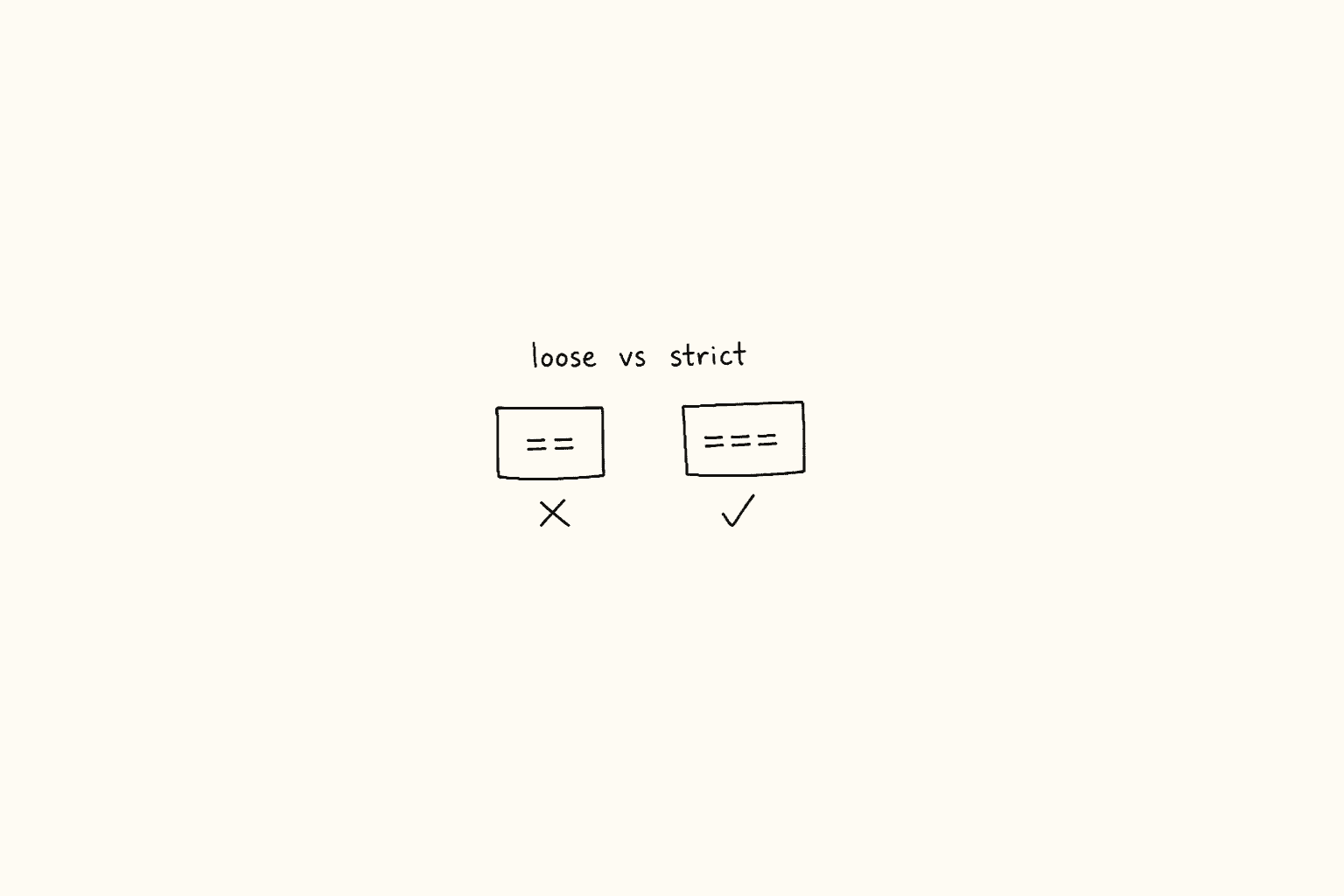
Playwright’s expect(value).toBe(expected) is a strict comparison. Soft == in your own if is not. Until you can see the difference in one glance, your framework will keep “fixing” bugs that are just type coercion.
Today you will be able to:
- Name variables without colliding with reserved words.
- Read every literal that shows up in test data: numbers, strings, template strings,
true/false,null,undefined. - Explain
nullvsundefinedthe way an SDET should — API body vs missing field. - Use
===in assertions and??in env / fixture defaults. - Walk an interview through the
==rule-breakers from25_IQ.jswithout guessing.
The Labs We Are Actually Using
From chapter_03_Identifier_Literal_Operators_Statement on main:
19_Identifier.js20_literla.js(filename is spelled that way in the repo)21_literals_all.js22_nul_typepf.js23_null_undefined.js24_equla_triequal.js25_IQ.js
From chapter_04_Operators:
26_Assigned_Operator.js27_Assignment_Operators.js28_Comparsion_Operators.js29_Logical_Operators.js30_String_Operators.js31_Ternary_Operators.js31_Type_Operators.js32_Null_Optinal_Value.js
Those are the files. If a slide mentioned 20_Literal.js or 21_Statement.js, that name is not on main. We stay with what GitHub actually serves.
JavaScript Identifiers for Test Automation
An identifier is the name you give a variable, function, class, or fixture. Playwright does not care how pretty the name is. The JavaScript parser does.
19_Identifier.js is a short “do not do this” file. The commented lines are the lesson:
// let class = "Hello World";
// class is a reserved keyword in JavaScript, so it cannot be used as an identifier.

// let if = true;
// if is also a reserved keyword.

// let return = 5;
// return is also a reserved keyword.

let myVariable = 10; // validclass, if, return, const, let, await, async, for, switch, default, new, this, typeof, void, delete — none of these can be a variable name. In a Playwright repo that bites people in two places.
First, page-object fields. A junior SDET models a login form and writes:
// This will not even parse.
class LoginPage {
  constructor(page) {
    this.page = page;
    this.class = page.getByLabel("Batch"); // SyntaxError: class is reserved
  }
}
Rename it. batchName, courseClass, klass if you must. The locator can still target the UI label “Class”. Your identifier cannot be the keyword.
Second, fixture names and test-data keys. return, default, and new show up in API payloads. That is fine inside an object key as a string: payload["default"]. It is not fine as let default = payload.default.
The second half of 19_Identifier.js is the trap that looks legal:
// they look like keywords but aren't reserved
let undefined = 5; // Works but NEVER do this!
let Infinity = 10; // Works but NEVER do this!
undefined and Infinity are not reserved words. You can shadow them. You should never. The moment you write let undefined = 5 in a helper, every later if (value === undefined) in that scope is comparing against 5. I have seen this in a “debug leftover” that survived into a shared utils/assertNullish.js. The suite went green on the wrong thing.
Identifier rules I want you to keep for this series:
- Start with a letter,
_, or$.1stRetryis illegal.firstRetryis fine. - Camel case for values and functions:
retryCount,buildAuthHeader. - Pascal case for page objects and fixtures classes:
LoginPage,ApiClient. - ALL_CAPS only for true constants:
DEFAULT_BASE_URL,MAX_RETRY. - Never shadow
undefined,Infinity,NaN,arguments. - Never name a variable after a Playwright fixture you did not create:
page,context,browser,requestalready mean something intest("...", async ({ page }) => {}). If you need a second page, call itsecondPageoradminPage.
That last one is an SDET-specific identifier bug. This compiles and then lies:
import { test, expect } from "@playwright/test";

test("shadowed page fixture", async ({ page }) => {
  const page = "https://app.vwo.com/#login"; // shadows the fixture
  await page.goto(page); // TypeError: page.goto is not a function
});
Name the URL loginUrl. Keep page as the browser tab.
Literals: The Values You Type Into Tests
A literal is a value written directly in source. Not computed. Not fetched. Typed.
20_literla.js is the first pass:
let age = "pramod";          // string literal
let isStudent = true;        // boolean literal
let pi = 3.14;               // numeric literal
let name = "Alice";          // string literal
let nullValue = null;        // null literal
let undefinedValue;          // declared, not assigned → undefined
Classroom joke in that file: age holds "pramod". That is intentional. The name of the identifier does not constrain the type. JavaScript will let you put a string in age and a number in name. Playwright will not save you. expect(user.age).toBeGreaterThan(17) fails with a useless message if age is "pramod".
21_literals_all.js is the file I want you to re-type, not skim. Number literals first:
let count = 42;
let negative = -100;
let zero = 0;

let h = 0xFF;                 // 255
let color_hex = 0xFF0000;     // 16711680 — a color as a number
let octal = 0o77;             // 63
let pi = 3.14159;
let million = 1e6;            // 1000000
let tiny = 1.5e-4;            // 0.00015
Where this shows up in a Playwright suite:
0xFFstyle values arrive from design tokens and canvas / screenshot pixel checks.1e6is how some APIs write timeouts.timeout: 1e4is 10 seconds. Write10_000or10 * 1000if another human has to review it.0is a real status in some admin APIs: “zero items”, “zero retries left”.0is not “missing”. We will come back to that with??.
String literals next. Three spellings, three jobs:
let single = "Hello World";
let withDouble = 'She said "hi"';
let double = "Hello World";
let withSingle = "It's a test";

let first_name = "Pramod";
let full_name = `Hi,${first_name} dutta`;
let math = `2+2=${2 + 2}`;
The commented line in the lab is the quote-escape bug:
// let name = 'It's a test';That does not parse. Inside single quotes, the apostrophe in It's ends the string. Either escape ('It\\'s a test') or switch quotes ("It's a test") or use a template literal (` It’s a test ). I use double quotes for static UI copy I will later put in getByRole(‘button’, { name: “Sign in” })`, and template literals the moment a value is interpolated.
Template literals are how test names and test data should be built:
const env = process.env.TEST_ENV ?? "qa";
const user = "admin";

test(`login as ${user} on ${env}`, async ({ page }) => {
  await page.goto(`https://${env}.thetestingacademy.com/login`);
});
Two path / URL notes from the same lab, because I still see both in download and navigation helpers:
let path = "C:\\\\users\\\\pramod\\\\file.txt"; // Windows path needs escaped backslashes
let address = "https://app.vwo.com/#login";
In a JS string, \\ is one backslash. A URL uses /. Hash routes like #/login are not directories. page.goto("https://app.vwo.com/#login") is a navigation. path.join("C:", "users", "pramod", "file.txt") is a file. Do not concatenate them with + and hope.
The Three String Literals That Break Assertions
This block in 21_literals_all.js is the one I circle on the whiteboard:
let empty = "";   // empty string (falsy!)
let space = " ";  // single space (truthy!)
let zero1 = "0";  // string zero (truthy!)
Read those three again. Then look at how people write Playwright checks:
const label = await page.getByTestId("discount").innerText();

if (label) {
  // runs for " ", runs for "0", skipped only for ""
}

await expect(page.getByTestId("discount")).toHaveText(""); // empty is OK
await expect(page.getByTestId("discount")).toHaveText(" "); // a space is a different UI bug
toHaveText("") and toBeEmpty() are not the same as if (text). A coupon field that renders a single space will pass a truthy check and fail a design review. A quantity field that renders "0" is a valid zero, not “no data”.
Booleans in the same file are boring on purpose:
let isLoggedIn = true;
let hasPermission = false;
Do not store them as "true" / "false" strings in fixtures unless the API actually returns strings. 25_IQ.js later does let inputAge = "true" to show you how a string boolean poisons an if. If your CSV says true, parse it once in the data helper. Do not make every test remember to coerce.
Null vs Undefined — The SDET Version
Two files. Do both.
22_nul_typepf.js:
// Null — "intentionally nothing"
let selectedItem = null;
let searchResult = null;
console.log(searchResult);

// Undefined — "not yet assigned"
let declaredOnly;
console.log(declaredOnly); // undefined

console.log(null == undefined); // true (loose)23_null_undefined.js:
console.log(null === undefined); // false (strict — different types)
console.log(null == undefined);  // true

console.log(null == 0);          // false
console.log(null == "");         // false
console.log(undefined == 0);     // false
console.log(undefined == "");    // false
Memorize my classroom line:
nullmeans I looked, and there is nothing. The API said so. The UI cleared the selection. I assignednullon purpose.undefinedmeans nobody put a value here. The variable was declared and left alone. The JSON key is missing. The function argument was skipped.
Playwright examples you will hit this week and on Day 15 when we do data-driven tests:
const body = await response.json();

// API contract: "user has no middle name"
expect(body.middleName).toBeNull();

// API contract: field should not be present for guests
expect(body.subscription).toBeUndefined();

// Wrong: treating both as "empty"
expect(body.middleName == null).toBeTruthy(); // passes for null AND undefined
== null is the one loose check I still allow in helpers, because it is the documented JS idiom for “nullish” (null or undefined). I never use it inside expect().toBe(). If the contract says null, assert null. If the contract says missing, assert undefined.
Locator and storage versions of the same idea:
const storage = await page.evaluate(() => localStorage.getItem("authToken"));
// getItem returns null when the key is absent — not undefined
expect(storage).toBeNull();

let selectedRow = null; // we reset selection on purpose before a new search
expect(selectedRow).toBeNull();

let optionalHeader;
// forgot to read the response header
expect(optionalHeader).toBeUndefined();
typeof null is "object". That is a 30-year-old language bug. 31_Type_Operators.js calls it out. Do not write if (typeof value === "object") and assume you have a JSON body. null will pass that check. Use value !== null && typeof value === "object" or, better, assert the shape you actually need.
= vs == vs ===
24_equla_triequal.js opens with the three spellings people mix in interviews and in if statements:
let a = 5;                 // assignment
console.log(5 == "5");     // true  — loose, coerces
console.log(5 === "5");    // false — strict, number vs string
console.log(null == undefined);  // true
console.log(null === undefined); // false
console.log(5 == 5.0);     // true
console.log(5 === 5.0);    // true  — both number 5
console.log(5 === 5.01);   // false
= is not a comparison. console.log(5 = 5) is a syntax error. You cannot assign to a literal. If you write if (status = 200) you assign 200 to status and the if is always truthy. I still find this in API helpers copied from Slack.
== asks JavaScript to coerce, then compare. === asks: same type, same value?
Playwright toBe is in the === family (actually Object.is, which treats NaN as equal to NaN and -0 as different from +0). That is why this fails:
const status = await response.status(); // number 200
await expect(status).toBe("200");       // fail: 200 !== "200"
await expect(String(status)).toBe("200"); // pass if you really want a string
await expect(status).toBe(200);         // pass — this is the assertion you meant
Same bug with locator text:
const countText = await page.getByTestId("cart-count").innerText(); // "3"
expect(countText).toBe(3);        // fail
expect(Number(countText)).toBe(3); // pass
expect(countText).toBe("3");      // pass
Pick a type at the boundary. Either parse once and assert a number, or keep the UI string and assert a string. Do not mix them inside the assertion.
28_Comparsion_Operators.js restates it in classroom English:
// =  → assignment
// == → loose comparison
// === → strict comparison

console.log(5 == "5");   // true
console.log(5 === "5");  // false
console.log(5 != "5");   // false  — loose inequality, they "look" equal
console.log(5 !== "5");  // true   — strict inequality, types differ
There is no !===. Do not invent it. !== is the strict “not equal”.
My rule for this series and for every framework we build later:
- Comparisons in production test code:
===and!==. - Playwright assertions:
toBe,toEqual,toBeNull,toBeUndefined,toBeTruthyonly when you mean truthy. ==only in two places: teaching this post, and thevalue == nullnullish idiom if you refuse to writevalue === null || value === undefined.
Interview File: 25_IQ.js
This is the file I use when someone says “I already know ==“. I am pasting the comparisons as the repo wrote them, then I will show the Playwright version of each trap.
0 == ""            // true  (both convert to 0)
0 == "0"           // true  ("0" → 0)
0 == false         // true
null == undefined  // true
" \\t\\n " == 0    // true  (whitespace string → 0)

// Rule breakers — all false
null == 0
null == ""
null == false
undefined == 0
undefined == ""
undefined == false
NaN == NaN

"" === false       // false
"" == false        // true
null == undefined  // true
null === undefined // false
0 === false        // false
"0" == false       // true
"" == "0"          // false
The last two together are the one that ends careers in code-pair rounds: "0" == false is true, but "" == "0" is false. Loose equality is not transitive. Do not build a mental model that says “all falsy things equal each other”. They do not.
NaN == NaN is false. NaN === NaN is also false. The lab computes it this way:
var a = 0 / 0;
var a1 = 0.0 / 0.0;
console.log(a); // NaN
In Playwright, if a price parser returns NaN, expect(price).toBe(NaN) is the assertion that works (Object.is(NaN, NaN) is true). expect(price === NaN).toBeTruthy() will fail. Use Number.isNaN(price) in helpers and expect(price).toBeNaN() if you add a custom matcher, or simply expect(Number.isNaN(price)).toBe(true).
The if at the bottom of 25_IQ.js is the production bug:
let inputAge = "true";

if (inputAge == false) {
  console.log("Age is empty/invalid"); // WRONG mental model
}
The comment in the file talks about "0" == false. Same family. A CSV column, a query param, or a getAttribute value is a string. "0", "false", "", and "true" are four different strings. Compare them as strings, or parse them once.
Playwright-shaped rewrite:
function parseFlag(raw) {
  if (raw === true || raw === "true" || raw === "1") return true;
  if (raw === false || raw === "false" || raw === "0" || raw === "") return false;
  throw new Error(`Unparseable flag: ${raw}`);
}

test("feature flag from data-attribute", async ({ page }) => {
  const raw = await page.getByTestId("beta").getAttribute("data-enabled");
  expect(parseFlag(raw)).toBe(false);
});
No ==. No “it is falsy so it must be off”.
Arithmetic Operators You Actually Use in a Suite
26_Assigned_Operator.js is the arithmetic lab. I do not need you to rediscover +. I need you to see where each operator lands in a runner.
let a = 10, b = 3;
let sum = a + b;   // 13
let sub = a - b;   // 7
let mul = a * b;   // 30
let div = a / b;   // 3.333...
console.log(a % b); // 1  remainder
console.log(13 % 7); // 6
console.log(100 % 2); // 0 even
console.log(101 % 2); // 1 odd
console.log(2 ** 3);  // 8
console.log(a ** b);  // 1000
SDET mappings:
%is how you shard tests without a plugin. Worker0of4runs ids whereid % 4 === 0. Same idea asn % 2 === 0for even./on integers is not integer division.7 / 2is3.5. If you need page count,Math.ceil(total / pageSize).**shows up in backoff:delay = 200 * 2 ** attempt. Write it as200 * 2 ** attempt, not a magic1600.+on a number and a string concatenates.200 + "ms"is"200ms".expect(200 + "ms").toBe(200)will never pass.
test("pagination remainder", async ({ request }) => {
  const pageSize = 10;
  const total = 23;
  const lastPageCount = total % pageSize; // 3
  expect(lastPageCount).toBe(3);
  expect(Math.ceil(total / pageSize)).toBe(3);
});
The lab ends with let firstname = "Pramod"; — a reminder that the next operator family is not arithmetic. Strings sit in the same file system as numbers. + is the operator that forgets which one you had.
Assignment Operators
27_Assignment_Operators.js:
let x = 10;
x += 10; // 20
x -= 3;  // 17
x *= 2;  // 34
x /= 4;  // 8.5
x %= 4;  // 0.5
These are not cute. They are how retry counters, wait budgets, and running totals should look.
let remainingBudgetMs = 30_000;
remainingBudgetMs -= await runSmoke();
remainingBudgetMs -= await runRegression();
expect(remainingBudgetMs).toBeGreaterThan(0);
Do not write x = x + 10 in a tight helper unless you are teaching. Do not write x += "10" unless you want "1010" or 20 depending on the current type of x. If x started as a number and someone later did x = process.env.WORKERS, you are now concatenating strings.
const cannot be reassigned. += on a const number is a TypeError. const on an object still lets you mutate the object: limits.retries += 1 is legal if limits is const. That is Day 1 memory plus today’s operator. Use it when a fixture holds a mutable bag, not when you wanted an immutable cap.
Comparison Operators Beyond Equality
Still 28_Comparsion_Operators.js:
console.log(3 > 4);   // false
console.log(3 < 4);   // true
console.log(4 >= 4);  // true  (4 > 4 OR 4 === 4)
console.log(3 <= 4);  // true
Playwright already has web-first matchers for a lot of this: toBeGreaterThan, toBeGreaterThanOrEqual, toBeLessThan. Use those on numbers you extracted. Use > in your own helpers when you are filtering test data, not when you are asserting the UI.
const prices = [99, 149, 199];
const premium = prices.filter((p) => p >= 150);
expect(premium).toEqual([149, 199]);

await expect(priceLocator).toHaveText("149");
const value = Number(await priceLocator.innerText());
expect(value).toBeGreaterThanOrEqual(150);
String comparison is lexicographic, not numeric:
"9" > "10";  // true, because "9" > "1"
Number("9") > Number("10"); // false
If a web table gives you row text, parse before you sort or compare. Day 12 of this series hits web tables. Learn the operator today so that day is locators, not JS panic.
>= is an OR of > and ===. The lab says that out loud. There is no >==.
Logical Operators in Conditions and Fixtures
29_Logical_Operators.js is three lines and a lifetime of bugs:
let a = true;
let b = false;
console.log(a && b); // false  AND
console.log(a || b); // true   OR
console.log(!a);     // false  NOT
Truth tables you need:
&&is true only when both sides are true.||is true when at least one side is true.!flips a boolean.!0istrue.!""istrue.!"0"isfalsebecause a non-empty string is truthy.
Playwright config is full of these. You already saw the pattern on Day 1 if you opened playwright.config.ts:
retries: process.env.CI ? 2 : 0,
workers: process.env.CI ? 1 : undefined,
That ternary sits on top of a truthy check. process.env.CI is the string "true" or "1" in GitHub Actions, or undefined on your laptop. undefined is falsy. "true" is truthy. "false" is also a non-empty string, so it is truthy. If you ever set CI=false locally, process.env.CI ? 2 : 0 still picks 2. Compare explicitly:
const onCI = process.env.CI === "1" || process.env.CI === "true";Short-circuit is the other job of && and ||:
const token = process.env.API_TOKEN && process.env.API_TOKEN.trim();
const baseURL = process.env.BASE_URL || "https://app.vwo.com";
|| treats "", 0, false, null, and undefined as “use the right side”. That is wrong for "use empty string as a valid override" and wrong for 0 retries. That is why Day 2 ends on ??.
Auth fixture sketch you will meet again on Day 16:
const canCheckout =
  isLoggedIn && hasPermission && cartCount > 0;

if (!canCheckout) {
  test.skip(true, "user cannot checkout in this data set");
}
Write the condition in English first. Then put &&. If you need three lines, use three lines. Clever one-liners do not debug well in Trace Viewer.
String Operators
30_String_Operators.js is tiny on purpose:
let s = "Hi";
s += " Dev";
console.log(s); // "Hi Dev"
+ and += concatenate strings. Template literals are usually clearer the moment a space, a slash, or a query param appears.
// Fragile
const url = base + "/" + path + "?user=" + user;

// Readable, and the lab already taught you this in 21_literals_all.js
const url = `${base}/${path}?user=${user}`;
Watch the type flip:
let retries = 2;
retries += 1;     // 3
retries += "1";   // "31"
After that line, expect(retries).toBeGreaterThan(0) still “works” because "31" coerces, and then retries + 1 becomes "311". Parse env vars at the edge:
const retries = Number(process.env.RETRIES ?? 2);
if (Number.isNaN(retries)) {
  throw new Error("RETRIES must be a number");
}
Ternary Operators for Test Branches
31_Ternary_Operators.js:
let age = 20;
let is_pramod_will_go_to_goa =
  age > 18 ? "Yes, let go goa!" : "No you are minor, Not going";
Classroom story stays. The pattern is:
const result = condition ? valueIfTrue : valueIfFalse;I use a ternary when both sides are values. I use if when a side is a sequence of Playwright actions.
Good:
const retries = process.env.CI === "true" ? 2 : 0;
const projectName = browserName === "chromium" ? "Desktop Chrome" : browserName;
Bad:
isMobile
  ? await page.getByTestId("menu").click()
  : await page.getByRole("navigation").waitFor();
That works. It also hides which path ran when the screenshot arrives. Write the if. Tomorrow (Day 3) is if / else / switch for this reason. Today, keep ternary to expressions: labels, config numbers, test titles, expected text.
Nested ternary is how SDETs invent bugs:
const label = status === 200 ? "ok" : status === 401 ? "auth" : "other";Two ? is the maximum I accept, and I still prefer switch (Day 3) for HTTP status families.
typeof — Know What Playwright Handed You
31_Type_Operators.js:
console.log(typeof "hello"); // "string"
console.log(typeof 123);     // "number"
console.log(typeof 31.4);    // "number"  (there is no "float" or "int")
console.log(typeof []);      // "object"
The comments in the file complete the table:
typeof true→"boolean"typeof undefined→"undefined"typeof null→"object"(the famous lie)typeof []→"object"
Add the ones the file does not print, because you will need them:
typeof function () {}→"function"typeof 1n→"bigint"typeof Symbol("id")→"symbol"
Playwright usage:
const value = await page.locator("#count").getAttribute("value");
expect(typeof value).toBe("string"); // getAttribute is string | null

const status = (await page.request.get("/health")).status();
expect(typeof status).toBe("number");

const body = await (await page.request.get("/health")).json();
expect(body).not.toBeNull();
expect(typeof body).toBe("object");
expect(Array.isArray(body.checks)).toBe(true);
typeof [] is "object", so array checks are Array.isArray. typeof null is "object", so JSON-body checks start with toBeTruthy() or not.toBeNull().
I use typeof in custom expect messages and in test-data guards, not as a replacement for a schema. Day 19 of this series brings AJV. Until then, a two-line typeof guard at the fixture boundary is enough to stop undefined.token from exploding in a page object.
Nullish Coalescing for Test Data
32_Null_Optinal_Value.js is the file I wish every SDET wrote in week one:
let amul = null;
let val = amul ?? "nandani milk";
let val2 = null ?? "default"; // "default" (?? returns right side if left is null/undefined)

val = "which milk? -> " + val;
console.log(val);
// very useful in test data handling.
?? returns the right side only when the left side is null or undefined. It does not care about "", 0, or false.
That is the difference between || and ??, and it is the difference between a wrong default and a correct one.
process.env.RETRIES = "0";

Number(process.env.RETRIES || 2);  // 2  — WRONG, 0 is falsy
Number(process.env.RETRIES ?? 2);  // 0  — correct, explicit zero

const title = "" || "Untitled";    // "Untitled" — maybe you wanted that
const title2 = "" ?? "Untitled";   // "" — empty string is a real title from the UI
Playwright config and fixtures should use ??:
import { defineConfig } from "@playwright/test";

export default defineConfig({
  use: {
    baseURL: process.env.BASE_URL ?? "https://app.vwo.com",
    extraHTTPHeaders: {
      "X-Test-Run": process.env.GIT_SHA ?? "local",
    },
  },
  retries: Number(process.env.RETRIES ?? 0),
});
Test data:
function userFromCsv(row) {
  return {
    email: row.email ?? `sdet+${Date.now()}@thetestingacademy.com`,
    role: row.role ?? "student",
    retries: row.retries ?? 0, // 0 is allowed
    notes: row.notes ?? "",    // empty notes are allowed; missing notes become ""
  };
}
Optional chaining (?.) is the sibling you will want the first time a JSON body skips a nest. The lab file does not include ?.. I will not pretend it does. You can still write it in Playwright today:
const city = body.user?.address?.city ?? "unknown";
expect(city).toBe("Pune");
If user is missing, body.user.address.city throws. body.user?.address?.city returns undefined, and ?? supplies the default. That pair is how a stable API assertion reads in 2026.
A Playwright Assertion Cookbook for Today
I want these in your muscle memory before Day 10, when we install Playwright for this series.
1. Status is a number.
const res = await request.get("/health");
expect(res.status()).toBe(200);
expect(res.ok()).toBe(true);
2. UI text is a string. Parse if you need math.
const raw = await page.getByTestId("cart-count").innerText();
expect(raw).toBe("3");
expect(Number(raw)).toBeGreaterThan(0);
3. Missing key vs explicit null.
expect(body.middleName).toBeNull();
expect(body.subscription).toBeUndefined();
4. Empty vs space vs "0".
await expect(page.getByTestId("error")).toHaveText("");
expect(" ".trim()).toBe("");
expect(Boolean("0")).toBe(true);
5. Flags from the environment.
const headed = process.env.HEADED === "1";
test.skip(!headed && process.env.NEED_HEADED === "1", "needs a headed run");
6. Defaults that allow zero.
const timeout = Number(process.env.EXPECT_TIMEOUT ?? 5_000);7. Never == inside an if that decides a click.
const enabled = await button.getAttribute("aria-disabled");
if (enabled === "true") {
  test.info().annotations.push({ type: "skip-reason", description: "button disabled" });
} else {
  await button.click();
}
"false" == false is true in loose equality. getAttribute returns a string or null. Stay strict.
Three Interview-Style Checks
Answer these out loud before you look at the repo again.
1. What does expect(null).toBeUndefined() do, and why do people write it?
It fails. null and undefined are different values and different types. People write it when they used == in the console, saw true, and assumed Playwright agrees. The contract is either “field present and empty” (null) or “field absent” (undefined). Pick one.
2. Why is "0" == false true but "" == "0" false?
Loose equality runs an algorithm, not a “falsy club”. false becomes 0. "0" becomes 0. 0 == 0. Two strings ("" and "0") compare as strings, and they are not the same string. If an interviewer asks only for the boolean, also say: this is why I will not use == in a test helper.
3. retries comes from env. You write Number(process.env.RETRIES || 2). What do you actually ship?
It depends on the raw env string, and that is the point.
RETRIES=0(the string"0"):"0"is a non-empty string, so it is truthy.||keeps"0".Number("0")is0. You ship zero retries.RETRIESunset (undefined):undefined || 2is2.RETRIES=(empty string):""is falsy, so you ship2.- After you have already parsed to a number:
0 || 2is2. That is the real production trap.
?? only replaces null and undefined. Parse first, then default: Number(process.env.RETRIES ?? 2), and reject NaN. Do not let || decide whether zero is allowed.
Bonus from 19_Identifier.js: can you let undefined = 5? Yes. Should you? Never. Next question.
How This Fits the 21-Day Framework
Day 1: you can run JavaScript and you know var / let / const and hoisting.
Day 2 (today): you can name things, write literals, and compare values the way expect does.
Day 10: we install Playwright for this series and write the first tests. Every toBe, every baseURL, every retries: line is today’s material.
Day 15: CSV / JSON / Faker. "", "0", null, missing keys. You will be glad you did 25_IQ.js with a notebook, not a highlighter.
Day 17–19: config, fixtures, API helpers, AJV. ?? and === become house rules, not opinions.
If you want that path with me in the room, enroll in Playwright Automation Mastery. This blog series is the public spine. The course is the projects, the reviews, and the framework we actually ship.
Key Takeaways
- Identifiers cannot be reserved words. Do not shadow
undefined,Infinity, or Playwright fixtures likepage. - Literals are the values you type.
""," ", and"0"are three different things. Only""is falsy. nullis intentional emptiness.undefinedis absence.null == undefinedistrue.null === undefinedisfalse.expectis strict.=assigns.==coerces.===checks type and value. There is no!===.25_IQ.jsis the interview file."0" == falseistrue.NaN == NaNisfalse. Do not use==to decide a click.%,**, and+=show up in sharding, backoff, and retry budgets.+concatenates the moment a string appears.&&/||/!short-circuit and follow truthiness.CI=falseis still a truthy string.- Ternary is for values.
ifis for actions. Tomorrow we do this properly. typeof nullis"object".typeof []is"object". UseArray.isArrayand null checks.??is the test-data operator. It preserves0and"".||does not.
Tomorrow — Day 3
Day 3 is control flow: statements, if / else if / else, and switch with break, default, and grouped cases. We will branch on API status codes, browserName, and env the way a real suite does — not with a nested ternary.
Read ahead if you want: chapter_05_Statements and chapter_06_Switch_Statements in the same repo. Do not skip today’s labs to get there. An if that uses == is just Day 2 waiting to fail on CI.
Series hub: JavaScript, TypeScript, and Playwright Advanced Framework — 21-Day Guide.
Course: Playwright Automation Mastery.
<script type="application/ld+json">
{
  "@context": "https://schema.org",
  "@type": "FAQPage",
  "mainEntity": [
    {
      "@type": "Question",
      "name": "What is the difference between == and === in Playwright assertions?",
      "acceptedAnswer": {
        "@type": "Answer",
        "text": "Playwright expect().toBe() compares with Object.is, which is strict like === (with special cases for NaN and signed zero). 200 === \\"200\\" is false, so expect(status).toBe(\\"200\\") fails when status is the number 200. Use === / toBe for type-and-value. Use == only when you are teaching coercion or writing the value == null idiom."
      }
    },
    {
      "@type": "Question",
      "name": "What is the difference between null and undefined for API test data?",
      "acceptedAnswer": {
        "@type": "Answer",
        "text": "null means the field is present and intentionally empty. undefined means the field was never assigned or the JSON key is missing. null == undefined is true, but null === undefined is false. Assert toBeNull() or toBeUndefined() based on the contract, not a loose == null check inside expect()."
      }
    },
    {
      "@type": "Question",
      "name": "Why is typeof null equal to object in JavaScript?",
      "acceptedAnswer": {
        "@type": "Answer",
        "text": "It is a long-standing language bug. typeof null returns \\"object\\", and typeof [] also returns \\"object\\". In Playwright helpers, check value !== null && typeof value === \\"object\\", and use Array.isArray for arrays. Do not treat typeof === \\"object\\" as proof you have a JSON body."
      }
    },
    {
      "@type": "Question",
      "name": "When should an SDET use ?? instead of || for Playwright config?",
      "acceptedAnswer": {
        "@type": "Answer",
        "text": "Use ?? (nullish coalescing) when 0 or an empty string is a valid value. retries: Number(process.env.RETRIES ?? 0) keeps an explicit zero. || treats 0, \\"\\", and false as missing and replaces them with the default. That is wrong for retry counts, timeouts, and optional UI titles."
      }
    },
    {
      "@type": "Question",
      "name": "Which JavaScript identifier names break a Playwright test file?",
      "acceptedAnswer": {
        "@type": "Answer",
        "text": "Reserved words such as class, if, return, await, and default cannot be variable names. Shadowing the page, context, request, or browser fixtures hides the real Playwright objects. Shadowing undefined or Infinity makes later strict checks compare against your value. Rename identifiers; keep UI labels in locator strings."
      }
    }
  ]
}
</script>
<script type="application/ld+json">
{
"@context": "https://schema.org",
"@type": "BreadcrumbList",
"itemListElement": [
{
"@type": "ListItem",
"position": 1,
"name": "Home",
"item": "https://scrolltest.com/"
},
{
"@type": "ListItem",
"position": 2,
"name": "Javascript",
"item": "https://scrolltest.com/category/javascript/"
},
{
"@type": "ListItem",
"position": 3,
"name": "JS to Playwright Framework",
"item": "https://scrolltest.com/javascript-typescript-playwright-advanced-framework-21-day-guide/"
},
{
"@type": "ListItem",
"position": 4,
"name": "Day 2: JavaScript Identifiers, Literals, and Operators for Test Automation",
"item": "https://scrolltest.com/js-playwright-framework-day-02-identifiers-literals-operators/"
}
]
}
</script>