
Day 1: JavaScript Basics for SDETs — Setup, var/let/const, and Hoisting
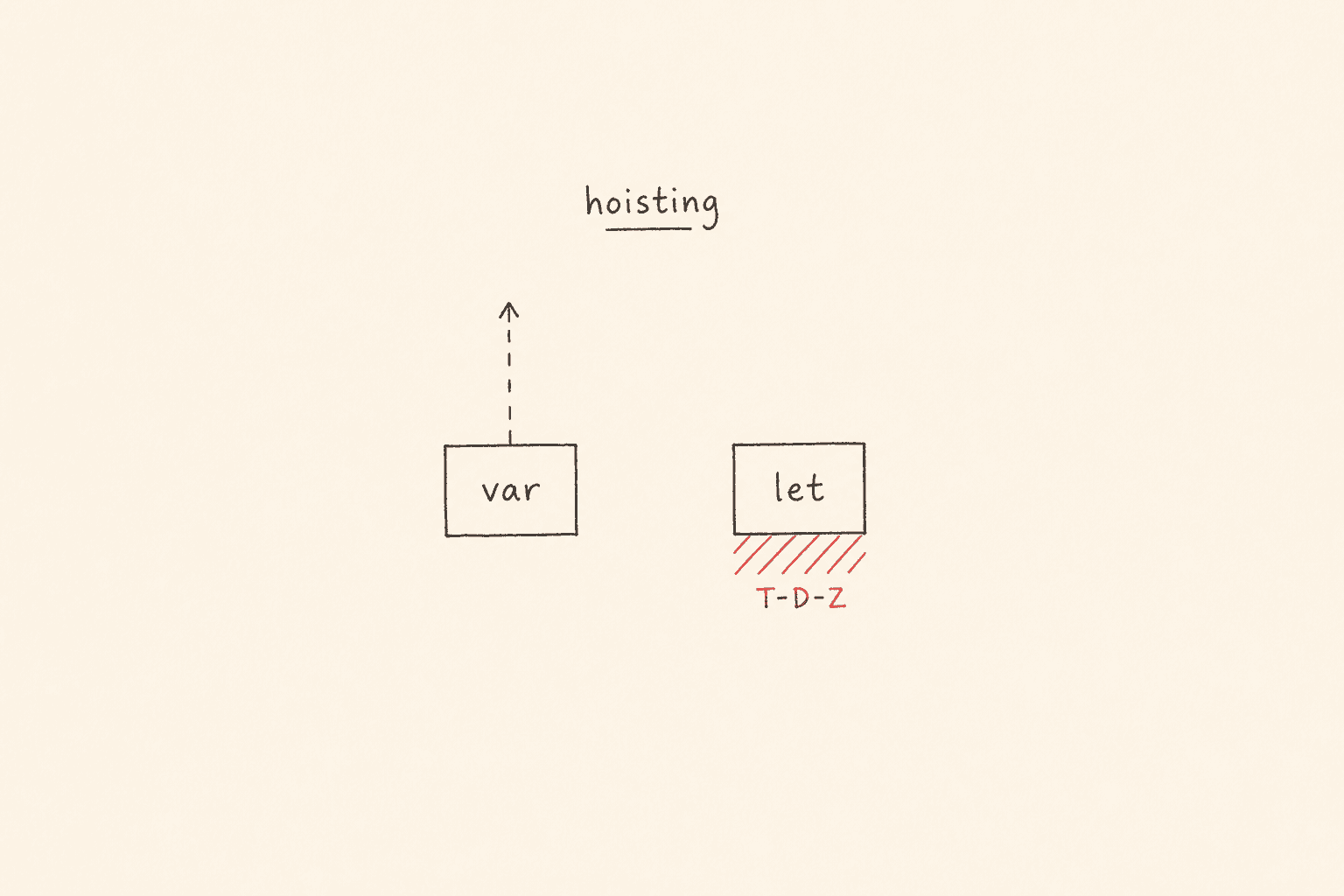
This is Day 1 of my new 21-day series: JavaScript to Playwright Framework. This is not the existing 21-Day Playwright with TypeScript Challenge. That series starts with npx playwright test. This series starts earlier — with the JavaScript an SDET actually types before a locator, a fixture, or a Page Object exists.
I am Pramod Dutta. I teach SDETs in India for a living. The first week of my live batch is not “open Playwright and click Login”. It is Node, a .js file, console.log, then var vs let vs const, then hoisting. If you skip that, your Playwright suite will still run. It will also leak state, throw Temporal Dead Zone errors you cannot name, and fail interviews that a 20-minute JavaScript lab would have saved.
All labs today come from my public batch repo: LearningPlaywrightBatch on branch main. I am not inventing files. I fetched each lab from raw GitHub and I quote it below. One file, chapter_02_Java_Concepts/12_hoisting_if_block.js, exists in the tree but is empty (0 bytes). I skip it and I say so.
If you want the video plus project path after you finish these 21 posts, the course is here: Playwright Automation Mastery. The series hub for every day lives here: JavaScript to TypeScript to Playwright Advanced Framework 21-Day Guide.
Contents
Why JavaScript basics for SDET work come before Playwright
Playwright is a Node library. Your spec file is JavaScript or TypeScript that Node executes. test(), expect(), page.goto(), a custom fixture, a storageState path, a const config object — all of that sits on top of the same engine rules you meet in chapter_01_Basics and chapter_02_Java_Concepts.
I have interviewed enough SDETs to see the pattern. Someone can write a login test with page.goto(baseURL) and still cannot explain why console.log(a) prints undefined with var and throws with let. That gap shows up later as a var i inside a retry loop that leaks into the next test, a let token used above its declaration, a const config they try to reassign when switching QA and prod URLs, or a helper written as const login = async () => {} and then called above the line.
Day 1 is the fix. You set up Node. You run four tiny files. You learn comments and identifier rules. You feel var vs let vs const in the same function. You walk hoisting for var, for function, and for let. Then I show you why Playwright cares.
Tomorrow (Day 2) we go deeper on identifiers, literals, and operators. Today we only take the identifier rules that sit in 06_Core_Identifier_JS.js, because that file is in chapter 02 and it is the door into var / let / const.
What you will learn today from the LearningPlaywrightBatch repo
Clone the repo and stay on main:
git clone https://github.com/PramodDutta/LearningPlaywrightBatch.git
cd LearningPlaywrightBatch
git checkout main
We will run, quote, and adapt these files only.
Chapter 01 — Basics
chapter_01_Basics/01_basic.jschapter_01_Basics/02_JS_Step_By_Step.jschapter_01_Basics/03_verify_setup.jschapter_01_Basics/04_hot_code.js
Chapter 02 — JavaScript concepts (the folder is named chapter_02_Java_Concepts in the repo)
05_Core_Comments_JS.jsthrough18_const.jsHoisting_in_JavaScript.mdJS_Tutorial_Complete.md
Skipped: 12_hoisting_if_block.js is present on main but the blob is empty. I will not invent an if-block lab for it. The same idea is covered by 15_let_block.js, 16_var_if_loop.js, and 17_rogit.js.
You need Node.js 18 or newer. Playwright later in this series will want a current LTS. Today we only need node and a terminal.
How to set up Node.js for Playwright JavaScript labs
I do this check in every new batch before anyone opens an editor.
Install the current Node LTS for your OS. After install on Windows, close and reopen the terminal. Git Bash or PowerShell both work.
On a Mac with Apple Silicon, process.arch should later print arm64. That is exactly what 03_verify_setup.js is for.
On Linux, use a current LTS. Do not stay on a years-old runtime from a default package cache.
Verify the runtime in the same terminal you will use for labs.
Print the Node version and the package-manager version. You want 18 or newer. Then execute a file by passing its path to Node.
There is no Playwright config today and no test runner. If the first basic file prints a line, your SDET JavaScript setup works. That is the whole bar for Day 1 infrastructure.
Open the repo in your editor. File tree on the left. Terminal at the bottom. We run files, read the output, change one line, and run again. That is the classroom loop.
Run your first JavaScript file for SDET setup
Lab: chapter_01_Basics/01_basic.js
This is the entire file on main:
console.log("Hello TheTestingAcademy!");Run it from the repo root:
node chapter_01_Basics/01_basic.jsYou should see:
Hello TheTestingAcademy!That one line is doing more than a hello-world meme. console is a host object Node gives you. log writes to stdout. Playwright’s reporter and your own debug prints all sit on this same habit: make the program talk.
If this fails, you do not have a Playwright problem. You have a Node path problem. Confirm node -v first.
I start every batch here because SDETs coming from Java or C# want a class, a main, a package. JavaScript does not ask for that. One statement. The engine runs it from top to bottom — after it has already scanned declarations. Hold that last sentence. Hoisting is that scan.
Walk JavaScript step by step: scope, loops, and a hoisted function
Lab: chapter_01_Basics/02_JS_Step_By_Step.js
Exact file on main:
let a = 10;
console.log(a);

for (let a = 0; a < 100000; a++) {
 console.log(a);
 print();
}

function print() {
 console.log("Hello");
}
Three lessons are already hiding in eleven lines.
First, the outer let a is not the loop let a. The first let a = 10 lives in script scope. The for-loop creates a new binding per iteration. That is block scope. After the loop, the outer a is still 10. If this had been var a in both places, you would have one binding and a lot of confusion. We prove that later with 16_var_if_loop.js.
Second, print() is called inside the loop, but the function print() declaration is written below the loop. This works. Function declarations are fully hoisted — name and body. The engine already knows print before line 1 runs. That is why my students can call a helper at the top of a spec and define function login(page) at the bottom. It will not work the same way if they write const print = () => {}. Arrow functions follow const and let rules. We hit that in the hoisting labs.
Third, do not run the 100000-iteration version in a recorded session without warning. I put a large loop here so you feel that JavaScript is a real program, not a few lines in a browser console. For your own machine, change 100000 to 5 while you learn.
If you shrink the loop, the first line prints 10, then you get 0 Hello, 1 Hello, 2 Hello, 3 Hello, 4 Hello. You just used let, block scope, and function hoisting in one file. That is the Day 1 spine.
Verify Node.js platform, architecture, and version for SDET machines
Lab: chapter_01_Basics/03_verify_setup.js
Exact file:
console.log(process.platform);
// MAC - DARWIN
// WINDOWS - WIN32
// LINUX - LINUX

console.log(process.arch);
// x64
// arm64

console.log("Node Version:", process.version);
Run it with Node. On this writing box I get linux, x64, and Node Version v20.19.2. On a Windows laptop the platform string is win32 even on 64-bit Windows. That surprises every first-week student. The comment in the lab says it: WINDOWS – WIN32. On an Intel Mac you get darwin and x64. On Apple Silicon you get darwin and arm64.
Why does an SDET care about those three prints?
Playwright downloads browser builds per platform and architecture. A CI log that says linux / x64 and a local log that says darwin / arm64 is not a bug. It is two machines.
process.version is the first thing I ask for when a student says the Playwright install failed. Node 16 is a different conversation from Node 22.
Later in this series, process.env.CI will change retries and workers. process is not magic. You just printed three of its properties.
Keep this file. When you join a new project, run a ten-line setup probe before you debug the framework.
What hot code means when JavaScript runs in a tight loop
Lab: chapter_01_Basics/04_hot_code.js
Exact file:
console.log("Hello");

function add(a, b) {
 return a + b;
}
let result;
for (let i = 0; i < 10000; i++) {
 result = add(i, i + 1);
}
console.log("After 10000 calls:", result);
Run it. You should see Hello and then After 10000 calls: 19999. Why 19999? Last i is 9999. add(9999, 10000) is 19999. The loop is not the lesson. The lesson is how the engine treats a function that is called ten thousand times.
V8, the engine inside Node and Chromium, starts in an interpreter. If a function stays hot — called often, with stable types — V8 compiles it. That is what I mean by hot code in this lab. add always receives numbers. After enough calls it is a candidate for optimized machine code.
For SDETs this is not trivia. Your Playwright test is not slow because JavaScript is slow. A 10000-iteration add finishes in milliseconds. The browser, the network, and a hard-coded five second sleep are what make suites fat.
Type stability matters. add is easy to optimize. A helper that sometimes returns a string and sometimes a locator is harder for you and for the engine.
function add is hoisted. let result is not initialized until that line. If you logged result above let result, you would be in the Temporal Dead Zone. The loop is the safe place because the declaration already ran.
I keep this file in chapter 01 so nobody treats JavaScript as a glue language that cannot run a real loop. It can. We just choose not to busy-wait in tests.
How comments work in JavaScript test files
Lab: chapter_02_Java_Concepts/05_Core_Comments_JS.js
Exact file, including the classroom typos. I leave them. This is the real lab:
// This is comment. -This code will not be execute
console.log("Hello");
/**
 * This is multi line
 * Author : Prrmmod Dutta
 * Date : 14-Feb-2026
 **/

/*
 * This is multi line
 * Author : Prrmmod Dutta
 * Date : 14-Feb-2026
 */
Run it. Only Hello prints. Both comment styles are ignored by the engine.
A line comment starts with two slashes and runs to the end of the line. I use this to disable one assertion or one import. A block comment uses slash-star and star-slash and can span lines. A JSDoc-style header uses slash-star-star. To the engine it is still a block comment. Tools and your future self read the author line later.
From 08_Lab.js I also teach the editor shortcut, because students lose ten minutes a day commenting by hand:
let name = "Pramod";
console.log(name);

// Ctlr + / - Windows for comments
// CMD + /
That is the whole 08_Lab.js. Ctrl + / on Windows. Cmd + / on Mac. Highlight three lines, toggle comments, run again.
SDET rules I enforce in reviews: comment why, not what, if the identifier already says what. Do not comment-out a failing test and push. When we reach Playwright, use test.fixme or test.skip. Today, delete or keep the line. A commented five-second wait in a shared fixture is how flaky suites are born. Leave a note only if the wait is a documented product constraint.
Identifier rules SDETs must know on Day 1
Lab: chapter_02_Java_Concepts/06_Core_Identifier_JS.js
Day 2 is the deep dive on identifiers, literals, and operators. Today I only take what this lab actually teaches, because you cannot discuss let if you cannot name a binding.
The lab opens with the three words I write on the whiteboard:
// Identifier, Literal, Operator

var a = 10;
a = 20;
console.log(a);
The comments in that file say it plainly. The variable name is the identifier — the label on the container. The variable value is the literal: 10, 20, Hello, true, false, null, undefined. The equals sign is the operator.
Rules from the same file, which match JS_Tutorial_Complete.md section 1:
- Must start with a letter, underscore, or dollar sign.
- Can then contain letters, numbers, underscores, and dollar signs.
- Cannot start with a number.
- Cannot be a reserved keyword.
- Cannot contain spaces.
- Cannot contain special characters other than underscore and dollar.
- Case sensitive.
Valid names the lab actually runs include name, $name, _name, name1, name_1, name$1, NAME, pi as a unicode symbol, namaste in Devanagari, and a single underscore. Unicode identifiers work. I show them so you know the language allows it. I still want English camelCase in a Playwright repo that a team in Pune and a team in Berlin will both read: loginButton, qaApiUrl, MAX_RETRIES.
The lab also shows the reserved-word trap, commented so the file still runs. Uncomment var break = "let go" and Node throws a SyntaxError. break, return, class, for, let, and const are not identifiers. In interviews I ask: can you name a variable function? The answer is no.
JS_Tutorial_Complete.md adds the QA versions I use in class. 1stTestCase is illegal. testResult and TestResult are different bindings. A name with @ in it is a SyntaxError. Remember those three. We will reuse them tomorrow.
var vs let vs const in JavaScript for Playwright testers
Lab: chapter_02_Java_Concepts/07_var_let_const.js
This is the file I stay on for a full classroom hour. I walk the live uncommented code first, then the commented var story, because both are in the lab.
let is block scoped — the live code in 07
let b =20; // Global Scope
console.log(b);

function printHello(){
 console.log("Hello TheTestingAcademy!");
 let b = 30; // Local Scope
 console.log(b);
 if(true){
 let b = 5;
 console.log(b); // 5
 }
 console.log("let ->",b);
}

printHello();
I ran this file as committed. Before it dies on the const assignment at the bottom, it prints 20, Hello TheTestingAcademy!, 30, 5, let -> 30, then 20 from the later let a = 10; a = 20 lines, then 3.14.
Read those three b bindings again.
The script-top let b is 20. The function-body let b is 30. The if(true) block let b is 5. After the if, let -> 30 is the function b, not 5 and not 20. The block ended. The block binding died. That is the sentence I want you to repeat.
The same file then shows reassignment versus re-declaration. let a = 10; a = 20 is fine. A second let b in the same scope is not. let allows a new value. let does not allow a second let of the same name in the same scope. Playwright fixtures and beforeEach locals should be let only when the value must change. Otherwise const.
var is function scoped — the commented story in 07
The top of 07_var_let_const.js is commented, but it is the lesson I unmute on the projector. Inside a function, var a = 20, then if(true) { var a = 30 }. The log after the if is 30, not 20. The if did not create a new var a. var ignores braces. Both declarations are the same function-scoped a. That is the leak.
var also allows two var lines with the same name in the same scope. Last assignment wins. In a 400-line spec that is how one test silently overwrites another helper’s flag.
Hoisting_in_JavaScript.md in the same folder is blunt: enable an ESLint rule that bans var. I agree. I still teach var because your legacy Cypress suite and your interview panel still use it.
The one-line decision I want on your laptop sticker: if the binding will be reassigned, use let. If the binding stays the same reference, use const. If you are maintaining 2014 code, you may see var — then refactor. Default is const. That is also the default I want in Playwright config objects, selector maps, and API URLs.
How const works for URLs, scores, and config in tests
Lab: chapter_02_Java_Concepts/18_const.js
Exact file:
// console.log(MAX_RETRIES); // TDZ
// const MAX_RETRIES = 3;
// // MAX_RETRIES = 4;

const score = 100
// score = score+10;

const pi = 3.14;
const prod_api_url = "https://app.vwo.com/#login";
//prod_api_url = "https://google.com"
const qa_api_url = "https://qa.vwo.com/#login";

let abc = "anil";
console.log(abc);
This is an SDET file pretending to be a language file. Look at the names. MAX_RETRIES is a retry budget. You do not reassign it mid-test. score is a number. score = score + 10 is commented because it is a TypeError. prod_api_url and qa_api_url are two environments. I do not mutate prod into QA. I keep two consts. Later we pick one with process.env. The VWO URLs are the same product I use in the fundamentals repo later in this series. Day 1 already plants the domain.
Uncomment score = score+10 and run. You get TypeError: Assignment to constant variable. Uncomment console.log(MAX_RETRIES) above its const and you are in the Temporal Dead Zone: ReferenceError: Cannot access MAX_RETRIES before initialization.
const is hoisted like let. It is not usable before the line. It must be initialized on the line. A const with no value is a SyntaxError.
From Hoisting_in_JavaScript.md and JS_Tutorial_Complete.md, one more rule people get wrong in Playwright config. const config = { timeout: 3000 } allows config.timeout = 5000. Same object, new property value. config = {} is a TypeError. const locks the binding, not the object guts. Your config use object can still grow a baseURL. You cannot point config at a different object. If you need a frozen config, Object.freeze is the next tool. We are not doing freeze today. I just do not want you to say “const means the object cannot change”. That sentence fails interviews.
07_var_let_const.js ends with the same const pi idea. const pi = 3.14, log it, then pi = 3.14159. If you run 07 as committed, Node throws on that last line after it has already printed the let demo and 3.14. That is intentional classroom pain. Comment the assignment after you have seen the error once.
What hoisting in JavaScript really is
I will quote my own notes from chapter_02_Java_Concepts/Hoisting_in_JavaScript.md, because I wrote that file for this batch and I do not want a second definition.
Hoisting is JavaScript’s default behavior of moving variable and function DECLARATIONS to the top of their containing scope during the compilation phase, BEFORE the code is actually executed.
Only declarations are hoisted, NOT initializations or assignments.
Hoisting does NOT physically move your code. It is a mental model to understand how the JS engine handles declarations during compilation.
Two phases, every file you ran today:
Phase 1 is memory creation. The engine walks the scope. It finds var, let, const, function, class. It allocates bindings.
Phase 2 is execution. Lines run. Assignments happen.
var bindings are created and set to undefined in phase 1. let and const bindings are created and left uninitialized in phase 1. That uninitialized stretch is the Temporal Dead Zone. function declarations are created with the full body in phase 1. That is why print() worked in 02_JS_Step_By_Step.js.
If you remember only one sentence from Day 1: the engine knows the name before your first line runs. Whether you can touch the value is a different question.
How var hoisting produces undefined instead of an error
Three labs, same idea, slightly different comments. I want you to run all three.
09_Hoisting.js — the two-phase sketch
console.log(a); // undefind
var a = "Pramod";
console.log(a); // changed
Output is undefined then Pramod. The comment in the file spells undefined as undefind. The engine does not care. The value is undefined. The second log is Pramod because assignment ran.
The lab’s own note is the one I want in your notebook: hoisting does not physically move your code. It is a mental model for how the engine handles declarations during compilation.
10_hoisting_var.js — the greeting version
console.log(greeting); // Output: undefined
var greeting = "Hello!";
console.log(greeting); // Output: "Hello!"dasdasd
Same pattern. The trailing dasdasd on the comment is classroom noise. The engine still prints undefined then Hello!. Behind the scenes, as the file says: var greeting is hoisted with undefined, the first log runs, then the assignment stays in place, then the second log prints Hello!.
13_hoisting.js — noise between the logs
console.log(a);
console.log("dasdasdas");
console.log("dasdasdas");
console.log("dasdasdas");
console.log("dasdasdas");
console.log("dasdasdas");
var a = "abc";
Output is undefined, then five dasdasdas lines. I put junk logs in the middle on purpose. Students think hoisting is “the var line jumps to line 1”. It does not. The declaration is booked in memory at the start of the scope. The assignment a = “abc” still waits for the last line. Everything between is just execution. a stays undefined until that last line. This file never logs abc because nothing reads a after the assignment.
Interview translation: why is this undefined and not a ReferenceError? Because var initialized the binding. The name exists.
Function-scope hoisting inside a helper
Lab: chapter_02_Java_Concepts/11_hoisting_function.js
function getUserStatus(){
 // var status_code = undefined; - not shown to you.
 console.log(status_code);
 var status_code = "Active";
 console.log(status_code);
}

getUserStatus();
Output is undefined then Active. The comment in the file is the teaching: var is function-scoped, so the status binding is hoisted to the top of getUserStatus(), not the global scope.
status_code is not a global. Inside the function, phase 1 already did var status_code = undefined.
This is the Playwright version of the same bug. A helper named buildAuthHeader logs token, then declares var token = process.env.API_TOKEN. Someone expected an outer token. They got the inner hoisted var. I have seen this in API utils. Use const token at the top of the function and the bug disappears.
Function declarations hoist differently from var inside them. Calling getUserStatus() before the function keyword is fine. Calling a const arrow before its line is not. Hoisting_in_JavaScript.md section 5 is the full map: function declaration equals full hoist. var plus a function expression equals undefined, then a TypeError if you call it. const plus an arrow equals a TDZ ReferenceError. That is interview check 3 later.
let hoisting and the Temporal Dead Zone
let is hoisted. I need you to believe that sentence and still refuse to use the variable early.
14_let_hoisting.js — stay below the line
14_let_hoisting.js logs “Pramod is awesome” four times, then declares let username = “Dutta”, then logs the phrase three more times, then logs username. As committed, this runs. You get seven Pramod is awesome lines and then Dutta. I counted them on Node. The dangerous line is the first one, and I left it commented. Uncomment console.log(username) and Node throws ReferenceError: Cannot access ‘username’ before initialization.
That error text is the TDZ. The engine knows username. It will not give you undefined. It will not pretend the name is missing. It blocks access until let username = “Dutta” runs.
Compare the two errors. I drill this in every batch.
If you log a name that was never declared, the engine says ReferenceError: that name is not defined. No binding exists in this scope.
If you log username before let username, the engine says ReferenceError: Cannot access username before initialization. The binding exists. You are still in the TDZ.
Not defined versus not initialized is a senior-SDET distinction. Junior reports paste the stack. Seniors read the words.
15_let_block.js — shadowing plus TDZ
let a = "Pramod";

if(true){
 console.log(a); //local varaible , TDZ
 let a = "temp";
}
If you expect Pramod, you are thinking about the outer a. Run it. Node throws ReferenceError: Cannot access ‘a’ before initialization. The if block has its own let a. From the opening brace to the let a = “temp” line, that inner a is in the TDZ. The inner name shadows the outer name. The log cannot fall back to Pramod. The comment in the file says it: local variable, TDZ. This is the diagram on the right column. Same identifier, new block, new TDZ.
17_rogit.js — the same trap with numbers
17_rogit.js is the real filename on main. let a = 10, log a, then if(true) log a and let a = 20. First log prints 10. The log inside if throws. Outer a is fine. Inner let a poisoned the block. I keep this tiny file so students cannot say 15 was a string thing.
const is the same TDZ. 18_const.js already showed MAX_RETRIES. No third mechanism. let and const share the uninitialized hoist. const only adds must-initialize and cannot-reassign.
Block scope: let vs var inside if blocks
Now flip 15 to var and watch the leak.
Lab: 16_var_if_loop.js
var a = "Pramod";

if(true){
 console.log(a);
 var a = "temp";
 console.log(a);
}
I ran this file on Node. Output is Pramod then temp. After the if, a is still temp. There are not two var a bindings. There is one, script scoped. Phase 1 hoists it and sets undefined. Phase 2 assigns Pramod at the top, enters the if, logs Pramod, assigns temp, logs temp. The leak is the second fact: the block did not protect the outer name. There is no outer name.
Compare that with 15_let_block.js, where the inner let a is a new binding and the early log is a TDZ error instead of a silent overwrite.
If you wrap the same var pattern inside a function, you still have one function-scoped a. That is 07’s commented F -> 30 example.
Hoisting_in_JavaScript.md example 3 is the automation version: var accessLevel inside if and else, then console.log(accessLevel) after the braces. It works. var ignored the braces. Example 4 is the for-loop leak: after for (var i = 0; i < 5; i++) {}, i is 5. After for (let j = 0; j < 5; j++) {}, j is not defined.
Playwright translation: for (var i = 0; i < users.length; i++) inside a test, then a later assertion that accidentally reads i. With let, that assertion fails loudly. With var, it reads users.length and you waste an afternoon.
The classic setTimeout plus var bug from the same markdown is the one interviewers still ask. A for loop with var i and a delayed log prints 3, 3, 3. The same loop with let i prints 0, 1, 2. var is one i. Callbacks run after the loop. i is 3. let is a new i per iteration. Each callback keeps its own number.
You will not use setTimeout as a wait in Playwright. You will use expect polling. The scoping rule is still the rule inside any helper that closes over a loop index.
12_hoisting_if_block.js would have been the natural next file. On main it is a zero-byte placeholder. I am not going to invent its contents. 15, 16, and 17 already carry the if-block lesson.
Why hoisting and scope matter before you write Playwright tests
I do not teach this chapter because I enjoy old JavaScript war stories. I teach it because these failures show up in real suites.
Fixtures and hooks share a function body. test.beforeEach is a function. A var user inside if (role === ‘admin’) is visible to the rest of the hook. A let user is not. If the else path never assigned the var, you still have undefined instead of a clean ReferenceError.
const is how you pin environment URLs. 18_const.js already used VWO prod and QA. Your future Playwright config will pick a baseURL from the environment and keep that binding boring. You do not reassign baseURL inside a test to quickly hit staging. You start a project with a different baseURL. Tests stay repeatable.
Helper style decides hoist behavior. A function openLogin(page) declaration is legal anywhere in a spec file. A const openLogin = async (page) => … is not legal above its line. Batches mix both. Then a refactor moves an arrow function below test() and CI dies with TDZ. If you cannot explain that, you cannot review the pull request.
Flaky is sometimes just var in a loop. Parallel workers plus a leaked var index plus a shared module-level var token is a Heisenbug generator. const and let do not make Playwright stable by themselves. They remove a whole class of “this passed on my laptop” lies.
Interviewers in India still open with hoisting. Service-based companies, product companies, the twenty-minute screening round. console.log(a); var a = 1 and console.log(a); let a = 1. If you hesitate, they do not open your GitHub. Day 1 is that screening round.
This series will get you to POM, fixtures, Cucumber, API, CLI, and AI agents. None of that is useful if let still surprises you. Stay here until every lab in the list is something you can narrate without looking.
If you want me walking these files on video, with the framework we build after the TypeScript week, join Playwright Automation Mastery. Then come back to the series hub tomorrow for Day 2.
Three interview-style checks for JavaScript basics
Do these on paper. Then run them. I want the prediction first.