AI Test Failure Triage for Playwright Teams
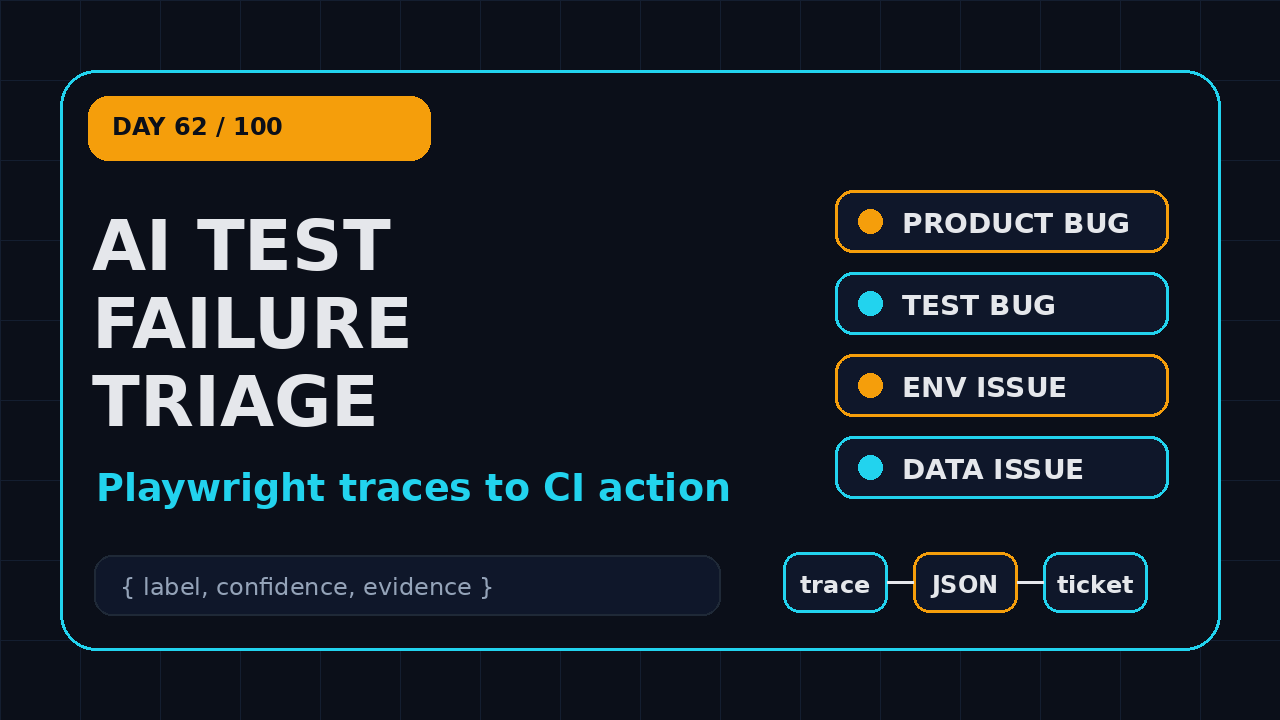
Day 62 of 100 Days of AI in QA and SDET. AI test failure triage is where many QA teams should apply AI first, before they ask an agent to write hundreds of new tests. If your Playwright suite already produces traces, screenshots, videos, console logs, network events, and retry data, you are sitting on a better dataset than most AI tools get by default.
I see teams waste expensive engineer hours on the same boring question: did this failure come from the product, the test, the environment, or missing data? A small AI triage layer can answer that question faster, but only when the pipeline feeds it structured evidence and forces it to explain its confidence.
If you want the classification model behind this workflow, start with my AI test failure classification guide. If your suite is already noisy, pair this with the Playwright flaky test audit template before adding AI.
Table of Contents
- Why AI Test Failure Triage Matters Now
- The Four-Bucket Failure Taxonomy
- What Evidence Playwright Already Gives You
- A Reference Architecture for AI Test Failure Triage
- Implementation: From Trace to Triage Ticket
- CI Rules That Keep AI Triage Honest
- India SDET Context: Where This Skill Pays
- Common Mistakes I Would Avoid
- Key Takeaways
- FAQ
Contents
Why AI Test Failure Triage Matters Now
AI test failure triage is not about replacing a senior SDET. It is about removing the first 10 to 20 minutes of repetitive evidence reading after a red CI run. That time looks small until a 40-person engineering group burns it every day across pull requests, nightly suites, release branches, and hotfix builds.
Playwright adoption also makes this moment practical. The Microsoft Playwright GitHub repository shows more than 94,000 stars, and the npm downloads API reported more than 208 million downloads for @playwright/test in the last month during my research for this article.
Why failure review is the bottleneck
Most automation reports still stop at pass or fail. A test named checkout should apply coupon fails, the HTML report shows a screenshot, and somebody has to open the trace manually. The person then checks the locator, the network call, the console error, the data setup, and the application state. That is investigation, not testing.
What AI is good at here
An LLM is useful when the job is to read mixed evidence and produce a structured first draft. Screenshots, trace summaries, request failures, stack traces, and console logs are messy for dashboards, but they are understandable to a model when you compress them correctly.
I do not want the model to decide whether we ship. I want it to say: “This looks like a test bug because the locator changed from data-testid=pay-now to data-testid=submit-payment, confidence 0.78, suggested owner QA framework.” That is a useful first pass.
The Four-Bucket Failure Taxonomy
A triage agent is only as good as the labels you give it. If you ask “why did this fail?” you will get a paragraph. If you ask it to classify a failure into a controlled taxonomy, you get data you can trend over time.
I use four top-level buckets for AI test failure triage:
- Product bug: the application behavior is wrong or regressed.
- Test bug: the test logic, locator, assertion, wait, or fixture is wrong.
- Environment issue: infrastructure, dependency, browser, network, service, or CI capacity caused the failure.
- Data issue: setup data, user state, seed records, feature flags, or tenant configuration caused the failure.
Product bug
A product bug usually has evidence outside the test. You may see a 500 response from a checkout API, a JavaScript exception after clicking a valid button, or a UI state that violates the expected business rule. The key signal is that the test acted like a normal user and the system returned the wrong result.
The AI should not call something a product bug just because an assertion failed. It should cite the specific application evidence: response status, error message, changed DOM state, screenshot mismatch, or a trace step that clearly shows correct user action followed by bad behavior.
Test bug
A test bug is usually boring and common. The locator is brittle. The test assumes ordering in a table. The assertion fires before the final UI state is stable. The fixture creates a user with the wrong role. These are expensive because teams often route them to product squads first.
Good AI triage should detect phrases like “strict mode violation,” “timeout waiting for locator,” “element is detached,” and “expected visible received hidden.” It should also compare the failing step with recent diffs when you have git metadata available.
For release-change context, I also like connecting triage output to Playwright release notes risk tickets. Framework upgrades become easier when failure labels show what actually changed.
Environment issue
Environment failures show up as browser launch problems, dependency timeouts, DNS failures, test runner crashes, or CI machine pressure. They are not always outside QA ownership. If your suite fails because you run 24 workers on a weak runner, that is a test infrastructure issue you can fix.
GitHub Actions, Jenkins, GitLab CI, and Azure Pipelines all provide logs and artifacts. The GitHub Actions artifact documentation is a good reminder: artifacts are not an optional nice-to-have. They are the evidence trail.
Data issue
Data issues are the silent killer in enterprise QA. A test expects a customer with an active subscription, but the seed job creates an expired account. A tenant has the wrong feature flag. A staging database restore wipes a record. The UI failure looks random, but the root cause sits in setup.
Your triage prompt should ask explicitly: “Does the evidence suggest missing, stale, conflicting, or unauthorized test data?” If you do not ask, many models over-index on locators because locator errors are easier to describe.
What Evidence Playwright Already Gives You
Playwright is a strong fit for AI test failure triage because it records rich context. The official Playwright trace viewer documentation explains that traces include actions, snapshots, screenshots, network activity, console messages, and source locations. That is exactly the raw material a triage pipeline needs.
The mistake is to throw the entire trace zip at an LLM. That is slow, expensive, and noisy. Instead, convert Playwright output into a small triage packet.
The minimum useful packet
For each failed test, I want a JSON file with these fields:
- test title, file, project, browser, retry number, and duration
- error message and stack trace
- last 10 test steps with status and timing
- console errors and warnings near the failure
- failed network requests with method, URL pattern, and status
- screenshot path and trace path
- git commit, branch, pull request number, and changed files
- previous failure history for the same test if available
Use traces, but summarize them first
A Playwright trace is great for humans because the trace viewer is visual and interactive. A model does not need the full interactive UI. It needs a compressed summary: the last successful action, the failing action, current URL, critical network events, assertion text, and a screenshot description if you use vision.
If the error is Timeout 30000ms exceeded, the trace summary should answer a few questions: What was the test waiting for? Was the element absent, hidden, disabled, covered, or changing? Did the app load the expected page? Did an API fail before the wait?
A Reference Architecture for AI Test Failure Triage
Here is the architecture I would use for a real team. Keep it boring. Boring systems survive release week.
Layer 1: Artifact collection
The first layer is CI artifact collection. Configure Playwright to save traces on failure, screenshots on failure, videos only when they provide value, and the HTML report as an artifact. Add a custom reporter or a post-test script that writes one JSON triage packet per failed test.
Layer 2: Evidence normalization
The second layer normalizes logs and traces. Remove secrets. Mask tokens. Replace full URLs with safe patterns when needed. Group noisy console messages. Keep only network failures and calls around the failure window.
This is where many teams get lazy. They paste raw logs into a chatbot and celebrate the demo. Two weeks later, the prompt contains session cookies, customer emails, and unrelated logs. Do not build that habit.
Layer 3: LLM classifier
The classifier receives the triage packet and returns strict JSON. It does not write a Jira essay. It outputs a label, confidence, evidence bullets, likely owner, suggested next action, and a “needs human review” boolean.
Tools like PromptFoo and DeepEval are useful when you want to regression-test prompts and evaluation logic. During my research, GitHub showed more than 24,000 stars for PromptFoo and more than 17,000 stars for DeepEval. That growth matches what I see in QA discussions: teams are starting to treat prompts and LLM behavior as testable assets.
Layer 4: Routing and dashboards
The last layer routes the result. Product bug with confidence above 0.80 can create a draft issue for the squad. Test bug can open an automation debt ticket. Environment issue can tag DevOps or the QA platform owner. Data issue can notify the team that owns seed data or test tenants.
Do not auto-assign blame. Auto-create a draft with evidence. Let a human confirm. That single word, “draft,” prevents a lot of political damage.
Implementation: From Trace to Triage Ticket
Below is a practical TypeScript pattern. It is intentionally small. Start with one failed test packet, not a giant platform.
Step 1: Configure Playwright artifacts
// playwright.config.ts
import { defineConfig } from '@playwright/test';

export default defineConfig({
  retries: process.env.CI ? 2 : 0,
  reporter: [
    ['html', { outputFolder: 'playwright-report' }],
    ['json', { outputFile: 'test-results/results.json' }]
  ],
  use: {
    trace: 'retain-on-failure',
    screenshot: 'only-on-failure',
    video: 'retain-on-failure'
  },
  outputDir: 'test-results/artifacts'
});
This gives you enough evidence without storing a video for every green test. In a large suite, storage cost matters. Keep the signal, cut the noise.
Step 2: Build a triage packet
// scripts/build-triage-packets.ts
import fs from 'node:fs';
import path from 'node:path';

type FailureBucket = 'product_bug' | 'test_bug' | 'environment_issue' | 'data_issue' | 'unknown';

type TriagePacket = {
  testId: string;
  title: string;
  file: string;
  project: string;
  retry: number;
  durationMs: number;
  errorMessage: string;
  stack?: string;
  attachments: { name: string; path?: string; contentType?: string }[];
  git: { sha: string; branch: string; changedFiles: string[] };
  hints: { likelyBucket?: FailureBucket; reason?: string }[];
};

const results = JSON.parse(fs.readFileSync('test-results/results.json', 'utf-8'));
const packets: TriagePacket[] = [];

for (const suite of results.suites ?? []) {
  for (const spec of suite.specs ?? []) {
    for (const test of spec.tests ?? []) {
      for (const result of test.results ?? []) {
        if (result.status === 'passed') continue;

        const errorMessage = result.error?.message ?? 'No error message captured';
        const attachments = (result.attachments ?? []).map((a: any) => ({
          name: a.name,
          path: a.path,
          contentType: a.contentType
        }));

        packets.push({
          testId: test.testId ?? `${spec.title}-${result.retry}`,
          title: spec.title,
          file: suite.file,
          project: test.projectName ?? 'unknown',
          retry: result.retry ?? 0,
          durationMs: result.duration ?? 0,
          errorMessage,
          stack: result.error?.stack,
          attachments,
          git: {
            sha: process.env.GITHUB_SHA ?? 'local',
            branch: process.env.GITHUB_REF_NAME ?? 'local',
            changedFiles: []
          },
          hints: makeRuleHints(errorMessage)
        });
      }
    }
  }
}

function makeRuleHints(message: string) {
  const hints: TriagePacket['hints'] = [];
  if (/Timeout .* locator/i.test(message)) {
    hints.push({ likelyBucket: 'test_bug', reason: 'locator wait timeout' });
  }
  if (/ECONNRESET|ENOTFOUND|ETIMEDOUT|net::ERR/i.test(message)) {
    hints.push({ likelyBucket: 'environment_issue', reason: 'network or service instability' });
  }
  if (/401|403|permission|feature flag|seed/i.test(message)) {
    hints.push({ likelyBucket: 'data_issue', reason: 'auth, flag, or seed-data signal' });
  }
  return hints;
}

fs.mkdirSync('triage-packets', { recursive: true });
for (const packet of packets) {
  const safeName = packet.testId.replace(/[^a-z0-9_-]/gi, '_');
  fs.writeFileSync(path.join('triage-packets', `${safeName}.json`), JSON.stringify(packet, null, 2));
}
This script is not perfect, but it changes the team conversation. Instead of “CI failed again,” you now have a repeatable input for analysis.
Step 3: Force strict model output
const triagePrompt = `
You are an SDET triage assistant. Classify the failed Playwright test.
Use only the evidence in the JSON packet. If evidence is weak, say unknown.

Allowed labels:
- product_bug
- test_bug
- environment_issue
- data_issue
- unknown

Return strict JSON with:
{
  "label": "...",
  "confidence": 0.0,
  "evidence": ["..."],
  "likelyOwner": "product|qa_automation|qa_platform|devops|data_owner|unknown",
  "nextAction": "...",
  "needsHumanReview": true
}

Packet:
${JSON.stringify(packet, null, 2)}
`;
The most important line is “use only the evidence.” Without it, the model may invent likely causes from experience. That sounds smart in a demo and becomes dangerous in production.
Step 4: Store output as build evidence
Save the model output as another CI artifact. Add it to the pull request summary. Trend it in a dashboard. The goal is not only faster triage today. The bigger win is month-over-month visibility into why your suite fails.
A simple dashboard might show: 41% test bugs, 27% data issues, 19% environment issues, 8% product bugs, and 5% unknown over the last 30 days. Those numbers are hypothetical, but the action is real. If test bugs dominate, fix framework debt. If data issues dominate, stabilize fixtures and test tenants.
CI Rules That Keep AI Triage Honest
AI test failure triage should not become another flaky tool. Put guardrails around it from day one.
Rule 1: Never block merge on a low-confidence label
Rule 2: Keep deterministic rules beside the model
Do not outsource obvious checks to an LLM. If the browser failed to launch, classify it with a rule. If every test failed after a deploy, flag environment. If the same locator timed out in 20 tests after a UI refactor, the model can summarize, but your rules should catch the pattern.
Rule 3: Create a golden set of failures
Collect 50 to 100 historical failures and label them manually. Include product bugs, locator failures, CI outages, data setup failures, and unknown cases. Run every prompt change against this set.
This is where LLM evaluation tools fit. PromptFoo reported more than 2.2 million npm downloads in the last month during my research, and its GitHub project is active. That does not mean you must use PromptFoo, but it does show why eval discipline is entering normal engineering workflows.
India SDET Context: Where This Skill Pays
For Indian QA engineers and SDETs, this is one of the most practical AI skills to build in 2026. Many teams in TCS, Infosys, Wipro, Cognizant, and service-based accounts still spend a lot of time preparing defect analysis, RCA notes, daily status updates, and release sign-off evidence. Product companies have the same problem, but the language is different: PR velocity, flaky tests, release confidence, and developer experience.
If you can build an AI triage layer on top of Playwright, you move from “test script writer” to “quality systems engineer.” That matters in interviews. It also matters for compensation. In the Bengaluru, Hyderabad, Pune, and NCR market, SDETs who can combine Playwright, CI/CD, TypeScript, and LLM evaluation have a stronger story than engineers who only say they used ChatGPT to generate test cases.
What I would put in a portfolio
Build a public sample project with three things:
- a small Playwright suite with intentionally failing tests
- a triage packet generator that converts failures into JSON
- a mock LLM classifier or real classifier with a safe local/provider setup
- a GitHub Actions workflow that uploads trace, report, and triage output
- a README showing example labels and how you validated them
Common Mistakes I Would Avoid
I like AI triage, but I do not trust lazy AI triage. These mistakes will hurt the team more than they help.
Mistake 1: Sending raw logs with secrets
CI logs often contain tokens, emails, tenant IDs, internal URLs, and payloads that should not leave your environment. Mask before you send anything to a model. If your company requires it, use a private model endpoint or keep the classifier inside approved infrastructure.
Mistake 2: Treating the label as truth
A triage label is a recommendation. It can be wrong. Show confidence. Show evidence. Show “unknown” without shame. A system that says unknown 20% of the time is better than a system that confidently blames the wrong squad.
Mistake 3: Ignoring data failures
Many teams obsess over flaky locators and forget test data. In enterprise apps, data setup is often the real root cause. Add data signals to your packet: user role, tenant, feature flags, seed job result, and fixture version.
Mistake 4: No feedback loop
If nobody records whether the AI was right, the system cannot improve. Add a simple correction workflow. Even a CSV with test ID, predicted label, final label, and comment is enough for version one.
Mistake 5: Starting too big
Do not start with every suite, every browser, every service, and every team. Pick one Playwright project with regular failures. Run AI triage in shadow mode for two weeks. Compare the labels with human judgment. Then expand.
Key Takeaways
AI test failure triage works best when you treat it as a QA system, not a chatbot trick. The model is only one layer. The real value comes from better artifacts, clear labels, CI guardrails, and human feedback.
- AI test failure triage should classify failures, not make release decisions.
- Use four labels first: product bug, test bug, environment issue, and data issue.
- Playwright traces, screenshots, console logs, network events, and retries provide rich evidence.
- Convert raw artifacts into a small JSON packet before calling a model.
- Keep deterministic rules, confidence thresholds, and human review in the workflow.
- For SDETs in India, this is a strong portfolio project because it proves CI/CD and AI engineering depth.
FAQ
Should AI test failure triage replace manual debugging?
No. It should reduce the first-pass investigation time and route failures with evidence. A senior SDET or developer still confirms important cases, especially product bugs and release blockers.
What is the first metric I should track?
Track label accuracy against human review. After that, track mean time to triage, percentage of unknown labels, recurring test-bug patterns, and the number of failures routed to the correct owner without back-and-forth.